
Canon PIXMA TR4720
3.8Editor score
Built-in fax function
Wireless connectivity
Compact design
This guide compares the top cheap fax machine models for home and business use, evaluating features, reliability, and value to help you find the best deal.
Finding a cheap fax machine that still delivers reliable performance can be challenging in today's digital landscape. Many users still need fax capabilities for legal, medical, or business documents. This guide helps you navigate options.
We compared ten top models based on fax speed, memory capacity, paper handling, and overall user ratings. Our analysis focuses on value and functionality so you can choose a device that meets your specific communication needs without overspending.
Each pick highlights key strengths and potential trade-offs to give you a clear picture of what to expect. Prices and availability change frequently, so please verify current details before making your final purchase decision online.
3.8Editor score

4.1Editor score

4.0Editor score
Below is a detailed side-by-side comparison of all ten fax machines featured in this guide. Review the specifications and features to determine which model best aligns with your daily document transmission requirements.




The Brother FAX-575 stands out as a reliable choice for those seeking a straightforward fax solution. With a rating of 4.1 stars, users appreciate its consistent performance and ease of use in daily office environments.
We may earn a commission when you buy through this link, at no additional cost to you.
Its 9600 BPS modem ensures quick transmission times of about fifteen seconds per page. The 512 KB memory allows storage of up to twenty-five pages, which is ideal for high-volume users who need backup capabilities.
While it lacks modern wireless features, the solid wired connectivity ensures stable communication without signal drops. This trade-off is acceptable for users who prioritize reliability over convenience in a fixed office setup.
Anyone needing a dependable workhorse fax machine should consider this model. It delivers consistent results without complicated setup, making it a practical investment for small businesses and home offices.
The 9600 BPS modem ensures you send documents quickly without wasting valuable work time.
The 512 KB memory lets you store up to twenty-five pages for later printing if needed.
We may earn a commission when you buy through this link, at no additional cost to you.
This renewed version of the Brother FAX-575 offers significant savings for budget-conscious buyers. Although it carries a slightly lower rating, many users find the functionality intact and suitable for basic faxing needs.
We may earn a commission when you buy through this link, at no additional cost to you.
You get the same reliable transmission speed and memory capacity as the new model. This makes it an excellent choice for offices that need multiple units without breaking the bank on every single device.
The main downside involves potential wear on physical components like paper trays or keys. However, if tested units are handled carefully, the internal electronics usually perform well enough for standard daily tasks.
Consider this option if you need to equip a team with fax machines on a tight budget. Just ensure you purchase from a reputable seller to minimize the risk of hardware issues.
Save money while still getting essential fax capabilities that work reliably for your documents.
It retains the same modem speed and memory as the new model for consistent performance.
We may earn a commission when you buy through this link, at no additional cost to you.
The Sharp UXB20 provides an alternative approach using inkjet technology instead of thermal or laser methods. It holds a decent rating for basic users who prefer the quality of inkjet printed documents.
We may earn a commission when you buy through this link, at no additional cost to you.
Features like thirty speed dial presets make it easy to reach frequent contacts quickly. The caller ID readiness also helps you manage incoming calls more effectively without lifting the handset every time.
However, inkjet systems can be more prone to clogs if not used regularly. This may lead to higher maintenance needs compared to dedicated thermal or laser fax-only machines in the long run.
Choose this model if you value document quality over speed and maintenance simplicity. It works well for low-volume faxing where print clarity is a priority for your correspondence.
Thirty speed dial presets let you send faxes to frequent contacts with just one button press.
Inkjet technology can produce sharper text and images for professional looking documents.
We may earn a commission when you buy through this link, at no additional cost to you.
The HP DeskJet 2955 brings modern connectivity to faxing through its wireless all-in-one design. With a rating of 3.7, it appeals to users who want to integrate fax into their broader printing workflow seamlessly.
We may earn a commission when you buy through this link, at no additional cost to you.
Its AI capabilities help optimize print formatting automatically. This ensures your fax documents look professional without manual adjustments saving time on repetitive formatting tasks before sending.
Faxing is handled via the smartphone app rather than a physical dialer. This might be inconvenient for older users who prefer physical buttons but offers great flexibility for tech-savvy households.
If you want one device to handle printing scanning copying and faxing, this model fits that role. It is particularly useful for home offices where space and versatility matter more than dedicated fax features.
Control your fax and print tasks remotely through the user-friendly HP mobile app on your phone.
Combine multiple office functions into one compact unit to free up valuable desk space.
We may earn a commission when you buy through this link, at no additional cost to you.
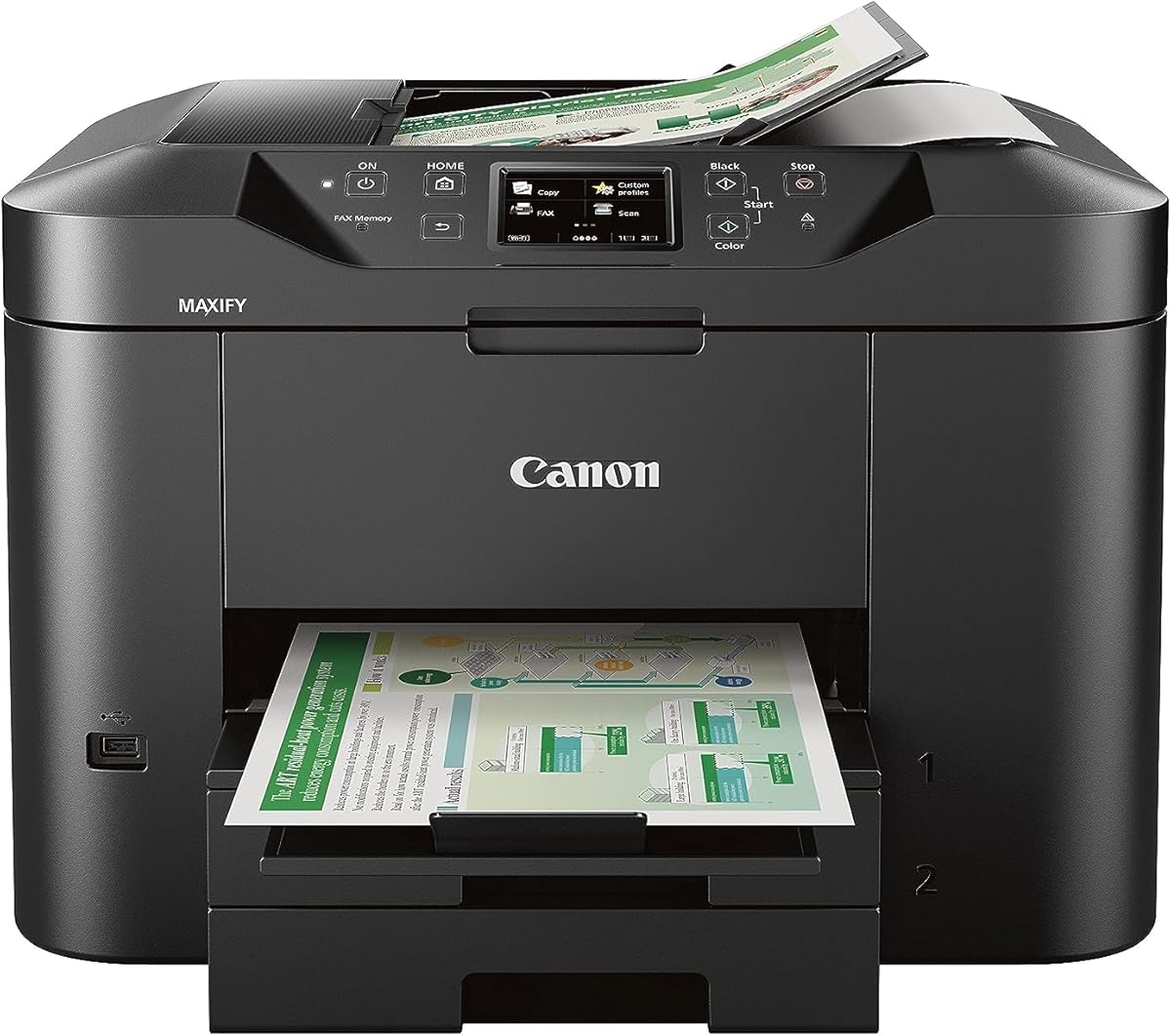
The Canon PIXMA TR4720 offers exceptional value as a budget-friendly all-in-one solution with built-in fax. It has garnered a solid rating for balancing cost with useful features like mobile printing.
We may earn a commission when you buy through this link, at no additional cost to you.
The included auto document feeder is a standout feature in this price range. It allows you to fax multi-page documents easily without placing each sheet individually on the glass.
Wireless printing capability lets you send documents from laptops or phones directly to the machine. This flexibility is key for modern offices that do not rely heavily on physical phone lines.
This model is ideal for small businesses that need multifunctionality without a high upfront cost. It handles fax duties competently while covering other daily office printing tasks efficiently.
Scan and fax multi-page documents automatically without manual sheet-by-sheet feeding effort.
Use your smartphone to send faxes and prints anytime from anywhere within range.
We may earn a commission when you buy through this link, at no additional cost to you.
Designed for business environments, the Canon MAXIFY MB2720 delivers robust performance for high-volume fax and print tasks. It carries a 3.9 rating reflecting user satisfaction with its durability and output quality.
We may earn a commission when you buy through this link, at no additional cost to you.
The fifty hundred sheet paper capacity means you can work uninterrupted for longer periods. This is especially valuable for busy offices where constant reloading would be a significant disruption to workflow.
While it is larger and costs more than entry-level models, the investment pays off in productivity. The laser quality text ensures all faxes look professional and legible to recipients.
Consider this machine if your business relies heavily on document transmission daily. It combines fax capabilities with high-speed printing to keep your operation running smoothly without downtime.
Store up to five hundred sheets to minimize interruptions during busy workdays.
Get crisp professional text that resists smudging for better readability on all faxes.
We may earn a commission when you buy through this link, at no additional cost to you.
The Canon PIXMA TR8620a brings premium convenience to faxing with voice control and smart reorder features. Users value its 4.0 rating for how it simplifies document management in modern home offices.
We may earn a commission when you buy through this link, at no additional cost to you.
Alexa integration allows you to place reorders or check status by voice. This hands-free operation is unique among standard fax machines and adds a layer of smart home convenience.
While the higher price might deter some, the time saved on ink management and document handling is significant. It is a strong choice for those who value modern tech integration over basic utility.
This model is best suited for tech-savvy users who want the latest in printer automation. If voice commands and automatic ink supply are important to you, this device delivers those premium benefits.
Use voice commands to interact with your printer and manage tasks hands-free in your office.
Never run out of ink supplies thanks to automated ordering notifications via your smart assistant.
We may earn a commission when you buy through this link, at no additional cost to you.
The Brother intelliFAX-2840 utilizes laser technology for sharp clear document output. With a 3.9 rating, it stands out for its fast 21 ppm speed which is useful for sending large batches quickly.
We may earn a commission when you buy through this link, at no additional cost to you.
Laser faxes typically do not fade over time compared to thermal alternatives. This makes them suitable for archiving important legal or business documents where long-term readability is required.
One limitation is the lack of network readiness, meaning it operates best as a standalone unit. While sufficient for smaller offices, it may not integrate as seamlessly with distributed teams.
If you need fast reliable fax output for high-volume daily use, this model serves well. It prioritizes speed and clarity over modern connectivity features, fitting traditional workflow needs.
The twenty-one page per minute speed helps you clear document queues quickly.
Get sharp text that is resistant to fading for better long-term document storage.
We may earn a commission when you buy through this link, at no additional cost to you.
This thermal transfer model from Brother offers basic fax functionality with energy efficiency in mind. It holds a lower rating than laser options but is still viable for occasional fax needs.
We may earn a commission when you buy through this link, at no additional cost to you.
The 9.6 Kbps speed is standard for reliable transmission without excessive wait times. Combined with fifty hundred KB memory, it provides enough storage for typical daily office documents.
Thermal paper can be more expensive than standard plain paper which may increase long-term costs. However, for low-volume users, the simplicity and energy savings can justify the trade-off.
If you need a simple fax device for light usage this model will suffice. Just be aware that thermal paper documents may degrade faster than laser prints over several years.
Operate with less power consumption to save on energy bills while using the fax regularly.
Fit this unit easily on small desks without sacrificing essential faxing capabilities.
We may earn a commission when you buy through this link, at no additional cost to you.
The Panasonic KX-FHD331 provides basic fax functionality using standard plain paper. With a lower rating, it is generally considered for those who need very simple faxing without extra features.
We may earn a commission when you buy through this link, at no additional cost to you.
Its answering machine interface allows seamless integration with your existing phone setup. This makes it easier to manage voice and fax calls through a single line if desired.
However, users should expect occasional connectivity issues compared to modern devices. It is best suited as a secondary fax line or for occasional use where speed is not critical.
Choose this unit if you need a no-frills fax option on a tight budget. Just manage expectations regarding speed and reliability for consistent high-volume document transmission.
Save money on supplies by using regular copy paper instead of special thermal rolls.
Connect easily with your answering machine to handle both voice and fax signals.
We may earn a commission when you buy through this link, at no additional cost to you.
Selecting the right cheap fax machine depends on several key factors that match your specific office needs. This guide outlines what to look for to ensure you get a reliable device.
Fax modem speed determines how quickly a document is transmitted to the recipient. Faster speeds around 9600 bps reduce waiting times and are ideal for sending large documents.
Look for at least 9600 bps to ensure efficient document transfer without unnecessary delays in your workflow.
Memory capacity allows the machine to store outgoing faxes if the recipient is busy. Higher memory ensures you do not lose documents if the line is occupied during transmission.
Choose a model with at least 512 KB memory to store multiple pages for later transmission if needed.
Paper capacity and auto feeders significantly impact workflow efficiency. A larger tray reduces the frequency of refills and an auto feeder helps with multi-page faxing.
Opt for at least 50 sheets capacity or higher to minimize interruptions during busy faxing periods.
Thermal, inkjet, and laser technologies offer different trade-offs in quality and maintenance. Laser provides permanent documents while thermal is simpler but may fade over time.
Select laser or inkjet if document longevity is important for your business records.
Modern fax machines often include wireless or smartphone app integration. This allows remote sending without needing a physical phone line connected to the device.
Check for wireless support if you want to fax directly from your computer or mobile device.
Many cheap fax machines double as printers or scanners. Multifunction devices save space and money by combining several office tools into one unit.
Prioritize models that offer printing or scanning if you need to handle more than just fax tasks.
Energy Star ratings help reduce power consumption when the machine is idle. This is relevant for offices running fax machines 24/7 or in shared spaces.
Choose energy-efficient models to lower utility costs over the lifespan of the equipment.
A good warranty protects your investment against defects. Manufacturers with reliable support ensure you can resolve issues quickly without extended downtime.
Verify that the unit comes with at least a 90-day limited warranty for peace of mind.
Always ensure the phone line is connected securely to prevent transmission errors. Test the line periodically to verify that it is receiving a dial tone clearly.
Regularly clean the glass scanner and paper feed rollers to avoid smudged documents. A soft cloth works well to remove dust that could affect print quality over time.
Store paper in a dry place to prevent moisture from causing jams. Replace paper rolls or cartridges promptly to maintain consistent output quality for your fax.
Most traditional fax machines require a phone line to transmit data. However, some modern models support internet faxing or email-to-fax services which bypass the need for a physical line.
Yes, faxing is still legally accepted for contracts and medical records in many regions. Ensure your device prints clear and legible copies to maintain document validity.
Thermal faxes use heat-sensitive paper that may fade over time. Plain paper faxes use standard ink or toner for permanent records that last longer.
Use plain paper models instead of thermal rolls to save on consumables. Choosing inkjet or laser options with high yield cartridges also lowers long-term costs.
Wireless faxing is generally reliable if your internet connection is stable. It offers convenience but consider a wired backup for critical documents to prevent transmission failures.
Most fax machines last between 5 to 10 years with proper maintenance. Regular cleaning and careful paper handling can extend the lifespan of the device.
The Brother FAX-575 and Canon PIXMA TR4720 are top contenders for balance of features and affordability. Both models offer reliable faxing suitable for small business and home office environments.
Prioritize memory and speed if you send high volumes of documents daily. These features directly impact your workflow efficiency and overall productivity in the office.
Prices fluctuate often so check current listings before finalizing your purchase. Comparing deals ensures you get the best value for the features you need most.