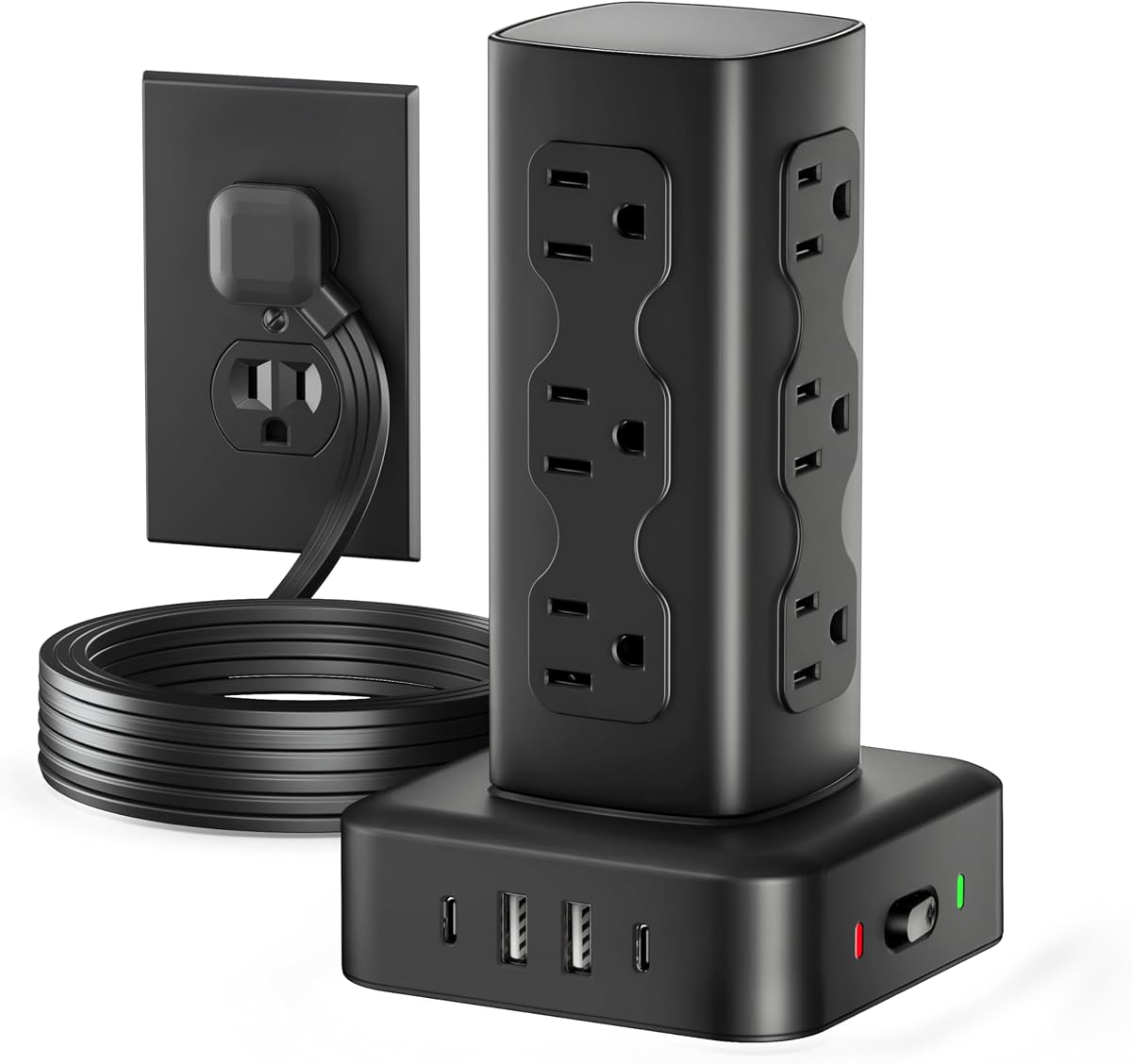
Power Strip Tower with 12 AC Outlets & 4 USB Ports(2 USB C), 6FT Cord
4.7Editor score
2000J surge protection
16-in-1 outlets
Ultra-thin flat plug
This guide compares the top 10 charging tower options available in October 2026 to help you find the perfect vertical power strip for your specific needs.
In today's connected world, we rely on countless electronic devices daily. A charging tower organizes outlets and USB ports vertically, saving valuable desk space while keeping cables tidy and accessible.
We analyzed ten leading models based on outlet count, USB power output, safety features, and cord length. Each product offers unique benefits for home offices, dorm rooms, or entertainment centers.
Each pick highlights key strengths and potential trade-offs to help you decide. Note that product prices change frequently, so check current listings before purchasing to ensure you get the best deal available.
4.7Editor score

4.5Editor score

4.7Editor score
The following table provides a side-by-side comparison of all ten products analyzed in this guide to help you quickly identify which model fits your specific space and power requirements.


This kakyanill tower ranks as our top pick due to its exceptional 17-in-1 outlet design and space-saving retractable cord system that eliminates cable clutter effectively.
We may earn a commission when you buy through this link, at no additional cost to you.
It supports up to 1875W of power with 9 AC outlets spaced 1.5 inches apart for bulky adapters. The 8 USB ports include 4 USB-C and 4 USB-A, delivering up to 4.8A total output for multiple devices.
While the retractable cord is excellent for tidiness, it may require occasional manual adjustment to ensure smooth retraction. The lack of high-wattage USB-C PD means laptops may charge slower than dedicated chargers.
Ideal for busy home offices or dorm rooms needing robust power distribution, this tower combines safety features with organizational benefits. We recommend it for anyone needing many outlets in a small footprint.
The 6FT retractable flat cord can be rotated to store or pulled out for reach, eliminating tangled wires behind desks or furniture.
With a 15A circuit breaker supporting 1875W, it safely powers high-wattage appliances like mini-fridges or printers alongside phones and tablets.
We may earn a commission when you buy through this link, at no additional cost to you.
The JACKYLED tower offers robust power for gaming setups with 12 AC outlets and independent switches on each layer for precise device management. Its 1050J surge protection safeguards sensitive electronics.
We may earn a commission when you buy through this link, at no additional cost to you.
It features 6 USB ports including 2 USB-C for convenient phone charging without adapters. The 6.5ft retractable pure copper cord ensures durability while keeping the desk tidy when not in use.
Users should note the USB output is shared at 24W total, which may slow charging for multiple devices simultaneously. The tower size fits standard desks but requires vertical clearance.
Perfect for PC gamers and media centers requiring many powered devices, this model prioritizes control and safety. We recommend it for those needing individual outlet management.
Each layer has its own switch with an LED indicator, allowing you to cut power to specific devices without unplugging them.
Constructed with pure copper for the retractable cord and fire-resistant materials, ensuring long-term reliability under heavy daily use.
We may earn a commission when you buy through this link, at no additional cost to you.
This kakyanill model stands out for its 115W total USB charging capacity, featuring dedicated 65W PD ports for rapid laptop charging alongside standard phone charging options.
We may earn a commission when you buy through this link, at no additional cost to you.
The tower includes 9 AC outlets and 8 USB ports with a retractable 6FT cord for flexible placement. Anti-slip rubber feet keep the unit stable on desks during daily use.
Users are advised to remove thick phone cases during charging to prevent overheating due to the high wattage. The compact design minimizes desk space usage while maintaining high output.
Ideal for professionals needing to charge laptops and phones quickly from a single source, this tower merges speed with organization. We suggest it for power users prioritizing USB performance.
Two USB-C ports support up to 65W PD each, enabling fast charging for laptops without needing separate wall adapters.
Built-in safety indicator lights and reset/off switches provide worry-free operation while preventing overheating through smart thermal management.
We may earn a commission when you buy through this link, at no additional cost to you.
The Olcorife tower offers exceptional value with 12 AC outlets and 2000J surge protection, making it a strong contender for budget-conscious buyers seeking safety and capacity.
We may earn a commission when you buy through this link, at no additional cost to you.
It provides 4 USB ports including 2 USB-C for standard device charging. The 6FT extension cord allows flexible positioning while the ultra-thin flat plug fits easily behind furniture.
While USB charging speeds are standard rather than fast-charging, this model excels in AC outlet availability and surge protection. It is best suited for spaces needing many plugged-in devices.
For dorm rooms or offices on a tight budget, this tower delivers reliability without extra costs. We recommend it for those prioritizing AC outlet count over advanced USB features.
Equipped with 2000-joule surge protection, it actively guards against power surges and overloads to keep connected electronics safe.
The 0.31in flat plug design fits flush against walls, saving space and allowing other plugs to be used nearby.
We may earn a commission when you buy through this link, at no additional cost to you.
TenTrend delivers impressive 230W total USB power with 6 AC outlets and 8 USB ports, including high-wattage orange USB-C for laptop charging needs.
We may earn a commission when you buy through this link, at no additional cost to you.
Its compact 3.15×5.12 design keeps desk clutter minimal while maintaining high power throughput. The 5FT flat cable avoids tripping hazards and keeps the area tidy.
The lower AC outlet count may limit use for desktops with many peripherals. However, its USB power distribution is ideal for mobile device heavy users.
Recommended for desks needing many fast USB charges rather than many AC plugs, this tower balances size and power. We suggest it for mobile professionals.
Orange USB-C ports provide up to 65W max for laptop charging while green and blue ports handle smaller devices efficiently.
The small footprint blends into any workspace neatly, maintaining a clean look while powering up to 14 devices simultaneously.
We may earn a commission when you buy through this link, at no additional cost to you.
This TenTrend model features a 10FT pure copper cord, solving placement challenges in large rooms or hard-to-reach outlets while maintaining safety standards.
We may earn a commission when you buy through this link, at no additional cost to you.
It offers 12 AC outlets and 8 USB ports with 40W USB-C PD. The ultra-thin flat plug hides behind furniture and the fire-resistant shell protects against heat risks.
The 10FT cord adds flexibility but may be excessive for small desks. Its weight and size are manageable but slightly bulkier than standard models.
Ideal for living rooms or large bedrooms where outlets are distant, this tower combines reach with safety. We recommend it for spacious setups needing extended cords.
The 10FT extension cord reaches distant outlets easily, keeping power near your workspace without relying on distant wall sockets.
Made from fire-resistant ABS+PC materials rated to 1382°F, ensuring secure operation even under prolonged heavy usage conditions.
We may earn a commission when you buy through this link, at no additional cost to you.
Anker brings premium build quality with a 100W USB-C port capable of charging high-end laptops efficiently, complemented by 3 AC outlets and 6 USB ports.
We may earn a commission when you buy through this link, at no additional cost to you.
The 8-point safety system protects against multiple electrical hazards. Its stable weight makes it ideal for desktops where secure placement is essential.
While AC outlets are limited to 3, the focus is on high-power USB charging. The higher price reflects the brand reliability and engineering quality.
Best for laptop-centric setups prioritizing safe fast charging over AC count, this model is a solid premium choice. We suggest it for tech professionals needing reliability.
USB-C1 and C2 support up to 100W individually, enabling fast charging for professional-grade laptops without external adapters.
The engineered 8-point safety system protects devices from overvoltage, short circuits, and other risks ensuring peace of mind.
We may earn a commission when you buy through this link, at no additional cost to you.
This tower features a dedicated 20W PD USB-C port optimized for fast iPhone charging, ensuring rapid power delivery for mobile devices without extra adapters.
We may earn a commission when you buy through this link, at no additional cost to you.
With 12 AC outlets and 5 USB ports total, it balances traditional and modern charging needs. The 10FT flat cord and weighted base enhance stability and reach.
The absence of a retractable cord means cable management relies on careful routing. However, the wide-spaced outlets accommodate bulky plugs effectively.
Ideal for households needing reliable iPhone charging alongside standard outlet power, this tower offers practical value. We recommend it for daily mobile device users.
The dedicated 20W PD port charges an iPhone from 0 to 50% in about 30 minutes saving valuable time daily.
1.5-inch wide-spaced outlets prevent blocking when using multiple large adapters ensuring all ports remain accessible.
We may earn a commission when you buy through this link, at no additional cost to you.
Designed for compact spaces, this tower offers 12 AC outlets in a small footprint with anti-slip feet to prevent sliding on smooth surfaces.
We may earn a commission when you buy through this link, at no additional cost to you.
It includes 4 USB ports with smart charging to deliver 3.4A total output. The 6FT cord provides adequate reach without cluttering the floor.
The 1800J surge protection adds reliability for electronics. While USB count is lower, it suffices for basic phone and tablet charging needs.
Perfect for nightstands or small desks, this tower prioritizes space efficiency. We recommend it for compact setups needing reliable power without bulk.
The mini vertical tower takes up less desk space than traditional strips while organizing multiple cables neatly.
Four rubber feet at the bottom keep the tower firmly in place preventing tipping during device connection.
We may earn a commission when you buy through this link, at no additional cost to you.
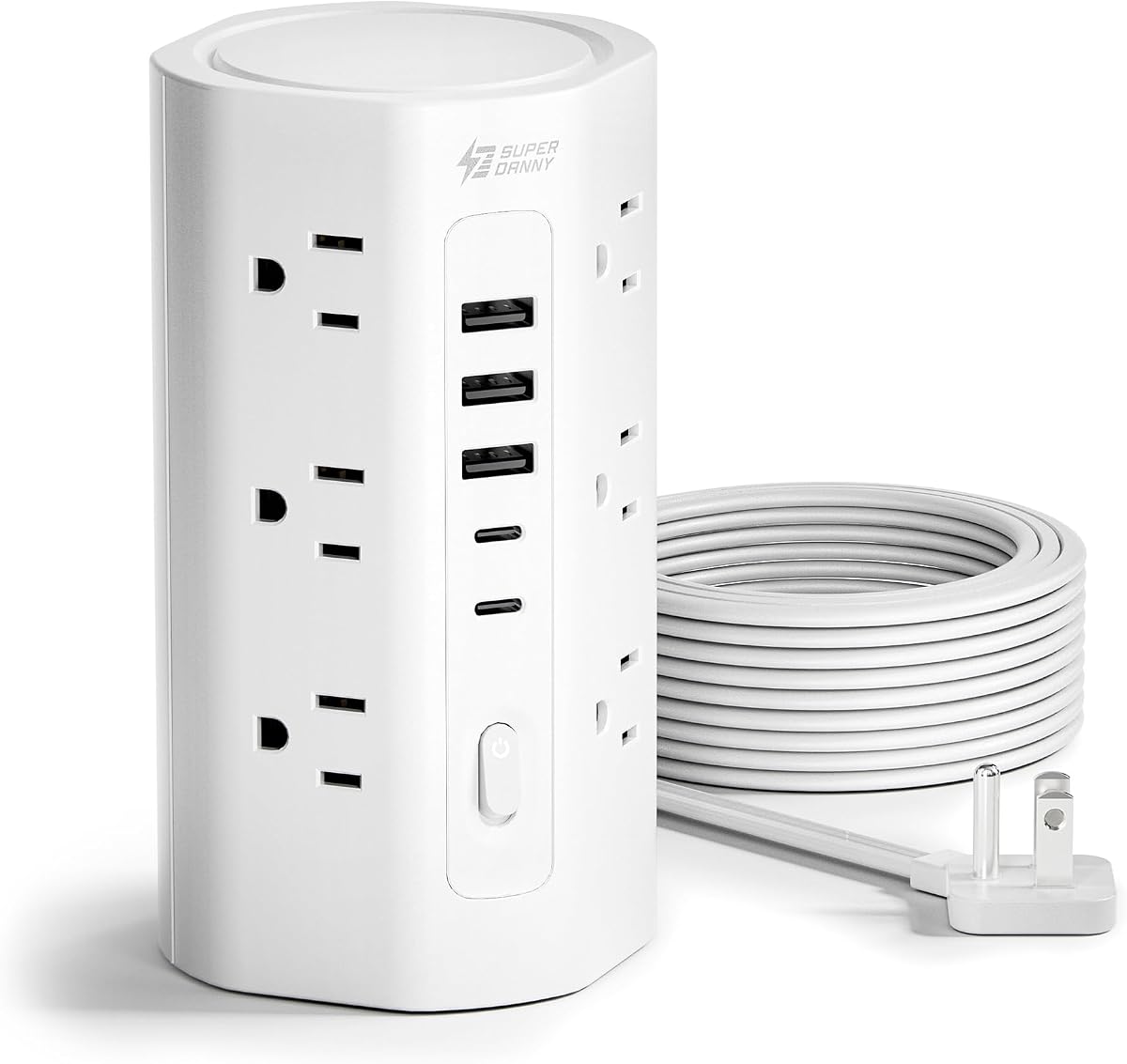
The SUPERDANNY tower offers a 10FT flat cord reaching distant outlets while keeping cables flush to walls and minimizing tripping risks effectively.
We may earn a commission when you buy through this link, at no additional cost to you.
It includes 12 AC outlets and 5 USB ports with smart detection. The 1700J surge protection ensures safe operation for connected devices.
While USB charging is standard, the extensive outlet count suits shared spaces. The 3-year maintenance plan adds long-term value and peace of mind.
Recommended for living rooms or shared offices needing reach and capacity, this tower balances performance with safety. We suggest it for multi-user environments.
The 10FT flat cord tucks neatly along walls eliminating tripping hazards and keeping the floor clutter free.
Includes a 3-year maintenance or replacement plan ensuring support for any potential issues over the product lifespan.
We may earn a commission when you buy through this link, at no additional cost to you.
Selecting the right charging tower requires understanding your power needs, available space, and device types to ensure safety and functionality.
Determine how many devices you need to power at once. Look for towers with spaced outlets to accommodate bulky adapters without blocking adjacent ports.
Choose a model with enough AC and USB ports to reduce reliance on adapters and keep your desk clutter-free.
Check the USB output ratings. Models with USB-C Power Delivery (PD) offer faster charging for laptops and phones compared to standard USB-A ports.
Ensure total USB wattage meets your needs for multiple devices charging simultaneously without significant speed drops.
Surge protection is critical for safeguarding expensive electronics. Look for joule ratings of 1000J or higher to ensure adequate protection against power spikes.
Verify certifications like UL or FCC and built-in overload protection to prevent overheating and electrical hazards during use.
Measure the distance between your device area and the nearest outlet. A longer cord provides flexibility while retractable cords help manage excess slack neatly.
Flat cords and slim plugs fit better behind furniture, allowing for discreet placement in tight spaces without obstruction.
Consider the tower height and footprint relative to your available surface space. Compact designs save desk real estate while maintaining high capacity.
Look for anti-slip rubber feet to prevent the unit from sliding or tipping when plugging or unplugging devices frequently.
Premium materials like fire-resistant ABS plastic improve durability and safety during prolonged heavy use. High-quality materials also help dissipate heat effectively.
Ensure the casing feels sturdy and has proper ventilation to avoid overheating issues during high-power charging sessions.
A solid warranty indicates manufacturer confidence in product quality. Look for options offering at least one year of coverage for peace of mind.
Responsive customer service channels allow quick resolution of issues or replacement requests if defects arise within the warranty period.
Individual outlet switches allow precise control over powered devices helping you save energy by cutting unused power sources completely.
LED indicators provide visual confirmation of power status ensuring you know when the unit is active without needing to check plugs.
Place the tower on a stable flat surface near a wall outlet ensuring there is enough space for plugs to fit without bending cables awkwardly.
Plug high-wattage devices such as laptop chargers first to ensure they get priority power before connecting smaller USB devices to avoid overloading circuits.
Avoid stacking items on top of the tower to maintain airflow preventing overheating and prolonging the lifespan of the internal electrical components.
Yes, a charging tower serves the same primary purpose as a power strip but often includes USB ports and a space-saving vertical design. It is a more versatile option for modern devices requiring multiple connection types.
Most models include overload protection and fire-resistant materials making them safe for overnight use. However, it is always best practice to unplug devices when not in use to conserve energy.
USB-C ports with PD support fast charging for compatible phones but standard USB-A ports may charge at slower speeds. Check your phone's requirements to match the tower's USB output ratings.
Some models support high wattage appliances up to 1875W but check the specific rating before plugging in high-draw devices like mini-fridges to avoid overloading the circuit.
Unplug the tower before cleaning and use a dry cloth to wipe the surface. Avoid using liquids directly on the outlets to prevent electrical hazards and damage to internal components.
The built-in surge protection absorbs excess voltage to safeguard connected devices. Some models may automatically shut off if the surge exceeds safe limits protecting your equipment from damage.
The ten products reviewed offer diverse features for every space from compact dorm rooms to large home offices. Choosing the right model ensures all devices stay powered and organized safely.
Prioritize surge protection and USB charging speed if you rely heavily on mobile devices. For general office use, outlet count and cord length often matter more than advanced USB features.
Always verify current pricing and availability before buying since these factors change frequently. Investing in a reliable tower now protects your electronics and simplifies your workspace.