
512MB Flash Drives 100 Pack Bulk and Wholesale USB Flash Drives
4.5Editor score
100 pack volume
Metal clip design
Compact and portable size
This guide compares the top bulk USB flash drives for 2026, reviewing capacity, speed, durability, and value to help you choose the right pack for your needs.
Bulk USB flash drives offer a practical solution for organizations and individuals needing multiple storage devices. Whether for events, education, or corporate distribution, finding reliable drives in volume matters greatly for efficiency and cost effectiveness.
We evaluated ten popular bulk packs based on capacity, transfer speeds, build quality, and user feedback. Our analysis focuses on real-world performance and value to ensure you get the most reliable options available in the current market.
Each product review highlights key features, pros, and cons to guide your decision. Please note that pricing and availability can change frequently, so verify current details before purchasing to ensure you secure the best deal.
4.5Editor score

4.6Editor score

4.6Editor score
The following table provides a side-by-side overview of the top ten bulk USB flash drive options. It highlights key specifications and features to help you quickly compare capacity, speed, and design across different packages.


The PNY 32GB Turbo Attaché 3 stands out as the top pick for those needing reliable USB 3.0 storage in bulk. With a rating of 4.6 stars, users appreciate its balance of speed and durability. This pack offers ten drives, ideal for offices or schools needing multiple high-capacity options.
We may earn a commission when you buy through this link, at no additional cost to you.
Key strengths include transfer speeds up to ten times faster than standard USB 2.0 drives. The capless sliding collar protects content without the hassle of a removable cap. Its lightweight design ensures it remains portable for daily transport across devices.
While the price point is higher per drive compared to smaller capacity options, the performance justifies the cost. Users may find that older USB 2.0 ports limit speeds, but backwards compatibility ensures functionality across all systems.
This drive is perfect for businesses distributing media files or documents to employees. The combination of speed, reliability, and bulk packaging makes it a standout choice for professional and educational environments requiring consistent data transfer.
USB 3.0 technology enables rapid file movement, saving valuable time during large data transfers.
The sliding collar design eliminates the risk of losing a cap while protecting the connector.
We may earn a commission when you buy through this link, at no additional cost to you.
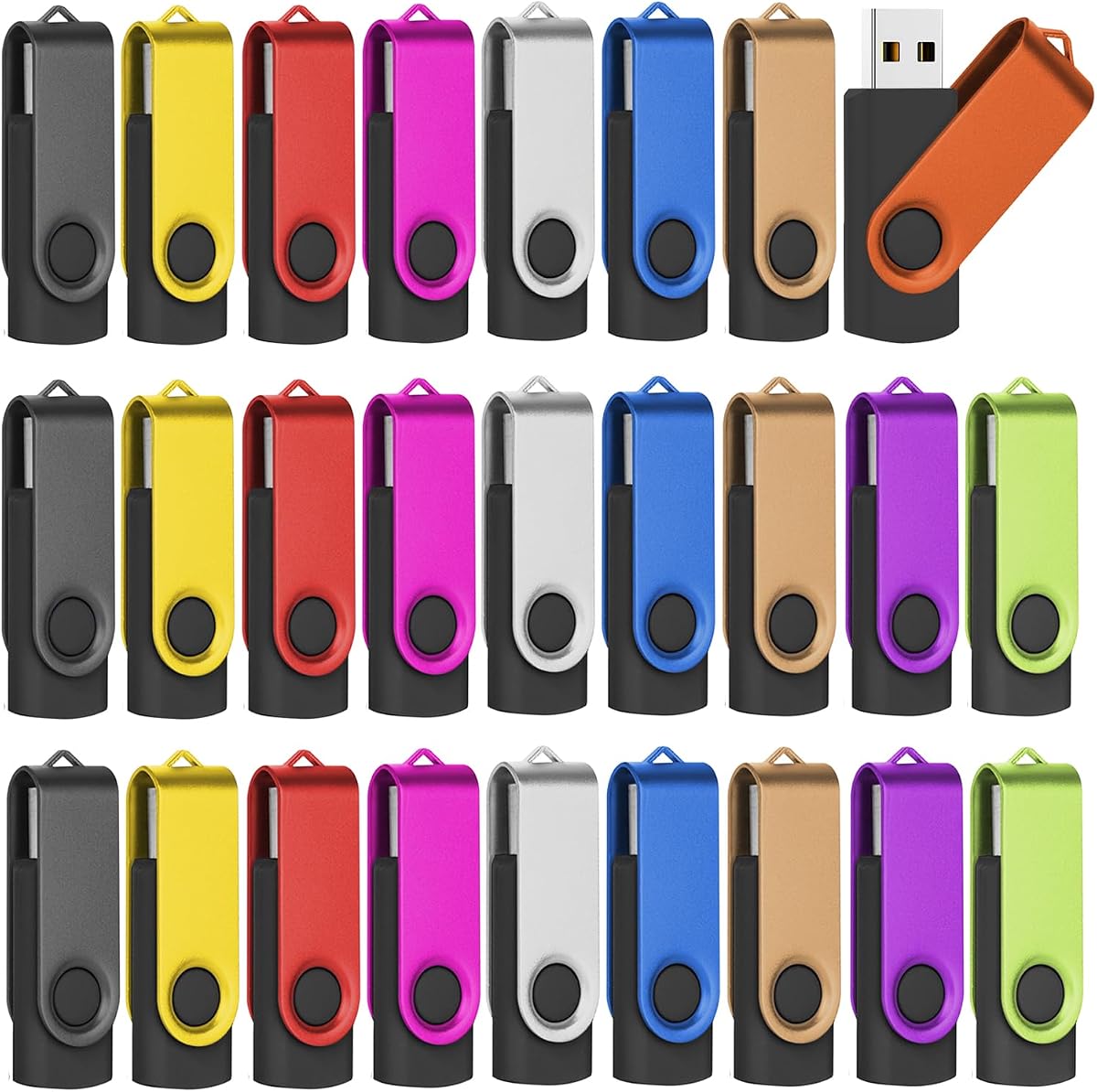
For projects requiring massive quantities of drives with minimal storage needs, this 100-pack offers unmatched value. Each drive provides 512MB of space, perfect for small documents or simple scripts. The rating of 4.5 reflects satisfaction with the volume and build quality.
We may earn a commission when you buy through this link, at no additional cost to you.
The metal clip and rotating design ensure these drives stay attached to keys or bags. Their tiny footprint makes them easy to distribute in large numbers at events or schools. USB 2.0 speeds are adequate for small file transfers.
Capacity is the main trade-off here, as 512MB limits file types to text or small images. However, for promotional giveaways or basic data logging, the cost efficiency outweighs the storage limitations significantly.
This pack is ideal for events, trade shows, or large classroom settings where individual drives are needed. The affordable bulk pricing makes it a smart choice for budget-conscious buyers needing many devices.
100 units ensure you have enough drives for large distributions without restocking.
Mini dimensions make these drives easy to carry in pockets or attach to keyrings.
We may earn a commission when you buy through this link, at no additional cost to you.
The Micro Center SuperSpeed 64GB pack delivers premium performance with substantial storage space. Each drive offers 64GB, sufficient for videos and large project files. A rating of 4.6 highlights reliable performance and solid build quality in the bulk segment.
We may earn a commission when you buy through this link, at no additional cost to you.
Features include transfer speeds up to 70MB/s, significantly faster than standard USB 2.0. The hard plastic cover protects the connector from damage during transport. A rear loop allows easy attachment to keychains to prevent misplacing drives.
While the investment is higher than smaller capacity options, the 64GB capacity supports heavier workloads. Some users might prefer a more neutral color, but functionality remains the primary focus here.
This set is perfect for IT departments, creative teams, or schools needing high-capacity storage in bulk. The combination of speed, capacity, and durability makes it a robust choice for professional data distribution.
64GB per drive allows storage of large videos, software, and comprehensive project files.
Keychain loop ensures drives stay attached to keys, reducing loss risks in transit.
We may earn a commission when you buy through this link, at no additional cost to you.
This 50-pack is tailored for events requiring immediate usability with lanyards. Each drive holds 128MB, sufficient for brochures, presentations, or small media files. Users rate it 4.5 stars for its practicality and included accessories.
We may earn a commission when you buy through this link, at no additional cost to you.
The frosted metal cover resists fingerprints and maintains a clean look during use. Ten color choices allow teams to categorize files easily. Read speeds range from 15 to 25MBps, which is decent for small files.
Storage capacity limits these to light data tasks, but the included lanyards add significant convenience. They ensure drives remain secure around necks or bags during conferences or classes.
Ideal for conferences, trade shows, or classroom distributions where quick access and visibility matter. The combination of lanyards and color options makes managing multiple drives efficient and straightforward.
Fifty lanyards are provided, removing the need to purchase accessories separately.
Ten color options help organize different file types or users visually.
We may earn a commission when you buy through this link, at no additional cost to you.
The XUANREG 50-pack prioritizes portability with a compact design that fits easily into pockets. Each drive offers 128MB, ideal for small data transfers. Users rate it 4.6 stars for reliable connectivity and build consistency.
We may earn a commission when you buy through this link, at no additional cost to you.
These drives support a wide range of operating systems including Windows and Linux. The lightweight nature ensures they do not add bulk to keychains or bags. However, 20 lanyards are provided rather than a full set.
Capacity remains a constraint, suitable only for small documents or basic media. The plug-and-play nature means no software installation is required, simplifying deployment across different devices.
Best suited for organizations needing a large volume of simple storage devices. The focus on portability and compatibility makes these practical for students or basic office tasks.
Compact design allows drives to be carried easily without adding bulk.
Works with Windows, Linux, and other systems without needing drivers.
We may earn a commission when you buy through this link, at no additional cost to you.
KOOTION delivers a reliable 16GB capacity with a protective swivel design. This 20-pack features a rotating metal casing that shields the USB connector. Users rate it 4.5 stars for convenience and adequate storage for daily use.
We may earn a commission when you buy through this link, at no additional cost to you.
The swivel cap protects the connector while allowing immediate access without removing parts. The integrated loop supports attaching to keychains or bags. Packaging is noted as clean, making it suitable for client gifts.
Over time, swivel mechanisms can wear out, but for most users, this remains functional. USB 2.0 speeds are sufficient for documents and photos, though not ideal for large video transfers.
Ideal for businesses or individuals needing a moderate storage capacity in a protective form factor. The combination of swivel design and integrated loop enhances usability and longevity.
Rotating metal casing protects the connector and eliminates loose cap issues.
Neat packaging allows drives to be given directly to clients or partners.
We may earn a commission when you buy through this link, at no additional cost to you.
EASTBULL emphasizes quality with double testing on all drives. This 50-pack includes 16GB capacity and comes with 50 lanyards for immediate distribution. Users rate it 4.5 stars for stability and included accessories.
We may earn a commission when you buy through this link, at no additional cost to you.
High-quality USB A+ chips ensure stable performance across devices. The lanyards simplify setup for events or offices. Compact bodies make these easy to transport in bulk shipments.
Pricing reflects the added quality checks and accessories, offering value for reliability. While speeds are standard USB 2.0, the stability ensures data integrity during critical transfers.
Perfect for corporate gifting, conferences, or educational use where reliability is paramount. The included lanyards and quality control make these a dependable choice for professional distribution.
Double testing ensures all drives meet performance standards before packaging.
50 lanyards included make drives ready for immediate use and distribution.
We may earn a commission when you buy through this link, at no additional cost to you.
MECHEER offers a versatile 4GB option with helpful visual indicators. This 20-pack includes lanyards and features an LED light to show read/write activity. Users rate it 4.5 stars for build quality and ease of use.
We may earn a commission when you buy through this link, at no additional cost to you.
The aluminum casing withstands daily wear and tear effectively. FAT32 formatting ensures compatibility across Windows and macOS. LED indicators prevent accidental removal during file transfers.
Storage is limited to small files, but the visual feedback and durability are strong points. The swivel design protects connectors while maintaining a sleek profile.
Ideal for events or small offices needing reliable, basic storage with visual feedback. The combination of LED status and rugged casing makes these practical for active environments.
Lights blink during transfers to prevent data loss from accidental removal.
Aluminum casing ensures durability against daily wear and environmental stress.
We may earn a commission when you buy through this link, at no additional cost to you.
EASTBULL provides this blue variant with the same quality as the black version. It includes 50 lanyards and double-tested drives for reliability. Users rate it 4.5 stars for consistent performance and accessories.
We may earn a commission when you buy through this link, at no additional cost to you.
The blue color helps distinguish these drives from other devices. Quality checks ensure all drives function correctly upon arrival. Compatibility with most devices simplifies setup.
While the color is subjective, the build quality matches expectations. The included lanyards add significant convenience for distribution events or classroom use.
Best for users needing a colorful option for identification. The combination of quality control and accessories makes it a reliable choice for bulk needs.
Blue casing helps distinguish drives from other devices quickly.
Double testing ensures all units meet performance and reliability standards.
We may earn a commission when you buy through this link, at no additional cost to you.
FEBNISCTE offers ten drives with distinct colors for easy sorting. Each unit holds 64GB, providing substantial storage for various file types. Users rate it 4.5 stars for its practical color design and capacity.
We may earn a commission when you buy through this link, at no additional cost to you.
The color set simplifies organizing different projects or users. Swivel caps protect connectors while allowing rotation. Lanyards are provided to prevent loss during transport.
With only 10 drives, this is best for smaller teams needing organization. High capacity per drive supports heavier data needs than smaller options.
Ideal for projects requiring file separation by color. The combination of high capacity and distinct colors makes these ideal for educational or professional categorization.
Distinct colors enable quick identification of different file sets or users.
64GB per drive handles large media files and comprehensive data sets.
We may earn a commission when you buy through this link, at no additional cost to you.
Choosing the right bulk USB flash drive requires balancing capacity, speed, durability, and cost. Below are key factors to consider when selecting the best pack for your needs.
Capacity determines the volume of data you can store per drive. Options range from 512MB to 64GB and more. Choose based on whether you need small file storage or large media transfer capabilities.
For basic documents, smaller capacities save money. For videos, software, or large datasets, higher capacity drives are essential.
Speed impacts how quickly data moves between devices. USB 3.0 drives are faster than USB 2.0. If you frequently transfer large files, investing in USB 3.0 saves significant time.
Check the rated read and write speeds in product details. USB 3.0 typically offers 10x faster speeds than USB 2.0.
Build quality affects longevity. Look for swivel caps, metal housings, or retractable designs. These protect connectors from damage and prevent loss of caps.
Compact designs are easier to carry, while rugged options suit rough environments.
Ensure drives work with your devices. Most support Windows, Mac, and Linux. Some drives may require drivers for older systems or specific OS versions.
Plug-and-play support is preferred for ease of use across different environments.
Bulk packs offer savings but vary in unit counts. Ensure the number of drives matches your distribution needs. Consider if lanyards or cases are included for added convenience.
Larger packs reduce cost per unit but may lead to overstocking if unused.
Compare cost per drive rather than total pack price. Higher capacity drives cost more individually but offer better value for large data needs.
Balance budget with required features to ensure sustainable purchasing decisions.
Reliable brands offer warranties to cover defects. A warranty adds confidence to bulk purchases. Check manufacturer support for troubleshooting issues.
Warranty terms vary, so review coverage before purchasing to ensure protection.
Consider where drives will be used. Events need portable options, while offices may prioritize speed. Align the selection with the primary user environment and purpose.
Tailoring choices to context ensures drives are practical and efficient for daily tasks.
Begin by inserting the drive into an available USB port on your computer or device. The drive should be recognized automatically without requiring drivers. Create a new folder or organize files to transfer data efficiently.
When finished, eject the drive safely using the operating system tools. This prevents data corruption and ensures files are saved correctly. Remove the drive gently to avoid damaging the port or connector.
Store drives in a cool, dry place away from moisture. Avoid exposure to extreme temperatures or water. Regularly check drives for updates or formatting needs to maintain performance and reliability.
Yes, most modern USB flash drives are compatible with Mac computers. They typically support macOS without needing additional drivers. Ensure the format is compatible with your specific Mac version for best results.
Bulk flash drives typically last between three to five years depending on usage frequency. Proper handling and avoiding frequent write cycles extend their life. Storing them in stable environments also improves longevity significantly.
Most standard flash drives can be used to boot an operating system. Ensure the drive has enough capacity for the OS image. Follow manufacturer instructions for formatting and creating bootable media correctly.
USB 3.0 drives offer faster transfer speeds than USB 2.0 models. They also have backward compatibility with older ports. This makes USB 3.0 ideal for large file transfers while remaining versatile.
Many reputable manufacturers include limited warranties on bulk USB flash drives. Warranty terms vary by brand and product model. Always check the product description for specific warranty details before purchasing.
FAT32 offers maximum compatibility across different devices and systems. However, exFAT supports larger files for modern systems. Choose based on your primary devices and file size requirements.
Yes, many bulk drives are designed for promotional events with custom branding. They provide useful gifts while spreading brand awareness. Ensure capacity matches your event needs for maximum impact.
Our review of ten top options highlights diverse choices from budget packs to premium high-capacity drives. The PNY Turbo Attaché leads for speed and reliability, while options like the 512MB bulk pack serve basic needs.
Prioritize capacity and speed based on your specific tasks. Durability and included accessories like lanyards add value to bulk purchases. Matching these features with your use case ensures better overall satisfaction and utility.
Prices fluctuate frequently, so verify current offers before buying. This guide provides a reliable starting point for selecting the best bulk USB flash drives for your needs.