
Kasa Smart Light Bulbs
4.5Editor score
No Hub Required
Energy Monitoring
Dual Connection
This guide compares the top 10 smart bulbs for Google Home including color options voice control and energy efficiency to help you choose the best lighting for
Smart lighting has transformed how we interact with our homes. Finding the right bulbs for Google Home ensures seamless voice control and automation. Good options offer reliable connectivity vibrant colors and energy efficiency without needing a hub.
We compared ten leading smart bulbs based on compatibility features and user ratings. Each product was evaluated for its ability to work with Google Assistant voice commands. We looked at setup ease color range and overall performance in daily use.
Every pick below shows key specs pros and cons to guide your decision. Prices fluctuate so always check current listings before purchasing. These choices cover budget friendly to premium models for various lighting needs.
4.5Editor score

4.6Editor score

4.5Editor score
This side-by-side comparison highlights key specifications and features across all ten selected smart bulbs for Google Home to help you decide quickly.



This Govee smart bulb delivers vibrant color and reliable voice control for Google Home users. With a high rating it stands out as a top choice for smart lighting enthusiasts seeking versatility.
We may earn a commission when you buy through this link, at no additional cost to you.
Its 16 million colors and 54 preset scenes allow deep customization. The music sync feature adds fun for parties. Group control simplifies managing multiple bulbs across rooms effectively.
Trade-offs include dependence on phone mic for music sync and no 5G WiFi support. These limits are minor for most home setups where 2.4G stability is preferred.
Ideal for anyone wanting rich color without complex hubs. Its value and features make it a solid recommendation for Google Home integration.
You can pick from millions of colors or preset moods to set the perfect atmosphere.
Voice commands work seamlessly and music sync brings lights to life with sound.
We may earn a commission when you buy through this link, at no additional cost to you.
Kasa offers a cost effective two pack of smart bulbs that work great with Google Home. Users praise its reliability and easy setup for daily use.
We may earn a commission when you buy through this link, at no additional cost to you.
Energy monitoring helps track usage and auto white adjusts color temp to natural light. Remote control and voice access make managing lights effortless from anywhere.
While it lacks 5G support the 2.4G connection is stable for most routers. The 2 pack value makes it hard to beat for whole home lighting.
Buyers seeking affordability without sacrificing core smart features will love this. It is a top pick for budget conscious Google Home users.
Track real time usage and set schedules to save money on electricity bills.
Use voice or app to dim change colors and set scenes instantly.
We may earn a commission when you buy through this link, at no additional cost to you.
Linkind smart bulbs bring dual WiFi and Bluetooth for uninterrupted control. They support Google Home and offer unique creative features via AiDot.
We may earn a commission when you buy through this link, at no additional cost to you.
Music sync and 104 preset scenes plus AI light shows set it apart. Tunable white and dimming cover all daily needs from focus to relaxation.
You need both WiFi and Bluetooth for initial setup which may delay some users. Once paired Bluetooth backup keeps control even if WiFi drops.
Great for those wanting more than basic lighting control. The creative tools make it a fun addition to Google Home routines.
Dual connection ensures lights stay on line even with network issues.
AI and DIY modes let you craft custom light patterns and moods.
We may earn a commission when you buy through this link, at no additional cost to you.
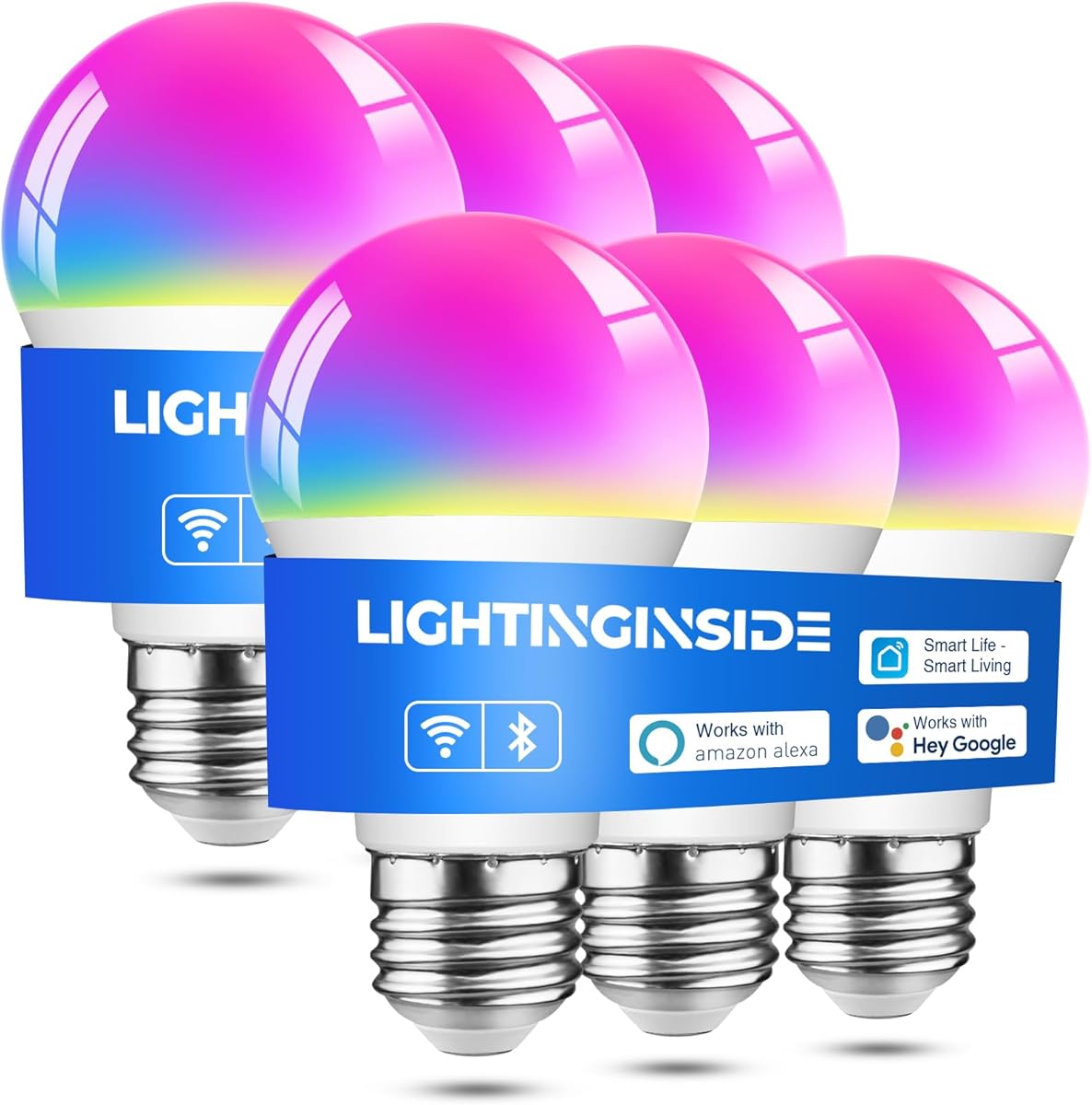
This 6 pack of Lightinginside bulbs provides excellent value for outfitting multiple rooms. They work with Google Home and offer local control via Bluetooth.
We may earn a commission when you buy through this link, at no additional cost to you.
Setup is fast with BLE and WiFi pairing. You can automate with schedules and biorhythm functions for hands free control throughout the day.
The SmartLife app is common but may add complexity for some. Still the 6 pack price and local backup make it a practical choice.
Ideal for large homes needing many bulbs at once. Its automation features shine for busy families using Google Home.
BLE and WiFi pairing make initial connection fast and stable.
Bluetooth ensures you keep control even if WiFi is unavailable.
We may earn a commission when you buy through this link, at no additional cost to you.
DAYBETTER bulbs offer straightforward Google Home integration with solid basic features. They deliver 800 lumens and wide color ranges at a friendly price.
We may earn a commission when you buy through this link, at no additional cost to you.
Music sync and preset scenes like Christmas add versatility. Group control and schedules help automate daily routines easily via the app.
Setup needs 2.4G WiFi specifically so check router settings. The DayBetter app is required but works smoothly for most tasks.
Good for budget focused buyers wanting core smart functions. It delivers reliable performance for Google Home voice commands.
Choose from themed scenes to match your mood instantly.
Set schedules and group lights for seamless control.
We may earn a commission when you buy through this link, at no additional cost to you.
Philips Hue brings a premium touch to Google Home smart lighting. The Hue app is award winning and offers deep scene options.
We may earn a commission when you buy through this link, at no additional cost to you.
Smooth dimming and color tuning create perfect moods. Voice control works flawlessly. The 4 pack suits main living spaces well.
Some features need a Bridge which is sold separately. Still quality and ecosystem value make it a top choice for enthusiasts.
Choose this for best in class color and reliability. It is ideal for users wanting premium Google Home lighting.
Curated lighting scenes designed by Hue experts set the perfect mood.
Add more Hue devices for advanced home automation options.
We may earn a commission when you buy through this link, at no additional cost to you.
This Linkind model focuses on high CRI white light for quality illumination. It works with Google Home and supports dimming for comfort.
We may earn a commission when you buy through this link, at no additional cost to you.
CRI over 90 makes colors true for makeup or decor. Schedule and dimming save energy. Local Bluetooth control avoids reliance on internet.
Lacks RGB colors which limits party or mood effects. But for focus and relaxation it offers precise temperature tuning.
Perfect for task lighting and rooms needing quality whites. A great Google Home option for those prioritizing accuracy.
CRI over 90 ensures colors look natural and accurate.
Bluetooth keeps lights accessible even when internet is down.
We may earn a commission when you buy through this link, at no additional cost to you.
OREiN bulbs use Matter for secure cross platform control. They work with Google Home and offer wide color ranges.
We may earn a commission when you buy through this link, at no additional cost to you.
Setup via QR and Matter allows fast pairing. High CRI and music sync deliver quality and fun. Local LAN operation keeps lights on offline.
Still uses 2.4G WiFi and may need careful setup on dual band routers. The security and interoperability are strong selling points.
Great for users wanting modern standards. It is a smart pick for future proof Google Home lighting.
Standard encryption secures messages and protects your data.
Connect across apps and services with ease.
We may earn a commission when you buy through this link, at no additional cost to you.
Linkind Matter bulbs deliver multi platform support and 16 million colors. They work with Google Home and offer music sync for fun.
We may earn a commission when you buy through this link, at no additional cost to you.
Remote control and 104 scenes allow deep customization. Quality build and 800 lumens suit any room. Matter allows smooth hub integration.
Setup requires app and network attention. But the flexibility and future proofing are clear benefits.
Ideal for mixed ecosystem homes. This is a smart Google Home bulb for advanced users.
Integrate with Alexa Apple and Google for seamless control.
104 scenes and custom effects bring atmosphere.
We may earn a commission when you buy through this link, at no additional cost to you.
This Kasa soft white bulb offers high quality light and dimming. It works with Google Home and includes energy monitoring.
We may earn a commission when you buy through this link, at no additional cost to you.
800 lumens and CRI over 90 give true colors. Dimming and schedules help save energy. The 4 pack is great for kitchens.
Lacks color options which may limit some users. But for warm white tasks it is a reliable and efficient pick.
Buy this for pure white quality and ease. It is a solid Google Home choice for everyday rooms.
2700K warm light creates a cozy inviting atmosphere.
Track usage and set schedules to reduce costs.
We may earn a commission when you buy through this link, at no additional cost to you.
Choosing the right smart bulb for Google Home involves looking at connectivity features compatibility and budget. This guide breaks down key factors to simplify your decision.
Most bulbs use WiFi 2.4GHz or Matter to connect. WiFi models need a stable network and router settings. Matter devices work across apps and hubs for future proofing.
Check if your router supports 2.4GHz and if you want Matter for cross platform use.
RGB bulbs offer millions of colors while tunable white adjust color temperature. Brightness measured in lumens affects room illumination. Look for 800LM or more for main rooms.
Decide if you want full color or focused warm white lighting.
Each brand has its own app or uses SmartLife. Integration with Google Home needs proper linking. Some apps have richer features like music sync or scenes.
Choose apps that fit your habits and offer useful automations.
Smart LEDs use less power than traditional bulbs. Energy monitoring tracks usage and helps save. Look for 9W or similar wattage equivalents.
Track energy to keep electricity costs low with smart control.
Dimming allows soft light and scheduling automates routines. Some bulbs work with physical dimmers but many need app control. Check compatibility for your fixtures.
Use dimming and schedules to match daily activity and save power.
Local backup via Bluetooth or LAN keeps lights working if internet drops. Some models allow local pairing for faster control.
Prioritize backup control if network outages are common.
Setup can take minutes or require QR codes and apps. Look for hubs that streamline pairing. Clear instructions help avoid frustration.
Simple setup saves time and ensures smooth daily use.
Many bulbs come with 2 year warranties and long lifespans. Look for UL certification and stable reviews. Brand reputation matters for long term value.
Choose brands with proven reliability to avoid replacements.
Install each bulb in a standard E26 socket and ensure it is compatible with your fixture. Connect to your WiFi via the app and link to Google Home using voice or settings. Test by giving a simple command to verify response.
Use the app to set scenes schedules and dimming levels. For music sync grant app microphone access. Group bulbs to control multiple lights at once. Adjust brightness and colors to match your activity.
Care involves keeping the bulb clean and avoiding physical dimmer switches. Reset if connectivity issues occur. Keep firmware updated through the app for best performance and security.
Most smart bulbs connect directly via WiFi and do not require a hub. Some premium models like Philips Hue work best with a Bridge for advanced features. Check product details for hub requirements.
Many smart bulbs support only 2.4GHz WiFi for stable connection. If your router uses one name for both bands separate them during setup. Always check specs for network requirements.
Local control via Bluetooth or LAN works if internet is down. Google Home voice control needs internet. Backup options keep bulbs accessible offline.
Most are dimmable through the app or voice. Avoid physical dimmer switches unless specified. Use app controls for smooth brightness adjustments.
Enable microphone access in the app and select a rhythm mode. The bulb reacts to sound from your phone. Permissions are required for this feature.
Yes most apps allow remote control from anywhere. This requires the bulb to stay connected to your WiFi. Google Home commands also work remotely.
Smart LEDs use far less energy than incandescent bulbs. Look for 9W or similar wattage. Energy monitoring features help track savings.
Check network connection and ensure the Google Home integration is active. Re link the device in the app if needed. Restart bulbs or router to fix connection issues.
This guide reviewed ten smart bulbs offering varied features and price points. Govee Kasa and Philips Hue lead with strong performance and ecosystem support.
Prioritize connectivity color needs and app ease when selecting. Matter bulbs offer future proofing while traditional WiFi models suit current setups.
Always verify current listings and compatibility before buying. These bulbs bring smart convenience and color to your Google Home home.