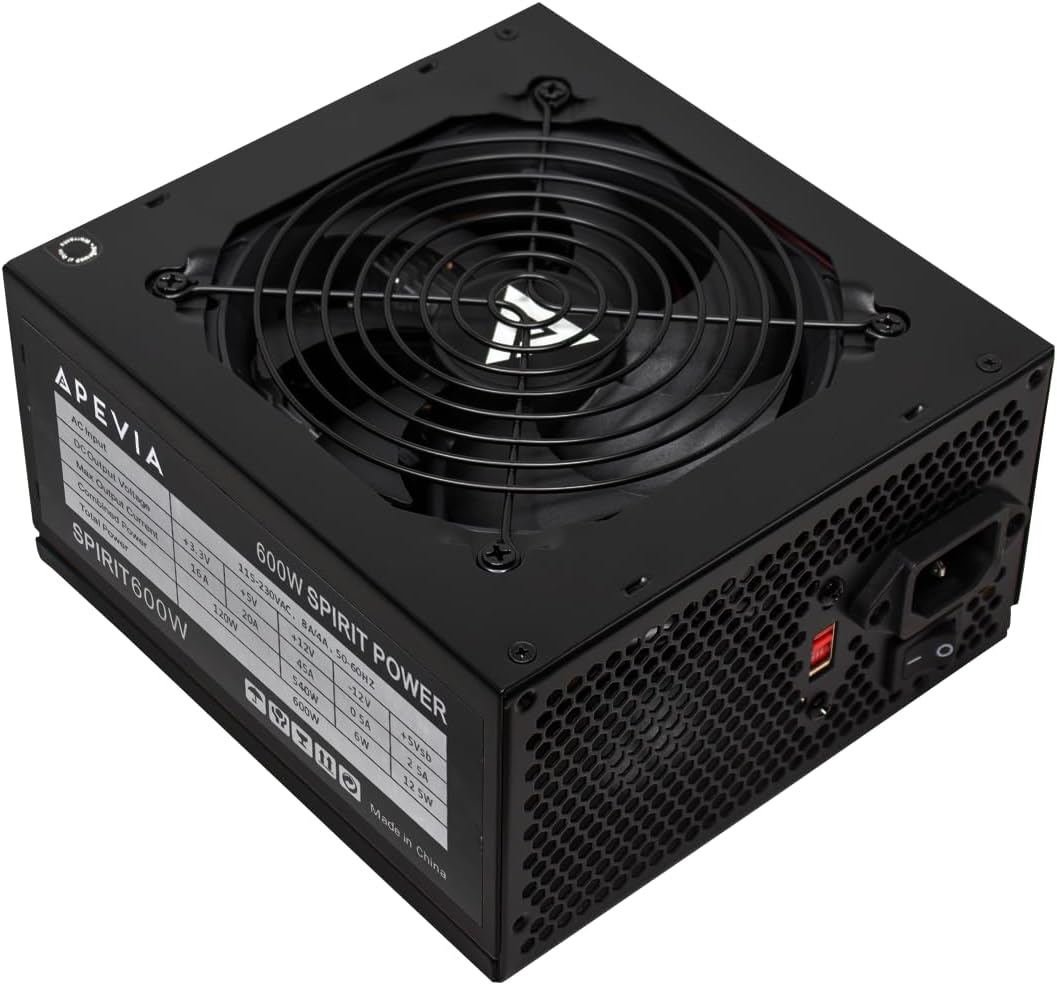
Apevia SPIRIT600W
4.3Editor score
600W output capacity
120mm cooling fan
Full protection suite
This guide compares the top 10 budget power supplies for gaming PCs based on efficiency, reliability, and features to help you build a stable system.
Choosing the right power supply is critical for any gaming PC build. A reliable unit ensures stability and protects your components from electrical surges or failures during intense gaming sessions.
We evaluated ten highly rated budget models focusing on efficiency certifications, connector types, and protection features. Our analysis helps you find the best value without compromising on safety or performance.
Each pick highlights key strengths and potential trade-offs for different build needs. Prices fluctuate frequently so verify current listings before purchasing to ensure you get the best deal available today.
4.3Editor score

4.7Editor score

4.6Editor score
The following table provides a side-by-side overview of key specifications for all ten budget power supplies. Use this to quickly compare wattage, efficiency, and warranty coverage before making your final decision.



The Apevia SPIRIT600W stands out as an accessible entry-level power supply for budget gaming builds. With a 600W capacity and solid user ratings it offers reliable power delivery without breaking the bank. Its comprehensive protection suite ensures your components stay safe during daily operations.
We may earn a commission when you buy through this link, at no additional cost to you.
Key strengths include its full array of connectors supporting modern GPUs and motherboards. The split connector design allows flexibility for older systems requiring 4-pin CPU or 6-pin PCIe power. The 120mm fan provides adequate cooling while maintaining quiet operation under typical loads.
Trade-offs involve its non-modular cable design which can create clutter in smaller cases. Efficiency is standard rather than certified meaning slightly higher energy consumption compared to premium units. These factors are acceptable given the low price and entry-level target audience.
This unit is ideal for first-time builders or budget-conscious gamers needing a simple upgrade. It handles mid-range components well and includes all necessary safety features for peace of mind. Choose this if you prioritize cost savings over advanced cable management.
Split connectors allow adaptation for older motherboards and graphics cards requiring specific pin configurations.
Multiple protection modes guard against short circuits and voltage fluctuations to extend hardware lifespan.
We may earn a commission when you buy through this link, at no additional cost to you.
Thermaltake SMART 600W delivers consistent performance for entry-level gaming setups. Its 80 Plus certification ensures better efficiency than unverified units saving energy over time. The 5-year warranty adds confidence for long-term usage in a home or office environment.
We may earn a commission when you buy through this link, at no additional cost to you.
Strengths lie in its Active PFC design and industry-grade protections. The unit supports dual PCIe connectors for mid-range graphics cards and maintains stable voltages under load. Users report reliable startup behavior and quiet fan operation during daily tasks.
Downsides include non-modular cables that may limit airflow in compact cases. The fan is functional but not exceptionally quiet under heavy load compared to newer silent models. These issues are minor for the price point and build tier.
Choose this PSU if you want a trusted name with solid efficiency basics. It fits well in budget builds where reliability matters more than advanced features. Ideal for users who prefer established brands over generic alternatives.
80 Plus certification helps reduce energy waste and lowers long-term electricity costs for daily users.
Overpower and short circuit protections prevent damage during electrical surges or system faults.
We may earn a commission when you buy through this link, at no additional cost to you.
ARESGAME AGV 500W offers a compact solution for smaller gaming systems with moderate power needs. The 80 Plus Bronze certification provides better efficiency than unverified units while keeping costs low. Its all-black cable design improves aesthetics inside standard mid-tower cases.
We may earn a commission when you buy through this link, at no additional cost to you.
Key benefits include a quiet 120mm fan that maintains stable temperatures without excessive noise. The unit delivers continuous output reliably for CPU and GPU combinations within its wattage limits. Protection features cover essential risks like overvoltage and short circuits.
Limitations include lower total wattage which restricts high-end GPU compatibility. The protection suite is basic compared to newer units with more advanced safety mechanisms. These trade-offs are acceptable for entry-level builds focused on cost savings.
Select this unit for small form-factor builds or budget gaming PCs with integrated GPUs. It balances efficiency and price well for casual gamers. Ensure your power requirements fit within the 500W limit before purchasing.
The 120mm fan runs quietly under typical loads ensuring a peaceful gaming or work environment.
Uniform black cables blend better with modern cases compared to colorful non-standard wiring.
We may earn a commission when you buy through this link, at no additional cost to you.
MSI MAG A750GL represents a premium tier option within budget ranges due to its advanced specs. It features native ATX 3.1 compatibility and a 10-year warranty ensuring long-term reliability. The fully modular design simplifies cable routing and maximizes airflow in compact cases.
We may earn a commission when you buy through this link, at no additional cost to you.
Strengths include 80 Plus Gold efficiency which reduces wasted energy and heat generation. The native 12V-2×6 connector supports next-gen GPUs without needing adapters for cleaner connections. Build quality is solid with high-grade components inside the chassis.
Trade-offs include a higher upfront cost compared to basic units. Availability may vary depending on region and stock levels. These factors are justified by the future-proofing and long warranty coverage for serious gamers.
Choose this unit for high-performance builds planning future GPU upgrades. It balances price and advanced features better than most competitors. Ideal for users who value reliability and modern connector standards.
Native PCIe 5.1 support ensures compatibility with modern graphics cards without external adapters.
80 Plus Gold certification minimizes energy waste for lower electricity bills and cooler system temps.
We may earn a commission when you buy through this link, at no additional cost to you.
Segotep 650W offers a rare combination of Gold efficiency and budget pricing. The single 12V rail ensures stable power distribution for demanding GPUs. Its global voltage adaptation makes it ideal for international travelers or regions with varying power standards.
We may earn a commission when you buy through this link, at no additional cost to you.
Key strengths include four PCI-E connectors supporting multiple GPUs or higher-end cards. The build quality exceeds expectations for the price point with reliable component selection. Users appreciate the stability during extended gaming sessions without power fluctuations.
Trade-offs include a non-modular cable setup that adds clutter in tight cases. Fan noise is acceptable but not silent under heavy loads. These limitations are minor considering the high efficiency rating and versatile voltage support.
Select this unit for builds needing high efficiency on a tight budget. It suits mid-range gaming rigs with modern graphics cards. Confirm case clearance for non-modular cables before finalizing your purchase.
Single 12V rail design delivers consistent amperage to high-demand components without bottlenecks.
Global voltage adaptation allows safe use across different regions without manual voltage switches.
We may earn a commission when you buy through this link, at no additional cost to you.
ASRock PRO 750G brings modern standards to budget-friendly price points. It features native 12V-2×6 connectivity for next-gen GPUs ensuring clean cable runs. The 80 Plus Gold certification delivers reliable efficiency for daily gaming workloads without energy waste.
We may earn a commission when you buy through this link, at no additional cost to you.
Strengths include a quiet 120mm fan and high output capacity for mid to high-end builds. The unit supports ATX 3.1 standards providing future compatibility and improved power delivery. Performance remains stable during peak loads without voltage spikes.
Trade-offs include a shorter warranty than premium competitors and limited modularity. The fan is quiet but not silent under maximum load. These factors are acceptable given the modern specs and competitive pricing.
Choose this unit for gamers upgrading to new GPUs needing native connectors. It offers a balanced mix of efficiency and future-proofing. Ideal for budget-conscious users who want modern compatibility without premium costs.
Native 12V-2×6 connectors reduce cable clutter and support high-power GPU requirements.
80 Plus Gold rating lowers electricity costs while maintaining consistent power delivery.
We may earn a commission when you buy through this link, at no additional cost to you.
MSI MAG A650BE balances performance and value exceptionally well for mid-range builds. Its semi-modular design improves airflow and aesthetics while keeping costs reasonable. The active PFC design ensures efficient energy use and stable voltage delivery under load.
We may earn a commission when you buy through this link, at no additional cost to you.
Key strengths include low noise operation and durable construction. Users appreciate the reliable startup and stable performance during gaming sessions. The 5-year warranty adds confidence for long-term use without unexpected failures.
Trade-offs include Bronze efficiency rather than Gold which means slightly higher power consumption. Internal components are compact which limits future expansion in some cases. These issues are minor given the overall reliability and price.
Select this unit for balanced builds needing reliable power without excess cost. It fits well in budget gaming PCs with mid-tier GPUs. Ideal for users who value cable management and brand trust.
Semi-modular setup allows flexible connections reducing clutter inside the PC case.
Low-noise fan design ensures a quiet environment during intense gaming sessions.
We may earn a commission when you buy through this link, at no additional cost to you.
MSI MAG A650BN offers a compact solution for builds prioritizing quiet operation. DC-DC circuit design ensures precise voltage regulation for sensitive components. The 650W capacity handles modern GPUs well within standard mid-range system requirements.
We may earn a commission when you buy through this link, at no additional cost to you.
Strengths include consistent stability and minimal noise during daily use. Users report reliable performance with stable voltages even under load. The Active PFC contributes to efficient power usage and reduced heat generation.
Trade-offs involve non-modular cables which can restrict airflow in smaller cases. Connector count may limit multi-GPU configurations. These factors are acceptable for budget single-GPU systems focused on stability.
Choose this unit for compact builds needing quiet reliable power. It suits gamers with standard GPUs and moderate power needs. Ideal for those who prefer compact size over advanced modularity.
DC-DC design ensures stable voltages protecting sensitive components from power fluctuations.
Active PFC improves power factor and reduces wasted energy during typical usage.
We may earn a commission when you buy through this link, at no additional cost to you.
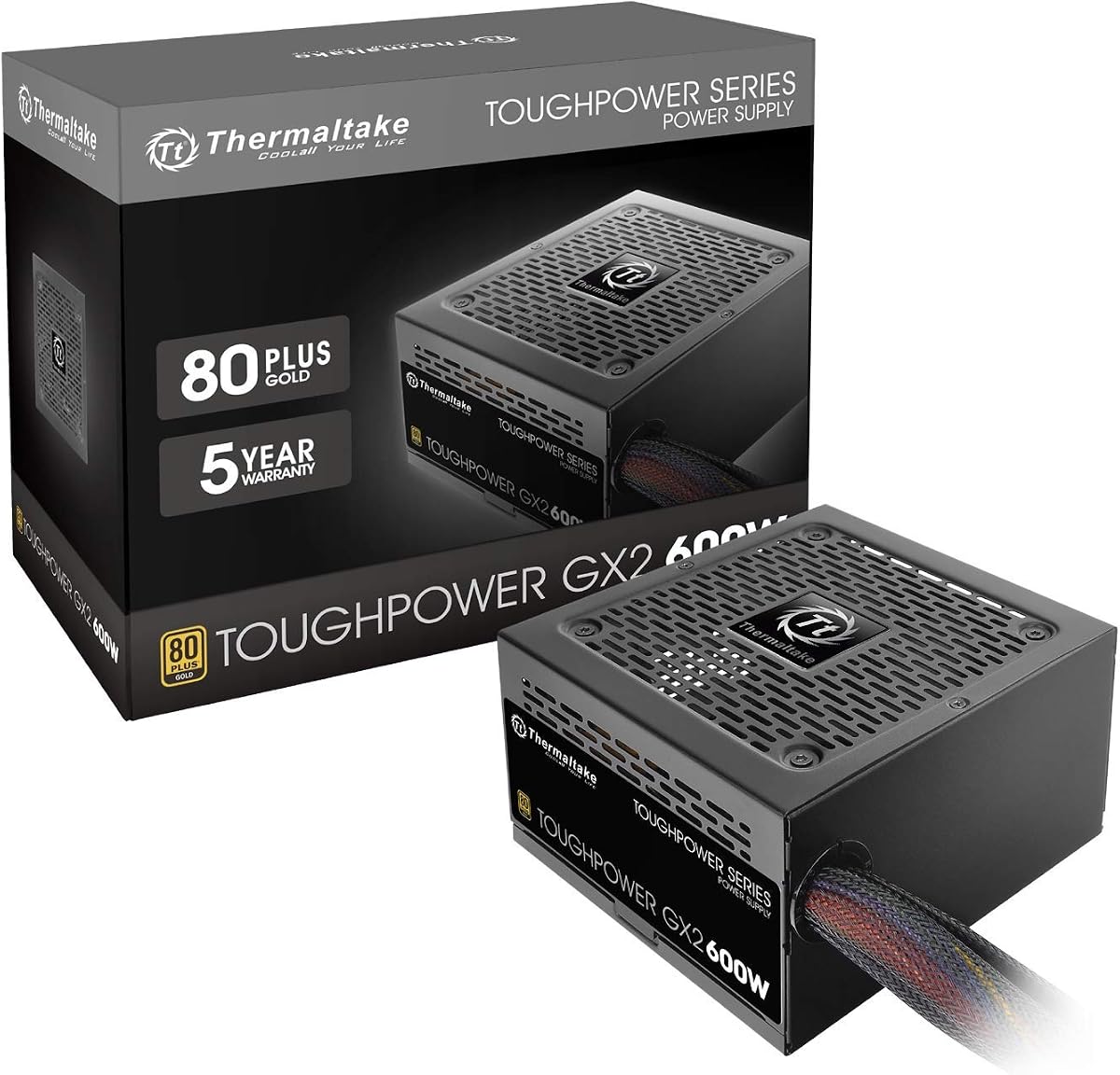
Thermaltake GX2 600W stands out for high efficiency and stable power delivery. The dynamic bearing fan ensures silent operation while maintaining optimal thermal performance. Low ripple noise design helps protect sensitive components from electrical interference.
We may earn a commission when you buy through this link, at no additional cost to you.
Key strengths include reliable voltage rails and a strong warranty. Users appreciate the consistent performance during extended gaming sessions without shutdowns. The single 12V rail supports high amperage needs for modern graphics cards.
Trade-offs include non-modular cables which increase clutter in tight cases. Connector options are standard limiting complex multi-card setups. These issues are minor considering the high efficiency and silent operation.
Select this unit for silent builds needing stable high-efficiency power. It suits mid-range gaming PCs with standard GPU requirements. Ideal for users prioritizing quiet operation and component protection.
Dynamic bearing fan design minimizes noise while delivering effective cooling performance.
Low ripple noise and stable rails protect components from electrical fluctuations during load.
We may earn a commission when you buy through this link, at no additional cost to you.
Rosewill VSB 650W introduces modern ATX standards to budget builds. Native PCIe 5.1 support ensures compatibility with next-gen GPUs without adapters. Semi-modular design balances cable management and cost effectively for mid-tower cases.
We may earn a commission when you buy through this link, at no additional cost to you.
Strengths include high-temperature capacitors and a silent ICB fan. These components ensure reliability during long gaming sessions. The compact chassis allows flexible installation in smaller cases while maintaining airflow.
Trade-offs include limited long-term user reviews compared to established brands. Connector selection is standard rather than extensive. These factors are acceptable given the modern specs and competitive pricing.
Choose this unit for budget builds planning future GPU upgrades. It offers strong future-proofing at a reasonable price point. Ideal for users seeking modern standards in entry-level power supplies.
ATX 3.0 and PCIe 5.1 support ensures compatibility with upcoming graphics card generations.
High-temperature Japanese capacitors extend component lifespan under demanding thermal conditions.
We may earn a commission when you buy through this link, at no additional cost to you.
Selecting the right power supply requires balancing cost efficiency and reliability. Use these factors to narrow your options based on your specific build needs.
Ensure your total wattage matches or exceeds your system components total draw. Calculate CPU and GPU power needs to avoid overloading the unit during gaming.
Always leave a buffer of at least 20 percent for future upgrades.
Efficiency ratings like 80 Plus Bronze or Gold determine how much energy converts to usable power. Higher ratings reduce heat and lower electricity bills over time.
Choose Gold if your budget allows for better long-term savings.
Modular cables let you connect only what you need reducing clutter inside the case. Semi-modular designs offer a balance between cost and cable management convenience.
Non-modular units are cheaper but may limit airflow in compact cases.
Verify your GPU requires specific PCIe connectors like 6+2 or 12V-2×6. Newer graphics cards may need modern standards not found on older budget units.
Check motherboard power needs as well for CPU and peripheral connections.
Look for protections against overvoltage short circuits and temperature spikes. These safeguards prevent damage to expensive components during electrical surges.
Basic protection is standard but advanced safety adds reliability peace of mind.
Longer warranty periods indicate manufacturer confidence in build quality. A five-year warranty covers most of the unit lifespan for typical gaming use.
Prioritize brands offering solid warranty terms for better long-term support.
Fan noise affects your gaming experience during long sessions. Look for low-noise models with dynamic or fluid bearing fans for quieter operation.
Thermal throttling may increase fan speed so ensure the unit stays cool.
Verify the power supply dimensions fit your PC case. Standard ATX units fit most towers but compact builds may need smaller form factors.
Ensure enough clearance for cables and other internal components.
Install the power supply in a well-ventilated area of your case to ensure proper airflow. Secure all screws tightly to prevent vibration damage during operation.
Connect all necessary cables to your motherboard and GPU before powering on. Verify connections are secure to prevent loose contacts that cause instability.
Regularly clean dust from the unit using compressed air to maintain optimal cooling. Check cable routing periodically to ensure no wires obstruct airflow or fan blades.
Yes most budget units include basic safety features like overvoltage and short circuit protection. Look for units from reputable brands with positive user reviews for added safety.
Bronze or unverified units work fine for entry-level systems. Gold efficiency is optional but helps save electricity over time if your budget allows.
Add the TDP of your CPU and GPU then add 100 watts for other components. Use an online calculator for precise estimates based on your exact parts.
A semi-modular unit has fixed essential cables and optional modular ones for other components. This balances cost and cable management flexibility.
Not if it provides stable power within your system requirements. Low quality units may cause instability but budget options with good ratings are reliable.
Most units last five to seven years with proper care. Replace if you notice unstable power shutdowns or unusual noises.
Yes you can swap your power supply anytime without replacing other parts. Ensure your case supports the new unit's size and connectors.
This roundup highlights the best budget options balancing cost reliability and features. From the Apevia SPIRIT600W to the MSI MAG A750GL each unit serves different build needs.
Prioritize efficiency and connector compatibility based on your GPU and future plans. Brands like MSI and Thermaltake offer strong reliability within budget-friendly price tiers.
Prices fluctuate often so verify current listings before buying. Ensure your chosen unit meets your specific power requirements for a stable gaming experience.