
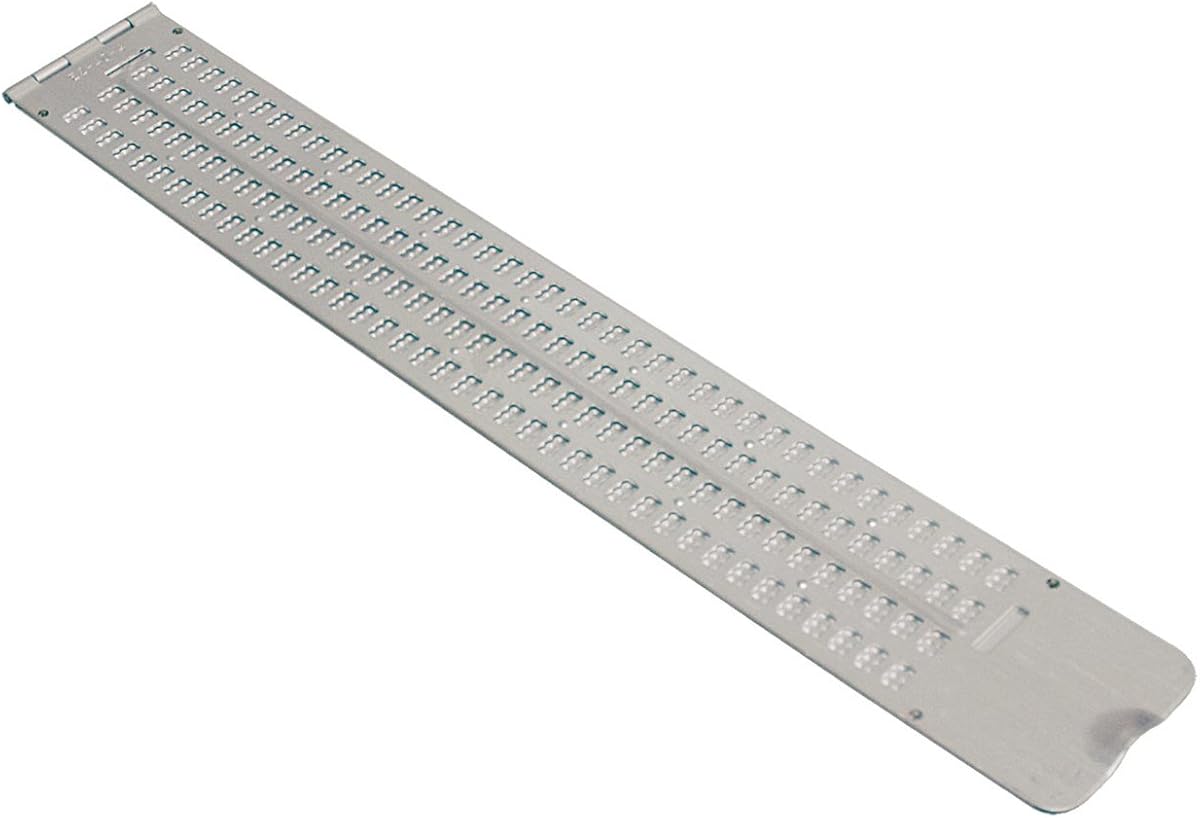
Braille Slate- 13 Lines
3.4Editor score
13 lines 36 cells
Durable aluminum construction
Includes free stylus
This guide compares the top ten Braille Displays for Blind Users including refreshable displays and slates to help you find the best accessible technology.
Braille Displays for Blind Users offer critical access to digital text and information. These devices convert screen content into tactile feedback enabling independent navigation and learning for visually impaired individuals seeking reliable assistive technology.
We evaluated ten distinct products ranging from high-end refreshable displays to manual writing slates. Our comparison focuses on connectivity, portability, tactile quality, and software compatibility to ensure each recommendation meets diverse user needs effectively.
Each pick highlights specific strengths and use cases to guide your decision process. Please note that features and availability may change over time so verify current details before purchasing any assistive device listed in this comprehensive guide.
3.4Editor score

4.8Editor score

5.0Editor score
The following table provides a side by side overview of all ten products evaluated in this guide. Compare specifications such as cell count connectivity and design features to identify the device that best suits your daily accessibility needs and preferences.




The Brailliant BI 20X is a compact refreshable braille display designed for users who need portability without sacrificing functionality. It offers 20 cells of tactile feedback along with cursor routing keys for efficient reading and writing tasks across various devices.
We may earn a commission when you buy through this link, at no additional cost to you.
This device stands out for its ability to connect to five Bluetooth devices and one USB device simultaneously. This feature ensures seamless switching between phones tablets and computers making it versatile for students professionals or anyone managing multiple digital platforms throughout the day.
While it is powerful the device does have limitations regarding screen real estate with only 20 cells available. Additionally the cost is significant compared to manual tools so users should consider their budget and specific needs before making this investment.
This display is ideal for daily users who value mobility and strong connectivity features. Whether you are accessing online libraries or writing notes the 20X provides reliable performance and essential apps to support independent learning and productivity needs effectively.
Connect up to five Bluetooth devices at once for easy switching between phones and tablets without manual re-pairing.
Use included KeySoft Lite apps like Editor and Calculator for offline tasks without needing a computer connection.
We may earn a commission when you buy through this link, at no additional cost to you.
The Brailliant BI 40X offers a significant upgrade with 40 cells providing more text visibility at once. It retains the robust connectivity and app features of the smaller model but adds Bluetooth 5 for faster and more stable wireless performance.
We may earn a commission when you buy through this link, at no additional cost to you.
Users benefit from 32GB of internal storage allowing more space for documents and applications locally. The display supports essential tools like the Editor and Online Libraries making it a powerful companion for extensive reading and professional work environments.
Although the extra cells enhance readability the device is physically larger and may be less pocketable than the 20-cell variant. The price is also higher reflecting the premium features so it is best suited for those prioritizing screen size over ultra-compactness.
This premium display is perfect for users who spend long hours reading or writing braille on the go. The combination of Bluetooth 5 speed ample storage and comfortable keys makes it a top choice for serious braille users seeking reliability and comfort.
Bluetooth 5 technology ensures faster and more stable connections to devices compared to older Bluetooth standards.
32GB internal storage doubles the space available for storing files and applications directly on the device.
We may earn a commission when you buy through this link, at no additional cost to you.
The Hable One Portable Braille Keyboard is designed to bring accessibility to smartphones and tablets with ease. It uses eight tactile buttons to allow users to type and navigate without needing prior braille knowledge or complex setup steps.
We may earn a commission when you buy through this link, at no additional cost to you.
This device is highly portable and private allowing users to keep their phone in a pocket while typing securely. It integrates seamlessly with built-in screen readers like VoiceOver or TalkBack enhancing navigation and input capabilities for everyday tasks.
While effective the keyboard requires pairing with a phone or tablet so it is not a standalone display solution. Users who need full screen reading on larger devices might need to combine this with other tools for broader functionality.
This keyboard is an excellent choice for tech-savvy users who rely on mobile devices daily. Its intuitive design and long battery life make it a reliable tool for communication and private input on the go without compromising accessibility.
No braille knowledge is required as the layout is easy to learn with free onboarding tutorials provided.
Type sensitive information privately while the phone stays secure in your pocket or bag out of view.
We may earn a commission when you buy through this link, at no additional cost to you.
This manual braille slate offers 13 lines of 36 cells providing a large surface for writing notes or assignments. It uses a traditional pins-down orientation and durable aluminum construction to support long-lasting use in various environments.
We may earn a commission when you buy through this link, at no additional cost to you.
The slate is easy to open with a thumb notch and includes a free stylus for embossing. It measures about 6.5 by 11.25 inches making it suitable for full page writing tasks without needing frequent repositioning.
Manual writing requires reverse braille which takes practice and physical effort compared to electronic displays. Users should consider their need for speed and volume of writing when choosing this mechanical tool over digital options.
This slate is a practical option for students or anyone needing a cost-effective way to write braille quickly. Its sturdy build and large capacity make it a reliable tool for notes or assignments where digital devices may not be ideal.
13 lines with 36 cells each offer ample space for extended writing without moving the slate frequently.
Made of durable aluminum to withstand regular use and protect the slate mechanism over time.
We may earn a commission when you buy through this link, at no additional cost to you.
The Business Card Slate is an ultra-thin aluminum tool designed for embossing four lines of braille on small cards or labels. It features a built-in signature guide to ensure straight and consistent writing for professional or personal use.
We may earn a commission when you buy through this link, at no additional cost to you.
Measuring about 4 by 2.5 inches this slate is incredibly portable and fits easily into a wallet or pocket. It comes with a durable classic stylus allowing immediate use for creating braille containers or quick notes on the go.
Due to its small size it is limited to short messages or labels rather than long documents. Users needing extensive writing space should look to larger slates but this tool excels for quick identification tasks and signatures.
This slate is a convenient addition for anyone who needs to label items or write brief notes discreetly. Its slim profile and helpful guide make it an efficient choice for everyday organizational tasks requiring tactile labeling.
Built-in signature guide helps users emboss Braille or signs perfectly straight for professional results.
Measures about 4 by 2.5 inches making it easy to carry in a pocket or small bag.
We may earn a commission when you buy through this link, at no additional cost to you.
This full-page slate holds standard North American letter-size paper allowing for 25 lines of 28 cells each. It is made of durable plastic which ensures quiet operation and reduces noise during use in quiet environments.
We may earn a commission when you buy through this link, at no additional cost to you.
The design allows you to leave a sheet of paper inside the slate without it getting wrinkled or crumpled. Line numbers embossed on the side help you find your place quickly if you need to pause and resume writing later.
While the plastic material is functional it may feel less robust than aluminum slates. The size is large enough to cover a full sheet so users should ensure they have adequate desk space to use it comfortably.
This slate is ideal for students or professionals writing long documents in braille manually. Its quiet operation and full-page support make it a practical tool for note-taking and assignments where discretion is valued.
Fits 8.5 by 11-inch North American paper so you can write full documents without repositioning.
Plastic construction ensures the slate produces minimal sound which keeps the environment quiet for others.
We may earn a commission when you buy through this link, at no additional cost to you.
The Pocket Slate is designed for portability with a lightweight aluminum build that fits easily in a briefcase or backpack. It features four lines with 40 cells each in a pins-up configuration for direct braille reading while writing.
We may earn a commission when you buy through this link, at no additional cost to you.
With dimensions of about 11-7/8 by 1-3/4 inches this slate balances size and capacity effectively. It is durable enough for daily use and allows users to write notes securely without taking up much space in a bag.
Because it is pins up users need to ensure the pins remain intact for accurate tactile reading. Additionally manual embossing with a stylus is required which takes effort compared to digital input devices.
This slate is a great personal tool for commuters or students needing to jot down quick notes on the go. Its balance of size and line length makes it a reliable companion for private and efficient braille writing.
Pins up configuration allows for reading the braille immediately as you write without flipping the slate.
Made of lightweight durable aluminum ensuring it is easy to carry without adding bulk to your bag.
We may earn a commission when you buy through this link, at no additional cost to you.
This handheld label maker allows users to emboss braille on vinyl labeling tape for organizing items at home or work. It can produce both braille letters and numbers using a spin dial and trigger mechanism for precise symbol creation.
We may earn a commission when you buy through this link, at no additional cost to you.
The device fits on 3/8 inch or 1/2 inch vinyl tape and includes one roll of half-inch tape to get started. Its design is compact and lightweight making it easy to use for marking containers or organizing shelves efficiently.
Manual labeling requires time for each label so it is best for periodic organization tasks. Users should ensure they use the correct tape width for their needs to avoid fitting issues with their specific storage containers.
This tool is essential for those who need to label items independently for quick identification. Its ability to produce both letters and numbers with a simple trigger makes it a practical addition to any accessibility toolkit.
Labeler can produce both Braille letters and numbers for complete information on your organized items.
Spin dial to select the letter then squeeze the trigger to emboss the symbol and cut the tape easily.
We may earn a commission when you buy through this link, at no additional cost to you.
These transparent stickers allow you to add braille labels to an existing PC keyboard for bilingual tactile support. They are printed on clear Lexan material so the original key legends remain visible for sighted users or low vision assistance.
We may earn a commission when you buy through this link, at no additional cost to you.
The 3M adhesive ensures the stickers do not slip ooze or curl over time providing a durable solution. Installation is easy with a peel-and-stick method which lets users customize their workspace quickly without replacing hardware.
While these stickers provide identification they do not change the physical key shape which limits tactile feedback. Users who need distinct key shapes for typing accuracy may prefer hardware keyboards with raised bumps instead of stickers.
This accessory is a cost-effective way to make a standard keyboard accessible without buying new equipment. It works well for offices or homes where multiple users share a computer but one requires braille visual support.
3M adhesive ensures the stickers stay in place and do not curl or ooze over long term use.
Transparent Lexan material allows the original key legends to show through for sighted users to see.
We may earn a commission when you buy through this link, at no additional cost to you.
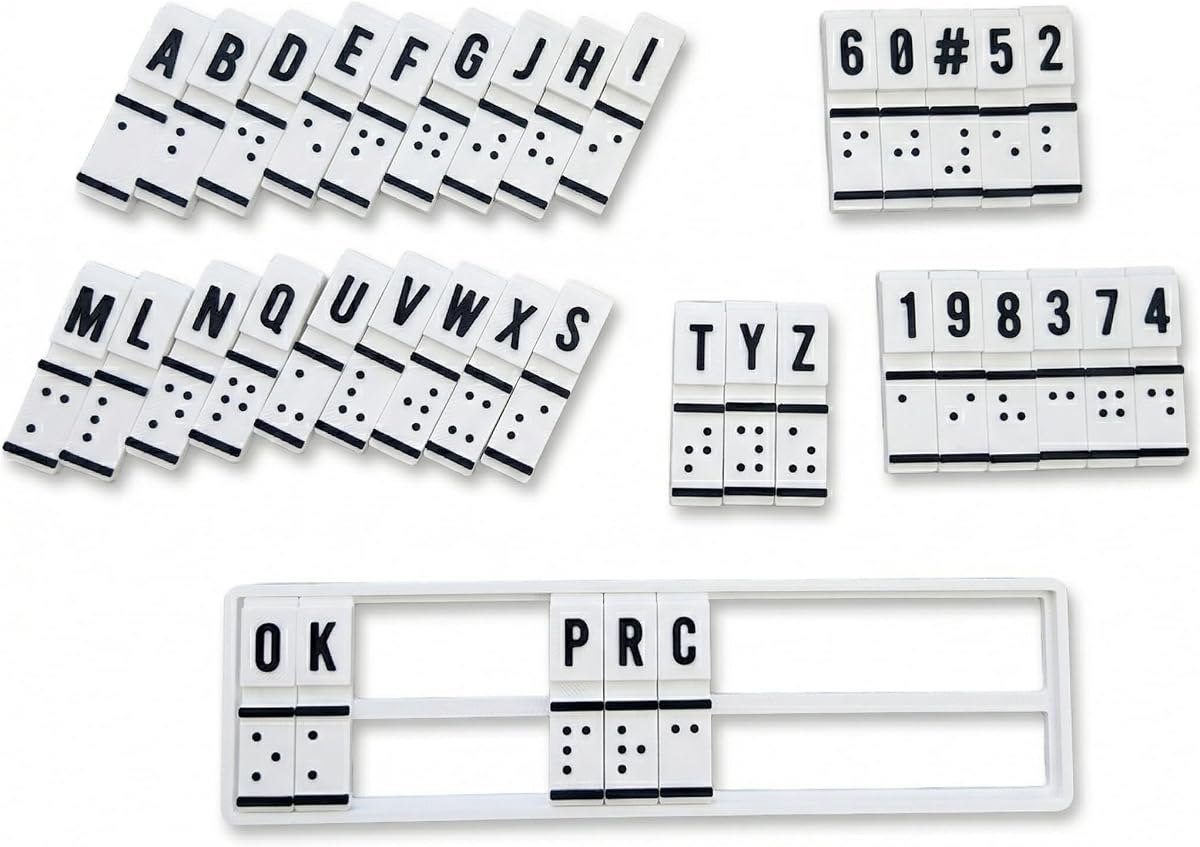
This interactive braille trainer combines education and translation functions into a single compact device for beginners. It features raised braille cells and manual input mechanisms to help users practice dot patterns and tactile reading skills.
We may earn a commission when you buy through this link, at no additional cost to you.
The device is thoughtfully designed for visually impaired users educators and parents supporting self-study or classroom teaching. It does not require electronics to function making it a reliable tool for focused practice sessions anywhere.
Some users may find the features limited compared to digital apps or full braille displays. However for those starting to learn braille or needing a physical converter it offers a practical low-tech approach to literacy building.
This machine is suitable for students and beginners looking to build confidence in braille literacy independently. Its sturdy build and translation capabilities make it a useful addition for training or family-assisted practice.
Interactive tactile design allows users to feel create and read Braille directly to build muscle memory.
Does not need batteries or charging so you can practice anytime without worrying about power sources.
We may earn a commission when you buy through this link, at no additional cost to you.
Choosing the right assistive device depends on your daily needs budget and technical requirements. This section outlines key factors to consider before purchasing a braille display or related tool.
Determine whether you need a refreshable electronic display or a manual slate. Electronic displays offer speed and connectivity while slates provide simplicity and portability without power requirements.
Evaluate your need for digital access against physical convenience when deciding between types.
The number of braille cells impacts how much text you can see at once. Larger displays like 40-cell units allow more context while smaller 20-cell units save weight.
Higher cell counts offer better reading flow but add to the cost and size of the device.
Check if the device supports Bluetooth or USB connections compatible with your devices. Multiple Bluetooth connections enable seamless switching between phones and computers.
Strong connectivity ensures the display works with your existing tech ecosystem for smooth operation.
For electronic displays battery life determines how long you can use the device away from a charger. Longer battery life supports all-day use without interruption.
Prioritize devices with extended battery life if you travel frequently or work away from power.
Consider the weight and size of the device for daily carry. Lightweight slates or compact keyboards are easier to transport in bags or pockets.
Smaller form factors improve convenience for users on the go who need quick access to text.
Prices for these devices vary significantly with refreshable displays costing more than manual tools. Set a realistic budget that covers both the device and necessary accessories.
Balance cost against features to ensure you get the functionality you need without overspending.
Verify that the display is compatible with your screen readers and operating systems. Some devices include onboard apps for productivity and library access.
Strong software support ensures you can read and write efficiently with your preferred tools.
Test the device if possible to ensure it feels comfortable for your hands. Tactile feedback quality affects reading accuracy and satisfaction over time.
Comfortable design helps prevent strain during extended use of the braille device.
Begin by charging the device fully if it is electronic and pairing it with your smartphone or computer via Bluetooth. Ensure the device recognizes your system screen reader to display text correctly.
Keep the device clean by wiping the surface gently with a dry cloth. Avoid exposing the cells to moisture or dust to prevent damage to the tactile pins.
Store manual slates in a dry place to avoid warping. For electronic devices use protective cases to prevent drops and ensure the screen remains free of debris.
Most modern braille displays connect via Bluetooth and are compatible with both iOS and Android screen readers. Check specific compatibility lists for your model to ensure full functionality with your device operating system.
Yes many braille displays support Windows via USB or Bluetooth drivers. Ensure you install the correct screen reader software to enable tactile output on your PC applications and browser.
Keep the cells clean and avoid exposing the device to extreme temperatures. Regularly update firmware and check connections to ensure reliable performance over time.
Yes there are training machines and basic slates designed for beginners. These tools help users learn dot patterns without needing electronic components or complex software.
Slates are manual tools for writing notes while displays convert digital text to braille. Displays allow reading from computers or phones whereas slates are for independent physical writing.
Electronic displays typically use rechargeable batteries via USB-C. Check the specifications to confirm the charging method and battery duration to meet your daily needs.
This guide reviewed ten diverse options from portable keyboards to robust refreshable displays. Each product offers unique benefits depending on your specific accessibility needs and lifestyle requirements.
Prioritize features like connectivity and battery life to ensure the device integrates smoothly with your daily routine. Manual tools remain viable for writing and labeling when electronics are not practical.
Always verify current availability and compatibility before purchasing to ensure the device meets your requirements today. Accessibility technology continues to evolve so stay informed about the latest updates.