
79866M Main Drive Belt for Zebra ZT410 ZT411 ZT420 ZT421 Thermal Barcode Printer Transfer Belt 203dpi P/N 20006 (1PC)
4.6Editor score
Industrial-grade wear-resistant material
Fits Zebra 203dpi models
Anti-aging composite composite
This guide compares the top computer printer transfer belts for reliability and performance, helping you choose the right part to restore your device output.
Computer printer transfer belts are essential components that ensure consistent image quality and smooth operation in color laser and thermal printers. Over time, wear and tear can degrade performance, making replacement necessary for maintaining crisp text and vibrant graphics.
We evaluated ten highly rated transfer belt options based on compatibility, build quality, yield capacity, and user feedback. Our analysis focuses on genuine OEM parts and trusted aftermarket alternatives that deliver reliable results across various printer models.
Each pick highlights key specifications, installation notes, and real-world performance insights to help you make an informed decision. Please note that availability and pricing may vary by retailer, so check current listings before purchasing.
4.6Editor score

4.2Editor score

5.0Editor score
The following table offers a side-by-side overview of each transfer belt option, highlighting key specifications and compatibility details to streamline your selection process.




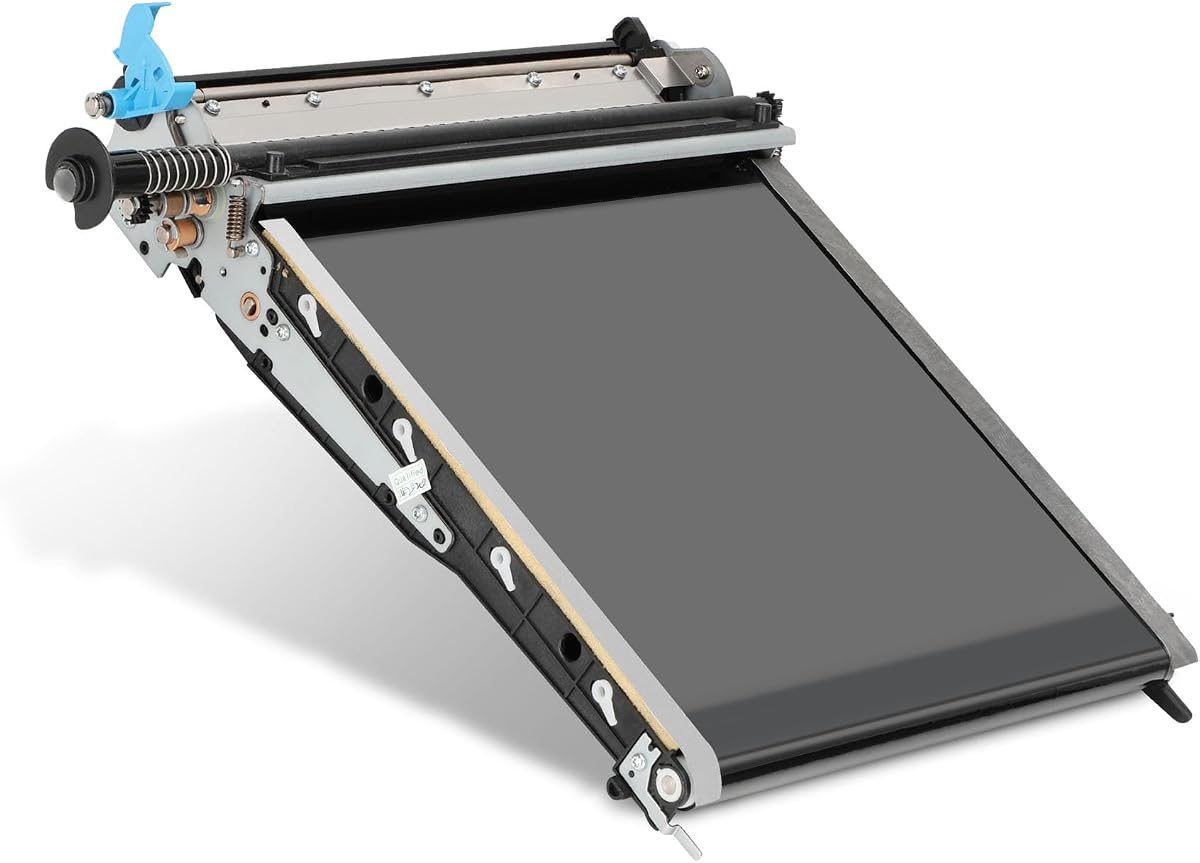

This transfer belt is designed for Zebra ZT410 and similar thermal printers. It holds a strong rating due to its durable composite material. Users appreciate its ability to withstand continuous use without deformation.
We may earn a commission when you buy through this link, at no additional cost to you.
The reinforced composite construction offers high tensile strength, making it ideal for long-run thermal printing. It resists heat and aging, ensuring stable performance. The design effectively avoids powder shedding under heavy duty conditions.
One limitation is its incompatibility with 300dpi printers, so verify your model before purchasing. The belt only fits 203dpi variants. Despite this, the specialized fit ensures reliable operation within its intended range.
Ideal for businesses needing cost-effective replacements for Zebra label printers. Its industrial-grade quality minimizes downtime and extends device life. This makes it a top choice for budget-conscious users seeking reliability.
The belt uses reinforced composite material that resists cracking and permanent deformation during extended use.
It fits specific ZT410 and ZT420 203dpi models, ensuring precise alignment and seamless operation.
We may earn a commission when you buy through this link, at no additional cost to you.
The Brother Genuine BU223CL is a complete belt unit ensuring high-quality laser output. Its integration with printer systems delivers consistent performance. Users value the sharpness and durability of the printed results.
We may earn a commission when you buy through this link, at no additional cost to you.
Intelligent engineering ensures it works seamlessly with Brother HL and MFC models. This alignment enhances print quality and reliability. The 50,000 page yield supports high-volume environments without frequent replacements.
While more expensive than third-party options, the genuine quality reduces risks of misalignment or jams. Some users may find the price steep for occasional printing. The reliability often justifies the investment for businesses.
Choose this for professional color laser quality and seamless operation. It is ideal for offices needing dependable color output. The environmentally responsible disposal option adds to its appeal for sustainable practices.
Delivers consistent professional color output that withstands the test of time for critical documents.
Offers responsible disposal options at end of life, supporting sustainability goals for businesses.
We may earn a commission when you buy through this link, at no additional cost to you.
This transfer kit includes intermediate and secondary components for HP Color LaserJet printers. It receives top ratings for its comprehensive contents. The materials ensure peak performance across compatible devices.
We may earn a commission when you buy through this link, at no additional cost to you.
The kit comes with feed rollers, gloves, and protective packaging. Factory testing confirms functionality before shipping. Safe packaging prevents damage during transit, which is crucial for precision parts.
Installation may require careful handling due to the number of components. Users should confirm model compatibility before ordering. The support team offers quick responses to any questions during setup.
Select this for a complete replacement that restores printer function. It suits offices needing reliable color output. The included accessories simplify maintenance and ensure long-term stability.
Includes intermediate transfer belt, secondary roller, and other rollers for a thorough upgrade.
Multi-layer protective packaging ensures the integrity of parts during shipping and storage.
We may earn a commission when you buy through this link, at no additional cost to you.
The BU330CL is a belt unit tailored for Brother m-series printers. It comes in retail packaging with clear specifications. Users note its smooth operation and reliable yield.
We may earn a commission when you buy through this link, at no additional cost to you.
It supports models like hll8260cdw and mfcl8900cdw. The 50,000 page yield meets moderate to high demand. The unit ensures sharp color results and consistent toner transfer.
Its packaging helps verify compatibility before installation. The black finish matches standard OEM components. Users must ensure it fits their exact model to avoid fit issues.
Best for small businesses needing a dependable color unit. It balances cost and performance well. The retail packaging adds confidence for first-time buyers.
Designed to handle high-volume printing without sacrificing output quality or reliability.
Clear labeling ensures buyers can confirm compatibility before purchase and installation.
We may earn a commission when you buy through this link, at no additional cost to you.
This unit is a genuine Brother belt for MFC and HL series printers. It arrives without retail packaging but maintains OEM standards. Users appreciate its precise fit and consistent color quality.
We may earn a commission when you buy through this link, at no additional cost to you.
It supports models such as HL-3170CDW and MFC-9130CW. The weight indicates a robust build that ensures durability. Its design aligns with Brother engineering for optimal performance.
The absence of retail packaging may concern some buyers, but the part is original. Ensure your model matches before installation. It is a straightforward swap for worn units.
Choose this for authentic performance in Brother multifunction devices. It is ideal for home or office setups. The reliable results justify the practical packaging approach.
Authentic genuine part ensures exact fit and reliable color output for compatible models.
Designed for specific HL and MFC models to guarantee seamless integration.
We may earn a commission when you buy through this link, at no additional cost to you.
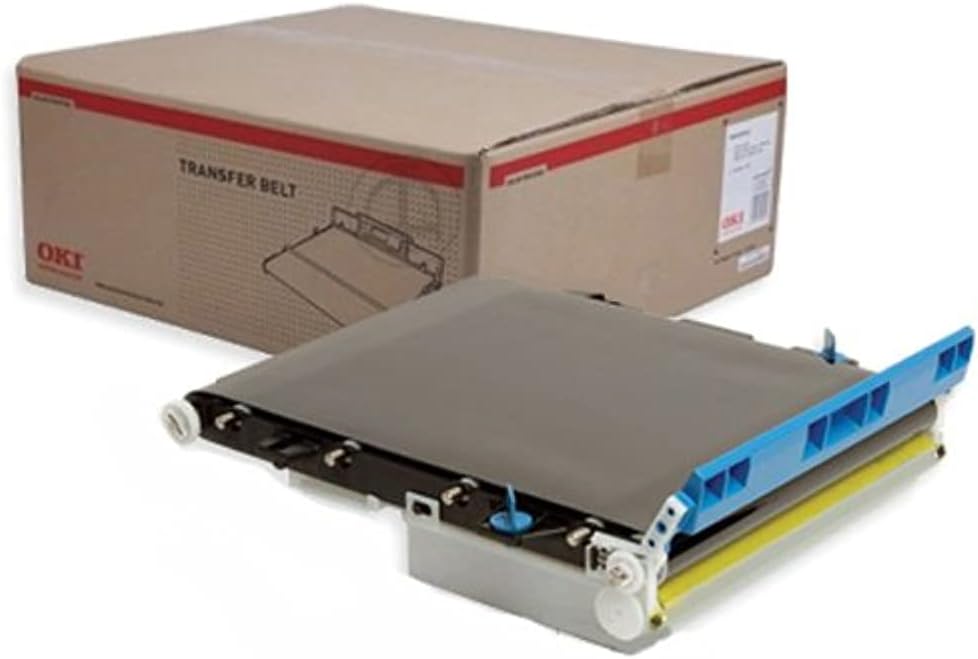
This belt is made for Oki printers, featuring a 60,000 page yield. Users report minimal downtime due to its durability. The design supports continuous operation and consistent color output.
We may earn a commission when you buy through this link, at no additional cost to you.
Replacing this part regularly extends machine life and maintains quality. It aligns with manufacturer recommendations for upkeep. The belt ensures stable toner transfer over long periods.
Users should track print counts to schedule replacements effectively. The high yield means fewer interruptions for busy offices. Proper handling ensures the belt lasts to its full capacity.
Best for Oki users seeking efficiency and high-volume reliability. It reduces maintenance frequency and keeps work flowing. The yield metric makes planning easier.
The 60,000 page yield reduces how often the belt needs replacement in busy environments.
Regular replacement helps preserve overall printer health and consistent output quality.
We may earn a commission when you buy through this link, at no additional cost to you.
This OEM kit includes an intermediate transfer belt for HP Color LJ printers. Its 150,000 yield supports high-volume environments. Users value the authenticity and guaranteed fit for specific series.
We may earn a commission when you buy through this link, at no additional cost to you.
Installation is recommended for experienced technicians due to precision needs. This ensures proper alignment and avoids jams. The authentic parts maintain consistent color quality and reliability.
It is a thorough solution for maintaining CM3530 and related models. Users must verify exact model numbers before ordering. The high yield justifies the cost for heavy use.
Choose this for long-term stability in HP color printing. It suits offices with frequent high-volume needs. Professional installation is key to its success.
Supports extensive printing demands with a durable design that minimizes replacements.
Authentic OEM parts ensure exact compatibility with HP CM3530 and MFPCP3525 series.
We may earn a commission when you buy through this link, at no additional cost to you.
This kit targets Color LaserJet Enterprise M652 and M653 printers. It includes intermediate and secondary rollers for full setup. Users note the smooth operation and quality components.
We may earn a commission when you buy through this link, at no additional cost to you.
Parts are made from high-quality plastics for durability. The assembly is designed to run without hindrance. Customer support responds quickly to installation questions within 24 hours.
It is important to confirm the model before purchase to avoid fit issues. The kit covers multiple models including M681 and M682. Proper verification ensures seamless integration.
Select this for enterprise color laser performance. It restores color quality effectively. The included accessories simplify the upgrade process.
Parts made from high-quality plastics ensure smooth and reliable operation.
Dedicated team provides quick responses to any questions about installation.
We may earn a commission when you buy through this link, at no additional cost to you.
This belt assembly is tailored for Lexmark CS and XC series printers. It offers a 150,000 yield for high-volume needs. Users highlight its premium materials and reliable performance.
We may earn a commission when you buy through this link, at no additional cost to you.
The kit includes thorough factory testing to ensure functionality. Secure anti-drop packaging protects the unit during shipping. Customer service provides prompt responses within 24 hours.
It suits printers like CS720 and XC4140. Confirming the exact model avoids compatibility issues. The yield helps reduce downtime in busy settings.
Choose this for Lexmark color laser stability. It delivers consistent results with minimal issues. The testing and packaging add confidence.
Each kit undergoes testing to ensure optimal printer performance before shipping.
Multi-layer protection safeguards product integrity during shipping.
We may earn a commission when you buy through this link, at no additional cost to you.
This assembly fits a range of Lexmark CS and XC models. It comes with a 150,000 yield for high-volume work. Users appreciate the detailed compatibility and sturdy materials.
We may earn a commission when you buy through this link, at no additional cost to you.
Premium materials ensure durability and color quality. The packaging includes multiple layers for safety. Support teams handle inquiries within 24 hours for smooth transitions.
It covers variants like CS720de and XC4153. Confirming the exact model avoids fit issues. The yield ensures fewer interruptions to printing workflows.
Best for organizations needing reliable Lexmark support. The detailed compatibility list makes selection straightforward. The quality ensures long-term performance.
Compatible with CS720de, CX725de, and XC4140 series.
Crafted from high-quality materials and factory tested for reliability.
We may earn a commission when you buy through this link, at no additional cost to you.
Selecting the right transfer belt requires attention to compatibility, yield, and build quality to ensure stable color performance.
Check your printer model number carefully. Transfer belts are designed for specific makes and models, especially regarding DPI and variant codes. For example, Zebra belts vary between 203dpi and 300dpi versions. Always match the part number provided in your printer's manual.
Yield indicates how many pages the belt can handle before replacement. Higher yields like 150,000 suit high-volume offices while lower ones work for light use. Assess your monthly print volume to avoid frequent interruptions and ensure productivity.
OEM parts guarantee exact fit and durability but often cost more. Aftermarket options provide budget-friendly solutions with good quality if well-reviewed. Choose OEM for critical environments and aftermarket for cost efficiency when verified by user feedback.
High-strength composite or reinforced materials resist cracking and heat. Check for anti-aging and wear-resistant features that maintain color precision. Poor materials can lead to jams or inconsistent toner transfer.
Some transfers come as full kits including rollers and gloves. These simplify installation and reduce wear on related components. Confirm whether your printer needs a standalone belt or a full service kit.
Secure anti-drop packaging prevents damage during shipping. Multi-layer protection is vital for precision parts. Inspect the packaging upon arrival to ensure the belt remains intact and functional.
Look for vendors offering quick response times to technical questions. 24-hour support ensures help during installation or troubleshooting. Good service reduces downtime and aids first-time buyers.
Some manufacturers offer responsible disposal programs. This helps meet sustainability goals and proper waste handling. Check the product page for any recycling or disposal guidance.
Before installing a transfer belt, power down the printer and remove any existing belt carefully. Refer to the device manual for the correct removal steps to avoid damaging internal parts. Wear gloves to prevent fingerprints on the belt surface.
Align the new belt precisely with the printer's rollers and guides. Ensure the belt sits flat without tension or slack. This alignment is crucial for even color transfer and prevents streaks or smudges during printing.
After installation, run a test print to verify quality. Check for consistent output across the page. Regular cleaning of surrounding rollers helps extend belt life. Avoid touching the belt surface with bare hands during use.
Identify your printer model number from the device label. Compare it with the compatibility list provided with the belt. Many listings specify exact models such as Zebra ZT410 or Brother HL-L3270CDW. If unsure, contact customer support before purchasing.
Transfer belt lifespan depends on model and usage. Some offer 50,000 pages while others reach 150,000. Higher yields suit busy offices. Track monthly print volumes to estimate replacement intervals accurately.
Yes, many transfer belts are designed for user installation. Follow the printer manual and use gloves to avoid contamination. If your printer is complex or under warranty, consider professional help to ensure proper alignment.
OEM belts guarantee exact fit and consistent quality. Aftermarket options can be cost-effective and well-reviewed. Choose OEM for critical environments and aftermarket when verified by trusted user feedback and ratings.
Inspect packaging upon arrival. If damage is visible, contact the seller immediately with photos. Most vendors offer replacement or refund within a short period. Proper packaging helps avoid shipping damage.
Most belts work immediately after correct installation. Run a test print to confirm color consistency. If streaks appear, check alignment or clean adjacent rollers. Follow printer maintenance tips for best results.
We explored ten top transfer belt options ranging from budget-friendly to premium choices. Each offers unique strengths for Zebra, Brother, HP, and Lexmark users. The right belt restores reliable color quality and extends device life.
Prioritize compatibility and yield capacity to match your printing needs. OEM parts provide consistency while aftermarket kits offer cost savings. Consider packaging and support for smooth installation and long-term reliability.
Remember to check current prices and availability before purchasing. Product listings may update frequently. Choose the option that best fits your model and operational demands for steady performance.