
4K Vlogging Camera Pocket Digital
4.4Editor score
330-degree rotating lens
Built-in WiFi transfer
Includes 16GB card
This guide compares the top 10 cameras for social media content creators, evaluating video quality, portability, and features to help you choose the ideal
Creating compelling content for social media platforms requires the right tools. A dedicated camera can elevate your video quality significantly compared to smartphone alternatives. This guide explores the best options available for creators of all skill levels.
We have carefully selected ten top-rated cameras that cater to various needs. From budget-friendly point-and-shoot models to professional-grade vlogging devices, each option offers unique strengths. Our analysis focuses on image quality, ease of use, and essential features.
Each product in this list includes detailed specifications and user ratings. You will find insights into video resolution, stabilization, and connectivity options. Please note that product availability and pricing can change frequently over time.
4.4Editor score

4.5Editor score
5.0Editor score
This side-by-side comparison highlights the key specifications of each camera to help you make an informed decision for your content creation needs.


The DJI Osmo Pocket 3 stands out as a top choice for serious content creators. With a 1-inch CMOS sensor, it captures stunning 4K video at 120fps. The camera delivers breathtaking night views and sunsets with enhanced clarity.
We may earn a commission when you buy through this link, at no additional cost to you.
Its 3-axis mechanical stabilization ensures ultra-steady footage even when moving. ActiveTrack 6.0 keeps you in focus effortlessly. The 2-inch rotating touch screen makes framing shots for vertical or horizontal social media posts incredibly easy.
While the price is higher than budget options, the video quality justifies the investment. The included DJI Mic 2 Transmitter simplifies audio setup. This device is an essential tool for elevating your production value.
If you prioritize professional-quality video and smooth stabilization, this is the camera to buy. It simplifies your workflow while delivering results that rival larger rigs. This makes it perfect for travel vlogs and daily content.
The large 1-inch sensor allows for significantly better performance in dim environments compared to smaller sensors.
Direct connection to DJI Mics removes the need for extra audio receivers or complex cabling.
We may earn a commission when you buy through this link, at no additional cost to you.
This 4K vlogging camera is designed specifically for beginners and first-time creators. It captures stunning 4K video and 75MP photos for shareable content. The fast autofocus ensures sharp and stable footage for your videos.
We may earn a commission when you buy through this link, at no additional cost to you.
The unique 330-degree rotating lens allows you to film yourself without a mirror. It fits easily in your pocket for travel recording. Built-in WiFi lets you transfer files to your smartphone quickly for editing.
While it lacks some high-end specs, it covers all basics needed for social media. The included 16GB card and tripod mean you can start immediately. It is a perfect beginner kit backed by support.
For those starting out on a budget, this camera offers excellent value. It simplifies the technical aspects of filming so you can focus on creativity. This makes it ideal for YouTube shorts and daily vlogs.
The camera is built for ease of use, removing complicated settings that often overwhelm new creators.
Accessories like the card and tripod ensure you have everything needed to record your first video.
We may earn a commission when you buy through this link, at no additional cost to you.
This camera offers a unique Picture-in-Picture mode that records both the scene and your reaction. It helps you stay part of the memory rather than just behind the camera. This feature is perfect for capturing family gatherings naturally.
We may earn a commission when you buy through this link, at no additional cost to you.
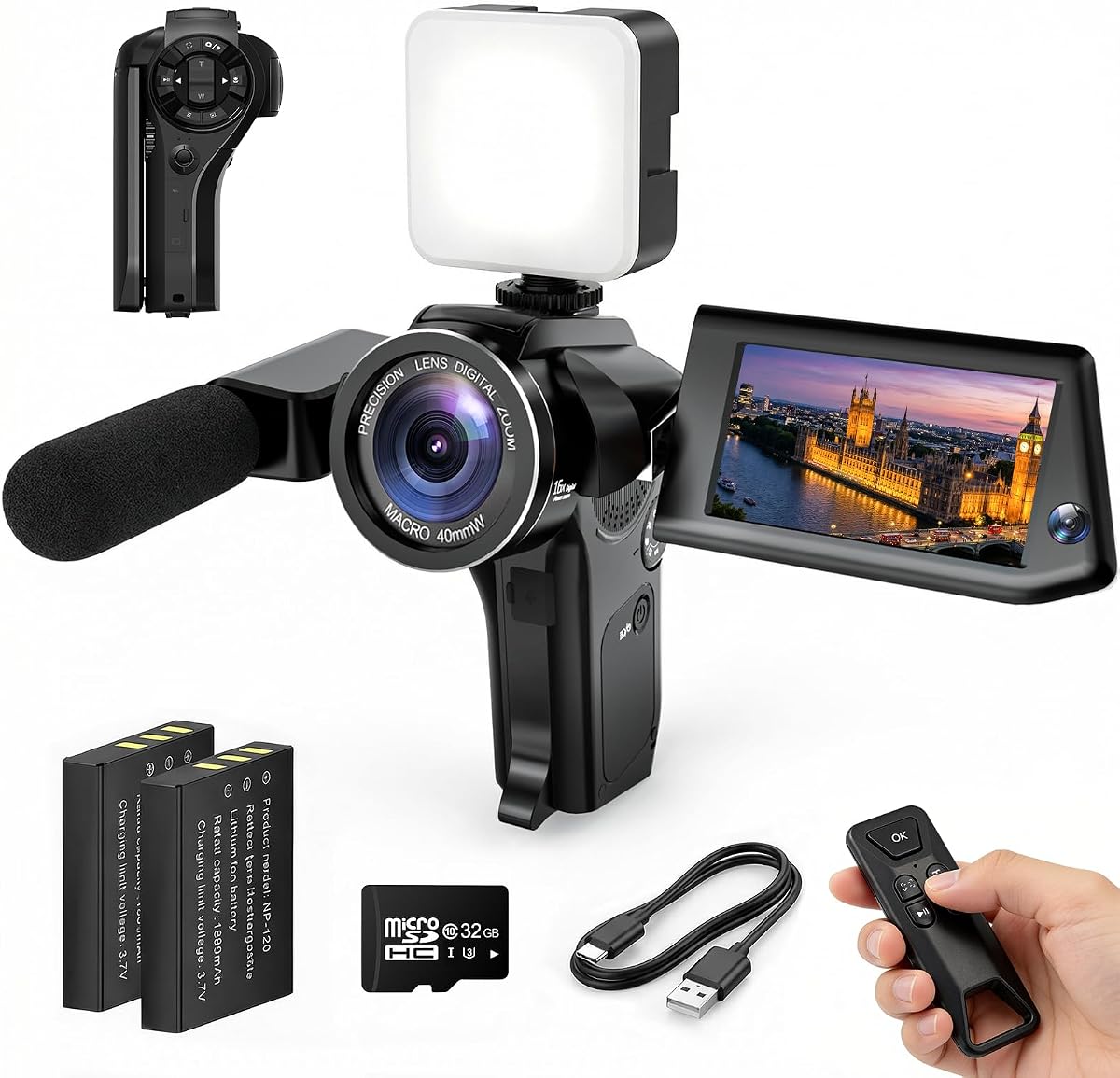
The 8K Creator Kit provides comprehensive tools for vlogging. You can record birthdays and milestones with your joy visible on screen. The WiFi Flip Screen makes framing selfies or tutorials effortless for content creation.
While the premium price reflects advanced capabilities, the engagement potential is high. Viewers appreciate seeing the creator's face during tutorials or reviews. This format makes travel vlogs and daily videos feel more personal.
If you want to create engaging reaction videos or family memories, this is an excellent choice. It transforms standard recording into a more interactive experience. This makes it highly recommended for influencers.
Showing both the subject and creator reaction builds a stronger connection with your audience.
The design helps document milestones where everyone, including the parent filming, is included.
We may earn a commission when you buy through this link, at no additional cost to you.
The FlyFrost 8K Video Camera offers high resolution and unique features like IR night vision. It records videos up to 8K and captures 88MP high-resolution images. The 3-inch touch screen supports recording rotation for framing.
We may earn a commission when you buy through this link, at no additional cost to you.
It supports webcam function for video calls and streaming via USB connection. The external microphone reduces wind noise effectively. The remote control allows you to record from up to 60 feet away for flexibility.
The IR night vision allows you to capture video in dark environments. However, the 8K recording is limited to 15 frames per second. This makes it better for static shots than fast action sequences.
For creators who need night vision or webcam integration, this is a strong option. The included stabilizer and batteries add value. It serves well for specific use cases like security monitoring or outdoor vlogs.
Infrared technology enables clear video capture in complete darkness where standard cameras fail.
Switching between camcorder and webcam modes simplifies gear for both recording and streaming.
We may earn a commission when you buy through this link, at no additional cost to you.
This camera delivers vibrant moments with an advanced 8K Ultra HD capability. It powers a latest-generation CMOS sensor for 96MP stills and cinematic video. The integrated flash ensures clarity in low-light or night settings.
We may earn a commission when you buy through this link, at no additional cost to you.
The 3.5-inch 180-degree flip LCD makes it easy to frame selfies. WiFi transfer syncs content to phones instantly via the Viipulse app. It supports HDR imaging for better detail representation and realism.
It is constructed from premium materials and is ultra-portable for travel. However, digital zoom can reduce quality compared to optical zoom. This makes it best for wide shots rather than distant subjects.
For beginners needing a versatile and compact camera, this is a great choice. It balances stills and video needs well. This makes it suitable for travel vlogs and photography-focused creators.
The flip screen simplifies framing for vlogs without needing to guess the angle.
High Dynamic Range support helps retain detail in bright skies and dark shadows simultaneously.
We may earn a commission when you buy through this link, at no additional cost to you.
This mini camcorder measures only 5.35 by 1.56 inches for ultimate portability. It fits easily in your pocket or bag. The one-button recording feature means it is ready out of the box without app downloads.
We may earn a commission when you buy through this link, at no additional cost to you.
It offers up to 7 hours of continuous recording on a single charge. The 180-degree rotating lens allows for POV and self-recording with manual rotation. It is designed for spontaneous moments and everyday recording.
While image quality is not DSLR-level, the charm lies in simplicity. It captures fun moments without the bulk of professional gear. This makes it perfect for travelers who prioritize convenience.
For users who want a simple and lightweight camera, this is an ideal solution. It removes technical barriers to capturing life. This makes it excellent for personal diaries and family trips.
The pocket size ensures you never leave your camera at home due to bulk.
No app or setup is required to start recording your memories instantly.
We may earn a commission when you buy through this link, at no additional cost to you.
This camera is designed for first-time content creators. It shoots 4K video and captures 75MP photos for clear content. The fast autofocus and wide-angle lens ensure sharp and stable footage easily.
We may earn a commission when you buy through this link, at no additional cost to you.
It includes a mini tripod to help with stability. The 330-degree rotating lens supports solo vlogging with natural framing. It also supports time-lapse, slow motion, and interval shooting for storytelling.
WiFi transfer to your smartphone allows for quick editing. The travel carrying bag helps keep gear organized during trips. It is a perfect beginner kit backed by a 1-year warranty.
If you want all necessary tools in one box, this camera is a strong pick. It reduces setup time and lets you focus on content. This makes it suitable for new YouTubers.
Included accessories like the tripod and bag remove the need for extra purchases.
Time-lapse and interval shooting add creative variety to your videos.
We may earn a commission when you buy through this link, at no additional cost to you.
This kit is a one-stop shop for elevating your mobile video quality. It includes a wireless headset for clear audio and RGB light for enhanced visuals. The sturdy camera tripod ensures stable shots from ground to eye level.
We may earn a commission when you buy through this link, at no additional cost to you.
The flexible tripod wraps around objects for unique angles. A Bluetooth remote allows for connection up to 33 feet away. It fits phones ranging from 4.7 to 7 inches securely with adjustable clamp.
While not a camera itself, it upgrades your phone to a vlogging tool. The adjustable RGB lighting helps tune skin tones accurately. This makes it a versatile addition to any setup.
If you already have a good phone but need better audio and lighting, this kit is ideal. It provides professional tools at an affordable price. This makes it perfect for TikTok creators.
Wireless microphones eliminate the issue of poor built-in phone audio capture.
RGB modes let you adjust the mood and tone of your video lighting easily.
We may earn a commission when you buy through this link, at no additional cost to you.
This kit features an iPhone face-tracking tripod that eliminates the need for apps. It adopts a gesture recognition algorithm for intuitive control. The dual wireless lavalier microphones ensure crystal-clear audio with noise reduction.
We may earn a commission when you buy through this link, at no additional cost to you.
The stand allows you to capture 360-degree panoramic shots easily. It adjusts various angles for horizontal and vertical shooting. It works with most digital cameras, cameras, and action cameras via standard screw thread.
The tracking feature frees your hands for recording video calls or livestreams. With 2.4G signal transmission, latency is super low. This creates a seamless experience for hands-free recording.
If you need a tripod that follows your movement, this is a great choice. It simplifies the process of staying in frame. This makes it highly recommended for solo creators and live streams.
Simple hand gestures turn tracking on and off without touching the device.
The built-in chips ensure sound syncs perfectly with the video in real-time.
We may earn a commission when you buy through this link, at no additional cost to you.
This webcam is compatible with Nintendo Switch 2 GameChat mode and video calls. Auto-Light Balance boosts brightness to reduce shadows. It works with most video calling platforms including Teams and Zoom easily.
We may earn a commission when you buy through this link, at no additional cost to you.
It includes a slide cover for reliable privacy when not on calls. The built-in microphone lets others hear you clearly during meetings. It is made with recycled plastic and offers fun color options.
While designed for meetings, it works for simple streaming tasks. The USB A connection ensures a reliable plug-and-play experience. You can adjust zoom and framing with the Logi Options+ app.
For stationary creators who need a clean image, this webcam is reliable. It simplifies lighting setup with auto features. This makes it a solid choice for tutorials or office setups.
This feature ensures you look your best even in challenging lighting conditions.
The slide cover gives you peace of mind when the camera is not in use.
We may earn a commission when you buy through this link, at no additional cost to you.
Selecting the right camera depends on your specific content style and budget.
Video resolution dictates how sharp and detailed your footage will appear on high-quality screens. For social media, 4K is now standard for professional looks, while 1080p remains acceptable for shorter content. Higher resolution files take up more storage but allow for better cropping in editing.
The sensor size affects how much light your camera can capture. Larger sensors, like the 1-inch found in some pro models, excel in low-light situations. Smaller sensors are often lighter and cheaper but may struggle in dim environments.
Stabilization is critical for vlogs and outdoor content. Optical or mechanical stabilization reduces shake when moving. Without it, footage may look jittery and distract viewers. Look for 3-axis stabilization for the smoothest results.
A flip or rotating screen makes it easier to frame yourself while recording. Touch screens allow for quick focus adjustments. This feature is essential for solo creators who cannot rely on a viewfinder.
Built-in WiFi or Bluetooth allows for instant transfer to your phone. This speeds up the editing process significantly. Some models also support USB-C for direct connection to computers for webcam use.
Clear audio is often more important than video. Check if the camera has a mic jack or supports wireless mics. Poor audio can ruin otherwise great footage. Some kits include external mics for better sound.
Battery life determines how long you can record before needing a charge. Some cameras allow charging while recording for longer sessions. Look for models with spare battery options for uninterrupted workflow.
Many kits include tripods, cards, or lights to get you started. Buying bundles can save money compared to purchasing items separately. Ensure the included accessories meet your basic needs for shooting.
Start by formatting the memory card in the camera to ensure compatibility. This prevents data corruption and errors during recording. Always keep your card backed up to avoid losing content.
Yes, dedicated cameras often provide better low-light performance, optical zoom, and stabilization. However, smartphones are more convenient for quick daily content. It depends on your specific needs and budget.
Not necessarily. Most platforms compress video heavily, so 4K is usually sufficient. 8K is great for cropping and future-proofing but uses more storage. 1080p is still standard for many fast platforms.
Use a tripod or a gimbal for the best results. Many cameras also have built-in digital stabilization. Walking slowly and smooth movements also help reduce shake without extra gear.
Most modern cameras have built-in WiFi apps. Download the companion app, connect the devices, and transfer files wirelessly. You can also use a card reader for faster transfers.
Many newer cameras have webcam software or USB capture modes. This allows you to use your main camera for video calls. Check if your model supports this before purchasing.
A sturdy tripod, external microphone, and spare batteries are key essentials. Good lighting like ring lights or softboxes also helps. These improve the professional look of your videos.
We have reviewed ten top cameras to help you find the perfect tool. The DJI Osmo Pocket 3 leads in quality while the budget 4K vlogging camera offers great value. Each option serves a different creator need.