
Zobirez 420W 10-Port
4.5Editor score
420W total power delivery
Includes ten mixed charging cables
Sturdy one-piece slot design
Discover the top charging station for multiple devices options for 2026. We compare power, port types, safety features, and design to help you organize your
Finding the right charging station for multiple devices is essential for keeping your home or office organized. With so many gadgets in daily use, a centralized hub reduces clutter and ensures everything stays powered up throughout the day.
We compared ten leading models based on total wattage, port variety, safety certifications, and build quality. Our analysis focuses on real-world performance to help you choose a solution that fits your specific device ecosystem and space requirements.
Each pick below highlights unique strengths like GaN technology, retractable cables, or high-wattage outputs. Note that pricing and availability fluctuate frequently, so check current listings before making your final purchase decision for your setup.
4.5Editor score

4.6Editor score

4.6Editor score
This side-by-side comparison highlights key specifications across all ten models. Evaluate wattage, port counts, and unique features to determine which station aligns best with your charging needs and device types.




The Zobirez 420W station offers exceptional value for those needing to charge ten devices at once. With a 4.5 rating, it balances power and organization effectively for home or office desks.
We may earn a commission when you buy through this link, at no additional cost to you.
Its dual 65W GaN ports allow laptop charging while other ports handle phones and accessories. The inclusion of ten mixed cables means you can start using it immediately without extra purchases.
While the cables are short by design for storage, longer lengths might be needed for larger desks. The plastic build is sturdy but lacks premium aesthetics compared to higher-end options.
This model is ideal for families or shared workspaces needing a reliable, affordable hub. It delivers high power output safely and keeps surfaces organized for everyday use.
Smart circuitry manages power across all ports to prevent overheating and ensure stable charging for connected devices simultaneously.
Integrated slots hold devices upright, reducing cable tangling and protecting screens from scratches during overnight charging sessions.
We may earn a commission when you buy through this link, at no additional cost to you.
For power users with multiple high-demand devices, the Zobirez 750W model delivers unmatched capacity. Its 4.6 rating reflects strong performance in handling laptops and phones together without speed loss.
We may earn a commission when you buy through this link, at no additional cost to you.
Each USB-C port supports up to 120W, ensuring MacBooks and similar devices charge rapidly. The five USB-A ports remain useful for legacy accessories like headphones and controllers.
The unit is physically larger to accommodate the extra power, which might crowd smaller desks. However, the included cables cover almost every connection type you might need immediately.
Choose this if you need maximum power and do not want to buy separate chargers. It stands out as a robust solution for tech-heavy environments requiring heavy simultaneous loads.
Gallium Nitride technology allows smaller internal components while delivering significantly higher power output and reduced heat generation during operation.
Center bays are wider and taller to securely hold tablets in protective cases without tipping over during extended use.
We may earn a commission when you buy through this link, at no additional cost to you.
The Anker Prime Charging Station earns top marks for balancing performance, size, and reliability. It handles six devices at once with impressive speed and safety features designed for daily use.
We may earn a commission when you buy through this link, at no additional cost to you.
Two USB-C ports deliver up to 100W each, enabling fast charging for two laptops simultaneously. Active cooling keeps temperatures low even under full load for extended periods.
While it offers fewer ports than some competitors, the quality of power delivery is superior. It lacks AC outlets, so it is strictly a dedicated charger rather than a power strip.
This device is perfect for professional setups where reliability matters most. Its compact shape fits easily on desks while ensuring all essential devices stay powered and safe.
Proprietary safety system monitors heat in real time to adjust power output and prevent damage to connected electronics.
Six ports include USB-C and USB-A options to support both modern laptops and traditional peripheral accessories seamlessly.
We may earn a commission when you buy through this link, at no additional cost to you.
This compact charger is ideal for travelers who need to charge phones and tablets without bulk. It fits easily in bags while still providing six ports for family or group charging needs.
We may earn a commission when you buy through this link, at no additional cost to you.
While it lacks the power for laptops, it handles mobile accessories efficiently. The included extension cord helps reach outlets in hotel rooms or behind furniture easily.
Build quality is adequate but not premium. Users should avoid expecting heavy-duty performance for high-wattage devices beyond basic smartphones.
Buy this if portability is your main priority. It delivers solid performance for everyday gadgets and helps minimize packed chargers when on the road.
Reduced physical footprint makes it easy to pack in luggage without taking up valuable storage space.
Included extension cord allows flexible placement near distant wall outlets common in older buildings or hotels.
We may earn a commission when you buy through this link, at no additional cost to you.
Apple users will love the MagGo 3-in-1 for its ability to charge iPhone, Watch, and AirPods wirelessly. The 4.6 rating highlights its reliability and fast wireless speeds for daily use.
We may earn a commission when you buy through this link, at no additional cost to you.
The Apple Watch charger reaches full battery in just over an hour. You can adjust the phone angle to view notifications or timers while charging at your desk.
Wireless charging is slower than cable options, and it only supports Apple devices. It does not fit larger Android phones or non-MagSafe cases well.
Choose this for a clean nightstand or desk setup if you use Apple products. It eliminates cable clutter and looks elegant in modern workspaces.
Newer wireless charging standard ensures faster and more efficient power transfer for compatible phones and accessories.
Vertical orientation keeps the phone screen visible for alarms without needing to flip the device manually.
We may earn a commission when you buy through this link, at no additional cost to you.
This hybrid unit combines AC power and USB charging into one device. It is excellent for desks needing both traditional plugs and fast USB charging for phones and laptops.
We may earn a commission when you buy through this link, at no additional cost to you.
Three AC outlets allow you to plug in monitors or lamps alongside your phones. The 300J surge protector adds safety against voltage spikes for sensitive gear.
It is heavier than smaller chargers due to surge circuitry and AC hardware. Space might be tight on very small nightstands, but it is robust.
Buy this for a central workstation hub. It simplifies power management by handling both legacy and modern devices in a single sturdy unit.
Three standard outlets let you power non-USB electronics without sacrificing USB charging capacity for mobile devices.
Built-in safety safeguards equipment from voltage spikes, adding security typically found only in separate power strips.
We may earn a commission when you buy through this link, at no additional cost to you.
For users with older devices relying on USB-A, this station provides a straightforward solution. It organizes up to five gadgets in one place with included cables for immediate use.
We may earn a commission when you buy through this link, at no additional cost to you.
Smart detection adjusts voltage to each device, offering faster speeds than standard 2.0A ports. The removable dividers accommodate tablets with thick cases easily.
It lacks modern USB-C support, which limits future-proofing. Charging is slower compared to GaN options for newer smartphones needing high wattage.
This model fits budget-conscious buyers with older gear. It works well for simple charging needs without complex features or high costs.
Seven included cables cover most legacy connectors, removing the need to buy separate adapters for older phones.
Adjustable slots let you modify the layout to fit specific device sizes without damaging protective cases.
We may earn a commission when you buy through this link, at no additional cost to you.
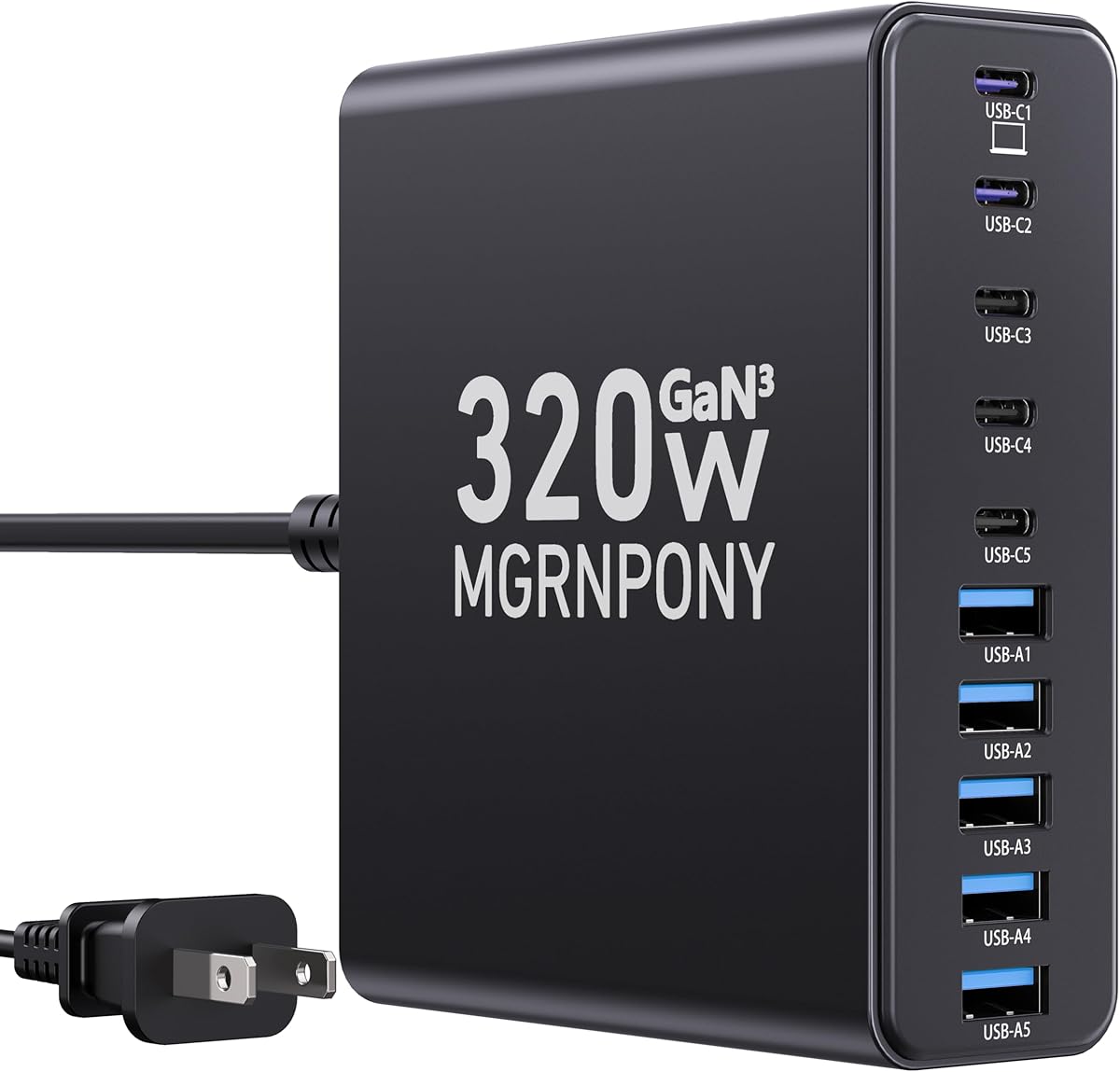
This model offers 320W across ten ports, making it versatile for mixed setups. The 4.5 rating shows strong performance in managing heat and maintaining stable outputs.
We may earn a commission when you buy through this link, at no additional cost to you.
GaN technology keeps the unit compact while delivering laptop-level power through dedicated USB-C ports. The included 5ft cord is convenient for reaching distant outlets.
While slots hold phones well, larger tablets might tip over if not centered. Some users might prefer thicker cables for high-power connections to avoid overheating.
Select this for balanced home or travel use. It handles both power-hungry laptops and smaller devices efficiently in a portable package.
Smart allocation ensures total power remains high even when all ten ports are active simultaneously without slowing down.
Compact dimensions and included cord make packing easier for trips needing multiple device charging points.
We may earn a commission when you buy through this link, at no additional cost to you.
The retractable design is perfect for keeping cables tidy. It supports up to eight devices and includes a power adapter for immediate use in any room.
We may earn a commission when you buy through this link, at no additional cost to you.
GaN tech ensures efficient charging despite the complex internal cable mechanism. The retractable cords are up to 80cm long, enough for most desk setups.
Retractable mechanisms can wear faster than fixed cables. Some users report difficulty pulling out cables smoothly after prolonged usage.
Choose this if organization is your top priority. It keeps cables hidden and reduces clutter significantly compared to standard multi-port chargers.
Retractable cables disappear into the housing when not in use, saving valuable surface space on desks or counters.
Eight ports allow multiple users to charge phones and tablets simultaneously without fighting for outlet space.
We may earn a commission when you buy through this link, at no additional cost to you.
The Lcssio model provides 300W across eight ports, balancing capacity and power effectively. The 4.5 rating reflects reliable performance for daily household charging tasks.
We may earn a commission when you buy through this link, at no additional cost to you.
Dual 65W ports support laptops while other ports handle phones. The solid construction without removable dividers increases durability over time.
Slots are designed to hold tablets with cases, making it family-friendly. However, included cables are short, so extra ones might be needed for larger desks.
This is a solid choice for shared spaces needing power. It avoids cheap plastic dividers and offers consistent performance across multiple devices.
Solid one-piece body design prevents wear and tear from frequent removal and reinsertion of divider slots.
Rubber pads prevent scratching and sliding, keeping the unit stable during active use or accidental bumps.
We may earn a commission when you buy through this link, at no additional cost to you.
Selecting the right station depends on your specific device mix and space. We outline key factors to consider before purchasing a multi-device solution.
Total wattage determines how many high-power devices you can charge simultaneously without throttling. Look for models with at least 200W if you have laptops alongside phones.
Ensure the station distributes power efficiently so that all ports maintain speed when fully loaded.
Modern devices require USB-C ports for fast charging, while older accessories might still use USB-A. Choose a mix that matches your current and future device ecosystem.
Confirm that any laptops you own are compatible with USB-C Power Delivery to avoid compatibility issues.
Sturdy slots hold devices upright securely. Look for one-piece designs without fragile removable dividers that may break over time.
Material quality like flame-retardant ABS adds safety and longevity to the charging station.
Stations that include cables save money and ensure compatibility. Check if cables are long enough for your desk layout and support high-speed protocols.
Some models include adapters or cords that simplify setup and reduce clutter significantly.
Advanced protection features like over-voltage and over-heat safeguards prevent damage to your expensive electronics. Look for reputable brands with safety certifications.
Ensure the unit monitors temperature actively to prevent overheating during extended charging periods.
Consider the size of the unit relative to your desk space. Compact models fit better on nightstands while larger ones suit main workstations.
Choose designs with anti-slip bases to keep the unit stable during active use.
Some premium models offer wireless charging pads for phones or watches. This reduces cable clutter but might charge slower than wired options.
Verify wireless compatibility with your device brand to ensure proper function.
Higher price points often bring better safety tech and longer warranties. Assess whether the extra cost is worth the features you actually need.
A solid warranty protects against manufacturing defects common in electronic accessories.
Place the station on a flat, stable surface with ample airflow to prevent overheating. Avoid enclosing it in cabinets or tight spaces where heat can build up.
Connect your devices using the provided or compatible high-quality cables. Ensure each device is seated securely in the slots to maintain good contact with ports.
Regularly inspect the unit for dust or debris in the ports. Use compressed air to clean gently and avoid using wet cloths near electrical components.
Yes, many modern charging stations feature dedicated high-wattage USB-C ports capable of powering laptops while simultaneously charging phones. Just ensure the total wattage output is sufficient for both devices.
Most reputable stations include overcharge and overheat protection systems that manage power delivery safely even when left plugged in overnight. Always check for safety certifications before use.
Many top-rated stations come with a full set of mixed cables included in the box. Verify the bundle contents before buying to see if you need additional purchases for specific devices.
USB-C offers faster charging speeds and reversibility while USB-A is an older standard still used for legacy devices. A hybrid station supports both types to cover a wider range of gadgets.
Compact travel-friendly models exist but check power requirements for your destination. Some countries require specific plug adapters which these units may not include by default.
Use compressed air to blow out debris from ports. Avoid using metal objects that could scratch internal contacts or damage the sensitive electronics inside the unit.
This usually happens when total wattage is split across too many active devices. Try charging high-demand devices like laptops in priority ports for maximum speed.
Some hybrid models include surge protection to guard against power spikes while traditional multi-port chargers may not. Verify this feature if you live in areas with unstable power.
We explored ten top options including the Anker Prime for reliability and the Zobirez 420W for budget power. Each model offers unique benefits tailored to different user needs and desk setups.
Prioritize total wattage and port types that match your device collection. Safety features and build quality should also influence your final decision for long-term use.
Prices and availability change often, so verify current listings before purchasing. Choose the station that best balances power, organization, and value for your specific environment.