
Dell Latitude 3450 Laptop
4.5Editor score
Intel Core i3-1315U CPU
16GB DDR5 RAM Standard
Fingerprint Reader Security
Finding the right business laptop requires balancing power, portability, and reliability. The Dell Latitude series stands out for its durability and enterprise-grade features designed for modern workflows and demanding tasks.
We evaluated ten current models based on processor speed, memory capacity, display quality, and connectivity options. Our comparison highlights how each device handles multitasking, virtual meetings, and long workdays without compromise.
Each pick below shows specific strengths for different user needs, from budget-friendly options to high-performance machines. Prices and availability can change frequently so verify details before making your final purchase decision today.
4.5Editor score

5.0Editor score

5.0Editor score
As an Amazon Associate we earn from qualifying purchases.
This side-by-side comparison examines key specifications across ten Dell Latitude models to help you identify the perfect fit for your professional needs and budget constraints.



The Dell Pro 16 PC16250 represents the newest generation of business laptops from Dell combining modern processing with robust construction. It earns a perfect rating for its balance of performance and reliability making it ideal for professionals who need consistent power throughout the day.
We may earn a commission when you buy through this link, at no additional cost to you.
Its Intel Core 5 120U processor delivers seamless multitasking while the 16GB DDR5 memory ensures smooth operation during video conferences and file transfers. The 16 inch WUXGA display offers ample screen real estate with anti-glare coating reducing eye strain during long work sessions.
Although it is not the lightest option available the build quality passes rigorous military grade testing ensuring durability in demanding environments. The trade-off in weight is acceptable given the enhanced port selection and battery capacity that supports extended unplugged usage.
This laptop is perfect for software engineers data analysts and business owners who prioritize stability and performance. We recommend it as the top choice for users needing a reliable daily driver for complex workflows and remote work.
The high-capacity 55Wh battery and rapid charging technology minimize downtime during busy schedules and travel days.
Support for three external monitors via HDMI and Thunderbolt 4 allows for expanded workspace without docking stations.
We may earn a commission when you buy through this link, at no additional cost to you.
The Dell Latitude 5520 offers a compelling mix of high memory and storage at a reduced price point. While it is a renewed model it provides substantial resources for multitasking and data handling making it suitable for users with specific hardware needs.
We may earn a commission when you buy through this link, at no additional cost to you.
Its 32GB RAM and 1TB NVMe SSD allow for running multiple heavy applications simultaneously without slowdown. The Intel i7-1165G7 processor is capable enough for standard business tasks though it lacks the efficiency of newer chipsets.
The main compromise is the display resolution which is HD rather than FHD potentially affecting clarity for text and graphics. Users focused on raw specs over visual fidelity will find this trade-off acceptable given the price advantage.
This machine is best for those needing extra RAM for virtualization or large datasets on a budget. Consider it if you require high specifications but do not need the latest generation features or premium screen quality.
32GB RAM and 1TB SSD provide ample room for large files and virtual machines.
Includes Thunderbolt and HDMI for versatile external display support.
We may earn a commission when you buy through this link, at no additional cost to you.
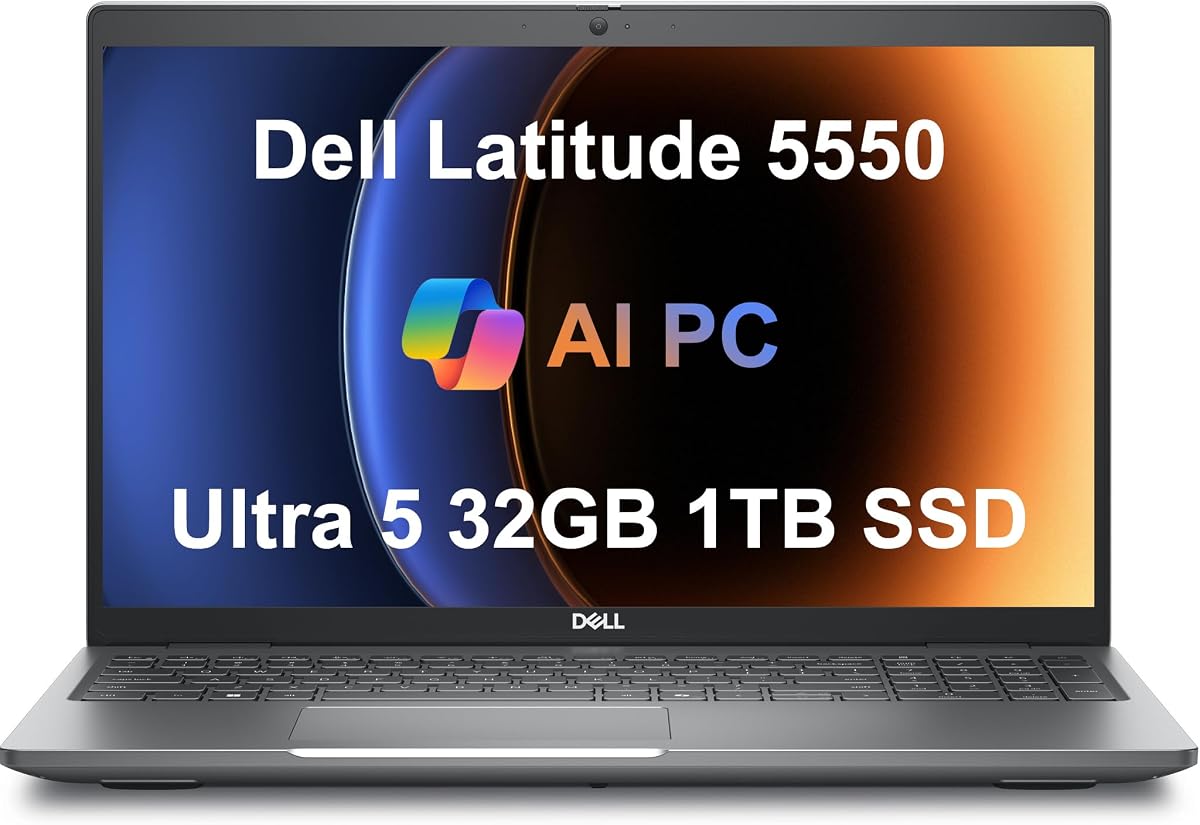
The Dell Latitude 5550 combines modern processing with significant memory to handle professional workflows efficiently. It features a slim design that balances portability with the power needed for daily business tasks and media consumption.
We may earn a commission when you buy through this link, at no additional cost to you.
Powered by the Intel Core Ultra 5 125U processor this laptop delivers efficient performance for multitasking. The 32GB of DDR5 RAM ensures smooth switching between applications while the dual SSD setup offers flexible storage management.
The 15.6 inch FHD display provides clear visuals suitable for spreadsheets and documents though it lacks high brightness for outdoor use. Privacy features like a webcam shutter add an extra layer of security for remote collaboration.
Ideal for professionals who need reliability and capacity without the expense of premium top-tier models. It is a solid choice for users requiring 32GB of RAM and a portable form factor for office and home use.
Intel Core Ultra 5 125U provides speed for demanding applications and AI tasks.
FHD HDR RGB webcam with shutter protects privacy during calls.
We may earn a commission when you buy through this link, at no additional cost to you.
The Dell Latitude 5450 brings high-end processing to a compact 14 inch chassis perfect for frequent travelers. Its premium build and advanced features make it a top contender for executives and consultants needing power on the go.
We may earn a commission when you buy through this link, at no additional cost to you.
The Intel Core Ultra 7 155U processor offers fast responsive performance for demanding applications and seamless multitasking. The 14 inch FHD IPS display delivers sharp detail with 400 nits brightness suitable for various lighting conditions.
Privacy is enhanced with a 1080p FHD HDR IR camera that supports secure facial recognition and facial calls. While the screen is smaller than 16 inch models it offers portability that outweighs the loss of screen real estate for many users.
This laptop is recommended for professionals who prioritize speed and security in a lightweight package. It is well suited for hybrid work environments where quick setup and secure login are essential for productivity.
Intel Core Ultra 7 155U ensures rapid data processing and smooth multitasking.
1080p IR camera with privacy shutter enhances security during virtual meetings.
We may earn a commission when you buy through this link, at no additional cost to you.
The Dell Pro 16 Next-Gen offers a large screen and modern memory standards at an accessible price point. It serves as a reliable option for students and small business owners needing efficient performance without excessive cost.
We may earn a commission when you buy through this link, at no additional cost to you.
Equipped with an Intel Core i5-120U processor this laptop handles office workloads and conferencing with ease. The 16GB DDR5 memory ensures quick responsiveness while the 512GB SSD provides sufficient space for typical business files.
The 16 inch FHD+ display increases screen real estate making it easier to manage multiple windows during tasks. Although the processor is not the fastest it remains sufficient for most daily computing needs and light creative work.
This model is best for users seeking a balance of size and affordability for everyday tasks. It is a practical choice for those who need a reliable machine for office work and learning environments.
16 inch FHD+ screen provides wide workspace for multitasking and media.
DDR5 memory improves speed and efficiency for everyday applications.
We may earn a commission when you buy through this link, at no additional cost to you.
The Dell Latitude 5350 is designed for professionals who prioritize mobility without sacrificing performance. At just 2.72 lbs it is one of the lightest options available making it ideal for frequent business travel and dynamic work.
We may earn a commission when you buy through this link, at no additional cost to you.
Powered by an Intel Ultra 5 125U processor it delivers efficient performance for business tasks and AI-assisted workflows. The 13.3 inch FHD display offers sharp visuals and supports multiple external monitors for expanded workspace.
Battery life is impressive with an average of 8% longer duration than the previous generation. Rapid ExpressCharge technology helps reduce downtime ensuring you stay ready for workdays and travel without constant outlet access.
This laptop is perfect for consultants and executives who travel frequently and need a reliable companion. We recommend it for users who value portability and long battery life over larger screen real estate.
Weighing 2.72 lbs this machine is easy to carry for daily travel and commuting.
AI-driven studio effects improve video call quality with automatic framing and noise suppression.
We may earn a commission when you buy through this link, at no additional cost to you.
The Dell Latitude 5350 Touchscreen elevates the standard model with a premium interactive display and powerful hardware. It is built for professionals who require speed efficiency and a tactile way to navigate software and presentations.
We may earn a commission when you buy through this link, at no additional cost to you.
Its Intel Core Ultra 7 165U processor delivers exceptional speed and intelligent performance for multitasking and AI-enhanced workflows. The 32GB DDR5 RAM and 1TB SSD ensure seamless file access and robust application performance.
The 13.3 inch Full HD Touchscreen display provides vibrant colors and sharp clarity for an interactive experience. While it is smaller than larger models it offers a versatile way to interact with content and media.
This laptop is recommended for executives and creative professionals needing top-tier specs in a portable form. It is the best choice for users who want premium features like touch input and high processing power.
Full HD touchscreen allows intuitive navigation and better engagement with content.
Ultra 7 processor ensures fast execution for complex business applications.
We may earn a commission when you buy through this link, at no additional cost to you.
The Dell Latitude 5550 AI business notebook is powered by the Intel Core Ultra 7 155U processor offering fast and efficient performance. It serves as a reliable workhorse for business users students and remote professionals needing stable daily computing.
We may earn a commission when you buy through this link, at no additional cost to you.
With 16GB DDR5 RAM and 512GB SSD it offers rapid boot times and smooth application performance. The 15.6 inch Full HD display provides increased brightness and enhanced contrast for comfortable viewing during long sessions.
Integrated Intel Graphics support smooth streaming and presentations while stereo speakers and dual-array microphones enhance communication. The inclusion of Wi-Fi 6E ensures fast stable wireless connections for modern office environments.
This laptop is ideal for users seeking a balance of performance and reliability for standard business tasks. It is a practical choice for office work and education where dependability and clear visuals are priorities.
Ultra 7 155U processor beats older i7 models for speed and efficiency.
Full HD screen and HD webcam support clear meetings and presentations.
We may earn a commission when you buy through this link, at no additional cost to you.
The Dell Latitude 3550 Business Laptop offers a robust combination of speed and security for everyday business use. It is equipped with a modern processor and ample storage to handle intensive tasks and smooth multitasking.
We may earn a commission when you buy through this link, at no additional cost to you.
Powered by the Intel Ultra 7 155U processor it runs fast and smooth with 16GB DDR5 RAM and 1TB storage. This configuration ensures rapid boot-up times and swift data access for all your files and projects.
Security is enhanced with a fingerprint reader and Windows 11 Pro features for streamlined computing and protection. The versatile connectivity includes USB4 and Ethernet ports ensuring you can connect to any office network or display.
This laptop is best for professionals needing secure fast computing for daily office tasks. It is a practical choice for those who prioritize hardware specs and physical security features over premium aesthetics.
Fingerprint reader and Windows 11 Pro enhance data protection and login speed.
USB4 and Ethernet ports ensure compatibility with a wide range of peripherals.
We may earn a commission when you buy through this link, at no additional cost to you.
The Dell Latitude 3450 is designed for dependable everyday business use combining long battery life with a durable build. It tests to MIL-STD-810H standards offering added reliability for daily commuting and frequent handling in various environments.
We may earn a commission when you buy through this link, at no additional cost to you.
Powered by an Intel Core i3-1315U processor it delivers efficient and responsive performance for standard tasks. The 16GB DDR5 memory and 512GB SSD enable seamless multitasking and reduced load times across daily business operations.
It features a 14 inch FHD IPS Anti-Glare display for clear comfortable visuals during long work sessions. Security is strengthened with a fingerprint reader and privacy shutter ensuring your data remains safe during calls.
This laptop is ideal for users seeking a reliable and affordable option for basic business workflows. We recommend it for administrative staff and small teams needing a cost-effective machine for regular office use.
MIL-STD-810H tested chassis ensures reliability during daily commuting and travel.
Intel Core i3 processor with DDR5 RAM handles daily multitasking smoothly.
We may earn a commission when you buy through this link, at no additional cost to you.
Selecting the right Dell Latitude requires considering specific hardware needs and professional use cases to ensure optimal performance and longevity.
Modern Intel Core Ultra processors offer better efficiency and AI capabilities compared to older generations. For heavy multitasking or data analysis choose models with Ultra 7 or higher chips while Ultra 5 suits standard office work.
Prioritize the latest processor series for better battery life and integrated graphics performance in virtual meetings.
At least 16GB of DDR5 RAM is recommended for smooth multitasking in modern business applications. Consider 32GB if you run virtual machines or handle large datasets to avoid slowdowns.
A 512GB SSD is the baseline for storage but 1TB ensures ample space for files and software updates.
Look for Full HD (1920×1080) or WUXGA displays with anti-glare coating to reduce eye strain. Brightness above 300 nits helps visibility in well-lit offices or bright environments.
Touchscreen options add versatility but may increase cost and reduce battery life slightly.
For frequent travelers choose 13 or 14-inch models that weigh under 3 lbs for easy transport. Heavier 15 or 16-inch laptops offer larger screens but are less convenient for travel.
Balance screen real estate needs with weight constraints to find a model that fits your workflow.
Ensure the laptop includes Thunderbolt 4 or USB-C for fast data transfer and external monitor support. Having HDMI and Ethernet ports directly on the device simplifies connections to projectors and networks.
Check for Wi-Fi 6E support to maintain fast and stable wireless connections in busy environments.
Aim for laptops rated at 8 hours or more for all-day productivity without needing constant charging. ExpressCharge features allow rapid power recovery during short breaks or meetings.
Larger battery capacities like 55Wh help extend usage time for remote work or travel.
MIL-STD-810H tested models are designed to withstand shocks and vibrations making them ideal for field work. A sturdy chassis and keyboard protect your investment against daily wear and tear.
Consider spill-resistant keyboards if you work near beverages or in unpredictable environments.
Hardware security features like fingerprint readers and IR cameras enable secure logins with facial recognition. Windows 11 Pro provides additional enterprise tools for device management and encryption.
Look for privacy shutters on webcams to physically block access during sensitive meetings.
Keep your Dell Latitude in a protective case during travel to prevent physical damage to the screen and chassis. Avoid placing heavy objects on the laptop bag to protect the internal components from pressure.
Use a soft microfiber cloth to clean the display and keyboard regularly. Avoid harsh chemicals or abrasive materials that could scratch the anti-glare coating or degrade the surface finish.
Ensure proper ventilation by using the laptop on hard flat surfaces rather than soft fabrics. This prevents overheating and maintains optimal performance for the processor and battery over time.
Most modern Dell Latitude models come preinstalled with Windows 11 Pro which offers advanced security and management tools. Always check the specific product listing to confirm the operating system version before purchase.
Many Latitude models allow user upgrades to RAM or storage though some newer ultrabooks have soldered memory. Review the technical specifications for your specific model to determine upgrade possibilities.
Battery life varies by configuration but most models offer between 8 to 11 hours on a single charge. Factors like screen brightness and running applications will impact actual usage time.
Yes most Dell Latitude laptops support multiple external monitors via HDMI and Thunderbolt 4 ports. You can typically connect two to three displays without needing an additional docking station.
These laptops feature high-definition webcams with noise reduction and built-in microphones optimized for calls. Many models also include AI-powered effects to enhance video quality during meetings.
Standard warranty coverage usually includes one year for manufacturer defects though extended plans are available. Third-party sellers may offer additional warranty terms depending on the purchase location.
The Dell Pro 16 PC16250 and Latitude 5350 Touchscreen lead the pack with robust performance and modern features suitable for demanding work environments.
For those seeking value the Latitude 3450 offers solid reliability while high-end users may prefer the power of the 5450 or 5550 models.
Always verify current pricing and stock levels before buying to ensure you get the best deal for your specific professional needs.