
A-Tech 8GB DDR4 2400MHz
4.7Editor score
Affordable price point
Lifetime warranty included
Simple home installation
This guide compares the top 10 DDR4 Sodimm Laptop RAM modules for laptops, focusing on speed, capacity, compatibility, and reliability to help you upgrade your
Upgrading your laptop memory is one of the most effective ways to boost performance without replacing your entire machine. Choosing the right DDR4 Sodimm Laptop RAM ensures your system handles multitasking, creative work, and gaming with ease.
We evaluated ten top-rated modules based on speed, capacity, build quality, and user feedback. Our analysis covers compatibility with modern processors, ease of installation, and overall reliability to help you find the perfect match for your device.
Each pick highlights key features, pros, cons, and real-world performance insights. Please note that prices and availability change frequently, so verify current details before purchasing to ensure you get the best value for your needs.
4.7Editor score
4.8Editor score
4.7Editor score
Here is a side-by-side comparison of all ten selected DDR4 Sodimm Laptop RAM modules. This table helps you quickly identify key specifications like capacity, speed, and voltage to make an informed decision.


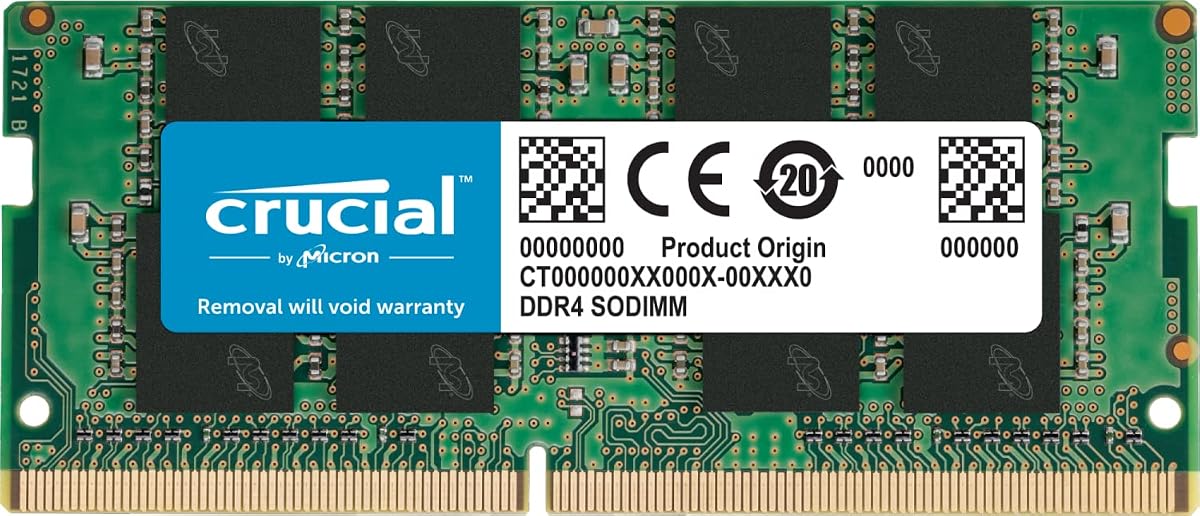
The Crucial 16GB DDR4 RAM is a top-tier option for laptop users seeking reliable performance upgrades. With a strong 4.8 rating, it stands out for its seamless compatibility and consistent speed across various systems.
We may earn a commission when you buy through this link, at no additional cost to you.
Its ability to operate at 3200MHz while remaining downclockable ensures it fits older hardware without issues. The module features rigorous testing at both component and module levels, ensuring long-term stability.
Installation is user-friendly with available step-by-step guides, removing barriers for non-experts. However, users may find the price slightly higher than budget alternatives for basic tasks.
This module is ideal for professionals and power users who need dependable multitasking capabilities. It delivers excellent value through performance and reliability for modern laptops.
The 16GB capacity allows users to run multiple applications simultaneously without slowdowns. This is essential for modern workflows involving browsers, creative tools, and background processes.
Crucial provides tools like the System Scanner to verify compatibility before purchase. This reduces the risk of errors and ensures the module works with your specific device.
We may earn a commission when you buy through this link, at no additional cost to you.
Samsung’s 16GB module offers robust performance with a 3200MHz speed rating. Users appreciate its ability to increase workload handling and improve overall system responsiveness efficiently.
We may earn a commission when you buy through this link, at no additional cost to you.
Quality assurance testing ensures dependable performance across notebooks and all-in-one computers. The 2Rx8 configuration provides density that helps in demanding applications requiring more memory bandwidth.
While reliable, the lack of a dedicated compatibility tool might require manual checking. Additionally, dual rank modules can sometimes conflict with specific motherboard slot configurations.
Choose this if you need a solid upgrade from reputable Samsung memory. It works well for general computing and light professional tasks with proven stability.
The high capacity and speed allow users to manage heavier workloads without bottlenecks. This is particularly useful for virtual machines and data processing tasks.
All modules undergo strict quality assurance testing to ensure consistent operation. This reliability helps users avoid system crashes and unexpected downtime during critical work.
We may earn a commission when you buy through this link, at no additional cost to you.
This 8GB module balances cost and performance well for everyday users. It retains Crucial's high quality and compatibility features at a more accessible price point for basic upgrades.
We may earn a commission when you buy through this link, at no additional cost to you.
Its ability to downclock ensures it works with older laptops that do not support 3200MHz natively. The same reliable installation guides and compatibility tools apply here as well.
While sufficient for basic multitasking, power users might find 8GB limiting for heavy applications. Single module purchases may require buying another for dual-channel performance.
This is perfect for budget-conscious users who still want premium quality. It delivers significant improvement for web browsing and office tasks without overspending.
The module supports operation at lower speeds like 2933MHz or 2666MHz. This ensures compatibility with a broader range of legacy laptop hardware without sacrificing stability.
Step-by-step guides provided by Crucial simplify the upgrade process significantly. Users can confidently install the memory themselves without requiring professional technical skills or tools.
We may earn a commission when you buy through this link, at no additional cost to you.
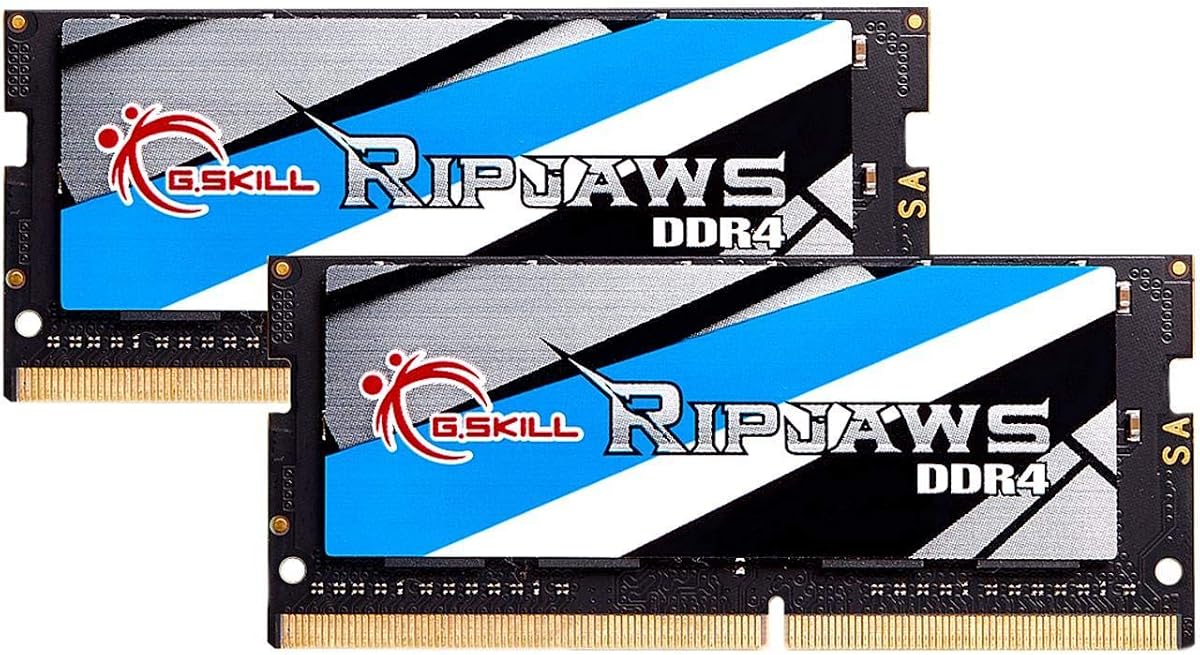
G.SKILL’s 32GB kit offers significant power for demanding laptop workflows. The matched kit design ensures stability and performance consistency across all memory channels effectively.
We may earn a commission when you buy through this link, at no additional cost to you.
Users can leverage overclocking potential for maximum speed if their system supports it. Even without tweaks, the JEDEC default profile guarantees reliable booting and operation out of the box.
The price reflects the premium capacity and flexibility, making it less accessible for casual users. BIOS adjustments may be needed to reach top speeds which requires technical knowledge.
This kit is ideal for professionals needing maximum local memory on the go. It transforms capable laptops into powerful workstations for content creation and engineering tasks.
Memory kits are sold matched to run together as a set reliably. Mixing different kits often leads to system instability or crashes that affect productivity negatively.
With BIOS adjustments, users can push the memory beyond default speeds. This unlocks higher throughput for tasks that rely heavily on memory bandwidth performance.
We may earn a commission when you buy through this link, at no additional cost to you.
TEAMGROUP offers a solid 32GB option with strong support features. The lifetime warranty and technical support give users peace of mind regarding long-term reliability and usage.
We may earn a commission when you buy through this link, at no additional cost to you.
Compliance with JEDEC and RoHS standards ensures environmental protection and production quality. Installation videos help simplify the process for users unsure about opening their devices.
Actual speeds depend heavily on your system's CPU and motherboard capabilities. Users must verify compatibility before purchasing to ensure full performance benefits are realized.
This kit is great for users seeking capacity without compromising on support. It balances price and features well for general upgrades needing large memory pools.
All new products come with a lifetime warranty and free technical support. This commitment helps resolve any potential issues quickly without extra costs for the user.
Installation videos attached to product images assist in the physical upgrade process. Visual guides make it easier to understand how to install the modules correctly.
We may earn a commission when you buy through this link, at no additional cost to you.
A-Tech delivers a cost-effective solution for basic memory upgrades. While slower, it provides reliable performance for users needing more memory without a high cost.
We may earn a commission when you buy through this link, at no additional cost to you.
The lifetime warranty and friendly tech support team ensure users are covered. Boosting loading speeds is still noticeable compared to lower capacity single-channel setups.
The 2400MHz speed is slower than modern 3200MHz modules but is sufficient for older systems. It may bottleneck newer laptops that expect faster memory speeds for best performance.
This is the best choice for budget upgrades or older laptops. It offers good value for extending the life of existing hardware affordably.
The module is priced lower than most competitors making it accessible to more users. This makes it ideal for those on a tight budget needing immediate help.
Even with lower speeds, the added capacity helps loading applications faster than before. Multitasking becomes smoother as the system has more space to cache data.
We may earn a commission when you buy through this link, at no additional cost to you.
GIGASTONE offers a high-capacity option designed for versatile laptop use. Its compatibility with a wide range of devices ensures it fits many modern systems easily.
We may earn a commission when you buy through this link, at no additional cost to you.
The 32GB kit allows for significant multitasking capability. Unbuffered Non ECC design maintains standard compatibility for most consumer notebook models.
Less recognized brands may raise concerns about support availability compared to major names. Users should verify specifications since speed depends on host system capabilities.
Choose this for a high-capacity upgrade if you trust the specs. It provides solid value for users needing substantial memory without paying a brand premium.
The memory is designed to work with a wide range of laptops and notebooks. This versatility reduces the risk of incompatibility across different device manufacturers.
Standard unbuffered SODIMM ensures it works with consumer-grade hardware. ECC is typically reserved for servers so this maintains compatibility with laptops.
We may earn a commission when you buy through this link, at no additional cost to you.
This Samsung module offers modern speeds in a compact single module design. Its high rating reflects reliability and seamless integration into select laptop systems efficiently.
We may earn a commission when you buy through this link, at no additional cost to you.
The single rank configuration helps maintain compatibility with systems that prefer lower density. It expands system memory resources and reduces bottlenecks for smoother multitasking.
However, 8GB capacity may limit future-proofing compared to higher capacity options. Single rank configurations sometimes offer slightly lower bandwidth than dual rank equivalents.
Ideal for quick boosts in laptops with limited slots or strict BIOS limits. It ensures your system runs efficiently while staying within hardware constraints.
The module is genuine Samsung memory ensuring high manufacturing standards. Product may be equivalent part numbers identical in specifications and overall performance quality.
Increasing available memory resources helps reduce system bottlenecks significantly. This allows applications to access data quickly and improves general responsiveness.
We may earn a commission when you buy through this link, at no additional cost to you.
A single 32GB module simplifies upgrades for laptops with one free slot. The newest version ensures compatibility with latest systems and maintains high-speed performance consistently.
We may earn a commission when you buy through this link, at no additional cost to you.
High density allows users to achieve significant memory capacity without two sticks. The 2Rx8 Rank configuration provides balanced performance for demanding laptop tasks.
Price per GB is higher compared to dual kit options. Using one module means missing dual-channel bandwidth benefits possible with matching pairs.
Choose this if your laptop has only one slot or needs massive RAM. It offers a clean and powerful solution for high-capacity needs.
High density allows achieving 32GB in a single physical module stick. This is useful for laptops where one slot is already occupied or blocked.
Being the newest version ensures it meets current system requirements. Compatibility is generally better with newer motherboards and processors released recently.
We may earn a commission when you buy through this link, at no additional cost to you.
CORSAIR brings its reliable design and performance to laptop memory. The slim aesthetic ensures physical compatibility with modern thin chassis without issues.
We may earn a commission when you buy through this link, at no additional cost to you.
Auto-overclocking helps maximize speed without complex BIOS tweaks. Each module is built using carefully selected DRAM to allow excellent stability under load.
Maximum speed depends on system components and motherboard capabilities. Users may need to check settings if automatic adjustments do not reach advertised rates.
This is perfect for users valuing style and brand reliability. It delivers solid performance and a sleek look for professional laptops.
The slim design ensures physical compatibility with modern laptops. It fits neatly inside thin chassis without causing clearance issues or blocking vents.
Auto-overclocking works with compatible laptops without BIOS configuration. This simplifies the process for users wanting extra performance without manual adjustments.
We may earn a commission when you buy through this link, at no additional cost to you.
Choosing the right laptop RAM requires balancing capacity, speed, and physical compatibility. This guide breaks down the key factors to ensure your upgrade works perfectly.
Capacity determines how many applications you can run simultaneously. For general tasks 8GB suffices but 16GB or 32GB is recommended for heavy workflows.
Always consider your future needs to avoid replacing RAM again soon.
RAM speed must match or exceed what your system supports. Modern systems favor 3200MHz but ensure your motherboard allows this rate effectively.
Higher speeds improve performance but lower ones can downclock to work.
DDR4 laptops use SODIMM modules which are smaller than desktop sticks. Ensure you select the correct 260-pin variant for your specific device.
Using the wrong form factor will prevent the RAM from fitting physically.
Most DDR4 modules use 1.2V standard voltage. Mismatching voltage can cause instability or prevent the system from booting correctly.
Check your device specs to confirm the required voltage before buying.
Most consumer laptops use Non-ECC memory which is cheaper and standard. ECC memory is rare in laptops and used mostly in servers.
Avoid ECC RAM unless your laptop specifically supports it.
Rank affects compatibility with specific motherboards. Single Rank is easier to install but Dual Rank may offer better performance.
Consult your laptop manual to check supported rank configurations.
Reliable brands offer lifetime warranties to protect your investment. Look for providers with accessible tech support for assistance if needed.
Good support saves time and stress if you encounter issues.
Easy installation saves money on professional services. Some brands provide guides or videos to help you upgrade safely yourself.
Choose products with user-friendly guides to simplify the process.
Before installing, ensure your laptop is completely powered off and unplugged. Discharge static electricity by touching a metal surface to prevent damage to components.
Insert the RAM at a 45-degree angle until the clips snap into place securely. Ensure the notch aligns correctly with the slot connector for proper fit.
After installation, check BIOS settings to confirm the system detects the new memory. Regularly clean the laptop vents to prevent overheating which can affect performance.
Mixing different speeds is possible but both modules will run at the speed of the slower one. This can limit overall performance so matching speeds is preferred for stability.
Check your laptop manual or use a system scanner tool like Crucial System Scanner. These tools detect your motherboard and CPU to confirm supported RAM types.
Speed impacts tasks like gaming and data processing noticeably. For basic browsing the difference is less critical but higher speeds help multitasking efficiency.
Yes if you follow safety steps like discharging static power and handling modules by edges. Always refer to your laptop manual for specific disassembly instructions.
This can happen if one RAM slot is already occupied or incompatible. Check BIOS settings or consult your laptop specs for slot limitations or issues.
SODIMM modules are smaller and designed for laptops or small form factors. Desktop RAM is larger and will not fit physically into laptop slots.
Selecting the right DDR4 Sodimm Laptop RAM depends on your specific performance needs and budget. The top three picks offer balanced options for budget, overall performance, and premium capacity.
Prioritize compatibility and speed to ensure smooth operation. Investing in quality modules extends the life of your laptop significantly.
Prices fluctuate often so double check current availability before purchase. Your system deserves the best memory upgrade possible for long-term reliability.