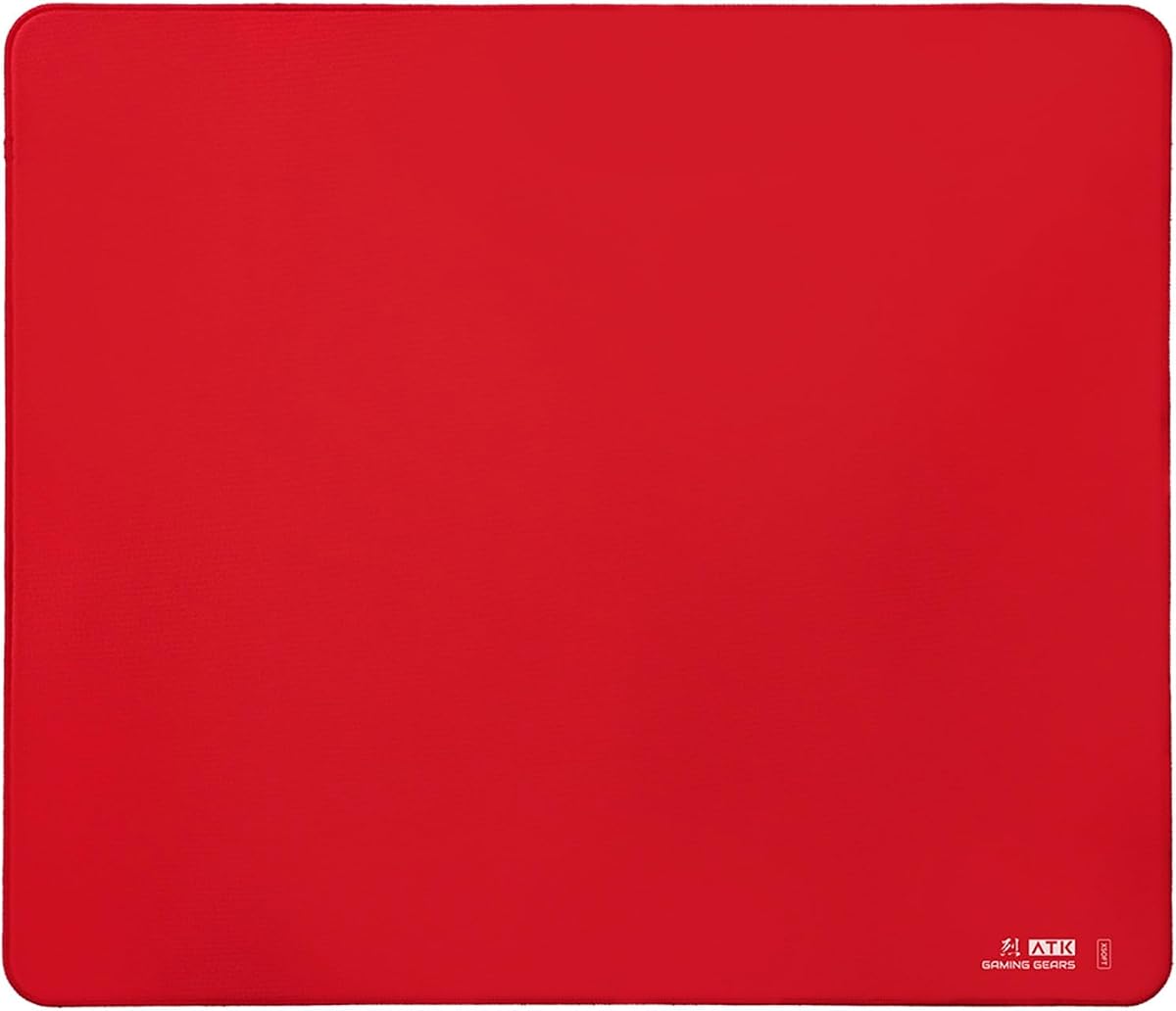
ATK Blaze XSoft Gaming Mouse Pad 490 x 420 mm – Base
5.0Editor score
Balanced composite fiber surface
XSoft custom polyurethane base
Large 490 by 420 mm size
Finding the right mouse pad is crucial for Counter-Strike 2 success. A quality surface ensures precise tracking and consistent glide across different sensor types. Players need a stable base that supports quick flicks and controlled micro-adjustments during intense matches.
We evaluated ten leading options based on surface texture, build quality, and ergonomic design. Our comparison considers how each pad performs under competitive conditions. We analyzed user feedback and technical specifications to identify the most reliable choices for CS2 enthusiasts.
Each selection highlights specific strengths tailored to different playstyles and budgets. You will see how materials affect speed and control in real scenarios. Please note that availability and pricing may change over time, so check current listings before purchasing.
5.0Editor score

4.7Editor score

4.5Editor score
As an Amazon Associate we earn from qualifying purchases.
This side-by-side comparison highlights the key differences between the top ten options available for Counter-Strike 2. We focus on surface type, dimensions, thickness, and base stability to help you choose the right fit for your desk setup.



This Razer Gigantus V2 Counter-Strike 2 Edition is a top contender for serious players. It holds a strong rating due to its engineered surface that supports elite competitive play. The pad offers pixel-precise accuracy across all mouse sensors which is essential for aiming.
We may earn a commission when you buy through this link, at no additional cost to you.
The textured micro-weave cloth surface is optimized for total tracking responsiveness. Its high thread count allows the mouse to glide with ease ensuring quick fluid swipes during matches. The thick high-density rubber foam keeps the mat uniformly flat even on imperfect surfaces.
One trade-off is the higher price compared to generic cloth pads. However the stability provided by the anti-slip base is crucial for clutch plays. This cost is justified for players who need consistent performance in ranked games.
It is ideal for anyone seeking a reliable tool for competitive Counter-Strike 2. If you need a stable foundation that supports fast movements and accuracy this pad is highly recommended for your setup.
The micro-weave texture ensures smooth tracking without excessive friction which helps maintain accuracy during rapid movements.
The anti-slip base keeps the mat secure so you can focus on your aim without worrying about the pad shifting.
We may earn a commission when you buy through this link, at no additional cost to you.
The ATK Blaze XSoft pad stands out for its balanced fiber surface and impressive rating. It features a proprietary Composite Blend Fiber Weave that delivers low static friction. This makes it ideal for precise micro-adjustments in FPS games like Counter-Strike 2.
We may earn a commission when you buy through this link, at no additional cost to you.
Its XSoft custom polyurethane base offers soft cushioning with responsive rebound. This design reduces wrist fatigue during long sessions while ensuring a non-slip grip. The recessed edge design prevents fraying maintaining durability and comfort during intense gameplay.
While it lacks branding it offers a versatile aesthetic that blends well with any setup. The generous dimensions support wide arm movements which suits low-sensitivity play styles. Some may find the size too large for smaller desks.
This is the perfect choice for budget-conscious gamers who do not want to compromise on quality. It provides excellent value for both gaming and office use with a focus on comfort and control.
The polyurethane base cushions your wrist effectively preventing pain during extended gaming sessions.
The composite fiber weave ensures smooth movement while providing enough stopping power for accurate aiming.
We may earn a commission when you buy through this link, at no additional cost to you.
This Glass Gaming Mouse Pad is designed for players seeking balanced speed and control. The micro-etched glass surface delivers a smooth feel without becoming overly slippery. It resists humidity sweat and wear ensuring long-term consistency in your aim.
We may earn a commission when you buy through this link, at no additional cost to you.
The construction uses durable 3mm tempered glass with a dense anti-slip silicone base. This keeps the pad firmly in place during fast movements and competitive gameplay. The waterproof surface wipes clean in seconds absorbing dust or sweat.
Some users may find the hard surface different from traditional cloth. It requires a mouse with smooth feet to prevent scratches. However the durability and resistance to environmental factors make it a premium choice.
Ideal for daily gaming and work setups this pad offers a sleek and efficient solution. If you value consistency and ease of maintenance this glass pad is a strong contender for your desk.
Unlike cloth pads this glass surface does not develop slow spots or absorb moisture over time.
You can clean the surface with a simple wipe keeping your setup hygienic and ready for action.
We may earn a commission when you buy through this link, at no additional cost to you.
The white variant of this glass pad offers the same performance with a different aesthetic. It features a micro-etched glass surface for consistent glide and control in games. The design supports controlled flicks and precise tracking for competitive players.
We may earn a commission when you buy through this link, at no additional cost to you.
Built with 3mm tempered glass and an anti-slip silicone base it stays in place. The waterproof non-porous surface resists humidity sweat and wear for long-term use. It fits naturally into gaming desks and office environments with a premium look.
The white color can show dust more than darker options. You may need to clean it more frequently to maintain its pristine appearance. However the material durability remains unchanged compared to the black version.
Choose this pad if you want to match a light-colored desk setup. It provides the same high performance as the black model while adding a unique visual element to your workspace.
The white finish complements modern minimalist setups offering a clean and bright look.
The glass surface ensures that your aim remains consistent regardless of humidity changes.
We may earn a commission when you buy through this link, at no additional cost to you.
This edition brings a unique Dragon Lore design to the trusted Gigantus V2 series. It is optimized across all mouse sensors for pixel-precise accuracy and total tracking responsiveness. The weave allows the mouse to glide with ease for fluid swipes.
We may earn a commission when you buy through this link, at no additional cost to you.
The thick high-density rubber foam keeps the mat flat over imperfect surfaces. This provides a sturdy foundation for consistent mouse movements during play. The anti-slip base ensures the mat stays put during chaotic moments.
It is limited to size L which may not suit every desk setup. Some users pay extra for the design rather than performance. However it remains a reliable pad for those who value the aesthetic.
If you want a mouse pad that reflects the CS2 theme this is a strong choice. It delivers the same performance as the standard version while adding a collector element.
The Dragon Lore artwork adds a distinctive look that appeals to Counter-Strike 2 fans.
Performance remains consistent with the standard V2 model ensuring reliable aiming.
We may earn a commission when you buy through this link, at no additional cost to you.
The Pulsar Superglide Pad v3 uses premium alumino-silicate glass for exceptional durability. The surface delivers extremely low friction for rapid flicks and seamless movement. It is ideal for competitive FPS players who need speed and consistency.
We may earn a commission when you buy through this link, at no additional cost to you.
Upgraded soft R-edge machining removes sharpness and reduces wrist discomfort. This ensures smooth transitions during extended gaming sessions. The high-density silicone rubber base grips the desk securely to prevent slips.
The included precision dots allow you to customize friction and glide. You can adjust the number of dots applied to find your perfect setting. However the price is higher than many other pads on the market.
This pad is best for serious players wanting a durable hard surface with customization. It offers a refined finish that supports precision control in high-level competitive play.
You can adjust the glide by changing the number of mouse dots applied to the base.
The soft R-edge design prevents discomfort when your wrist rests on the border.
We may earn a commission when you buy through this link, at no additional cost to you.
The Corsair MM PRO Control features a cloth surface tuned for accurate sensor tracking. It pairs well with quality mice to deliver consistent aim and better performance. The design is focused on precision for esports play.
We may earn a commission when you buy through this link, at no additional cost to you.
A hex-patterned polyurethane base provides exceptional anti-slip grip. This ensures stability even in your most intense battles. With a thick 4mm base you get comfortable cushioning and enhanced stopping power.
The anti-fray stitching is durable but may occasionally catch on gloves. It is also hand-washable which helps keep the surface clean over time. Some users may find the price higher than generic control pads.
This is a top choice for players prioritizing control over speed. The robust build and washable feature make it a reliable option for competitive environments.
The hex pattern in the base grips the desk tightly to prevent movement.
You can hand wash the surface to keep it free from oils and dust.
We may earn a commission when you buy through this link, at no additional cost to you.
X-Raypad focuses on high-speed accuracy with pixel-precise linear trajectory tracking. The Aqua Control Plus offers consistent X and Y glide which is great for low DPI play. It performs well in tests with high accuracy percentages.
We may earn a commission when you buy through this link, at no additional cost to you.
The edge design uses knitted thread that is soft and does not scratch your hand. The irregular woven texture does not affect X or Y axis control during games. The surface has a sweat-proof design to maintain glide.
It is made of Vietnamese natural high-purity rubber that remains soft. While comfortable the edges feel different from traditional stitched pads. Some users prefer standard edges for durability.
This pad is ideal for those needing high precision for gaming and design work. Its focus on consistent glide makes it a strong option for FPS players.
The pad supports precise movements in both X and Y axes for better aim.
Elastic edges ensure that your arm glides over the surface without irritation.
We may earn a commission when you buy through this link, at no additional cost to you.
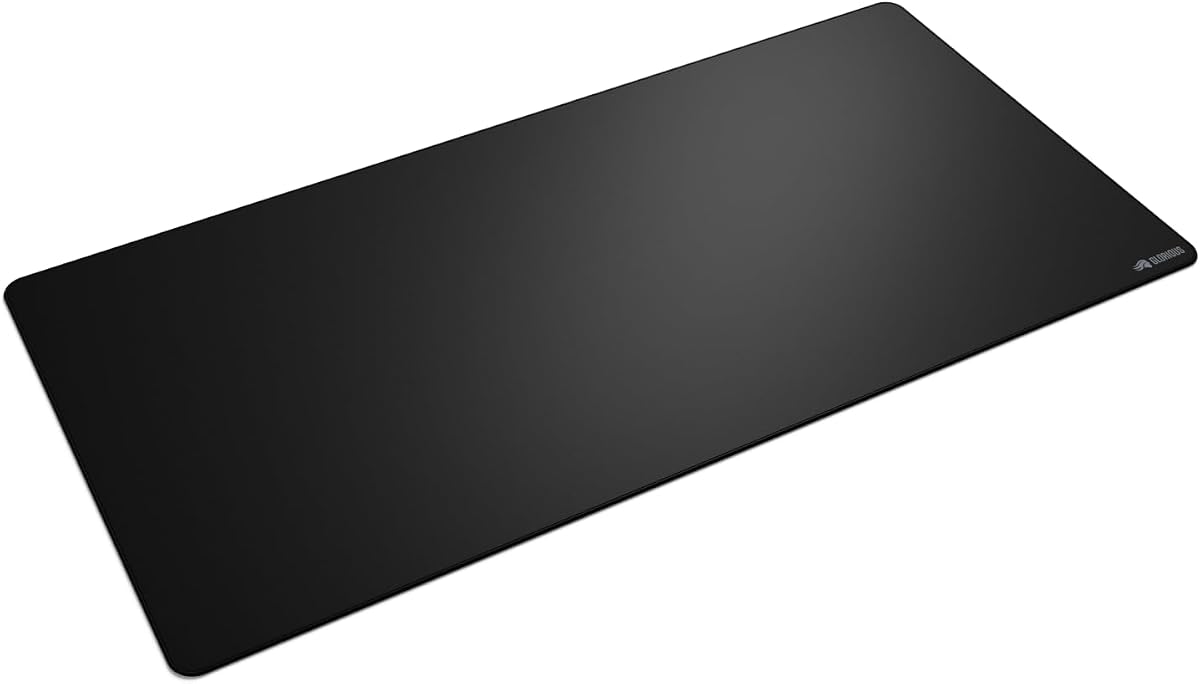
The Glorious GMP 2 XXL offers a balanced micro weave surface for smooth glide. It features a spill-resistant barrier that protects the pad from liquids. This keeps it pristine for longer while maintaining a smooth glide.
We may earn a commission when you buy through this link, at no additional cost to you.
With a size of 36 by 18 inches it can cover both mouse and keyboard. The low-profile stitching minimizes skin irritation and prevents fraying. The rubber base grips tightly to any material like wood or glass.
Its large footprint may not suit smaller desks. Some users prefer a dedicated mouse pad to save space. However the spill protection is a valuable feature for desk setups.
This desk mat is great for those who want to cover more area on their desk. It combines practical protection with reliable performance for gaming and work.
Spill-resistant beads up liquids so they do not soak into the surface.
The XXL dimensions provide plenty of room for both your keyboard and mouse.
We may earn a commission when you buy through this link, at no additional cost to you.
The Air Series offers one of the thinnest glass pads on the market at 2mm. This prevents awkward arm elevation and ensures ergonomic comfort. The 2.5D polished edges prevent sharp corners from digging into your skin.
We may earn a commission when you buy through this link, at no additional cost to you.
Designed for esports it offers near-zero initial friction for flick shots and tracking. The 9H tempered glass performs consistently without developing slow spots over time. The artwork is embedded beneath the glass so it never fades.
The size is 400x300mm which may be small for low sensitivity setups. Glass can feel slippery for those used to textured cloth surfaces. However the durability and consistency are strong points.
This is a great option for users wanting a thin ergonomic glass pad. It fits well on desks where space or wrist elevation is a concern.
The thin profile and polished edges reduce strain on your wrist during long sessions.
Impact-resistant glass maintains consistent performance without developing slow spots.
We may earn a commission when you buy through this link, at no additional cost to you.
Selecting the right mouse pad involves considering several key factors to ensure it fits your playstyle and desk setup.
Choose between cloth and glass surfaces. Cloth offers a softer feel and often more control while glass provides speed and consistency without wear. Ensure the texture matches your preferred glide speed.
Pick a material that aligns with your tracking style for optimal accuracy.
Measure your desk to ensure the pad fits. Larger pads like XL or XXL allow for low DPI movements but require more space. Smaller pads save room but limit your movement range.
Select a size that accommodates your wrist movements and desk layout.
Thickness affects comfort and stability. Thicker pads like 4mm offer cushioning which reduces wrist fatigue. A strong anti-slip base ensures the pad does not move during fast play.
Look for a sturdy base and thickness that suits your comfort needs.
Stitched edges prevent fraying and improve durability. Recessed edges reduce irritation as your arm sweeps across. Smooth or rounded edges can prevent injuries during extended use.
Check the edge type to avoid discomfort during long gaming sessions.
Decide if you need a fast surface for flicks or a controlled one for precision. Some pads balance both while others lean toward one end. Test reviews to see how it feels for your game.
Choose a balance that supports your main strategy in Counter-Strike 2.
Some pads are water-resistant or washable which helps maintain performance. Glass pads resist humidity better than cloth. Consider how easy it is to clean based on your usage habits.
Opt for a design that stays clean and consistent over time.
Ensure the surface works well with your mouse sensor. Most are optimized for standard sensors but check for specifics. Some glass pads may require specific mouse feet for smooth glide.
Verify compatibility with your current gear to avoid tracking issues.
Look for colors or designs that match your desk setup. Some pads feature special editions or artwork which can enhance your environment. A clean look can help you stay focused on the game.
Pick a design that looks good while delivering the performance you need.
Place the pad on a flat clean surface to ensure stability. Press down firmly so the base adheres to the desk. If it is a large pad secure all corners to prevent curling or slipping.
Clean your mouse surface regularly to remove dust and oils. Wipe cloth pads with a damp cloth or wash as directed to maintain performance. Glass pads can be cleaned with a wipe to avoid residue.
Avoid placing hot liquids or sharp objects directly on the pad. For cloth pads check stitching edges to prevent fraying over time. Rotate usage or store properly when not in use to extend lifespan.
Consider your DPI and desk space. Low DPI players benefit from XL sizes for wide sweeps. High DPI players can use smaller pads. Ensure it fits your desk comfortably.
Glass pads generally last longer as they resist humidity and wear. Cloth pads may show signs of use over time. Choose based on your preference for feel and maintenance needs.
Yes most cloth pads can be washed with water and mild soap. Follow manufacturer instructions for drying. Ensure it is completely dry before using to prevent mold or slipping.
Use a pad with a strong rubber or silicone base. Ensure the desk surface is clean and dry. For large pads consider using non-slip mats underneath to increase grip.
Yes they provide a consistent surface for tracking. A quality pad ensures your sensor works correctly and prevents sudden stops. It helps improve precision in competitive matches.
Thickness varies from 2mm to 5mm. Thicker pads offer more cushioning and stability. Thinner pads feel more solid. Choose based on your comfort and desk height.
Yes some glass pads work best with pure PTFE feet. Check your mouse feet compatibility to ensure smooth glide. Using hard plastic feet may scratch the glass surface.
Replace when performance drops or damage occurs. Cloth pads may need replacement after heavy wear. Glass pads last longer but inspect edges for sharpness. Check regularly for consistency issues.
We reviewed ten top mouse pads suitable for Counter-Strike 2 players. From the Razer Gigantus V2 to the ATK Blaze XSoft each offers unique strengths. Your choice depends on your specific needs and preferences.
Prioritize a surface that matches your speed and control requirements. Ensure it is large enough for your movements and comfortable for your wrists. A stable base is essential for accurate aim.
Remember to check current listings before purchasing as availability varies. The right mouse pad can enhance your experience significantly. Find the perfect fit and enjoy your next match with confidence.