
NZXT H5 Flow
4.6Editor score
Perforated PSU shroud for intake
Supports 360mm front radiator
Ultra-fine mesh panels
This guide compares the top cooling computer case models for airflow performance and thermal efficiency to help you select the best hardware enclosure for your
Choosing a cooling computer case is essential for maintaining optimal temperatures and ensuring long-term system stability during demanding computing tasks.
We evaluated ten leading models based on airflow design, fan inclusion, radiator support, and build quality to identify the most effective thermal solutions.
Each pick highlights unique features and trade-offs so you can match a case to your budget and hardware needs while noting prices may vary.
4.6Editor score

4.7Editor score

4.8Editor score
The following table provides a side-by-side overview of the top ten cooling computer case models highlighting their key specifications and unique advantages.


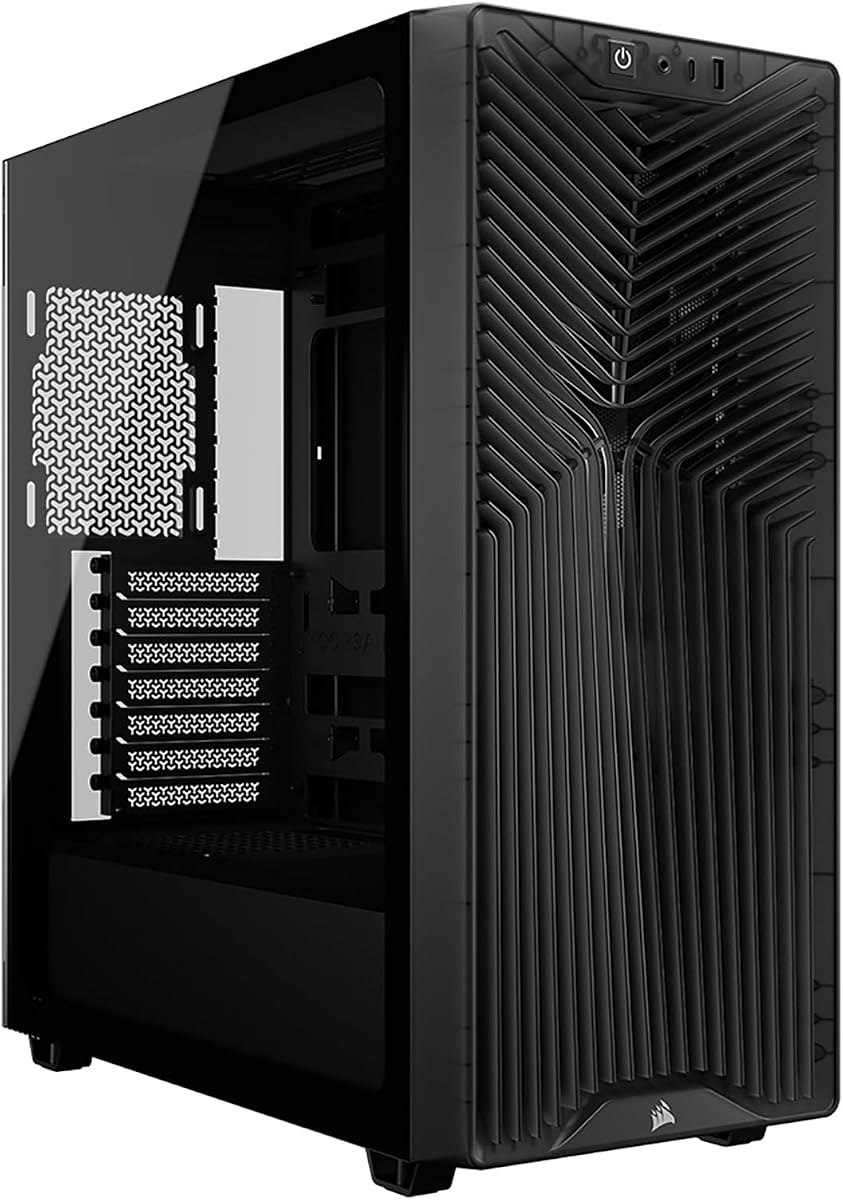


This case is designed for users who value airflow and modularity with a solid 4.7 rating from verified buyers and standout cooling features.
We may earn a commission when you buy through this link, at no additional cost to you.
The FRAME system allows motherboard tray and I/O swaps while InfiniRail rails let you position fans anywhere for precise cooling paths.
Removing the internal cable cover allows side-mounted fans if you need extra airflow though this may reduce a clean aesthetic.
It is ideal for builders who want a case that grows with their needs and offers exceptional cooling out of the box.
The FRAME system allows you to swap the motherboard tray and front panel to fit evolving hardware without replacing the case.
InfiniRail rails let you mount fans at various points on the front and roof to direct air exactly where it is needed.
We may earn a commission when you buy through this link, at no additional cost to you.
This compact case offers excellent thermal performance for the price and holds a 4.6 rating thanks to its efficient airflow design and included fans.
We may earn a commission when you buy through this link, at no additional cost to you.
The perforated PSU shroud allows intake from bottom fans while ultra-fine mesh on all sides ensures maximum air movement with dust protection.
It supports large radiators but does not include a USB-C port which might be a drawback for modern peripherals that rely on it.
Choose this case if you need reliable cooling without overspending and want a clean compact build that fits well on most desks.
The PSU shroud is perforated to allow two 120mm fans to draw cool air directly into the lower section of the case.
Ultra-fine mesh on top front and side panels creates maximum airflow while effectively filtering dust from entering the system.
We may earn a commission when you buy through this link, at no additional cost to you.
This model delivers top-tier build quality and cooling with a 4.8 rating supported by extensive fan support and unique integration of RGB lighting.
We may earn a commission when you buy through this link, at no additional cost to you.
It includes four PWM-controlled ARGB fans and an integrated LED strip that can be synced with your motherboard for unified color control.
Tool-less panels make maintenance easy but the high cost means you are paying a premium for the included lighting and convenience features.
It is perfect for enthusiasts who want a polished look with robust thermal performance and easy access to internal components at any time.
An integrated 26-LED ARGB strip offers full spectrum color control and syncs with your motherboard software for seamless lighting effects.
Each side panel uses a tool-less mounting mechanism for fast access to internals which speeds up upgrades and maintenance tasks.
We may earn a commission when you buy through this link, at no additional cost to you.
This full-tower case is built for high-end systems with a 4.7 rating and features six fans plus a unique dual temperature display.
We may earn a commission when you buy through this link, at no additional cost to you.
It includes three 140mm PWM fans at the front and reverse fans on the PSU shroud to push hot air out for maximum efficiency.
The dual temperature display is useful but adds complexity that some users may find unnecessary given modern motherboard monitoring options.
Select this case if you need room for E-ATX boards and want a unique look with high performance cooling out of the box.
The case includes three 140mm PWM fans at the front and two on the PSU shroud to create a strong multi-directional airflow path.
An innovative CPU and GPU dual temperature display on the front lets you monitor critical heat points at a glance.
We may earn a commission when you buy through this link, at no additional cost to you.
This case uses oversized 220mm and 180mm fans to deliver massive airflow and holds a 4.8 rating for its performance in thermal tests.
We may earn a commission when you buy through this link, at no additional cost to you.
Low resistance design and split-level cable management help direct cool air where it is needed while keeping the rear path clear.
The front fans are not ARGB so you may need to add lights if you want a fully lit interior aesthetic with your build.
Buy this case if you prioritize raw cooling power and need room for dual GPUs or long GPUs without worrying about clearance issues.
The Mighty40 system includes two 220mm front intake fans and one 180mm rear exhaust fan to ensure massive airflow throughput.
Split-level cable management optimizes routing space and creates room for oversized rear exhaust cooling to reduce obstruction.
We may earn a commission when you buy through this link, at no additional cost to you.
This gaming-focused case features strong RGB integration with a 4.6 rating and is ideal for builders who want lighting control in one place.
We may earn a commission when you buy through this link, at no additional cost to you.
The 1 to 6 ARGB control board simplifies cable management and lets you sync colors easily with MSI Mystic Light software or tools.
While the RGB control is useful the build quality feels standard so it may not hold up as well as more premium options.
It is a solid pick for gamers who want vibrant lighting and decent cooling at a price that balances features and affordability.
This bundled control board gives you more ways to decorate your rig and simplifies connecting multiple ARGB fans in the system.
A magnetic dust filter on the top panel makes it easy to remove and clean which keeps airflow steady over time.
We may earn a commission when you buy through this link, at no additional cost to you.
This mid-tower balances size and cooling with a 4.6 rating and is a great choice for builds that need USB-C and reverse connectors.
We may earn a commission when you buy through this link, at no additional cost to you.
It supports nine 120mm fans and includes three RS120 ARGB fans which gives you plenty of options for airflow tuning and control.
The compact size means less room for very large hardware but it still supports 360mm radiators for high-end CPU liquid cooling options.
Choose this case if you need a compact footprint without sacrificing cooling options and modern features like USB-C and reverse connectors.
The case is fully compatible with reverse-connector motherboards to reduce visible cables and create a cleaner build aesthetic.
It includes three RS120 ARGB fans that support daisy-chainable PWM connections and zero RPM mode for near-silent low-load operation.
We may earn a commission when you buy through this link, at no additional cost to you.
This panoramic case uses isolated chambers to keep heat away from CPU components and earns a 4.6 rating for its design and airflow features.
We may earn a commission when you buy through this link, at no additional cost to you.
Isolated chambers ensure CPU heat does not affect GPU or PSU cooling while Airflow Ducts increase velocity without raising fan noise.
The price is high and the design is complex so it suits only those who want maximum isolation and premium aesthetics for their system.
It is recommended for premium builds where cooling isolation and visibility are top priorities and budget is not the main constraint.
Isolated chambers for CPU GPU and PSU prevent heat from migrating between components to maintain optimal cooling for each area.
Innovative ducts accelerate airflow into narrow channels to increase cooling velocity without needing higher fan speeds or noise.
We may earn a commission when you buy through this link, at no additional cost to you.
This model adds RGB lighting to the 5400 design and holds a 4.7 rating for its isolated chambers and premium airflow features.
We may earn a commission when you buy through this link, at no additional cost to you.
It separates CPU GPU and PSU into chambers while the Airflow Ducts accelerate air to improve cooling without adding noise.
The high price point means you pay for premium aesthetics and isolation which may be overkill for casual builders on a budget.
Choose this if you want a panoramic view with RGB lighting and maximum cooling isolation and are willing to invest in premium hardware.
A separate chamber on the front holds a 360mm radiator so CPU heat does not affect other components inside the case.
Airflow Ducts accelerate air into narrow channels to increase cooling velocity without requiring higher fan speeds or added noise.
We may earn a commission when you buy through this link, at no additional cost to you.
This panoramic case offers great value with a 4.7 rating and combines glass panels with reverse-blade fans for a clean display.
We may earn a commission when you buy through this link, at no additional cost to you.
Side reverse-blade fans show their illuminated faces inward for a cleaner look while the front glass keeps cooling and GPU visible.
The glass may show dust more than mesh so you should plan to clean filters regularly to maintain a tidy aesthetic over time.
Pick this case if you want a panoramic view and ARGB fans without a premium price and need room for large modern GPUs.
Side-mounted reverse-blade ARGB PWM fans present illuminated faces toward the interior for a cleaner showcase of your build.
Panoramic front and side tempered glass panels keep GPU cooling and lighting in view while adding a warm wood-grain accent.
We may earn a commission when you buy through this link, at no additional cost to you.
Selecting the right cooling computer case requires balancing airflow design build quality and feature sets to match your components and budget.
A case with perforated front and top panels allows more cool air to enter which is essential for high-performance components.
Prioritize cases with full mesh over glass panels if cooling is your top priority though you can still get decent airflow with tempered glass.
Check how many fans the case supports and whether it comes with pre-installed fans to save money on additional purchases.
Cases with multiple PWM fans allow you to tune speeds for noise or cooling and reduce the need for extra hardware.
If you plan to use an AIO cooler ensure the case supports radiators at 360mm or larger at the front or top.
Verify internal depth and mounting options to avoid conflicts with GPU or motherboard placement when installing liquid cooling hardware.
Large GPUs require adequate length clearance and tall CPU air coolers need enough height to fit inside the case.
Check specifications for maximum GPU and cooler dimensions especially if you are using high-end or aftermarket cooling solutions.
Good cable routing channels and tie-down points help keep airflow paths clear and make your build look more professional.
Look for cases with shrouds or covers that hide cables behind the motherboard tray to improve overall case aesthetics.
Some cases allow you to swap panels or trays to fit new hardware trends which is useful for long-term flexibility.
Modular designs may cost more upfront but can save money if you need to adapt the case for future component changes.
If you want synchronized lighting look for cases with built-in ARGB fans and control boards that support your motherboard software.
Integrated lighting can save cost and complexity but may not be necessary if you plan to use your own lighting setup.
Cases with PWM fans and zero RPM modes allow quieter operation during low-load tasks which improves daily user experience.
Consider how you balance noise and cooling performance since larger fans or slower speeds can reduce noise while maintaining airflow.
Install pre-installed fans according to airflow direction and ensure all connectors are securely seated on the motherboard or fan hub.
Clean dust filters regularly to prevent clogging which can restrict airflow and cause higher internal component temperatures over time.
Avoid placing the case in enclosed cabinets where hot air cannot escape as this will reduce overall system cooling performance.
A cooling computer case is optimized for airflow with mesh panels and fan mounts that maximize air movement. Standard cases often rely on solid panels that restrict airflow and lead to higher component temperatures.
Most modern cases come with at least two fans pre-installed which is enough for basic setups. For high-end builds or liquid cooling you may need to add more fans to maintain optimal airflow.
RGB lighting itself does not impact cooling performance unless it requires a hub that increases noise. The main effect is on aesthetics and cable management rather than thermal performance directly.
Mesh panels provide better raw airflow while tempered glass offers better visibility. You can still get good cooling with glass if the front is open or uses mesh for intake.
For most CPU coolers a 360mm radiator is sufficient and should be supported by the case front or top. Verify clearance to avoid GPU or motherboard conflicts before buying.
Clean dust filters every one to three months depending on your environment. Regular cleaning prevents dust buildup which restricts airflow and reduces cooling performance over time.
Reverse-blade fans let you mount fans so the blade faces outward for a cleaner look. This is popular on side panels to show fan blades rather than the motor hub.
We have reviewed ten top-rated models that balance airflow build quality and features to help you find a case that fits your build needs.
Prioritize cases with mesh panels pre-installed fans and solid mounting options if cooling is your main goal when selecting a new chassis.
Always verify current prices and availability before purchasing to ensure you are getting the best deal for your chosen cooling case model.