
xTool P3 80W Flagship CO2 Laser Cutter
4.5Editor score
Intelligent automation system
Class 1 safety rating
36 x 18 inch workspace
Compare the top 10 CO2 Laser Engraver models for 2026. This guide reviews power, speed, safety, and software compatibility to help you choose the right machine.
Choosing the right CO2 Laser Engraver can transform your creative projects into professional results. Whether you are a hobbyist or a small business owner, finding a machine with the right balance of power, precision, and ease of use is essential for success in your workshop.
We have compared ten leading models based on their laser power, cutting speed, work area size, and safety features. Our analysis includes detailed specifications and user feedback to ensure you get a clear picture of how each machine performs in real-world applications.
Each pick in this list highlights specific strengths such as autofocus capabilities, software compatibility, or build quality. Please note that product availability and pricing can change frequently, so always check the latest details before making your final purchase decision.
4.5Editor score

5.0Editor score

4.5Editor score
This side-by-side comparison highlights the key specifications and capabilities of the top ten CO2 Laser Engraver models available today. Reviewing these details will help you understand the differences in power, size, and features across the range of options.




The VEVOR 45W CO2 Laser Engraver stands out as a top contender for small to medium projects. With a perfect rating, this machine delivers high-efficiency engraving and cutting on non-metal materials like wood and acrylic. Its compact design makes it ideal for desktop use without sacrificing performance.
We may earn a commission when you buy through this link, at no additional cost to you.
Key strengths include its ability to handle materials up to 5mm acrylic and 3mm wood with burr-free edges. The broad compatibility with Windows, macOS, and Linux systems ensures seamless integration into your existing workflow. Additionally, the built-in air-assist system keeps the workspace fresh by clearing dust and smoke effectively.
While the work area is limited to 12 x 8 inches, this is a fair trade-off for a desktop model focused on precision. The manual focusing system provides hands-on control, which many users prefer for detailed tasks. The pull-out waste tray simplifies cleanup, enhancing the overall user experience.
This machine is perfect for hobbyists and small businesses creating items like phone cases and keychains. If you need a reliable entry-level CO2 Laser Engraver with strong software support, the VEVOR is a highly recommended choice. Always verify current specifications before purchasing to ensure it meets your specific needs.
The precision knob and red-dot positioning system make manual focusing simple and accurate for every project.
Integrated air assist and water pump cooling ensure stable operation while maintaining a clean workspace environment.
We may earn a commission when you buy through this link, at no additional cost to you.
The OMTech K40+ offers an upgraded 45W laser performance that slices through thicker materials with ease. It supports engraving speeds up to 300 mm/s, making it suitable for complex designs and bulk orders. The machine includes comprehensive safety features like door and water protection.
We may earn a commission when you buy through this link, at no additional cost to you.
One of its main strengths is the global support team available 24/7 for expert assistance. The integrated air assist system auto-adjusts airflow based on laser power, which protects the lens and reduces fire risk. This makes it a reliable choice for both personal and commercial use.
Users may find the honeycomb bed design limits some irregular materials without the optional rotary axis. The safety features are robust, but manual setup steps can be time-consuming for beginners. However, these factors are balanced by the machine's overall reliability and support network.
This model is ideal for makers who need professional results with strong customer support. If you value safety and speed in a desktop unit, the OMTech K40+ is a solid option. Check the latest user reviews to confirm if it fits your workflow requirements.
Technical guidance and local demos are available through the 24/7 support team for peace of mind.
Emergency stop function and flame-retardant panels prioritize user safety during high-power cutting jobs.
We may earn a commission when you buy through this link, at no additional cost to you.
The OMTech Maker 60W CO2 Laser Engraver provides a commercial-grade bundle with LightBurn software and a water chiller. Its autofocus technology eliminates manual guesswork, adjusting the workbed at the touch of a button. This feature streamlines setup significantly for repeated projects.
We may earn a commission when you buy through this link, at no additional cost to you.
A spacious 20×28 inch work area accommodates most projects, including larger and longer items via four-way pass-through doors. The widened viewing window ensures lasting safe use, while the built-in air assist protects lenses from smoke and dust. These elements combine for efficient professional engraving.
The main trade-off is the higher cost compared to entry-level models, which may deter casual hobbyists. However, the time saved with autofocus and the included water chiller justify the investment for serious users. Proper ventilation is also essential due to the powerful exhaust requirements.
This machine is best for small businesses needing consistent performance and ease of use. If you want to minimize setup time and maximize workspace, this model is a strong contender. Always ensure your workspace can accommodate the full dimensions of the unit.
Preinstalled autofocus automatically finds the right focal distance, saving time and ensuring accuracy every time.
Four-way pass-through doors make it easy to handle large items without disrupting your work routine.
We may earn a commission when you buy through this link, at no additional cost to you.
The OMTech Maker 90W CO2 Laser Engraver delivers powerful cutting capabilities, achieving deep results in wood and glass. With a spacious 28×20 inch workspace, it offers plenty of room for large-scale designs and delicate engravings alike. The four-way pass-through doors add versatility to your workflow.
We may earn a commission when you buy through this link, at no additional cost to you.
Key strengths include the high-performance DC laser tube providing up to 12,000 hours of reliable operation. The automatic cover interlock enhances safety by shutting off the laser when the lid opens. The integrated air assist system keeps the area free from smoke for cleaner results.
The high price and weight may be barriers for home users with limited space or budget. However, for professional applications, the speed and durability justify the cost. Proper ventilation and floor support are necessary considerations during installation.
This model is perfect for shops needing a robust and durable machine. If you require speed and precision for commercial projects, the 90W Maker is a great choice. Check the specific dimensions to ensure your workshop can handle its size.
The 90W laser tube cuts up to 0.4 inch deep in wood, enabling serious industrial work.
A lifespan of up to 12000 hours ensures consistent performance over years of daily usage.
We may earn a commission when you buy through this link, at no additional cost to you.
The xTool P3 80W Flagship CO2 Laser Cutter represents the pinnacle of intelligent automation in desktop engraving. With a max speed of 1200mm/s and an intelligent automation system, it simplifies complex workflows. The Class 1 safety rating allows for total peace of mind during operation.
We may earn a commission when you buy through this link, at no additional cost to you.
Its large 36×18 inch workspace supports massive projects, while dual HD cameras provide distortion-free previews and precise positioning. AI-powered smart nesting achieves high material utilization, reducing waste significantly. This machine truly enables industrial-grade cutting capabilities.
The premium price and complexity may be too much for casual hobbyists. However, for businesses scaling production, the efficiency gains are invaluable. The system requires initial configuration, but once set up, it operates with minimal user input.
This is the ultimate choice for serious production environments. If you need to automate large-scale projects and maximize material efficiency, the xTool P3 is unmatched. Always review the accessory requirements to ensure your setup is complete.
ACS integrates LiDAR and dual cameras to automate autofocus and positioning for true Place and Go workflows.
AI-powered smart nesting achieves 98.7 percent material utilization to minimize waste on every project.
We may earn a commission when you buy through this link, at no additional cost to you.
The OMTech K40+ 45W Desktop CO2 Laser Engraver is an excellent budget-friendly option for DIY makers. It cuts 10mm acrylic and 8mm wood with ease, delivering professional results without a high cost. The emergency stop function and flame-retardant panel ensure safety.
We may earn a commission when you buy through this link, at no additional cost to you.
It offers wide software compatibility with LightBurn and LaserGRBL, catering to both beginners and experts. The integrated air assist auto-adjusts airflow to reduce fire risk and wood carbonization. A high-powered exhaust fan keeps the workspace clean during operation.
The limited 12×8 inch work area restricts larger projects, but it fits well in home offices. Users might find the manual setup challenging at first, but it builds essential skills. This model is a great entry point into laser engraving.
For those starting out or working on small items, this is a smart choice. The combination of features and support makes it a reliable budget pick. Check for current stock availability before planning your project timelines.
Upgraded 45W performance slices through acrylic and wood effectively at an entry-level price point.
Full support for LightBurn and LaserGRBL ensures seamless control for any user experience level.
We may earn a commission when you buy through this link, at no additional cost to you.
The OMTech Pronto 100W CO2 Laser Engraver offers unmatched efficiency with revolutionary engraving speeds up to 1000 mm/s. Its powerful 100W laser tube transforms creative visions into reality in record time. The two-way pass-through doors make accommodating long items easy.
We may earn a commission when you buy through this link, at no additional cost to you.
Advanced autofocus technology takes guesswork out of setup, ensuring high-quality results with minimal effort. The 40×24 inch work area fits most large projects. Superior airflow with a 4.4 cfm pump and 318 cfm fan ensures precise and clean cuts.
The machine's large footprint and power needs may limit home studio use. However, for shops needing high throughput, it is a game changer. The extensive safety features provide peace of mind during high-speed operations.
This machine is best for businesses needing speed and large format capability. If you need to complete bulkier projects quickly, this is a top contender. Ensure your electrical setup supports the power requirements before installation.
Engaging speeds of up to 39.4 inches per second give you a competitive edge in production.
A powerful air pump and turbo exhaust fan keep cuts clean and reduce material burn significantly.
We may earn a commission when you buy through this link, at no additional cost to you.
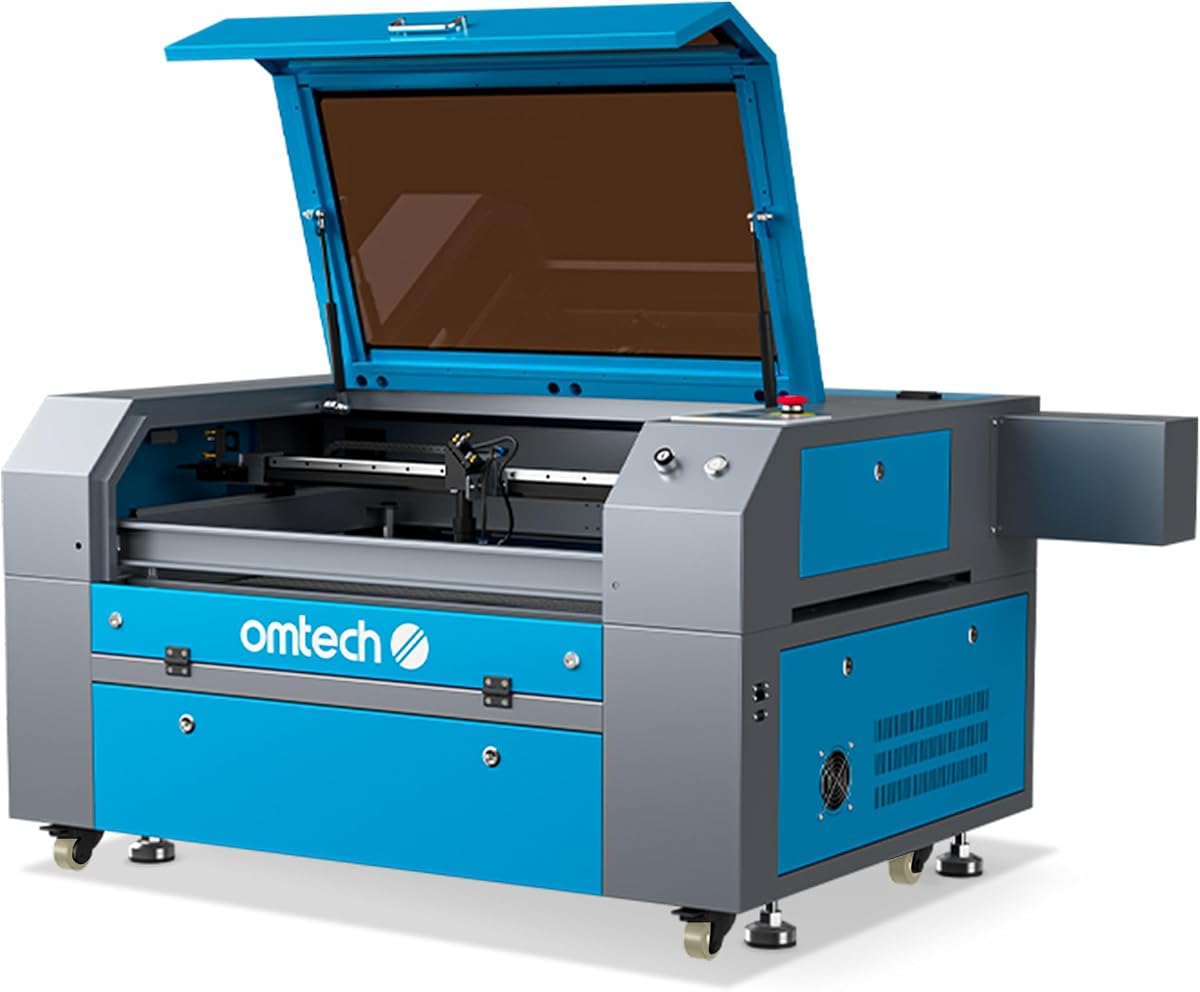
The OMTech Maker 90W CO2 Laser Engraver comes with a water chiller and LightBurn software for consistent performance. Its honeycomb and aluminum blade beds fit most projects, with four-way pass-through doors for larger items. The cover interlock automatically cuts the beam if opened.
We may earn a commission when you buy through this link, at no additional cost to you.
The high-performance Yongli H2 tube delivers 90W of power for up to 8000 hours of usage. This longevity supports a stable creative workflow over time. The widened viewing window is made from flame retardant material for lasting safe use.
The higher price reflects the commercial-grade features and included accessories. Setup requires careful planning due to the weight and size of the unit. However, the reliability and safety features make it a worthy investment.
This model is ideal for small businesses needing a robust and long-lasting machine. If you prioritize consistent performance and safety, this is a great choice. Check the warranty details for additional peace of mind.
Inclusion of a water chiller and LightBurn software provides consistent laser performance and intuitive navigation.
Flame retardant materials and automatic cover interlocks ensure lasting safe use during operation.
We may earn a commission when you buy through this link, at no additional cost to you.
The OMTech 100W CO2 Laser Engraver brings ideas to life with instant autofocus technology that fine-tunes the focal point instantly. With a spacious 28×20 inch work area and 1000 mm/s engraving speed, it handles bulkier projects quickly. V-wheel guide rails ensure steady movement.
We may earn a commission when you buy through this link, at no additional cost to you.
Advanced sensors monitor air pressure and temperature for safety, pausing operation if needed. The powerful air pump and 318 cfm turbo exhaust fan keep dust and debris in check. Seamless integration with RDWorks, CorelLaser, and LightBurn offers flexibility.
Setup can be complex due to the number of features and sensors involved. Proper ventilation is critical to maintain safety and performance. These factors are acceptable for users needing high precision and automation.
This machine is perfect for creatives who want precision and speed. If you need to work with thick materials efficiently, this model delivers. Always check system requirements before finalizing your purchase.
Smart autofocus eliminates manual adjustments ensuring every engraving is crisp and precise.
X and Y-axis stepping motors with V-wheel guide rails prevent misalignment or shaking during operation.
We may earn a commission when you buy through this link, at no additional cost to you.
The OMTech Maker 90W CO2 Laser Engraver offers powerful cutting and engraving for wood up to 0.4 inch. With a spacious 28×20 inch workspace and four-way pass-through doors, it handles large and delicate designs effortlessly. The automatic cover interlock ensures safety.
We may earn a commission when you buy through this link, at no additional cost to you.
The high-performance DC laser tube provides up to 12,000 hours of reliable operation, supporting a creative workflow. The integrated air assist system keeps the work area free from smoke and dust. Global support ensures expert assistance whenever needed.
The machine's size and price are significant investments for any workshop. Proper installation requires adequate room and electrical support. However, the longevity and power justify the cost for professional users.
This model is best for businesses needing reliability and high output. If you need a machine for large-scale designs, this is a strong choice. Always check current support plans for added peace of mind.
The 90W DC laser tube delivers up to 12000 hours of reliable performance for your workflow.
A 24/7 global support team delivers expert assistance and local demos for personalized care.
We may earn a commission when you buy through this link, at no additional cost to you.
Selecting the right CO2 Laser Engraver requires understanding several key factors that impact performance and usability.
Laser power determines how quickly and deeply you can cut materials. Higher wattage machines like 90W or 100W are better for thick materials, while 45W models suffice for thinner projects and beginners.
Choose higher power for commercial efficiency but ensure your budget supports it.
The work area defines the maximum size of materials you can engrave in one pass. Larger areas like 28×20 inches are great for bulk projects, while smaller 12×8 inches fit better on desktops.
Measure your available workspace and project needs before selecting a size.
Higher speeds reduce production time significantly. Look for machines offering speeds above 300 mm/s to handle bulk orders efficiently without sacrificing quality.
Prioritize speed if you plan to fulfill large production runs regularly.
Ensure the machine works with your preferred design software like LightBurn or GRBL. Compatibility prevents workflow disruptions and learning curves during daily operations.
Check supported formats before purchasing to ensure seamless integration.
Safety features like cover interlocks and emergency stops protect against accidents. Flame-retardant materials add an extra layer of security during high-power runs.
Always prioritize machines with comprehensive safety systems for peace of mind.
Air assist removes smoke and debris during cutting, ensuring cleaner edges and protecting the lens. A built-in pump is ideal for consistent performance without external additions.
Look for integrated systems to maintain cut quality and safety.
Autofocus technology saves time by automatically adjusting the focal distance. Manual knobs work well for precision tasks but require more effort per job.
Consider autofocus for high-volume production environments.
A reliable cooling system like a water chiller extends tube life and stability. Passive cooling may suffice for short runs but active systems are better for long sessions.
Verify cooling requirements to prevent overheating and downtime.
Begin by calibrating the focus according to your material thickness using the provided guides or autofocus settings. Secure your material firmly on the bed to prevent shifting during the cut.
Run a test on scrap material to adjust power and speed settings. This ensures your final design looks perfect and prevents costly mistakes on valuable stock.
After use, clean the lens and mirrors regularly to maintain clarity. Turn off the cooling system only after the tube has cooled down to extend its lifespan and ensure safety.
A CO2 Laser Engraver can cut various non-metallic materials like wood, acrylic, leather, and paper. It works best on materials that absorb CO2 wavelengths well, providing clean edges and precise detail for your designs.
Yes, it is safe if you follow safety guidelines and use proper ventilation. Always keep protective covers on and avoid looking directly into the laser beam. Many modern units include emergency stops and interlocks for added safety.
Regular maintenance involves cleaning lenses, checking alignment, and ensuring the cooling system works correctly. Keep the machine dust-free and run test cuts periodically to ensure consistent performance over time.
Not directly unless the metal is coated. CO2 lasers are generally for non-metals. For bare metal, you usually need a fiber laser or a spray coating to allow the laser to mark the surface effectively.
A typical CO2 laser tube lasts between 4,000 to 12,000 hours depending on usage and maintenance. Proper cooling and avoiding excessive duty cycles can significantly extend the operational life of the tube.
Yes, most machines require specific software like LightBurn or RDWorks. These tools help you import designs, set parameters, and control the machine. Ensure the software is compatible with your operating system.
You need enough space for the machine itself plus clearance for ventilation and material handling. A standard desktop setup might need around 50 square feet of floor space to operate safely and efficiently.
Engraving removes shallow layers to create designs, while cutting goes all the way through the material. Engraving uses lower power and speed compared to cutting, which requires higher energy to separate material completely.
We have reviewed ten excellent CO2 Laser Engraver models ranging from compact 45W units to powerful 100W machines. Each pick offers unique strengths whether you need speed, large area, or budget-friendly options.
Prioritize your specific project needs such as material thickness and production volume when making your choice. Features like autofocus and air assist can save time and improve quality significantly over the long term.
Remember that prices and availability change often so check current listings before buying. With the right machine, you can bring your creative ideas to life with professional precision and ease.