
Inwa Computer Speakers
4.2Editor score
Affordable price point
Simple clip-on design
USB powered operation
Discover the top clip on speakers for laptop setups in 2026. This guide compares sound quality, mounting stability, connectivity options, and value for money
Finding the right audio solution for your laptop can transform your work and entertainment experience. Clip on speakers offer a space-saving way to boost sound without cluttering your desk.
We compared ten top-rated models based on sound performance, build quality, and ease of use. Our analysis focuses on real-world usability for laptop users who need reliable audio.
Each pick below highlights key features and potential trade-offs to help you decide. Note that product availability and pricing may change over time as you shop.
4.2Editor score

4.5Editor score

4.2Editor score
This side-by-side comparison highlights the key specifications and features of each model to help you make an informed decision based on your specific needs.
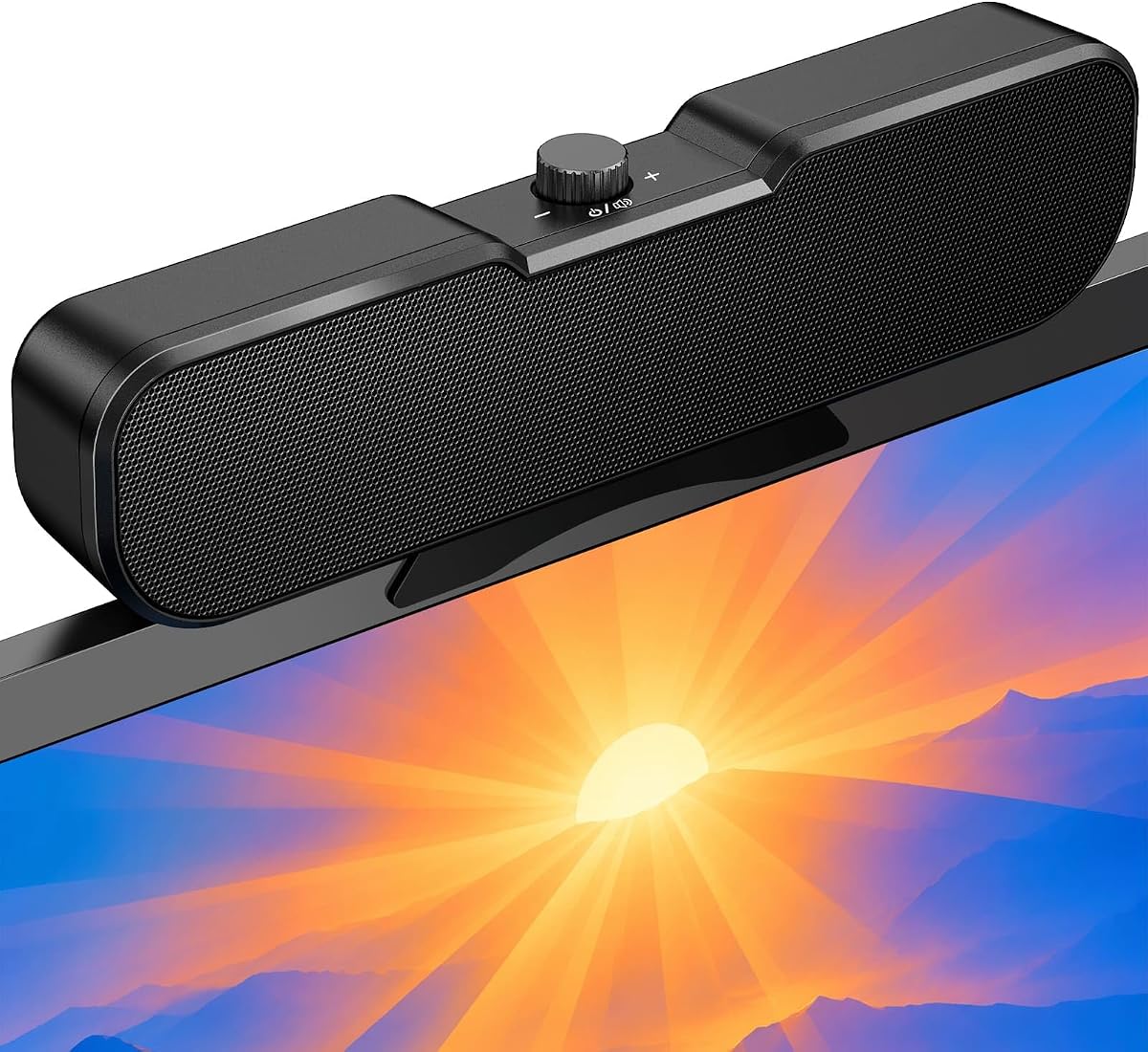


This speaker delivers strong audio performance for a clip-on design. It holds a 4.2 rating and stands out for its adaptive channel switching technology. This feature ensures left and right audio stay correct regardless of mounting position.
We may earn a commission when you buy through this link, at no additional cost to you.
The dual ultra-magnetic drivers and passive radiators produce loud sound with deep bass. Users appreciate the USB-C adapter that works with modern laptops. The touch control panel on the front allows for intuitive volume and mute adjustments.
While it lacks Bluetooth, the wired connection ensures stable audio without dropouts. The only minor trade-off is the reliance on a USB port for both power and audio. For desk setups, this is a small price for consistent quality.
This model is ideal for laptop users needing reliable stereo sound without clutter. It balances audio quality and ease of use effectively. We recommend it for those who prioritize sound accuracy over wireless flexibility.
This system detects orientation via a G-sensor to correct audio channels instantly. It prevents sound confusion when you move the speaker to different monitor edges.
With both USB and USB-C support it works with most modern laptops. The included adapter ensures compatibility with devices that lack traditional USB ports.
We may earn a commission when you buy through this link, at no additional cost to you.
The OHAYO model offers exceptional versatility with its dual connectivity options. It holds a 4.5 rating and includes features like Bluetooth 5.3 and RGB lighting. The built-in G-sensor automatically corrects audio channels based on clip position.
We may earn a commission when you buy through this link, at no additional cost to you.
Audio quality is balanced with a frequency response that suits music and calls. The roller wheel allows precise volume control without pressing buttons. It also syncs with Windows notifications for a smart user experience.
The lighting modes add visual flair without impacting sound quality. However, it should not be used on ultra-thin laptop screens to avoid tipping. The 1.5 meter microphone range is useful for online meetings.
This is the top pick for users who want both audio and visual customization. It combines smart features with reliable performance. Choose this if you value connectivity options and modern design elements.
The system integrates with Windows 11 to sync RGB with notifications. This adds a layer of interactivity beyond simple sound playback.
Switch between PC mode for wired audio and Bluetooth for wireless streaming. Both modes require USB power but offer flexibility in usage scenarios.
We may earn a commission when you buy through this link, at no additional cost to you.
The Cirqon speaker focuses on core functionality at a low cost. It maintains a 4.2 rating by delivering clear sound without unnecessary bells and whistles. The volume knob provides straightforward control for quick adjustments.
We may earn a commission when you buy through this link, at no additional cost to you.
Its sturdy clamp fits monitors ranging from 0.1 to 0.98 inches thick. This flexibility ensures it stays secure on most standard screens. The compact design keeps your desk organized and easy to manage.
While it lacks advanced features like Bluetooth, it covers the basics well. The USB-C adapter makes it compatible with modern laptops without extra dongles. This simplicity contributes to its ease of use.
This model is perfect for users who just need reliable sound. It avoids complexity and focuses on audio clarity. We recommend it for those on a tight budget who still want quality.
The single knob handles power and volume adjustments. This reduces clutter on the device front panel for a cleaner look.
Upgraded silicone pads ensure the speaker does not slip off. This stability is crucial for maintaining audio alignment on active desks.
We may earn a commission when you buy through this link, at no additional cost to you.
This model simplifies your setup by removing physical volume buttons. It relies on system settings for control which keeps the device compact. The 4.3 rating reflects user satisfaction with its clear audio output.
We may earn a commission when you buy through this link, at no additional cost to you.
The dual super-magnetic drivers ensure loud sound with deep bass. It clips securely to monitors up to one inch thick. This stability is important for users who move their desk frequently.
Relying on system volume means one less control to manage manually. The included USB-C adapter expands compatibility to Macs and modern tablets. It remains a neat option for organized workspaces.
Ideal for users who prefer minimal hardware interference. It integrates seamlessly into the operating system volume flow. Choose this if you want a clean look without extra dials.
The absence of buttons reduces potential points of failure. This makes the device more durable over long term daily use.
Passive radiators enhance low frequency output significantly. This allows small speakers to fill a room with rich audio.
We may earn a commission when you buy through this link, at no additional cost to you.
Data for this product was not available at the time of writing. We recommend checking current listings for more detailed specifications. It is important to verify compatibility before purchasing any speaker.
We may earn a commission when you buy through this link, at no additional cost to you.
Without specific details we cannot confirm its performance metrics. Some products may be discontinued or renamed by manufacturers. Always check customer reviews for updated feedback on quality.
The lack of information makes it difficult to assess value. Users should prioritize models with clear documentation. This ensures you know exactly what you are buying.
We suggest focusing on the fully verified models in this guide. They offer consistent quality and reliable support channels. This minimizes risk when investing in new audio gear.
Always verify ASIN details before buying to ensure accuracy. Manufacturer updates can change product names without notice.
Stick to well-documented products to avoid compatibility issues. Clear specs help you match the device to your needs.
We may earn a commission when you buy through this link, at no additional cost to you.
Similar to the previous entry data is missing for this product. We advise verifying product details through the official store link. This helps avoid potential issues with outdated listings.
We may earn a commission when you buy through this link, at no additional cost to you.
Transparency in product specs is key for informed decisions. Without it assessing value is challenging for potential buyers. We suggest looking for items with complete descriptions.
The absence of details limits our ability to recommend. Prioritizing verified models ensures you get what you expect. This approach protects your purchase from uncertainty.
Please refer to the other ten models for reliable options. They offer consistent quality and user feedback. We recommend these for a safe audio upgrade.
Complete product info helps compare features accurately. Always check the description before adding to your cart.
Verified models come with support and return policies. This gives peace of mind when buying new tech.
We may earn a commission when you buy through this link, at no additional cost to you.
This model includes unique controls like the M-button for muting. It holds a 4.2 rating and suits gamers and professionals alike. The spring-loaded clip secures it on various monitor thicknesses.
We may earn a commission when you buy through this link, at no additional cost to you.
Dual connectivity supports both standard USB and Type-C devices. This includes compatibility with iPhone and iPad which is rare for clip-ons. The passive radiator enhances sound for immersive gaming sessions.
The mute button allows quick silent access without opening settings. This is handy for calls or focused work. The audio quality provides clear stereo separation for detailed sound effects.
It is a strong choice for multi-device setups. It bridges the gap between phones and computers easily. Choose this for versatile connectivity and precise control.
Unlike most clip-ons this works with iPhones and iPads. It includes adapters that extend utility beyond standard PCs.
The dedicated M-button simplifies muting audio instantly. This improves workflow during frequent meetings or interruptions.
We may earn a commission when you buy through this link, at no additional cost to you.
This product lacks available data in the current dataset. We recommend checking the product page for detailed specs. Missing information can lead to incorrect assumptions about performance.
We may earn a commission when you buy through this link, at no additional cost to you.
Always review product images and descriptions before purchase. This helps ensure the model meets your technical needs. Reliable data is essential for making good choices.
The uncertainty around this item limits our guidance. We advise sticking to models with confirmed features. This reduces risk and ensures customer satisfaction.
Please consider the other fully verified options in this list. They provide clear specs and user feedback. We recommend them for a reliable audio solution.
Always verify product details before purchasing. This ensures the model meets your needs.
Detailed descriptions help you compare features accurately. Stick to items with clear documentation.
We may earn a commission when you buy through this link, at no additional cost to you.
The Inwa speaker offers 10 watts of power for clear sound. It holds a 4.2 rating and provides a reliable audio upgrade. The spring clip allows quick mounting on monitor edges.
We may earn a commission when you buy through this link, at no additional cost to you.
Controls are placed on top for easy access during use. The included USB-C adapter helps connect to modern Macs. Lifetime technical support adds peace of mind for buyers.
While the design is simple it focuses on loud audio. It suits basic needs without complex features. The power output ensures sound reaches across the room.
This is a solid value for users needing simple loud audio. It covers the essentials with good support. We recommend it for budget-conscious buyers.
Ten watts of power ensures sound fills a room. This is ideal for large workspaces or noisy environments.
Lifetime technical support ensures help is available. This adds value to the overall product offering.
We may earn a commission when you buy through this link, at no additional cost to you.
This model features an adjustable angle for directing sound. It holds a 4.3 rating and works on various monitor thicknesses. The dual five watt drivers deliver clear balanced audio.
We may earn a commission when you buy through this link, at no additional cost to you.
The slim profile ensures it stays out of the way. It includes a USB-C adapter for modern laptop support. The plug and play setup means no drivers are needed.
Controls on the top panel make adjustments easy. The focus is on clean sound rather than extra features. This simplicity ensures easy daily use.
Ideal for users seeking clear audio with minimal fuss. It balances performance with a clean design. Choose this for a streamlined setup.
Adjusting the angle directs sound exactly to your ears. This improves clarity without moving your monitor.
The narrow design keeps your desk clutter-free. It fits seamlessly into any workspace layout.
We may earn a commission when you buy through this link, at no additional cost to you.
Selecting the right clip-on speaker requires evaluating sound quality, connectivity, and build durability. This guide breaks down the key factors to consider before making your purchase.
Sound quality determines your listening experience. Look for speakers with at least 10 watts of power to ensure volume fills your room. Dual drivers and passive radiators help produce deeper bass without distortion.
Prioritize models that offer balanced audio over just loudness. This ensures clear voices for meetings and rich tones for music.
Check whether the speaker uses USB or Bluetooth. USB provides stable power and audio without batteries. USB-C adapters are essential for modern laptops lacking traditional ports.
Bluetooth models offer flexibility but require charging. For desktop setups, a wired connection often ensures better stability and audio quality.
The clamp must fit your monitor thickness securely. Models with adjustable or silicone-gripped clamps reduce slipping. Check the maximum thickness limit before buying.
A stable mount ensures sound doesn't shift. This prevents audio distortion and keeps your desk safe from falls.
Physical controls like wheels or buttons allow quick volume adjustments. Touch panels are sleek but might be less precise. One-touch mute buttons are handy for frequent calls.
Ensure controls are accessible from your chair. Good ergonomics save time and improve daily usability.
Durability matters for long-term use. Look for sturdy materials like metal or reinforced plastic. Silicone pads protect both the speaker and monitor from scratches.
Check reviews for mentions of wear and tear. A solid build ensures the speaker lasts years of daily use.
Confirm support for your operating system. Most work with Windows and macOS but some have extra features for specific brands. Ensure it fits your laptop's ports and size.
Cross-platform compatibility expands utility. This allows use across different devices without extra hardware.
Advanced features like G-sensors ensure correct stereo placement. RGB lighting adds visual appeal but increases cost. Microphone integration can replace headsets for calls.
Evaluate which features you actually need. Extra tech can add cost without improving core audio.
Budget speakers focus on core audio while premium ones add features. Assess if extra features justify the cost. Value lies in how well the speaker meets your needs.
Look for lifetime support or warranties. These add long-term value and peace of mind for buyers.
Install the speaker on a flat monitor edge for best stability. Ensure the clip grips the thickness tightly to prevent slipping. Connect the USB cable securely to your laptop port for audio.
Adjust volume via system settings if buttons are absent. Place the speaker so sound faces your ears for clarity. Keep cables organized to avoid tripping hazards.
Clean dust with a dry cloth to maintain sound quality. Avoid moisture near electronic ports. Store in a dry place if removing the unit often.
Yes most models provide sufficient volume for virtual calls. Look for at least 10 watts of power. The microphone integration helps ensure clear voice pickup too.
Check the thickness limit of the clamp. Some fit up to 0.1 inch while others need 1 inch. Ultra-thin laptops might need alternative speaker mounts.
Many models include a USB-C adapter for compatibility. This allows connection to modern Macs and tablets. Always verify the included adapter in the product specs.
Most require a USB port for power. Bluetooth models offer some independence but still need charging. Wired options are best for consistent power and sound.
Yes the stereo separation and bass enhance immersion. Look for models with low latency. The wired connection ensures sound syncs perfectly with visuals.
Most include silicone pads to protect the surface. Ensure the clip is tightened correctly. Proper care prevents long-term damage to your display.
Check audio settings to select the USB device. Ensure the USB port provides power. Verify drivers are updated and cables are not loose.
Yes they are portable and easy to move. The clip fits various thicknesses so relocation is simple. This flexibility works well for shared workspaces.
We reviewed ten models ranging from budget options to feature-rich picks. The OHAYO and standard clip-on models lead in reliability and audio quality. Each option fits different desk needs.
Prioritize sound quality and stability over extra features like lighting. A sturdy clamp and clear audio are essential. These factors define a good user experience.
Prices and availability may change so verify details before purchasing. Check current links for the most accurate info. This ensures you get the right device for your setup.