
AOC 24 Gaming Monitor FHD 200Hz IPS NVIDIA G-SYNC Compatible 0.3ms 24G42HE
4.6Editor score
200Hz refresh rate
0.3ms response time
116% sRGB gamut
Discover the top AOC monitors for gaming and productivity. We compare speed, clarity, and value to help you choose the right screen.
Finding the right display can transform your digital experience. AOC monitors offer a wide range of options for gamers and professionals. This guide highlights the best models available now.
We evaluated these products based on performance, build quality, and user feedback. Our analysis focuses on refresh rates, panel types, and connectivity options. This ensures you get a clear picture of each choice.
Each pick showcases unique strengths tailored to different needs. Prices fluctuate often, so check current listings before buying. This list helps you navigate the market confidently.
4.6Editor score

4.6Editor score
4.4Editor score
This side-by-side comparison highlights the key specifications and features of our top picks. We examine refresh rates, resolutions, and panel technologies to help you compare easily.


This AOC monitor delivers top-tier performance for competitive gaming. It features a 27-inch QHD IPS panel with a 240Hz refresh rate. Reviewers praise its speed and vibrant color accuracy.
We may earn a commission when you buy through this link, at no additional cost to you.
The 0.3ms response time ensures smooth motion even in fast games. Adaptive-Sync works with both AMD and NVIDIA GPUs. The frameless design fits well in multi-monitor setups.
Adjustment options are limited to tilt only. Some users may prefer height or swivel controls. However, the performance outweighs this limitation for most gamers.
Ideal for esports enthusiasts seeking high speed and clarity. Its balance of resolution and refresh rate makes it a standout choice. Highly recommended for serious players.
The 240Hz refresh rate ensures fluid gameplay with minimal motion blur.
IPS technology provides wide viewing angles and precise color reproduction.
We may earn a commission when you buy through this link, at no additional cost to you.
This monitor offers exceptional value for budget-conscious gamers. It sports a 24-inch Full HD panel with a 200Hz refresh rate. Users love its speed and sharp visuals for the price.
We may earn a commission when you buy through this link, at no additional cost to you.
The 116% sRGB coverage delivers rich colors for media and games. It supports low input lag for consoles, making it versatile. The frameless design enhances immersion during extended sessions.
Resolution is limited to Full HD which some may find basic. However, the speed compensates for this in fast-paced titles. It remains a top pick for entry-level setups.
Perfect for casual gamers or console players on a budget. Its performance-to-price ratio is hard to beat. This model brings high refresh rates to a wider audience.
Optimized for consoles with low input lag and high refresh rate support.
Wide color gamut ensures accurate and vibrant image reproduction.
We may earn a commission when you buy through this link, at no additional cost to you.
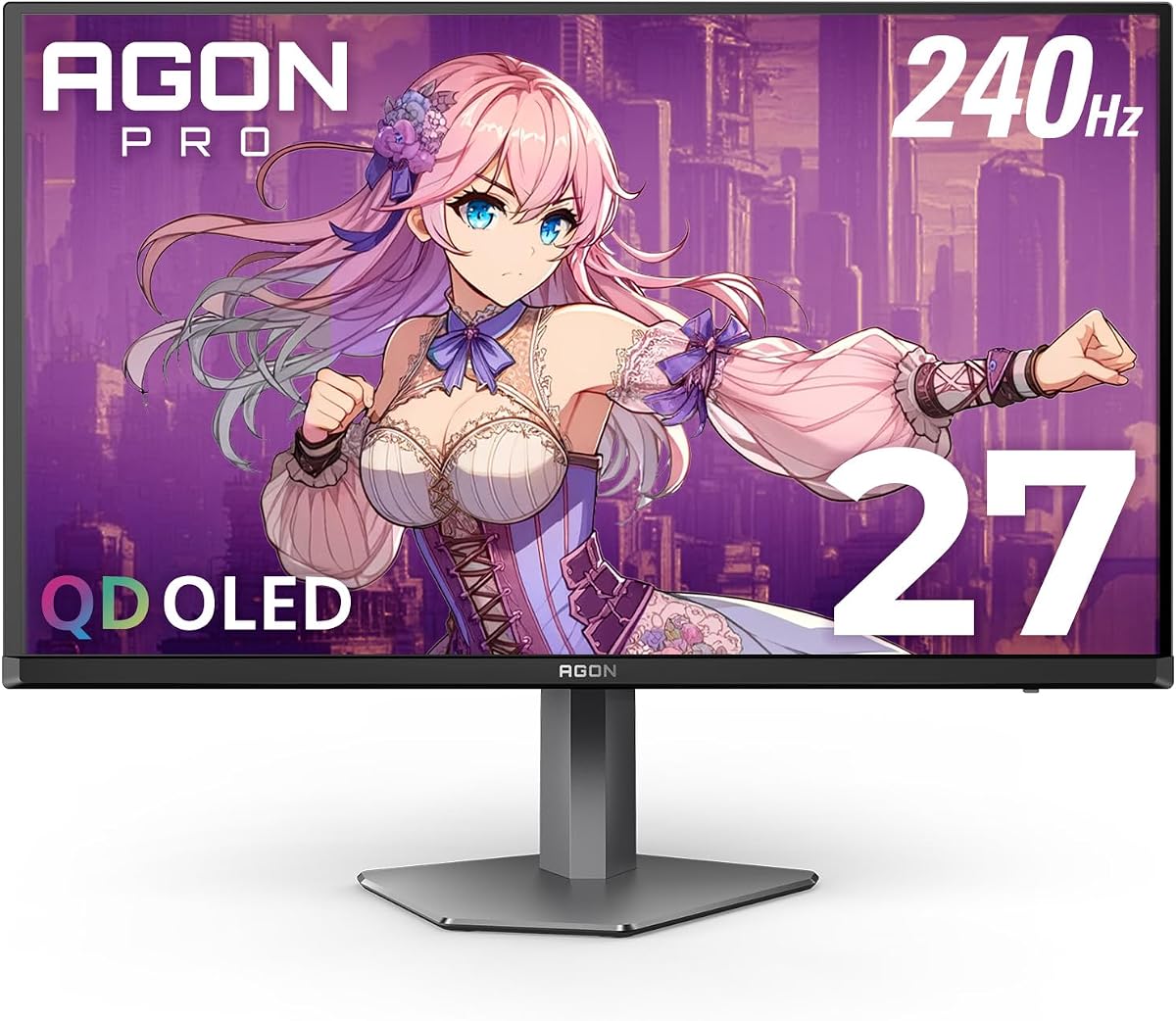
This premium monitor sets a new standard for visual fidelity. It uses a 27-inch QD OLED panel with a 240Hz refresh rate. Reviewers highlight its deep blacks and instant pixel response.
We may earn a commission when you buy through this link, at no additional cost to you.
HDR10 enhances contrast and detail in supported content. The lighting effects add a unique aesthetic to gaming setups. It excels in color accuracy with over 1 billion colors.
The price is significantly higher than LCD options. OLED technology carries some risk of image retention over time. These factors are outweighed by its visual performance for enthusiasts.
Ideal for enthusiasts seeking the absolute best display quality. Its blend of speed and clarity is unmatched. This model redefines high-end gaming monitor expectations.
Self-luminous pixels provide perfect blacks and infinite contrast ratios.
Customizable rear lighting syncs with gameplay for immersive ambiance.
We may earn a commission when you buy through this link, at no additional cost to you.
This monitor is built for productivity and media consumption. It features a 27-inch 4K UHD IPS panel. Users appreciate the sharpness for text and detail work.
We may earn a commission when you buy through this link, at no additional cost to you.
Built-in speakers add convenience for casual use. The frameless bezel minimizes distractions. It supports HDR for better image depth in content.
Refresh rates are not suited for fast gaming. The stand is basic with limited ergonomic adjustments. Still, it serves well for office and home tasks.
Best for professionals needing high resolution and clarity. It balances cost and performance effectively. A solid choice for general computing needs.
4K resolution provides crisp text and detailed visuals for work.
Built-in speakers eliminate the need for external audio devices.
We may earn a commission when you buy through this link, at no additional cost to you.
This model balances screen size and speed affordably. It has a 27-inch Full HD panel with a 260Hz overclocked rate. Gamers find it smooth for competitive titles without paying premium prices.
We may earn a commission when you buy through this link, at no additional cost to you.
It includes flicker-free tech to reduce eye strain. The frameless design looks modern on any desk. Energy efficiency is improved with Eco Mode.
Full HD on 27 inches means lower pixel density. Some users might prefer sharper visuals for text. However, for gaming, the speed is the priority.
Great for gamers prioritizing frame rates over resolution. It offers a large field of view. This is a strong contender for budget gaming rigs.
Overclocked refresh rate ensures smooth motion in fast-paced games.
Flicker-free technology helps reduce fatigue during long gaming sessions.
We may earn a commission when you buy through this link, at no additional cost to you.
This monitor offers a deeply immersive gaming experience. It features a 32-inch curved VA panel with 2K resolution. Users enjoy the wrap-around effect and vibrant contrast.
We may earn a commission when you buy through this link, at no additional cost to you.
The 180Hz refresh rate supports smooth motion. HDR adds depth to content. Connectivity options are robust for consoles and PCs.
VA panels can have slight ghosting in quick transitions. The stand is basic with tilt adjustments only. Still, the visuals are captivating for many.
Ideal for players seeking immersion and a large screen. It delivers strong performance for the price. This model is perfect for RPGs and action games.
Curved screen wraps around your vision for a more engaging experience.
VA panel technology provides rich blacks and deep shadows.
We may earn a commission when you buy through this link, at no additional cost to you.
This monitor brings high-speed gaming to a large display. It has a 32-inch curved panel with a 240Hz refresh rate. Reviewers praise its smoothness and responsive touch.
We may earn a commission when you buy through this link, at no additional cost to you.
AMD FreeSync Premium prevents screen tearing. Low input lag helps with precise aiming. The frameless design reduces distractions.
Full HD resolution on 32 inches is less sharp. The stand offers limited adjustments. Still, the gameplay experience is highly rated by many.
Perfect for competitive gaming on a large screen. It prioritizes speed over resolution. This model is excellent for FPS titles and esports.
240Hz refresh rate delivers fluid motion for competitive titles.
32-inch curved screen fills your peripheral vision effectively.
We may earn a commission when you buy through this link, at no additional cost to you.
This model combines OLED beauty with speed. It features a 27-inch QD OLED panel with a 240Hz refresh rate. Users love its instant response and sharp visuals.
We may earn a commission when you buy through this link, at no additional cost to you.
HDR10 support enhances image depth. The color gamut is wide and accurate. It offers a premium viewing experience unmatched by LCDs.
The price is steep compared to other options. Ergonomics are limited to tilt. However, image quality is exceptional for media and games.
Ideal for those seeking top-tier visual performance. It delivers unmatched clarity and speed. This monitor stands out as a luxury gaming choice.
Self-luminous pixels create perfect blacks and vibrant colors.
0.03ms response time eliminates ghosting for crisp motion.
We may earn a commission when you buy through this link, at no additional cost to you.
This OLED monitor adds convenience with a USB hub. It has a 27-inch QD OLED panel with a 240Hz refresh rate. Users appreciate the connectivity and visual sharpness.
We may earn a commission when you buy through this link, at no additional cost to you.
Height adjustability improves ergonomics for long sessions. It supports both FreeSync and G-Sync. HDR400 provides better image contrast.
The price reflects its high-end nature. It may not suit budget shoppers. However, it offers a complete package for power users.
Best for professionals and enthusiasts wanting OLED and ergonomics. It combines speed with practical features. This is a top choice for advanced setups.
Built-in USB hub simplifies cable management for peripherals.
Height adjustable stand allows for comfortable viewing positions.
We may earn a commission when you buy through this link, at no additional cost to you.
This monitor is perfect for smaller spaces. It has a 21.5-inch Full HD panel with a 120Hz refresh rate. Users appreciate the eye comfort features and value.
We may earn a commission when you buy through this link, at no additional cost to you.
FreeSync ensures smooth visuals without tearing. The blue light filter helps reduce strain. VESA mounting offers flexible placement options.
The screen size is compact which may limit immersion. Refresh rate is lower than gaming standards. Still, it is excellent for basic tasks and entry-level use.
Ideal for students or tight workspaces. It balances cost and eye care well. A solid pick for casual users.
Blue light filter and flicker-free tech reduce eye strain during use.
VESA mount support allows easy wall or arm installation.
We may earn a commission when you buy through this link, at no additional cost to you.
Selecting the right monitor involves understanding key specs and needs.
Resolution affects image sharpness and pixel density. Higher resolutions like QHD or 4K provide more detail for work and gaming. Full HD is sufficient for smaller screens or lower budgets.
Choose based on your graphics card capability and screen size.
Refresh rate determines how many frames are shown per second. Higher rates like 144Hz or 240Hz deliver smoother motion in games. For office tasks, standard rates are acceptable.
Gamers should prioritize high refresh rates for a competitive edge.
Panel type influences color accuracy and viewing angles. IPS panels offer broad viewing angles and vivid colors. VA panels provide deeper blacks but may have slower response times.
Pick IPS for versatility and VA for contrast-focused media.
Response time measures how fast pixels change color. Faster times like 1ms reduce motion blur during fast action. This is crucial for competitive gaming experiences.
Look for low response times if you play fast-paced games.
Adaptive Sync matches the monitor rate refresh rate to the GPU. This prevents screen tearing and stuttering. G-Sync and FreeSync are common standards.
Ensure your GPU supports the sync type you choose.
Check available ports like HDMI and DisplayPort. Modern cards require DisplayPort for high refresh rates. USB hubs add convenience for peripherals.
Select a monitor with ports that fit your devices.
Adjustability features help reduce strain over time. Height and tilt adjustments allow you to position the screen correctly. VESA mounts offer more flexibility.
Prioritize ergonomic features for long work or gaming sessions.
Prices vary widely based on features and brand. Set a clear budget before shopping to narrow options. Higher specs usually mean higher costs.
Balance performance needs with your financial constraints.
Connect your monitor using the provided cables and set it as your primary display in system settings. Adjust brightness and contrast to match your environment.
Use the on-screen menu to enable features like Adaptive Sync or game modes. Customize settings to reduce eye strain during long sessions.
Keep the screen clean with a soft cloth and avoid direct sunlight. Check firmware updates regularly to maintain performance and features.
144Hz or higher is ideal for gaming as it provides smooth motion. Competitive players may prefer 240Hz. Standard 60Hz is fine for casual use.
Many AOC models support HDR for better contrast and colors. HDR10 is common in gaming monitors. Check product details for specific HDR certifications.
Many models include flicker-free and blue light filters. These features help reduce strain during long use. Proper ergonomics also help.
IPS offers better viewing angles and colors while VA has deeper blacks. IPS is better for gaming and design. VA suits media consumption.
Yes, many AOC monitors support HDMI and adaptive sync for consoles. Features like low input lag enhance gameplay. Ensure the refresh rate matches your console.
Some models have built-in speakers for convenience. Most are basic and not for high-fidelity audio. External speakers are recommended for better sound.
The top picks cover a range of needs from budget to premium. Each model brings unique strengths to gaming and work.
Prioritize features like refresh rate or resolution based on your main use case. Ergonomics and eye care should not be overlooked.
Prices and availability can change quickly. Always verify current listings before purchasing to ensure the best deal.