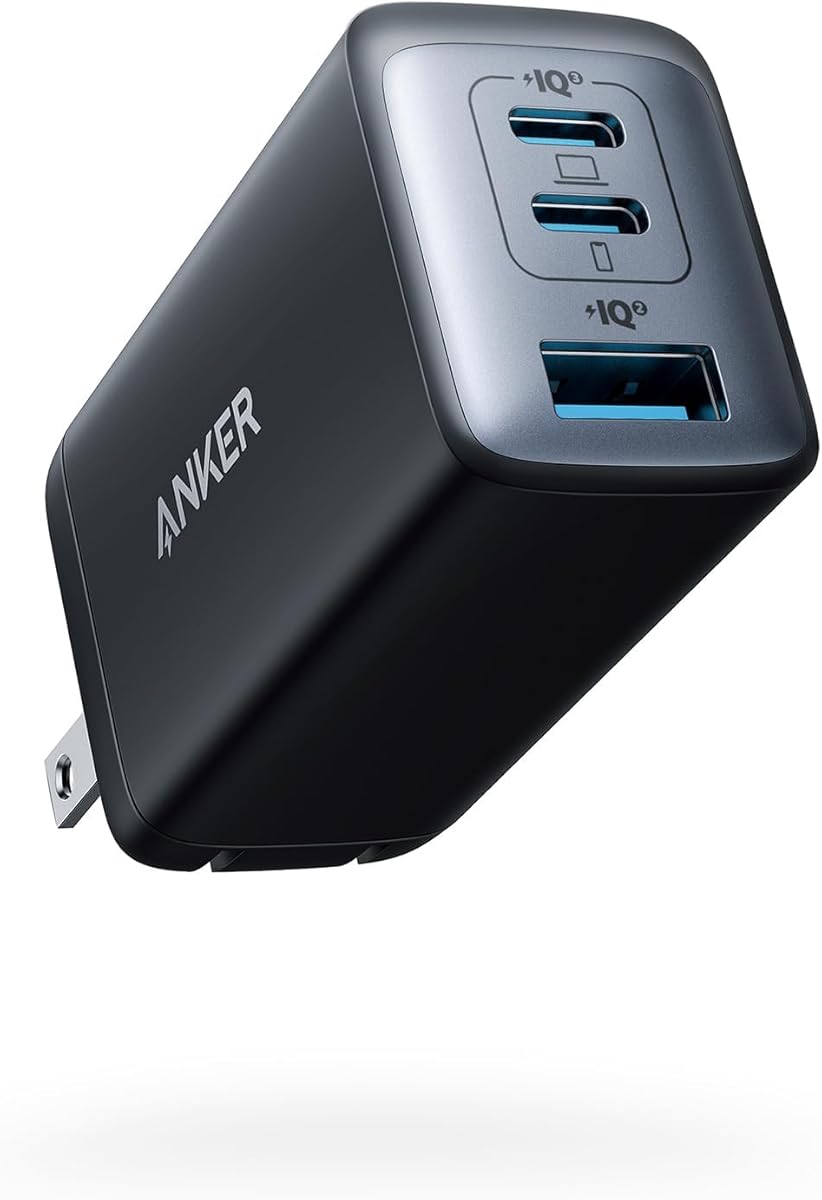
Anker 65W Max 3-Port USB C Charger Block
4.7Editor score
Compact foldable design
Sixty five watt output
Three port configuration
Gan II technology
This guide compares the top Anker Gan chargers for power density, smart features, and multi-device support to help you choose the perfect charging solution
Finding the right power solution for your modern devices requires careful consideration of speed, size, and safety. Anker has established itself as a leader in GaN technology, offering compact chargers that deliver significant power without the bulk of traditional bricks.
We evaluated ten top models based on their output capacity, port configurations, and intelligent power distribution systems. Each product was analyzed for its ability to handle laptops, tablets, and phones simultaneously while maintaining efficiency and safety standards.
Each pick in this list highlights specific strengths for different user needs, from travel portability to high wattage station power. Please note that pricing and availability can change frequently, so verify current details before making your final purchase decision.
4.7Editor score

4.7Editor score

4.6Editor score
The following table provides a side-by-side comparison of all ten models included in this review to help you quickly identify the best fit for your specific charging requirements.

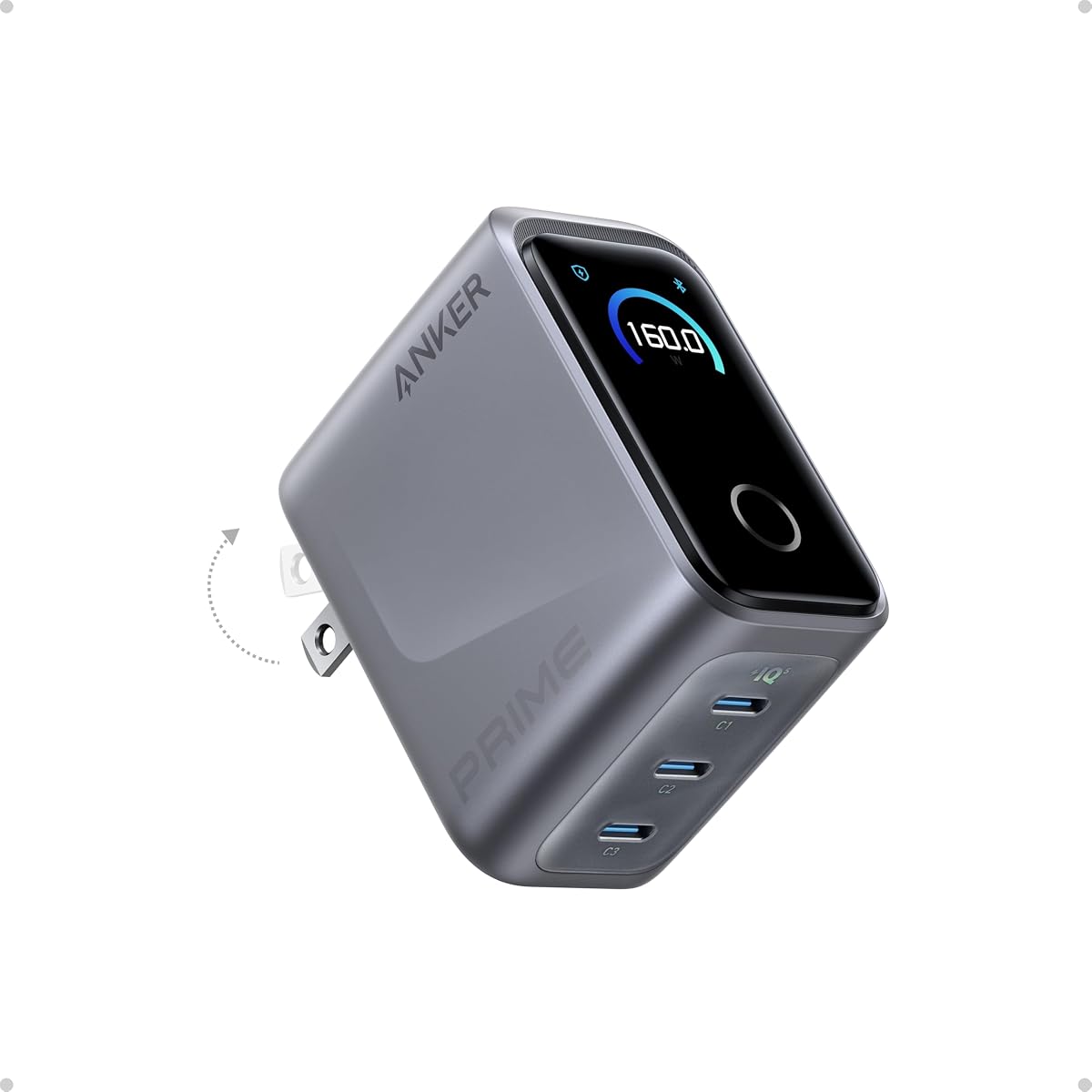



The Anker 67W GaN Wall Charger stands out for its ability to deliver substantial power in a remarkably small form factor. It is designed to replace bulky original chargers while maintaining high efficiency and safety standards for your devices.
We may earn a commission when you buy through this link, at no additional cost to you.
With three ports available, you can charge a phone, tablet, and notebook simultaneously. The ActiveShield 2.0 system ensures that temperatures remain stable during operation, providing peace of mind during long charging sessions.
While it lacks the smart display found on newer models, the compact size makes it ideal for travel or minimal setups. The trade-off is a lower total wattage compared to high-end stations, but it suffices for most daily needs.
This charger is best suited for users who prioritize portability and reliability over maximum power output. It is a solid choice for anyone looking to declutter their desk or travel bag without sacrificing charging speed.
Its size is significantly smaller than standard chargers, making it easy to pack in any bag.
Built-in protections monitor temperature to prevent overheating during extended use.
We may earn a commission when you buy through this link, at no additional cost to you.
This model offers an impressive wattage that rivals dedicated laptop power bricks while remaining small enough to carry. It uses advanced power management to ensure that heavy loads like 16-inch MacBook Pros charge at full speed without interruption.
We may earn a commission when you buy through this link, at no additional cost to you.
The inclusion of a smart display allows users to monitor power usage and switch modes instantly via the AnkerSense View feature. This level of control is rare in standard chargers and adds significant utility for power users.
However, the cost is higher than simpler options, and the smart features may be unnecessary for casual users. The size is compact for its output, but it is still larger than the smallest travel bricks available.
It is an excellent choice for professionals who need to charge multiple high-performance devices and want visibility into their power usage. The reliability and speed justify the investment for those who rely on their tech daily.
PowerIQ 5.0 intelligently distributes wattage to ensure no device is left waiting.
The screen shows real-time status so you never have to guess if charging is active.
We may earn a commission when you buy through this link, at no additional cost to you.
The Anker 100W Max USB C Charger hits the sweet spot between power and portability. It delivers enough wattage to charge most laptops at full speed while offering a smart display for added convenience and control.
We may earn a commission when you buy through this link, at no additional cost to you.
The smart display is a standout feature that shows temperature and status in real time, making it easy to troubleshoot if issues arise. This visual feedback helps users understand exactly what is happening during the charging process.
While the display adds a slight cost premium, the overall package remains affordable compared to desktop stations. The low-current mode ensures that small devices like earbuds are charged safely without risk of overcharging or heat damage.
This unit is the best all-around choice for users who want modern features without paying for excessive capacity. It fits well in any setup and provides the versatility needed for a mix of phones and laptops.
Seeing charging details instantly helps users manage their devices more efficiently.
Switching to low current mode protects sensitive accessories from high voltage.
We may earn a commission when you buy through this link, at no additional cost to you.
This charging station is designed for heavy duty use on a desk where multiple devices need power simultaneously. With 250W output, it can handle high-end laptops, tablets, and phones without compromising on speed or stability.
We may earn a commission when you buy through this link, at no additional cost to you.
The physical dial and LCD screen provide tactile control over power distribution, which is a unique feature in this category. Users can adjust output directly without navigating through an app, making it more intuitive for daily use.
It is clearly intended for stationary use due to its size and power needs, so it is not suitable for travel. However, for a home office or workstation, it acts as a central hub that eliminates cable clutter effectively.
Buyers looking for a permanent solution to power all their tech will find this model highly rewarding. The ability to manage power visually and physically makes it a top choice for organized and efficient workspaces.
The dial allows immediate adjustments to power settings without app navigation.
Designed specifically for stable desk placement to maximize power delivery.
We may earn a commission when you buy through this link, at no additional cost to you.
This charger is built to handle four devices at once with significant power available for each. It is particularly useful for users who need to keep multiple laptops or high-power tablets running throughout the day.
We may earn a commission when you buy through this link, at no additional cost to you.
The color display offers clear visibility of port performance and temperature, ensuring that everything is running smoothly. Combined with Activeshield 4.0, the system performs millions of checks daily to maintain safe operating conditions.
The size is larger than travel bricks but still manageable for a desk or shelf. While the 140W is strong, users must ensure their devices are compatible with the specific power distribution modes to get the best speeds.
It is a strong option for power users who need more ports than standard models offer. The balance of power, safety, and visual feedback makes it a versatile tool for complex charging needs.
Supporting four devices means you can power your entire tech ecosystem at once.
Millions of daily checks ensure that safety is always a top priority.
We may earn a commission when you buy through this link, at no additional cost to you.
The Anker 735 Charger delivers excellent performance at a very competitive price point. It is a solid entry-level option for anyone needing to charge a laptop and two other devices without breaking the bank.
We may earn a commission when you buy through this link, at no additional cost to you.
GaN II technology ensures that the charger remains small and efficient, even under load. The foldable plug design is a thoughtful touch that saves space in bags and prevents damage during transport.
While it lacks the smart display found on higher models, it still provides fast and reliable charging. The trade-off is worth the cost savings for users who do not need detailed power monitoring or IoT features.
This is the perfect choice for students or travelers on a budget who still demand quality. It proves that you do not need the most expensive unit to get a dependable and effective charging solution.
Getting a reliable three port charger at this price is a great value for most.
Prongs that fold in make packing the charger much easier and safer.
We may earn a commission when you buy through this link, at no additional cost to you.
This model focuses on durability and solid power delivery for users who need a robust travel companion. It offers 100W output which is sufficient for most laptops while maintaining a small form factor.
We may earn a commission when you buy through this link, at no additional cost to you.
The build quality is designed to withstand drops and daily handling, with a focus on ensuring plug prongs do not become loose over time. This durability makes it a reliable choice for frequent travelers or commuters.
Without a smart display, the user experience is straightforward and simple. You rely on the hardware quality and brand reputation rather than extra software features to ensure safety and performance.
It is ideal for those who want a no-nonsense charger that can handle a tough environment. The balance of strength and portability makes it a top contender for professional travelers.
Drop-proof construction ensures the charger survives the rigors of daily travel.
Well-balanced design keeps prongs firmly connected for consistent power delivery.
We may earn a commission when you buy through this link, at no additional cost to you.
Designed for the desk, this charger provides a stable and secure way to power multiple devices simultaneously. The high wattage ensures that even demanding laptops get the power they need to perform at their best.
We may earn a commission when you buy through this link, at no additional cost to you.
The build quality is sturdy, with a base designed to stay in place even with multiple cables plugged in. This stability is crucial for a desktop environment where accidental bumps or tugs can disrupt charging sessions.
It is a straightforward unit without complex displays, focusing on raw power and reliability. This makes it a practical choice for offices or home setups where simplicity is valued over feature complexity.
For those needing to power a lot of devices at once, this station is a reliable solution. It ensures that all your tech is ready to go without needing to manage multiple adapters.
A sturdy design prevents the charger from tipping over during use.
Six ports allow you to connect everything from laptops to phones at once.
We may earn a commission when you buy through this link, at no additional cost to you.
This is the ultra-compact option for those who want to carry the least amount of gear possible. It provides full 65W speed but in a package that is significantly smaller than standard chargers.
We may earn a commission when you buy through this link, at no additional cost to you.
The single port design is perfect for users who only need to charge one device at a time. It eliminates the weight and bulk of multiple ports while still delivering high-speed performance for laptops.
The foldable plug is a key feature that keeps the charger small and prevents snagging in bags. This makes it the ideal choice for travelers who want to save every inch of space.
It is best for people who want the simplest and most portable solution for charging a laptop. While it lacks multi-device support, it excels at being the only charger you need to pack.
The small size makes it easy to slip into any pocket without adding bulk.
Prongs that fold in ensure the charger remains compact and travel ready.
We may earn a commission when you buy through this link, at no additional cost to you.
This charger is designed for international travel with built-in plugs for US, UK, and EU outlets. It combines travel convenience with high power output to ensure you can charge your devices anywhere in the world.
We may earn a commission when you buy through this link, at no additional cost to you.
The LCD screen shows the voltage zone and output status, which is crucial when traveling abroad to avoid electrical issues. This feature provides a level of safety and awareness that standard travel chargers lack.
While it supports multiple devices, the focus is on being a single solution for all your power needs while traveling. The price is higher, but the versatility and safety features justify the cost for frequent flyers.
It is the top choice for globetrotters who need a reliable and safe way to keep their devices charged. The combination of power and adaptability makes it an essential tool for international trips.
Built-in plugs cover the most common regions so you do not need extra adapters.
Fast voltage detection ensures safe charging across different power grids.
We may earn a commission when you buy through this link, at no additional cost to you.
Selecting the right charger depends on your specific devices and how you plan to use them. Here are the key factors to consider.
The total wattage of a charger determines how fast it can charge your devices. For laptops, you generally need at least 65W to charge efficiently, while power users may require 100W or more for high-end notebooks.
Always check the total output capacity to ensure it meets the needs of your most power-hungry device.
Different models offer different numbers of ports, ranging from single to six. Consider how many devices you typically need to charge simultaneously to choose the right count.
A higher port count is useful for families or offices, while a single port is better for travel.
GaN technology allows for smaller sizes, but there is still a range of options. Travelers should look for compact designs that fit easily into bags without adding bulk.
Desktop users may prioritize power over size and can opt for larger stations.
Some chargers include smart displays or IoT features that show real-time power usage. These features can help you manage power distribution but add to the cost.
Decide if visual feedback is important to you before paying extra for these options.
Look for built-in protections like ActiveShield or temperature monitoring. These systems protect your devices from overheating and voltage spikes during charging.
Safety features are critical for ensuring the longevity of your expensive electronics.
If you travel internationally, check if the charger has compatible plugs for your destinations. Some models include multiple plug types for universal use.
Avoid buying a model that only fits outlets in your home country if you travel frequently.
Some models come with a USB-C to USB-C cable while others do not. Verify what is included in the box to ensure you have everything needed for use.
Buying a compatible cable separately can add to the total cost of the charger.
Anker offers warranties on most products, often ranging from 18 to 24 months. Check the warranty details to know your options if the charger fails.
A good warranty provides peace of mind and protects your investment over time.
To get the best performance, ensure your devices are connected to the correct ports. Most models have specific ports for high wattage laptops, so refer to the manual for the best layout.
Avoid covering the charger during use to prevent overheating. Keep it on a flat surface where air can circulate around the vents to maintain safe operating temperatures.
Unplug the charger when not in use to save energy and extend its lifespan. Regularly inspect the cables for signs of wear or damage to ensure safe operation.
Yes, GaN technology is more efficient and generates less heat. This allows for smaller designs that can deliver higher power outputs without the bulk of traditional chargers.
Yes, it is safe to use a higher wattage charger for a lower wattage laptop. The device will only draw the power it needs, so there is no risk of damage.
Most of these chargers support fast charging protocols for iPhones. Connecting a supported USB-C to Lightning cable will enable fast charging speeds.
It depends on your preference. They provide useful real-time data about power usage and temperature, which can be valuable for power users but are optional for casual ones.
Use a dry cloth to wipe the surface gently. Do not use water or cleaning agents that could seep into the vents and damage internal components.
Most Anker chargers come with a 18 to 24 month warranty. This covers defects in materials and workmanship, so check the specific product for exact details.
Choosing the right Anker GaN charger comes down to balancing power needs with portability and features. Whether you need a compact travel brick or a high-power desktop station, there is a model for every use case.
Prioritize total wattage if you have high-performance laptops, but consider size if you travel often. Smart displays and safety features add value but are optional depending on your budget.
Remember to check the latest pricing and availability before purchasing as these details can change. With the right choice, you can ensure your devices stay powered efficiently wherever you go.