
NIMO 15.6 AI Ready
4.9Editor score
Metal top cover
Intel N150 CPU
2 year warranty
All metal laptops offer superior durability and a premium feel that plastic enclosures simply cannot match. They dissipate heat more effectively and provide a sturdy chassis for demanding workloads and daily travel.
We evaluated ten real models based on their construction quality performance specifications and user feedback. Our analysis covers everything from entry level student machines to powerful workstations designed for professionals and creators.
Each pick highlights specific strengths like screen quality processing power or battery life. Prices fluctuate so please check current listings before purchasing to ensure you get the best value available today.
4.9Editor score

5.0Editor score

4.4Editor score
As an Amazon Associate we earn from qualifying purchases.
The following table provides a side by side comparison of all ten models featured in this guide. Each entry highlights key specifications and build attributes to help you quickly identify the right fit for your needs.

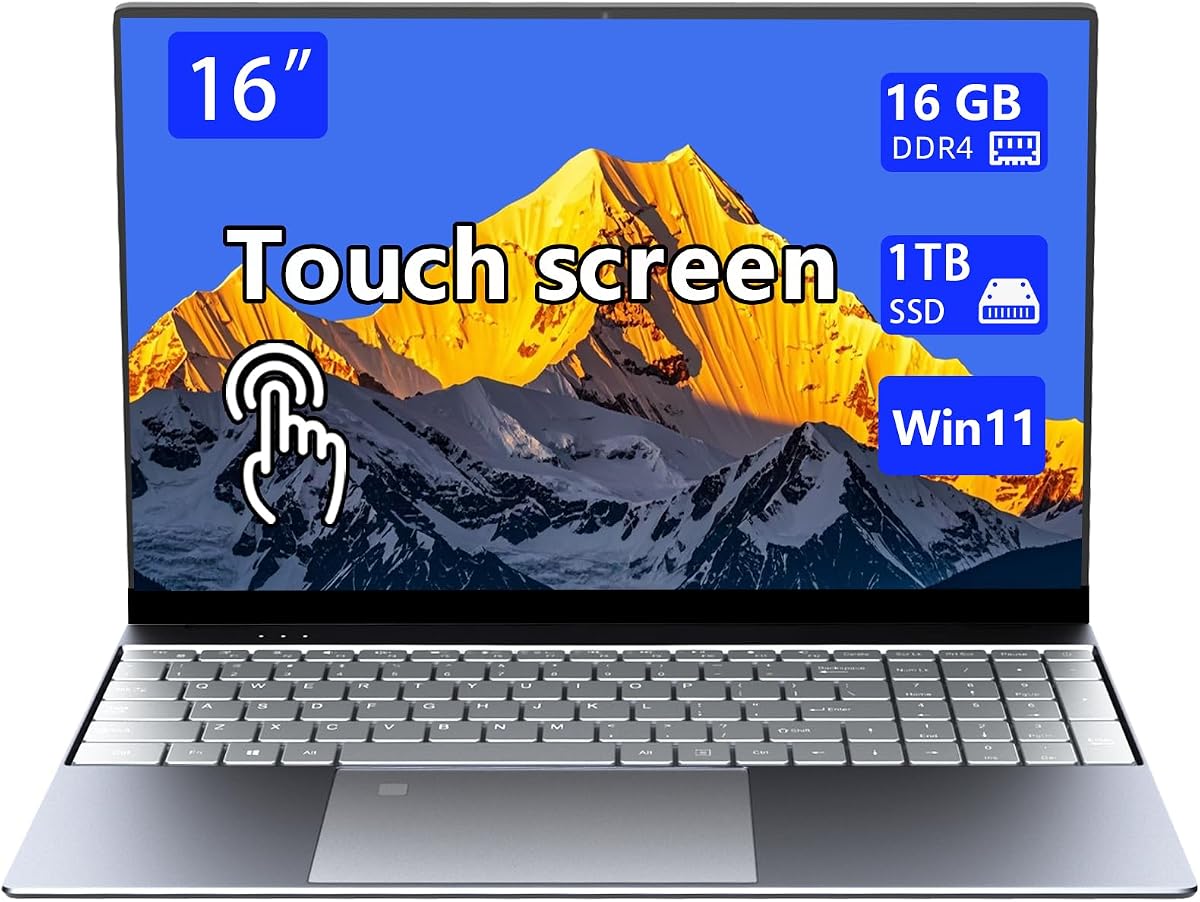


This model stands out for its generous memory and storage paired with a durable metal chassis. The inclusion of a large touchscreen makes it a unique option for users who prefer direct interaction with their content.
We may earn a commission when you buy through this link, at no additional cost to you.
The metal body offers excellent heat dissipation which helps maintain stability during long work sessions. With 32GB of RAM you can run many applications simultaneously without experiencing slowdowns or lag.
The processor is designed for efficiency rather than high performance gaming or rendering. While it handles daily tasks well it may not suit users needing heavy computational power for professional workloads.
It is a solid choice for general productivity and media consumption where touch input is valued. Users looking for a sturdy machine with ample storage will find this model quite appealing.
The ten-point super touchscreen allows intuitive control similar to mobile devices improving workflow for design and accounting tasks.
Metal material provides superior thermal performance ensuring the CPU maintains stable performance under load without overheating.
We may earn a commission when you buy through this link, at no additional cost to you.
The Dell Latitude Rugged series is renowned for its ability to withstand harsh environments. This model combines that durability with modern specs like a Core i7 processor and substantial RAM for heavy multitasking.
We may earn a commission when you buy through this link, at no additional cost to you.
Its rugged build ensures protection against drops and spills which is ideal for field work or travel. The performance level supports demanding applications without throttling even under sustained load conditions.
Windows 11 Pro adds enterprise features like BitLocker encryption and active directory support. These tools are valuable for businesses requiring enhanced security and management capabilities on portable devices.
This laptop is perfect for professionals who need reliability and power in equal measure. It balances robust construction with high speed computing to handle critical workflows efficiently.
Built to endure tough conditions the laptop offers protection that standard consumer devices cannot match ensuring longevity in challenging environments.
Windows 11 Pro provides advanced security and management tools essential for organizations with strict data protection requirements.
We may earn a commission when you buy through this link, at no additional cost to you.
This HP model brings next generation AI features and an OLED display to a portable form factor. The Snapdragon processor delivers excellent battery efficiency while supporting modern AI assisted workflows.
We may earn a commission when you buy through this link, at no additional cost to you.
The 2K OLED screen offers vibrant colors and deep blacks perfect for media consumption and creative work. Combined with a lightweight chassis it is easy to carry anywhere throughout the day.
While storage is modest the fast NVMe SSD ensures quick boot times and responsiveness. The battery life claim of over forty hours supports extended use without needing a power outlet.
It suits users prioritizing portability and display quality over raw power. For general productivity and media this premium device delivers a smooth and visually impressive experience.
The 2K OLED display provides rich colors and crisp visuals enhancing everyday productivity and media viewing significantly.
Built-in AI capabilities and Copilot integration allow for smarter workflows and automated tasks like note taking and summaries.
We may earn a commission when you buy through this link, at no additional cost to you.
The NIMO laptop offers exceptional value for students and home users seeking a reliable metal clad device. It features a metal top cover that adds durability without significantly increasing the price point.
We may earn a commission when you buy through this link, at no additional cost to you.
Its quiet operation is ideal for libraries or offices where noise can be distracting. The Intel N150 processor handles basic tasks smoothly ensuring a responsive experience for web browsing and document editing.
A two year warranty provides peace of mind for long term usage. Additional features like a physical webcam shutter enhance privacy without requiring software settings or external covers.
This is a great choice for those needing a functional laptop for daily tasks. The balance of price features and build quality makes it a standout budget recommendation.
The laptop features silent energy efficient power ensuring quiet operation during school tasks or office work without fan noise.
A physical webcam shutter puts your privacy in total control keeping hackers out with a simple touch.
We may earn a commission when you buy through this link, at no additional cost to you.
This variant offers a large SSD and decent RAM in a metal build at a competitive price. It is suitable for users who need storage space for files and media without paying premium rates.
We may earn a commission when you buy through this link, at no additional cost to you.
The 1TB drive reduces the need for external storage which simplifies organization and backup processes. The metal construction ensures the laptop feels solid and handles heat well during use.
While the processor is efficient it is not designed for heavy gaming or video editing. However it manages everyday computing tasks like browsing and office work with ease.
It is a practical solution for students or home office users needing reliable storage and build. The touchscreen adds versatility for navigating content and interacting with apps intuitively.
A 1TB solid-state drive offers large storage space and fast read/write speeds reducing system startup and file loading times.
The metal body demonstrates high-end elegance and style while providing excellent thermal performance for better stability.
We may earn a commission when you buy through this link, at no additional cost to you.
This laptop focuses on cloud based workflows with significant OneDrive storage and Microsoft Office included. It is ideal for users who prefer saving files online rather than locally on the device.
We may earn a commission when you buy through this link, at no additional cost to you.
The lightweight design makes it easy to carry everywhere and the fast charging helps mitigate downtime during travel. Wi-Fi 6 ensures reliable connections for cloud syncing and video calls.
Local storage is limited but sufficient for system files and essential apps. The heavy reliance on cloud services means internet access is crucial for full functionality of your workflow.
It suits mobile professionals who need a simple and connected experience. The inclusion of software and storage services adds significant value beyond the hardware itself.
Includes Microsoft Office 365 and 1TB OneDrive ensuring you have essential software and storage ready for productivity.
Weighing just 3.24 lbs this lightweight design is ideal for school travel and everyday use on the go.
We may earn a commission when you buy through this link, at no additional cost to you.
This model combines a Core i7 processor with a metal body to deliver solid performance for the price. The IPS display offers better viewing angles and color accuracy than typical budget panels.
We may earn a commission when you buy through this link, at no additional cost to you.
Security is enhanced with a fingerprint reader and Windows 11 integration. The metal enclosure adds a premium feel while providing better heat dissipation than plastic alternatives.
Bluetooth 4.2 is slightly dated compared to newer standards but remains functional for most peripherals. The performance level supports general multitasking and media tasks without significant lag.
It is a practical choice for users needing more power than basic entry-level models. The build quality and processor make it a reliable option for daily professional work.
All metal design gives laptops a sturdy look and high-quality touch presenting a high-end and fashionable style.
A tempered glass panel enhances durability and scratch resistance while offering exceptional visual effects on the display.
We may earn a commission when you buy through this link, at no additional cost to you.
This Dell model introduces DDR5 memory and a strong Ryzen 7 processor for improved efficiency and speed. The larger screen provides ample space for multitasking and detailed work.
We may earn a commission when you buy through this link, at no additional cost to you.
The touchscreen adds utility for navigation and creative tools. Ports include modern options like USB-C with Power Delivery which simplifies charging and external display connectivity.
The chassis maintains a sleek profile despite the larger screen and components. It balances portability with the extra real estate needed for professional productivity and content creation.
It is a strong contender for users upgrading from older systems. The combination of modern memory and CPU ensures this device remains relevant for several years.
Massive 16GB DDR5 RAM effortlessly handles video editing complex spreadsheets virtual machines and heavy multitasking.
USB-C with DisplayPort and Power Delivery supports external 4K monitors and fast charging for complete connectivity.
We may earn a commission when you buy through this link, at no additional cost to you.
This laptop is designed for students needing a capable machine for work and study. The metal shell provides protection during commutes while keeping the weight manageable for daily carry.
We may earn a commission when you buy through this link, at no additional cost to you.
The N95 processor with 16GB RAM handles multiple browser tabs and documents easily. Fast data transfer speeds ensure files load quickly even when switching between applications frequently.
Connectivity options include Type-C and USB3.2 for versatile peripheral support. The IPS screen offers decent viewing angles which is helpful for group presentations or collaborative work.
It is a reliable companion for academic and casual use. The balance of portability and performance makes it a great option for students on a budget.
With 16GB RAM and SSD this laptop allows effortless handling of multiple tasks simultaneously without any lag.
Rich connectivity ports empower you to connect seamlessly with various devices and transfer data swiftly.
We may earn a commission when you buy through this link, at no additional cost to you.
This model brings desktop class power to a metal chassis with high speed DDR5 memory and storage. It is built for users who need significant performance for rendering or heavy workloads.
We may earn a commission when you buy through this link, at no additional cost to you.
The metal surfaces ensure durability while aiding in thermal management. The high resolution display provides sharp details which is ideal for design work and detailed media consumption.
RGB keyboard features add customization for different environments and styles. The battery is robust for a performance machine though heavy tasks will drain it faster than efficiency models.
It is a top pick for power users and creators. The combination of modern components and a metal build makes it a versatile high performance option.
Equipped with 32GB DDR5 and 1TB PCIe4 SSD you won't have to worry about slow performance or lag.
Features a vibrant anti-glare IPS display with WQXGA 2.5K high resolution providing a clear and detailed viewing experience.
We may earn a commission when you buy through this link, at no additional cost to you.
Selecting an all metal laptop involves considering build materials performance and specific features. This guide helps you understand key factors to ensure you choose the right model.
Metal enclosures offer better heat dissipation and durability than plastic. Look for laptops with aluminum or magnesium alloys which resist scratches and impacts effectively.
A solid metal chassis ensures stability and a premium feel. It also helps protect internal components during travel or accidental drops.
Your workload dictates the necessary CPU power. For basic tasks an N series processor suffices while heavier workloads require i7 or Ryzen 7 options.
Check clock speeds and core counts to ensure smooth multitasking. Modern processors also offer AI features that can boost specific productivity tasks.
RAM determines how many apps you can run at once. 16GB is a good standard while 32GB helps with virtual machines or heavy editing.
SSD storage should be fast to ensure quick boot times. Look for PCIe NVMe drives for optimal performance over older SATA SSDs.
A good screen reduces eye strain during long work sessions. IPS or OLED panels offer better colors and viewing angles than TN displays.
Consider resolution and size. Higher resolutions provide more screen real estate which is useful for coding or design work.
Modern laptops often lack legacy ports so verify availability of HDMI USB-A and USB-C. Having enough ports prevents the need for dongles.
USB-C with DisplayPort or Power Delivery adds versatility. Ensure the laptop supports necessary external monitors or fast charging.
All metal devices sometimes have smaller batteries to save weight but check actual usage hours. Long battery life is essential for travel or remote work.
Fast charging capabilities reduce downtime significantly. Look for models that can charge to fifty percent in under an hour.
Biometric login via fingerprint or facial recognition speeds up access securely. Physical webcam shutters add an extra layer of privacy control.
Ensure the OS includes encryption like BitLocker. This protects your data if the device is lost or stolen during transit.
A solid warranty protects your investment against defects. Look for models with at least a one year comprehensive coverage.
Check the manufacturer support reputation. Good support ensures quicker resolutions for hardware or software issues.
Keep the metal surface clean with a soft cloth to avoid scratches. Avoid harsh chemicals that could damage the finish or the keyboard coating.
Ensure proper ventilation by not blocking air vents. Metal bodies dissipate heat efficiently but restricted airflow can still cause overheating.
Use a sleeve or case for transport. Although metal is durable it still protects against dents and impacts during travel.
Yes metal enclosures conduct heat more effectively which helps internal components maintain stable temperatures. This can prevent thermal throttling during long sessions and keeps the device cooler to the touch.
Often they are slightly heavier but modern alloys keep weight manageable. The added durability and thermal benefits usually outweigh the small weight increase for most users.
For general use 16GB is sufficient while heavy workloads benefit from 32GB. Metal laptops often support higher specs so choose based on your specific multitasking needs.
Use a microfiber cloth slightly dampened with water to wipe the exterior. Avoid abrasive cleaners and ensure the laptop is powered off to prevent electrical issues.
Some models feature touchscreens but it is not a standard for all metal chassis. Check the specifications carefully if touchscreen input is a priority for your workflow.
Most manufacturers offer at least a one year warranty. Some brands provide extended coverage or on-site service so review the terms before purchasing.
We highlighted ten top models ranging from budget student machines to powerful workstations with metal builds. The Dell Latitude Rugged and HP OmniBook 3 lead in durability and display quality respectively.
Prioritize processor and memory based on your workload to ensure longevity. A metal chassis adds value through durability and thermal management over time.
Prices and availability change so verify current listings before buying. Check for promotions or bundle deals that might include software or accessories.