
Canon PIXMA TR4720
3.9Editor score
Wireless 4-in-1 functionality
Auto document feeder included
Alexa smart reorders enabled
This expert guide compares the top 10 all in one printer with fax models available in October 2026 to help you find the perfect device for your office needs.
Finding the right all in one printer with fax can transform how you handle daily office tasks efficiently. These devices combine printing, scanning, copying, and faxing into a single machine that saves space and streamlines workflows for small businesses and home offices alike.
We evaluated ten leading models based on performance, connectivity, ink costs, and user-friendly features. Each product offers unique strengths such as wireless capabilities, automatic document feeders, and advanced security options designed to meet diverse professional and personal printing requirements effectively.
Every selection includes detailed specifications and real-world insights to guide your decision-making process. Keep in mind that product availability and pricing fluctuate frequently so verify current details before purchasing to ensure you get the best value for your specific workflow needs today.
3.9Editor score

3.9Editor score

4.3Editor score
This side-by-side comparison highlights key specifications across all ten selected models to help you quickly identify which device aligns best with your specific printing volume, budget constraints, and feature requirements for seamless office integration.






The HP OfficeJet Pro 9125 stands out as a versatile all-in-one printer designed specifically for small offices requiring high-quality color output. With a rating of 3.9 stars it delivers reliable performance across printing scanning copying and faxing tasks without compromising on speed or clarity in daily operations.
We may earn a commission when you buy through this link, at no additional cost to you.
Key strengths include its ability to print up to 22 pages per minute in black and 18 in color which keeps workflow moving quickly. The integrated HP AI optimizes web pages and emails to remove unwanted content ensuring professional layouts every time. Additionally the 250-sheet input tray and auto document feeder support high-volume jobs effortlessly.
Trade-offs involve strict cartridge requirements meaning non-original chips may be blocked by firmware updates. The Instant Ink trial lasts three months before a fee applies though savings can reach 50%. These are acceptable considering the device robust security and AI features that enhance productivity significantly.
Ideal for small business owners needing a dependable color printer with fax capabilities. Its wireless connectivity and mobile app support make remote work easy. Choose this model if you prioritize speed and security over long-term ink costs since HP offers competitive instant subscription services.
HP AI removes unwanted content from web pages and emails automatically saving paper and ensuring professional layouts for business communications.
Wolf Pro Security bolsters network protection against cyber threats keeping sensitive documents safe during transmission and storage on the device.
We may earn a commission when you buy through this link, at no additional cost to you.
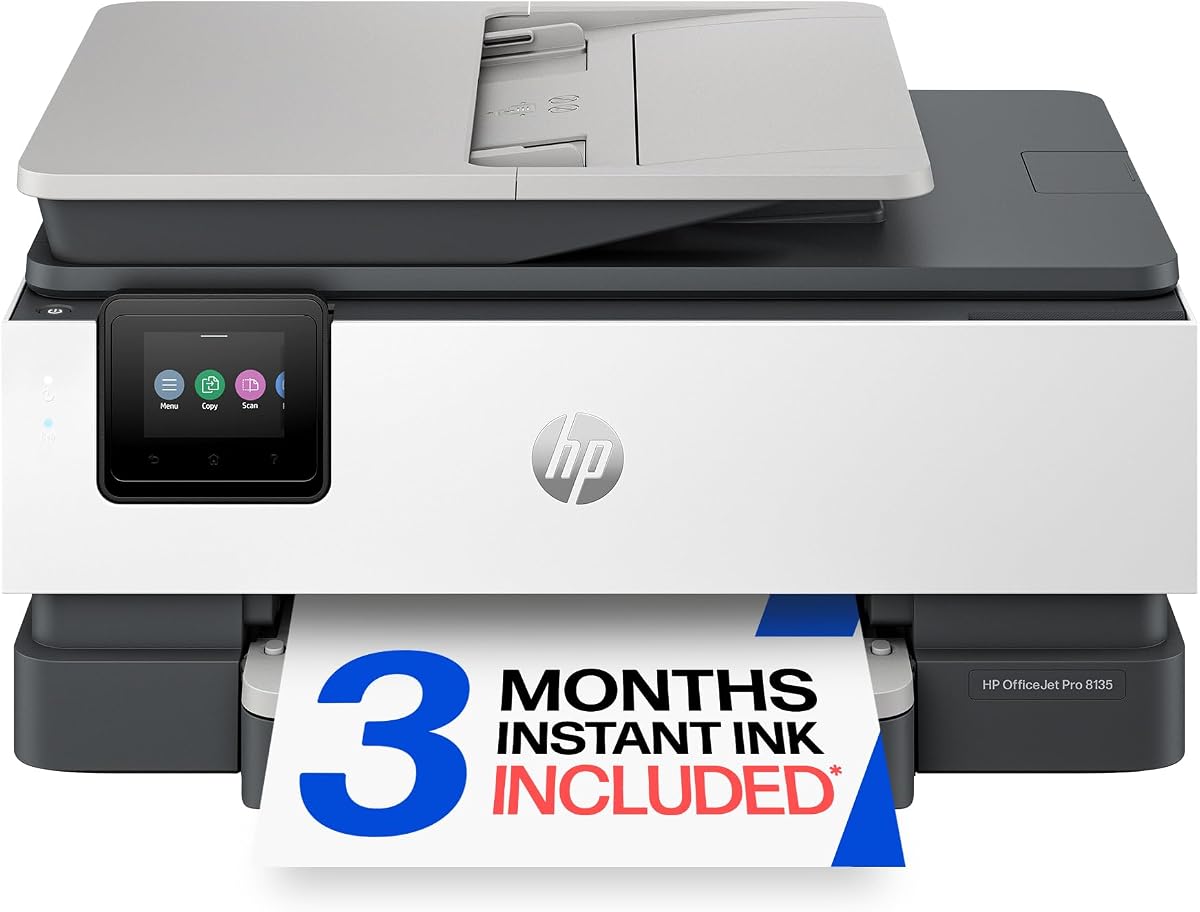
The HP OfficeJet Pro 8135 is tailored for home offices needing professional-quality color documents without enterprise-level costs. It holds a 3.9 rating and supports printing scanning copying and faxing seamlessly. Its design fits smaller spaces while maintaining robust connectivity and user-friendly controls for everyday tasks.
We may earn a commission when you buy through this link, at no additional cost to you.
Strengths include up to 20 ppm black print speed and a 225-sheet input tray handling moderate volumes efficiently. HP AI optimizes formatting to reduce waste and the auto 2-sided feature saves paper. Wireless printing from smartphones via the HP app ensures convenience for remote workers or students.
Trade-offs involve slightly slower color speeds compared to higher-end models and the three-month Instant Ink trial requiring renewal. These are acceptable for home use where volume demands lower. The device balances cost performance and security features well for personal professional environments.
Choose this printer if you work from home and need reliable faxing alongside printing. Its affordable price point and compact footprint make it ideal for desks with limited space. Consider Instant Ink subscriptions for ongoing savings after the trial ends.
Compact build fits home offices easily while retaining full features like faxing and duplex printing for professional output.
HP app allows printing scanning and faxing directly from smartphones streamlining workflows for remote employees or students.
We may earn a commission when you buy through this link, at no additional cost to you.
The Epson EcoTank ET-4800 revolutionizes home printing with its cartridge-free Supertank system eliminating expensive disposable cartridges. With a 3.8 rating it offers impressive print quality and low long-term costs. This model combines printing scanning copying and faxing into one eco-friendly device perfect for high-volume users.
We may earn a commission when you buy through this link, at no additional cost to you.
Strengths include high-capacity ink tanks that reduce waste and cost per page significantly. Micro Piezo Heat-Free technology ensures sharp text and vibrant photos on various paper types. The high-resolution flatbed scanner supports detailed document handling making it versatile for diverse tasks without extra hardware.
Trade-offs involve a higher initial investment and slower print speeds than cartridge-based models. These are acceptable given the savings over time and environmental benefits. EcoFit ink bottles simplify refilling reducing mess and maintenance needs for busy offices.
Choose this if you print frequently and want to avoid recurring cartridge purchases. Its sustainability features and low ongoing costs make it a smart long-term investment. Ideal for home offices prioritizing value and eco-conscious operations over ultra-fast output speeds.
EcoFit ink bottles simplify refilling reducing mess and maintenance needs for busy offices seeking reliable continuous output.
Zero cartridge waste design helps reduce landfill impact making this printer a better choice for eco-conscious households.
We may earn a commission when you buy through this link, at no additional cost to you.
The HP OfficeJet Pro 8125 offers a budget-friendly entry into professional home printing with essential features like wireless connectivity and duplex options. It holds a 3.9 rating and supports printing scanning copying and faxing. Its design prioritizes ease of use and compact footprint for smaller workspaces or student desks.
We may earn a commission when you buy through this link, at no additional cost to you.
Strengths include up to 20 ppm black print speed and a 225-sheet tray handling moderate daily volumes. HP AI optimizes formatting to reduce waste while the auto document feeder streamlines multi-page scanning. Wireless setup from smartphones ensures quick integration without cables or technical hurdles.
Trade-offs include the absence of fax capability in some configurations and the three-month Instant Ink trial requiring renewal. These are acceptable given the competitive price and feature set. Sustainable design using recycled plastic aligns with eco-conscious preferences for modern devices.
Choose this if you need reliable home printing without overspending. It balances cost and performance well for light to moderate workloads. Consider verifying fax requirements before purchase since some variants may exclude this specific function for simplicity.
Wireless setup from smartphones ensures quick integration without cables or technical hurdles for tech-savvy users.
Built with recycled plastic content reflecting HP commitment to environmental responsibility in product design.
We may earn a commission when you buy through this link, at no additional cost to you.
The HP Smart Tank 7603 delivers exceptional value with up to three years of ink included straight out of the box. With a 3.9 rating it supports printing scanning copying and faxing for home offices. Its cartridge-free system eliminates waste and offers up to 8000 color pages reducing ongoing expenses significantly.
We may earn a commission when you buy through this link, at no additional cost to you.
Strengths include a mess-free refill system that simplifies maintenance and magic touch control for intuitive navigation. The high page yield ensures uninterrupted printing for large projects. HP AI optimizes formatting to prevent errors and waste making every page count towards your productivity goals.
Trade-offs involve a higher initial investment compared to basic inkjet models and reliance on HP-specific inks. These are acceptable given the long-term savings and convenience. The device balances cost efficiency and ease of use for users prioritizing output volume.
Choose this if you print heavily and want predictable long-term costs. The included ink covers most needs for years making it a cost-effective choice. Ideal for home offices needing reliability without frequent supply management or unexpected replacement expenses.
Easy-access refill system lets you drain ink bottles without squeezing or spilling keeping workspace clean and safe.
Up to 8000 color pages mean fewer interruptions and consistent output for demanding creative or business workflows.
We may earn a commission when you buy through this link, at no additional cost to you.
The HP OfficeJet Pro 9135 is built for offices requiring high-speed reliable color output with minimal downtime. With a 4.0 rating it exceeds others in print speed at 25 ppm black and 20 ppm color. This model combines printing scanning copying and faxing into a robust system suited for demanding daily workflows.
We may earn a commission when you buy through this link, at no additional cost to you.
Strengths include two 250-sheet input trays reducing refill frequency and single-pass duplex scanning for efficiency. The 4.3-inch touchscreen offers easy navigation while HP AI optimizes layouts automatically. Dual-band Wi-Fi ensures stable connectivity even in environments with many connected devices and signal interference.
Trade-offs involve a higher price than home models and reliance on HP cartridges which may limit flexibility. These are acceptable given the productivity gains and security features. Wolf Pro Security protects sensitive data and the durable build ensures longevity under frequent use.
Choose this if you need speed and efficiency in a busy office environment. The dual trays and fast scanning support high-volume tasks seamlessly. Ideal for small businesses prioritizing performance and security over initial cost considerations for long-term success.
Two 250-sheet trays reduce refill frequency and support mixed paper types for diverse document needs.
4.3-inch display enables effortless navigation and quick setup reducing training time for new staff members.
We may earn a commission when you buy through this link, at no additional cost to you.
The Canon PIXMA TR4720 is an affordable all-in-one printer designed for home users needing reliable faxing and scanning. With a 3.9 rating it combines printing scanning copying and faxing into a compact device. It suits individuals or small home offices seeking essential features without breaking the budget for essential tasks.
We may earn a commission when you buy through this link, at no additional cost to you.
Strengths include a built-in fax function and auto document feeder supporting multi-page tasks. Wireless connectivity allows mobile printing while Alexa integration provides voice commands for reordering supplies. Its 8.5 by 11 inch print capability handles standard documents and photos efficiently for daily needs and projects.
Trade-offs involve slower print speeds and a lower duty cycle compared to office models. These are acceptable given the low price and space-saving design. Energy Star certification ensures low power consumption making it efficient for occasional or light daily use.
Choose this if you need a budget-friendly solution with fax capabilities. It delivers core functions reliably for home environments. Ideal for students or home professionals prioritizing cost efficiency over high-volume throughput or enterprise-level features.
Connect printer to Alexa for automatic ink notifications and reorders ensuring you never run out of supplies.
Small size fits easily on desks or shelves making it perfect for apartments or shared workspaces.
We may earn a commission when you buy through this link, at no additional cost to you.
The Canon PIXMA TR8620a offers versatile connectivity and media handling ideal for creative home offices. With a 4.0 rating it supports printing scanning copying and faxing with ease. Its unique Micro SD slot allows direct photo printing without a computer making it perfect for casual creatives and casual users alike.
We may earn a commission when you buy through this link, at no additional cost to you.
Strengths include a 200-sheet capacity and Airprint compatibility for seamless Apple integration. Voice commands via Alexa simplify operation and mobile printing ensures convenience for any device. Dual feeds allow manual printing on special media supporting high-quality results for varied projects.
Trade-offs involve higher ink costs and slightly complex initial setup compared to basic models. These are acceptable given the flexibility and media options. The device delivers excellent value for users needing more than standard document handling for daily tasks.
Choose this if you print photos and documents and want multiple input options. The SD slot and Airprint support enhance usability significantly. Ideal for creatives or home offices needing a flexible device without sacrificing connectivity or ease of use.
Direct photo printing without a computer makes sharing memories or design work simpler and faster for users.
Airprint and Android compatibility ensures effortless printing from any smartphone or tablet without extra apps.
We may earn a commission when you buy through this link, at no additional cost to you.
The HP OfficeJet Pro 8139 stands out with a one-year Instant Ink trial offering long-term cost savings for home offices. With a 4.0 rating it combines printing scanning copying and faxing in a reliable package. Its design balances performance and affordability making it suitable for sustained use without frequent maintenance needs.
We may earn a commission when you buy through this link, at no additional cost to you.
Strengths include up to 20 ppm black print speed and a 225-sheet tray for moderate volumes. HP AI optimizes formatting to prevent waste while the auto 2-sided feature reduces paper costs. Wolf Essential Security keeps data safe ensuring professional reliability during transmission and storage of files.
Trade-offs involve a higher price point and reliance on HP cartridges which may limit flexibility. These are acceptable given the extended trial and performance. Sustainable design using recycled plastic reflects HP commitment to reducing environmental impact responsibly for daily use.
Choose this if you want reliable printing with extended supply coverage. The one-year trial provides predictable costs for new users. Ideal for home offices needing a balanced device with security features and cost-saving options for regular workflows.
One-year Instant Ink trial reduces initial costs and provides predictable supply management for new business setups.
Built-in security keeps data safe during transmission and storage preventing unauthorized access to sensitive documents.
We may earn a commission when you buy through this link, at no additional cost to you.
The Brother MFC-L2820DW is a premium monochrome laser printer ideal for offices prioritizing speed and reliability. With a 4.3 rating it delivers 36 ppm printing and robust connectivity. This device handles printing scanning copying and faxing in a compact footprint making it perfect for small businesses needing professional output.
We may earn a commission when you buy through this link, at no additional cost to you.
Strengths include dual-band wireless security and a 50-page auto document feeder for efficient multi-page tasks. Alexa integration allows voice notifications for supplies while Refresh EZ Print Subscription manages toner needs. Its high duty cycle supports heavy usage without degradation over time for consistent professional results.
Trade-offs involve black and white limitation and potential toner costs. These are acceptable given the speed and durability. The device offers a solid investment for text-heavy workflows where color is not required for essential daily documents and reports.
Choose this if you need fast reliable black and white printing. Its laser technology ensures crisp text and lower maintenance than inkjets. Ideal for offices prioritizing speed volume and security over color capabilities in daily document production tasks.
High monthly duty cycle supports heavy usage without degradation over time ensuring long-term reliability for offices.
EZ Print Subscription manages toner needs ensuring you never run out of supplies unexpectedly or without notice.
We may earn a commission when you buy through this link, at no additional cost to you.
Selecting the right all-in-one printer with fax requires considering multiple factors to match your office needs. This section outlines critical aspects like connectivity, speed, and ink costs to help you make an informed decision.
Modern printers offer wireless, Ethernet, and USB connections. Dual-band Wi-Fi ensures stable connections in busy environments while cloud compatibility supports remote printing from any device.
Prioritize secure wireless protocols and mobile app support for seamless workflow integration across your team.
Print speeds vary from 15 to 36 ppm. Consider your monthly page volume and choose models with adequate duty cycles to avoid overheating or downtime during peak usage periods.
Higher speeds benefit busy offices while slower models suit occasional home users with limited daily output.
Inkjet printers are versatile for color but have higher running costs. Laser printers offer faster speeds and lower costs for black-and-white text. Tank systems reduce waste but require higher upfront investment.
Choose based on color needs and volume. Tank or laser systems save money over time for frequent printing.
Input tray capacity ranges from 100 to 500 sheets. Auto document feeders simplify multi-page scanning and faxing. Duplex printing saves paper and supports professional two-sided document needs.
Large trays and ADFs reduce refills and boost productivity for high-volume workflows efficiently.
Business printers need data protection. Features like encryption and secure print modes prevent unauthorized access. Look for models with regular firmware updates to patch vulnerabilities.
Secure wireless protocols and data encryption safeguard sensitive documents during transmission and storage.
Traditional faxing is still required in some industries. Ensure the model includes built-in fax support and automatic redial or delay send options for reliable communication.
Check fax resolution and memory capacity to handle large documents efficiently without manual intervention.
Larger touchscreens offer intuitive navigation and quick setup. Look for models with customizable menus and easy access to scan-to-email or cloud features.
Intuitive interfaces reduce training time and improve efficiency for non-technical staff.
Consider ink toner prices and subscription options like Instant Ink. Calculate long-term costs beyond initial purchase. Some models offer extended ink trials that reduce early expenses.
Evaluate supply costs and warranties to estimate true expenses over the device lifespan.
Set up your printer by connecting it to your Wi-Fi network using the touchscreen or mobile app. Install necessary drivers and run a test print to ensure alignment and ink flow are correct.
Regularly update firmware through the manufacturer app to maintain security and performance. Clean print heads and rollers every month to prevent smudges and jams during operation.
Store ink and toner in cool dry places away from direct sunlight. Use original cartridges to avoid damage and ensure warranty validity for long-term reliable performance.
Most modern models support email or app-based faxing. Traditional fax still requires a phone line or VoIP service. Check if the model supports digital faxing to avoid needing physical connections.
Inkjets use liquid ink for vibrant photos and texts. Toner uses dry powder for faster, cheaper text. Inkjets are better for color while toners suit high-volume documents.
Yes. Some models support Bluetooth or USB tethering. Use mobile apps via Wi-Fi Direct when your network is unavailable to maintain mobile workflow.
Use draft mode for drafts and print in black only. Choose tank or laser systems. Subscribe to ink delivery services. Monitor usage and clean heads regularly to avoid waste.
Use WPA3 or WPA2 encryption. Enable secure print modes and firmware updates. Avoid public networks. Strong passwords and restricted access help protect sensitive documents on your network.
Most last 3 to 5 years with regular use. Toner printers often last longer than inkjets. Proper maintenance and timely firmware updates extend overall device lifespan significantly.
Some brands block non-original chips. Check warranty terms. Using third-party options may void support. Manufacturers often recommend genuine cartridges for optimal performance and longevity.
Choose a cycle exceeding your expected monthly pages. Aim for 2000 or higher for home offices. Overloading beyond duty cycle can lead to premature wear or breakdowns.
These top ten models offer diverse solutions ranging from budget inkjets to premium lasers. Your ideal choice depends on color needs, volume, and connectivity requirements for daily tasks.
Prioritize features that match your workflow such as speed or long-term ink savings. Security and mobile integration are essential for modern remote or hybrid work environments.
Verify current availability and pricing before purchasing as deals change frequently. Investing in the right device ensures smooth printing faxing and scanning for years.