
Vilros Raspberry Pi 5 AI Kit (8GB RAM-26 Tops)
5.0Editor score
Hailo 8 accelerator included
Preloaded SD card
High performance cooling
This guide compares the top AI Raspberry Pi kits for beginners and developers, evaluating hardware capabilities, included sensors, software support, and
Artificial intelligence is transforming how we interact with technology, and the Raspberry Pi community leads this charge. These kits provide everything needed to build smart projects using vision, voice, and predictive models.
We evaluated ten top kits based on hardware compatibility, sensor variety, software libraries, and educational resources. Our analysis focuses on performance, ease of setup, and value for different skill levels.
Each pick highlights unique strengths, from affordable learning tools to powerful development stations. Note that prices and availability change frequently, so verify current details before purchasing your preferred model.
5.0Editor score

4.6Editor score
4.3Editor score
The following table provides a side by side comparison of all ten kits, highlighting key specifications and unique features to help you choose the right tool for your AI development needs.
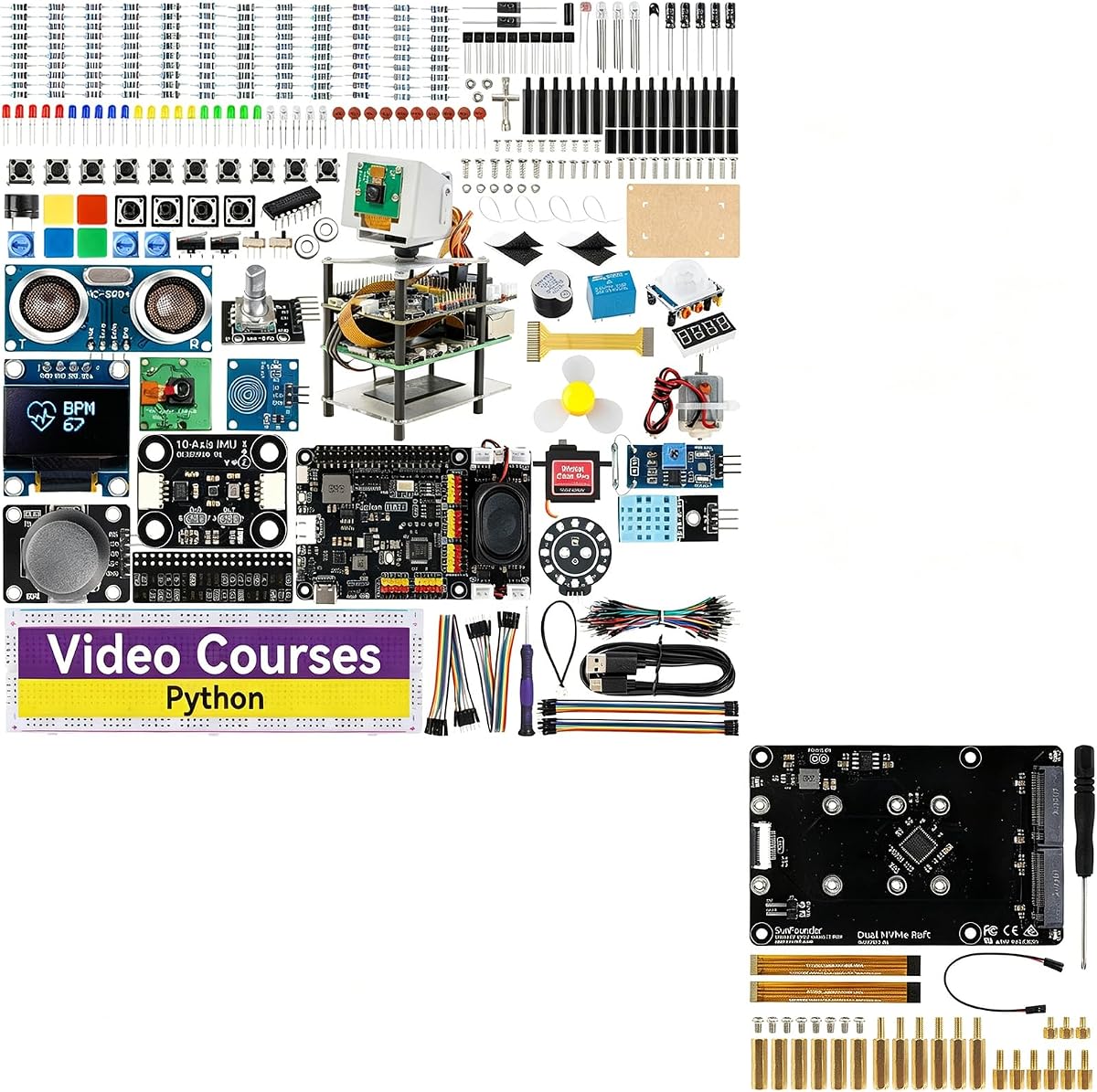


The SunFounder AI Fusion Lab Kit stands out as a complete learning environment for AI enthusiasts. With a strong rating and robust features, it supports multi LLMs and offers guided lessons.
We may earn a commission when you buy through this link, at no additional cost to you.
Its key strength lies in the combination of hardware and curriculum. The included Pan Tilt HAT and 10DOF module enable motion tracking projects. Video lessons by Paul McWhorter ensure beginners grasp concepts quickly.
While it requires a separate Pi purchase, the kit provides all other components. Assembly takes effort, but the unified Python library simplifies control. This balance of hardware and software makes it ideal for learning.
Beginners seeking a structured path into AI should buy this kit. It offers everything needed to progress from basics to interactive projects. The community support ensures help when challenges arise.
Supports models like ChatGPT Gemini and Grok for flexible development tasks and natural language processing applications.
Uses OpenCV MediaPipe and YOLO for object detection and tracking, bringing advanced computer vision concepts to DIY makers.
We may earn a commission when you buy through this link, at no additional cost to you.
The Vilros Raspberry Pi 5 AI Kit delivers top tier performance for demanding AI applications. With a perfect rating, it includes a powerful accelerator and full hardware set for immediate use.
We may earn a commission when you buy through this link, at no additional cost to you.
Its Hailo 8L accelerator provides 26 TOPS, enabling real-time inference. The kit comes with a case SD card and power supply. This completeness ensures users can start projects without hunting for parts.
The higher price reflects its premium build. While fixed, the included cooler maintains stability. Users wanting a plug-and-play solution should find the value there without compromising power.
Advanced developers need speed and reliability will love this kit. It removes setup hurdles and offers hardware power. It is the top choice for serious work or production prototypes.
The Hailo 8L chip handles complex neural networks efficiently, supporting object detection and segmentation tasks with ease.
Includes an active cooler to keep the Pi 5 running at optimal speeds during extended AI processing sessions.
We may earn a commission when you buy through this link, at no additional cost to you.
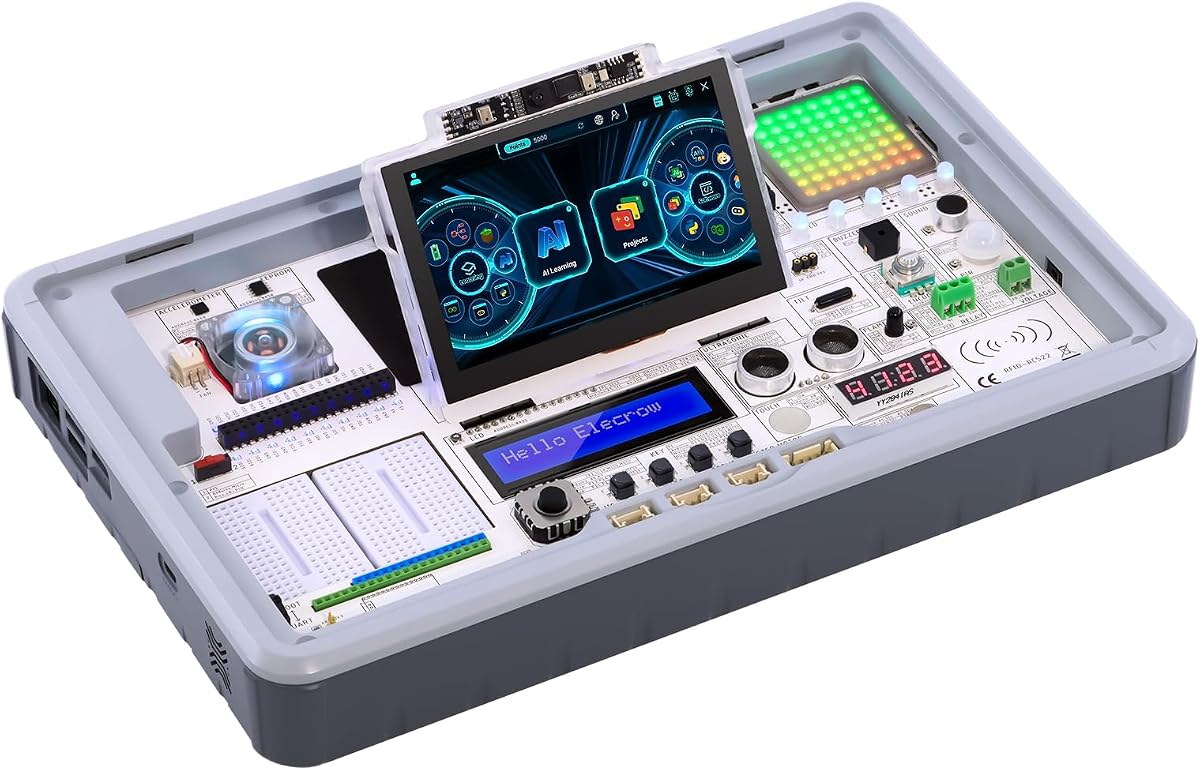
The ELECROW CrowPi3 Basic Kit offers exceptional value for learners exploring AI concepts. With a solid rating, it features 41 sensors and a touch display for intuitive interaction.
We may earn a commission when you buy through this link, at no additional cost to you.
Key strengths include extensive modules like buttons and cameras. The 200 lessons guide users through coding and hardware. A tidy layout simplifies projects, avoiding complex wiring for beginners.
It requires a separate Pi purchase, but the kit focuses on education. While basic, it supports multiple boards like Arduino. The affordable price makes it accessible for students.
Students and hobbyists seeking hands-on learning should choose this kit. It provides a sandbox for creativity. The structured lessons ensure steady progress without confusion or frustration.
Includes 41 different modules like buttons and sensors to explore diverse inputs without extra wiring complexity.
Features a 4.3 inch capacitive display for interactive feedback and streamlined user interfaces in projects.
We may earn a commission when you buy through this link, at no additional cost to you.
The SunFounder AI Fusion Lab Kit with Dual NVMe Raft combines learning with high-speed storage. It supports AI projects and offers RAID capabilities for reliability and speed.
We may earn a commission when you buy through this link, at no additional cost to you.
It includes two M.2 slots supporting RAID 0 or 1. The Fusion HAT+ simplifies control with safe shutdown. This setup suits users wanting to build servers or advanced AI tools.
Setup requires a Pi 5, which adds cost. While specialized, it ensures fast data access for models. The power system prevents damage, making it reliable for long projects.
Makers needing storage for NAS or models should consider this. It bridges learning and practical applications. The robust storage options make it valuable for data-heavy tasks.
Supports RAID 0 and 1 for data redundancy or speed, ideal for storing large AI datasets efficiently.
The Fusion HAT+ manages power and shutdowns safely, preventing data corruption during power loss events.
We may earn a commission when you buy through this link, at no additional cost to you.
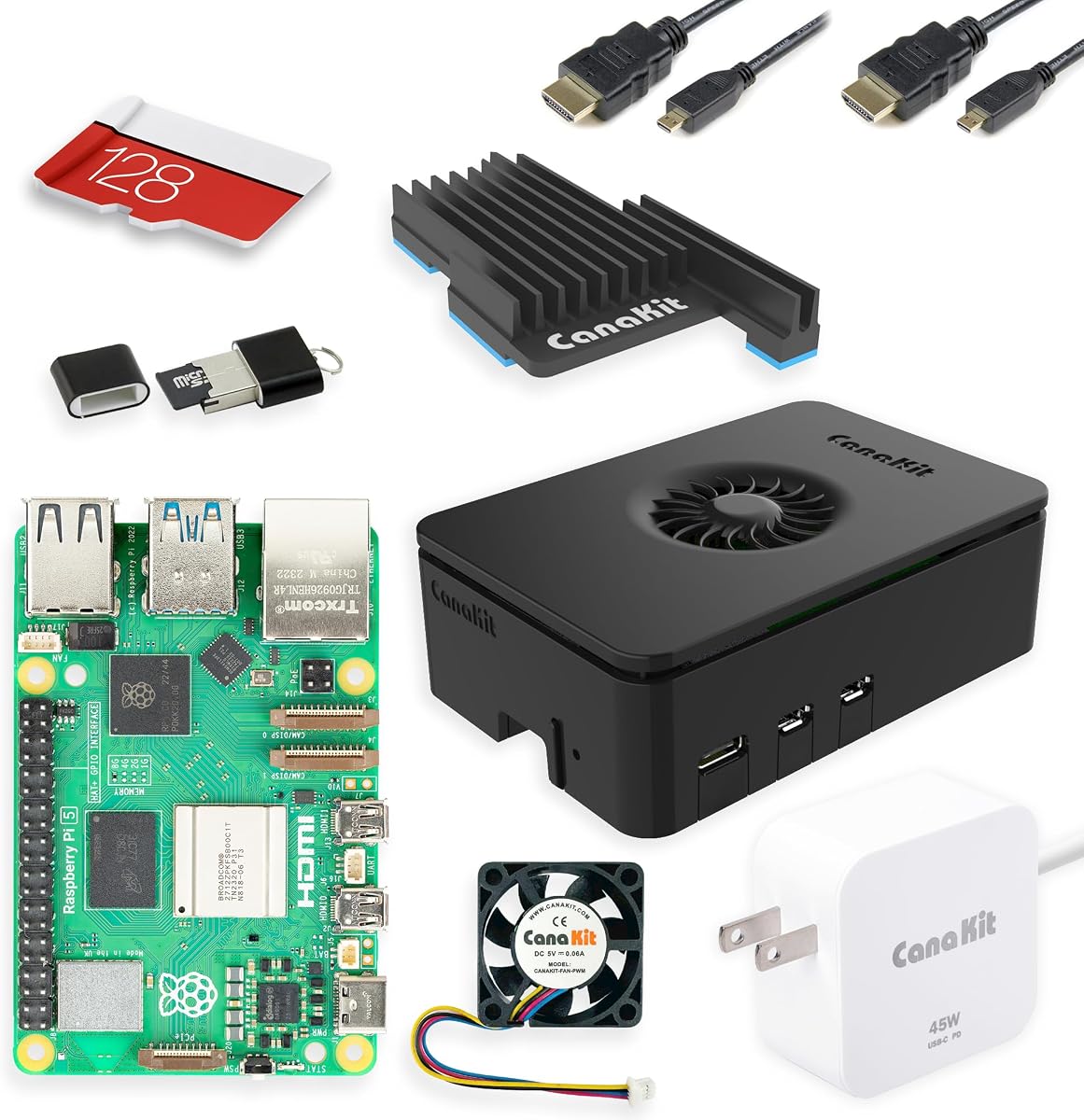
The CanaKit Raspberry Pi 5 Starter Kit PRO provides a solid foundation for any project. It offers 8GB RAM and essential accessories for a smooth start without extra steps.
We may earn a commission when you buy through this link, at no additional cost to you.
It includes a high-power supply and turbine case for cooling. The 128GB SD card comes preloaded. This reliability makes it great for those who need a stable base to build upon.
While it lacks AI sensors, it ensures performance. Users might need to add components for specific tasks. However, the build quality is top notch, ensuring long term system stability.
Users wanting a reliable base should buy this kit. It is perfect for adding custom AI modules later. The quality components ensure the Pi runs smoothly under load.
The 8GB RAM allows handling multiple processes, which is essential for running complex AI models locally.
Includes a 45W PD power supply that meets the high energy demands of the Pi 5 during intensive tasks.
We may earn a commission when you buy through this link, at no additional cost to you.
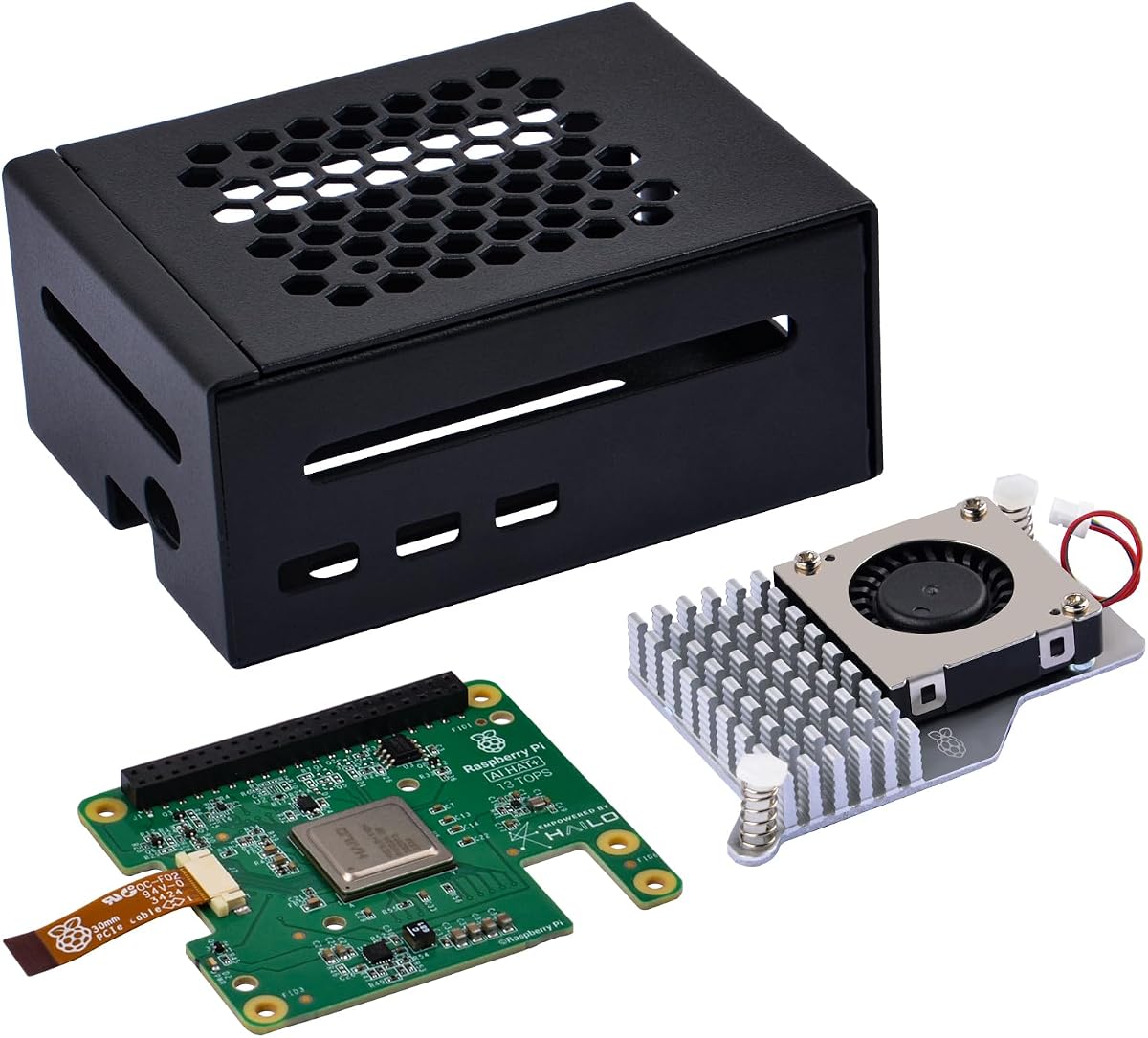
The GeeekPi AI HAT+ offers a dedicated way to boost AI capabilities. With a solid rating, it brings the Hailo accelerator directly to the Pi 5 for efficient processing.
We may earn a commission when you buy through this link, at no additional cost to you.
It features 13 TOPS for object detection tasks. The metal case protects the board well. It auto-detects the NPU when running updated OS versions, simplifying integration significantly.
Users must own a Pi 5, adding initial cost. While not a full kit, it delivers focused power. The cooler ensures stability, making it reliable for continuous workloads.
Those adding AI to existing setups should choose this. It is a direct path to acceleration. The included case and cooler ensure safety and optimal performance.
Communicates over PCIe Gen 3 to enable fast inference, supporting semantic segmentation and pose estimation easily.
Works with built-in camera apps to use the NPU for post-processing, enhancing real-time vision projects.
We may earn a commission when you buy through this link, at no additional cost to you.
The Raspberry Pi 5 Essentials Starter Kit PRO focuses on official components for stability. It includes all necessary parts to start working immediately with preloaded OS software.
We may earn a commission when you buy through this link, at no additional cost to you.
It features official cooling and a 27W power supply. This ensures the system runs reliably under load. Backed by Seeed Studio, it offers trusted support for users of all levels.
While it lacks sensors, it provides a reliable core. The preloaded OS saves time. Users needing Docker or Edge AI support will appreciate the robust configuration.
Users wanting a trusted start should buy this. It removes guesswork and ensures quality. The focus on stability makes it ideal for professional or educational environments.
Uses official Pi components ensuring perfect compatibility and reducing risks of hardware issues during setup.
Backed by a trusted team with one-year warranty and professional support for a secure development experience.
We may earn a commission when you buy through this link, at no additional cost to you.
The SunFounder AI Robot Kit creates a fun, interactive companion using AI voice and vision. With 12 servos, it mimics realistic movements and responds to complex commands.
We may earn a commission when you buy through this link, at no additional cost to you.
ChatGPT-4o enables natural conversations. The app control and FPV let users see in real-time. Sensors like gyroscope and touch make interactions engaging and dynamic for all ages.
The Pi Zero 2 W limits some heavy AI tasks. While fun, advanced projects may need upgrades. Still, the kit offers a unique blend of robotics and AI conversation.
Families wanting an interactive project should choose this. It brings AI to life visually. The comprehensive resources help users complete the build and enjoy the results.
With 12 servos and 32 actions, the robot can walk or gesture, adding physical interactivity to AI responses.
Uses a camera to solve math problems or interpret gestures, making learning visual and hands on.
We may earn a commission when you buy through this link, at no additional cost to you.
The ELECROW CrowPi 3 AI Learning Station provides an all-in-one platform for exploration. With a touch display and microphone, it supports vision and voice projects easily.
We may earn a commission when you buy through this link, at no additional cost to you.
It has 41 onboard sensors for easy prototyping. The 200+ courses cover AI and IoT. Compatibility with boards like Arduino makes it flexible for diverse learners.
Users need to buy a Pi 5 separately. While the audio is simple, it works for recognition. The clear layout avoids wiring issues, allowing focus on code and design.
Educators seeking classroom tools should buy this kit. It streamlines the learning process. The intuitive interface makes AI accessible for students of different ages.
Integrates touch and voice for natural human-computer interaction, making projects feel responsive and real.
Offers over 200 lessons covering Node-RED and Python, supporting growth from beginner to advanced.
We may earn a commission when you buy through this link, at no additional cost to you.
The CrowPi 3 AI Learning Station with Pi 5 offers a complete high-memory package. It combines a 16GB board with AI hardware for rapid prototyping and learning.
We may earn a commission when you buy through this link, at no additional cost to you.
It features a touch display and microphone for interactive projects. 41 onboard sensors simplify wiring. It includes 200+ courses for structured learning from basics to advanced IoT.
The price reflects the included 16GB board. While it offers performance, users get less customization. But the ready-to-use environment saves time for educational and personal projects.
Professionals wanting a turnkey solution should buy this. It removes hardware hunting and ensures performance. The structured resources help build skills systematically without delays.
The 16GB RAM supports demanding tasks like large language models or Docker, ensuring smooth performance.
Structured lessons cover coding and electronics, providing a clear path from fundamentals to advanced applications.
We may earn a commission when you buy through this link, at no additional cost to you.
Choosing the right kit depends on your budget, experience level, and desired project types. Consider hardware power, sensors, and included resources carefully.
The Pi 5 provides significantly more power than older models, enabling faster AI inference. For complex models like LLMs, 8GB or 16GB RAM is ideal to handle data buffers.
Always check RAM size if running large models. More memory ensures smooth multitasking and prevents slowdowns during heavy processing tasks.
AI HATs with NPU accelerators like Hailo boost performance by offloading neural networks. This reduces load on the CPU and increases frame rates for vision tasks.
Look for kits with accelerators if you need real-time processing. This feature is crucial for robotics or video analysis projects.
Quality kits include sensors like cameras, microphones, and IMUs. A variety of inputs allows building multi-modal projects that interact with the environment.
Verify what sensors are included. Kits with many modules save buying extra parts and simplify wiring for beginners.
Strong community support and preloaded images help start projects faster. Look for official OS compatibility and access to libraries like OpenCV and MediaPipe.
Check documentation for language support. Python is standard, but ensure libraries are pre-installed for immediate use.
Video lessons and guided courses are valuable for structured learning. They help understand concepts rather than just copying code blindly.
Prioritize kits with educational resources if you are a beginner. These materials save time and provide context.
AI tasks draw significant power, especially with accelerators. Ensure the power supply meets the 27W or higher standards for Pi 5.
Check if the power adapter is included. Insufficient power can lead to instability or shutdowns during tasks.
High-performance Pi chips generate heat. Active cooling with fans ensures stable operation during long AI processing sessions.
Look for kits with active cases. Passive cooling may throttle performance under sustained loads.
Consider GPIO headers or M.2 slots for future upgrades. Kits with expansion options allow adding storage or additional sensors later.
If you plan to grow, check compatibility with HATs. Modular kits offer more flexibility over time.
Start by connecting all components securely. Use the provided case and cooling system to ensure stability. Check power connections to avoid short circuits.
Install the operating system on the SD card first. Follow the guide to set up AI libraries like TensorFlow or OpenCV. Run test scripts to verify hardware.
Keep the kit clean and dry. Dust can clog fans, so use compressed air periodically. Handle connectors gently to prevent damage during projects.
Some kits like SunFounder require a separate Pi purchase while others like Vilros include the board. Check the product description to confirm whether the Pi is included before buying.
You can run local LLMs like Llama on a Pi 5 with 8GB RAM. Large models require optimization, but smaller versions work well for basic conversational tasks.
Most kits offer Python tutorials for beginners. However, basic coding knowledge helps customize projects. Resources are provided to guide you step by step.
The Vilros AI Kit with Hailo accelerator is top for vision due to speed. For learning, SunFounder offers great OpenCV support without needing a fast NPU.
A Pi 5 typically needs 5V 5A. Kits with accelerators may use more. Ensure your supply meets the wattage requirements for stable operation.
Yes, kits like CrowPi 3 are designed for students with guided lessons. Avoid high voltage setups and supervise younger kids during assembly.
Many kits support Home Assistant and IoT protocols. They work well for voice or sensor-based automation projects like smart switches.
Shipping times vary by seller. Most Amazon options offer fast delivery. Check the listing for estimated arrival dates before ordering.
The SunFounder AI Fusion Lab Kit leads for balanced learning and hardware. The Vilros Pi 5 AI Kit offers premium power, while CrowPi3 provides budget-friendly value.
Prioritize kits with clear documentation and compatible sensors. Whether for education or prototyping, the right tool ensures progress without frustration.
Prices fluctuate, so verify current costs. Always check stock and shipping times to ensure timely delivery for your project timeline.