
Thermalright TL-P9
4.7Editor score
High value price point
S-FDB bearings
7-blade design
This guide compares the top 92mm case fans for quiet cooling, static pressure, and value to help you choose the best option for your build.
Finding the right cooling solution is critical for maintaining system stability and longevity. 92mm case fans offer a compact footprint that fits perfectly into tight spaces without sacrificing airflow. They are essential for small form factor builds and targeted component cooling.
We evaluated ten leading models based on performance noise levels and build quality. Our analysis covers PWM control options bearing types and overall reliability. This list helps you navigate the market to find the fan that matches your specific thermal needs.
Each pick highlights key strengths and ideal use cases for different scenarios. You will see how each model performs under load and in quiet environments. Please note that availability and pricing can fluctuate regularly across retailers.
4.7Editor score

4.8Editor score

4.8Editor score
This side-by-side comparison outlines the core specifications and unique features of every model on our list. It provides a quick reference for comparing speed ranges noise levels and specific use cases.


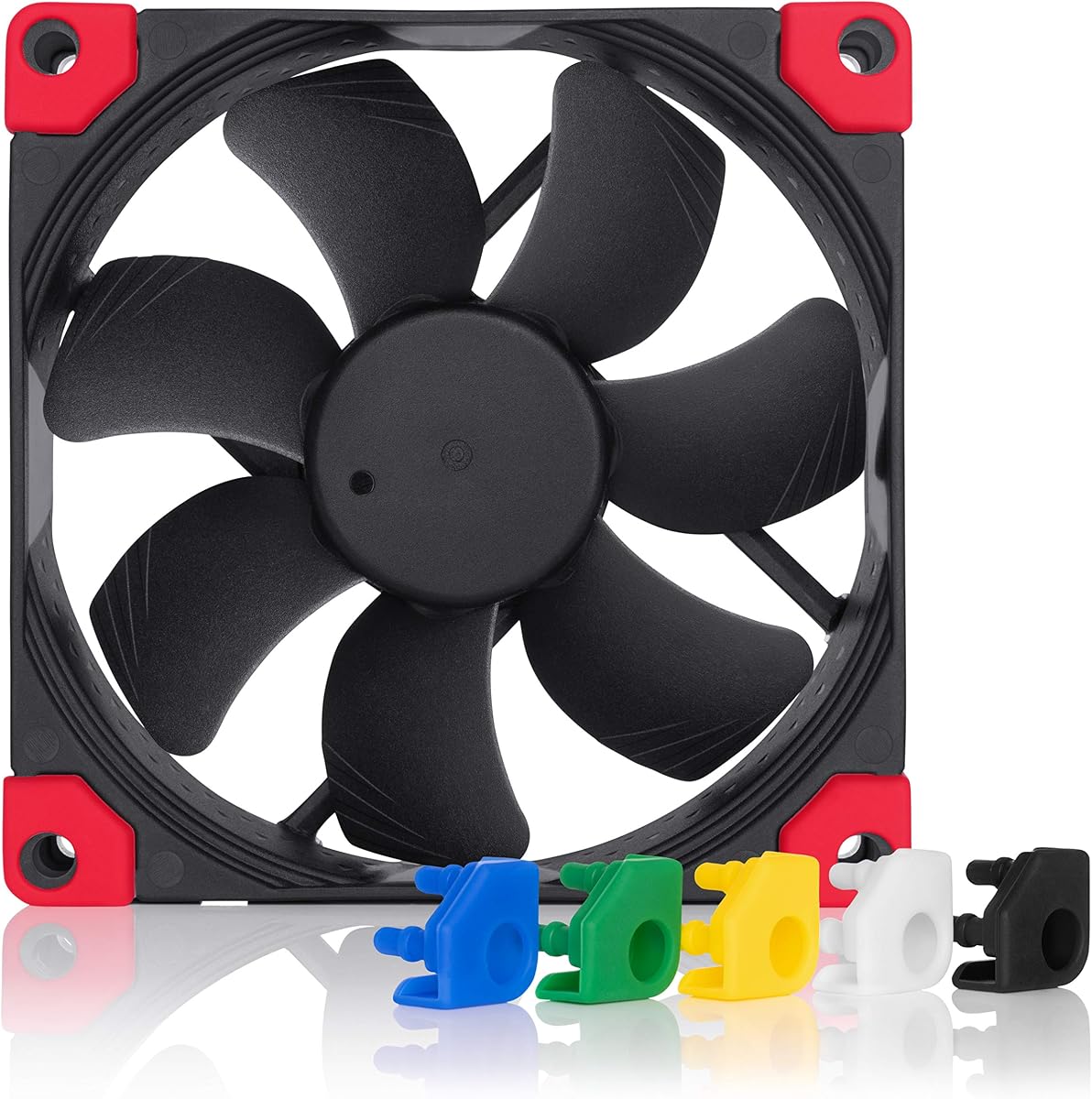


The Noctua NF-A9 PWM stands out as a premium choice for users prioritizing silence and performance. It consistently delivers smooth airflow while maintaining a low acoustic profile. Its reputation for reliability is backed by a strong user base.
We may earn a commission when you buy through this link, at no additional cost to you.
This fan features Flow Acceleration Channels and an Advanced Acoustic Optimisation frame. These design elements improve cooling efficiency and reduce noise generation. The included Low-Noise Adaptor allows for further speed reduction.
While it costs more than budget options, the trade-off is in superior acoustic tuning. Users appreciate the anti-vibration mounts and the comprehensive accessory pack. It fits well in compact cases where noise matters.
If you need a dependable fan for an ITX build or a quiet HTPC, this model is highly recommended. It excels where low noise and steady performance are required.
The Advanced Acoustic Optimisation frame reduces noise while maintaining airflow efficiency.
It includes vibration mounts, screws, and adaptors for flexible installation.
We may earn a commission when you buy through this link, at no additional cost to you.
The ARCTIC P9 PWM PST is a strong contender for those needing high static pressure. It is designed to push air through restrictive spaces like radiators. The PWM control allows for flexible speed adjustment.
We may earn a commission when you buy through this link, at no additional cost to you.
Its wide RPM range starts low and goes high for intense cooling. The 0dB Mode stops the fan when temperatures are low. This saves energy and reduces noise during idle states.
While not as refined as premium brands, it offers great functionality for the cost. The included splitter helps manage cabling in tight cases. It is a practical choice for budget builds.
You should choose this if you need to cool radiators without spending much. It balances performance and cost effectively.
The fan is optimized to move air through dense components like heatsinks.
It can stop spinning completely when the system is cool.
We may earn a commission when you buy through this link, at no additional cost to you.
The Noctua NF-A9x14 HS-PWM chromax.Black.swap is designed for tight clearances. Its 14mm profile fits where standard fans cannot. Despite its size, it performs impressively with low noise.
We may earn a commission when you buy through this link, at no additional cost to you.
The chromax.black.swap edition adds aesthetic versatility with color options. It supports semi-passive operation to stop at low loads. The AAO frame system enhances acoustic performance significantly.
While it moves less air than thicker fans, its quiet nature is a huge plus. It is ideal for low-profile CPU coolers. The swappable pads let you customize the look.
Pick this for compact builds where space and silence are top priorities. It handles restricted clearance with ease.
It fits perfectly in low profile CPU coolers without blocking airflow.
Includes multiple colors for matching your build aesthetic.
We may earn a commission when you buy through this link, at no additional cost to you.
The Noctua NF-A9x14 PWM is a standard version of the thin series. It provides the same reliability without the extra accessories of the swap edition. It is a solid choice for neutral builds.
We may earn a commission when you buy through this link, at no additional cost to you.
Its SSO2 bearing ensures smooth rotation and longevity. The 14mm thickness is perfect for compact CPU coolers. It maintains low noise even at higher speeds.
It does not come with color swapping options which might limit aesthetics. However, the performance remains top-tier for its size. It is a safe bet for professional setups.
Use this when you need a standard fan without extra customization. It delivers consistent results.
This bearing reduces noise and prevents vibration effectively.
Adjusts speed automatically based on system temperature.
We may earn a commission when you buy through this link, at no additional cost to you.
The Thermalright TL-P9 offers exceptional value for those on a tight budget. It brings premium features like S-FDB bearings to a lower price point. The 7-blade design helps maximize airflow.
We may earn a commission when you buy through this link, at no additional cost to you.
Vibration damping pads reduce noise and friction during rotation. The PWM interface allows for precise motherboard control. It is a versatile option for many cases.
While it lacks the premium finish of high-end brands, it performs well. The silicone feet help prevent unwanted rattling. It is a great choice for budget-conscious builders.
You should buy this if you need multiple fans without breaking the bank. It delivers solid performance for the cost.
It offers a compelling balance of performance and affordability.
These bearings ensure quiet operation and long life.
We may earn a commission when you buy through this link, at no additional cost to you.
The ARCTIC P9 Silent is a fixed-speed model that prioritizes quiet operation. It runs at 1900 RPM constantly but remains whisper-quiet. This is ideal for systems where manual control is not needed.
We may earn a commission when you buy through this link, at no additional cost to you.
Its high static pressure ensures efficient cooling even with resistance. The bearing is built to reduce friction and heat. It is a reliable choice for passive users.
Lacking PWM means you cannot adjust speed via BIOS. This limits flexibility but simplifies setup. It is a good fit for non-tweakers.
Choose this for a set-and-forget cooling solution. It is reliable and quiet.
It runs at a constant speed without needing BIOS setup.
The design ensures airflow through dense components.
We may earn a commission when you buy through this link, at no additional cost to you.
The Noctua NF-A9 chromax.Black.swap combines style with performance. It has an all-black design that suits dark builds. The swappable pads allow for personalization.
We may earn a commission when you buy through this link, at no additional cost to you.
It maintains the high standards of Noctua for noise and efficiency. The Advanced Acoustic Optimisation frame keeps it quiet. The 2000 RPM speed is sufficient for most cases.
While the price is higher, the customization is a key benefit. It helps unify the look of a build. It is a great choice for black systems.
Use this when you want a fan that matches your black theme. It delivers both looks and function.
The black finish ensures a cohesive look in dark cases.
Allows you to match the fan to your components.
We may earn a commission when you buy through this link, at no additional cost to you.
The TL-9015B is a slim fan that supports high speeds up to 2700 RPM. It fits in tight spaces and provides aggressive airflow. The PWM interface ensures safe speed control.
We may earn a commission when you buy through this link, at no additional cost to you.
Vibration damping pads help reduce noise during high-speed operation. It is ideal for CPU coolers requiring more clearance. The 15mm thickness is a happy medium.
While high speed brings noise, the fan remains quiet at low RPM. It offers high value for users needing thin airflow. It performs well under load.
Buy this for slim CPU coolers needing strong cooling. It handles heat efficiently.
It supports up to 2700 RPM for intense cooling needs.
Fits in cases where standard fans cannot be installed.
We may earn a commission when you buy through this link, at no additional cost to you.
The Noctua NF-A9 FLX is designed for older systems lacking PWM headers. It uses 3-pin connectors and speed adaptors for control. It remains extremely quiet even at max speed.
We may earn a commission when you buy through this link, at no additional cost to you.
The 17.1 dB noise level is among the lowest available. You can adjust speed using Low-Noise Adaptors. It is perfect for silent builds.
Lacking PWM limits automatic speed adjustments. However, the adaptors provide a manual workaround. It is a solid choice for legacy hardware.
Use this if your motherboard lacks PWM support. It delivers silence without complexity.
Compatible with older motherboards and power supplies.
Allow manual speed reduction for near-silent operation.
We may earn a commission when you buy through this link, at no additional cost to you.
The ARCTIC P9 Max is built for maximum airflow performance. It reaches speeds up to 4300 RPM to push air through tight spots. The Fluid Dynamic Bearing ensures longevity.
We may earn a commission when you buy through this link, at no additional cost to you.
Its high static pressure makes it suitable for radiators. The 0dB Mode stops the fan when cooling is not needed. It offers brute force performance.
Noise is the trade-off at top speeds. It is not for silent setups but for thermal limits. It is a specialized tool for heat issues.
Choose this if you need to overcome extreme heat. It pushes air where others fail.
Provides long life and smooth operation at high speeds.
Designed to handle dense components like radiators.
We may earn a commission when you buy through this link, at no additional cost to you.
Selecting the right 92mm fan involves weighing several factors like noise, speed, and design. This section breaks down the key elements to consider before buying.
Noise is measured in decibels (dB). Lower numbers mean quieter operation. Look for fans rated below 25 dB for silent builds.
Prioritize low dB for noise-sensitive environments.
Static pressure indicates how well a fan pushes air through resistance. High pressure is needed for radiators or dense filters.
Choose high static pressure for cooling components.
Bearings determine fan lifespan and noise. Fluid Dynamic or SSO2 bearings are durable and quiet.
Select high-quality bearings for long life.
PWM allows motherboard-controlled speed adjustment. It ensures the fan spins up only when needed.
Opt for PWM for automated thermal management.
92mm fans come in 14mm, 15mm, and 25mm thickness. Thinner fans fit tight spaces but move less air.
Choose thickness based on case clearance.
Premium materials reduce vibration and noise. Sturdy frames prevent rattling during operation.
Look for premium materials for quiet operation.
Prices vary from budget to premium. Balance your needs with what you can spend.
Match price to your specific requirements.
Standard mounts include screws or anti-vibration pads. Pads reduce vibration noise effectively.
Ensure the fan comes with proper mounts.
Install the fan securely using screws or anti-vibration mounts to prevent noise. Ensure it is oriented to push air into or pull air out of the case as needed.
Clean the blades regularly to remove dust buildup. Dust increases noise and reduces cooling efficiency. Use compressed air to blow out debris.
Check wiring connections to ensure they are secure. Loose cables can interfere with airflow and cause rattling. Organize cables for a clean setup.
The Noctua NF-A9 PWM is widely considered the best for silent builds due to its exceptional noise control and reliable performance. It balances airflow and quiet operation perfectly.
Most 92mm fans work with cases that support 92mm mounting spots. Check your case manual for size compatibility before buying.
A 14mm fan is better for tight spaces, but a 25mm fan moves more air. Choose based on your clearance needs.
PWM stands for Pulse Width Modulation. It allows the motherboard to control fan speed automatically based on temperature.
Use anti-vibration mounts and lower RPM settings to reduce noise. A quiet fan at low speeds is often better than a loud high-speed one.
Yes, Noctua fans are worth the price because they offer top-tier reliability and quiet performance. They last longer than many budget options.
Yes, if the radiator supports 92mm spacing. Look for fans with high static pressure to push air through the radiator fins.
Most quality 92mm fans last 150,000 hours or more. High-quality bearings extend their lifespan significantly.
We found the Noctua NF-A9 PWM to be the top overall pick for its balance of performance and quiet operation. It is ideal for most users looking for reliability.
Prioritize static pressure if you need to cool radiators or dense components. For tight cases, look for thinner models like the 14mm options.
Always check current pricing and availability before buying since conditions change often.