
Hisense 85 E7 Cinema Series
4.4Editor score
Native 144Hz Refresh Rate
Mini-LED Backlighting
Dolby Vision Atmos Support
Finding the right display for high fidelity gaming requires careful consideration of resolution and response times. The market offers many options but not all support true next generation performance features needed for serious enthusiasts.
We evaluated leading models based on technical specifications and user feedback to identify the most capable units. Our analysis covers panel types processing power and connectivity options essential for modern gaming rigs.
Each selection highlights unique strengths whether you prioritize color accuracy or motion clarity. Prices and availability shift frequently so verify current details before making your final purchase decision for your home theater.
4.4Editor score
4.5Editor score

3.8Editor score
As an Amazon Associate we earn from qualifying purchases.
This side-by-side overview highlights key specifications across all ten selected models to help you quickly identify which display matches your specific gaming requirements and room environment.


The Sony Z9K stands out as a top tier option for enthusiasts seeking elite visual fidelity. Its Cognitive Processor XR delivers natural colors and deep blacks suitable for immersive gaming sessions.
We may earn a commission when you buy through this link, at no additional cost to you.
Gaming specific features include Auto HDR Tone Mapping and Auto Genre Picture Switch tailored for next gen consoles. The Mini LED backlight ensures bright highlights without blooming in dark scenes.
While the cost is significant the performance justifies the investment for serious users. The limited local dimming zones mean you must adjust settings carefully to avoid halos around bright objects.
Buyers prioritizing absolute image quality and ecosystem integration will find this model unmatched. It excels in bright rooms due to high peak brightness and effective glare control technologies.
The XR processor analyzes content scene by scene to optimize contrast and color accuracy dynamically.
Game Menu consolidates all picture settings into one easy to manage interface for quick adjustments.
We may earn a commission when you buy through this link, at no additional cost to you.
Samsung delivers impressive value with the QN990F balancing high end specs with reasonable pricing. The NQ8 AI Gen3 Processor optimizes content to ensure crisp visuals for competitive gaming.
We may earn a commission when you buy through this link, at no additional cost to you.
Motion smoothness is enhanced by 768 AI neural networks reducing blur during fast action. The Wireless One Connect box simplifies cable management significantly for clean desk setups.
Users may find the menu system slightly complex initially but settings are powerful once configured. Audio performance is decent but a soundbar enhances the experience for cinematic titles.
This model is ideal for gamers needing high refresh rates without breaking the budget. It handles variable refresh rate signals well to prevent screen tearing during intense matches.
The processor smooths motion of moving balls and text reducing blur and flickering effectively.
Wireless One Connect transmits signals away from the TV reducing cluttered cables.
We may earn a commission when you buy through this link, at no additional cost to you.
This bundle offers a 75 inch display paired with essential protection and maintenance tools. The NQ8 AI Gen3 Processor ensures content looks incredible regardless of source resolution quality.
We may earn a commission when you buy through this link, at no additional cost to you.
Inclusive features include a full year manufacturer warranty plus an additional year of Amber Protection. The cleaning kit helps maintain the screen without damaging the display panels.
While the overall rating is lower than the standalone model it provides financial security against damage. Users should ensure the cleaner is used properly to avoid any accidental liquid exposure.
Ideal for families or offices where screen longevity is a priority. The larger size enhances immersion for strategy games and movies equally well without needing external speakers.
Bundle includes 2 Year Amber Protection Plan for additional peace of mind.
Non ammonia and alcohol free screen cleaning solution protects display screens from damage.
We may earn a commission when you buy through this link, at no additional cost to you.
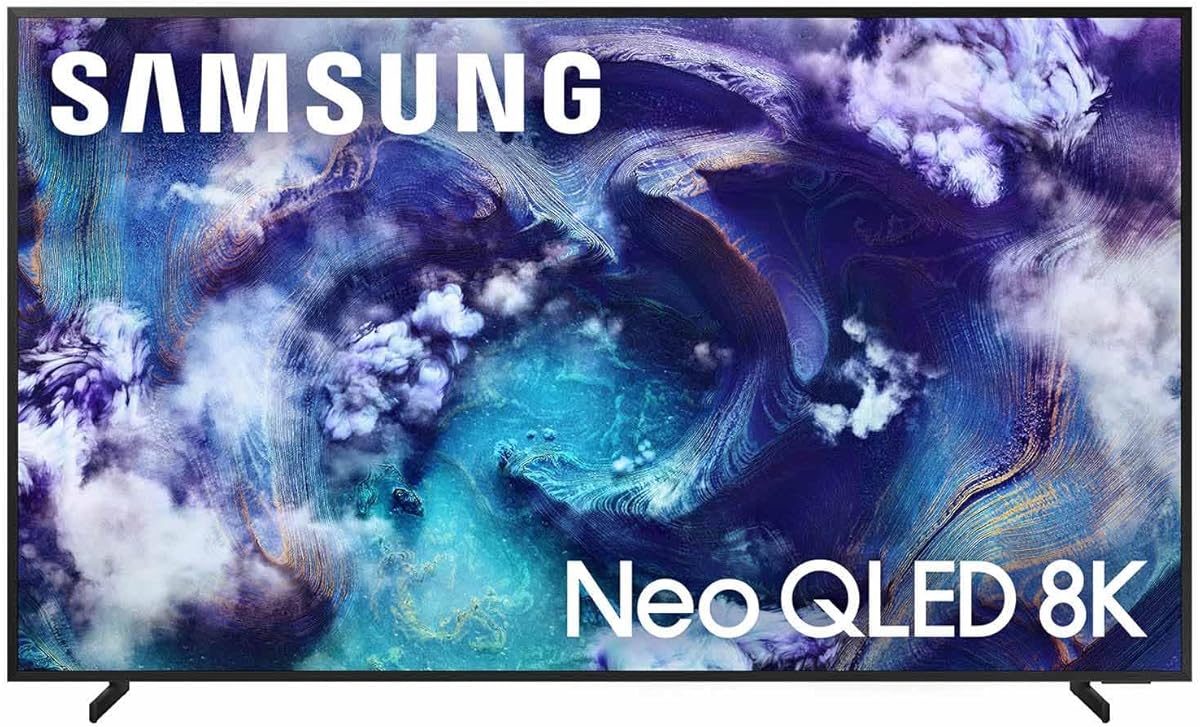
The QN900F pairs Mini LED brightness with sophisticated audio tracking technology. Vision AI enhances content up to 8K resolution for astonishingly realistic detail during gaming sessions.
We may earn a commission when you buy through this link, at no additional cost to you.
Audio moves right along with action on screen thanks to Object Tracking Sound Plus. This creates a cinematic atmosphere without needing a separate soundbar for basic listening needs.
The sleek metal design blends seamlessly into any home decor style comfortably. Text legibility is improved for news tickers and in game menus ensuring clear information display.
Gamers who value immersive sound alongside picture clarity will appreciate this balance. The anti reflection coating maintains visibility even in brightly lit rooms effectively.
Object Tracking Sound+ tracks action on screen with pinpoint accuracy for drama.
AI smooths motion of moving text so you keep up with all latest stats.
We may earn a commission when you buy through this link, at no additional cost to you.
This model features Quantum Matrix Pro technology with significantly more lighting zones than standard panels. It delivers deep blacks and bright highlights essential for high dynamic range gaming.
We may earn a commission when you buy through this link, at no additional cost to you.
Motion Xcelerator runs at 165Hz ensuring ultra smooth motion with virtually no lag or blur. Real Depth Enhancer Pro finds focal points to create a fully dimensional picture.
While it lacks the highest refresh rates available it remains a strong performer for mixed usage. The AI processor automatically transforms content up to 8K for better clarity.
Buyers needing reliable depth perception in 3D style games will find this useful. The balance of brightness and contrast makes it versatile for both day and night play.
Quantum Matrix Pro has 1.5x more zones for greater detail and dimming.
NQ8 AI Gen2 Processor transforms content up to 8K enhancing total performance.
We may earn a commission when you buy through this link, at no additional cost to you.
The Infinity Air Design maximizes screen area by minimizing borders significantly. Motion Xcelerator reaches 240Hz for amazingly smooth motion during intense gaming sessions.
We may earn a commission when you buy through this link, at no additional cost to you.
Real 8K resolution improves instantly as you watch thanks to 512 AI neural networks. This ensures clarity remains sharp even during fast paced competitive multiplayer matches.
Sound fills the room with dramatic 3D audio as AI tracks action with pinpoint accuracy. The design blends functional aesthetics with high performance hardware effectively.
Enthusiasts needing the highest possible refresh rate for esports titles will benefit greatly. The improved audio engine adds immersion without requiring external speaker systems.
Motion Xcelerator 240Hz plays games with amazingly smooth motion and no lag.
Infinity Air Design lets you see more of screen and less of borders.
We may earn a commission when you buy through this link, at no additional cost to you.
Hisense delivers an 85 inch screen at a price point that challenges premium brands. Native 144Hz Game Mode keeps fast movement fluid and sharp reducing blur during gameplay.
We may earn a commission when you buy through this link, at no additional cost to you.
Mini LED backlighting enhances contrast revealing deeper shadows and brighter highlights effectively. AI Picture optimizes brightness and color scene by scene automatically for clear images.
The light sensor adapts to your environment to maintain optimal viewing comfort all day. While it supports 4K well true 8K is limited compared to higher end competitors.
Perfect for users wanting maximum screen real estate without extreme cost. The Fire TV interface is fast and familiar for streaming services and app access.
Native 144Hz Game Mode keeps fast movement fluid reducing blur during gameplay.
AI Light Sensor adjusts backlight in real time to maintain optimal picture.
We may earn a commission when you buy through this link, at no additional cost to you.
The C6 OLED evo offers perfect blacks and vibrant color thanks to self lit pixels. Brightness Booster Pro magnifies pixels up to 3.2x brighter for well lit room visibility.
We may earn a commission when you buy through this link, at no additional cost to you.
A11 AI Processor provides optimized picture and faster performance with improved graphics. It features 165Hz Refresh Rate and NVIDIA G Sync for responsive gameplay.
Gaming features include 0.1ms response time ensuring inputs are registered instantly without delay. WebOS delivers smarter streaming plus Google Gemini for enhanced user experience control.
Ideal for dark room gaming where contrast matters most. Users should enable OLED Care features to protect display quality over time effectively.
Brightness Booster Pro magnifies each pixel to shine up to 3.2x brighter.
Features 165Hz Refresh Rate and 0.1ms response time for responsive gameplay.
We may earn a commission when you buy through this link, at no additional cost to you.
This LED model focuses on color accuracy and smart connectivity for general entertainment. Triluminos Pro displays over a billion accurate colors ensuring vivid and lifelike picture quality.
We may earn a commission when you buy through this link, at no additional cost to you.
Gaming optimized features include Auto HDR Tone Mapping and Auto Genre Picture Mode for PlayStation 5. The 85 inch size creates an immersive viewing experience from any room.
Voice control takes center stage allowing you to search for shows using just your voice. Ideal viewing distance is 15 feet above for best performance results.
Gamers needing a large screen for movies and games at a lower cost. Google TV organizes favorite content all in one place efficiently.
Triluminos Pro brings picture quality to life with over a billion colors.
Integrated with Google Assistant allowing you to navigate using just your voice.
We may earn a commission when you buy through this link, at no additional cost to you.
The U8 Series delivers up to 5000 nits peak brightness for stunning HDR clarity. Mini LED Pro with 5600 local dimming zones creates deeper shadows and brighter highlights.
We may earn a commission when you buy through this link, at no additional cost to you.
Native 165Hz Panel with Variable Refresh Rate up to 288 turbo powers gaming performance. Anti Reflection Pro minimizes glare so you can see vibrant detail without interference.
Audio comes via 4.1.2 Multi Channel Surround with built in subwoofer for deep bass. QLED Color is Pantone Validated for over a billion shades of accurate color.
Perfect for bright rooms where sunlight is a major factor during play. The high peak brightness ensures content remains visible even in daytime lighting.
Up to 5000 nits peak brightness and 5600 local dimming zones.
4.1.2 Channel with Dolby Atmos creates captivating home theater experience.
We may earn a commission when you buy through this link, at no additional cost to you.
Choosing the right display involves balancing resolution with refresh rates and connectivity options to meet your specific gaming needs.
True 8K resolution offers immense detail but native content is rare. Look for TVs with strong AI upscaling to make 4K games look sharper on larger screens.
Prioritize models with dedicated neural networks that optimize content for higher pixel density.
Higher refresh rates like 144Hz or 165Hz reduce motion blur significantly during fast paced gameplay. Ensure the panel supports these speeds natively rather than through software interpolation.
A native high refresh rate ensures smoother transitions and faster response times for competitive titles.
VRR technology synchronizes the TV with the graphics card to prevent screen tearing. This is critical for PC gamers to maintain consistent frame rates.
Look for support for HDMI 2.1 features including VRR to maximize graphical fidelity.
Low input lag is vital for responsive controls. Aim for TVs that advertise sub 20ms lag in Game Mode to avoid delays.
Selecting a unit with a dedicated Game Menu helps keep latency at its lowest setting.
OLED panels offer perfect blacks but may lack peak brightness for sunny rooms. Mini LED provides better brightness control for HDR gaming.
Choose Mini LED if you need high brightness or OLED if contrast is your top priority.
HDR10 and Dolby Vision are standard formats that deliver vibrant colors and deep shadows. Ensure the TV supports these formats and has high peak brightness.
High peak brightness enhances the impact of explosions and bright effects in games.
Built in speakers often lack power for immersive gaming sound. Consider models with Object Tracking Sound or Dolby Atmos support.
A strong audio system adds depth to the game world without external hardware.
Google TV and webOS offer easy access to streaming apps. Ensure the interface is responsive for quick navigation.
A fast smart platform saves time when switching between gaming and media.
Always calibrate your display settings using the Game Mode preset to minimize input lag. Disable any motion smoothing features that might introduce artificial latency.
Keep the TV away from direct sunlight to prevent glare and potential damage to the panel. Use a remote to adjust brightness based on room lighting levels.
Clean the screen with a microfiber cloth regularly to remove dust. Avoid chemical cleaners that could strip anti reflection coatings from the glass.
Currently few PCs support native 8K gaming. These TVs excel at upscaling 4K content to look sharp and detailed. You will still benefit from their processing power for enhanced visuals.
Yes HDMI 2.1 is required for 4K at 120Hz or higher rates. It enables VRR and auto low latency modes essential for smooth gameplay. Check your PC ports match these specs.
They offer superior processing and HDR performance. While 8K is future proof the upscaling helps 4K games look cleaner. Consider your room size before buying.
Many models support FreeSync and G Sync Compatible modes. Check specific product details for NVIDIA G Sync certification. Some require external adapters to enable full features.
For 8K TVs sizes between 75 and 85 inches are common. This size allows you to sit further back while maintaining clarity. Ensure your desk space supports the weight.
Enable Game Mode and set the refresh rate to maximum. Turn off any post processing effects like noise reduction. A high refresh rate like 144Hz helps significantly.
Most come with multiple USB ports for controllers or keyboards. Check the manual to confirm power supply for external drives. Some models may need adapters for older devices.
You can purchase extended protection plans or rely on manufacturer support. Regular cleaning prevents physical damage that voids warranties. Store original purchase receipts for claims.
We reviewed ten powerful models ranging from the Sony Z9K to Hisense U8. Each offers unique strengths in brightness and refresh rate that cater to different needs.
Prioritize panels with VRR support and low input lag for the best competitive experience. Brightness and contrast should guide your decision based on your room environment.
Check current prices before buying as they fluctuate often. Verify your PC can drive 8K or high refresh rates to get the most value.