
TP-Link Nano AC600
4.5Editor score
Compact nano size design
Dual band connectivity
Plug and play setup
This comprehensive guide compares the top 5GHz WiFi dongle options for desktop PCs and laptops, evaluating speed, range, and compatibility to help you choose
In the modern digital landscape, a reliable internet connection is paramount for productivity and entertainment. A 5GHz WiFi dongle offers a robust solution for desktops lacking built-in wireless capabilities, delivering faster speeds and reduced congestion compared to older standards.
We have meticulously evaluated ten leading wireless adapters to identify the most effective options available today. Our analysis considers signal strength, data throughput, ease of setup, and overall build quality to ensure you find a device that meets your specific networking needs.
Each selection in this roundup highlights unique strengths tailored to different user scenarios, from budget-conscious buyers to power users requiring maximum performance. Please note that availability and pricing can fluctuate frequently, so verify current details before making your final purchase decision.
4.5Editor score

4.4Editor score

4.1Editor score
The following table provides a side-by-side comparison of all ten selected wireless adapters. It outlines key specifications such as protocol support, antenna configuration, and operating system compatibility to facilitate an informed decision-making process.


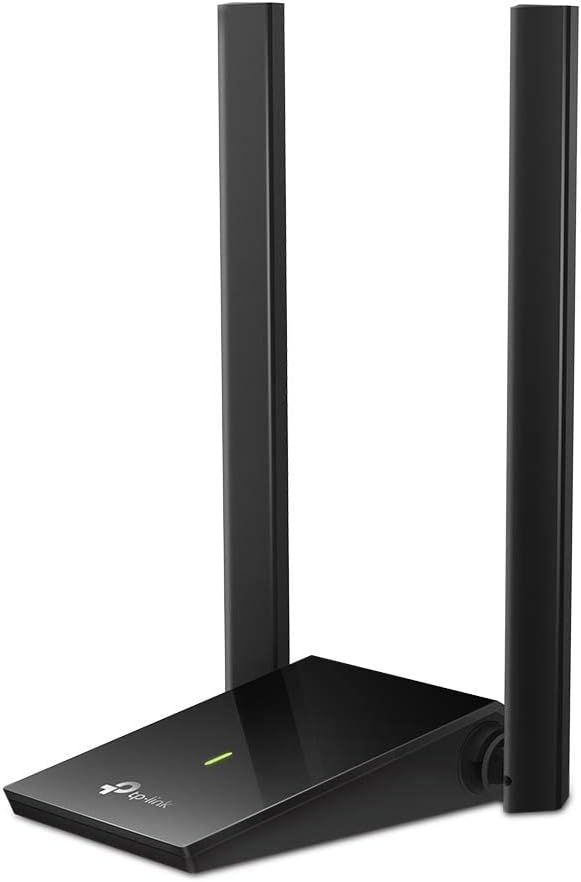

The TP-Link AC1300 USB WiFi Adapter stands out as a top contender for desktop users seeking reliable wireless connectivity. With its support for AC1300 speeds and dual band operation, it offers a significant upgrade over older wireless N standards. The device consistently delivers strong performance in both indoor and outdoor environments, making it a versatile choice for various networking needs.
We may earn a commission when you buy through this link, at no additional cost to you.
One of the key strengths of this adapter is its utilization of MU-MIMO technology, which allows for more efficient data transmission to multiple devices simultaneously. The inclusion of a USB 3.0 port ensures that the data transfer speeds are not bottlenecked by the connection interface. This results in smoother streaming and gaming experiences, even in congested network environments.
While the adapter performs exceptionally well, users may need to download drivers for initial setup, which can be a minor hurdle for some. Additionally, the lack of an external antenna might limit range compared to models with larger gain capabilities. However, these trade-offs are generally acceptable given the compact form factor and robust performance profile.
This adapter is ideal for users who want a balance between performance and portability without breaking the bank. Whether you are upgrading an old desktop or adding wireless capability to a laptop, this device provides a solid foundation for modern internet usage. We recommend it highly for anyone looking to enhance their home or office network efficiently.
The MU-MIMO technology ensures that bandwidth is distributed more evenly across connected devices, reducing lag during peak usage times.
Support for both 2.4 GHz and 5 GHz bands allows you to switch frequencies based on your specific range and speed requirements.
We may earn a commission when you buy through this link, at no additional cost to you.
The TP-Link Nano AC600 is a perfect solution for users who prioritize size and cost without completely sacrificing performance. Its miniature design allows it to be left plugged into a laptop or desktop without obstructing adjacent ports. Despite its small stature, it delivers solid dual band connectivity that handles everyday browsing and streaming tasks with ease.
We may earn a commission when you buy through this link, at no additional cost to you.
Performance-wise, this adapter offers a significant improvement over standard 2.4 GHz connections by utilizing the 5 GHz band for faster speeds. The AC600 standard provides sufficient throughput for HD streaming and standard gaming sessions. Users appreciate the straightforward setup process which often requires minimal driver interaction to get online quickly.
However, the compact design does come with limitations regarding range and signal penetration through thick walls. It is best suited for environments where the router is relatively close to the device. Additionally, it does not include an extension cable, which means users must place the adapter directly into the USB port.
For budget-conscious buyers or those with limited desk space, this adapter is an excellent choice. It effectively bridges the gap between wired and wireless connectivity for older machines. We recommend it for secondary computers or laptops where portability and low cost are the primary concerns.
The nano footprint ensures that your USB ports remain accessible for other peripherals while still maintaining a wireless connection.
Switching between bands allows you to optimize your connection for either speed or range depending on your current location.
We may earn a commission when you buy through this link, at no additional cost to you.
The UGREEN AX1800 WiFi Adapter represents the cutting edge of USB wireless technology with its support for the latest WiFi 6 standard. This allows for faster data rates and better performance in environments with many connected devices. The device is built to handle high-demand tasks like 4K streaming and competitive online gaming with minimal latency.
We may earn a commission when you buy through this link, at no additional cost to you.
A standout feature of this adapter is its implementation of WPA3 encryption, which offers enhanced security compared to previous standards. This is crucial for protecting sensitive data during transmission over public or home networks. Furthermore, the ability to act as a wireless access point provides added versatility for users who need to share their connection.
The primary limitation is that this adapter is designed specifically for Windows operating systems, which may exclude Mac or Linux users. Additionally, the price point is higher than AC-based adapters, reflecting the newer technology and performance benefits. It is a premium option for those who need maximum speed and future-proofing.
For power users who demand the fastest possible wireless speeds and the highest level of security, this adapter is highly recommended. It is particularly well-suited for desktop PCs that will remain stationary and require robust performance. We suggest it for gamers and professionals who cannot afford network interruptions or slow speeds.
WiFi 6 technology delivers higher efficiency and capacity, ensuring your network remains fast even as more devices connect.
WPA3 encryption provides a stronger defense against cyber threats, keeping your data secure during every connection session.
We may earn a commission when you buy through this link, at no additional cost to you.
The TP-Link AC600 USB WiFi Adapter is designed with a focus on range and signal strength, making it suitable for larger homes. The inclusion of an adjustable high gain antenna allows users to orient the device for optimal signal reception. This adaptability helps overcome obstacles such as walls and floors that might otherwise degrade wireless performance.
We may earn a commission when you buy through this link, at no additional cost to you.
In terms of performance, this adapter offers solid AC600 speeds which are sufficient for most daily internet activities. The dual band functionality ensures that users can choose the best frequency for their specific needs. While it uses the older USB 2.0 standard, the antenna gain compensates for potential bandwidth limitations in many scenarios.
The size of the adapter is larger than nano variants, which might be a consideration for users with limited USB space. Additionally, the USB 2.0 interface may not fully utilize the speed potential of modern routers. However, for users prioritizing range over raw transfer speed, these factors are often secondary.
This adapter is an excellent choice for users who need to connect devices located far from their router. It provides a reliable connection that can extend Wi-Fi coverage to hard-to-reach areas of a home or office. We recommend it for desktops in remote rooms where stability is more important than peak throughput.
The multi-directional antenna allows you to rotate the device to find the strongest signal path for your router.
Support for both 2.4 GHz and 5 GHz bands ensures compatibility with older routers while offering modern speed benefits.
We may earn a commission when you buy through this link, at no additional cost to you.
The Nineplus Wireless USB WiFi Adapter is a compelling option for users who need high speeds and extended range without a premium price tag. It features two 5dBi high gain antennas that work together to boost signal strength and stability. This setup is particularly effective for environments where the router is located on a different floor or far away.
We may earn a commission when you buy through this link, at no additional cost to you.
Performance is a strong suit for this adapter, offering AC1300 speeds which are well above average for this price segment. The USB 3.0 connection ensures that data transfer rates are not restricted by the interface. This makes it suitable for large file transfers and high-bandwidth applications like video conferencing.
One notable restriction is that this device only supports Windows operating systems, limiting its usability for Mac users. Additionally, drivers must be installed for proper functionality, which might be a slight inconvenience for some. However, the online support and setup guides are generally helpful for users facing issues.
For Windows users seeking a powerful wireless solution that can compete with more expensive options, this adapter is a strong contender. The dual antenna setup provides a tangible benefit in signal quality. We recommend it for desktop users who want a robust connection without investing in a high-end card.
Dual antennas allow for better signal capture and transmission, reducing dropouts and maintaining a stable connection.
USB 3.0 support ensures that your wireless connection is not limited by the physical port speed, maximizing throughput.
We may earn a commission when you buy through this link, at no additional cost to you.
The UGREEN AX900 USB WiFi 6 Adapter brings next-generation wireless technology to a compact form factor. By utilizing WiFi 6 standards, it offers improved efficiency and faster speeds compared to traditional AC adapters. This makes it particularly beneficial for users who have modern routers and need to take advantage of the latest network capabilities.
We may earn a commission when you buy through this link, at no additional cost to you.
One of the most convenient aspects of this device is the built-in driver support for Windows 10 and 11. This eliminates the need for separate CD or manual downloads, allowing for a plug-and-play experience. The low latency performance is a significant plus for online gaming and real-time applications.
However, the compatibility is restricted to modern Windows systems, meaning older operating systems or other platforms are not supported. The lack of an external antenna may also limit range in larger spaces. Despite these constraints, it remains a strong option for users with modern hardware looking for simplicity.
This adapter is ideal for those who want the benefits of WiFi 6 without the complexity of external hardware. It is well-suited for laptops and smaller desktops where space is at a premium. We recommend it for users who value ease of setup and modern performance in a small package.
The built-in drivers allow you to get online instantly without the hassle of manual installation or software management.
WiFi 6 technology ensures better performance on crowded networks, providing a smoother experience for multiple devices.
We may earn a commission when you buy through this link, at no additional cost to you.
The Tenda AX900 WiFi Adapter combines the speed of WiFi 6 with a powerful external antenna for enhanced range. The 6dBi high gain antenna is designed to improve weak signal reception, making it effective in areas with significant interference or distance. This allows for a more stable connection even when the router is not in the same room.
We may earn a commission when you buy through this link, at no additional cost to you.
Performance is bolstered by the inclusion of MU-MIMO technology which improves multi-device connectivity. The adapter supports an AP mode, allowing users to turn their PC into a Wi-Fi hotspot for other devices. This adds a layer of utility beyond simple internet access. The preloaded drivers facilitate quick setup on modern Windows systems.
A limitation is that the AP mode only supports the 5GHz band, which might not be ideal for older devices that require 2.4 GHz. Additionally, like many WiFi 6 adapters, it is optimized for Windows. However, the performance benefits and range improvements often outweigh these minor restrictions.
This adapter is well-suited for users who need a strong wireless signal in challenging environments. The combination of high gain and modern standards provides a robust connection for streaming and gaming. We recommend it for those who need better range without switching to a full Ethernet cable.
The external antenna boosts signal strength significantly, helping to overcome physical barriers between your device and the router.
AP mode allows your PC to act as a router, sharing your internet connection with smartphones or other nearby devices.
We may earn a commission when you buy through this link, at no additional cost to you.
The BrosTrend AX1800 is a high-performance adapter designed for users who need the absolute best in wireless speed and range. With a speed of 1800Mbps, it outperforms many other USB adapters on the market. The dual 5dBi high gain antennas ensure that the signal is strong and consistent across a larger area.
We may earn a commission when you buy through this link, at no additional cost to you.
The inclusion of a USB 3.0 extension cable provides flexibility in placing the adapter in a location with optimal signal reception. This feature helps mitigate issues caused by metal cases or USB port positioning. The OFDMA technology ensures efficient data transmission, reducing latency during peak network usage times.
The main drawback is the higher price point compared to AC adapters, reflecting the premium hardware. Also, it lacks Linux support which is a consideration for open-source users. For Windows users though, the performance gains and range capabilities make it a compelling investment.
This adapter is perfect for power users who require maximum speed and coverage. Whether for competitive gaming or professional work, it delivers a reliable and fast connection. We recommend it for desktops where performance and stability are the highest priorities.
The included extension cable lets you position the adapter away from the PC to find a spot with better signal strength.
OFDMA technology ensures data packets are delivered more efficiently, reducing lag in crowded network environments.
We may earn a commission when you buy through this link, at no additional cost to you.
The TP-Link AC1300 Pro offers a robust wireless solution with dual high gain antennas designed for maximum performance. The dual antenna setup improves transmission quality and allows for better signal recovery in noisy environments. This makes it a solid choice for users who need consistent speeds for streaming and gaming.
We may earn a commission when you buy through this link, at no additional cost to you.
Support for USB 3.0 ensures that the adapter can handle high data rates without bottlenecking. The antennas are multi-directional and adjustable, giving users the flexibility to orient them for the best possible reception. This adaptability is key to maintaining a strong connection in complex home layouts.
While the performance is excellent, the physical size might be an issue for users with limited desk space. Additionally, driver installation is required for initial setup, which might take a few minutes. However, the long-term stability and speed benefits make these minor inconveniences worthwhile for most users.
This adapter is ideal for desktop users who need a reliable and powerful wireless connection. It bridges the gap between limited range USB adapters and internal network cards. We recommend it for anyone looking to upgrade their desktop's wireless capabilities significantly.
Having two antennas allows for better signal processing and transmission, ensuring a more robust connection.
USB 3.0 compatibility ensures that your wireless data transfer speeds are maximized for high-bandwidth tasks.
We may earn a commission when you buy through this link, at no additional cost to you.
The BrosTrend AX900 Mini is a versatile adapter that brings WiFi 6 capabilities to a very small form factor. Its compact design ensures it does not protrude from the USB port, making it perfect for laptops and compact desktops. This portability allows users to carry the adapter with their device wherever they go.
We may earn a commission when you buy through this link, at no additional cost to you.
Despite its size, the adapter delivers impressive performance with AX900 speeds. It supports both 5 GHz and 2.4 GHz bands for flexible connectivity. The pre-loaded drivers simplify the setup process, allowing users to connect quickly without searching for software. It is a great solution for users who travel frequently.
The limitation is the use of USB 2.0 which limits the maximum throughput to the interface speed. Additionally, the lack of external antennas means range may be lower than larger adapters. However, for portable use, these trade-offs are often acceptable given the convenience.
This adapter is ideal for users who need a reliable wireless connection on the go. It is small enough to leave plugged in without being intrusive while still offering modern performance. We recommend it for travelers and users with laptops who value portability.
The mini size ensures the adapter is easily transportable and does not interfere with other USB ports or cables.
WiFi 6 support provides better efficiency and speed than older adapters, ensuring you get the most out of your network.
We may earn a commission when you buy through this link, at no additional cost to you.
Selecting the right wireless adapter involves understanding several key technical factors that influence performance and compatibility. This guide outlines the most important aspects to consider before making a purchase.
The WiFi standard determines the maximum speed and efficiency of your connection. Current options include AC (WiFi 5) and AX (WiFi 6). WiFi 6 offers better performance in crowded environments and faster data rates. If you have a modern router, choosing a WiFi 6 adapter ensures you get the most out of your network hardware.
Look for adapters labeled AX1800 or higher for modern compatibility. Older AC adapters are still functional but may not reach full speed on new networks.
Antennas play a critical role in signal strength and range. Adapters with external high gain antennas typically offer better range than those with internal antennas. External antennas can often be adjusted to point towards your router for optimal reception. This is vital if your PC is located far from the wireless source.
Choose a model with at least one external antenna if range is a priority. Dual antennas provide even better stability and throughput.
The USB version of your computer's port affects data transfer rates. USB 3.0 is significantly faster than USB 2.0 and supports higher wireless speeds. If you plan to use a high-speed adapter like AC1300 or AX1800, ensure your port is USB 3.0 to avoid bottlenecks. USB 2.0 will cap your connection speed regardless of the adapter's capabilities.
Check your ports before buying to ensure they are blue for USB 3.0. This ensures the adapter performs at its rated speed.
Compatibility with your operating system is essential. Most adapters are optimized for Windows and may require specific drivers for proper functionality. Mac and Linux users should verify that the adapter supports their system before purchasing. Some newer adapters may not offer full support for older Windows versions.
Verify the product specifications for OS compatibility. Linux and Mac users often need to check for open-source driver availability.
The physical size of the adapter can impact usability. Nano adapters are compact and do not block other ports, making them ideal for laptops. Larger adapters with antennas may require more desk space but offer better performance. Consider where you will plug in the device and how much space is available.
Decide if you prioritize portability or range. Nano adapters save space but may sacrifice signal strength.
Dual band adapters support both 2.4 GHz and 5 GHz frequencies. The 5 GHz band offers faster speeds with less interference but has a shorter range. The 2.4 GHz band travels further through walls but is more prone to congestion. Having both options allows you to choose the best balance for your location.
Ensure the adapter is dual band for maximum flexibility. Single band adapters are less versatile for modern home networks.
Modern adapters support advanced encryption standards like WPA3 which provides better security than older WPA2. This is crucial for protecting your data from unauthorized access. Newer standards also improve network efficiency. Always choose an adapter that supports the latest security protocols to keep your connection safe.
Prioritize adapters that mention WPA3 support. This ensures your network is protected against modern threats.
Prices vary widely depending on features and brand. Budget options may sacrifice speed and range for affordability. Premium models offer the latest technology and better build quality. Determine your needs and budget to find the best balance. You do not always need the most expensive model to get good performance.
Set a budget before browsing. There are excellent options in every price range to suit different needs.
To begin using your new adapter, insert it into an available USB port on your computer. For most modern systems, the device will be automatically recognized and drivers will be installed by the operating system. If your system does not detect it immediately, visit the manufacturer's website to download the latest drivers manually.
Once installed, open your network settings and select your wireless network from the list of available connections. Enter your password and verify that you are connected to the 5 GHz band for optimal speed. You can also adjust the antenna position if your adapter has external ones to improve signal quality.
To maintain optimal performance, keep the adapter clean and free of dust. Avoid bending any external antennas excessively as this can damage internal components. If you notice connection issues, try updating the drivers or restarting the adapter by unplugging and replugging it.
AC adapters use WiFi 5 technology while AX adapters use the newer WiFi 6 standard. WiFi 6 provides faster speeds and better performance when multiple devices are connected. AX adapters are generally more future-proof for modern networks. They also handle data transmission more efficiently to reduce congestion.
Most modern adapters support plug-and-play installation on Windows 10 and 11 where drivers are pre-installed. Older systems or Mac users may need to manually download drivers from the manufacturer. It is always recommended to check the product page for specific driver requirements before use.
Many adapters offer macOS support but you should verify compatibility on the specific product page. Some newer models are Windows-only and will not work with macOS or Linux. Always check the operating system support section before purchasing if you are a Mac user.
Slow speeds can result from physical distance or interference from walls or other electronics. Ensure you are connected to the 5 GHz band for better speed. Also, check that your USB port is USB 3.0 for high-speed adapters to avoid bottlenecks.
AP mode allows your PC to act as a wireless access point to share internet with other devices. This is useful if you have a wired desktop that needs to provide Wi-Fi. Not all adapters support this feature so check the specifications if you need it.
To extend range, use an adapter with external high gain antennas or place the adapter in a central location. Some adapters come with USB extension cables to help position the device for better reception. Adjusting the antenna orientation towards the router also helps.
This guide has highlighted ten top-performing 5GHz WiFi dongles catering to various needs from budget to premium. Whether you need the portability of a nano adapter or the power of a dual antenna unit there is an option for every user. Our top picks offer a balance of speed range and reliability to ensure a solid internet connection.
When making your decision prioritize features that match your specific usage scenario. Consider the distance to your router the operating system you use and the bandwidth you require. Investing in a modern adapter like a WiFi 6 model ensures better long-term value and performance for your setup.
Please remember that prices and availability are subject to change frequently. We recommend checking the current details and verified reviews on the retailer site before finalizing your purchase. With the right adapter you can transform your desktop into a fully capable wireless station.