
Dell UltraSharp 32 Thunderbolt Hub
4.6Editor score
Enhanced IPS Black panel with deep contrast
Built-in KVM switch for dual devices
Ideal Mac companion with Display P3 color
Finding a monitor that combines 4K resolution with Thunderbolt connectivity simplifies your workspace significantly. These displays offer high pixel density for sharp visuals and fast data transfer through a single cable connection.
We evaluated top models based on color accuracy, refresh rates, and port versatility to help you choose the right display. Our analysis covers options ranging from budget-friendly picks to premium hubs designed for creative professionals.
Each selection highlights key strengths and trade-offs so you can match a display to your specific workflow needs. Please note that product availability and pricing can fluctuate frequently on major retail platforms.
4.6Editor score
4.4Editor score

4.8Editor score
As an Amazon Associate we earn from qualifying purchases.
The following table presents a side-by-side comparison of all ten models included in this guide. Each entry lists essential specifications and direct links to view current availability and detailed product information.


The Dell UltraSharp U2725QE stands out as a top choice for professionals needing high fidelity visuals and efficient connectivity. It earns a strong rating for its ability to deliver sharp 4K imagery alongside robust Thunderbolt 4 support. This model is particularly well suited for workflows requiring color precision and streamlined desk setups.
We may earn a commission when you buy through this link, at no additional cost to you.
Its factory calibrated display covers 99% of the DCI-P3 color space with a Delta E under 1.5 which is ideal for creative tasks. The 120Hz refresh rate ensures fluid motion whether you are reviewing video timelines or multitasking across windows. Additionally the included ambient light sensor adjusts brightness automatically to maintain comfort throughout the day.
While the price is higher than many standard displays the single cable solution justifies the investment for those with compatible laptops. The absence of traditional dongles reduces clutter significantly on your desk. Some users might notice typical IPS glow in dark environments but this is a minor trade-off for the benefits provided.
We recommend this monitor for designers and power users who value color accuracy and want to simplify their workstation. It works exceptionally well with devices that support Thunderbolt power delivery and data transfer through one connection. This makes it a reliable long term investment for professional creative or office environments.
Connecting your laptop with a single Thunderbolt cable delivers video data and up to 140W power simultaneously. This eliminates the need for multiple adapters and keeps your workspace clean and organized efficiently.
Factory calibration ensures that colors appear true to life right out of the box. This feature is crucial for photographers and graphic designers who require consistent output across different devices and mediums.
We may earn a commission when you buy through this link, at no additional cost to you.
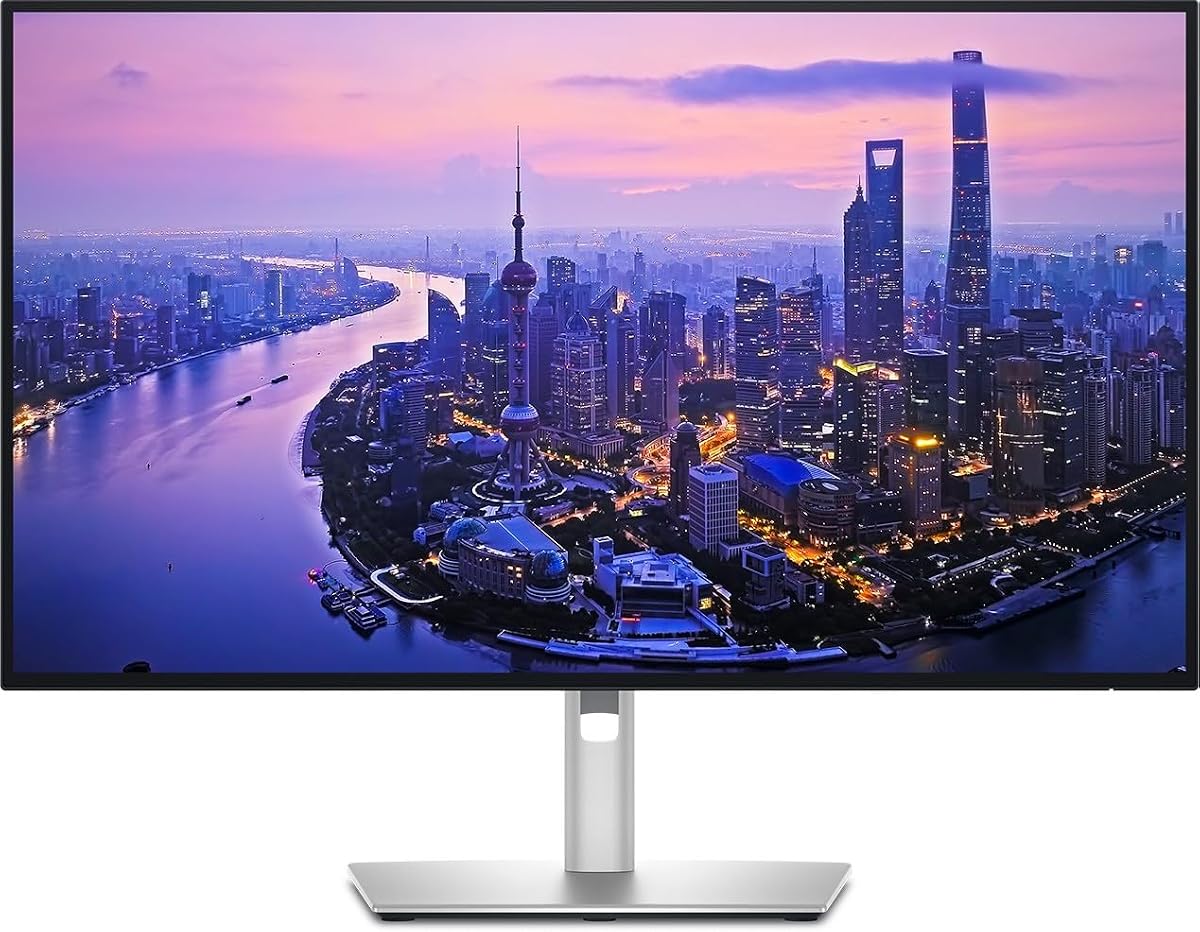
The Dell UltraSharp 32 Thunderbolt Hub offers an elevated viewing experience with its Enhanced IPS Black panel and large screen size. It receives high marks for its contrast ratio which significantly improves image depth compared to standard IPS monitors. This model is tailored for executives and creators who demand the best visual performance.
We may earn a commission when you buy through this link, at no additional cost to you.
The built-in KVM switch allows you to control two different computers using a single keyboard and mouse which enhances productivity significantly. Its color performance meets professional standards with 99% Display P3 coverage ensuring that your content looks accurate on screen. The refined light ash finish adds a touch of elegance to any office setup.
Investing in this premium monitor means paying more upfront but the features justify the cost for specific users. The extra screen real estate reduces the need for external docks or second displays in many scenarios. You might need to ensure your desk can accommodate the larger dimensions before purchasing.
This display is perfect for Mac users and executives who need a high-end companion for daily tasks. The combination of color fidelity and connectivity options makes it a versatile hub for complex workflows. It remains a top recommendation for those seeking the pinnacle of monitor performance today.
The Enhanced IPS Black technology provides deeper blacks and better shadow detail than conventional panels. This improvement makes viewing photos and videos more immersive and true to the original intent of the creator.
Switching between a personal laptop and a work device becomes seamless with the built-in KVM feature. You can toggle inputs with a key press which saves time and reduces cable swapping during busy work sessions.
We may earn a commission when you buy through this link, at no additional cost to you.
The Samsung 32 ViewFinity S7 delivers exceptional value by combining a large 4K screen with essential productivity features at a competitive price. It holds a strong rating among users who prioritize screen real estate and color accuracy without breaking the bank. This monitor is well suited for general office work and media consumption.
We may earn a commission when you buy through this link, at no additional cost to you.
Its HDR10 support enhances contrast and brightness levels making images look more vivid than on standard displays. The Eye Saver Mode technology minimizes blue light to help reduce fatigue during long viewing sessions. With over a billion color hues the visual experience remains rich and engaging for various content types.
While it lacks the advanced connectivity of some premium hubs it covers the basics effectively for most users. The refresh rate is standard which is fine for office tasks but not ideal for competitive gaming. You may also notice a simpler build compared to higher tier models in this category.
We suggest this display for students and professionals who need a spacious high resolution screen on a budget. It serves as an excellent secondary monitor or primary station for light creative work. The balance of features and cost makes it a standout choice in the budget segment.
You get a full 4K resolution on a 32 inch panel for a fraction of the cost of premium models. This allows for crisp text and detailed images without requiring a significant investment in hardware.
Eye Saver Mode and flicker free technology help protect your vision during extended work hours. These features are particularly useful for those who spend many hours in front of the screen daily.
We may earn a commission when you buy through this link, at no additional cost to you.
The Dell S2725QC brings a mix of performance and comfort features suitable for both work and entertainment. Its 120Hz refresh rate provides a smooth experience that stands out compared to standard 60Hz monitors in this size. This model is a solid option for users seeking a balance between productivity and media viewing.
We may earn a commission when you buy through this link, at no additional cost to you.
With 99% sRGB coverage the colors appear vibrant and accurate enough for most daily tasks. The ComfortView Plus feature reduces blue light emissions to protect your eyes over long periods of use. Additionally the re-engineered sound system offers better audio output than previous generations which is helpful for quick calls.
The contrast ratio is typical for IPS panels which means blacks may not look as deep on some models. Audio performance is improved but still benefits from external speakers for critical listening needs. These trade-offs are acceptable given the overall performance and value provided to the user.
This monitor works well for general users who want a fast reliable screen for both work and leisure. It handles multiple applications smoothly and connects easily via USB-C for power and data. Consider it if you need a versatile display that performs well across different scenarios.
A 120Hz refresh rate ensures that scrolling through documents or watching videos feels fluid and responsive. This reduces motion blur and makes the display feel more modern and capable.
ComfortView Plus technology minimizes harmful blue light without compromising color accuracy significantly. This helps reduce eye strain during extended work sessions making it easier to focus on tasks.
We may earn a commission when you buy through this link, at no additional cost to you.
The Dell UltraSharp 27 Thunderbolt Hub is designed with creative professionals who need accurate color reproduction and efficient connectivity. It covers 100% of sRGB and Display P3 spaces ensuring that your edits look consistent across devices. This model is a strong contender for designers and photographers who prioritize visual fidelity.
We may earn a commission when you buy through this link, at no additional cost to you.
Factory calibration guarantees that colors are accurate right out of the box which saves time on manual adjustments. The integrated Thunderbolt hub allows you to connect peripherals and charge your device through the monitor easily. Sustainable materials in the build reflect a commitment to environmental responsibility in manufacturing processes.
Some users have reported issues with stability or ergonomics which may affect the overall experience. It is important to check recent reviews for specific unit variations before making a purchase decision. Despite this the core features remain highly attractive for creative workflows that demand precision.
We recommend this display for creatives who need a reliable color accurate screen and a tidy workspace. The connectivity options reduce clutter significantly while the color performance meets professional standards effectively. It is a worthy investment for those focused on high quality visual output.
Full coverage of sRGB and Display P3 ensures that your work looks true to life. This is essential for professionals who need to trust what they see on screen for their projects.
Sustainable materials are used in the construction of this monitor to reduce environmental impact. This aligns with growing corporate and personal goals for greener technology choices.
We may earn a commission when you buy through this link, at no additional cost to you.
The LG 27UP850K-W combines high resolution visuals with smart features that enhance both work and entertainment. It supports HDR 400 which improves dynamic range and brightness for a more engaging viewing experience. This model is unique for its built-in streaming platform which reduces the need for external devices.
We may earn a commission when you buy through this link, at no additional cost to you.
Color accuracy is strong with 95% DCI-P3 coverage making it suitable for general creative tasks. The USB-C port delivers up to 90W of power which is sufficient for most laptops. Integrated speakers with Waves MaxxAudio provide decent sound quality for video calls or casual media consumption.
The HDR performance is functional but not as advanced as dedicated HDR displays in higher price ranges. The webOS interface can occasionally lag which might interrupt workflows if used frequently. These limitations are minor compared to the convenience and versatility it offers overall.
This display is ideal for users who want an all-in-one solution for both productivity and media streaming. It eliminates the need for a separate streaming box and keeps your desk uncluttered effectively. Consider it if you value convenience and smart features alongside solid display performance.
Access popular streaming services directly from the monitor using the built-in webOS platform. This feature allows you to watch movies or shows without connecting a separate media player device.
With multiple HDMI and USB ports you can connect a wide range of devices easily. The USB-C port also handles power delivery making it a hub for your essential gear.
We may earn a commission when you buy through this link, at no additional cost to you.
This Dell UltraSharp model provides a reliable 4K experience with a focus on connectivity and ergonomics. It offers a range of ports that allow you to connect various peripherals without needing extra dongles. The display is suited for general office use where sharp text and clear images are priorities.
We may earn a commission when you buy through this link, at no additional cost to you.
The stand supports height tilt swivel and pivot adjustments which help you find a comfortable viewing angle. Its design is sleek and modern fitting well into professional environments. While specific rating data is limited the brand reputation suggests consistent quality and durability.
Refresh rates are standard which is adequate for most productivity tasks but less ideal for gaming. The lack of detailed user ratings in this specific listing means checking community feedback is advisable before buying. However the feature set aligns with typical expectations for a Dell UltraSharp display.
We recommend this monitor for users who need a dependable hub with good adjustment options and clean looks. It works well in office settings where connectivity and ergonomics are key considerations. This model remains a practical choice for streamlined workflows.
Adjustments for height and tilt help reduce strain on your neck and back. A comfortable setup is essential for maintaining productivity during long work hours.
Multiple ports allow you to connect devices like hard drives and cameras directly to the monitor. This centralizes your connections and reduces cable clutter on your desk.
We may earn a commission when you buy through this link, at no additional cost to you.
The ViewSonic VP2488-4K is an ideal choice for professionals with limited desk space who still demand high quality visuals. It features a compact 24-inch panel that delivers sharp 4K clarity perfect for detailed design work. This monitor is specifically tuned to align with Mac color standards which appeals to creative users.
We may earn a commission when you buy through this link, at no additional cost to you.
Thunderbolt 4 support ensures fast data transfer and powerful charging capability through a single cable. Pantone validation guarantees that colors are accurate for professional outputs like print or web design. The build quality is robust and includes an adjustable stand for ergonomic comfort.
A 24-inch screen may feel small for users accustomed to larger displays or extensive multitasking. The price point is higher compared to larger monitors which reflects the specialized features. These trade-offs are acceptable if portability and color accuracy are your top priorities.
We suggest this display for designers or editors working in compact environments or home offices. Its color performance and connectivity make it a strong tool for creative professionals. It remains a great option for those prioritizing precision over screen size.
The color profile is optimized to match the Mac ecosystem for consistent visual results. This ensures that your work looks the same across Apple devices and external displays.
Pantone validation means the display can reproduce specific colors accurately for professional projects. This is a key feature for graphic designers who need reliable color matching.
We may earn a commission when you buy through this link, at no additional cost to you.
The Samsung TU87F Series is a versatile 4K monitor designed for users who need dual input capability. It features Thunderbolt 3 ports that support daisy chaining to simplify multi-monitor setups effectively. This model is particularly useful for professionals who need to view multiple sources simultaneously.
We may earn a commission when you buy through this link, at no additional cost to you.
With a 32-inch VA panel you get a wide viewing angle and rich color performance. Picture-by-Picture mode allows you to view two different inputs side-by-side which enhances productivity significantly. The stand is fully adjustable to ensure you can find a comfortable viewing position easily.
Response times are average and may not suit competitive gaming scenarios but are fine for general work. Refresh rates are standard which limits smoothness in fast moving content. These limitations are minor given the unique connectivity options and large screen size.
We recommend this monitor for users needing dual inputs or daisy chaining in a professional environment. It offers a practical solution for complex workflows without requiring multiple separate displays. This makes it a strong choice for collaborative or multitasking focused setups.
Connect two separate sources and view them at once with Picture-by-Picture mode. This is helpful when comparing documents or monitoring different tasks simultaneously.
Link multiple monitors through a single cable to reduce clutter and simplify connections. This feature makes it easier to expand your workspace without running extra cables.
We may earn a commission when you buy through this link, at no additional cost to you.
The Dell U3225QE offers a large 32-inch display that provides ample workspace for complex tasks. It includes an integrated Thunderbolt hub which simplifies connections for peripherals and devices. This model is well suited for users who prioritize screen real estate and a clean design aesthetic.
We may earn a commission when you buy through this link, at no additional cost to you.
The slim bezels create a modern look that fits well in professional environments. High resolution ensures that text and images remain sharp during extended viewing sessions. Thunderbolt connectivity supports fast data transfer and charging for compatible laptops effectively.
The price is higher than smaller monitors and HDR capabilities are standard rather than advanced. However the productivity benefits of a large screen often justify the cost for professional users. It may take up significant desk space so measure your area before purchasing.
We recommend this display for power users who need a large high resolution screen for daily work. The combination of connectivity and visual performance makes it a practical hub for busy professionals. It remains a solid choice for those needing maximum workspace efficiency.
A 32-inch screen allows you to have multiple windows open without feeling cramped. This increases efficiency and reduces the need for secondary monitors in many cases.
Slim bezels create a seamless look that enhances the visual appeal of your desk setup. This design choice makes the display feel premium and modern.
We may earn a commission when you buy through this link, at no additional cost to you.
Selecting the right monitor involves balancing resolution connectivity and color performance to match your workflow needs.
4K resolution provides sharp images with over eight million pixels which is ideal for detailed work. IPS panels offer better color accuracy and viewing angles while VA panels may provide deeper blacks.
Thunderbolt 3 or 4 allows for fast data transfer up to 40Gbps and video transmission over one cable. Ensure your laptop supports Thunderbolt to take full advantage of single cable docking features.
Look for monitors with high sRGB or DCI-P3 coverage if you work with color critical content. Factory calibration ensures that colors are accurate right out of the box for professional use.
Standard 60Hz is fine for office work but 120Hz offers smoother scrolling and motion clarity. Higher refresh rates are beneficial for users who multitask heavily or enjoy casual gaming.
USB-C power delivery can charge your laptop while displaying video on a single cable. Aim for monitors that offer at least 65W to ensure your device stays powered during use.
An adjustable stand with height tilt and swivel helps prevent strain during long sessions. Good ergonomics contribute significantly to comfort and focus throughout the day.
Check for USB-A HDMI and Ethernet ports to ensure all your peripherals can connect easily. A monitor with rich connectivity acts as a hub reducing the need for extra docks.
Features like ComfortView Plus or low blue light certifications reduce eye strain during long hours. Flicker free technology ensures a steady image that helps maintain visual comfort.
Connect your laptop to the monitor using a certified Thunderbolt cable to enable power and data transfer. Ensure your system drivers are updated to support the latest connectivity standards for optimal performance.
Calibrate your display using built-in settings or software tools to maintain color accuracy over time. Adjust brightness and contrast levels to match your room lighting for better comfort and reduced strain.
Keep the screen clean with a microfiber cloth and avoid harsh chemicals that could damage the coating. Position the monitor at eye level to maintain good posture during extended work periods.
Yes you need a certified Thunderbolt cable to support full speed data and power transfer. Standard USB-C cables may not support the bandwidth required for 4K video and fast charging.
Thunderbolt offers higher data transfer speeds up to 40Gbps and supports daisy chaining multiple devices. It also provides more robust power delivery which is ideal for laptops that need charging while in use.
Yes 4K monitors provide high resolution that allows you to see fine details in your photos. Many models include wide color gamut support which ensures accurate representation of colors for print or web.
Many Thunderbolt monitors support daisy chaining allowing you to connect multiple displays through one port. This feature simplifies your setup by reducing the number of cables needed to reach your computer.
For office work a standard 60Hz is usually sufficient. If you multitask frequently or want smoother motion scrolling aim for 120Hz or higher for a better visual experience.
Regular calibration using software or hardware tools helps maintain accurate color performance over time. Avoid exposing the screen to direct sunlight which can affect brightness and color perception.
This guide highlighted ten top models ranging from premium hubs to affordable options for various needs. Each pick offers unique strengths such as color accuracy connectivity and ergonomics to suit different workflows.
Prioritize features like Thunderbolt connectivity and color gamut if you work on creative projects. For general office tasks consider refresh rates and comfort features to enhance daily productivity.
Always check current prices and availability as they can change frequently on major retail platforms. Finding the right balance between features and cost will ensure a satisfying long term purchase.