
Raywego 49 Inch Curved
4.6Editor score
165Hz refresh rate
1500R curvature
DQHD resolution
Selecting the right display for your sim racing setup is crucial for immersion and performance. A 49 inch ultrawide monitor provides the panoramic view needed to see track edges and competitors clearly without constant head movement.
We evaluated ten top-rated models based on resolution, refresh rate, curvature, and response time. Our analysis focuses on how each screen handles fast motion, color accuracy, and connectivity for gaming PCs and consoles.
Each pick highlights specific strengths and trade-offs to help you decide. Note that prices and availability change frequently, so verify current details before purchasing to ensure you get the best value for your budget.
4.6Editor score

4.3Editor score

4.4Editor score
As an Amazon Associate we earn from qualifying purchases.
The following table compares key specifications across all ten models to help you quickly identify which screen meets your specific racing and productivity needs.




The Raywego 49 Inch Curved monitor stands out as a top choice for sim racers seeking immersion without breaking the bank. It offers a 5120×1440 resolution and 165Hz refresh rate which ensures smooth motion during high speed racing sequences.
We may earn a commission when you buy through this link, at no additional cost to you.
Its VA panel delivers deep contrast and vivid colors thanks to 127 percent sRGB coverage. Adaptive Sync support reduces tearing and stuttering so you can focus on track details rather than visual artifacts.
While it lacks the extreme brightness of premium models the 1500R curvature wraps comfortably around your field of view. The stand allows height and tilt adjustments though VESA mounting offers more flexibility for custom setups.
This monitor is ideal for enthusiasts who want a near dual monitor experience without the bezel gap. It balances performance and cost effectively making it a strong recommendation for most sim racing builds.
The 32:9 aspect ratio provides a panoramic view that captures peripheral track elements essential for realistic racing simulations and better spatial awareness.
With 165Hz refresh rate and 1ms response time motion blur is minimized during quick turns helping you maintain precision and control on the virtual track.
We may earn a commission when you buy through this link, at no additional cost to you.
Samsungs Odyssey OLED G9 delivers unmatched visual fidelity with its QD-OLED panel technology. True blacks and infinite contrast make night racing scenes incredibly realistic as dark details remain visible without light bleed.
We may earn a commission when you buy through this link, at no additional cost to you.
The near-instant 0.03ms response time eliminates ghosting ensuring sharp images even during rapid direction changes. G-Sync and FreeSync Premium Pro keep gameplay smooth without screen tearing or stuttering issues.
Advanced features like logo detection and thermal modulation help protect the panel during long sessions. However the higher price and potential burn-in risk require careful usage to maintain longevity.
This model is perfect for sim racers who prioritize image quality above all else. If you want the most immersive and responsive visual experience available today this monitor is worth the investment.
QD-OLED technology provides wider color spectrum and true black levels enhancing depth perception critical for judging corners and track surfaces accurately.
With 0.03ms response time every frame updates instantly reducing motion blur and keeping high speed action crisp and clear throughout your race.
We may earn a commission when you buy through this link, at no additional cost to you.
The INNOCN 49C1R combines high resolution with versatile connectivity including 65W USB-C power delivery. This makes it easy to connect laptops or consoles with a single cable while powering the device simultaneously.
We may earn a commission when you buy through this link, at no additional cost to you.
Its 5K2K resolution ensures crisp text and detailed track graphics. Built-in speakers provide basic audio output which is convenient for casual sessions though audiophiles will still prefer external setups.
While the 120Hz refresh rate is slightly lower than competitors it remains smooth for most racing sims. HDR400 support enhances dynamic range but is not as impactful as higher tier options.
This monitor suits users who need both gaming and productivity features. The USB-C hub and multiple inputs simplify cable management making it a practical choice for versatile desk setups.
USB-C connectivity supports video data and power reducing cable clutter for a cleaner desk environment especially useful when sharing the monitor across devices.
With 5120×1440 resolution track textures and HUD elements appear sharp and clear helping you read telemetry data and track markings more easily.
We may earn a commission when you buy through this link, at no additional cost to you.
This Odyssey G9 model pushes performance with a 240Hz refresh rate ideal for competitive sim racers who need every advantage. The 1000R curvature offers extreme immersion wrapping deeply around your peripheral vision.
We may earn a commission when you buy through this link, at no additional cost to you.
DisplayHDR 1000 delivers exceptional brightness and contrast making bright sunlight or dark tunnels appear more realistic. Core Lighting Plus projects game colors onto your desk creating an ambient effect that enhances focus.
The 1ms response time ensures minimal ghosting during rapid transitions. However the aggressive curve may cause distortion for non-gaming tasks and requires significant desk space.
If you prioritize speed and immersion above all else this monitor is a powerhouse. It demands a strong GPU to drive its resolution and refresh rate effectively but rewards you with silky smooth gameplay.
At 240Hz motion fluidity is maximized reducing input lag and keeping fast racing action perfectly synchronized with your controls.
The 1000R curve closely matches the human eye arc creating a natural and immersive viewing experience for long racing sessions.
We may earn a commission when you buy through this link, at no additional cost to you.
The G91F model brings DisplayHDR 600 to the 49 inch form factor delivering stronger contrast and brighter highlights than standard panels. This improves visibility in high contrast environments like sunny tracks or dark garages.
We may earn a commission when you buy through this link, at no additional cost to you.
Its 1000R curve matches the previous generation maintaining deep immersion. The ergonomic stand allows easy height and tilt adjustments ensuring comfortable viewing angles during extended sim racing sessions.
Auto Source Switch+ detects connected devices instantly reducing wait time when switching between PC and console. Split screen features enable multitasking though this can reduce available game resolution.
This monitor is well suited for users who want HDR performance without OLED risks. It balances visual quality and reliability making it a practical choice for dedicated sim racing rigs.
HDR600 support boosts peak brightness and black levels making lighting effects in racing games more lifelike and immersive.
Adjustable stand features reduce neck strain during long sessions while Auto Source Switch simplifies workflow between gaming and other tasks.
We may earn a commission when you buy through this link, at no additional cost to you.
CRUA offers a budget friendly 49 inch option with 165Hz refresh rate and DQHD resolution. It delivers solid performance for casual sim racers who need wide field of view without premium pricing.
We may earn a commission when you buy through this link, at no additional cost to you.
The 120 percent sRGB coverage ensures vibrant colors while AMD FreeSync reduces screen tearing. Height adjustable stand provides ergonomic comfort though it lacks advanced tilt or swivel options.
Wall mount compatibility allows flexible installation for racing cockpits or desks with limited space. While it lacks built-in speakers external audio can easily supplement the setup.
This model is best for users prioritizing immersion over advanced features. It offers great value for those new to ultrawide racing setups looking to expand their visual experience.
Delivers ultrawide immersion at a lower price point allowing more budget for other sim racing peripherals like wheel or pedals.
165Hz refresh rate paired with FreeSync ensures fluid motion and tear free visuals essential for competitive racing performance.
We may earn a commission when you buy through this link, at no additional cost to you.
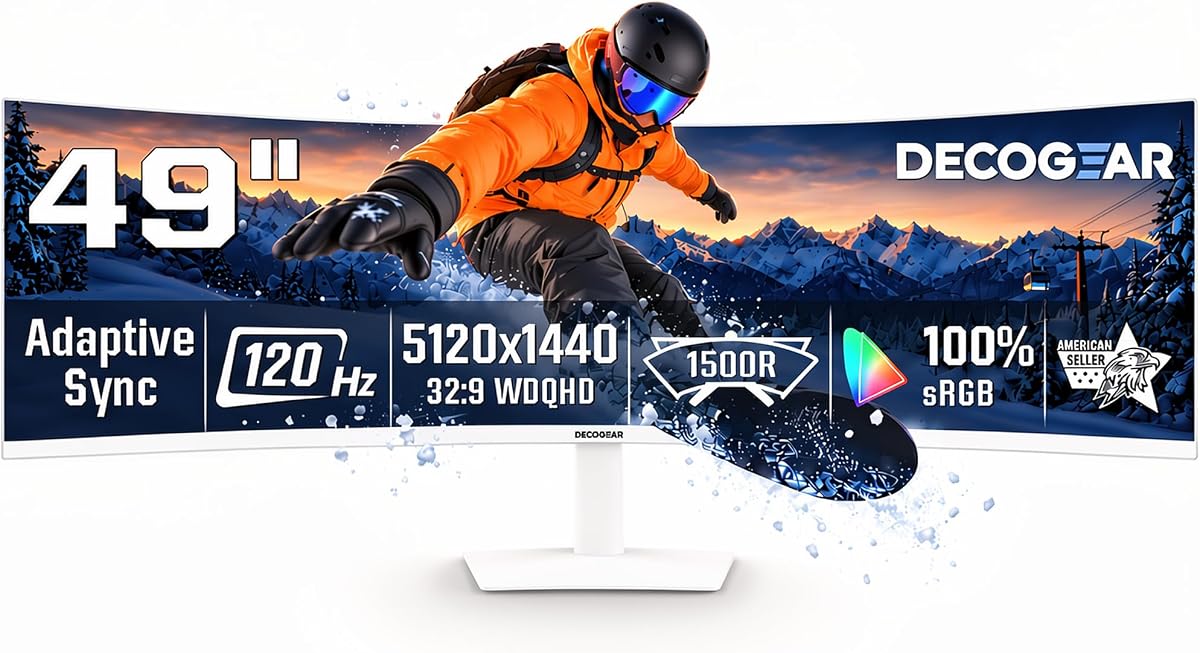
The Deco Gear 49 focuses on productivity and gaming balance with KVM support allowing one keyboard and mouse to control two computers. This is ideal for streamers or users sharing the monitor between work and play.
We may earn a commission when you buy through this link, at no additional cost to you.
120Hz refresh rate provides smooth gameplay though not as fast as premium gaming models. Built-in speakers and USB-C connectivity simplify cable management and audio output for everyday tasks.
PIP and PBP modes enable viewing multiple sources side by side enhancing workflow efficiency. The wide color gamut ensures accurate visuals for content creation and photo editing.
This monitor suits hybrid users who need both gaming and workstation features. While it lacks ultra-fast refresh rates its multitasking capabilities make it uniquely versatile for professional setups.
KVM support lets you switch between PC and workstation seamlessly saving time and reducing desk clutter during multitasking sessions.
High sRGB and DCI-P3 coverage ensures colors remain accurate for content creation and precise visual work alongside gaming.
We may earn a commission when you buy through this link, at no additional cost to you.
The ASUS ROG XG49VQ offers a classic ultrawide experience with DFHD resolution and 144Hz refresh rate. GameVisual modes optimize color settings for different game types including racing simulations.
We may earn a commission when you buy through this link, at no additional cost to you.
Eye Care technology reduces flicker and blue light during long gaming sessions. The 1800R curve provides a natural wrap around effect that balances immersion with comfortable viewing.
While resolution is lower than newer models it still delivers smooth visuals for racing sims. The ergonomic stand supports tilt and height adjustments for personalized comfort.
This model is a reliable choice for those familiar with ASUS gaming features. It combines solid performance with eye comfort making it suitable for extended play sessions.
Flicker-free backlighting and blue light filters reduce eye strain during prolonged racing sessions keeping your focus sharp longer.
GameVisual presets optimize color and contrast for racing games enhancing track visibility and immersion without manual tweaking.
We may earn a commission when you buy through this link, at no additional cost to you.
Z-Edge brings 240Hz refresh rate to 49 inch ultrawide screens offering extremely fast motion handling for competitive racing sims. High resolution ensures sharp visuals while Delta E<2 color accuracy supports professional work.
We may earn a commission when you buy through this link, at no additional cost to you.
Built-in speakers add convenience though quality may vary. USB-C and HDMI inputs allow flexible device connections without constant cable swaps.
The 1800R curvature wraps comfortably around your view reducing eye strain. While less established than Samsung this brand offers strong specs for price.
This model appeals to gamers seeking high refresh rates without flagship costs. It delivers smooth performance and vibrant colors suitable for demanding racing environments.
240Hz refresh rate keeps every racing frame crisp and responsive giving you a competitive edge in fast paced track action.
Delta E<2 accuracy ensures colors remain true for content creation while vivid sRGB gamut enhances racing game visuals.
We may earn a commission when you buy through this link, at no additional cost to you.
The G93SC combines QD-OLED technology with 240Hz refresh rate delivering stunning visuals and speed. Its thin metal design and HDR True Black enhance aesthetic appeal and visual depth.
We may earn a commission when you buy through this link, at no additional cost to you.
Pixel response is nearly instant ensuring sharp images during high speed racing. Auto Source Switch keeps workflows seamless when switching between gaming and productivity devices.
The 1800R curve balances immersion with usability though OLED panels still carry burn-in risk during static HUD use. This model represents premium engineering and design.
Ideal for enthusiasts seeking top tier performance and style. If budget allows this monitor provides exceptional speed and image quality for serious sim racing setups.
Sleek metal finish and ultra thin bezels enhance desk aesthetics while matching high end sim racing cockpits and workstations.
QD-OLED delivers deep blacks and vivid colors creating immersive lighting effects and track contrasts essential for realism.
We may earn a commission when you buy through this link, at no additional cost to you.
Choosing the right ultrawide monitor requires balancing resolution refresh rate curvature and connectivity to match your specific sim racing needs.
Higher resolution like DQHD or 5K2K provides sharper track details and UI text. Ensure your GPU can handle the pixel count at desired frame rates.
Look for at least 5120×1440 resolution for crisp visuals that enhance immersion without sacrificing performance.
Higher refresh rates such as 144Hz or 240Hz deliver smoother motion reducing blur during fast turns. Aim for 1ms response time to minimize ghosting.
Prioritize models with adaptive sync to maintain consistent frame pacing and eliminate screen tearing.
Curvature between 1000R and 1800R wraps the screen around your vision enhancing realism. Deeper curves offer more immersion but may distort UI.
Choose 1000R to 1500R for racing as it aligns well with natural eye movement.
VA panels offer high contrast ideal for dark scenes while OLED provides perfect blacks. Ensure wide color coverage like 99 percent sRGB for accurate tracks.
Consider HDR support for better dynamic range in sunlight or shadows.
Check for HDMI 2.1 or DisplayPort 1.4 to support high refresh rates and resolutions. USB-C with power delivery simplifies cable management.
Verify enough inputs for your PC and console setups to avoid constant switching.
Adjustable stands allow height and tilt to reduce neck strain during long sessions. VESA mount compatibility enables cockpit mounting for better alignment.
Prioritize ergonomic flexibility to maintain comfort and focus.
Prices range widely from budget to premium. Determine your spending limit and balance features like refresh rate and resolution accordingly.
Consider future GPU upgrades to avoid bottlenecks with high-end screens.
Tools like PIP and PBP support multitasking while auto-switching simplifies input changes. Check for gaming overlays and eye care features.
Software enhancements improve usability and workflow efficiency during racing and other tasks.
Position the monitor at eye level and tilt slightly inward to reduce glare. Ensure distance matches screen size for comfortable viewing without excessive head turning.
Calibrate color and brightness settings using built-in tools. Use adaptive sync and refresh rate settings in graphics control panel for best performance.
Clean the screen with soft microfiber cloth and avoid harsh chemicals. Use screen savers or reduce brightness to protect panels during long inactive periods.
For competitive sim racing a refresh rate of 144Hz or higher is recommended. Higher rates like 240Hz provide smoother motion and reduced input lag helping you react faster to track conditions. Always ensure your GPU can maintain high frame rates to match the monitor's capabilities.
1000R offers deep immersion wrapping closely around your field of view. Some users find it extreme for non-gaming tasks but it enhances realism in racing simulations. If you prefer less curvature consider 1500R or 1800R options.
Yes driving 5120×1440 resolution at high refresh rates demands a strong GPU. For 144Hz and above use a mid to high range graphics card. Lower resolutions like DFHD reduce GPU load while maintaining ultrawide immersion.
Yes most modern consoles support ultrawide output though some may not fully utilize the aspect ratio. Check your console's settings and monitor's input compatibility like HDMI 2.1 for best results. Some models have auto-switching features for easier use.
Use screen savers and avoid static HUDs for prolonged periods. Lower brightness and enable auto-brightness features if available. OLED panels include pixel shifting and logo detection to reduce burn-in risk over time.
Use DisplayPort 1.4 or HDMI 2.1 cables depending on monitor and GPU support. Ensure cables are certified to handle bandwidth for your resolution and refresh rate. Poor quality cables may limit performance or cause flickering.
Most ultrawide monitors support VESA 100×100 mounting enabling cockpit or arm installation. Check your cockpit specs to ensure stability given the monitor's weight and size. Proper mounting improves viewing angles and reduces desk clutter.
Use built-in calibration tools or third-party software like Spyder for accurate colors. Adjust brightness contrast and saturation to match track lighting conditions. Calibrated displays enhance depth perception and realism during gameplay.
The Raywego and Samsung OLED models lead for value and immersion respectively. Select based on your refresh rate needs and budget constraints.
Prioritize resolution and curve for realism while ensuring your system can drive performance. Features like adaptive sync and HDR enhance visual fidelity.
Always check current pricing and availability before purchasing. Monitor specs and offers change often so verify compatibility with your setup.