
NETGEAR GS748T
4.5Editor score
Lifetime Hardware Warranty
48 Gigabit Ports
Energy Efficient Design
This guide compares the top 10 48 Port Gigabit Managed Switch models for enterprise and prosumer networks based on features and reliability.
Finding the right network infrastructure is crucial for modern businesses. A 48 Port Gigabit Managed Switch offers the backbone for reliable connectivity across your office or data center ensuring smooth operations.
We evaluated ten leading models based on management features, port density, PoE capabilities, and overall reliability. Our analysis focuses on real-world performance and user feedback to help you choose wisely.
Each pick highlights specific strengths like cloud management or fanless design. Prices and availability change frequently so please verify current offers before making your final purchase decision today.
4.5Editor score

4.7Editor score

4.8Editor score
The following table provides a side-by-side comparison of all ten selected models highlighting their core specifications and unique selling points for easy reference during your selection process.




The TP-Link SG2452LP stands out as a top choice for organizations needing robust network management without breaking the bank. With a 4.7 rating it delivers high performance across its forty-eight gigabit ports.
We may earn a commission when you buy through this link, at no additional cost to you.
Its Omada cloud platform allows for centralized control across multiple sites which is ideal for growing businesses. The fanless design ensures it operates silently even under heavy load making it perfect for office environments.
While the initial setup via the Omada account might seem daunting to some users the long term management benefits are substantial. The interface takes time to master but offers deep customization options.
If you need a reliable managed switch that balances cost and performance this model is highly recommended. It covers all the essential security and routing features required for modern networks today.
The Omada platform enables remote monitoring and configuration saving you time on maintenance tasks across distributed locations.
Passive cooling technology means no fans to fail or create noise ensuring a comfortable environment for staff.
We may earn a commission when you buy through this link, at no additional cost to you.
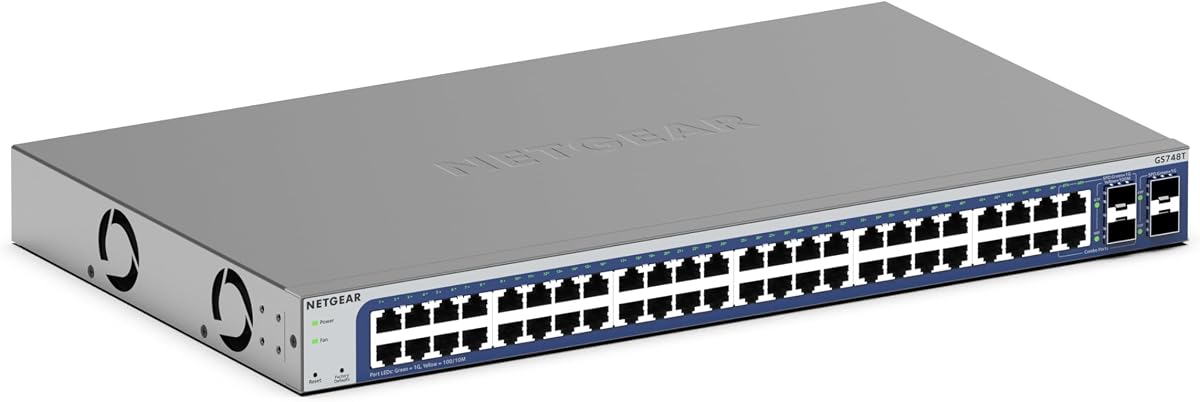
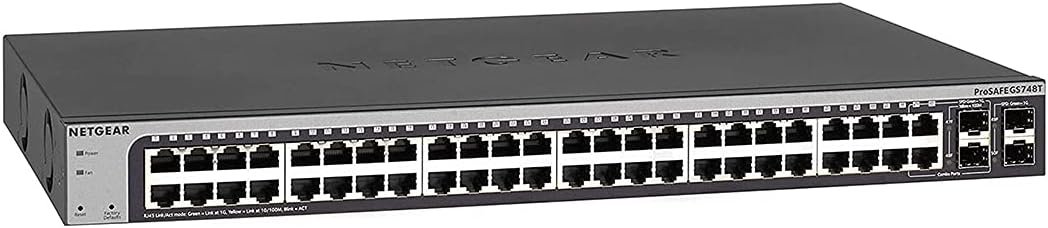
NETGEAR continues to deliver reliable networking gear and this GS748T model is no exception. It scores well for its user-friendly smart management software that simplifies complex tasks.
We may earn a commission when you buy through this link, at no additional cost to you.
The inclusion of one year of NETGEAR Insight adds significant value allowing you to manage the switch remotely. This feature is particularly useful for IT admins managing multiple devices.
Some users might find the advanced routing capabilities slightly limited compared to enterprise gear but for standard office use it is more than sufficient. The shared SFP ports can also be a constraint.
Choose this switch if you want a solid balance of performance and usability without needing deep network engineering knowledge. It is a dependable workhorse for small to medium businesses.
NETGEAR Insight provides a centralized dashboard for monitoring status and troubleshooting issues from anywhere.
Compliant with IEEE 802.3az standards it reduces power consumption without sacrificing speed.
We may earn a commission when you buy through this link, at no additional cost to you.
The Omada SG3452 is designed for those who want to build a cohesive software defined network. It offers L2 plus features that go beyond standard switching to improve traffic flow.
We may earn a commission when you buy through this link, at no additional cost to you.
Integration with the Omada SDN platform allows for seamless control of APs and gateways alongside the switch. This makes it an excellent choice for homogenous network environments.
You must ensure your device firmware is up to date for full SDN compatibility which can be a hurdle initially. The web interface is powerful but requires familiarity with network concepts.
For network admins who prefer a unified ecosystem this switch provides the flexibility and control needed. It is a robust option for scalable network deployments.
Static routing helps manage internal traffic efficiently ensuring optimal use of network resources.
Dual image backup capability ensures the device can recover from corruption during firmware updates.
We may earn a commission when you buy through this link, at no additional cost to you.
This version of the NETGEAR GS748T offers a compelling value proposition with its lifetime hardware warranty. It remains a favorite among users looking for stability and long-term support.
We may earn a commission when you buy through this link, at no additional cost to you.
The smart software provides essential management controls without overwhelming complexity. It supports standard protocols like SNMP which are crucial for enterprise monitoring tools.
While it lacks some of the newer cloud features found in recent models it does the job reliably for static networks. The lifetime warranty gives peace of mind for critical infrastructure.
If you prioritize durability and support over the latest bells and whistles this is a solid choice. It is a workhorse switch that gets the job done without fail.
NETGEAR covers this device with a limited lifetime warranty including next business day replacement service.
Energy efficient design lowers electricity costs and reduces heat generation in the server room.
We may earn a commission when you buy through this link, at no additional cost to you.
When you need to power devices like cameras or APs over Ethernet this switch is an excellent solution. It delivers a massive 384W budget across all forty-eight ports.
We may earn a commission when you buy through this link, at no additional cost to you.
The PoE auto recovery feature ensures that connected devices reboot if they freeze which is crucial for security cameras. This reduces the need for manual physical intervention.
While the price is higher than non-PoE models the convenience and power it provides justify the cost for many users. It handles heavy loads without overheating.
If your network relies heavily on powered endpoints this switch offers the reliability and control you need. It simplifies deployment by combining data and power in one cable.
PoE+ standard ensures maximum power delivery to compatible devices for optimal performance.
Native IPv6 support prepares your network for the next generation of internet addressing.
We may earn a commission when you buy through this link, at no additional cost to you.
Sometimes you just need a switch to connect devices without any headaches. This unmanaged model from NETGEAR is perfect for expanding connectivity where management features are not needed.
We may earn a commission when you buy through this link, at no additional cost to you.
It is truly plug and play requiring no software installation or setup. This makes it ideal for simple networks where traffic does not need to be segmented or controlled.
The lack of configuration means you cannot optimize traffic or secure ports but for basic connectivity it is unmatched in simplicity. It works out of the box every time.
Choose this if you need a simple connection point for computers or printers. It is a quiet and sturdy device that delivers high speeds consistently.
Just plug in your Ethernet cables and the switch handles the rest automatically.
Fanless design ensures it runs silently in offices or home environments.
We may earn a commission when you buy through this link, at no additional cost to you.
If you are looking to save money on a high quality managed switch this renewed option is worth considering. It provides the same core features as the new unit at a reduced cost.
We may earn a commission when you buy through this link, at no additional cost to you.
Certified refurbished units are tested to ensure they work like new. This allows you to access enterprise grade features without the full retail price tag.
Be aware that warranty coverage may be limited compared to a new purchase. However for many users the savings far outweigh the slight risk involved in buying renewed.
This is a great option for budget constrained projects where performance cannot be compromised. You get a powerful managed switch for a fraction of the original price.
Renewed products offer significant discounts while maintaining high quality standards.
You retain access to smart management and security features found on the new model.
We may earn a commission when you buy through this link, at no additional cost to you.
The Ubiquiti EdgeSwitch Lite is designed for users who demand high throughput and reliability. With a 140 Gbps switching capacity it handles heavy traffic without bottlenecks.
We may earn a commission when you buy through this link, at no additional cost to you.
It is part of the broader Ubiquiti ecosystem which is popular among professionals. The hardware is robust and can handle demanding environments like data centers.
You will need to use the Ubiquiti controller software which can be complex but is powerful. The build quality justifies the premium price tag for critical applications.
If performance and hardware quality are your top priorities this switch is an excellent choice. It is built to last and perform under pressure.
Non-blocking throughput ensures every port gets full speed simultaneously without slowdown.
DC input options allow for redundant power supplies to keep the switch running.
We may earn a commission when you buy through this link, at no additional cost to you.
This switch offers advanced Layer 3 routing capabilities which are rare at this price point. It allows for sophisticated traffic management and routing without needing a separate router.
We may earn a commission when you buy through this link, at no additional cost to you.
The high power budget supports large deployments of PoE devices without needing an external injector. This simplifies cabling and reduces clutter in the rack.
While the brand is less known than giants like Netgear the features provided are competitive. Users should be prepared to spend time configuring the web interface properly.
For IT admins needing L3 features without the enterprise cost this is a compelling option. It offers flexibility and power for growing networks.
Internal routing allows different network segments to communicate efficiently without external gear.
10Gbps SFP Plus slots provide future proofing for high speed uplinks.
We may earn a commission when you buy through this link, at no additional cost to you.
This model from NETGEAR is highly rated for its reliability and ease of use. It offers a balanced mix of features suitable for modern office environments.
We may earn a commission when you buy through this link, at no additional cost to you.
The 380W power budget is sufficient for most standard PoE devices. It supports smart management features that make configuration straightforward.
The web interface is clean and intuitive which reduces the learning curve for admins. It also supports rack mounting for standard server room setups.
If you need a dependable PoE switch with a proven track record this model is ideal. It delivers consistent performance and good support.
Smart software simplifies network management with clear menus and helpful wizards.
Ample power ensures all your connected devices get the energy they need.
We may earn a commission when you buy through this link, at no additional cost to you.
Selecting the right switch involves evaluating several key factors to ensure it meets your specific network requirements.
Ensure the switch offers forty-eight gigabit ports to support your current devices and future growth. Higher speed capabilities allow for efficient data transfer across the network.
Look for switches with additional SFP ports for uplinks or fiber connectivity to expand your network flexibility.
Decide whether you need a smart managed or fully managed switch based on your need for control. Managed switches allow you to configure VLANs and security settings.
Consider cloud management options if you prefer remote access and centralized control over multiple sites.
If you plan to connect devices like cameras or access points check the Power over Ethernet budget. A higher budget ensures you can power more devices without external injectors.
Verify that the switch supports PoE+ standards to deliver up to thirty watts per port efficiently.
Modern networks require robust security features to protect data and access. Look for support for 802.1X authentication and port security.
Advanced options like ACLs and storm control help prevent unauthorized access and network disruptions.
Consider the physical space where the switch will be installed. Rack mount switches are ideal for server rooms while desktop units suit smaller offices.
Fanless designs are quieter and better for open office environments where noise is a concern.
A strong warranty indicates the manufacturer's confidence in the product. Look for options that offer lifetime or multi-year warranties.
Check the availability of technical support to resolve any issues quickly when they arise.
Choose a switch that can grow with your business needs over time. Models with high stacking or cloud integration offer better scalability.
Ensure firmware updates are available to keep the device secure and feature-rich in the long run.
Balance the features you need with your available budget. Higher priced models often offer better reliability and support.
Evaluate the total cost of ownership including installation and maintenance rather than just the upfront price.
Start by connecting the switch to your main router and power supply. Ensure all Ethernet cables are secure and the unit is properly grounded.
Use the web interface or controller software to configure settings like VLANs and security rules. Take time to read the manual to understand the specific options available.
Regularly update the firmware to patch security vulnerabilities and improve performance. Monitor the device for overheating or unusual activity to maintain reliability.
A managed switch allows you to configure and monitor network traffic for better control. It supports features like VLANs and security protocols to protect your data.
If you have many devices or need to segment traffic a managed switch is necessary. It provides security and control that unmanaged switches lack.
PoE+ provides more power per port than standard PoE for high demand devices. This ensures your cameras and APs run efficiently without separate power.
Many models include SFP ports for fiber connectivity to connect over long distances. This allows for high speed data transfer without copper cable limits.
You can usually update firmware through the web interface or a dedicated app. Always back up your settings before starting the update process.
No most switches can be placed on a desk or shelf securely. Rack mounting is optional and helps organize servers in professional environments.
We have reviewed ten top models offering robust features for diverse network needs. The TP-Link SG2452LP stands out for its balance of features and value.
Consider your specific requirements like PoE power and management style before buying. Ensure the switch fits your current infrastructure and future growth plans.
Prices and availability fluctuate so check current offers before making your final decision today. This guide provides a solid starting point for your selection process.