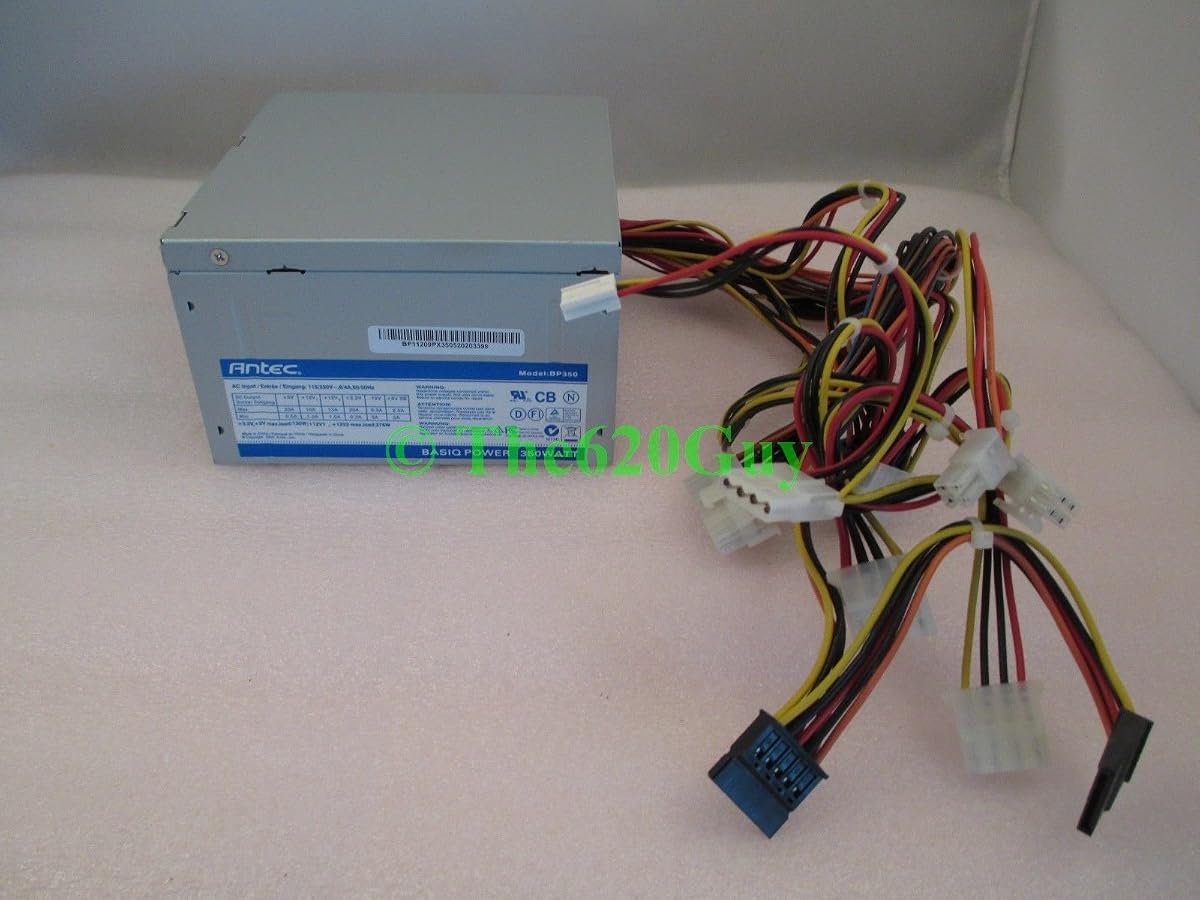
Antec Basiq BP350
5.0Editor score
Reliable entry-level performance
Solid brand reputation
Cost-effective power solution
This guide compares the top 350W PSU options for reliable power delivery, efficiency ratings, and compatibility with modern desktop systems and compact builds.
Selecting the right power supply unit is critical for system stability. A quality 350W PSU ensures your components receive consistent voltage without risking damage from surges or inefficiencies during daily use.
We evaluated ten top-rated models based on efficiency certifications, build quality, and connector availability. Our list covers various form factors and power ratings suitable for entry-level and compact desktop systems today.
Each pick highlights key specifications and performance traits to help you decide. Remember that product availability and pricing fluctuate frequently, so verify current details before completing your purchase online.
5.0Editor score

4.5Editor score

5.0Editor score
The following table provides a side-by-side overview of all ten models. Compare their key specifications to find the best fit for your specific desktop configuration and power needs.


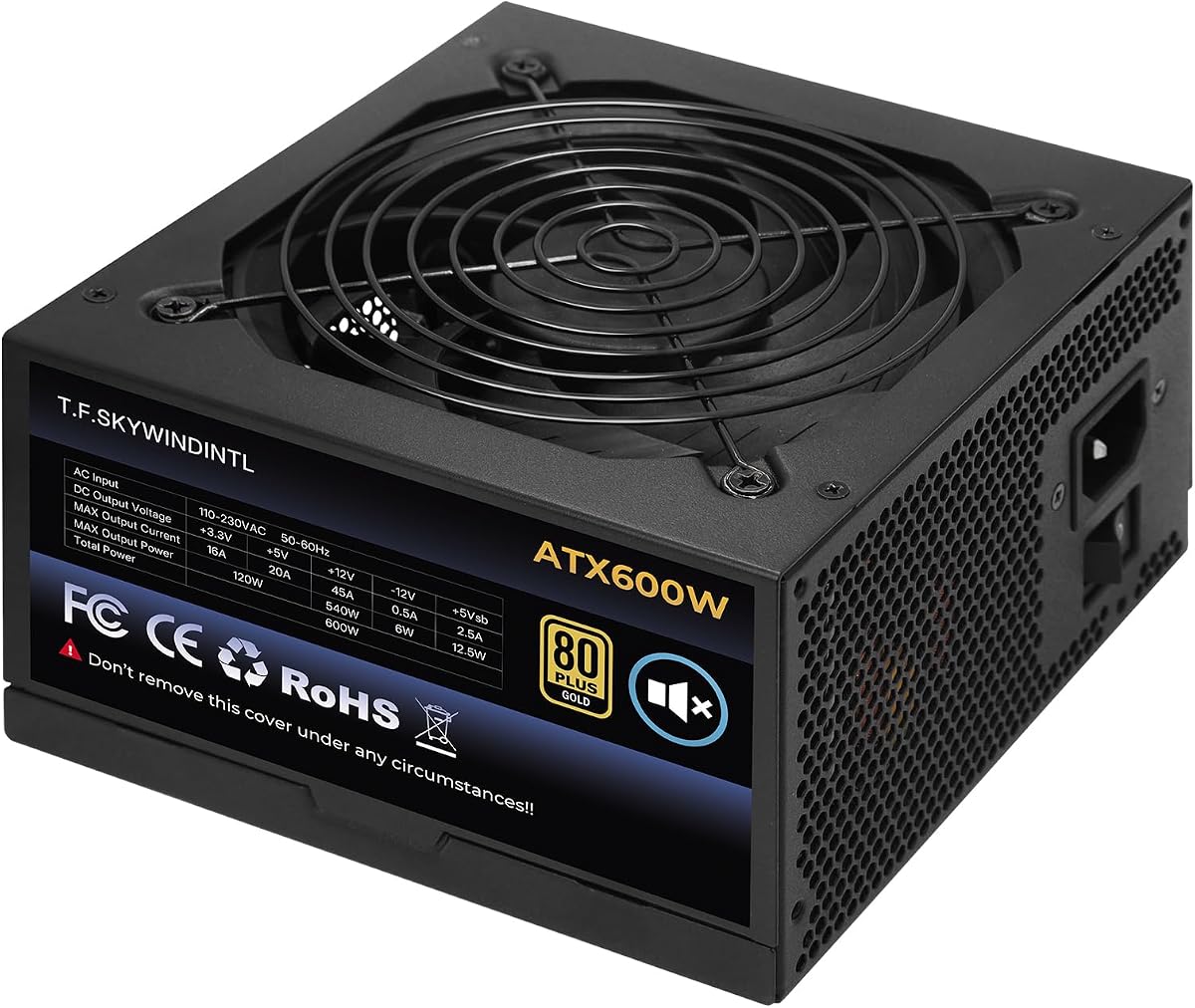
The Silverstone Technology FX350-G-VT stands out as a top choice for compact builds requiring reliable power. It offers an impressive 80 PLUS Gold certification which ensures high efficiency and reduced energy waste during typical use. This unit delivers 350 watts continuously at operating temperatures up to 40 degrees Celsius making it suitable for 24/7 operations without overheating concerns.
We may earn a commission when you buy through this link, at no additional cost to you.
Its Flex ATX form factor is specifically designed for small form factor cases that standard units cannot fit. The class-leading single +12V rail provides stable power distribution to components. Active PFC technology helps maintain power efficiency while minimizing harmonic distortion. These features make it a robust solution for users prioritizing efficiency and compact design in their systems.
While the fixed cables are not modular they are manageable in tight spaces due to the unit's smaller profile. The price is higher than entry-level models but justifies the efficiency gains and build quality. Users seeking a dedicated power supply for mini PCs or home theater setups will find this unit meets their specific needs effectively.
We recommend this model for builders needing a reliable compact power source. If you value energy efficiency and quiet operation over modularity this PSU delivers consistent performance. Its rating reflects strong user satisfaction with thermal management and stability under sustained loads.
The 80 PLUS Gold certification ensures at least 90 percent efficiency under typical loads reducing heat generation and electricity costs significantly.
Designed for Flex ATX cases this unit fits where standard power supplies cannot making it ideal for specialized small desktop builds.
We may earn a commission when you buy through this link, at no additional cost to you.
The Antec Basiq BP350 offers a straightforward solution for budget-conscious builders needing basic power delivery. It delivers 350 watts consistently which is sufficient for low-demand office or home systems. Antec brings years of experience to this product ensuring a level of quality that matches its reputation in the industry for entry-level components.
We may earn a commission when you buy through this link, at no additional cost to you.
Its design focuses on simplicity with essential connectors like the 24/4-Pin main power connector. While it lacks advanced efficiency certifications it meets standard ATX12V specifications for compatibility. The protection features safeguard against common electrical issues ensuring safe operation for connected hardware during daily usage cycles.
The lack of efficiency certification means it may consume more power than higher rated models under load. However for systems with low energy requirements this trade-off is often negligible. The price point makes it accessible for those prioritizing cost savings without sacrificing basic reliability.
This PSU is ideal for office PCs or lightweight home setups. If you need a trusted brand at an entry price this model provides consistent performance. It remains a strong contender for users building systems with minimal power consumption needs.
This unit balances cost and reliability effectively making it a preferred choice for systems that do not demand high efficiency ratings.
Antec is a known manufacturer ensuring that even budget models adhere to safety standards and basic quality expectations.
We may earn a commission when you buy through this link, at no additional cost to you.
This PC Power Supply model stands out for its adjustable voltage features and low energy design tailored for basic desktop systems. The manual switching for 115 or 230V voltage offers flexibility for different regional power standards. This feature allows users to optimize performance based on their local electrical grid conditions.
We may earn a commission when you buy through this link, at no additional cost to you.
The fan speed is automatically controlled by an internal thermal sensor ensuring quiet operation when loads are low. This dynamic adjustment helps reduce noise levels during idle periods while maintaining cooling when needed. Real double magnetic ring design supports ATX12V specifications ensuring compatibility with modern boards.
While the voltage switch requires manual access it provides peace of mind for regions with unstable power. The low energy consumption aligns with eco-friendly building goals. Installation is aided by clear connector marks making setup quick and effective for users with limited technical experience.
We recommend this unit for users needing specific voltage compatibility and quiet operation. Its premium features like thermal control justify the price point over basic models. It serves well for environments where noise reduction and power stability are top priorities.
The automatic thermal sensor ensures the fan runs only when necessary keeping noise levels minimal during light usage.
Adjustable voltage switching provides adaptability for international users or regions with varied electrical standards.
We may earn a commission when you buy through this link, at no additional cost to you.
The Thermaltake Smart 500W provides more power than standard 350W units making it a versatile choice for growing systems. It features an 80 PLUS White certification ensuring 80 percent efficiency under typical loads. This rating offers a balance between cost and performance for budget builders who want some efficiency savings.
We may earn a commission when you buy through this link, at no additional cost to you.
A 120mm ultra quiet cooling fan keeps internal temperatures low during operation. This helps maintain component longevity and reduces acoustic noise in the workspace. Active PFC technology improves power factor and energy usage. The unit meets ATX 12V V2.3 and EPS 12V standards for broad motherboard compatibility.
While the efficiency is standard it includes industry-grade protections like Over Voltage and Over Power Protection. The 5 year warranty adds long-term security for users. Its larger size fits standard cases well but may not suit compact builds requiring smaller footprints.
This unit is suitable for users needing extra power headroom for future upgrades. The warranty and cooling features make it a safe bet for long-term reliability. It represents a solid middle ground between entry-level and premium power solutions.
Delivering 500W this unit supports systems that may exceed typical 350W needs without requiring an immediate replacement.
Over Voltage and Over Power protections safeguard hardware from electrical surges ensuring safe operation over time.
We may earn a commission when you buy through this link, at no additional cost to you.
The APEVIA VENUS450W offers 450 watts of power at a low entry price point for budget systems. It features a 120MM fan with auto-thermal control adjusting speed based on internal temperatures. This helps manage noise levels while ensuring adequate cooling for the components inside your PC case.
We may earn a commission when you buy through this link, at no additional cost to you.
Its protection system includes short-circuit over-voltage and over-temperature safeguards for safe operation. The voltage tolerance ensures stable output within 5 percent limits for reliable performance. Connector options include main power and peripheral connectors for versatile compatibility with standard desktop setups.
While the build materials are basic they meet necessary standards for entry-level use. The auto-thermal fan helps prevent overheating without constant noise. It is an affordable option for those needing reliable power without advanced features like modularity or high efficiency ratings.
We suggest this for budget builds where cost is the primary concern. It provides essential protections and sufficient power for low-demand systems. Ensure proper ventilation in your case to maximize fan performance and longevity.
The fan adjusts speed based on heat ensuring efficient cooling without unnecessary noise during light usage.
Multiple peripheral connectors allow for connecting various drives and accessories without additional adapters.
We may earn a commission when you buy through this link, at no additional cost to you.
The ARESGAME AGV Series 500W provides 500W continuous power with an 80 PLUS Bronze certification. This efficiency tier offers better energy savings than basic units without a high price tag. It includes a 5 year warranty reflecting confidence in the durability and reliability of the unit's components.
We may earn a commission when you buy through this link, at no additional cost to you.
All cables are black avoiding the colorful wires found in budget units for a cleaner look inside your case. A 120mm ultra quiet fan ensures cooling is efficient while maintaining low noise levels. The heavy protection suite covers over-voltage under-voltage and short circuit scenarios for safety.
Since it is non modular cable management might be slightly more challenging than in modular units. However the 500W capacity provides headroom for future upgrades. This model is a strong value proposition for builders wanting a warranty and efficiency on a budget.
This PSU is recommended for users prioritizing warranty and efficiency over modularity. The black cabling improves visual aesthetics. Verify physical dimensions match your case before purchase to ensure a smooth installation.
Bronze certification ensures at least 85 percent efficiency reducing wasted energy and heat compared to standard units.
A 5 year warranty provides long-term protection and peace of mind for your investment in power delivery.
We may earn a commission when you buy through this link, at no additional cost to you.
The Apevia ITX-PFC400W is designed for Mini-ITX and Flex ATX systems requiring compact power delivery. It features a fully modular design allowing you to use only necessary cables for better airflow and cleaner builds. Active PFC ensures power efficiency across a wide input voltage range of 90 to 264V.
We may earn a commission when you buy through this link, at no additional cost to you.
Connectors include standard main power PCIe and SATA options for broad compatibility. Cooling is handled by a 40mm double ball bearing fan which is quiet but efficient for small cases. The unit includes over-voltage over-load and short circuit protections for safety.
Note that setup requires proper cable connections to power on as it will not start simply by plugging into the wall. Connectors can be split to match motherboard requirements. This makes it adaptable for different legacy and modern systems.
This PSU is best for small form factor builders needing modular flexibility. Ensure you read installation guides carefully to avoid connection issues. Its compact size and modularity offer distinct advantages in tight cases.
Modular cables reduce clutter inside the case improving airflow and making maintenance easier for users.
Cables can be adjusted to match 4pin or 20pin requirements ensuring compatibility with older motherboards.
We may earn a commission when you buy through this link, at no additional cost to you.
The Antec Basiq BP350 350WATT adheres to ATX12V V2.01 standards for compatibility with various boards. Its 80mm quiet fan ensures low noise levels during operation making it suitable for silent office environments. Antec reputation ensures a baseline of quality and safety features for entry-level power delivery.
We may earn a commission when you buy through this link, at no additional cost to you.
This unit provides reliable power for basic desktop systems without unnecessary complexity. It fits standard ATX cases well and includes essential connectors for drives and components. The price point remains competitive for those needing a proven brand in a compact package.
The smaller 80mm fan may be louder under high loads compared to larger units but remains acceptable for low-demand use. Build quality is consistent with Antec standards providing long-term reliability. It is a practical choice for straightforward system builds.
We recommend this model for users prioritizing brand trust and compact fit. It delivers consistent power for entry-level needs. Verify your case supports the specific ATX standard before purchasing.
The 80mm fan fits tight spaces but requires adequate case airflow to maintain optimal cooling performance.
Antec offers years of experience ensuring even budget models meet safety expectations and reliability standards.
We may earn a commission when you buy through this link, at no additional cost to you.
This PSU for ATX 350W is part of the HG2 series offering a compliant standard power solution. It meets ROHS compliance ensuring environmentally friendly materials are used in manufacturing. The 350W output is suitable for office computers and low-power desktop systems requiring basic functionality.
We may earn a commission when you buy through this link, at no additional cost to you.
The standard ATX size ensures it fits into most desktop cases without modification. It serves as a direct replacement for older units where capacity matches. While detailed specs are limited it provides the essential features needed for safe operation.
Users seeking a generic replacement with reliable performance will find this unit adequate. It avoids unnecessary features to keep costs down. It is best suited for non-demanding environments where efficiency and advanced protection are less critical.
We suggest this for basic replacements or budget builds with strict size limits. Verify connector types match your motherboard needs. It is a practical option for standard system power requirements.
ROHS compliance ensures the unit uses materials free from hazardous substances meeting international safety and environmental standards.
The standard dimensions allow it to fit into most traditional desktop cases without requiring adapters.
We may earn a commission when you buy through this link, at no additional cost to you.
This 600W Power Supply offers significantly more power than the standard 350W target making it a versatile option for future upgrades. It carries an 80 PLUS Gold certification ensuring 90 percent efficiency under typical loads. This high efficiency reduces waste and heat generation during gaming or high-performance tasks.
We may earn a commission when you buy through this link, at no additional cost to you.
It features multiple connectors including 24pin motherboard and PCIe cables for graphics cards. The full voltage range and active PFC adapt to unstable power environments effectively. Multiple protections including OVP and UVP ensure hardware safety during operation in various conditions.
While it may be overkill for low-power builds the headroom supports system upgrades. The non modular design limits cable management but ensures robust power delivery. The quiet fan operation helps maintain a clean acoustic profile during intense usage.
We recommend this for users planning to upgrade components later. The Gold certification and wattage make it a future-proof choice. Ensure your case can accommodate the standard ATX dimensions comfortably.
90 percent efficiency under typical loads reduces electricity costs and minimizes heat production inside your case.
The 600W capacity provides ample headroom for graphics card or processor upgrades without replacing the unit.
We may earn a commission when you buy through this link, at no additional cost to you.
Choosing the right power supply involves checking key specs to ensure safety and performance.
Ensure the PSU output matches your system needs. For 350W systems confirm the unit delivers at least that wattage to avoid power strain.
Always leave some headroom to account for future upgrades and peak load spikes.
Look for certifications like 80 PLUS Bronze or Gold to save on electricity bills. Higher efficiency reduces heat and improves system stability.
Select a rating that balances cost with long-term energy savings.
Verify the size fits your case. Standard ATX units fit most desktops while Flex ATX is for compact builds.
Measure your case dimensions to avoid fitting issues before purchasing.
Check that necessary connectors like PCIe SATA and 24pin are present. Missing connectors may require adapters.
Match the cables to your components to ensure all parts receive power.
Safety features like OVP and SCP protect your hardware from electrical faults. Prioritize units with comprehensive protection lists.
These safeguards extend component life and prevent potential damage.
A longer warranty indicates manufacturer confidence in reliability. Aim for at least a 5 year coverage.
Check the terms to understand what is covered during the warranty period.
Thermal fans can be noisy under load. Look for units with speed control for quiet operation.
Consider your environment if low noise is a priority for your workspace.
Choose established brands with proven track records for quality. Reliable brands offer better support and safety testing.
Research user reviews to gauge real-world performance.
Install the PSU in a dry well-ventilated area to ensure optimal cooling. Connect the main power cables securely before plugging into the wall.
Avoid placing heavy objects on cables or PSU blocks to prevent damage. Periodically check connectors for dust buildup.
Maintain airflow by keeping vents clear. Regular cleaning helps preserve efficiency and longevity.
Generally 350W is suitable for office tasks or low-power builds without dedicated graphics cards. Gaming systems usually require higher wattage to handle GPU loads effectively.
Active Power Factor Correction improves energy efficiency by aligning current and voltage. It reduces waste and helps the PSU perform better under varied loads.
Modular cables allow flexibility for cleaner builds but non modular units work well too. Choose based on your need for cable management.
Quality units last 5 to 10 years with proper care. Warranties often reflect expected lifespan and component reliability.
Yes using a higher wattage unit is safe. It provides headroom for upgrades without stressing the power supply.
80 PLUS certifications measure how efficiently a PSU converts power. Higher ratings mean less wasted energy and lower electricity bills.
Standard ATX dimensions fit most cases. Check your case manual to ensure compatibility before purchasing specific units.
Ensure all internal cables are connected properly. Some units will not power on unless fully connected to motherboard components.
Selecting a power supply depends on your specific system needs and budget. We highlighted diverse options ranging from budget Antec units to efficient Silverstone models.
Prioritize efficiency and safety features to ensure long-term reliability for your build. Wattage and connectors must align with your components to prevent compatibility issues.
Prices and availability change regularly so check current listings before buying. Verify dimensions and specs match your case to ensure a smooth installation.