
Acer Nitro KG271U N3bmiipx
4.5Editor score
180Hz refresh rate
AMD FreeSync Technology
0.5ms response time
Finding the right display for your gaming setup is crucial for immersive experiences. A 27 inch WQHD 1440p monitor offers the perfect balance of screen real estate and pixel density. These displays deliver sharp visuals and smooth motion for competitive and casual play.
We analyzed ten top-rated models based on refresh rates, panel types, and connectivity options. Our selection includes options from leading brands like Acer, ASUS, and Samsung. Each product was evaluated for performance metrics and user feedback to ensure quality.
Each pick in this guide highlights specific strengths and potential trade-offs. You will find detailed breakdowns of features and real-world application scenarios. Please note that prices and availability change frequently so check current listings before buying.
4.5Editor score

4.6Editor score

4.7Editor score
As an Amazon Associate we earn from qualifying purchases.
This table provides a quick side-by-side comparison of all ten selected monitors. Review the key specifications and features to identify which model best fits your specific gaming needs and budget constraints efficiently.


The Acer Nitro KG271U stands out as an exceptional choice for gamers seeking high performance without breaking the bank. This monitor delivers stunning visual clarity and smooth motion which are critical for competitive gaming scenarios. Users consistently praise its ability to handle fast-paced action with minimal ghosting or tearing effects.
We may earn a commission when you buy through this link, at no additional cost to you.
At the heart of this model lies a robust IPS panel that supports a refresh rate of up to 180Hz. This high frequency ensures that every frame is rendered quickly providing a fluid experience across various game genres. The AMD FreeSync technology works seamlessly to synchronize the display with your graphics card eliminating visual artifacts.
While the monitor offers impressive performance there are minor compromises such as limited connectivity options and a basic stand. However these trade-offs are acceptable given the price point and the overall quality of the visual output. The zero-frame design maximizes screen real estate making it suitable for multi-monitor setups.
Buyers who prioritize performance per dollar will find this monitor an ideal addition to their setup. It delivers professional-grade visuals and responsiveness that compete with more expensive options. We recommend it for budget-conscious gamers who refuse to compromise on refresh rate and color accuracy standards.
The rapid refresh rate and low response time ensure that moving objects remain sharp and distinct during intense gameplay sessions.
Support for 95% DCI-P3 means colors appear vibrant and accurate which benefits both gaming and creative tasks equally.
We may earn a commission when you buy through this link, at no additional cost to you.
The ASUS TUF Gaming VG27AQ3A earns our Editor's Choice award for its balanced feature set and reliable performance. It combines high refresh rates with advanced synchronization technologies to deliver a seamless visual experience. This monitor is designed for professional gamers who demand precision and consistency in their gameplay.
We may earn a commission when you buy through this link, at no additional cost to you.
Key highlights include the ASUS Extreme Low Motion Blur Sync technology which allows ELMB and variable refresh rates to work simultaneously. This dual functionality eliminates ghosting and tearing without sacrificing smoothness. Additionally the G-Sync compatibility ensures that NVIDIA users experience stutter-free gaming across a wide range of frame rates.
While the price is slightly higher than budget options the included features justify the investment. The built-in audio solution provides convenient sound output and the free Adobe Creative Cloud subscription adds value for content creators. However users should note that HDMI ports may not support the highest refresh rates compared to DisplayPort.
This monitor is perfect for users who want a versatile display capable of handling both gaming and professional work. Its exceptional color accuracy and robust build quality make it a long-term investment. We highly recommend it for those seeking a top-tier experience with trusted brand support.
ELMB Sync allows users to enjoy blur-free images even when adaptive sync is active for the best of both worlds.
The inclusion of an Adobe Creative Cloud subscription makes this display uniquely valuable for hybrid users and creators.
We may earn a commission when you buy through this link, at no additional cost to you.
The Samsung Odyssey G5 (G51F) delivers premium performance that justifies its placement as a top-tier option. Its high user rating reflects consistent satisfaction with image quality and responsiveness. The monitor excels in providing clear and sharp visuals that enhance both casual and competitive gaming sessions significantly.
We may earn a commission when you buy through this link, at no additional cost to you.
One of its standout features is the Black Equalizer which helps players locate enemies in dark areas of games. This functionality provides a tactical advantage in shadowy environments. Furthermore the HDR10 support enhances brightness and contrast making scenes appear more vivid and realistic than on standard displays.
While the curved design offers immersion it may not suit every user preference or desk setup. Additionally the lack of a USB hub means you might need a separate dock for peripherals. Despite these minor drawbacks the overall visual experience and build quality remain exceptional for most users.
Buyers who want a visually stunning monitor with tactical advantages will appreciate this model. The ergonomic stand ensures comfort during long sessions and the detailed rendering is unmatched. We recommend it for gamers who prioritize image depth and clarity above all else in their setup.
Black Equalizer allows you to see enemies in dark corners giving you a competitive edge in stealth games.
HDR10 technology expands dynamic range making bright highlights pop and dark shadows retain detail effectively.
We may earn a commission when you buy through this link, at no additional cost to you.
The Acer Nitro XV271U M3bmiiprx offers a robust feature set that appeals to gamers needing strong ergonomics. Its stand supports full height adjustment and pivot which is rare at this price point. This flexibility allows users to find the perfect viewing angle reducing neck strain during extended gaming sessions.
We may earn a commission when you buy through this link, at no additional cost to you.
Powered by AMD FreeSync Premium the monitor ensures tear-free visuals across a broad range of frame rates. The display supports refresh rates up to 180Hz via DisplayPort ensuring smooth motion in fast-paced titles. The response time is fast enough to minimize ghosting in most practical gaming scenarios.
The HDMI connection is limited to 144Hz which might disappoint those with high-end GPUs seeking maximum refresh rates. Additionally the on-screen display menus are functional but lack advanced customization options. Nevertheless the overall value and build quality remain strong for general use.
This model is ideal for users who need a flexible stand and reliable performance without breaking the bank. It bridges the gap between budget and premium options effectively. We suggest it for those who value adjustability and solid connectivity options in their monitor choice.
The ergonomic stand allows full height tilt and pivot adjustments helping you maintain a healthy posture.
FreeSync Premium ensures lower latency and better image quality even when frame rates fluctuate during gameplay.
We may earn a commission when you buy through this link, at no additional cost to you.
The SANSUI 27 Inch WQHD monitor is a strong contender for competitive gamers who need high frame rates. It supports refresh rates up to 200Hz providing a fluid experience that can give players a slight edge. The fast response times ensure that rapid movements on screen remain clear and precise.
We may earn a commission when you buy through this link, at no additional cost to you.
Color reproduction is another highlight with the panel covering 120% of the sRGB color space. This wide gamut ensures that visuals look vibrant and lively whether gaming or watching media. The HDR support adds contrast depth although it is not as deep as high-end HDR monitors.
However the monitor lacks built-in speakers which means external audio is required for a complete setup. The stand allows tilt adjustments but lacks height or pivot functionality. These omissions are typical for budget monitors but limit desk flexibility.
This model is best suited for gamers prioritizing refresh rate and color vibrancy at a low cost. The metal stand provides durability and the extensive port selection offers connectivity options. We recommend it for those who want high performance specs without premium pricing.
With up to 200Hz refresh rate you benefit from reduced latency and smoother motion in competitive titles.
The 120% sRGB coverage ensures your content looks lively and true to life across various applications.
We may earn a commission when you buy through this link, at no additional cost to you.
This SANSUI model distinguishes itself with a versatile stand that supports both pivot and swivel movements. Such flexibility is rare in this category and allows for portrait mode use or easier multi-monitor alignment. It caters well to users who need physical adaptability alongside high gaming performance.
We may earn a commission when you buy through this link, at no additional cost to you.
The display features a fast IPS panel capable of 200Hz refresh rates for ultra-smooth gameplay. Color accuracy is enhanced by a 95% DCI-P3 coverage and 10-bit color depth for rich tones. The brightness level is sufficient for well-lit rooms ensuring visibility without glare issues.
Connectivity relies on standard HDMI 2.0 and DP 1.4 which is adequate for current hardware. While the audio jack supports external devices there are no built-in speakers for convenience. The monitor excels in motion clarity thanks to its Low Motion Blur technology implementation.
Gamers who value physical adjustability and color fidelity will find this option compelling. The stand features alone add significant value compared to competitors at this price. We recommend it for users who need a flexible display for mixed work and play environments.
The stand supports full pivot and swivel allowing you to rotate the screen for different tasks comfortably.
10-bit color support combined with DCI-P3 ensures smooth gradients and lifelike image rendering.
We may earn a commission when you buy through this link, at no additional cost to you.
The KOORUI G2721P offers a compelling package for budget gamers who need high refresh rates and color accuracy. It supports up to 200Hz refresh rates ensuring fluid motion in fast-paced games. The minimalistic design complements modern setups without distracting from the screen content itself.
We may earn a commission when you buy through this link, at no additional cost to you.
Color performance is notable with a 95% DCI-P3 coverage that delivers rich and varied visuals. HDR400 certification adds a layer of contrast enhancement making bright areas pop more effectively. The included 3-year warranty provides peace of mind against potential defects or failures.
Since there are few verified ratings available users should review current feedback before purchasing. The stand offers limited tilt adjustments which might require a VESA mount for optimal positioning. Despite this the overall feature set remains attractive for the price.
This monitor is recommended for those seeking maximum refresh rates without spending much. It is a solid choice for secondary setups or budget builds. We suggest it for users who value warranty protection and fast performance.
A 3-year warranty provides long-term security for your investment compared to standard 1-year terms.
HDR400 certification ensures enhanced brightness and contrast for a more immersive visual experience.
We may earn a commission when you buy through this link, at no additional cost to you.
The Acer Nitro EDA270U brings an immersive curved experience to the WQHD market with a 1500R radius. This curvature wraps the screen around the viewer creating a sense of depth and engagement. It is particularly effective for racing or flight simulation games where peripheral vision matters.
We may earn a commission when you buy through this link, at no additional cost to you.
Despite being curved it maintains a fast 180Hz refresh rate and FreeSync Premium support for smooth visuals. The zero-frame design ensures that multiple screens appear as one continuous display in multi-monitor setups. Additionally the included speakers provide basic audio output for simple tasks.
The stand only supports tilt which means height adjustment requires a VESA mount or separate arm. This limitation might be a drawback for users needing ergonomic precision. However the visual immersion makes it a unique option for specific gaming preferences.
This monitor is best for gamers who prioritize immersion over stand ergonomics. The curve adds a distinct advantage in specific genres and the refresh rate is robust. We recommend it for those seeking a visually engaging experience at a competitive price.
The 1500R curvature enhances peripheral vision making you feel more immersed in the game world.
Zero-frame design reduces bezel gaps so multiple screens align seamlessly for wider views.
We may earn a commission when you buy through this link, at no additional cost to you.
The ASUS TUF VG27AQL1A is built for professional gamers needing high performance and precise color control. It features an overclocked refresh rate of 170Hz for incredibly smooth motion. The panel offers excellent color coverage with 130% sRGB ensuring accurate image representation.
We may earn a commission when you buy through this link, at no additional cost to you.
Key technologies include ELMB Sync which combines motion blur reduction with variable refresh rates. G-Sync compatibility ensures that NVIDIA GPUs work seamlessly with the display for tear-free gaming. Eye Care features reduce strain allowing for longer gaming sessions without discomfort.
The price is higher than budget options but the feature set justifies it for serious users. Setup may require tweaking settings to optimize ELMB and G-Sync together. However the result is a high-quality visual experience that rivals much more expensive models.
This model is ideal for users who demand professional-grade performance and reliability. It offers a balanced mix of speed color accuracy and advanced synchronization. We recommend it for gamers who want to invest in a long-term premium display.
ELMB Sync reduces motion blur effectively while maintaining variable refresh rate benefits.
Built-in eye care technologies reduce flicker and blue light to minimize strain during use.
We may earn a commission when you buy through this link, at no additional cost to you.
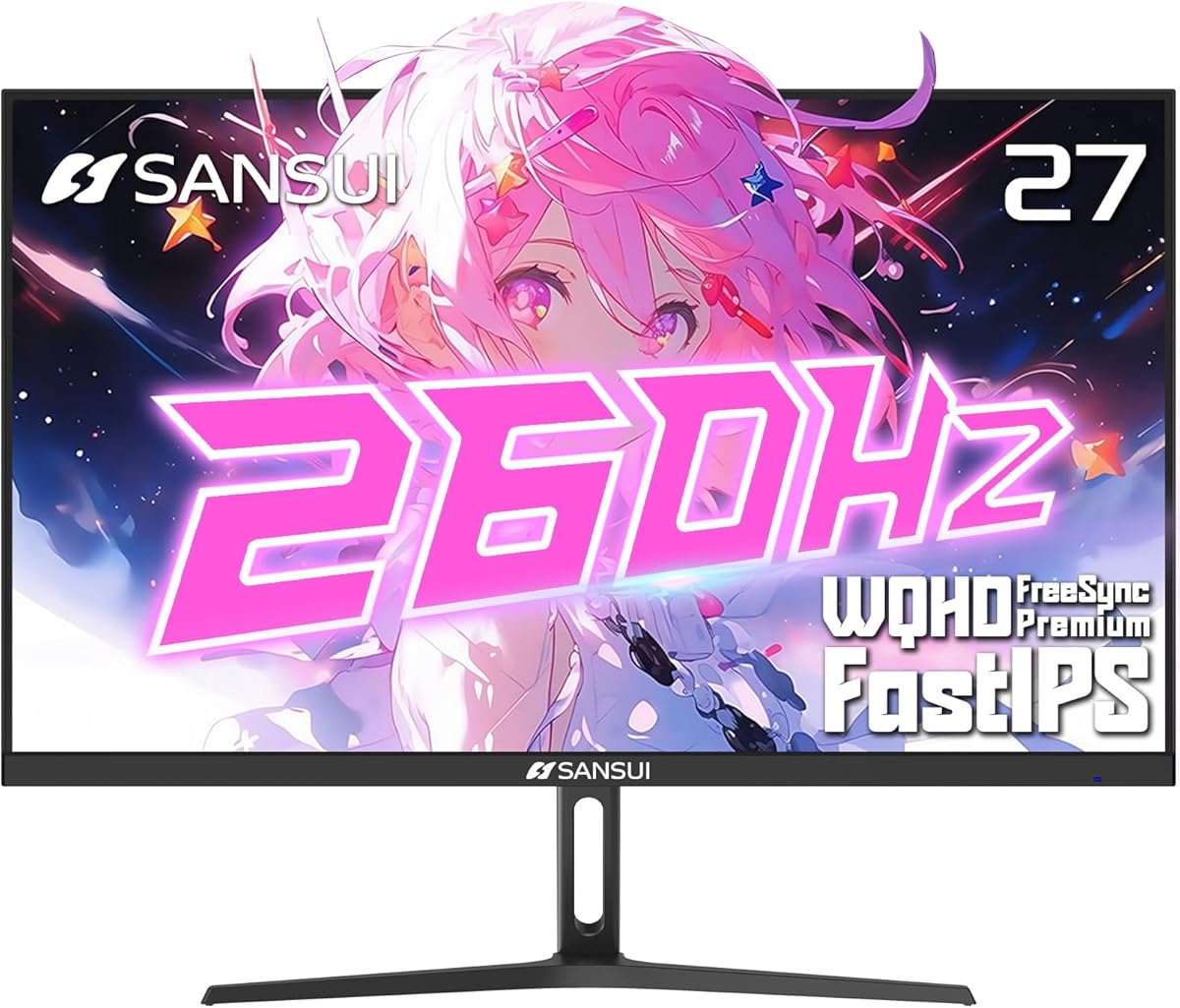
This SANSUI model pushes the boundaries of refresh rates with support up to 260Hz. Such high speeds are rare in the WQHD segment and provide an ultra-competitive edge. The fast IPS panel ensures that colors remain accurate even with the rapid pixel transitions.
We may earn a commission when you buy through this link, at no additional cost to you.
Color performance is strong with 98% DCI-P3 coverage ensuring rich and accurate visuals. FreeSync Premium support minimizes tearing and stuttering during intense gameplay. The inclusion of low blue light and anti-flicker tech helps reduce eye fatigue over long sessions.
To fully utilize the 260Hz you need a powerful graphics card which may not be available to all users. The stand is basic offering only tilt adjustments. Despite these requirements the monitor offers exceptional value for those needing top-tier speed.
This monitor is perfect for competitive players seeking the fastest available refresh rate options. It delivers professional-level specs at a competitive price point. We recommend it for users who prioritize speed and color accuracy above ergonomics.
With 260Hz refresh you get the smoothest motion possible reducing blur and latency significantly.
98% DCI-P3 coverage ensures your visuals are vibrant and accurate for all types of content.
We may earn a commission when you buy through this link, at no additional cost to you.
Selecting the right monitor involves balancing refresh rates response times and panel technologies to meet your specific needs.
Refresh rate determines how many frames per second your monitor can display. Higher rates like 144Hz or 240Hz provide smoother motion which is critical for competitive gaming. Look for models that support at least 144Hz to ensure fluid gameplay.
Choose a higher refresh rate if you play fast-paced shooters or action games.
IPS panels offer wide viewing angles and accurate colors making them ideal for gaming and creative work. VA panels provide better contrast but slower response times. TN panels are fastest but lack color quality.
IPS is generally the best choice for a balanced gaming experience.
Response time measures how quickly pixels can change color. Lower values like 1ms reduce ghosting and motion blur during fast movement. This is essential for maintaining clarity in dynamic scenes.
Opt for a response time of 1ms or lower for competitive play.
Adaptive Sync technologies like FreeSync and G-Sync synchronize the monitor with your graphics card. This eliminates screen tearing and stuttering caused by frame rate mismatches. It ensures a smoother visual experience regardless of game performance.
Ensure the monitor supports the sync technology compatible with your GPU.
Adjustable stands allow for height tilt and pivot adjustments to suit your posture. This reduces strain during long sessions and improves comfort. VESA mounting options provide additional flexibility for custom setups.
Prioritize height and tilt adjustments for better long-term comfort.
Color accuracy is important for both gaming and creative tasks. Look for wide color gamut coverage like sRGB or DCI-P3 to ensure vibrant images. High-quality panels deliver more consistent colors across the screen.
Choose a monitor with high color gamut coverage for better visuals.
Check the ports available on the monitor such as HDMI and DisplayPort. DisplayPort often supports higher refresh rates and resolutions than HDMI. Ensure you have the correct cables to utilize the monitor fully.
Prefer DisplayPort for higher bandwidth and refresh rate support.
Durable materials and sturdy stands ensure the monitor lasts longer. Look for models with metal stands or protective coatings against scratches. A solid build prevents wobbling and ensures stability on your desk.
Invest in a monitor with robust construction for long-term reliability.
To get the best performance from your monitor ensure you connect it using a high-bandwidth DisplayPort cable. This allows you to utilize the maximum refresh rates supported by the hardware. Using older HDMI cables might limit your gaming experience to lower frame rates.
Adjust the brightness and contrast settings based on your room lighting to reduce eye strain. Using eye care modes like low blue light can help during extended gaming sessions. Regularly calibrate your display if you need precise color accuracy.
Keep the screen clean by using a microfiber cloth to remove dust and fingerprints. Avoid harsh chemicals that could damage the anti-glare coating. Proper maintenance ensures the longevity and clarity of your display over time.
Yes 27 inch WQHD offers higher pixel density and sharper images than Full HD. The extra detail helps you spot enemies faster and improves text clarity in productivity tasks.
For competitive gaming 144Hz or higher is ideal. Higher refresh rates provide smoother motion and reduced latency which can improve reaction times in fast-paced games significantly.
Yes driving 1440p at high refresh rates requires a capable graphics card. Ensure your GPU can handle the resolution and frame rates to avoid performance bottlenecks.
IPS panels are generally best for gaming due to their color accuracy and response times. They balance performance and visual quality better than VA or TN panels.
Yes NVIDIA cards support FreeSync on compatible monitors though you may need to enable it in the control panel. G-Sync Compatible monitors offer the best performance for NVIDIA users.
Use the OSD buttons on the monitor frame to adjust brightness and refresh rates. You can also use software tools for calibration and color management.
We have highlighted ten excellent monitors that deliver high performance and visual fidelity for gaming. Each option offers unique benefits from high refresh rates to versatile stands. Selecting the right one depends on your specific gaming habits and budget constraints.
Prioritize features that match your needs such as color accuracy or refresh speed. A well-chosen monitor can significantly enhance your gaming experience and productivity levels. Consider the trade-offs between price and advanced features when making your decision.
Always check current prices and availability before purchasing as offers change frequently. Our guide provides a reliable foundation for making an informed choice. We hope this selection helps you find the perfect display for your setup.