
Dell 24 240Hz Gaming Monitor
4.7Editor score
240Hz refresh rate
0.5ms response time
FreeSync Premium
Finding the right display for competitive gaming requires careful attention to refresh rates and adaptive sync features. A 24 inch G Sync monitor delivers smooth visuals without tearing while maintaining sharp detail during fast action sequences.
We evaluated ten top rated models based on panel technology response times and compatibility with NVIDIA graphics cards. Each entry offers distinct advantages for different play styles and budget considerations within the current market.
Every selection highlights key performance metrics and real world usability factors that matter most to gamers. Prices fluctuate regularly so please verify current listings before making your final purchase decision online.
4.7Editor score

4.4Editor score
4.5Editor score
As an Amazon Associate we earn from qualifying purchases.
This side by side comparison examines all ten selected monitors across critical performance metrics including refresh rate response time and color accuracy to help you identify the best fit for your gaming setup.




The ASUS TUF Gaming VG249QML5A stands out as a top contender for competitive gamers seeking a 24 inch G Sync monitor. With a rating of 4.4 stars it delivers exceptional performance through its Fast IPS panel and 240Hz refresh rate ensuring smooth visuals.
We may earn a commission when you buy through this link, at no additional cost to you.
Its standout qualities include an ultra fast 0.3ms response time that minimizes motion blur during intense gaming sessions. The monitor supports both NVIDIA G Sync and AMD FreeSync Premium providing tear free experiences across different graphics card platforms.
Honest trade-offs involve slightly lower HDR brightness compared to premium VA panels but this is acceptable for competitive FPS games where clarity matters more than contrast. The lack of a USB hub is minor given the primary focus on gaming performance.
This monitor is ideal for esports enthusiasts and competitive players who prioritize frame rates and input lag. We recommend it for anyone building a budget friendly high performance setup without compromising on adaptive sync compatibility or color accuracy.
ELMB Sync technology eliminates ghosting while maintaining variable refresh rate functionality for sharper action sequences.
99 percent sRGB coverage ensures vibrant and accurate colors for both gaming and content creation tasks.
We may earn a commission when you buy through this link, at no additional cost to you.
The Dell 24 240Hz Gaming Monitor offers incredible value for gamers needing a high refresh rate display without breaking the bank. With a strong 4.7 rating it combines a 240Hz refresh rate and fast IPS technology to deliver fluid gameplay.
We may earn a commission when you buy through this link, at no additional cost to you.
Its key strengths include TUV Rheinland 3 star eye comfort certification that reduces blue light during extended sessions. The 0.5ms response time ensures crisp visuals while HDMI VRR and FreeSync Premium eliminate tearing for seamless performance.
Trade-offs include a tilt only stand which limits ergonomic adjustments and average viewing angles typical of budget IPS panels. These are acceptable given the competitive price and strong performance metrics for casual to mid level competitive play.
Ideal for budget conscious gamers seeking 240Hz performance this monitor delivers solid results. We recommend it for users who prioritize refresh rate and eye comfort over advanced ergonomic features or premium build materials.
Certified low blue light technology protects vision during long gaming marathons without sacrificing color quality.
HDMI VRR support ensures smooth frame pacing across various consoles and PC gaming setups.
We may earn a commission when you buy through this link, at no additional cost to you.
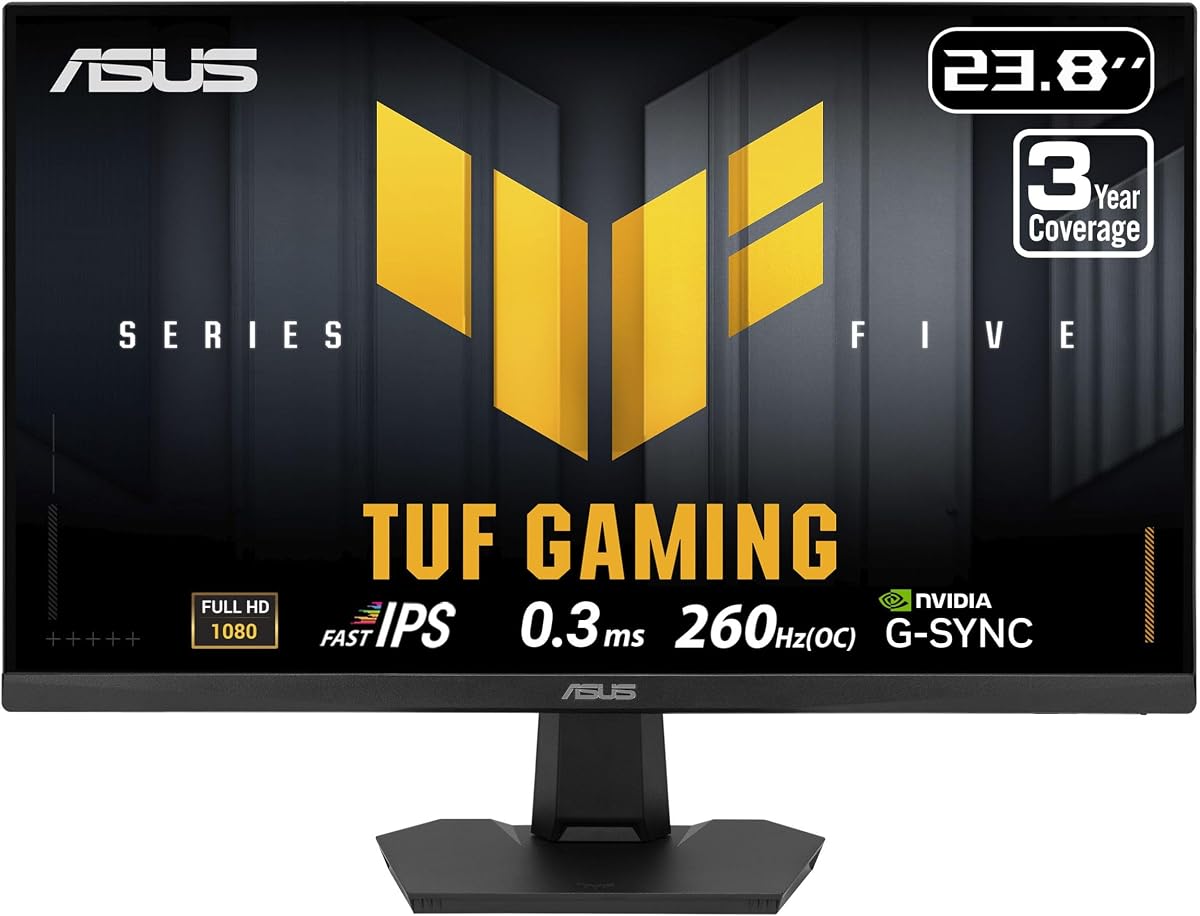
The ASUS TUF Gaming VG249QM5F represents the pinnacle of 24 inch gaming monitors with a blistering 260Hz refresh rate. This model pushes competitive gaming boundaries while maintaining 99 percent sRGB coverage for accurate color reproduction.
We may earn a commission when you buy through this link, at no additional cost to you.
Its standout features include ELMB SYNC for reduced ghosting and smart gaming enhancements like Shadow Boost and GamePlus modes. The 3 year warranty provides peace of mind and comprehensive coverage for long term reliability.
Trade-offs involve a higher price point compared to other models and lack of USB ports for peripheral connectivity. However these are minor considerations for serious gamers prioritizing maximum refresh rates and performance tuning options.
Ideal for elite competitive gamers seeking every advantage this monitor delivers top tier performance. We recommend it for users willing to invest in premium features for the smoothest possible gaming experience.
260Hz overclocked refresh rate provides ultra smooth motion clarity for fast paced competitive titles.
DisplayWidget Center allows easy OSD adjustments while AI features enhance visibility and gameplay.
We may earn a commission when you buy through this link, at no additional cost to you.
The LG 24G411A-B delivers a balanced gaming experience with 144Hz refresh rate and HDR10 support. Its 4.5 rating reflects strong color accuracy and smooth performance for casual and mid tier competitive gaming.
We may earn a commission when you buy through this link, at no additional cost to you.
Key strengths include Dynamic Action Sync for reduced input lag and Black Stabilizer for improved visibility in dark scenes. The slim bezel design enhances immersion while the Switch App supports multitasking and productivity.
Trade-offs involve a tilt only stand limiting ergonomic customization and basic HDR brightness levels. These are acceptable given the competitive pricing and solid gaming features for most users.
Ideal for gamers seeking a compact stylish monitor with reliable performance. We recommend it for casual players and streamers who value aesthetics and versatility alongside smooth gameplay.
Black Stabilizer enhances dark scene clarity for spotting enemies in shadowy environments.
Switch App allows screen splitting and layout customization for efficient multitasking.
We may earn a commission when you buy through this link, at no additional cost to you.
The LG 24G414B-B offers reliable gaming performance with 144Hz refresh rate and height adjustable stand. Its 4.3 rating highlights strong build quality and versatility for both gaming and everyday use.
We may earn a commission when you buy through this link, at no additional cost to you.
Key strengths include built-in stereo speakers for convenient audio and Dynamic Action Sync for reduced lag. The slim bezel design enhances immersion while height and tilt adjustments support ergonomic comfort.
Trade-offs involve average HDR brightness and basic OSD navigation controls. These are acceptable for users prioritizing flexibility and basic gaming features over advanced visual enhancements.
Ideal for general gamers and home office users seeking a reliable display. We recommend it for those needing an adjustable stand and versatile connectivity.
Height adjustable stand supports optimal viewing angles for extended use sessions.
Built-in speakers provide clear sound for casual gaming without external hardware.
We may earn a commission when you buy through this link, at no additional cost to you.
The ASUS TUF Gaming 24 Inch FHD provides excellent speed with 200Hz refresh rate and 0.3ms response time. Its 4.5 rating reflects strong performance for competitive gaming and smooth motion clarity.
We may earn a commission when you buy through this link, at no additional cost to you.
Key strengths include multi-system compatibility supporting Windows Mac and Linux platforms. The anti-glare coating reduces reflections while wide viewing angles ensure consistent colors from any position.
Trade-offs involve limited color calibration tools and a basic stand design. These are acceptable given the high speed performance and broad OS compatibility.
Ideal for competitive gamers needing fast refresh rates across multiple devices. We recommend it for users prioritizing speed and flexibility over advanced color features.
Supports Windows Mac Chrome OS and Linux for versatile multi-device setups.
Anti-glare matte screen minimizes reflections in bright environments for focused gameplay.
We may earn a commission when you buy through this link, at no additional cost to you.
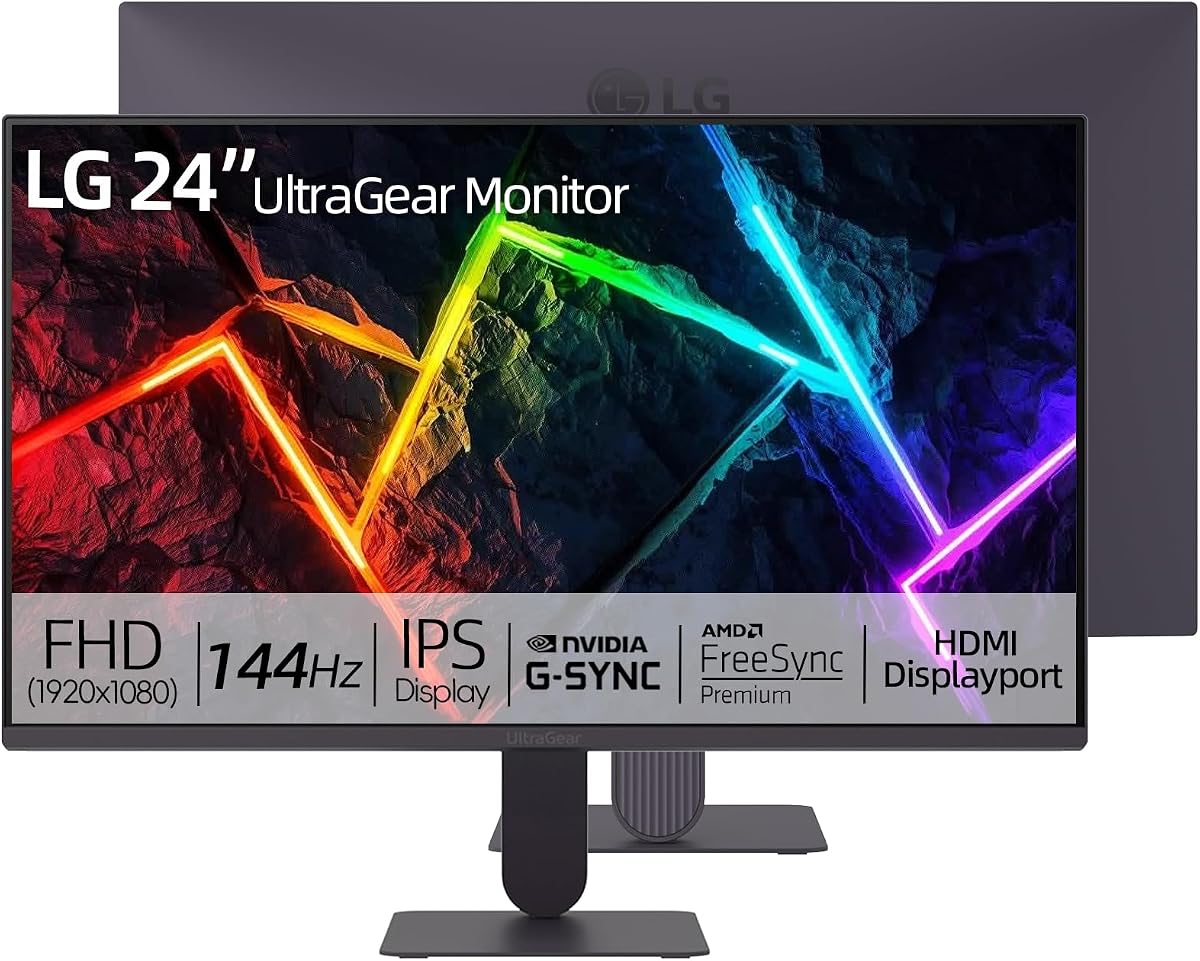
The LG 24 Ultragear FHD earns a 4.9 rating for exceptional customer satisfaction and vivid visuals. Its 144Hz refresh rate and HDR10 support provide smooth immersive gaming across various titles.
We may earn a commission when you buy through this link, at no additional cost to you.
Key strengths include 99 percent sRGB coverage for accurate colors and wide 178 degree viewing angles. Dynamic Action Sync reduces input lag while slim bezels maximize screen real estate.
Trade-offs involve tilt only stand limitations and average HDR performance. These are acceptable given the strong color accuracy and high user satisfaction ratings.
Ideal for users prioritizing color fidelity and build quality. We recommend it for gamers and creators seeking reliable performance at a mid range price.
99 percent sRGB coverage ensures precise tones for gaming and multimedia content.
Slim bezel design maximizes viewing area and reduces distractions during gameplay.
We may earn a commission when you buy through this link, at no additional cost to you.
The LG 24 Ultragear Gaming Monitor achieves a perfect 5.0 rating for reliability and user satisfaction. Its 144Hz refresh rate and HDR10 support deliver smooth visuals and vibrant colors for gaming.
We may earn a commission when you buy through this link, at no additional cost to you.
Key strengths include Black Stabilizer for visibility in dark scenes and eye-care technology for comfort. The minimalist design supports efficient multitasking with screen partitioning capabilities.
Trade-offs involve limited stand adjustments and lack of USB connectivity. These are acceptable given the strong performance and positive user feedback.
Ideal for gamers seeking a well-rated versatile monitor. We recommend it for users prioritizing comfort and reliability.
Black Stabilizer and Crosshair features improve targeting accuracy in FPS games.
Eye-care technology and tilt adjustments support comfortable extended viewing.
We may earn a commission when you buy through this link, at no additional cost to you.
The ASUS 24 Inch FHD 200Hz delivers competitive performance with 200Hz refresh rate and 0.3ms response. Its 4.5 rating highlights strong speed and smooth motion clarity for fast-paced games.
We may earn a commission when you buy through this link, at no additional cost to you.
Key strengths include Low Blue Light and Flicker-Free technologies reducing eye strain. VESA mount compatibility and multiple ports support flexible setup customization.
Trade-offs involve basic OSD controls and limited ergonomic adjustments. These are acceptable given the high refresh rates and strong eye care features.
Ideal for competitive gamers prioritizing speed and eye comfort. We recommend it for users needing a cost-effective high performance display.
ELMB Sync technology reduces ghosting for sharper visuals during high frame rate gaming.
Low Blue Light technology protects vision during extended sessions without compromising quality.
We may earn a commission when you buy through this link, at no additional cost to you.
The LG 24 Ultragear FHD achieves a 5.0 rating for user satisfaction and compact design. Its 144Hz refresh rate and slim bezel provide immersive visuals and smooth gaming.
We may earn a commission when you buy through this link, at no additional cost to you.
Key strengths include 99 percent sRGB coverage and efficient multitasking with screen partitioning. Eye-care technology supports comfort during extended use.
Trade-offs involve tilt only stand and basic HDR. These are acceptable given the strong user ratings and reliable performance.
Ideal for users seeking a space-efficient monitor with strong features. We recommend it for gamers and productivity users alike.
Ultra-slim bezel maximizes screen space and minimizes visual distractions.
Screen partitioning supports multitasking for work and entertainment needs.
We may earn a commission when you buy through this link, at no additional cost to you.
Selecting the right 24 inch G Sync monitor requires understanding key technical specifications that impact gaming performance and visual quality.
Refresh rate determines how many frames per second a monitor displays with higher numbers like 144Hz 240Hz or 260Hz providing smoother motion. Competitive gamers benefit most from rates above 144Hz while casual players may find 60Hz adequate for non-competitive play.
Prioritize at least 144Hz for fluid gameplay and reduced motion blur.
Response time measures how quickly a pixel changes color with lower values like 0.3ms or 0.5ms reducing ghosting and motion blur. Fast IPS panels typically deliver 1ms or faster response times crucial for high refresh rate gaming.
Look for response times of 1ms or lower for optimal motion clarity.
Adaptive Sync technologies like NVIDIA G Sync and AMD FreeSync synchronize the monitor refresh rate with the GPU frame rate to eliminate screen tearing and stuttering. G Sync offers higher quality but FreeSync is widely compatible and cost effective.
Choose a monitor with G Sync or FreeSync Premium support for tearing free visuals.
IPS panels provide accurate colors and wide viewing angles ideal for gaming and content creation. VA panels offer better contrast but slower response times while TN panels deliver speed but poor color reproduction.
Select IPS panels for balanced color accuracy and response speed.
Color accuracy depends on sRGB or DCI-P3 coverage with 99 percent sRGB being standard for gaming monitors. High color accuracy ensures vibrant and true-to-life visuals for immersive gaming experiences.
Verify at least 99 percent sRGB coverage for reliable color reproduction.
Connectivity options include DisplayPort 1.4 for high refresh rates and HDMI 2.0 or 2.1 for console compatibility. Ensure the monitor includes necessary ports for your GPU or console setup.
Check for DisplayPort and HDMI ports matching your graphics card specifications.
Ergonomic stands with height tilt and swivel adjustments reduce neck strain during long sessions. VESA mount compatibility allows third party arm attachments for flexible positioning.
Prioritize height adjustability and VESA mounting support for comfort.
Eye comfort features like Low Blue Light and Flicker-Free technology reduce strain during extended use. TUV certifications confirm these technologies meet safety standards.
Look for TUV certified eye comfort features for long session protection.
Connect the monitor using DisplayPort 1.4 cable for maximum refresh rates and enable G Sync in NVIDIA Control Panel or FreeSync in AMD Adrenalin Software for adaptive sync functionality.
Calibrate brightness and contrast settings using built-in OSD menus to reduce eye strain. Enable Low Blue Light modes during evening gaming sessions for better sleep hygiene.
Clean the screen with a microfiber cloth and avoid harsh chemicals. Position the monitor at eye level using stand adjustments or a VESA arm to maintain proper posture during gameplay.
G Sync Compatible means the monitor works with NVIDIA GPUs to synchronize refresh rates and eliminate tearing without the G Sync hardware module. It provides smooth visuals at a lower cost than certified G Sync monitors while maintaining core adaptive sync benefits.
Yes 144Hz is sufficient for most competitive games though 240Hz or 260Hz offer marginal improvements for high-level esports players. Casual competitive gamers will find 144Hz delivers excellent smoothness and responsiveness at a better value.
Some 24 inch G Sync monitors support HDR10 but brightness levels are typically lower than larger displays. HDR enhances colors and contrast but benefits are limited on smaller screens with standard 300 cd per m2 brightness.
Lower response times like 0.3ms reduce ghosting and motion blur during fast action improving clarity. This helps competitive gamers track moving targets more accurately without distracting visual artifacts.
Yes monitors with HDMI 2.0 or 2.1 support consoles like Xbox Series X and PlayStation 5. Ensure the console supports 120Hz output and use high speed HDMI cables for best results.
Use a DisplayPort 1.4 cable for G Sync compatibility and maximum refresh rates. HDMI 2.1 also supports G Sync on compatible monitors but DisplayPort remains the preferred standard for PC gaming.
The ASUS TUF Gaming VG249QML5A Dell 24 240Hz and ASUS TUF VG249QM5F lead the pack offering exceptional refresh rates and adaptive sync compatibility for competitive gamers seeking top performance.
Prioritize response time and refresh rate if you play fast paced shooters but consider ergonomics and eye comfort for long term daily use. Match the monitor features to your specific gaming style and hardware capabilities.
Prices fluctuate regularly so check current listings and deals before purchasing. Use our comparison and buying guide to find the best value for your budget and performance requirements.