
Thermaltake Pure 20 Series
4.5Editor score
High airflow design
Quiet operation
Affordable pricing
Choosing the right cooling solution is critical for maintaining optimal system temperatures and ensuring longevity for your high performance computer components during intense gaming or workload sessions.
We evaluated ten leading 200mm case fan models based on airflow efficiency, noise output, bearing technology, and compatibility with modern PC chassis designs to provide a comprehensive comparison.
Each product selection highlights specific strengths and tradeoffs so you can identify the ideal match for your build while keeping in mind that pricing and availability may shift over time.
4.5Editor score
4.8Editor score

4.6Editor score
As an Amazon Associate we earn from qualifying purchases.
This side by side comparison evaluates all ten selected models across key performance metrics to help you understand how each fan fits into different cooling requirements and budget constraints.


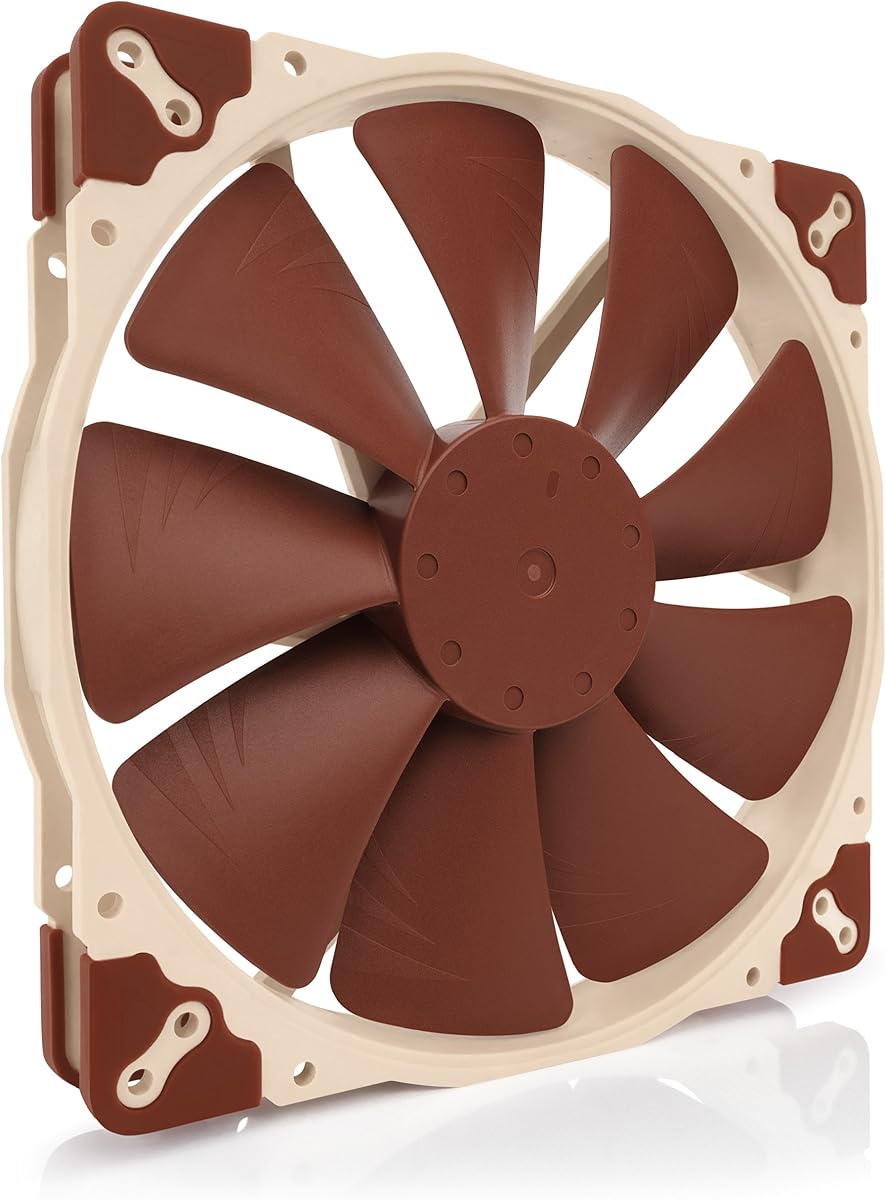
The Noctua NF-A20 PWM stands out as a premium option for those prioritizing silent cooling performance without sacrificing airflow capacity in large computer chassis environments.
We may earn a commission when you buy through this link, at no additional cost to you.
Its award winning A-series design features Flow Acceleration Channels and an Advanced Acoustic Optimisation frame that work together to deliver exceptional static pressure while maintaining minimal noise emissions.
While the 30mm thickness requires more space than standard 25mm fans, the extra depth contributes to better air pressure and the included accessories provide flexibility for various setups.
This fan is ideal for professionals and enthusiasts who value reliability and acoustic comfort and will appreciate the long term MTTF rating that ensures years of continuous operation.
The frame design minimizes turbulent airflow noise ensuring a peaceful computing environment even under sustained cooling loads.
Three sets of mounting holes allow compatibility with many case designs making installation straightforward for diverse hardware configurations.
We may earn a commission when you buy through this link, at no additional cost to you.
The chromax.Black.swap edition retains all the performance benefits of the standard NF-A20 PWM while adding a sleek all black appearance that fits seamlessly into modern dark themed builds.
We may earn a commission when you buy through this link, at no additional cost to you.
Enthusiasts can customize the look of their system with swappable anti-vibration pads available in multiple colors allowing for personalization without compromising the acoustic and thermal advantages.
This model shares the same high MTTF rating and airflow capabilities as the standard version ensuring that style does not come at the expense of functional reliability over time.
It is best suited for users who demand top tier performance and a refined visual style and are willing to invest in a fan that delivers both.
Swap the anti-vibration pads to match your build color scheme for a cohesive look without adding extra lighting components.
The core technology remains identical to the standard model ensuring you get the same quiet airflow and thermal management.
We may earn a commission when you buy through this link, at no additional cost to you.
For budget conscious builders the Thermaltake Pure 20 Series offers a compelling balance of airflow performance and quiet operation without requiring a premium investment.
We may earn a commission when you buy through this link, at no additional cost to you.
The fan blade design focuses airflow efficiently reducing noise while creating a strong torrent of air to help dissipate heat from internal components effectively.
Its long life sleeve bearing provides reliable operation and the shaved frame allows for easier installation especially when using Thermaltake chassis designs.
This model is an excellent choice for standard builds where cost efficiency matters and you still want a 200mm fan that delivers solid cooling results.
The blade geometry ensures that air moves quickly through the fan maintaining good pressure even at lower speeds.
Vibration damping mounts reduce resonance noise adding to the overall quietness of the system during operation.
We may earn a commission when you buy through this link, at no additional cost to you.
The CT200 PWM fan is engineered to complement existing Thermaltake CT fan lineups providing consistent aesthetics while delivering robust cooling performance for demanding cases.
We may earn a commission when you buy through this link, at no additional cost to you.
With nine optimized blades it pushes up to 131.6 CFM of airflow and maintains respectable static pressure ensuring heat is moved out of the chassis efficiently.
Hydraulic bearings contribute to silent and reliable operation and the daisy chain connectors simplify cable management when using multiple fans on a single header.
This fan suits builders looking for a straightforward upgrade that adds performance without complex setups and integrates well with other Thermaltake cooling products.
Daisy chain connectors reduce clutter by allowing multiple fans to connect through one header cable.
The hydraulic bearing design ensures quiet operation while maintaining stability over long periods of use.
We may earn a commission when you buy through this link, at no additional cost to you.
The SickleFlow 200 aRGB combines dynamic lighting with efficient cooling making it a strong candidate for builds that prioritize visual flair alongside thermal performance.
We may earn a commission when you buy through this link, at no additional cost to you.
Its frosted blade design enhances light dispersion creating a soft uniform glow while the hybrid PBT frame provides stability and minimizes resonance noise during operation.
Dynamic PWM control allows for speed adjustments from zero to 800 RPM balancing noise and airflow effectively based on system temperature demands.
This model is perfect for gamers and content creators who want customizable lighting effects without compromising on airflow quality or operational silence.
The frosted blades diffuse LED light evenly preventing harsh bright spots and creating a pleasing visual effect.
The flexible frame reduces vibration noise enhancing the quiet performance of the fan during use.
We may earn a commission when you buy through this link, at no additional cost to you.
The NF-A20 FLX provides a reliable non-PWM solution for users who prefer simpler control interfaces or systems that lack PWM headers.
We may earn a commission when you buy through this link, at no additional cost to you.
It offers two distinct speed settings via a Low-Noise Adaptor allowing you to choose between maximum airflow or near-silent operation depending on your needs.
The included extension cable simplifies routing and the three-pin Molex design ensures compatibility with standard power supplies or older motherboards easily.
This fan is suitable for legacy systems or setups where PWM functionality is unnecessary but performance and reliability remain top priorities.
Use the adaptor to switch speeds easily without needing complex software or header configurations.
The 3-pin connector allows connection to power supplies or motherboard headers with ease.
We may earn a commission when you buy through this link, at no additional cost to you.
This variant of the NF-A20 is uniquely designed for 5V applications offering versatility for USB powered devices or portable cooling solutions.
We may earn a commission when you buy through this link, at no additional cost to you.
The USB power adaptor cable allows the fan to run on power banks or smartphones making it useful for small form factor or mobile setups.
Despite its specialized voltage compatibility it retains the high airflow and low noise characteristics that make the NF-A20 series famous among PC builders.
It is an ideal choice for niche projects where standard 12V power is unavailable but you still want premium Noctua cooling quality.
Power the fan directly from USB hosts enabling cooling solutions for portable devices or cabinets without mains power.
Built-in protection prevents damage from incorrect wiring ensuring safe operation in varied setups.
We may earn a commission when you buy through this link, at no additional cost to you.
The MF200R RGB offers wide compatibility with major RGB ecosystems making it easy to synchronize lighting effects across different components in your system.
We may earn a commission when you buy through this link, at no additional cost to you.
Its hybrid design blends Jet Engine and helicopter blade shapes to maintain adequate static pressure without sacrificing airflow efficiency for intake positions.
Noise reduction technology paired with sound absorbing pads ensures the fan remains quiet even when running at full speed for heat dissipation.
This fan is well suited for builders seeking aesthetic customization through lighting without a high price tag while maintaining decent cooling capabilities.
Compatible with major motherboard software allowing unified lighting control across your entire build.
Specialized blade angles improve airflow and pressure characteristics for effective case ventilation.
We may earn a commission when you buy through this link, at no additional cost to you.
The CHICIRIS 200mm fan offers an accessible entry point for those seeking ARGB lighting and high airflow at a competitive price point.
We may earn a commission when you buy through this link, at no additional cost to you.
With 34 LEDs distributed across two circles it provides bright uniform illumination that blends well with translucent blades optimizing airflow while enhancing aesthetics.
Hydraulic bearings ensure quiet operation and the hydraulic400 to 1000 RPM range gives flexibility for balancing noise against cooling performance.
This fan is a practical option for budget builds that still demand visual customization and strong cooling capabilities without excessive costs.
The distributed LED layout ensures consistent lighting across the fan without dark spots.
This bearing type reduces friction and noise extending the operational life of the fan significantly.
We may earn a commission when you buy through this link, at no additional cost to you.
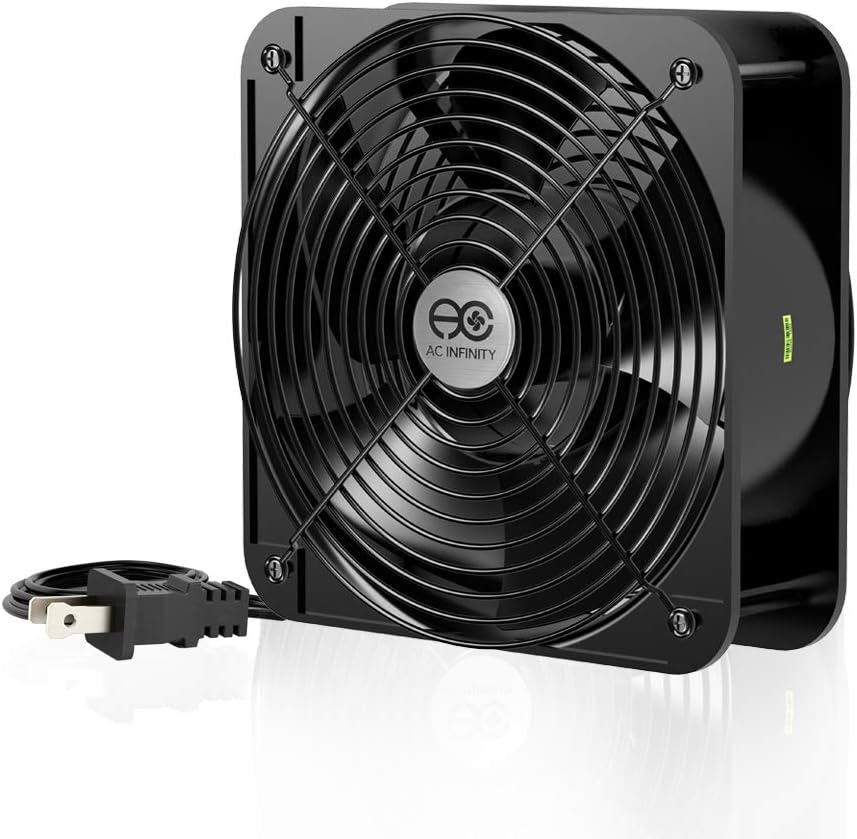
The AC IN AXIAL 2060 is an industrial grade solution designed for applications requiring extreme airflow and heavy duty performance over standard PC cases.
We may earn a commission when you buy through this link, at no additional cost to you.
With 425 CFM of airflow it can handle demanding ventilation tasks and the dual-ball bearings ensure longevity under high speed continuous operation.
Its thick 60mm profile and AC power requirement mean it is better suited for specialized enclosures or server projects than typical consumer PCs.
Choose this model only if your project demands maximum air movement and you can accommodate the higher noise levels and mounting requirements.
Built to withstand long term heavy loads making it ideal for server racks or industrial enclosures.
Moves massive amounts of air quickly ensuring efficient cooling for heat generating hardware or industrial equipment.
We may earn a commission when you buy through this link, at no additional cost to you.
Selecting the right 200mm case fan involves evaluating several technical factors to ensure compatibility and performance for your specific build needs.
Airflow measured in CFM indicates how much air the fan can move which is vital for general case cooling. Static pressure is essential when the fan pushes air through radiators or filters.
Look for fans with higher CFM for open cases and higher static pressure if you are pushing air through restrictive elements.
Noise is measured in decibels dB and lower values mean quieter operation. High performance fans often balance high airflow with low noise through optimized blade designs.
Check the dBA rating and read reviews about acoustic performance to avoid a noisy system.
Bearing type affects the fan lifespan and noise. Hydraulic and sleeve bearings are common and quiet while ball bearings last longer but may produce more noise.
Select bearings that match your usage intensity and noise preferences for long term reliability.
PWM fans allow the motherboard to adjust speed dynamically based on temperature reducing noise when cooling demands are low.
Choose 4-pin PWM fans if you need automatic speed control to balance performance and silence effectively.
200mm fans come with various mounting hole patterns to fit different cases. Ensure the fan includes necessary screws and mounts for your chassis.
Verify the mounting hole patterns like 154×154 or 170×170 to avoid installation issues.
Most 200mm fans are 25mm thick but some are 30mm. Thicker fans move more air but need more clearance inside the case.
Check your case manual for available depth before buying thicker models to avoid space conflicts.
ARGB lighting adds aesthetics but requires compatible headers and controllers. Some fans sync with motherboard software while others need dedicated controllers.
Ensure your system has the right connectors and software support if you prioritize visual customization.
Prices vary based on brand quality and features. Budget fans offer decent cooling while premium fans provide better build quality and quieter operation.
Set a budget and compare performance specs to find the best value without unnecessary expenses.
Install the fan with correct orientation ensuring airflow points towards the desired intake or exhaust direction for optimal heat dissipation.
Connect the fan cables to the motherboard headers or power supply as needed securing them to prevent interference with other components.
Regularly clean the fan blades and filters using compressed air to maintain airflow efficiency and prevent dust buildup that reduces performance.
Generally 200mm fans move more air at lower RPMs which can result in quieter operation than 120mm fans. However noise depends on the bearing design and blade geometry.
PWM fans have a 4-pin connector allowing speed control via the motherboard. Non-PWM fans have 3-pin connectors and run at fixed speeds or require adaptor cables.
Yes many 200mm fans use multiple hole patterns like 154×154 or 170×170. Ensure your case supports these dimensions for proper installation.
200mm fans can be used on large radiators but verify thickness and static pressure ratings. High static pressure models work best for radiator cooling.
Hydraulic and sleeve bearings are often quieter than ball bearings at lower speeds. Premium models with advanced acoustic frames offer the lowest noise levels.
Power off the PC and use compressed air to blow dust from the blades and bearings. Avoid spinning the blades with fingers to prevent bearing damage.
ARGB adds visual customization but requires compatible headers and controllers. If aesthetics are important it is worth the investment for many builds.
MTTF stands for Mean Time To Failure and indicates expected lifespan in hours. A higher MTTF like 150000 hours suggests greater reliability and durability.
The Noctua NF-A20 PWM stands out as our top choice balancing silence and airflow while the Thermaltake Pure 20 offers excellent value for budget builders.
Prioritize airflow static pressure and noise levels when selecting a fan and ensure compatibility with your case dimensions and power headers.
Check current prices and availability before buying as market conditions can change and models may update with new features or improvements.