
AOC 27G41ZE
4.6Editor score
260Hz overclocked refresh rate
2560×1440 IPS display resolution
Adaptive-Sync support for fluid gameplay
Finding the perfect 1440p gaming monitor at 240Hz requires balancing speed clarity clarity, and color accuracy. Competitive players need high refresh rates to react faster while others prioritize vibrant visuals for immersive experiences. We analyze key features like response times, panel types, and adaptive sync technologies to help you choose wisely.
We evaluated ten top-rated monitors based on display quality, motion handling, connectivity options, and ergonomic design. Each model offers unique strengths whether you seek budget-friendly performance or premium OLED visuals. Our comparisons highlight real-world usability for FPS shooters racing games and content creation tasks across various setups.
Every pick includes detailed breakdowns of pros cons and specific use cases to match your needs. Ratings reflect user feedback and technical benchmarks available up to November 2026. Prices and availability may vary so check current listings before making your final decision to secure the best value.
4.6Editor score

4.4Editor score

4.5Editor score
As an Amazon Associate we earn from qualifying purchases.
This table provides a side-by-side comparison of all ten featured monitors highlighting their core specifications and unique selling points to simplify your selection process.


The LG 27GR83Q-B stands out as a top performer in the 1440p 240Hz category. With a 4.4 rating it delivers smooth visuals and reliable adaptive sync. Its IPS panel ensures vibrant colors while the 1ms response time keeps motion sharp during intense gaming sessions.
We may earn a commission when you buy through this link, at no additional cost to you.
Key strengths include support for both HDMI 2.1 and DisplayPort 1.4 allowing flexibility across consoles and PCs. The DTS Headphone:X audio adds depth without extra speakers. Built-in presets like FPS and RTS modes tailor the display for specific genres instantly.
While IPS contrast is limited to 1000:1 typical of this panel type the overall brightness and color volume remain impressive. The lack of USB ports means less cable management options but this is minor for most setups focused purely on display performance and ergonomics.
Ideal for gamers seeking a balance of speed and image quality the LG UltraGear fits most mid to high-end rigs. Whether playing competitive shooters or immersive adventures this monitor offers consistent performance and durable build quality for long-term use.
Both HDMI 2.1 and DisplayPort 1.4 support ensure full 240Hz performance whether using a PC or next-gen console.
Pre-configured display modes optimize settings for FPS RTS and other genres allowing quick adjustments without menu diving.
We may earn a commission when you buy through this link, at no additional cost to you.
The AOC 27G41ZE earns its budget badge with a 260Hz overclockable refresh rate that pushes beyond standard 240Hz limits. Users praise its responsive 0.3ms MPRT time which virtually eliminates motion blur. The IPS panel maintains color fidelity even at wide angles.
We may earn a commission when you buy through this link, at no additional cost to you.
Its Adaptive-Sync support ensures smooth gameplay across both AMD and NVIDIA GPUs reducing screen tearing. The frameless design creates an immersive setup with minimal bezel distractions. Simple ergonomic tilt adjustments help position the screen comfortably for extended sessions.
Trade-offs include a fixed stand without height or pivot options and fewer ports than premium models. However these constraints align with the affordable price point. The 300-nit brightness delivers vivid visuals in well-lit rooms without needing advanced HDR features.
Perfect for competitive gamers on a tight budget this monitor offers pro-level speeds without breaking the bank. It pairs well with mid-range graphics cards and delivers reliable performance for FPS and battle royale titles where every frame counts.
The ability to boost to 260Hz via DisplayPort gives a competitive edge in fast-paced games requiring precise timing.
The three-sided frameless design maximizes screen real estate and looks sleek on any desk setup.
We may earn a commission when you buy through this link, at no additional cost to you.
The Acer Predator X27U brings premium QD-OLED technology to 1440p 240Hz gaming. Its self-emissive pixels deliver true blacks and infinite contrast unmatched by traditional panels. A 4.5 rating highlights its stunning visuals and responsive performance.
We may earn a commission when you buy through this link, at no additional cost to you.
Gaming benefits include a near-instant 0.03ms GtG response time that removes ghosting completely. The 99% DCI-P3 color gamut ensures rich and accurate hues for both games and creative work. ZeroFrame bezels enhance immersion during cinematic campaigns.
Users should consider the higher cost and take precautions against static content burn-in using built-in image retention refresh features. The stand lacks extensive height adjust but the compact 26.5-inch size fits well in most spaces. Overall it offers top-tier picture quality.
This monitor suits enthusiasts willing to invest in the best visual experience available. Whether playing single-player adventures or competitive shooters the depth and clarity provide an edge. It pairs exceptionally well with powerful PCs and consoles.
Combining quantum dot conversion with OLED self-emissive pixels creates exceptional brightness and color volume.
The minimal bezel design focuses attention on the screen content for a more engaging gaming experience.
We may earn a commission when you buy through this link, at no additional cost to you.
The Acer Nitro XV272U balances performance and features with a strong ergonomic stand offering height tilt swivel and pivot adjustments. Its 240Hz refresh rate via DisplayPort ensures fluid motion for competitive players seeking smooth visuals without blur or lag.
We may earn a commission when you buy through this link, at no additional cost to you.
Integrated speakers provide basic audio convenience though external headphones are preferred for immersion. The IPS panel maintains good color consistency and the AMD FreeSync Premium technology reduces tearing during fast-paced gameplay sessions across different GPU brands.
Users note that HDMI ports cap at 144Hz so DisplayPort is essential for full 240Hz performance. The 1ms response time performs well in most scenarios but may show slight ghosting in extreme high-contrast motion compared to premium OLED options.
Great for office gaming hybrids this monitor supports versatile positioning and comfortable viewing angles. It fits well for students or professionals needing a flexible screen that handles both work tasks and high-speed gaming sessions effectively throughout the day.
The full-range stand allows custom positioning to reduce neck strain during long work or gaming marathons.
Built-in speakers eliminate immediate need for external speakers though quality is basic for casual use.
We may earn a commission when you buy through this link, at no additional cost to you.
The KTC H27E6S offers a unique white design and aggressive 275Hz overclock potential for high-speed gaming. Users highlight its 123% sRGB coverage which ensures rich color accuracy suitable for both gaming and media editing tasks consistently.
We may earn a commission when you buy through this link, at no additional cost to you.
Adaptive sync support and 1ms MPRT response time help eliminate motion blur during rapid scene transitions. The ergonomic stand allows significant height adjustment and swivel rotation enabling personalized viewing setups. Connectivity includes ample HDMI and DisplayPort options for multiple devices.
Due to limited customer ratings compared to major brands buyers should research community feedback thoroughly. The warranty and support promise adds confidence but real-world longevity may differ from established competitors. Overall it presents a compelling alternative for value seekers.
Ideal for streamers or designers needing a clean look this monitor blends aesthetics with performance. Its fast panel and color accuracy make it a solid choice for those prioritizing visual fidelity and customization options in a gaming setup.
The white finish stands out from standard black monitors adding a fresh look to any desk environment.
123% sRGB ensures vibrant and accurate colors for content creation and gaming visuals alike.
We may earn a commission when you buy through this link, at no additional cost to you.
The ASUS ROG XG27ACMG pushes speeds to 270Hz with ELMB SYNC technology combining motion blur reduction with variable refresh rates. This dual approach ensures sharp visuals without sacrificing smoothness during fast-paced competitive games and sports titles.
We may earn a commission when you buy through this link, at no additional cost to you.
USB-C with DP Alt mode simplifies cabling for laptops and MacBooks while maintaining full display performance. The ROG Gaming AI features enhance user experience by optimizing settings dynamically. DisplayWidget Center software allows intuitive on-screen adjustments via mouse.
While the price is higher than some rivals the feature set justifies the cost for serious gamers. Users should note that enabling ELMB may dim the screen slightly so it is best used in darker environments to maintain brightness levels.
Perfect for esports enthusiasts this monitor delivers top-tier speed and flexibility. It pairs exceptionally well with high-end PCs and works seamlessly with laptops via USB-C. The comprehensive warranty and software support ensure long-term satisfaction and reliability.
Combines variable refresh rate with motion blur reduction for sharper images at high frame rates without tearing.
One cable connection for display and data simplifies setup for laptops and mobile devices efficiently.
We may earn a commission when you buy through this link, at no additional cost to you.
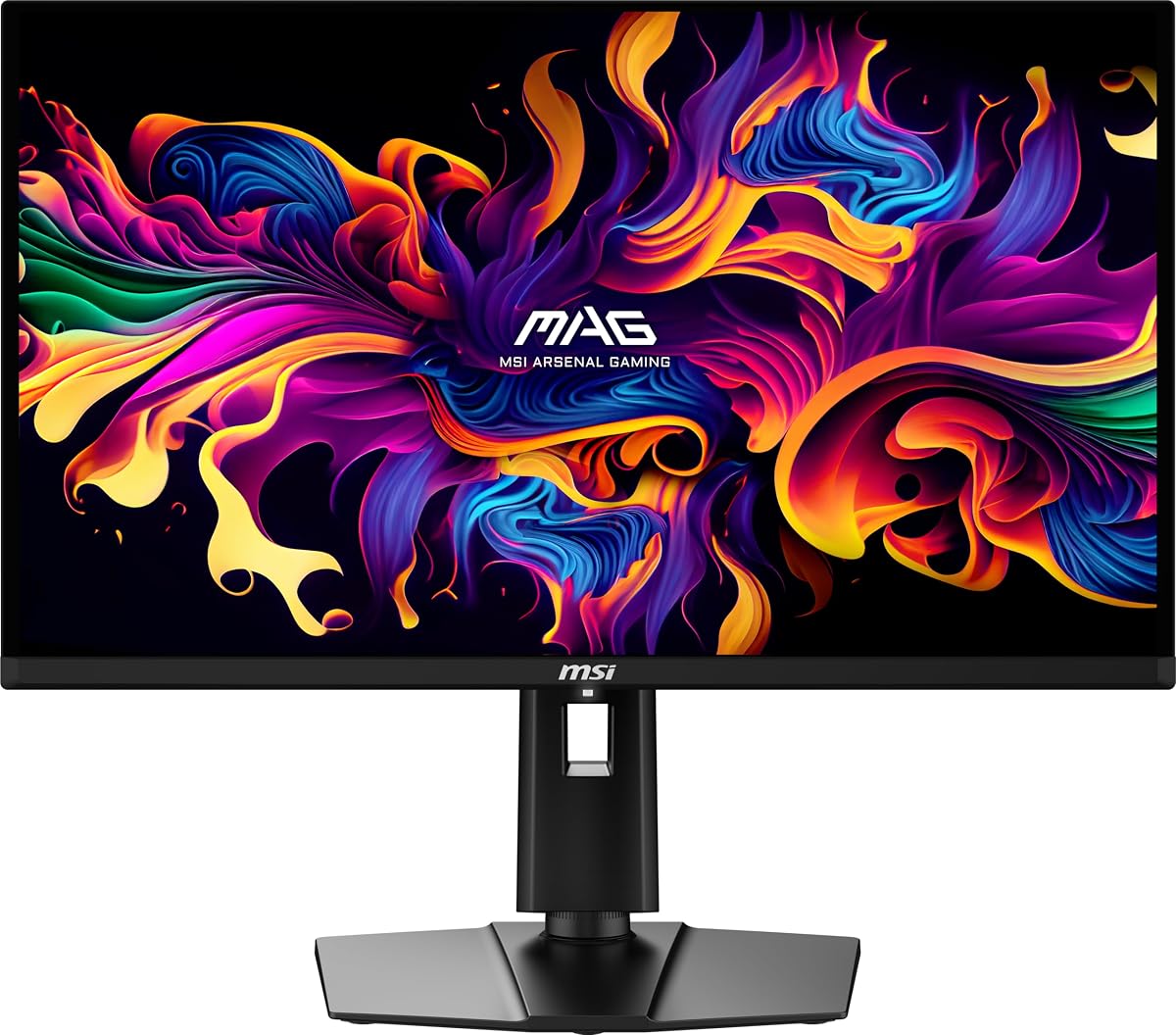
The MSI MAG 274QP QD-OLED stands out with HDMI 2.1 support making it ideal for next-gen console gaming at 1440p 240Hz. Its QD-OLED panel delivers vibrant colors and deep blacks with 1.07 billion color options for exceptional visual fidelity.
We may earn a commission when you buy through this link, at no additional cost to you.
OLED Care 2.0 software actively prevents burn-in through pixel shifting and logo dimming features. The graphene heatsink ensures silent operation without fans while maintaining panel longevity. Gaming Intelligence AI software adds crosshair and console mode enhancements.
Setup requires some calibration due to complex menu options but the results are worth the effort. Users must avoid static images for extended periods to maximize panel life. The 10-bit color ensures smooth gradients for both games and professional content.
Best for hybrid console PC setups this monitor offers elite performance and versatility. Its advanced features protect the panel while delivering unmatched visual quality. It is a top choice for users wanting OLED immersion without compromising on connection options or refresh rates.
HDMI 2.1 ensures full 4K or high-refresh 1440p support for Xbox and PlayStation users.
OLED Care 2.0 includes automated features to maintain screen health and prevent long-term damage.
We may earn a commission when you buy through this link, at no additional cost to you.
The Alienware AW2723DF combines premium build quality with a distinctive Lunar Light aesthetic and AlienFX lighting. Its HDR600 certification offers better dynamic range than basic IPS options while maintaining fast 240Hz refresh rates for competitive play.
We may earn a commission when you buy through this link, at no additional cost to you.
Full ergonomic adjustability including pivot and height makes it versatile for various desk setups. The InfinityEdge screen minimizes bezels creating a seamless visual field for immersive gaming sessions. G-Sync Compatible ensures smooth visuals with NVIDIA GPUs.
Users note a larger footprint due to the stand design so desk space is important. The higher cost reflects the build quality and lighting features rather than raw specs. It appeals to those valuing aesthetics and brand prestige in their setup.
Ideal for enthusiasts who want a statement piece the monitor delivers reliable performance and vibrant colors. The cooling design keeps temperatures stable during long sessions. It pairs well with high-end PCs where visual polish matters alongside gaming speed.
Minimal bezels maximize screen real estate for uninterrupted focus on gameplay and content.
Customizable RGB lighting integrates with Alienware ecosystem for a cohesive gaming environment.
We may earn a commission when you buy through this link, at no additional cost to you.
The Acer Nitro KG271U offers a sleek zero-frame design that maximizes screen space and visual immersion. With a 240Hz refresh rate and 0.5ms GTG response it handles fast action smoothly making it great for shooters and racing games.
We may earn a commission when you buy through this link, at no additional cost to you.
Its sRGB 99% coverage ensures accurate colors for designers and photographers alongside gaming use. AMD FreeSync Premium technology eliminates stutter and tearing for consistent frame pacing. The 16:9 aspect ratio suits most modern games and media formats effectively.
While the stand is basic it supports essential tilt adjustments. The compact footprint saves desk space and the frameless design looks modern on any setup. Pricing remains competitive for a monitor with these specs and feature sets.
Perfect for budget-conscious gamers needing high speed this monitor delivers strong performance without frills. Its versatility for work and play makes it a flexible option. It is highly recommended for dual monitor setups due to minimal bezel interference.
Minimal bezels make this an excellent candidate for side-by-side dual monitor gaming configurations.
High sRGB coverage ensures reliable color fidelity for content creators and casual gamers alike.
We may earn a commission when you buy through this link, at no additional cost to you.
The MSI MAG 271QPX QD-OLED represents the pinnacle of display technology with its 27-inch QD-OLED panel. It delivers perfect blacks infinite contrast and 0.03ms response time for unmatched visual clarity and motion smoothness in competitive gaming environments.
We may earn a commission when you buy through this link, at no additional cost to you.
Graphene film heatsink enables silent fanless cooling ensuring durability and consistent performance. True Black HDR 400 enhances dark scenes with rich detail. OLED Care 2.0 includes robust features to prevent aging and maintain image quality over years of use.
High price and burn-in concerns remain primary considerations for prospective buyers. Users must adopt safe viewing habits like hiding static HUDs during games. Despite this the visual experience is transformative for those prioritizing image quality above all else.
Best suited for enthusiasts seeking ultimate performance this monitor offers a premium experience. It complements high-end systems and delivers cinematic quality across games and media. The warranty and care features provide peace of mind for long-term ownership and usage.
Fanless cooling ensures silent operation while maintaining optimal panel temperature for longevity.
Enhanced dark scene performance with deep blacks and clear details for immersive viewing.
We may earn a commission when you buy through this link, at no additional cost to you.
Selecting the right monitor involves weighing panel type refresh rate connectivity and ergonomics to match your specific needs.
IPS panels provide wide viewing angles and vibrant colors ideal for most gamers and creators. OLED and QD-OLED offer perfect blacks and instant response times but cost more and require care against burn-in. VA panels have deeper contrast but slower response and can suffer from ghosting in fast motion.
Choose IPS for balanced performance OLED for premium visuals and VA for budget-focused contrast. Your preference for color accuracy versus contrast will guide this decision.
240Hz is the standard for high-performance gaming reducing motion blur and improving reaction times. Some models allow overclocking to 260Hz or 270Hz for competitive advantages. Ensure your GPU can sustain these rates to benefit from the refresh speed.
Look for 240Hz minimum and confirm HDMI or DisplayPort support for full speed. Higher rates benefit fast-paced shooters more than casual titles.
Response times under 1ms eliminate motion blur and ghosting keeping action sharp. OLED panels achieve 0.03ms while IPS usually ranges 1ms to 5ms. Lower GTG values mean clearer images during rapid camera movements.
Prioritize 1ms or lower for competitive play. Check MPRT vs GTG specs as marketing terms can differ.
G-Sync Compatible and FreeSync Premium eliminate screen tearing and stuttering by syncing refresh rates with GPU output. Ensure your graphics card matches the monitor's sync technology for best results. Some monitors support both NVIDIA and AMD standards for broader compatibility.
Choose monitors with official G-Sync or FreeSync Premium certification to guarantee smooth visuals. Verify compatibility with your GPU before purchase.
DisplayPort 1.4 is essential for full 240Hz at 1440p. HDMI 2.1 enables 240Hz on next-gen consoles like PS5 and Xbox. USB-C ports simplify laptop setups. Additional USB hubs add convenience for peripherals.
Check ports match your devices. HDMI 2.1 is critical for console users while DisplayPort is key for PC gaming.
Wider color gamuts like DCI-P3 95% ensure rich vivid colors for games and creative work. sRGB 99% is standard for general use. HDR support improves brightness and contrast in compatible content but requires higher brightness levels for impact.
Prioritize high DCI-P3 coverage for visual fidelity. HDR is beneficial if your environment is dim enough to appreciate dynamic range.
Adjustable stands with height tilt swivel and pivot reduce strain during long sessions. VESA mounts allow wall or arm mounting for flexibility. Consider stand footprint to ensure desk space fits your workspace.
Look for full adjustability to customize viewing angles. Ergonomic features are vital for comfort over hours of use.
Solid construction and reliable warranties protect your investment. Brands offering three-year coverage and onsite replacements add value. OLED panels require burn-in protection features like pixel shifting or logo dimming.
Check warranty terms and included features for OLED care. Good support ensures long-term satisfaction and reliability.
Connect your GPU using the correct cable DisplayPort 1.4 or HDMI 2.1 to unlock full 240Hz refresh rates. Install latest graphics drivers and enable adaptive sync settings in control panels for optimal performance.
Adjust monitor ergonomics to align the screen at eye level with tilt and height to prevent neck strain. Use presets or OSD menus to optimize brightness and contrast for your room lighting and gaming genres.
Protect OLED panels by reducing brightness on static scenes and using screen savers. Clean screens with a soft microfiber cloth avoiding harsh chemicals. Update firmware regularly via manufacturer apps to maintain performance and fix bugs.
270Hz offers a slight increase in smoothness over 240Hz but requires a powerful GPU to fully utilize the extra frames. Most users won't notice a major difference unless playing high-speed competitive games where every millisecond counts. Consider if your hardware can sustain high frame rates before choosing higher refresh options.
Yes DisplayPort 1.4 is generally required for full 240Hz at 1440p on PCs. HDMI 2.1 supports this rate on next-gen consoles. Using older HDMI 2.0 or DisplayPort 1.2 cables may limit you to 144Hz or lower. Always check the included cables or upgrade if needed.
The PS5 supports 1440p at 240Hz on compatible monitors with HDMI 2.1. Ensure your monitor explicitly lists 240Hz support over HDMI 2.1 to enable this feature. If your monitor lacks HDMI 2.1 you may need to settle for 120Hz or lower on console.
OLED monitors offer superior contrast and response times perfect for immersive gaming and media. However they come at a premium price and require care against burn-in. If you prioritize image quality over budget and use varied content they are a worthwhile investment.
Avoid static images like HUDs for long periods. Use built-in features like pixel shift logo dimming and screen savers. Adjust brightness to lower levels in dark rooms and take regular breaks to reduce stress on fixed pixels.
Look for height tilt swivel and pivot adjustments to find a comfortable viewing position. VESA mount compatibility is essential if you plan to use a monitor arm. A larger footprint may affect desk space so measure your area before choosing.
Our top picks showcase the best options across budgets from the budget-friendly AOC 27G41ZE to the premium LG 27GR83Q-B and Acer Predator X27U. Each offers unique strengths in color performance and refresh speed suited for different needs.
Prioritize panel type connectivity and ergonomics based on your setup and gaming style. Competitive players should focus on response times while creatives may value color accuracy and HDR support for their workflow.
Prices and availability change so verify current listings before buying. Use our comparisons to find the monitor that fits your desk and budget while delivering smooth vibrant gaming performance.