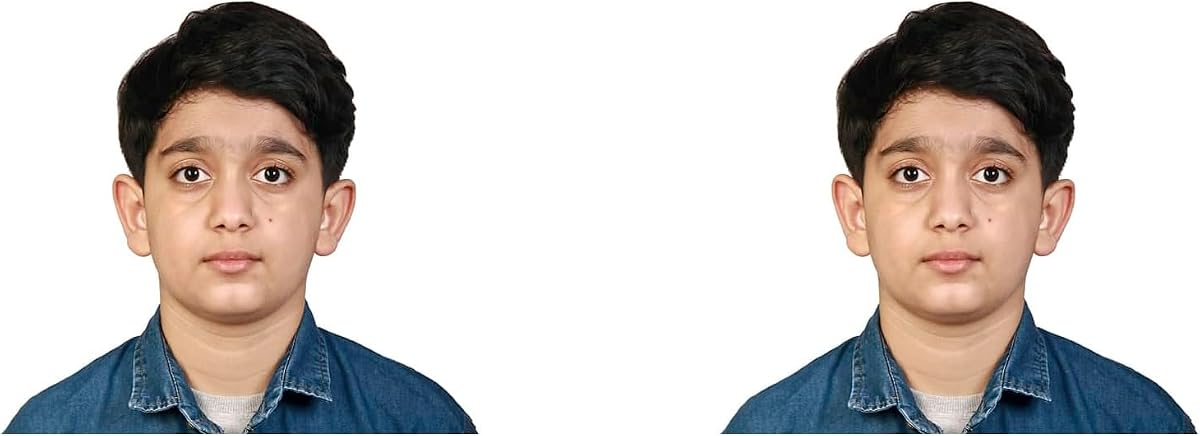
US Online Passport photo prints
4.7Editor score
Fast delivery within twenty four hours
Professional cropping and sizing included
Works with any mobile phone camera
Creating compliant passport photos at home saves time and money compared to visiting a studio. Modern solutions range from dedicated printers to online services that handle the cropping and sizing for you. Choosing the right tool ensures your application meets strict government standards without hassle.
We evaluated ten leading options based on ease of use, print quality, and compliance with official requirements. Our analysis covers everything from full printer systems to affordable online print services. Each product offers a unique approach to solving the common pain points of photo submission.
This list showcases the best tools available for producing valid identity documents quickly. Prices and availability change frequently so always verify current details before purchasing. Our goal is to help you find a reliable solution that fits your specific budget and technical comfort level.
4.7Editor score

4.6Editor score

3.1Editor score
As an Amazon Associate we earn from qualifying purchases.
The following table provides a side by side comparison of all ten products reviewed in this guide. We highlight key specifications and features to help you differentiate between printer systems and online services quickly.


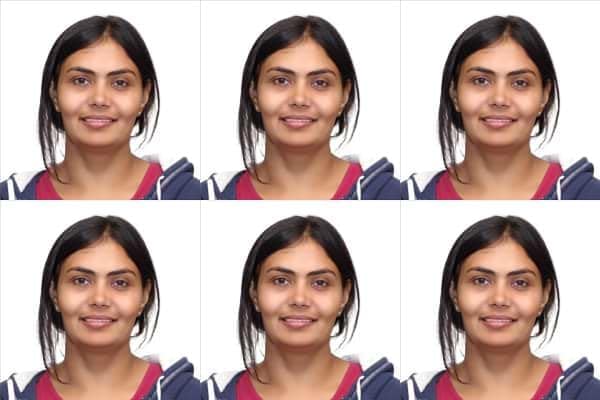


This complete system is rated highly for its ability to produce compliant photos without external software. It includes a camera printer and cutter to streamline the entire workflow from capture to final print. Users appreciate the plug and play design that minimizes technical setup time significantly.
We may earn a commission when you buy through this link, at no additional cost to you.
The pre-programmed nature ensures that every print adheres to current US passport standards. You can transfer images directly from the camera to the printer via SD card or USB cable. The included tabletop cutter guarantees that the physical dimensions match the strict 2×2 inch requirement perfectly.
While the upfront investment is substantial compared to online services the long term value is clear for frequent travelers. The main trade-off is the potential for the specific camera or printer model to change over time. This does not affect the core functionality or the quality of the output produced.
This solution is ideal for families or small offices needing multiple passport photos regularly. If you want full control over the process and the speed of printing on demand this system is the top recommendation. It removes the dependency on shipping times or third-party processing delays.
The system is preconfigured to meet US government standards reducing the risk of rejection.
Seamless connectivity between camera and printer simplifies the workflow for non-technical users.
We may earn a commission when you buy through this link, at no additional cost to you.
This service offers an incredibly cost effective way to get passport photos without buying hardware. You take the photo yourself using your phone and send it to the provider for professional processing. The high rating reflects customer satisfaction with the quality and speed of the final printed product.
We may earn a commission when you buy through this link, at no additional cost to you.
Detailed instructions guide you on lighting and background to ensure your photo meets strict criteria. You can choose to receive them cut to size or on a sheet to cut yourself. The team reviews your image for issues like shadows or eye contact before printing to prevent errors.
The only downside is that you rely on postal delivery rather than immediate retrieval. However the twenty four hour processing time makes this a viable option for most urgent needs. It is much cheaper than buying a printer system and avoids the risk of technical issues.
This is the best choice for individuals who need a single set of photos quickly and cheaply. If you have a decent smartphone camera and a plain wall at home this service works well. It balances convenience and cost better than most other options available today.
Experts check your uploaded photo to ensure it meets all government compliance standards.
Clear tips on using natural light help avoid shadows that could cause rejection.
We may earn a commission when you buy through this link, at no additional cost to you.
This system represents the high end of home photo solutions with professional grade components. It combines a specific camera with a dedicated printer and a wireless console for management. Users looking for maximum control and international compliance will find this hardware setup very powerful.
We may earn a commission when you buy through this link, at no additional cost to you.
The included console allows you to review a gallery of the last six images for easy selection. You can change templates without retaking photos which is useful if the subject moves. The system supports a wide range of foreign and domestic visa sizes for versatile use.
The rating is lower due to the high cost and potential complexity for casual users. Setting up the system requires more effort than simpler models or online services. This is a significant investment that may not be justified for occasional personal use.
Choose this if you run a small business or need to print visas for many different countries. The hardware quality is robust and the features are tailored for professional efficiency. It is the most capable tool here but comes with a premium price tag.
The system is designed to handle various output sizes for different international visa requirements.
A wireless LCD console makes managing prints and templates intuitive and efficient.
We may earn a commission when you buy through this link, at no additional cost to you.
This system is designed to work directly with your existing smartphone for maximum convenience. It uses wireless connectivity to send photos from your phone to the printer instantly. The setup includes everything needed to start printing such as paper and ink for over one hundred prints.
We may earn a commission when you buy through this link, at no additional cost to you.
The printer is preprogrammed to handle passport sizes automatically so you do not need to adjust settings. This reduces the chance of user error and speeds up the process significantly. The compatibility with both iPhone and Android makes it accessible to a wide range of users.
The main limitation is that the smartphone itself is not part of the package. You must already own a compatible device which is usually the case but still a factor to consider. Supplies like ink will need to be replaced eventually adding to the long term cost.
This is a solid middle ground between full hardware systems and online services. It offers the speed of printing at home without the bulk of a dedicated camera system. It works well for households that already rely heavily on smartphones for photography.
Connectivity allows you to send photos directly from your mobile device without cables.
The inclusion of paper and ink ensures you can print immediately upon unboxing.
We may earn a commission when you buy through this link, at no additional cost to you.
This version of the system offers a straightforward way to print compliant photos at home. It comes with a camera and printer pre-configured to meet US passport requirements. You can transfer images via SD card or USB cable to ensure your files are ready for printing.
We may earn a commission when you buy through this link, at no additional cost to you.
The setup is designed to work straight out of the box with minimal configuration needed. It includes the necessary hardware to capture and output photos without external devices. This makes it a reliable choice for those who need physical prints regularly.
Note that this model may not include the specific tabletop cutter found in other variants. You might need to cut the prints manually or use standard scissors to achieve the right size. The specific models for camera and printer can vary so check the current listing details.
It is a good option if you want a dedicated system but at a lower price point than the premium version. The core functionality remains the same ensuring compliance with standards. It balances cost and capability effectively for general home use.
The preprogrammed setup allows you to start printing immediately after connecting the devices.
Supports both SD card and USB transfer for flexible file management options.
We may earn a commission when you buy through this link, at no additional cost to you.
This service simplifies the process by allowing you to upload a photo from home directly. The team then reviews adjusts and crops the image to meet official specifications exactly. You receive four professionally prepared prints on high-quality glossy paper that are ready for submission.
We may earn a commission when you buy through this link, at no additional cost to you.
The photos are carefully inspected before shipping to ensure there are no defects. They arrive neatly cut and packaged to protect them during transit. This level of care ensures that you receive a product that is ready to use immediately.
You do need to provide a clear image to begin with which depends on your camera skills. If your photo is blurry or has shadows the service might not be able to fix it perfectly. It is important to follow their guidelines for best results when uploading.
This is an excellent choice for those who prefer convenience over controlling the printing process. It removes the need for hardware entirely and delivers results by mail. The professional touch ensures that the final photos look polished and compliant.
Experts adjust your photo to meet specific size and lighting requirements.
Prints are made on glossy photo paper for a sharp and professional finish.
We may earn a commission when you buy through this link, at no additional cost to you.
This option offers flexibility by allowing you to add more photos to your order easily. You can choose from a basic set or expand to ten photos depending on your needs. Same day pick up at local drugstores is available for urgent requests in many areas.
We may earn a commission when you buy through this link, at no additional cost to you.
The process is handled efficiently so you receive high-quality photos for your applications quickly. You also have the choice to receive a sheet for self printing if you have your own printer. This gives you control over how many copies you produce from the original image.
Pickup availability depends on your local drugstore partners so check the specific location. The self-print sheet is useful but requires you to have a quality printer at home. It is a versatile solution that adapts to different levels of urgency and convenience.
Use this if you need photos right away or want the option to print extra copies later. It bridges the gap between digital upload and physical pickup effectively. The ability to customize the quantity makes it a practical choice for most situations.
Urgent needs can be met with pickup options at participating local drugstores.
You can easily add more photos to your order to meet specific application needs.
We may earn a commission when you buy through this link, at no additional cost to you.
This service allows you to order larger batches of photos up to twenty pieces at once. It is ideal for immigration applications or work visas that require many copies. The process is simple: take a photo and order the prints online for delivery to your door.
We may earn a commission when you buy through this link, at no additional cost to you.
Detailed guidelines ensure you meet lighting conditions to avoid shadows or uneven exposure. You are advised to use natural light and a plain background for best results. This preparation helps reduce the risk of your photos being rejected due to technical flaws.
The main consideration is the shipping time which is slower than in-person options. You need to plan ahead to ensure the photos arrive before your application deadline. However the price per print is low when ordering in bulk making it cost effective.
This is the best choice for families applying for visas or documents simultaneously. It eliminates the need for multiple trips to a store or studio. The flexibility in quantity makes it easy to handle large applications efficiently.
Ordering larger quantities reduces the cost per photo significantly compared to single prints.
Prints are formatted to meet strict requirements for VISA and immigration applications.
We may earn a commission when you buy through this link, at no additional cost to you.
This service is notable for its same day shipping option which is perfect for urgent needs. It holds a perfect rating reflecting high customer satisfaction with speed and quality. You can order between one and twenty prints depending on what your application requires.
We may earn a commission when you buy through this link, at no additional cost to you.
The photos are prepared to meet standard requirements for ID and visa applications. They are sent to you quickly so you have them when you need them most. The process is straightforward with no need to visit a physical store or studio.
Since shipping is fast you must ensure your uploaded photo is of high quality. Any flaws in the original image might not be corrected in time for same day dispatch. This makes the initial photo taking step critical for success with this option.
Choose this if you have a tight deadline and need results as soon as possible. The combination of speed and quality makes it a reliable choice. It is particularly useful for last minute travel document renewals.
Same day shipping ensures your photos arrive quickly for urgent application deadlines.
Prints are prepared to meet the strict standards for official documents.
We may earn a commission when you buy through this link, at no additional cost to you.
This light box is a supportive tool that helps you take better photos for printing. It provides professional lighting and multiple backdrops to ensure a clean uniform image. While it does not print photos it solves the problem of poor lighting at home.
We may earn a commission when you buy through this link, at no additional cost to you.
The box includes 120 dimmable LED lights and eight different backdrops for variety. Setup takes only three seconds and you can power it via USB for portability. The even illumination helps avoid shadows that often cause passport photo rejections.
You will still need a camera and a printer or service to produce the final prints. This tool is purely about improving the quality of the image capture stage. It is highly effective for ensuring your subject is lit correctly from the start.
This is a great addition if you already have a printer or use online services. It ensures your initial photo is of high quality which increases the chance of approval. It is a cost effective way to get studio-like lighting at home.
The built-in lights and reflective walls ensure your subject is lit evenly.
Multiple backdrops allow you to choose the right background for your needs.
We may earn a commission when you buy through this link, at no additional cost to you.
Choosing the right solution depends on how often you need photos and how much control you want over the process. We have identified the key factors to consider to help you make an informed decision.
The first decision is whether to buy hardware or use a service. Printer systems give you control and speed but require a higher upfront investment. Online services are cheaper upfront and require no setup but depend on shipping times.
Choose a printer if you need frequent photos or immediate results. Choose a service if you only need photos occasionally and prefer simplicity.
Passport photos must meet strict size and lighting requirements. Ensure the solution you choose guarantees compliance with official government standards. Systems that are pre-programmed reduce the risk of errors compared to manual editing.
Look for features like automatic cropping and background removal. This ensures your photo will be accepted without needing revisions.
The quality of the final print depends on the resolution of the camera and the print technology. Dedicated printers often offer better color accuracy than standard office printers. High-resolution uploads are critical for online services to avoid pixelation.
Check the specifications for print resolution and camera megapixels. Good quality ensures your photo looks professional and is not rejected for blurriness.
Consider the total cost of ownership including ink paper and shipping fees. A printer system pays off if you print many photos over time. Online services are cost effective for single or infrequent needs.
Calculate the price per print for hardware options. For services compare the base price plus any shipping charges to get the true cost.
The best solution is one that fits your technical comfort level. Pre-configured systems work out of the box with minimal setup. Online services are simple but rely on your ability to take a good photo at home.
If you are not tech-savvy look for systems with clear guides. Simplicity reduces the risk of frustration and delays.
Proper lighting is crucial for avoiding shadows that can invalidate a photo. Dedicated systems often include guides or tools to ensure good lighting. You may need to purchase a light box separately if your home lighting is poor.
Ensure you have a plain light-colored wall available. Good lighting ensures your face is clearly visible and meets regulations.
If you have an urgent application speed becomes the most important factor. Printer systems offer instant results while online services take at least a day. Check delivery options like same-day shipping for online providers.
Plan ahead if you choose a mail-in service. This avoids last minute stress when your travel or visa deadline approaches.
If you need visas for multiple countries check that the system supports various sizes. US specific systems might not work for foreign requirements without adjustment. Versatile hardware can save you from buying new tools for each destination.
Confirm the output sizes available in the specifications. This is important for frequent travelers with diverse travel needs.
For printer systems follow the manufacturer's instructions to set up the camera and printer. Ensure you use the correct paper type and load the ink properly. Test a print to confirm the size and color accuracy before taking photos.
For online services take a clear photo against a plain wall with natural light. Upload the file following the specific guidelines provided by the service. Review the preview if available before confirming the order to ensure satisfaction.
Maintain your equipment by storing it in a dry place away from dust. Clean the lenses and printer heads periodically to prevent smudges. For printers store ink cartridges properly to avoid drying out when not in use.
Yes many solutions allow you to use your smartphone to capture the image. Ensure the resolution is high enough to meet government standards. Use a light box or good lighting to avoid shadows and ensure clarity.
For US passports the standard dimension is 2×2 inches. Most international visas have similar requirements but sizes can vary. Always check the specific size requirements for your application before printing.
Online services typically process orders within 24 hours. Shipping times vary depending on your location and the carrier used. Some services offer same-day shipping for urgent requests.
It depends on how often you need photos. If you travel frequently or need prints often it is cost effective. For occasional use online services are usually cheaper and easier.
Most online services will not edit your photo heavily. It is best to get the photo right before uploading. Ensure your face is clear and background is plain to avoid rejection.
Many systems support various ID types such as driver's licenses. Check the settings to confirm if your specific ID card size is supported. Versatile printers can handle multiple formats.
We have reviewed ten top options for producing passport photos at home ranging from hardware to services. The Printer System and online services offer the best balance of quality and convenience for most users.
Prioritize compliance and speed when making your choice. If you need prints quickly look for same-day shipping or local pickup. For frequent users a dedicated printer saves money in the long run.
Remember that prices and availability can change so verify the current details before purchasing. We hope this guide helps you find the right solution for your travel needs.