
EooCoo Ergonomic Mouse Pad with Wrist Rest, Memory Foam Support Mousepad
4.6Editor score
High density memory foam support
Non slip rubber base grip
Durable double layer design
Finding the right armrest mouse pad can transform your daily computing experience by providing essential ergonomic support. These devices help reduce strain on your wrists and arms during long hours of work or gaming. A good model combines comfort with stability to keep your mouse control precise and your posture healthy.
We evaluated ten top-rated products based on user feedback, build quality, and ergonomic design features. Our comparison covers various styles including desk pads with gel rests and chair-mounted trays. Each entry offers unique benefits tailored to different setups and user preferences for maximum comfort.
Every selection includes detailed specifications and real-world performance insights to help you decide. We highlight key strengths and potential trade-offs for each option so you can choose wisely. Keep in mind that pricing and availability may change over time so verify current details before purchasing.
4.6Editor score
4.1Editor score

4.5Editor score
As an Amazon Associate we earn from qualifying purchases.
This side by side comparison lists all ten selected models with their key specifications and ratings to help you find the perfect match for your workspace needs and ergonomic requirements.



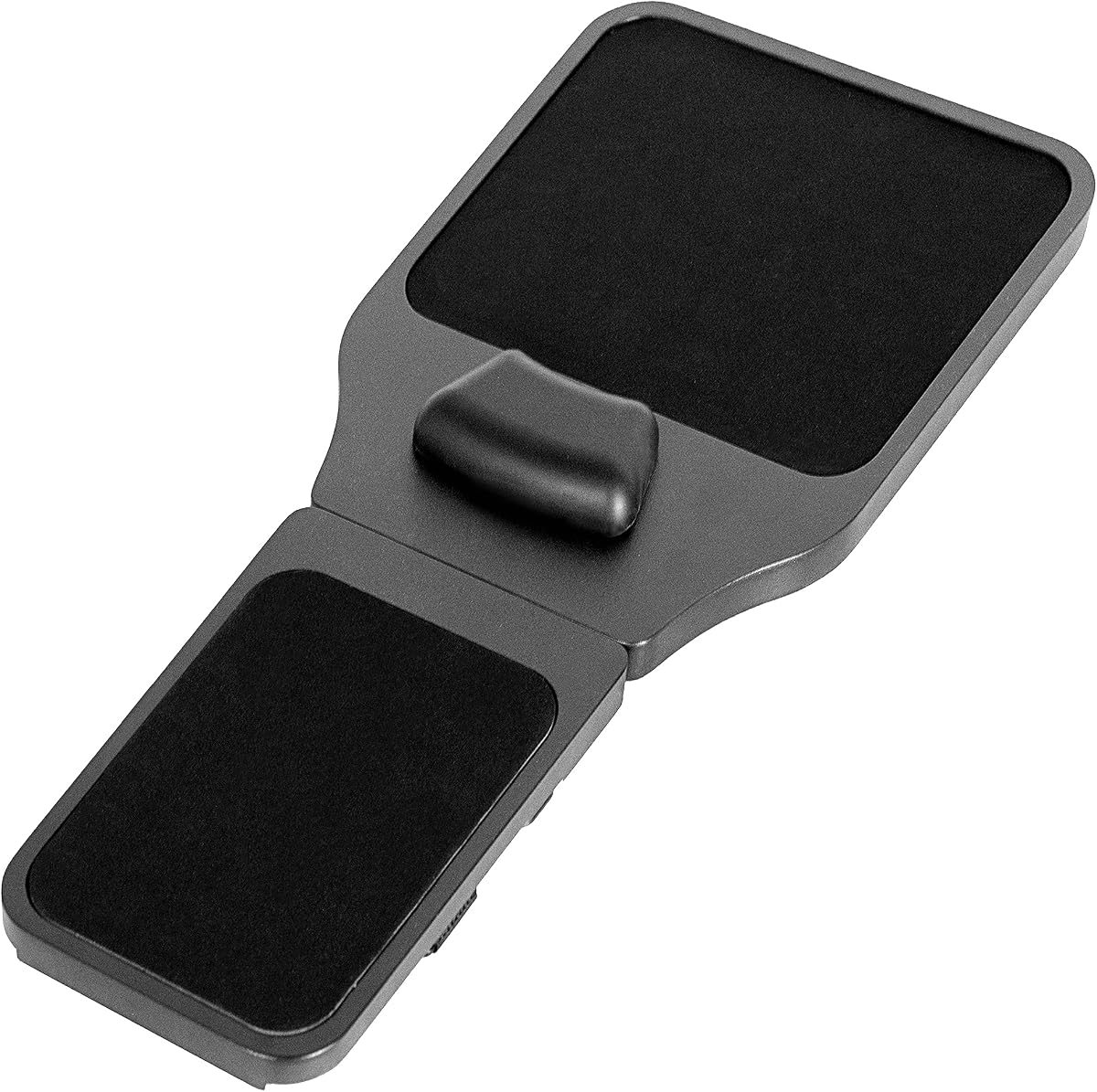
This VIVO model stands out as a unique solution that attaches directly to your chair arm. It holds a 4.1 rating and offers a dedicated platform for your arm while freeing desk space. The memory foam padding ensures comfort during extended sessions.
We may earn a commission when you buy through this link, at no additional cost to you.
The adjustable design allows you to set the length between 19 and 21.8 inches. Velcro straps secure it to chair arms up to 11.8 inches in circumference. This flexibility makes it suitable for many users who prefer arm support off the desk.
While the tray holds small items like keys it is strictly for chair attachment. The wooden surface may feel different compared to fabric pads but it provides a solid base. These trade offs are acceptable for users needing dedicated armrest support.
Buy this if you need a portable workstation extension that moves with your chair. It is ideal for gamers and professionals who shift positions often. The ergonomic design promotes healthy posture and reduces shoulder strain effectively.
The adjustable straps accommodate most standard office chairs allowing quick setup without tools.
The extended tray keeps your essentials organized right next to your hand for efficiency.
We may earn a commission when you buy through this link, at no additional cost to you.
MROCO offers a highly rated ergonomic pad designed to reduce wrist strain effectively. With a 4.6 rating it uses soft gel encased in Lycra for a non sticky feel. The design targets repetitive motion disorder prevention during long work hours.
We may earn a commission when you buy through this link, at no additional cost to you.
The Lycra cloth surface provides a silky smooth feel for precise cursor control. The non skid PU base keeps the pad stable on your desktop during use. Its size fits most desks while offering enough room for mouse movement.
Some users find the gel slightly cool at first but it warms with use. It may not adapt as well to irregular wrist shapes as memory foam. However the stability and smooth tracking make it a reliable choice for daily tasks.
Choose this model if you prefer a soft gel feel over foam. It works well for office workers and gamers needing consistent mouse precision. The durable build ensures it lasts through heavy daily usage cycles.
The finely textured Lycra surface supports accurate tracking across all mouse types.
Reinforced edges protect against wear and fraying ensuring a long product lifespan.
We may earn a commission when you buy through this link, at no additional cost to you.
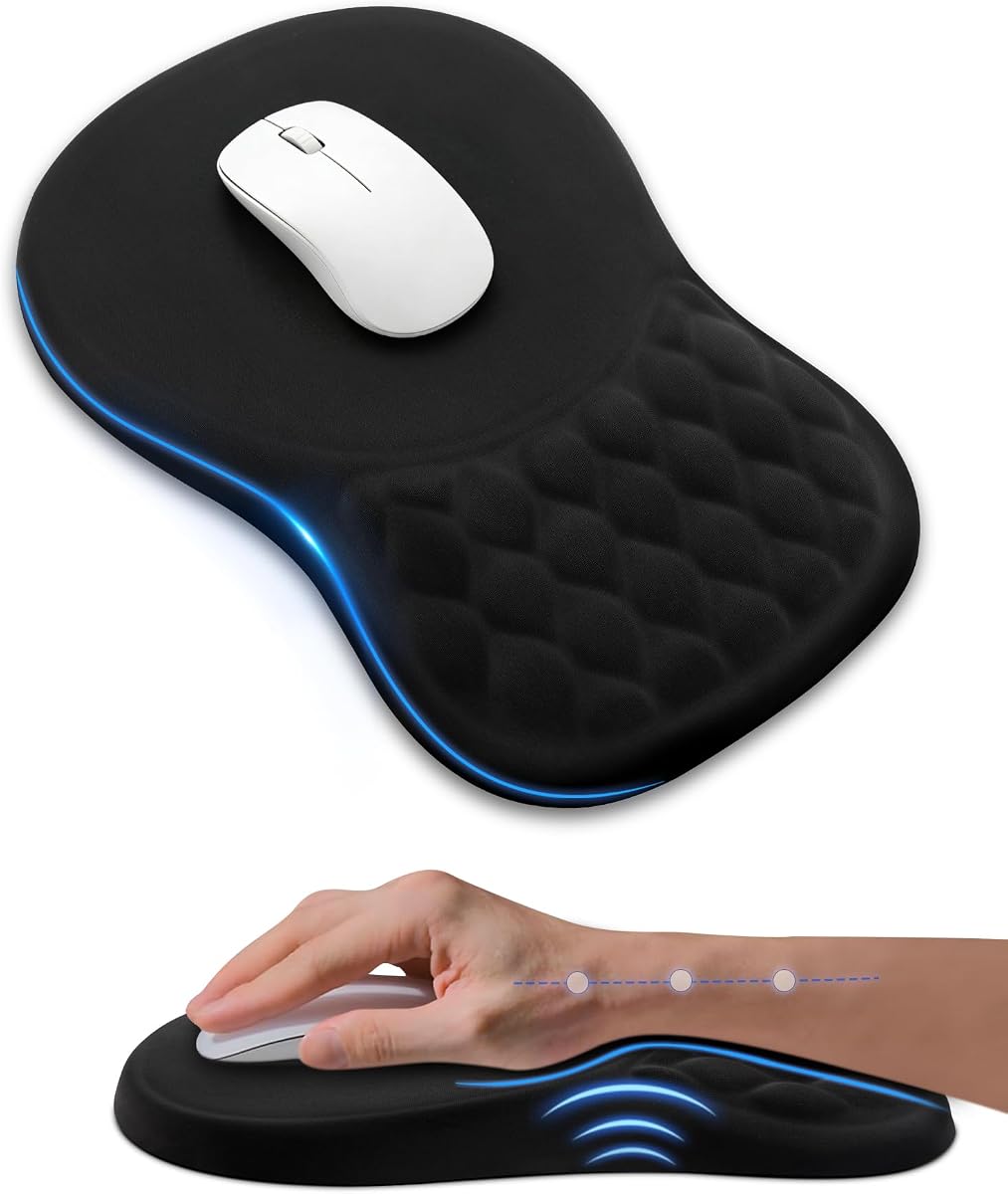
This ergonomic pad features a sloped memory foam rest that encourages a natural hand angle. It holds a 4.5 rating and is ideal for long office work or gaming sessions. The foam molds to your wrist shape for consistent support.
We may earn a commission when you buy through this link, at no additional cost to you.
The Lycra top surface creates a low friction track for smooth mouse movement. The durable PU backing prevents unwanted sliding even on glossy surfaces. Its size balances space efficiency with enough room for comfortable cursor control.
The foam may compress slightly after years of use but it maintains shape well. Limited color choices mean you might not find a match for your decor. These factors are minor compared to the comfort and tracking benefits provided.
Ideal for users seeking a simple upgrade to their current mouse pad. The sloped design helps maintain posture during extended typing or clicking. It is a practical investment for home or office productivity.
The angled rest helps keep your hand in a neutral position to reduce strain.
Memory foam returns to form quickly ensuring reliable support throughout the day.
We may earn a commission when you buy through this link, at no additional cost to you.
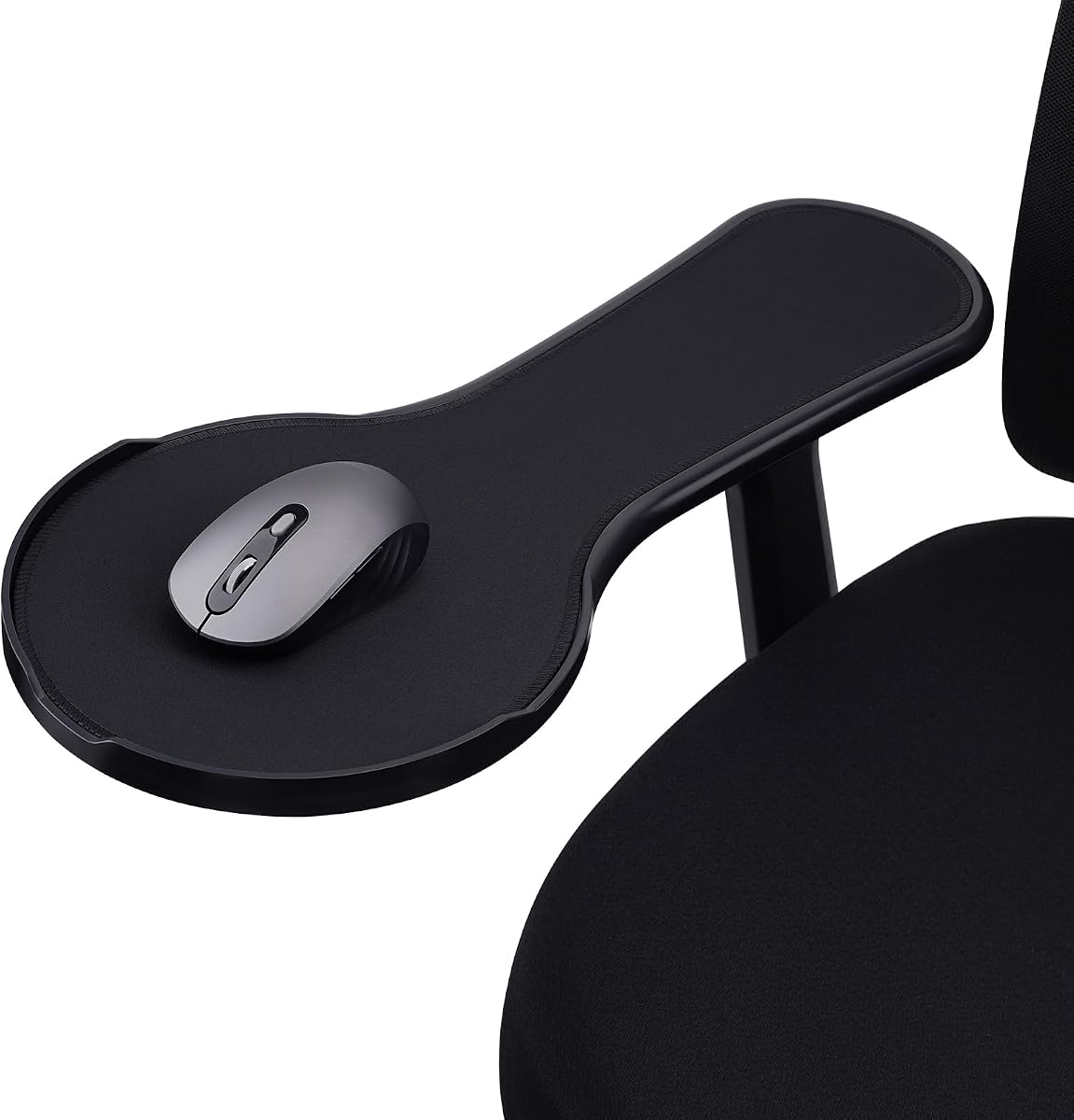
This chair exclusive pad turns your seating into an efficient workstation hub. It rates 4.3 and includes an anti fall baffle to keep your mouse secure. The ABS tray provides ample space for standard and gaming mice.
We may earn a commission when you buy through this link, at no additional cost to you.
Installation uses two size velcro and zip ties for a tool free setup. The memory foam cushion conforms to your wrist to prevent hand strain. The baffle design ensures your mouse stays on the tray during use.
Some users might find the baffle restricts extreme mouse movements slightly. The initial setup can take a few minutes to align perfectly. However these trade offs offer significant stability and comfort for chair based workflows.
Select this if you want to optimize your chair for work and entertainment. It supports arm relaxation and improves overall working conditions significantly. The upgrade is perfect for those who stay seated for long periods.
The circular baffle prevents your mouse from sliding off the tray accidentally.
Straps and ties adapt to different armrest sizes for broad compatibility.
We may earn a commission when you buy through this link, at no additional cost to you.
This ergonomic tray attaches to your chair arm to support your upper limbs. It holds a 4.4 rating and is made from durable ABS plastic. The design focuses on fully supporting your arms to reduce fatigue.
We may earn a commission when you buy through this link, at no additional cost to you.
It comes with two sizes of strap fastener to secure to various armrests. Zip ties are included as a backup for extra stability. Installation is straightforward requiring you to thread straps through the base firmly.
The absence of memory foam means the surface is firmer than other pads. Some users might prefer extra softness for long sessions. However the simplicity and reliability of the tray make it a solid functional choice.
Choose this if you want a straightforward solution without added padding. It is great for users who need basic arm support and a mouse extension. The adjustable design ensures compatibility with most standard office chairs.
Multiple strap sizes allow you to fit the tray securely on different chairs.
The sturdy ABS material ensures the tray withstands daily wear and tear.
We may earn a commission when you buy through this link, at no additional cost to you.
This compact ergonomic pad offers a comfortable resting area for your wrist. It holds a 4.7 rating and features a contoured gel cushion that follows natural curves. The design supports steady use during work or gaming.
We may earn a commission when you buy through this link, at no additional cost to you.
The rubber base grips flat desktop surfaces to keep the pad stable. The fabric top creates a responsive surface for easy navigation. Its compact size fits neatly into most workspaces without crowding your desk.
The smaller footprint might limit mouse travel for large movements. The gel can feel slightly sticky if hands are damp. These trade offs are acceptable for users prioritizing space efficiency and support.
Select this for home offices or study areas where space is limited. The artistic designs allow you to match your personal style easily. It is a practical choice for everyday comfort and reliability.
The rubber base ensures the pad stays put even during quick mouse movements.
Choose from multiple colors and patterns to suit your desk aesthetic.
We may earn a commission when you buy through this link, at no additional cost to you.
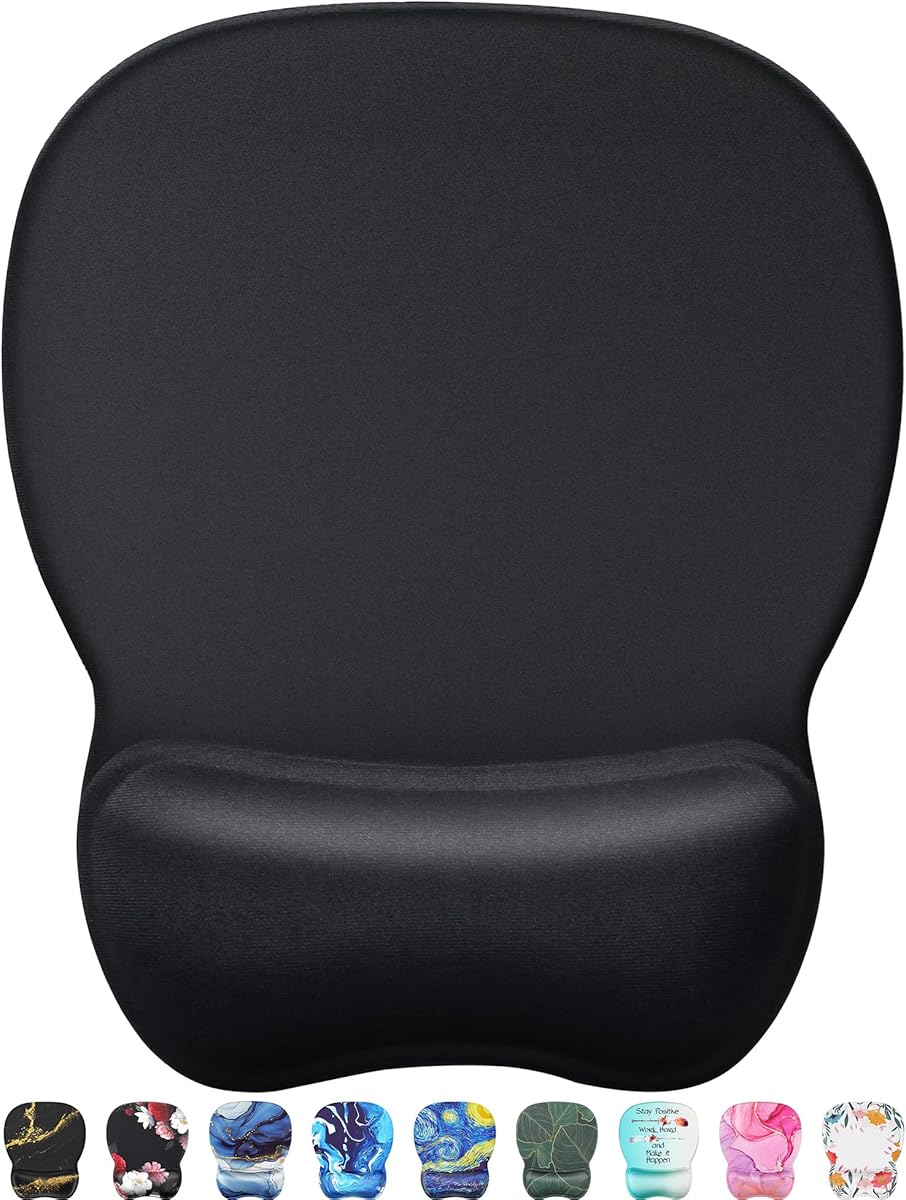
EooCoo provides an affordable ergonomic solution using memory foam to relieve wrist pressure. With a 4.6 rating it features a denser texture for precise mouse control. The double layer design adds durability to the product.
We may earn a commission when you buy through this link, at no additional cost to you.
The non slip PU base allows you to move your mouse freely without interruption. It is made of environmentally friendly materials with a ROHS certificate for safety. The texture supports both wired and wireless mice well.
It lacks waterproof coating so spills might affect the surface. Limited color choices mean you may not find a specific match. However the price and comfort make it a strong contender for budget shoppers.
Ideal for users needing a budget friendly pad with strong support. The foam ensures comfort during long gaming or work sessions. It is a safe and reliable option for home or office use.
The denser surface texture allows for accurate cursor control during gaming.
Extra layers prevent wear and tear ensuring the pad lasts longer.
We may earn a commission when you buy through this link, at no additional cost to you.
This TECKNET model stands out with built in massage beads for fatigue relief. It rates 4.5 and uses an 8 degree tilt to support your palm and wrist. The memory foam ensures durability and precise cursor control.
We may earn a commission when you buy through this link, at no additional cost to you.
The massage beads improve air circulation to keep your hand cool. The non slip base stays firmly in place during intense use. Its 12 by 8 inch size offers ample room for both hands.
Some users might find the beads too firm initially. Proper posture is essential to maximize the ergonomic benefits. These factors are minor given the unique features that reduce sweat and strain.
Choose this if you want a refreshing massage effect during work. It is perfect for professionals needing relief from repetitive strain. The premium build quality ensures long term comfort and reliability.
Built in beads massage your hand to keep it refreshed throughout the day.
The 8 degree tilt optimizes palm support to reduce carpal tunnel risk.
We may earn a commission when you buy through this link, at no additional cost to you.
TECKNET offers a waterproof ergonomic pad that prevents accidental liquid damage. It holds a 4.6 rating with silk processed surface for accurate tracking. The wave design base enhances grip by 70 percent versus standard pads.
We may earn a commission when you buy through this link, at no additional cost to you.
The memory foam rest provides soft touch and effective support for your wrist. Reinforced edges prevent damage and deformation over time. The 100 percent money back guarantee offers peace of mind for buyers.
The waterproof coating might wear after years of heavy cleaning. The portable size is great for travel but limits large movements. These trade offs are minimal compared to the durability and support offered.
Select this for office use where spills are a risk. The reinforced edges and warranty ensure long term reliability. It is a smart choice for users valuing protection and comfort.
The unique wave design enhances friction to keep the pad firmly on the desk.
Professional service ensures you get support whenever you need it.
We may earn a commission when you buy through this link, at no additional cost to you.
Kensington delivers a trusted ergonomic solution with a duo gel pillow for wrist support. It rates 4.5 and features a ventilation channel to keep hands cool. The soft finish is easy to wipe clean after use.
We may earn a commission when you buy through this link, at no additional cost to you.
The non skid gel pad keeps the mouse stable on laptops or desks. Its 9.6 by 7.6 inch size fits comfortably on most desks. The ergonomic design targets pain relief for daily users.
The gel may compress permanently after long use reducing its effectiveness. The blue color option may not match all desk setups. These are minor issues given the brand reputation and ventilation benefits.
Choose this for reliable wrist support from a known brand. It is ideal for professionals seeking pain relief and cooling features. The easy clean finish ensures hygiene in shared workspaces.
Channels in the gel help keep your wrist cool and dry during use.
Kensington is known for producing high quality ergonomic accessories.
We may earn a commission when you buy through this link, at no additional cost to you.
Choosing the right armrest mouse pad requires evaluating several ergonomic factors to suit your workflow and workspace.
The material determines both comfort and durability. Memory foam conforms to your wrist shape providing personalized support. Gel cushions offer a cool soothing feel but may lose shape over time. ABS or plastic trays provide stability but less tactile softness for your arm.
Look for high quality materials that resist wear and compression.
Decide between desk based pads and chair mounted trays. Desk pads sit on your surface and are easy to move. Chair trays attach to your armrest for portable support that follows you. Check that straps or clips fit your chair size securely.
Select a mounting method that fits your seating setup.
The top surface affects mouse tracking precision. Smooth Lycra or silk fabrics offer low friction for accurate movement. Textured surfaces might offer better grip but could cause drag. Ensure the material is durable enough to resist scratches from mouse sensors.
Prioritize a smooth surface if you use optical mice.
A stable base prevents unwanted slipping during use. Rubber or PU backing with wave designs grips desks effectively. Some pads include non skid gel for added stability on laptops. Check reviews for reports of sliding on smooth surfaces.
Ensure the base grips your specific desk material firmly.
Measure your desk space and mouse travel range before buying. Compact models save space but may limit movement. Larger pads offer more room but can crowd your workspace. Chair trays should adjust to fit your armrest circumference.
Pick a size that fits your workflow without clutter.
Ergonomic shape helps maintain a neutral wrist posture. Sloped or contoured rests reduce strain on tendons. Check if the support height matches your typing position. Flat pads may not reduce strain as effectively as angled ones.
Choose a design that aligns with your natural hand position.
Hygiene matters for long term use. Look for surfaces that wipe clean easily or are waterproof. Some materials may trap dust or liquids. Memory foam should be protected from direct spills to maintain shape.
Pick a material that is easy to clean regularly.
Brands often offer warranties to back product durability. Check if the seller provides customer support for defects. Some products include trial periods to test comfort. Reliable support can save you from buying a flawed unit.
Verify warranty terms before making your final purchase.
Place the pad on a flat clean surface before starting work. Ensure the base grips firmly by pressing down on all corners. Adjust your arm position so your wrist rests naturally on the cushion.
Clean the surface regularly with a soft dry cloth. For waterproof models use a damp cloth to remove dirt and sweat. Avoid harsh chemicals that may damage the foam or gel inside.
Store the pad in a cool dry place when not in use. Avoid folding memory foam pads as it may cause permanent creases. Check straps and clips periodically to ensure they remain secure.
Yes they can help reduce strain by keeping your wrist in a neutral position. The support prevents bending which lowers pressure on nerves. Always pair use with regular breaks for best results.
Most desk based pads fit well with standard keyboard sizes. Ensure the pad width leaves space for the keyboard. Chair trays are independent of your keyboard setup entirely.
Spot clean with mild soap and a damp cloth. Do not soak the foam as it may lose shape. Let it air dry completely before using again.
Desk models work fine on hard laptop tables. Chair trays are great since they move with your seat. Always check base stability on glass or slick surfaces.
Gaming needs larger surface areas for quick turns. Look for pads with at least 10 inches of width. Ensure the non slip base stays put during rapid moves.
Gel cushions typically last 2 to 3 years with daily use. They may flatten slightly over time but usually remain supportive. Replace if they leak or lose elasticity.
We explored ten top models ranging from chair trays to desk ergonomic pads. Each offers unique strengths whether you need memory foam or gel support. The VIVO and MROCO models stand out for versatility and comfort.
Prioritize fit and material quality when making your choice. A proper fit ensures you stay comfortable throughout your workday. Consider your desk space and attachment needs carefully.
Prices and availability change so verify details before buying. Our guide provides a snapshot of current best options for you. Choose a model that matches your daily habits for lasting comfort.