Yxk Zero1 Pro
4.4Editor score
Intel N100 CPU
8GB DDR4 RAM
4K HDMI output
Beginner friendly setup
This guide compares the top 4 Bay NAS units for home and business. We evaluate performance, storage capacity, and software features to help you find the right
Choosing a reliable 4 Bay NAS is essential for secure data storage and media management. These devices offer expandable capacity and robust redundancy options for protecting your digital assets effectively.
We analyzed ten leading models based on processing power, network speed, and software ecosystems. Each entry provides detailed insights into real-world performance and specific use cases for various users.
Every pick highlights key strengths and potential trade-offs to guide your decision. Prices and availability change frequently so verify current listings before making your final purchase.
4.4Editor score

4.6Editor score

4.4Editor score
This table provides a side by side view of all ten models evaluated in this guide. Compare their core specifications and key capabilities to identify the best fit for your needs.


This UGREEN model stands out as the top choice for users seeking a balance of performance and ease of use. It receives high marks for its robust hardware and polished software ecosystem tailored for families and small teams.
We may earn a commission when you buy through this link, at no additional cost to you.
The high-performance processor ensures smooth multitasking across Docker containers and virtual machines. Transfer speeds are blazing fast thanks to the 10GbE network port, making it ideal for large file backups and media streaming.
While it lacks built-in Wi-Fi connectivity, the wired performance compensates for most users. The only real trade-off is the higher price point compared to entry-level options, which is justified by the premium features.
Anyone needing a secure private cloud with reliable remote access should consider this device. Its AI-powered photo organization and seamless cross-platform compatibility make it a smart long-term investment.
The 10GbE network port enables backing up one gigabyte in less than a second for rapid data management.
Advanced AI algorithms automatically organize photos by faces and scenes while removing duplicates to save space.
We may earn a commission when you buy through this link, at no additional cost to you.
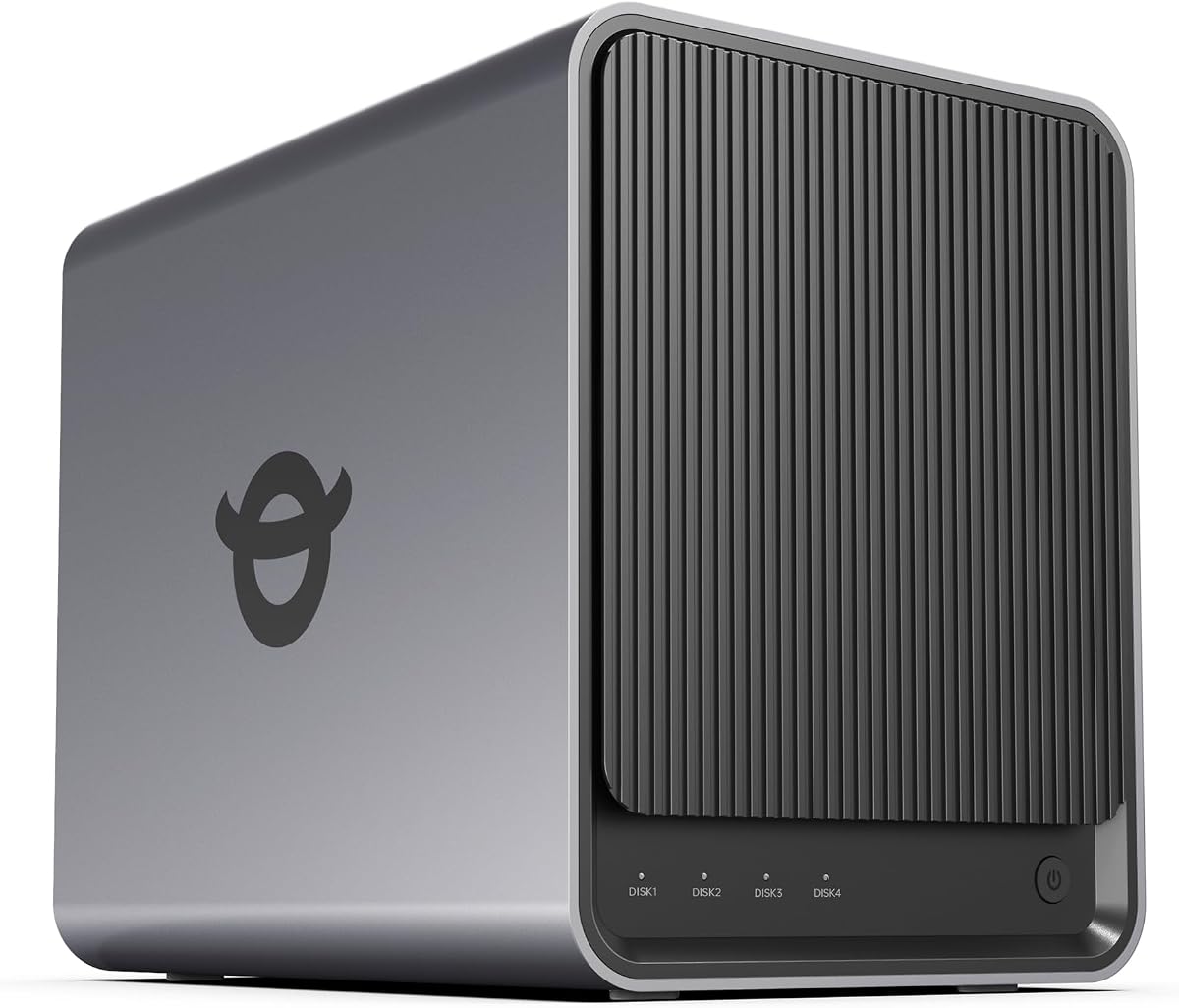
The Yxk Zero1 Pro delivers exceptional value for beginners and home users on a budget. It earns high marks for its capable Intel N100 processor and generous base memory allocation.
We may earn a commission when you buy through this link, at no additional cost to you.
Its setup process is designed for first-time users with guided mobile app steps that simplify initial configuration. The aluminum enclosure provides durable protection and efficient heat dissipation during heavy workloads.
Users may find the default OS lacks some advanced tools compared to premium alternatives. However, the flexibility to install third-party systems like TrueNAS or Unraid offsets this limitation completely.
Families looking for shared media storage without breaking the bank will find this unit perfect. Its HDMI output and strong hardware make it a versatile choice for home theater integration.
Experienced users can manually install compatible third-party NAS operating systems to explore different software environments.
The alloy enclosure helps dissipate heat while dual-fan cooling supports overnight backups and large file transfers.
We may earn a commission when you buy through this link, at no additional cost to you.
This UGREEN DXP4800 Pro is engineered for demanding workflows and power users requiring top-tier performance. It receives excellent ratings for its professional-grade core hardware and enterprise-level security features.
We may earn a commission when you buy through this link, at no additional cost to you.
The Intel Core i3 processor and DDR5 RAM support provide significant headroom for virtual machines and Docker containers. Dual network ports enable blazing-fast transfers reaching up to 1.25GB/s for efficient data management.
Its Data Vault feature and ETSI certified privacy standards ensure sensitive files remain hidden and encrypted. The only drawback is the complexity and cost which may not appeal to casual home users.
IT professionals and developers needing a secure IT hub for video editing and virtualization should choose this. Its robust build and advanced workflows make it a powerful workstation substitute.
Certified for strong privacy and data protection by TÜV SÜD and TRUSTe to ensure your sensitive files are safe.
It functions as an IT hub for video editors developers and growing teams with advanced workflows requiring high speed.
We may earn a commission when you buy through this link, at no additional cost to you.
The UGREEN DXP4800 GT targets creators with its high-performance multitasking and specialized tools. It gets strong ratings for its AMD Ryzen processor and dual 10GbE networking capabilities.
We may earn a commission when you buy through this link, at no additional cost to you.
Creators benefit from the built-in SD card slot and USB ports allowing quick file imports without external readers. Surveillance Center enables local storage for IP cameras without extra subscriptions.
While Plex works it requires manual Docker setup which can be technical for non-technical users. The price reflects its premium features but might be steep for simple file storage needs.
Tech enthusiasts and office teams needing local video editing and robust app support will find it ideal. The combination of speed and flexibility makes it a versatile media server.
The built-in SD card slot lets creators import photos and videos without an external card reader for speed.
Surveillance Center supports ONVIF cameras allowing you to review footage and share access without cloud subscriptions.
We may earn a commission when you buy through this link, at no additional cost to you.
This TERRAMASTER unit offers powerful performance at a budget-friendly price point for home users. It scores well for its quiet operation and straightforward tool-free drive installation process.
We may earn a commission when you buy through this link, at no additional cost to you.
The Intel x86 processor handles 4K transcoding and multitasking effectively for media streaming. Its ultra-quiet design makes it suitable for bedrooms or quiet home offices without noise complaints.
The mobile app provides full control but lacks some advanced customization options found in higher-end models. This trade-off is acceptable given the affordable price and reliable hardware performance.
Homeowners needing a quiet media server and secure storage solution will appreciate this device. The AI smart album helps organize photos efficiently while keeping the system silent.
The NAS server operates at just 21dB making it suitable for quiet environments like bedrooms without disturbance.
Tool-free Push-Lock design HDD trays enable you to install hard drives in just ten seconds easily.
We may earn a commission when you buy through this link, at no additional cost to you.
The Synology DS425+ focuses on team productivity and centralized repository management for businesses. It receives strong ratings for its granular access controls and reliable multi-layered data protection.
We may earn a commission when you buy through this link, at no additional cost to you.
Small businesses can store client files and media assets securely with audit logs for compliance. Dedicated technical account management is available for business-critical production environments needing extra support.
The initial setup for enterprise features might be complex for non-IT users. However the security benefits and centralized access justify the complexity for professional environments.
Companies needing a secure file server with audit capabilities and surveillance should choose this. The team productivity features streamline workflows effectively for remote and hybrid teams.
Store company documents with granular access controls and audit logs to ensure security compliance and safety.
Dedicated technical account management is available for business-critical production environments requiring extra help.
We may earn a commission when you buy through this link, at no additional cost to you.
This UGREEN NAS is designed specifically for beginners and home users transitioning from cloud storage. It receives high marks for its cost-effectiveness and smart photo backup capabilities.
We may earn a commission when you buy through this link, at no additional cost to you.
The NFC quick connection simplifies the initial setup process for non-technical users. Advanced encryption and ETSI certification ensure your data stays private on local drives without third-party risks.
Lack of virtual machine support limits advanced use cases for power users. However for basic file sharing and backup needs this device offers excellent value and reliability.
Families wanting automatic backups without recurring fees should choose this model. The photo album features keep memories organized while saving money compared to cloud services.
Advanced encryption is TRUSTe certified in the United States ensuring your files remain on your own hard drives.
Unlike cloud storage with monthly fees this NAS requires only a one-time purchase for long term data ownership.
We may earn a commission when you buy through this link, at no additional cost to you.
The Synology DS925+ offers robust performance for families needing stable data transfers and redundancy. It earns solid ratings for its dual 2.5GbE ports and reliable hardware warranty.
We may earn a commission when you buy through this link, at no additional cost to you.
Its built-in file management and virtualization support allow diverse application deployment on the system. The official drive compatibility list ensures you avoid hardware conflicts during installation.
While the hardware is solid it lacks some advanced software features compared to newer models. This makes it a good middle-ground choice for reliable home storage needs.
Users valuing brand reputation and long-term support should consider this device. The redundancy provided by dual network ports ensures uptime even if one connection fails.
Dual 2.5GbE ports provide fast network transfer speeds and increased redundancy to keep you connected.
It supports drives on the model's official compatibility list to ensure reliability during operation.
We may earn a commission when you buy through this link, at no additional cost to you.
This Asustor NAS focuses on budget-friendly cloud and media streaming for home use. It gets good marks for its 4K media support and WORM technology for ransomware protection.
We may earn a commission when you buy through this link, at no additional cost to you.
The Realtek CPU handles daily storage needs efficiently with lower power consumption. Btrfs snapshots allow quick restoration to previous points in time after accidental deletions.
Limited memory may affect performance when running multiple advanced applications simultaneously. However for basic media serving and backup its features are quite competitive at this price.
Home users prioritizing 4K playback and ransomware protection should find this useful. Its snapshot technology adds peace of mind against data loss events.
Btrfs snapshots allow you to restore data to a previous point in time instantly after ransomware attacks.
Equipped with 2.5-Gigabit Ethernet for significantly faster file transfers compared to traditional Gigabit NAS systems.
We may earn a commission when you buy through this link, at no additional cost to you.
This Synology unit focuses on secure file sharing and comprehensive data protection for families. It receives strong ratings for its ransomware-resistant backup and versatile video surveillance.
We may earn a commission when you buy through this link, at no additional cost to you.
Snapshot technology protects against malware by creating immutable copies of your files regularly. The photo vault keeps personal images secure and accessible only to authorized family members.
Surveillance features require separate camera licenses for the full 30 camera support. This extra cost should be factored into the total budget before purchase.
Families needing robust backup strategies without losing file history will find this ideal. The private cloud access ensures you stay connected even during remote travel periods.
Protect against malware with immutable snapshots versioned files and multi-destination backup strategies for safety.
Protect your home or business with intuitive monitoring archiving and analysis tools for up to thirty IP cameras.
We may earn a commission when you buy through this link, at no additional cost to you.
Selecting the right 4 Bay NAS requires understanding key hardware and software features. This section explains the most important factors to consider before buying.
A capable processor ensures smooth multitasking when running virtual machines Docker containers or media transcoding. Look for Intel N100 or AMD Ryzen chips for better throughput.
Prioritize models with modern CPUs to avoid lag when multiple users access files simultaneously.
Network speed impacts file transfer rates significantly during backups or streaming. Models with 10GbE ports offer much faster throughput than standard Gigabit ports.
Ensure your router supports higher speeds to fully utilize 10GbE capabilities.
Memory affects how many apps and users the NAS can handle without slowdowns. 8GB is the standard baseline for smooth performance and expandability.
Check if RAM is upgradeable to support future virtualization needs or heavy workloads.
The NAS OS determines ease of setup and app availability. Synology offers polished interfaces while UGREEN provides expanding ecosystems for creators.
Choose a system that matches your technical comfort level and required features.
Encryption and snapshot technology protect data from ransomware or accidental loss. Look for certified privacy standards like TRUSTe or ETSI compliance.
Prioritize models with strong permission controls to manage access across multiple devices.
Hardware transcoding ensures smooth 4K video streaming to smart TVs or mobile devices. Verify support for codecs like H.265 for optimal efficiency.
Models with HDMI outputs allow direct playback without extra streaming hardware.
Built-in surveillance centers let you monitor homes using IP cameras locally. Ensure the model supports ONVIF protocols for camera compatibility.
Check license costs if you need to add more than the included camera limit.
Future-proofing requires slots for NVMe SSDs or additional network ports. These features reduce bottlenecks when storage needs grow over time.
Choose models with M.2 slots for cache or direct storage expansion options.
Begin setup by installing your hard drives and connecting the device to your network via Ethernet. Follow the manufacturer's mobile app instructions to initialize the system and create an admin account.
Regularly update the operating system and run scheduled backups to protect against data loss. Organize your files into shared folders with permission settings to keep personal data secure.
Place the NAS in a cool well-ventilated area to ensure efficient cooling during operation. Keep the external vents clean from dust to maintain hardware longevity and performance.
Most models listed are diskless meaning they come without pre-installed hard drives. You must purchase compatible SATA or NVMe drives separately to store your files. Always check the official compatibility list before buying drives.
Yes you can access and manage files locally over your home network without internet. However remote access outside the home requires an internet connection and proper port forwarding or tunneling.
RAID provides data redundancy so you don't lose files if one drive fails. For critical data it is highly recommended to configure RAID 5 or RAID 10 for balanced storage and protection.
Use the NAS app or a dedicated backup client to create automated backup tasks. You can schedule backups to run daily or weekly to ensure your data stays synchronized regularly.
Many models support hardware transcoding for smooth 4K playback on TVs or mobile devices. Apps like Plex or Emby can be installed to manage and stream your media library easily.
If configured with RAID redundancy the NAS can continue operating while you replace the failed drive. Always back up important data separately to protect against total system failure.
We selected ten top models ranging from budget-friendly entry-level units to professional-grade workstations. Each offers unique strengths tailored to different users like creators families and IT pros.
Prioritize models with strong network ports and ample RAM if you plan on running Docker containers. Security features and software ecosystem ease of use are also critical for long-term satisfaction.
Always check the latest prices and availability before purchasing to ensure you get the best deal. Prices change frequently so verify current listings at the official retailer links provided.