
Hisense 65 U7 Mini-LED ULED 4K UHD Best Premium Gaming Smart Google TV
4.6Editor score
Native 165Hz refresh rate
Up to 3000 nits brightness
Anti-reflection screen treatment
This guide compares the top 4K TVs for Gta 6 on PS5 and Xbox Series X, analyzing gaming features, HDR performance, and picture quality for next-gen consoles.
Finding the right display for next-generation gaming requires careful consideration of refresh rates, input lag, and HDR performance to ensure smooth gameplay.
We evaluated ten leading models based on their HDMI 2.1 capabilities, variable refresh rate support, and overall picture quality for immersive entertainment experiences.
Each selection highlights specific strengths for console gaming, though prices and availability may change frequently so checking current listings is always recommended before purchasing.
4.6Editor score

4.1Editor score

4.4Editor score
The following table provides a side-by-side comparison of all ten selected televisions to help you identify the model that best fits your gaming needs and room conditions.





This Sony model delivers premium performance specifically tuned for PlayStation 5 gaming with exclusive features like Auto HDR Tone Mapping and Auto Genre Picture Mode.
We may earn a commission when you buy through this link, at no additional cost to you.
The XR Processor uses AI scene recognition to optimize color and contrast in real time ensuring every frame looks its best during intense gameplay sessions.
While the 50 inch size might be small for some living rooms the picture quality and low latency make it a strong contender for dedicated gaming setups.
Gamers seeking the closest match to console specifications should consider this TV as it bridges the gap between home viewing and next generation gaming perfectly.
Auto HDR Tone Mapping automatically optimizes picture quality for gaming so you do not have to manually adjust settings every time you launch a game.
The XR Processor uses AI to recognize scenes and enhance color contrast and clarity making fast action sequences clearer without introducing motion blur.
We may earn a commission when you buy through this link, at no additional cost to you.
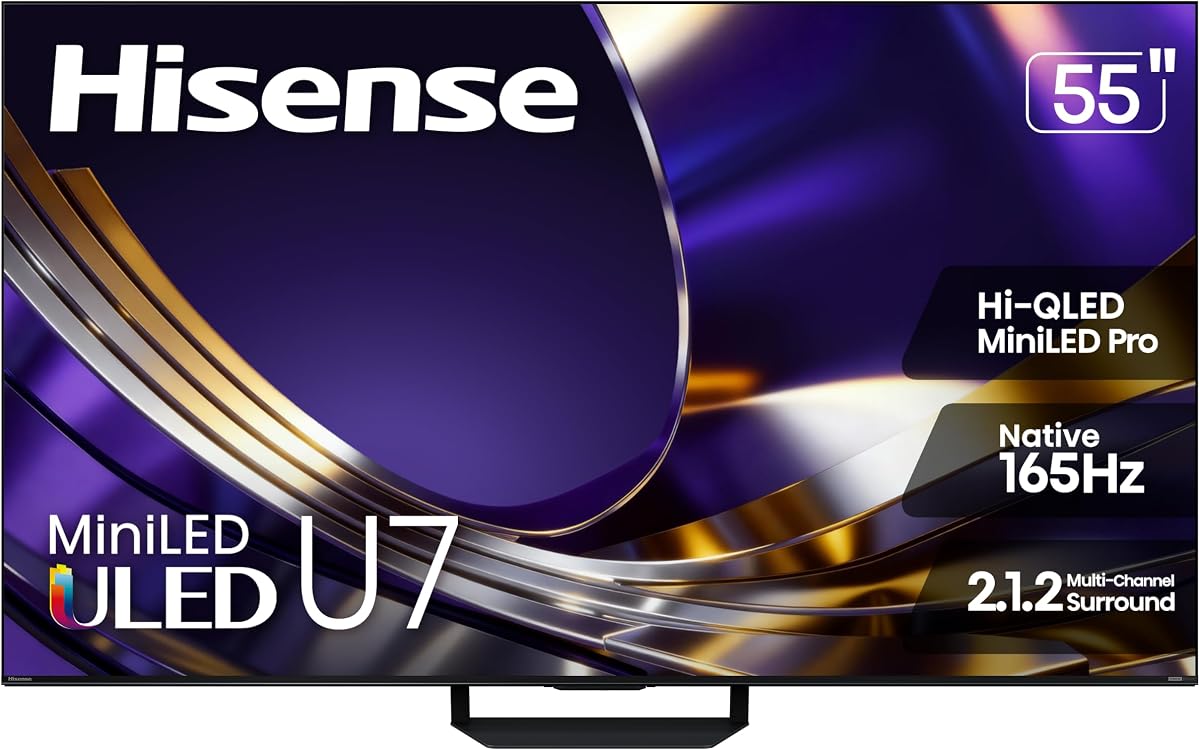
The Hisense U7 Mini-LED stands out with a native 165Hz refresh rate and peak brightness up to 3000 nits delivering stunning visuals for high fidelity games.
We may earn a commission when you buy through this link, at no additional cost to you.
Mini-LED technology provides precise backlight control creating deep blacks and vibrant highlights that enhance the visual fidelity of modern open world titles.
The anti-reflection screen treatment ensures clarity even in well-lit rooms which is a common challenge for gaming setups near windows or bright lights.
If you want top-tier picture quality and fast response times this model offers a premium experience that justifies the investment for serious console enthusiasts.
Thousands of Mini-LED backlights deliver pinpoint control for vibrant lifelike pictures ensuring dark scenes stay deep while bright areas shine brilliantly.
The native 165Hz refresh rate handles gaming action at high speeds preventing blur and lag for fluid motion that never misses a beat.
We may earn a commission when you buy through this link, at no additional cost to you.
This Roku TV offers a large 65 inch screen at an accessible price point making 4K gaming and streaming accessible without a huge financial commitment.
We may earn a commission when you buy through this link, at no additional cost to you.
The QLED screen with HDR10 creates bright accurate colors while the simplified home screen makes it easy to launch apps and games quickly.
While it lacks the highest refresh rates of premium models it provides a solid foundation for casual gamers who prioritize screen size and ease of use.
For those wanting a big display for console gaming and media consumption this option balances performance with value effectively for most living room setups.
Setup takes only minutes and the uncluttered remote control does everything you need so you spend less time configuring and more time playing games.
Sharp 4K resolution combined with QLED technology brings out rich detail and vibrant colors on the 65 inch screen for immersive viewing.
We may earn a commission when you buy through this link, at no additional cost to you.
This iFFALCON TV is designed specifically for PS5 and Xbox with four HDMI 2.1 ports ensuring you can connect multiple next generation consoles simultaneously.
We may earn a commission when you buy through this link, at no additional cost to you.
The variable refresh rate supports up to 288Hz which reduces screen tearing and input lag for smoother gameplay during competitive or fast-paced sessions.
Dolby Vision Gaming support allows for optimized picture settings without manual adjustments making it convenient to switch between streaming and gaming modes.
Gamers needing extensive connectivity and high refresh rates on a budget will find this model offers compelling specifications that match high-end competitors.
Two HDMI 2.1 ports handle 4K at 144Hz for consoles while two more handle 60Hz for streaming boxes allowing full connection without compromises.
Native 144Hz panel with VRR up to 288Hz reduces screen tearing and lowers input lag during intense gameplay for crisp motion.
We may earn a commission when you buy through this link, at no additional cost to you.
The 55 inch version of the U7 Mini-LED brings the same high performance features to a smaller footprint ideal for apartments or secondary rooms.
We may earn a commission when you buy through this link, at no additional cost to you.
With a native 165Hz refresh rate and anti-glare layer it maintains fluid motion and clarity even in bright environments without needing extra curtains.
The Mini-LED backlighting provides strong contrast and vivid colors which enhances the visual experience of graphically demanding titles significantly.
If space is a constraint but you do not want to compromise on picture quality this model delivers premium features in a more manageable size.
Despite the smaller 55 inch canvas you still get thousands of Mini-LED backlights for vibrant lifelike pictures in every scene.
The advanced dual-layer screen treatment minimizes reflections and glare for consistent clarity no matter what is happening around the screen.
We may earn a commission when you buy through this link, at no additional cost to you.
Samsung's M70H series focuses on delivering bright and vivid images using Mini LED technology to enhance contrast and depth for gaming and movies.
We may earn a commission when you buy through this link, at no additional cost to you.
The Motion Xcelerator + DLG technology helps optimize refresh rates up to 120Hz for smooth visuals which is helpful for fast moving action.
A central Gaming Hub allows you to access games from consoles cloud services and apps in one place making it easy to find what to play.
This TV is well-suited for users who prioritize color accuracy and brightness over extreme refresh rates for their next generation gaming setup.
A central hub brings together favorite games from consoles cloud services and gaming apps all in one place for easy access.
Mini LED processor delivers brighter highlights and deeper blacks than traditional HDR TVs making every image stand out with remarkable depth.
We may earn a commission when you buy through this link, at no additional cost to you.
The TCL QM6K combines Mini LED with Quantum Dot technology to achieve incredible brightness and color accuracy for a high performance gaming experience.
We may earn a commission when you buy through this link, at no additional cost to you.
Its Halo Control System eliminates blooming around bright objects ensuring sharp detail and deep blacks even in complex scenes with mixed lighting.
Support for Dolby Vision HDR10+ and HLG ensures you can view high dynamic range content in the format that looks best for each title.
For those seeking a large screen with strong contrast and brightness this model delivers a premium feel at a competitive market price.
Combines ultra-precise Mini LEDs with Quantum Dot technology for incredible brightness bold contrast and over a billion vibrant colors.
Advanced local dimming eliminates haloing enhances shadow detail and improves picture accuracy so dark scenes look deeper.
We may earn a commission when you buy through this link, at no additional cost to you.
This Hisense model features AI Picture technology that analyzes content scene by scene to automatically optimize brightness contrast and color for a clear image.
We may earn a commission when you buy through this link, at no additional cost to you.
A native 144Hz game mode keeps fast movement fluid and sharp reducing blur during gameplay and live sports which is ideal for competitive gaming.
Support for Dolby Vision IQ and HDR10+ Adaptive ensures that picture settings adjust based on ambient light for comfortable viewing at any time.
Users who value intelligent processing and smart adjustments will appreciate how this TV manages visual quality without constant manual tweaking.
Advanced AI processing analyzes content scene by scene and automatically optimizes brightness contrast and color for a clearer natural image.
High refresh performance keeps fast movement fluid and sharp reducing blur during gameplay and live sports effectively.
We may earn a commission when you buy through this link, at no additional cost to you.
The Samsung U8000H uses a Crystal Processor to enhance colors and sharpen details providing a vibrant 4K viewing experience for movies and games.
We may earn a commission when you buy through this link, at no additional cost to you.
Motion Xcelerator technology helps adjust frame transitions in real time ensuring smooth motion and clear visuals during fast action sequences.
While it lacks the advanced gaming features of premium models it offers reliable performance and color accuracy for general entertainment and casual use.
This TV serves as a practical entry point for 4K gaming where budget is a primary concern and basic performance is sufficient.
Powerful processor enhances colors and sharpens details for a vibrant 4K viewing experience and improves content with 4K upscaling.
Technology estimates and adjusts frame transitions in real time so you enjoy smooth motion and clear visuals in games.
We may earn a commission when you buy through this link, at no additional cost to you.
This LG model features Dynamic QNED color for enhanced color accuracy and a WebOS smart platform that integrates Google Gemini for natural language assistance.
We may earn a commission when you buy through this link, at no additional cost to you.
AMD FreeSync Premium and Auto Low Latency Mode ensure improved gaming quality whether you play on consoles or through cloud services easily.
The LG Game Dashboard and Game Optimizer put all the control at your fingertips making it easy to adjust settings for the best experience.
While the rating is lower than others this model offers a unique combination of color performance and smart features for those invested in the LG ecosystem.
Enhances color accuracy for vibrant more lifelike viewing with certified 100 percent Color Volume for a rich visual experience.
Delivers smarter easier streaming plus Google Gemini at your fingertips to help you find what to watch and control smart home devices.
We may earn a commission when you buy through this link, at no additional cost to you.
Selecting the right TV for next generation gaming involves evaluating several technical factors that directly impact gameplay quality and immersion.
Refresh rate determines how many times per second the screen updates and higher rates like 120Hz or 144Hz reduce motion blur and make fast games look smoother.
For best results look for a native refresh rate of at least 120Hz with support for variable refresh rate technologies to match console output dynamically.
HDMI 2.1 ports provide the necessary bandwidth to transmit 4K resolution at high refresh rates such as 120Hz or 144Hz without compression artifacts.
Ensure the TV has at least one or more HDMI 2.1 ports that support all required features to connect your console correctly for optimal performance.
Variable Refresh Rate synchronizes the TV's refresh rate with the console's frame rate to prevent screen tearing and stuttering during gameplay.
Look for TVs that support both FreeSync and G- compatible VRR standards to ensure compatibility with both Xbox Series X and PS5 hardware.
High Dynamic Range (HDR) expands the range of colors and brightness to provide more realistic images with better contrast between light and dark areas.
Higher peak brightness ensures HDR highlights pop especially in well-lit rooms and helps maintain color accuracy during bright game scenes.
Input lag is the delay between pressing a button on the controller and seeing the action on screen which can affect reaction time in competitive games.
Choose TVs with dedicated game modes that reduce input lag significantly to ensure responsive controls and smooth gameplay without noticeable delay.
The smart TV interface allows you to access streaming apps and games directly without extra devices which simplifies your entertainment setup significantly.
Platforms like Google TV and Fire TV offer intuitive navigation and integration with voice assistants to make finding content easier and faster.
The screen size should be proportional to your viewing distance to maximize immersion without causing eye strain or making pixels visible to the naked eye.
For a typical living room setup distances of 6 to 8 feet work well with 65 inch screens while smaller spaces may benefit from 55 inch options.
Local dimming allows the TV to dim specific areas of the screen to achieve deeper blacks and higher contrast which improves image depth and clarity.
Full array local dimming offers better control than edge lit systems and is especially beneficial for HDR gaming and watching movies in dark rooms.
Start by connecting your console to an HDMI 2.1 port on the TV and ensuring the cable supports at least 18Gbps bandwidth to enable 4K 120Hz output.
Navigate to the TV's image settings and enable Game Mode to reduce input lag and activate any available VRR or HDR enhancements for a smoother experience.
Clean the screen regularly with a soft dry microfiber cloth to avoid scratches and avoid using harsh chemicals that could damage the delicate surface coating.
No only TVs with HDMI 2.1 ports and high refresh rate panels support 120Hz gaming. Many budget models are limited to 60Hz which means you will not get the full performance of next-gen consoles.
Variable Refresh Rate is highly recommended for competitive gaming as it prevents screen tearing and stuttering. It ensures the frame rate stays smooth even when the console load spikes.
You need an Ultra High Speed HDMI cable rated for HDMI 2.1 which supports bandwidth up to 48Gbps. These cables are usually included with newer consoles or sold separately.
Yes HDR significantly improves visual fidelity by offering brighter highlights and deeper shadows. If you play visually demanding titles HDR adds realism and depth to the graphics.
Screen tearing can be fixed by enabling VRR in the TV's settings and on the console. Make sure the console output is set to match the TV's supported refresh rates.
Yes many manufacturers label certain models as gaming TVs which include features like low input lag and HDMI 2.1 ports. These models optimize settings for console use automatically.
Auto Low Latency Mode automatically switches the TV to game mode when a console is detected. This reduces input lag without needing to manually change picture settings.
Yes you can use a 4K TV for 60Hz gaming but you will not get the higher refresh rates available on next-gen consoles. The picture will still look sharp in 4K resolution.
We have highlighted ten models ranging from budget friendly options to premium displays that offer excellent gaming features for PS5 and Xbox Series X.
Prioritize HDMI 2.1 support and high refresh rates if you want to fully utilize the power of next generation consoles for the smoothest gameplay possible.
Always check current prices and availability as these values change frequently and ensure the TV fits your room conditions and gaming needs.