
ProElife Ergonomics Grip Holder
4.5Editor score
Wide base for better grip
Anti-slip internal grooves
Easy installation process
This guide compares the top 10 Apple Pencil Grips for comfort and control, analyzing ergonomic designs and material quality to help you choose the perfect
Finding the right Apple Pencil Grips can transform your digital drawing and writing experience. Without proper support, long sessions can lead to hand fatigue and reduced precision. The best options provide ergonomic comfort while maintaining full stylus functionality.
We evaluated ten leading grips based on comfort, durability, and compatibility. Each product was analyzed for its design, material quality, and impact on magnetic charging features. This list highlights the top performers across various price points and use cases.
Each pick shows specific strengths tailored to different needs like budget or premium feel. Prices and availability change frequently so verify details before purchasing. Our goal is to help you find the most reliable grip for your creative workflow.
4.5Editor score

4.3Editor score

4.6Editor score
Here is a side-by-side comparison of all ten top-rated grips. We highlight key specifications and design features to help you quickly identify which model fits your specific iPad and Pencil needs.




The Paperlike Pencil Grips rank as the top choice for users seeking all-day comfort. With a 4.3 rating, these grips deliver a natural hold that reduces fatigue during long sessions.
We may earn a commission when you buy through this link, at no additional cost to you.
The ergonomic shape is designed based on pens that taught generations to write. This ensures a hold that feels familiar and supportive. The ultra-thin silicone zones keep all gestures and magnetic charging functional without interference.
While the grip adds a tactile layer, some users might need a moment to adjust. The angled sidewalls fit most cases which is convenient but check compatibility for guaranteed matches.
This is the ideal pick for professionals who draw or write for hours daily. Its durable build ensures it lasts through daily use while providing consistent comfort.
The shape mimics traditional pens so the transition to digital feels seamless and intuitive.
All Apple Pencil features including double-tap and magnetic charging work perfectly with the grip installed.
We may earn a commission when you buy through this link, at no additional cost to you.
The ProElife Ergonomics Grip Holder offers exceptional value for budget-conscious buyers. It boasts a 4.5 rating and features a design that relieves hand pain effectively.
We may earn a commission when you buy through this link, at no additional cost to you.
Its ergonomic design uses a wider bottom to match hand curvature. This provides maximum grip and stability. Internal anti-slip grooves ensure the stylus stays firm during use.
The material is soft but strong enough to hold the pencil securely. You can adjust the sleeve position easily if you prefer holding different areas of the pen.
This is perfect for students or casual users needing relief without high cost. It balances affordability with practical ergonomic benefits efficiently.
The wider base aligns with natural hand curves to reduce strain during prolonged drawing sessions.
You can move the sleeve along the pencil to find your most comfortable grip spot quickly.
We may earn a commission when you buy through this link, at no additional cost to you.
The Grip for Apple Pencil Pro stands out with its unique split-back design. It is designed for Gen 2 but works equally well for Gen 1 models.
We may earn a commission when you buy through this link, at no additional cost to you.
This design allows you to attach the grip securely even with a case on. You simply align the flat edge and roll the grip over. The edges wrap around your iPad for a more stable feel.
It provides access to all features while offering better control. The split design ensures you can still charge or use gestures without removing it entirely.
This is great for users who value a secure fit and multi-generation compatibility. It solves the common issue of grips falling off easily.
The opening allows quick attachment even with a case, ensuring a tight fit around your iPad.
Enjoy improved comfort and control whether you use Gen 1 or Gen 2 Apple Pencils.
We may earn a commission when you buy through this link, at no additional cost to you.
UPPERCASE NimbleGrip earns top marks for its premium build and comfort. With a 4.6 rating, it reduces fatigue effectively through its streamlined ergonomic shape.
We may earn a commission when you buy through this link, at no additional cost to you.
Crafted from premium silicone, it offers a soft yet supportive feel. A dust-free coating prevents lint attraction which keeps the grip clean. The interior ribbed design ensures it stays firmly on the pencil.
The dual-sided exterior allows you to choose between round or hexagonal grips. This versatility lets you find your perfect touch. However, you might need to remove it for specific wireless charging scenarios.
Ideal for artists who want a luxury feel and maximum comfort. The quality justifies the price for long-term daily use.
The soft-touch silicone provides a luxurious tactile experience that remains comfortable for hours.
Choose between round and hexagonal sides to match your personal writing or drawing style preference.
We may earn a commission when you buy through this link, at no additional cost to you.
The 3 Pack iPencil Holder Grips offer a great deal with three colors included. They feature a threaded design that helps prevent slipping and sweating during use.
We may earn a commission when you buy through this link, at no additional cost to you.
Made of soft silicone rubber, these grips are durable and comfortable. The thin profile ensures magnetic charging works as expected. It is a practical choice for those who want backups or color variety.
While basic, they effectively provide comfort and grip. Just ensure there is no obstruction during charging. The anti-sweat feature makes them suitable for intense sessions.
This is a smart buy for users who want options and practical protection. Three grips mean you can always have a fresh one ready.
The anti-sweat and non-slip texture keeps your hands dry even during long creative work sessions.
Having three different colors allows you to match your mood or swap them out frequently.
We may earn a commission when you buy through this link, at no additional cost to you.
elago is known for simple sophistication and their grip is no exception. Designed in-house, it looks great and fits perfectly. The ergonomic shape sits comfortably in your hand.
We may earn a commission when you buy through this link, at no additional cost to you.
Made from premium silicone, it is durable and helps prevent scratches. It boosts grip and reduces fatigue which improves productivity. The design focuses on utility while maintaining a stylish look.
This grip is designed to enhance the pencil experience without changing its core function. It feels solid and reliable in use. It is suitable for gift giving or personal upgrades.
Perfect for users who want a well-made accessory that looks professional. The quality reflects the brand reputation for functional design.
Created entirely by elago the grip ensures a perfect fit and thoughtful details.
The silicone material protects your expensive pencil from scratches and accidental drops.
We may earn a commission when you buy through this link, at no additional cost to you.
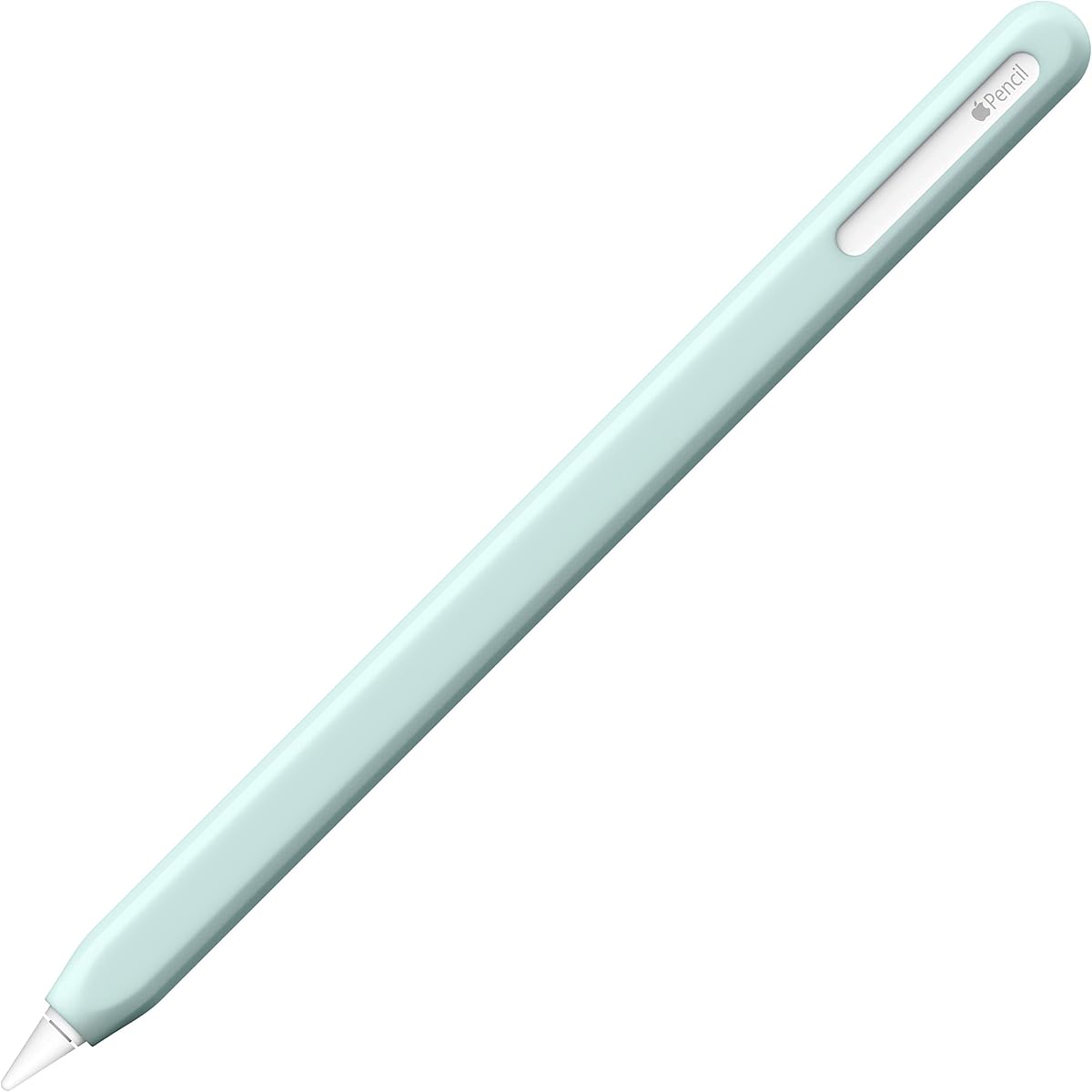
NimbleSleeve offers full protection with a sleek faceted design. It covers the entire pencil making it easier to grip and control. The design resists rolling when you set it down.
We may earn a commission when you buy through this link, at no additional cost to you.
Made with premium silicone and a soft finish, it feels premium. It protects against dust and accidental drops. The slim profile maintains magnetic charging compatibility for 2nd Gen Pencils.
Be aware that your iPad case needs an Apple Pencil cutout to charge wirelessly. If your case is too thick this might interfere. However, for protection and style, it is excellent.
This is ideal for users who want full coverage without losing features. The faceted design makes it visually unique compared to smooth sleeves.
The faceted shape ensures the pencil stays stable on flat surfaces without rolling off.
Complete coverage guards your Pencil against dust, dirt, and bumps from your desk.
We may earn a commission when you buy through this link, at no additional cost to you.
SIXFU grips feature a unique square and circle design for varied holds. The ultra-thin cross-section is specifically made to support wireless charging and double-tap functions.
We may earn a commission when you buy through this link, at no additional cost to you.
This design allows you to keep the grip on while charging. It is anti-sweat and non-slip preventing your Pencil from falling. The package includes two colors and a storage box for convenience.
You must align the thin side correctly for charging to work. If misaligned it might not charge wirelessly. This requires a bit of attention but the benefits are worth it.
Great for users who want a grip that does not interrupt charging. The storage box adds a nice touch for keeping accessories organized.
The ultra-thin section ensures magnetic charging remains functional without removing the grip.
A mini buckle storage box is included to keep your grips tidy when not in use.
We may earn a commission when you buy through this link, at no additional cost to you.
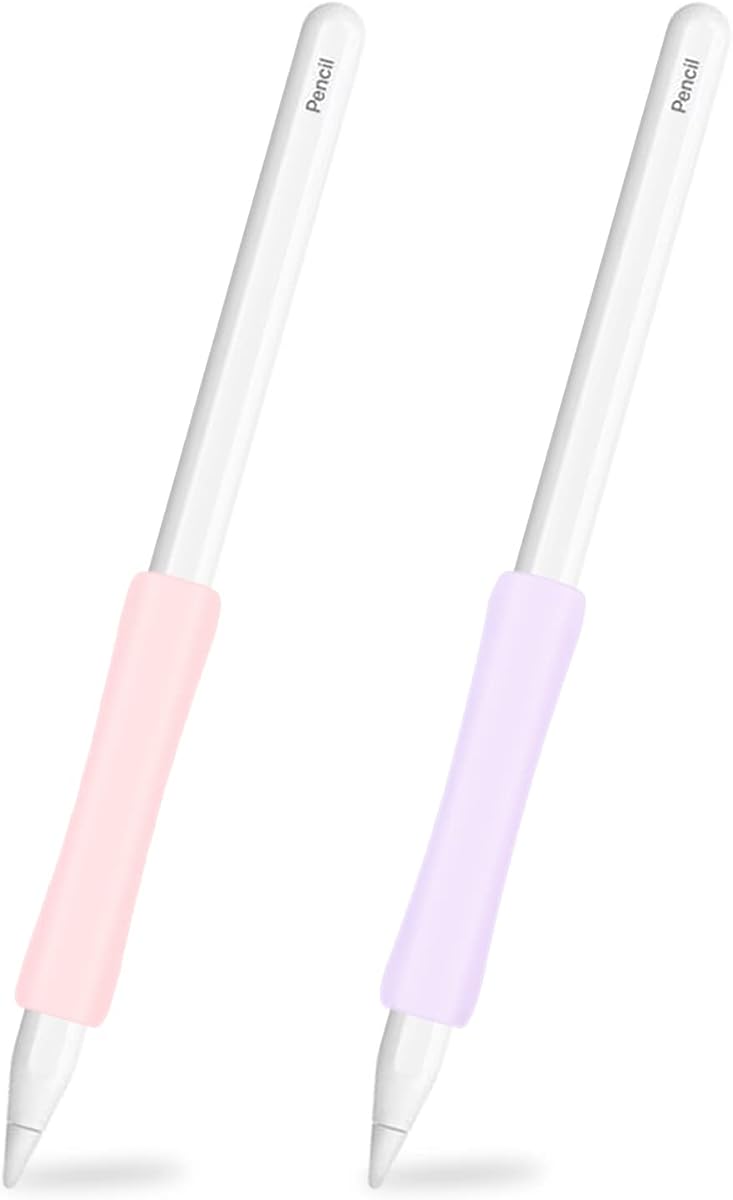
This 2-Pack provides excellent value for those with multiple pencils. The ergonomic design features a concave middle that aligns with hand curvature. It is soft and stretchy ensuring a firm hold.
We may earn a commission when you buy through this link, at no additional cost to you.
The high-quality silicon ensures it is easy to install and remove. It protects against dust and dirt while reducing hand pain. The strong friction prevents slipping during use.
You can adjust the sleeve if you hold the pen differently. Having two means you can swap them out for cleaning or style. It is a practical choice for classrooms or shared devices.
Perfect for households with multiple iPencil users. The pain relief and grip benefits are solid for casual daily use.
The concave shape matches hand curves to reduce strain during long writing sessions.
Buying two grips at once ensures you have a backup ready for your second device.
We may earn a commission when you buy through this link, at no additional cost to you.
This 2-Pack is specifically for Pro, 2nd Gen, and USB-C Pencils. It uses the same ergonomic concave design to relieve hand pain. The ultra-thin sleeve does not interfere with wireless charging.
We may earn a commission when you buy through this link, at no additional cost to you.
Made of high-quality silicon it installs smoothly and stays firmly. It protects against dust and scratches. The anti-slip design ensures it holds tightly during moves.
Note it does not fit 1st Gen Pencils. If you have newer hardware this is a perfect upgrade. Two grips give you flexibility for different uses or backups.
Ideal for owners of the latest Pencil models. The ultra-thin design ensures full functionality while adding comfort.
The skin thin layer ensures wireless charging and other features remain fully operational.
Designed specifically for the latest Pro and USB-C models to ensure a precise fit.
We may earn a commission when you buy through this link, at no additional cost to you.
Choosing the right grip depends on your specific usage needs and Pencil model. Here are key factors to consider.
Look for grips that match the natural curvature of your hand. A wide base or concave middle reduces fatigue.
Prioritize grips with ergonomic shapes for long sessions.
Premium silicone offers softness and durability. Some have dust-free coatings for better feel.
Choose high-quality materials that feel soft and last.
Ensure the grip fits your specific Pencil model. Some support Gen 1 while others fit Pro models.
Check device compatibility before buying to ensure proper fit.
Some designs are ultra-thin to allow wireless charging. Others might require removal to charge.
Select designs that support magnetic charging if needed.
Textures like ribbed or hexagonal prevent slipping. Smooth textures offer minimal bulk.
Choose textures that prevent your pencil from rolling.
Grips should install easily without tools. Removable designs help for cleaning or charging.
Look for easy install options like split-back or stretchy sleeves.
Buying in packs of two or three can offer better value. It ensures you have backups.
Consider multi-packs for better long-term value and utility.
Some grips feature faceted or unique designs. Others are simple and minimal.
Pick a design that matches your style preferences.
Install the grip by stretching or sliding it onto your Pencil. Align any split designs with the pencil edge.
Keep the grip clean by wiping with a soft cloth to remove dust and sweat.
Check alignment before charging if your design is thin. Ensure no obstructions block the charging port.
Most premium grips are designed to be ultra-thin so they do not block magnetic charging. Always check the product description to ensure compatibility with your specific model.
Many grips are designed to fit most standard cases. However some thick cases might require adjustments or specific slim designs.
Use a damp soft cloth to wipe down the silicone. Avoid harsh chemicals that might damage the material finish.
Many grips support both Gen 1 and Gen 2 models. Always verify compatibility in the product specifications before purchase.
High-quality grips maintain full sensitivity. The thin silicone zones are designed to keep all features functional.
Split designs make it easier to attach and remove the grip. This helps with charging or accessing specific features easily.
We found the Paperlike Pencil Grips offer the best overall comfort and functionality. The ProElife Ergonomics Grip provides excellent value for budget buyers.
Prioritize ergonomics and material quality to reduce hand fatigue. Look for options that maintain full charging and gesture features.
Always verify current prices and availability before ordering. These products are regularly updated so check the latest deals.