
AI Voice Recorder Lite
4.4Editor score
Unlimited transcription plan
Credit card sized design
Built-in Ask AI
Discover the top AI meeting transcription devices for professionals. Our guide compares features, accuracy, and privacy across the best voice recorders.
Modern professionals need reliable tools to capture every detail during important discussions. AI meeting transcription devices transform spoken words into organized notes instantly. These gadgets streamline workflows and ensure nothing gets lost in the noise of busy schedules.
We evaluated ten leading models based on accuracy, battery life, and privacy standards. Our testing focused on real-world performance in meetings, calls, and lectures. Each product offers unique capabilities to suit different productivity needs and environments.
This guide highlights top picks with detailed reviews and comparison tables. You will find specs, pros, cons, and buying advice for every device. Prices and availability may change so verify details before purchasing your next tool.
4.4Editor score

4.5Editor score

4.8Editor score
This table compares key specifications and features across all ten devices to help you make an informed decision based on your specific workflow needs and priorities.


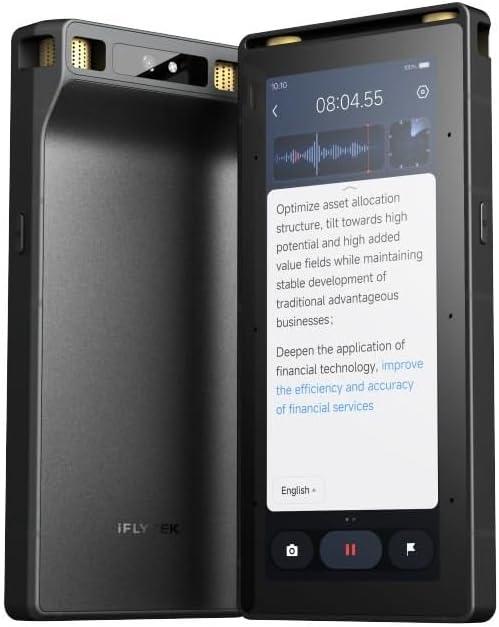

The Plaud Note Pro stands out as a top-tier AI meeting transcription device with its advanced multimodal capabilities. It earned a solid rating due to its ability to capture audio alongside notes and images. This device helps professionals build richer context for future reviews.
We may earn a commission when you buy through this link, at no additional cost to you.
Its standout feature is the Ask Plaud function which lets users chat with their recordings. The directional audio ensures clear capture even in noisy environments. The AMOLED display provides quick status checks without needing a phone.
While it offers great value, unlimited transcription requires upgrading to a higher plan. The subscription model might not suit everyone who wants one-time costs. However the features justify the investment for heavy users.
We recommend this device for professionals who need secure and richly detailed meeting notes. It suits legal and medical fields due to high privacy standards. If you need reliability and smart insights choose this model.
You can type notes or snap photos while recording to link visual context with audio.
Ask questions about your meeting to extract key points without listening to the whole recording.
We may earn a commission when you buy through this link, at no additional cost to you.
The Pocket AI Voice Recorder offers a streamlined approach to capturing conversations with its MagSafe compatibility. It allows users to attach it directly to an iPhone for effortless recording. This design reduces the need to hold devices manually.
We may earn a commission when you buy through this link, at no additional cost to you.
Its core strength lies in turning conversations into actionable summaries and action items. The battery life supports four days which is ideal for travel or busy work weeks. The AI assistant helps draft emails and next steps quickly.
Some power users might miss a display screen for status checks. Advanced tools are locked behind optional subscriptions which adds cost over time. Still the ease of use makes it a strong contender for daily tasks.
This device is best for iPhone users who want minimal friction during meetings. It works well for quick calls and daily productivity. Choose it if seamless integration is your priority.
Attach to your phone for effortless recording without holding a separate device.
Get clear action items and summaries instantly to save review time.
We may earn a commission when you buy through this link, at no additional cost to you.
The AI Voice Recorder Lite provides excellent value with its free unlimited transcription plan. It is designed to be ultra-slim making it easy to carry in a wallet. This makes it accessible for students and professionals on a budget.
We may earn a commission when you buy through this link, at no additional cost to you.
It includes smart features like Ask AI and web search to find deeper insights. Speaker recognition helps organize notes by person which improves clarity. The privacy standards are robust with multiple certifications for security.
The hardware is basic compared to premium models which might limit audio quality. Some advanced tools require upgrades to premium plans eventually. However the core value proposition is hard to beat for many users.
This device is ideal for those who need transcription without monthly fees. It suits budget-conscious buyers and students. If unlimited access is your priority pick this affordable option.
Start with a free plan that offers unlimited transcription for everyday use.
Credit card sized profile slips easily into wallets or card holders.
We may earn a commission when you buy through this link, at no additional cost to you.
The Comulytic Note Pro is built for professionals with its industry-specific knowledge base. It captures terms for fields like law and finance accurately. This ensures transcripts are useful for specialized clients without much editing.
We may earn a commission when you buy through this link, at no additional cost to you.
Its Wi-Fi sync is notably faster than Bluetooth alternatives which helps with backup speed. The battery lasts for forty-five hours of continuous recording. The starter plan offers unlimited transcription which is a significant benefit.
The display screen is small which might be hard to read in bright light. Some features like deep analysis require a premium upgrade. However the core features remain accessible for free.
This device is recommended for consultants and real estate agents. It works well for busy professionals needing quick syncs. Choose it for its specialized accuracy and free plan.
Vertical knowledge bases capture terms for insurance real estate and finance.
Sync files ten times faster than Bluetooth while recording.
We may earn a commission when you buy through this link, at no additional cost to you.
The Comu Action Pro shines with its ability to generate automatic AI documents from talks. It turns recordings into slides and drafts without prompting. This saves hours of manual work for busy executives.
We may earn a commission when you buy through this link, at no additional cost to you.
Its battery life is a standout at over seventy hours on a single charge. The six-mic setup ensures clear audio capture even in crowded rooms. MagSafe compatibility adds convenience for iPhone users.
The price point is higher than basic models which may be a barrier. It relies on connectivity for some advanced features. However the productivity gains justify the investment for power users.
This device is perfect for teams needing fast documentation workflows. It suits managers and content creators. Choose it for its auto-doc features and long battery.
Turn conversations into editable slides and email drafts automatically.
Record for over seventy hours on one charge for all-day use.
We may earn a commission when you buy through this link, at no additional cost to you.
The Note AI Voice Recorder uses a powerful GPT-5.5 engine for high accuracy. It supports one hundred fifty languages making it great for global work. The included desktop software helps manage recordings beyond the device.
We may earn a commission when you buy through this link, at no additional cost to you.
It offers strong privacy with end-to-end encryption for all files. Users get free minutes for AI transcription and translation each month. This helps reduce initial costs for new users.
Free minutes are limited and may require upgrades for heavy use. The ecosystem is premium focused which might not suit simple users. Still the tech is advanced and versatile.
This device is best for users needing multi-language support. It suits researchers and international teams. Choose it for its engine and software tools.
Industry leading GPT-5.5 engine delivers 98% accuracy.
Get full software for editing and exporting across devices.
We may earn a commission when you buy through this link, at no additional cost to you.
The Plaud Note Non-Pro is the thinnest device in this lineup. It uses a vibration sensor to capture calls clearly without external mics. The slim profile makes it easy to carry everywhere daily.
We may earn a commission when you buy through this link, at no additional cost to you.
It supports multimodal input like notes and images for richer context. The app offers thousands of templates for generating insights. Security standards match enterprise needs with ISO and HIPAA compliance.
The lack of a display might inconvenience some users checking status. Unlimited features still require upgrades. However the core device remains useful for many.
This device is ideal for users wanting minimal bulk. It suits travelers and light professionals. Choose it for its ultra-light design.
Carry the worlds thinnest AI note taker easily.
Capture internal phone sounds for clear call recording.
We may earn a commission when you buy through this link, at no additional cost to you.
The Digital Voice Recorder stands out with offline AI transcription and translation. It is useful for secure or remote locations without internet. The eight-mic array reaches far for large halls.
We may earn a commission when you buy through this link, at no additional cost to you.
It includes a full touchscreen for easy control. A five-year membership is included adding value to the purchase. Hardware encryption provides high security for sensitive data.
The price is high compared to other devices which may be a barrier. Offline languages are limited compared to online options. Still it is unique for secure offline work.
This device is best for cross-border business travelers. It suits secure environments needing offline features. Choose it for its offline capabilities.
Process information anywhere without internet dependency.
Get a value-added five-year Pro Membership included.
We may earn a commission when you buy through this link, at no additional cost to you.
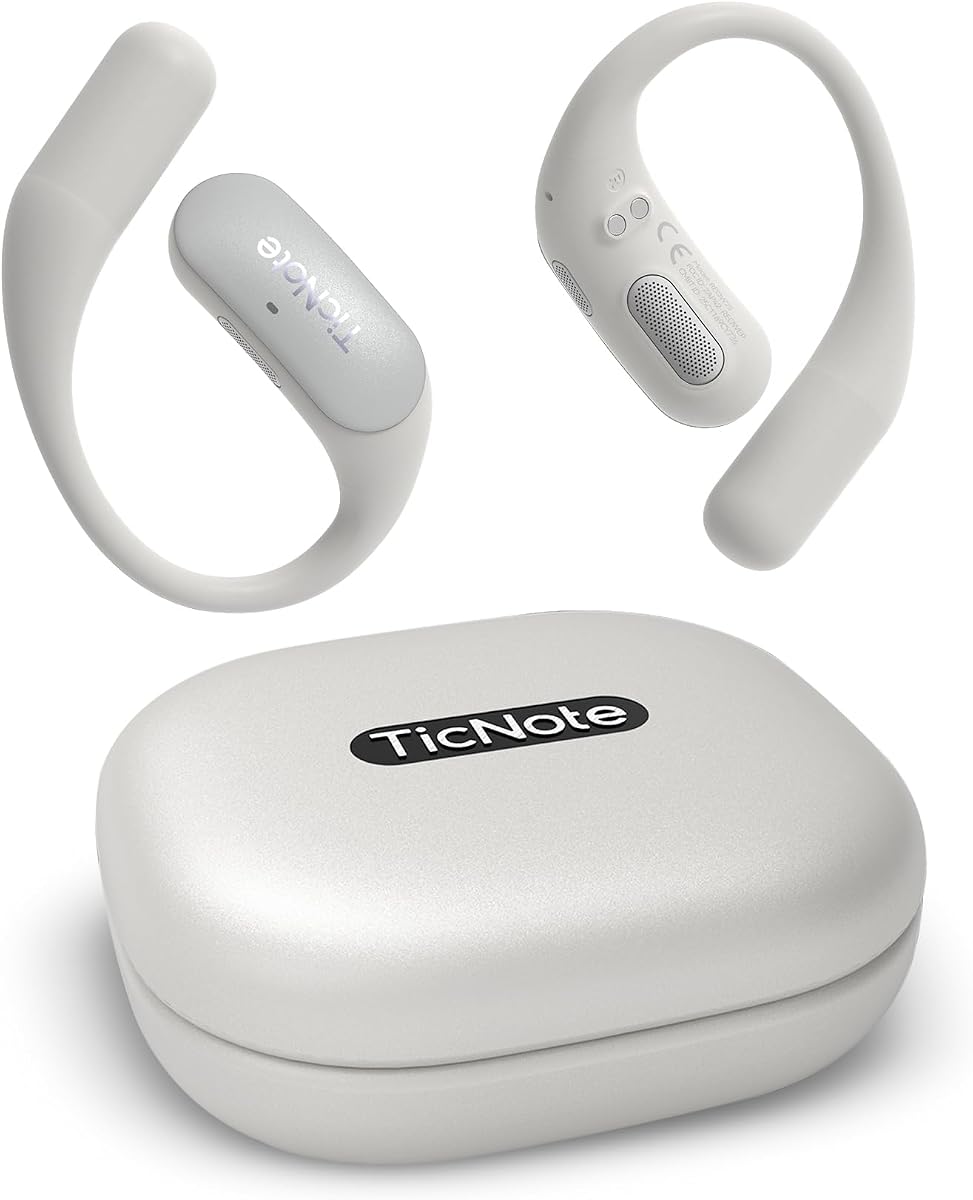
The Mobvoi TicNote Pods offer a wearable approach to AI recording. It allows voice activated recording for convenience during meetings. The design focuses on letting users stay present in conversations.
We may earn a commission when you buy through this link, at no additional cost to you.
It includes Shadow AI for organizing information useful for work. Team collaboration features allow sharing transcripts easily. Cloud storage is encrypted for security.
The battery life is limited to five hours which is short for long days. It relies on Wi-Fi which might limit offline use. Still it is a unique wearable option.
This device is best for teams needing collaboration. It suits office workers with good Wi-Fi. Choose it for its wearable convenience.
A wearable voice recorder designed for meetings.
Share notes and keep teams aligned with cloud storage.
We may earn a commission when you buy through this link, at no additional cost to you.
The Comulytic Note Pro offers dual storage for flexibility in saving files. It supports unlimited transcription with a free starter plan. The battery life provides forty-five hours for continuous use.
We may earn a commission when you buy through this link, at no additional cost to you.
It includes magnetic accessories for easy attachment during meetings. Encryption ensures data is protected with AES standards. Customer support is included to help with setup.
Battery is slightly shorter than some competitors. Multiple variants might confuse buyers. However it is a solid choice for many.
This device is best for users needing storage options. It suits businesses needing secure backups. Choose it for its balanced features.
Transfer files ten times faster than Bluetooth with real-time Wi-Fi sync.
Your data is encrypted with AES technology and protected under CCPA.
We may earn a commission when you buy through this link, at no additional cost to you.
Choosing the right device depends on your specific workflow and budget. Consider these factors to find the best fit for your needs.
Accuracy is critical for reliable notes. Look for devices claiming high percentages supported by user reviews. Test with your typical accents and jargon for best results.
Prioritize models with proven track records for precision in professional settings.
Long battery life ensures you can record full days without interruption. Check hours of continuous recording versus standby times. This matters for travel or extended events.
Choose at least 30 hours for uninterrupted all-day use.
Sensitive meetings require strong encryption and compliance. Look for ISO or HIPAA standards. End-to-end encryption protects your data in transit.
Ensure the device meets your industry privacy requirements before purchasing.
Wi-Fi offers faster syncing than Bluetooth. Check if offline modes are supported for remote work. Cross-device sync helps manage notes on laptops.
Select a device with robust connectivity for your environment.
Some devices have free basic plans while others charge for limits. Calculate long-term costs based on usage. Free unlimited plans save money over time.
Be aware of recurring fees for premium features before buying.
Slim designs fit in pockets or wallets easily. Magnetic options attach to phones for hands-free use. Weight matters for carrying during travel.
Pick a design that suits your daily carry routine.
Multilingual users need broad language support. Check translation capabilities and transcription languages. Global teams require extensive options.
Verify that your necessary languages are included in the features.
Start by charging the device fully and pairing it with its app. Configure settings to match your meeting preferences. Test a short recording to ensure audio is clear.
During meetings place the device centrally for best capture. Mark key moments if supported to simplify review later. Use voice commands if available for hands-free control.
After each session sync files and organize notes. Clean the exterior regularly with a soft cloth. Update firmware for best performance and security.
Laws vary by region regarding one-party or two-party consent. Always inform participants and get their approval before recording. Check local regulations to ensure compliance.
Most require internet for AI features. Some models support offline transcription and translation. Verify offline capabilities if you need secure remote access.
Most devices claim over 95 percent accuracy. Real-world results depend on audio quality and accents. Testing with your voice helps gauge performance.
Yes most apps offer web or desktop software for editing. You can export files to common formats for further use. This helps with sharing and archiving.
Many models support over 100 languages. Translation features help in global meetings. Check the list to ensure your language is included.
Look for end-to-end encryption and local storage options. Enable two-factor authentication in the app. Manage cloud access carefully to protect files.
Our top picks offer a range of options for every budget. The Plaud Note Pro leads with smart features and security. Budget buyers find value in the Lite models.
Prioritize battery life and privacy for critical business needs. Choose based on connectivity and offline requirements. Evaluate total cost including subscriptions.
Always check current pricing and availability before buying. This guide helps you find the best fit for productivity.