
Nano V3.0 Board Kit
4.5Editor score
ATmega328P CH340G Chip
USB-C Port with Cables
Breadboard Friendly Compact Design
This guide compares the top Arduino Nano Board options including official and compatible boards for IoT robotics and embedded systems in October 2026.
The Arduino Nano Board remains a cornerstone for makers seeking compact microcontroller solutions. Whether you need USB-C connectivity or classic ATmega328P compatibility, choosing the right board ensures reliable performance for your specific project needs.
We analyzed ten highly rated boards based on compatibility, connectivity features, and value. Our comparison includes official Arduino models and trusted third-party alternatives that offer similar performance at different price points for diverse applications.
Each pick highlights key specifications and ideal use cases to help you decide quickly. Prices fluctuate frequently so always verify the latest offers before purchasing to ensure you get the best value for your investment today.
4.5Editor score
4.6Editor score

4.5Editor score
Explore the side-by-side comparison of all ten selected boards to find the perfect match for your embedded system needs based on power specs and connectivity options.


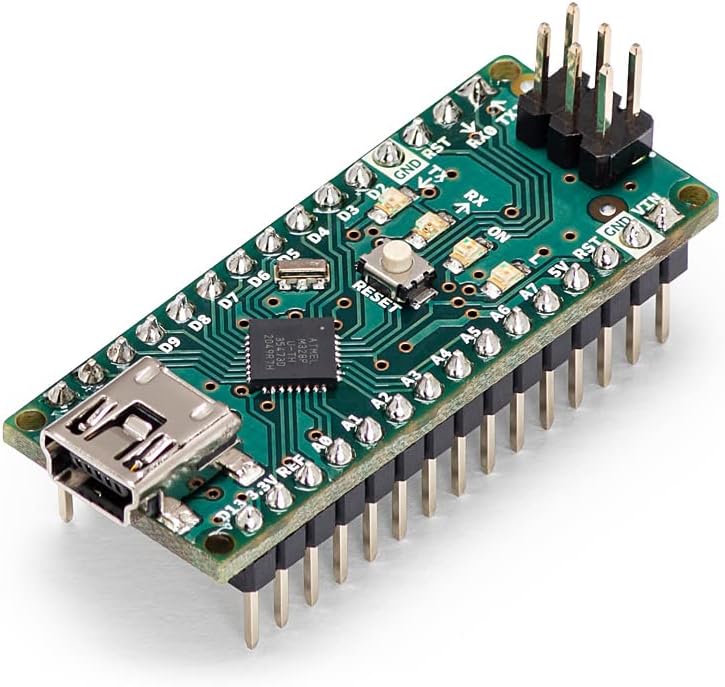
The official Arduino Nano [A000005] stands out as the most reliable choice for serious projects. With a 4.6 rating from users, it delivers consistent performance for prototyping and DIY tasks without compatibility issues.
We may earn a commission when you buy through this link, at no additional cost to you.
Its compact design allows for easy integration into embedded systems while providing 14 digital I/O pins and 8 analog inputs. The built-in mini-USB port simplifies programming and power supply without needing extra components for basic setups.
While the lack of USB-C might be a drawback for modern setups, the stability and community support make up for it. This trade-off is acceptable for users prioritizing reliability over cutting-edge connector standards in their builds.
Beginners and engineers alike should choose this board for robotics IoT and automation projects. Its vast library of pre-written code ensures you can get started immediately without needing deep technical expertise.
Using an authentic Arduino ensures your project runs smoothly without driver headaches common with some clones.
The small form factor and versatile I/O options make it perfect for testing ideas before committing to custom PCBs.
We may earn a commission when you buy through this link, at no additional cost to you.
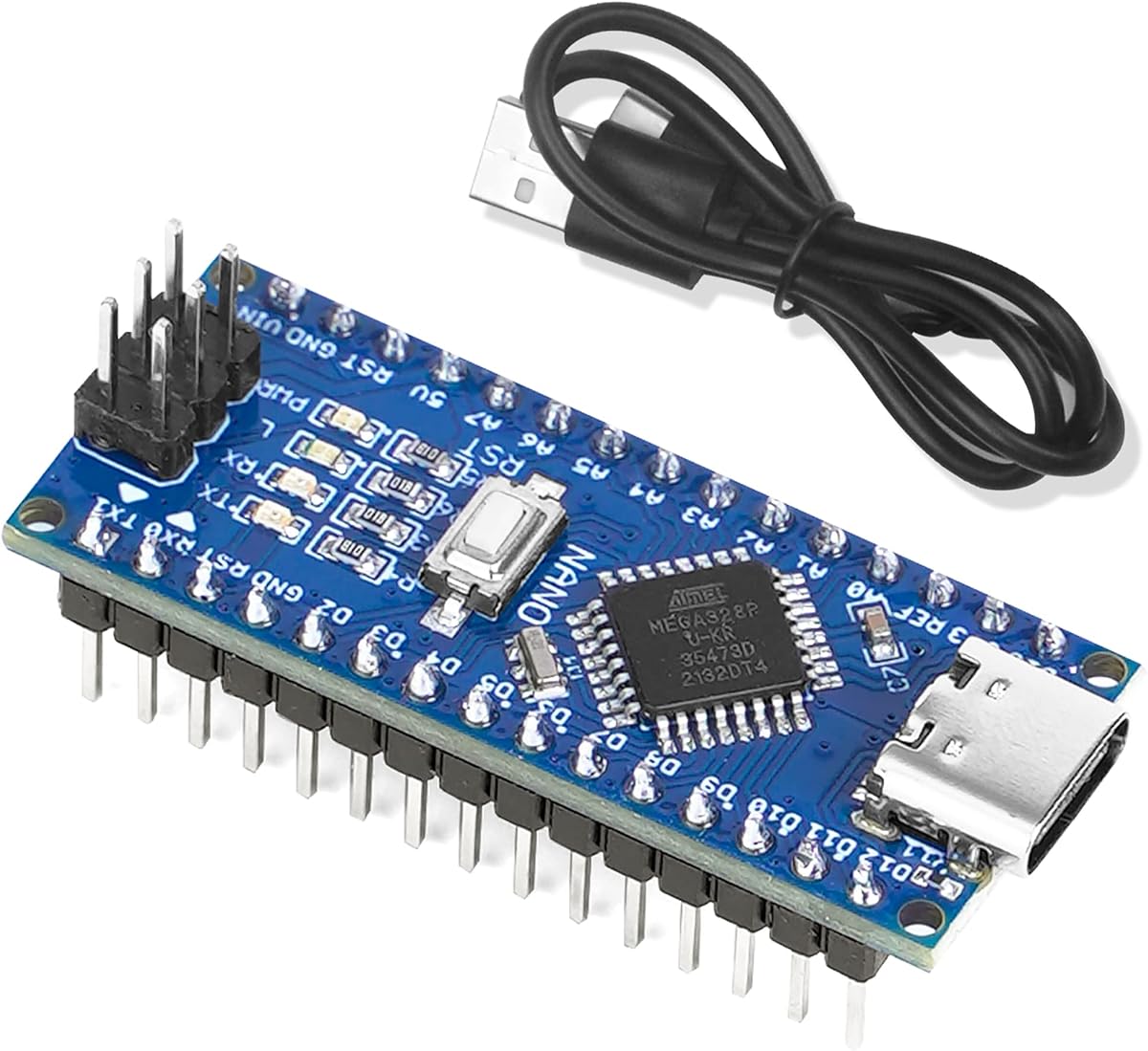
This 2-pack of Nano V3.0 boards offers exceptional value for beginners who need multiple units. Rated 4.5 stars, these boards use ATmega328P and CH340G chips to ensure full IDE compatibility across Windows Mac and Linux systems.
We may earn a commission when you buy through this link, at no additional cost to you.
Features like USB-C power sockets and auto power switching eliminate the need for jumpers. The compact breadboard-friendly design ensures easy handling during soldering projects or sensor integration tasks in your lab.
While clone boards can have slight hardware variations, users report stable performance for most standard applications. The cost savings compared to official boards make this an excellent choice for classrooms and hobbyists.
Choose this kit if you need cost-effective boards for experiments or small scale production. The included cables and compatibility with standard shields make it a practical choice for starting new electronics projects today.
Buying a two pack reduces the per-unit cost significantly compared to purchasing individual official boards for bulk needs.
The USB-C port allows for easier cable management and future-proofing for newer computer systems lacking legacy ports.
We may earn a commission when you buy through this link, at no additional cost to you.
The Arduino Nano R4 redefines what a compact board can do with its Renesas RA4M1 microcontroller and robust memory specs. With a 4.5 rating, it brings advanced features like Qwiic connectivity and an onboard RGB LED to the Nano family.
We may earn a commission when you buy through this link, at no additional cost to you.
Pre-soldered headers allow for instant connection to breadboards without assembly. This feature streamlines prototyping for educators and engineers who need to deploy ideas quickly without spending time on soldering tasks.
The upgrade to the Renesas architecture provides 256KB flash and 32KB RAM for complex apps. While it requires learning new specifics, the benefits for production grade embedded systems are substantial for serious developers.
Ideal for education and production, this board is perfect for custom PCBs using castellated edges. Choose this when you need enhanced performance and modern connectivity standards in a tiny 4.3 by 1.7 cm footprint.
The RA4M1 microcontroller offers significant improvements over older models for handling complex logic and data tasks.
The Qwiic connector simplifies adding sensors and actuators without tedious wiring for faster prototyping cycles.
We may earn a commission when you buy through this link, at no additional cost to you.
This 3-pack of Nano V3.0 boards is ideal for groups or students needing multiple units for classroom labs. With a 4.6 rating, the LAFVIN boards are fully compatible with the Arduino IDE and run perfectly on Windows Mac and Linux.
We may earn a commission when you buy through this link, at no additional cost to you.
Using the ATmega328P-AU MCU allows for ISP and USB downloads. The CH340G chip replaces the older FT232RL ensuring better stability and performance for basic programming and data logging tasks.
While the USB connector is standard mini type, it remains reliable for most use cases. The trade-off is acceptable given the affordability and the ability to use these boards across various operating systems without issues.
Select this pack for workshops or bulk projects where cost efficiency matters most. The compact design ensures they fit easily into tight spaces while offering all the standard features of the classic Nano.
Purchasing a three-pack reduces the per-board cost significantly for schools and makers needing multiple units.
The ATmega328P core remains a standard for hobbyist electronics ensuring compatibility with thousands of libraries.
We may earn a commission when you buy through this link, at no additional cost to you.
The ELEGOO 3-pack offers a blend of convenience and modern connectivity with its USB-C support. Rated 4.6 stars, these boards come pre-soldered to save space and time on breadboards for rapid prototyping and sensor integration.
We may earn a commission when you buy through this link, at no additional cost to you.
Each board runs familiar 5V 16MHz AVR sketches with 14 digital I/O pins. The included USB-A to USB-C data cable ensures you can program your projects without hunting for extra cables in your drawer.
While you may need to install a CH340 driver, the process is straightforward and documented. The lack of wireless features is expected for this classic Nano V3-style board but it handles wired projects effectively.
Choose this set for robotics or interactive projects requiring multiple nodes. The presoldered headers and reliable performance make it a practical choice for embedded systems needing compact power without extra assembly.
Presoldered headers mean you can plug the board directly into breadboards immediately upon arrival.
USB-C ports align with current computer standards reducing cable clutter during development and testing phases.
We may earn a commission when you buy through this link, at no additional cost to you.
The Arduino Nano Every brings enhanced performance to the compact Nano form factor. With a 4.6 rating, it features the ATmega4809 microcontroller offering 48KB flash and 6KB SRAM for more complex programs and data handling.
We may earn a commission when you buy through this link, at no additional cost to you.
This board is fully compatible with the Arduino IDE and existing shields ensuring a smooth transition for users upgrading older projects. The USB-C port provides better power delivery and faster programming speeds.
While the architecture differs slightly from the classic ATmega328P, the compatibility layer handles most code seamlessly. This trade-off provides significant gains in efficiency without requiring a complete redesign of your workflow.
Ideal for IoT and sensor-based projects, this board balances cost and performance effectively. Choose it when you need reliable connectivity and efficient power consumption in space-constrained wearable or robotics applications.
The ATmega4809 offers increased processing power while maintaining the same footprint for easy swaps.
USB-C ports ensure future-proofing for new computers and improved data transfer speeds during coding.
We may earn a commission when you buy through this link, at no additional cost to you.
The Nano ESP32 combines compact design with powerful wireless connectivity for IoT projects. With a 4.6 rating, it features the ESP32-S3 chip and supports Wi-Fi Bluetooth 5.0 for seamless communication with devices and cloud platforms.
We may earn a commission when you buy through this link, at no additional cost to you.
Its dual-core Xtensa processor runs at up to 240 MHz allowing for real-time data processing. The board also supports MicroPython making it accessible for developers preferring Python over C/C++ for rapid prototyping.
While wireless features consume more power than wired boards, the HID support enables creating custom input devices easily. This trade-off is acceptable for smart home or remote sensor projects requiring constant data transmission.
Choose this for wearable tech or remote sensors needing high-speed connectivity. The USB-C port ensures stable connections and easier programming compared to legacy micro-USB boards in your development workflow.
Built-in Wi-Fi and Bluetooth eliminate the need for external modules in wireless sensor networks.
MicroPython compatibility lowers the barrier to entry for developers comfortable with Python syntax.
We may earn a commission when you buy through this link, at no additional cost to you.
This 3-pack of Nano V3.0 boards is a cost-effective solution for beginners needing multiple units. With a 4.5 rating, these boards use ATmega328P and CH340G chips for stable performance across Windows Mac and Linux systems.
We may earn a commission when you buy through this link, at no additional cost to you.
The USB-C port allows flexible power options while auto power switching eliminates jumper needs. This feature simplifies the setup process and ensures you can power the board via external supplies or USB easily.
While clone boards lack official warranty, users report reliable performance for basic hobbyist projects. The trade-off of minor hardware variance is acceptable given the affordable price point for schools or bulk kits.
Select this set for workshops or projects where quantity matters most. The breadboard-friendly design ensures easy handling and integration with sensors making it ideal for testing circuits before finalizing designs.
Auto power switching removes manual steps during prototyping allowing faster experimentation cycles.
Buying three units at once reduces the overall cost per board for classroom or hobbyist needs.
We may earn a commission when you buy through this link, at no additional cost to you.
The Arduino Nano R4 Loose Pins version offers maximum flexibility for custom PCB design. With a 4.2 rating, this board features the RA4M1 microcontroller and castellated edges allowing direct mounting without soldering headers.
We may earn a commission when you buy through this link, at no additional cost to you.
It ships with loose male header pins for breadboard prototyping if needed. The Qwiic connector and programmable RGB LED help streamline debugging and user interaction in advanced embedded projects requiring custom layouts.
While it requires soldering skills to use on custom boards, this flexibility is a huge benefit for production. The trade-off of setup time is acceptable for engineers needing embedded solutions that fit unique enclosures.
Choose this for embedding in custom PCBs or compact electronics where space is critical. The robust Renesas chip ensures reliable performance for education and production applications in modern embedded systems.
Castellated edges allow you to solder the board directly onto custom PCBs saving space.
Loose pins let you solder headers yourself to customize the board for specific breadboard needs.
We may earn a commission when you buy through this link, at no additional cost to you.
The OSOYOO Nano Module provides a compact and efficient solution for small scale projects. With a 4.6 rating, it uses the ATmega328P-AU MCU and USB-C connection to ensure reliable power and programming for any IDE setup.
We may earn a commission when you buy through this link, at no additional cost to you.
Its auto power detect switches to the higher voltage source automatically without jumper selection. This feature simplifies the wiring process and ensures consistent performance whether powered by USB or external supply.
While it is a single unit clone, users report it works exactly like the original Nano. The trade-off of minor hardware differences is negligible given the low cost and full compatibility with standard Arduino libraries.
Choose this for tight space applications where compactness is key. Its breadboard-friendly design makes it easy to handle and integrate into various sensors and motor control circuits in your lab.
The board automatically selects the best power source eliminating manual jumper configuration for users.
Its tiny form factor allows easy integration into wearables and portable embedded system prototypes.
We may earn a commission when you buy through this link, at no additional cost to you.
Selecting the right Arduino Nano Board requires evaluating connectivity specs and compatibility needs. Use these factors to match your project goals with the best board features available in 2026.
The ATmega328P is the standard classic chip offering broad library support and simplicity. Newer boards use the ATmega4809 or Renesas RA4M1 for faster performance and larger memory. For beginners stick to the classic core; for complex apps consider the newer options.
Check the MCU type to ensure it meets your memory and processing requirements.
Many modern boards now feature USB-C ports which offer reversible connectivity and faster data transfer. Classic boards use mini-USB which is still reliable but requires specific cables. Ensure your computer has the right port or a suitable adapter.
Prioritize USB-C if you plan to use the board with newer laptops or devices.
Nano boards support multiple power sources including USB and external voltage through the VIN pin. Some models automatically switch between power sources without manual jumpers making setup easier. Verify the voltage range if using battery power.
Look for auto power switching features to simplify wiring during prototyping.
Most boards offer 14 digital I/O pins and 6 analog inputs but some newer models increase this count. Ensure you have enough pins for your sensors and actuators before purchasing a board. Extra pins allow for more complex circuit designs.
Count your required inputs and outputs to confirm the board has enough capacity.
Standard boards require external modules for Wi-Fi and Bluetooth while newer models like the Nano ESP32 have them built-in. Decide if you need wireless communication for IoT projects before choosing a model. Built-in connectivity reduces external components.
Check for integrated wireless features if your project needs remote communication capabilities.
All boards here are compatible with the Arduino IDE but some may require specific driver installations like CH340. Ensure your OS supports the board to avoid programming issues. Official boards usually have fewer driver headaches.
Verify OS compatibility and driver availability before buying a clone board.
The Nano form factor is designed to fit neatly on breadboards and custom PCBs. Some versions come with pre-soldered headers while others require you to solder them yourself. Choose based on your comfort level with soldering tools.
Consider whether pre-soldered headers will save you time on assembly.
Buying boards in multi-packs often reduces the per-unit cost significantly compared to single boards. Consider if you need more than one for testing or group projects. Multi-packs are ideal for classrooms or extensive prototyping.
Look for bundles that include cables and accessories for better overall value.
Connect your Nano to a computer via USB and install the necessary drivers. Open the Arduino IDE to select your board model and upload your code. Always verify the COM port setting to ensure successful communication.
Handle the board carefully to avoid static damage to the microchip. Store unused boards in anti-static bags and keep them dry to maintain longevity. Avoid bending the pins during insertion into breadboards.
When powering externally ensure you use the correct voltage range to prevent damage. Disconnect the USB when using external power to avoid conflicts. Regularly update your libraries and IDE for the best performance and bug fixes.
The Nano Every uses a newer ATmega4809 microcontroller offering more memory and speed than the classic ATmega328P. It also includes USB-C connectivity and enhanced power efficiency for modern projects.
Official boards usually work without extra drivers on most systems. Clone boards using CH340 chips often require installing a driver before the computer recognizes the COM port for uploading code.
Only boards explicitly designed with USB-C ports support this connection type. Classic boards use mini-USB and require specific cables; check the product specs to confirm the port type before purchasing.
While physical size is similar the Nano ESP32 has different voltage logic than classic boards. Most shields designed for ATmega328P may not work directly; check compatibility before connecting to avoid hardware damage.
Most Nano boards support an external voltage range between 7V and 12V via the VIN pin. Using lower voltages might cause instability while higher voltages could damage the board components permanently.
This usually happens because the driver is missing or the wrong COM port is selected. Try reinstalling the driver for CH340 chips or check Device Manager for the correct port assignment in your system.
Clone boards are often functional and cost-effective but may have hardware inconsistencies. For critical production projects official boards are recommended to ensure consistent quality and warranty support from the manufacturer.
You can power a Nano using an external power supply connected to the VIN pin or the barrel jack on some models. Ensure the voltage is within the supported range to operate the microcontroller safely without USB.
We have reviewed ten top rated boards ranging from classic ATmega328P models to modern USB-C and wireless options. Whether you need budget friendly multi-packs or the latest Nano R4 features there is a perfect fit for your project.
Prioritize boards that match your specific connectivity and processing needs. If wireless is crucial consider the Nano ESP32; if cost matters the V3.0 packs offer great value. Choose a board that simplifies your workflow.
Prices and availability change frequently so always check the current listing before buying. We hope this guide helps you find the ideal Nano Board to bring your next embedded project to life this year.