
TCL NXTPAPER 11 Gen 2
4.4Editor score
Paper-like display reduces eye strain
Includes 4096-level pressure stylus
Reverse charging for other devices
Artificial intelligence is reshaping how we interact with portable devices. An AI Tablet combines powerful hardware with intelligent software to streamline tasks like note-taking, translation, and content creation. These devices offer unprecedented convenience for students and professionals.
We evaluated ten leading models based on processing power, display quality, and AI integration. Our analysis focuses on real-world usability, battery longevity, and the practical benefits of smart features. Each pick represents a distinct value proposition in the current market.
Every section below details specific strengths and limitations of each device. You will find honest assessments of performance, build quality, and ecosystem compatibility. Please note that pricing fluctuates frequently so verify current costs before purchasing.
4.4Editor score

5.0Editor score

4.7Editor score
As an Amazon Associate we earn from qualifying purchases.
This side-by-side comparison highlights key specifications across all ten selected models. We prioritize processor type, RAM capacity, storage options, and unique AI capabilities to help you visualize differences quickly.




The TCL NXTPAPER 11 Gen 2 offers excellent value for users seeking an affordable yet functional AI Tablet. With a rating of 4.4 stars it balances cost with essential smart features effectively.
We may earn a commission when you buy through this link, at no additional cost to you.
Its standout feature is the NXTPAPER 4.0 display which reduces eye strain during long reading sessions. The included 4096-level pressure stylus enhances creative tasks without additional cost.
While the MediaTek Helio G80 processor handles daily apps well it may struggle with heavy multitasking or high-end games. Storage is limited to 128GB but supports expansion up to 1TB.
This device is ideal for students or casual users prioritizing reading and note-taking over raw power. Its price point makes it a strong entry option into smart tablets.
The anti-glare coating and blue light filtering ensure comfortable use during extended work periods.
Built-in translation and text assistants streamline communication tasks efficiently for travelers.
We may earn a commission when you buy through this link, at no additional cost to you.
Samsung delivers a robust option with the Galaxy Tab A11+ focusing on general usability and media consumption. It scores well for performance and battery longevity in daily scenarios.
We may earn a commission when you buy through this link, at no additional cost to you.
The 8GB RAM ensures smooth app switching while 256GB storage accommodates large media libraries. Quad speakers tuned with Dolby Atmos provide an immersive sound experience for movies.
Its AI Assist capabilities are functional but less advanced than flagship models. The display supports up to 90Hz which keeps motion fluid during gaming or browsing.
Families will appreciate the durability and ease of use offered by this model. It serves as a reliable tool for education and entertainment without excessive complexity.
High refresh rate and enhanced audio make streaming content visually and sonically engaging.
Ample internal space reduces the immediate need for external storage solutions or cards.
We may earn a commission when you buy through this link, at no additional cost to you.
The Lenovo Yoga Tab AI Tablet stands out as the most versatile choice for power users and creatives. Its perfect 5.0 rating reflects exceptional performance and comprehensive feature sets.
We may earn a commission when you buy through this link, at no additional cost to you.
Powered by the Snapdragon 8 Gen 3 processor it handles demanding tasks like video editing with ease. The included Pro Pen and keyboard transform it into a genuine laptop alternative.
Advanced AI tools streamline workflows with features like live transcription and smart editing. The 144Hz display ensures ultra-smooth visuals for both work and entertainment purposes.
Investing in this model ensures long-term viability due to its robust hardware. It is highly recommended for professionals who need reliability and advanced capabilities daily.
Integrated AI enhances photo editing and annotation tasks for professional creators.
Despite high performance the unit remains lightweight at just over one pound.
We may earn a commission when you buy through this link, at no additional cost to you.
The TCL NXTPAPER 14 excels for users who prioritize screen real estate for reading or sketching. Its 14.3-inch display provides ample space for multitasking windows or detailed artwork.
We may earn a commission when you buy through this link, at no additional cost to you.
The NXTPAPER 3.0 technology filters blue light to reduce eye fatigue during extended sessions. Combined with a massive 10000mAh battery it supports all-day productivity without frequent charging.
While performance is adequate for most tasks it does not match flagship processing speeds. The metal body adds durability but increases weight compared to lighter alternatives.
This device is ideal for students or professionals who need a digital notebook substitute. The screen size makes it superior for document review compared to standard tablets.
Ink Paper Mode mimics physical paper for a natural and comfortable reading feel.
Large power cell supports heavy usage over multiple days on a single charge.
We may earn a commission when you buy through this link, at no additional cost to you.
Samsung Tab S11 brings flagship protection with its IP68 rating ensuring safety against water and dust. It combines robust build quality with Samsungs powerful Galaxy AI suite.
We may earn a commission when you buy through this link, at no additional cost to you.
The Dynamic AMOLED 2X display offers vibrant colors perfect for creative work or media. Note Assist uses AI to summarize meetings and organize handwritten notes automatically.
Storage is limited to 128GB so a microSD card is necessary for extensive media libraries. The S Pen adds precision for drawing and typing notes during classes.
Ideal for those who need reliability in harsh environments this model delivers peace of mind. Its performance and durability make it a solid investment for active lifestyles.
AI powered note organization keeps study materials tidy and searchable efficiently.
Waterproof certification allows usage near pools or in light rain without worry.
We may earn a commission when you buy through this link, at no additional cost to you.
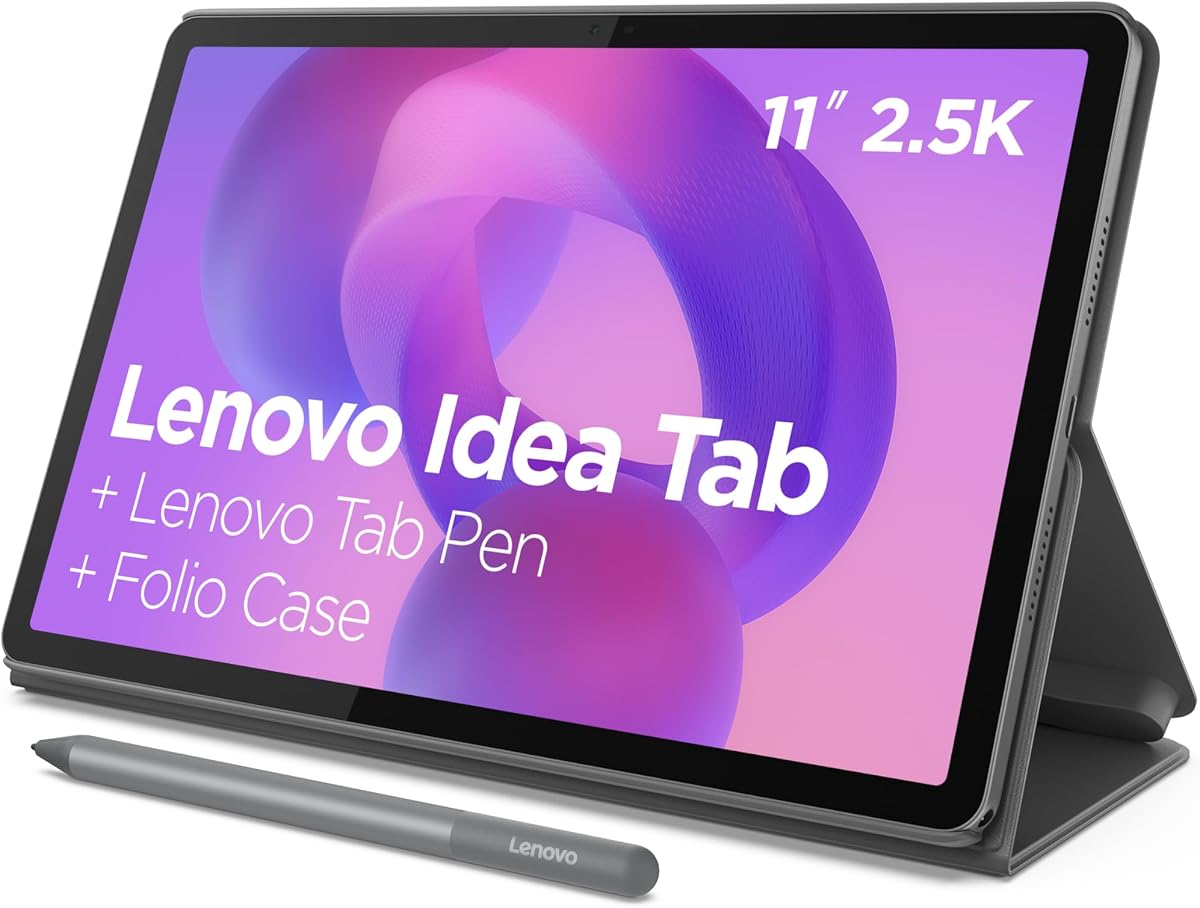
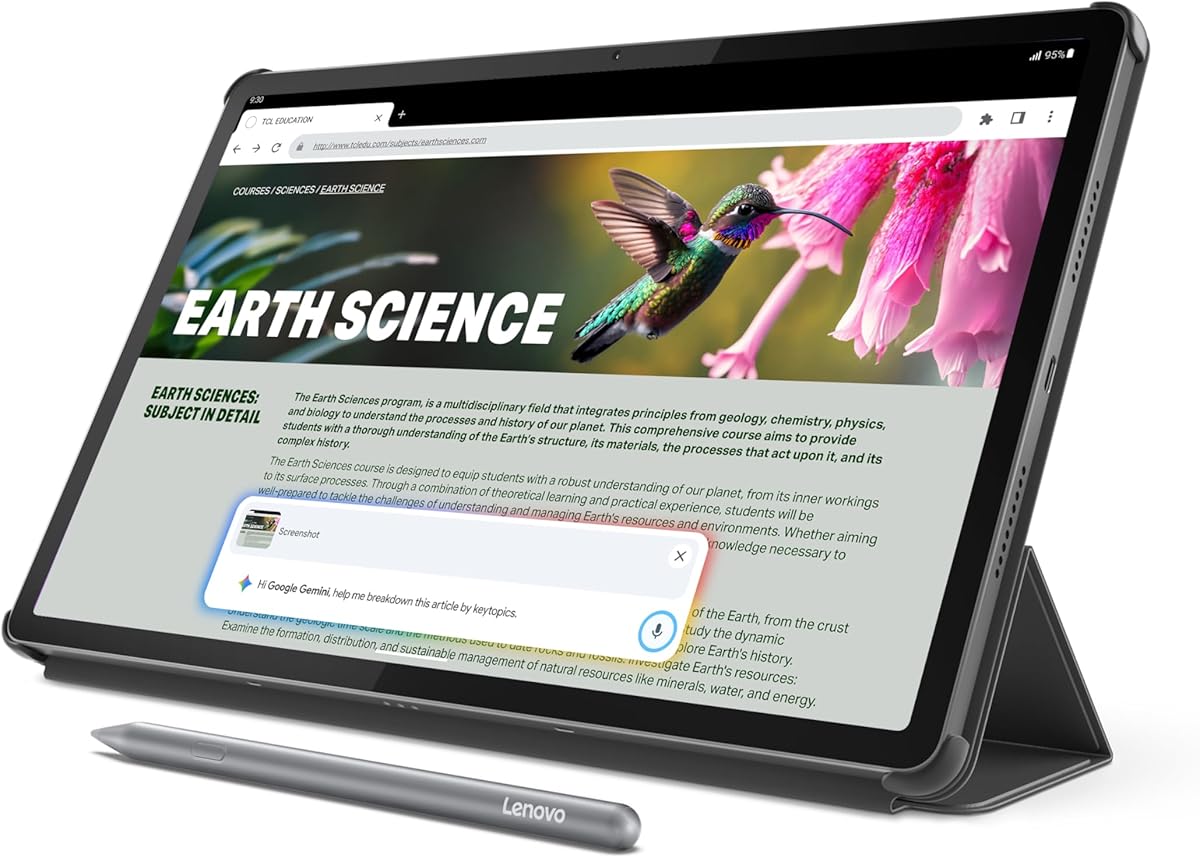
The Lenovo Idea Tab is tailored for students with built-in apps designed to enhance studying. It offers a balanced mix of performance and affordability suitable for campus life.
We may earn a commission when you buy through this link, at no additional cost to you.
Circle to Search allows instant lookups without leaving your current app streamlining research. The display meets Low Blue Light standards protecting eyes during late night study sessions.
Performance relies on a MediaTek Dimensity processor which handles educational apps smoothly. While not a gaming beast it ensures responsiveness for daily schoolwork requirements.
Students will find the included accessories and software suite particularly beneficial immediately. It removes the friction of setting up essential tools upon first use.
Pre-installed apps like MyScript Calculator turn handwriting into digital text instantly.
Hardware level blue light reduction reduces strain during long reading marathons.
We may earn a commission when you buy through this link, at no additional cost to you.
Samsung Galaxy Tab S10+ is a powerhouse for artists and designers needing a large canvas. Its Sketch to Image feature uses AI to transform rough drawings into polished art instantly.
We may earn a commission when you buy through this link, at no additional cost to you.
The 12.4-inch Dynamic AMOLED screen offers stunning color accuracy critical for visual professionals. Galaxy AI capabilities extend to note summarizing and language translation seamlessly.
SmartThings integration allows you to control home devices directly from the tablet interface. This ecosystem connectivity adds significant value for smart home enthusiasts.
For creatives requiring top-tier display quality and advanced AI tools this model is unmatched. It justifies its cost through specialized features not found in standard tablets.
Generative AI transforms initial concepts into final art pieces rapidly.
Integrated widgets offer central control for compatible household automation systems.
We may earn a commission when you buy through this link, at no additional cost to you.
CHUWI Hi10 Max offers PC-level performance in a tablet form factor with its Intel Ultra processor. It is uniquely suited for office tasks requiring full desktop operating system compatibility.
We may earn a commission when you buy through this link, at no additional cost to you.
The 12GB RAM and 512GB SSD provide ample resources for heavy productivity apps without lag. Multiple full-featured ports including HDMI enable easy connection to external monitors.
Intel AI Boost handles local AI tasks efficiently for document sorting and image editing. The 3:2 aspect ratio display is optimized for reading documents and spreadsheets.
Professionals needing a compact workstation can leverage this device as a laptop alternative. Its connectivity options distinguish it from standard mobile-only tablets on the market.
Multiple ports allow connection to dual monitors and peripherals without adapters.
Intel Core Ultra ensures desktop class computing power for complex software.
We may earn a commission when you buy through this link, at no additional cost to you.
Lenovo Idea Tab Pro emphasizes visual fidelity and gaming performance for media enthusiasts. The 12.7-inch 3K LCD screen delivers sharp details ideal for streaming content.
We may earn a commission when you buy through this link, at no additional cost to you.
Google Gemini integration provides intelligent assistance for study and general queries quickly. JBL Dolby Atmos speakers enhance audio quality making it a great travel companion.
Its 360Hz touch sampling rate ensures responsiveness during fast-paced gaming sessions. The MediaTek Dimensity 8300 processor supports smooth gameplay and app transitions.
Gaming and entertainment fans will appreciate the certified hardware and large high-res display. It is a strong choice for leisure use over strict productivity requirements.
High touch sampling rates provide competitive edge in fast action mobile games.
3K resolution provides crisp text and vibrant colors for HD video.
We may earn a commission when you buy through this link, at no additional cost to you.
The Android 16 Tablet offers a budget entry point for basic tasks and casual browsing. While specs like 32GB RAM are virtual it handles standard apps without major issues.
We may earn a commission when you buy through this link, at no additional cost to you.
Face ID provides convenient access and Widevine L1 allows high definition streaming from apps. The 8000mAh battery ensures longevity for travel or offline usage periods.
Build quality and software support are more basic compared to established brands. Users should manage expectations regarding long-term updates and peripheral compatibility.
For those needing a simple device for media consumption this provides adequate functionality. It remains one of the most affordable options available for everyday tasks.
Widevine L1 certification enables HD video playback on major streaming services.
Face unlock feature offers quick and secure access without passcodes.
We may earn a commission when you buy through this link, at no additional cost to you.
Selecting the right AI Tablet involves evaluating processor power, AI integration, and specific use cases. This guide outlines the key factors to consider for an informed purchase.
The processor determines overall speed and AI performance. Look for chips with dedicated Neural Processing Units (NPUs) which handle machine learning tasks like real-time translation or image editing efficiently.
Choose a processor with a dedicated NPU for best local AI capabilities.
Since you will likely read or create content often the display matters greatly. High resolution screens with high refresh rates ensure text is sharp and animations are smooth.
Prioritize high resolution and refresh rates for comfortable daily use.
Sufficient RAM ensures multitasking does not lag when switching between apps. Storage capacity is vital for storing large files like videos or creative projects without constant management.
Aim for at least 8GB RAM and 128GB storage for longevity.
Portable devices need endurance to last through work or travel days. Look for models with high capacity batteries and fast charging to minimize downtime during use.
Select models with high capacity batteries for all-day power.
Different brands offer unique AI suites. Some focus on note-taking while others emphasize creative tools. Assess which AI tools align with your daily workflow needs.
Verify specific AI tools match your personal or professional requirements.
Durability ensures your device withstands daily transport. Consider water resistance ratings and sturdy materials like metal frames to protect against accidental drops or spills.
Look for IP ratings or durable materials for long-term reliability.
Connectivity dictates how easily you link to other devices. Wi-Fi 6 and Bluetooth 5.0 ensure stable connections while ports like USB-C facilitate data transfer.
Ensure modern connectivity standards are supported for seamless integration.
Many models include keyboards or styluses in the box. These accessories add significant value and functionality for productivity tasks without extra purchase costs.
Check for included pens or keyboards to maximize utility.
To optimize performance regularly clear cache and keep your operating system updated. This prevents software glitches and ensures AI features remain compatible with the latest apps.
Protect your device by using a case and screen protector. Avoid exposing it to extreme heat or moisture unless it has specific water resistance ratings to ensure longevity.
Utilize the built-in AI tools by setting up your preferences correctly. Customize language settings and notification permissions to streamline how the device assists you daily.
An AI Tablet includes dedicated hardware like an NPU and software optimized for machine learning tasks. It can perform functions like real-time translation and image editing locally without needing cloud connection.
Most AI features are pre-installed in the system software but some may require downloading specific companion apps. Check the manufacturer instructions for setup requirements.
High-end models with powerful processors handle modern games well. Budget options may struggle with intensive graphics but can still run casual titles smoothly.
Yes many models support document editors and spreadsheet apps effectively. Some even support keyboard accessories to function as a lightweight laptop replacement.
Use built-in blue light filters and adjust brightness to match ambient lighting. Take regular breaks using software reminders to reduce strain during long sessions.
Most modern tablets last between 10 to 14 hours on a single charge. Heavy use like gaming may reduce this time significantly compared to browsing.
Cloud storage is recommended to back up data and free up local space. Many devices integrate with services automatically for seamless file syncing.
Most USB-C models support display output via adapters. Check specific port capabilities to ensure compatibility with your external monitor setup.
We have reviewed ten diverse options ranging from budget-friendly choices to premium productivity tools. Each model offers unique AI features and performance levels to suit different needs.
Prioritize screen quality and processing power if you are a creator or professional. Casual users may find value in battery life and reading comfort instead.
Remember that technology evolves quickly so always check current prices and warranty terms before purchasing. Your ideal device depends on balancing cost with essential daily capabilities.