
AI Voice Sticker Printer
5.0Editor score
Instant voice-to-sticker magic
Smart color preview screen
Portable and wireless design
This comprehensive guide compares the top AI sticker printer maker devices for kids and creators, evaluating voice recognition, printing quality, and creative
The world of creative technology has evolved significantly with the arrival of AI sticker printer maker devices. These innovative tools allow children and enthusiasts to transform simple voice commands or text into tangible stickers instantly. By combining advanced artificial intelligence with thermal printing, they offer a unique blend of digital creativity and physical art that engages users of all ages.
We have carefully analyzed the latest models available in November 2026 to bring you this detailed comparison. Our evaluation focuses on key aspects such as ease of use, print quality, privacy features, and the variety of creative modes offered. We looked at real user feedback and technical specifications to ensure you get the most reliable and fun experience possible.
Each pick in this guide highlights specific strengths that cater to different needs and preferences. Whether you are looking for a simple toy for young children or a robust tool for DIY enthusiasts, you will find a suitable option here. Please note that product availability and features may change over time, so always check the latest details before purchasing.
5.0Editor score

4.8Editor score

4.2Editor score
The following table provides a side-by-side comparison of the top AI sticker printer maker models. It highlights key specifications and unique features to help you make an informed decision based on your specific creative needs and preferences.
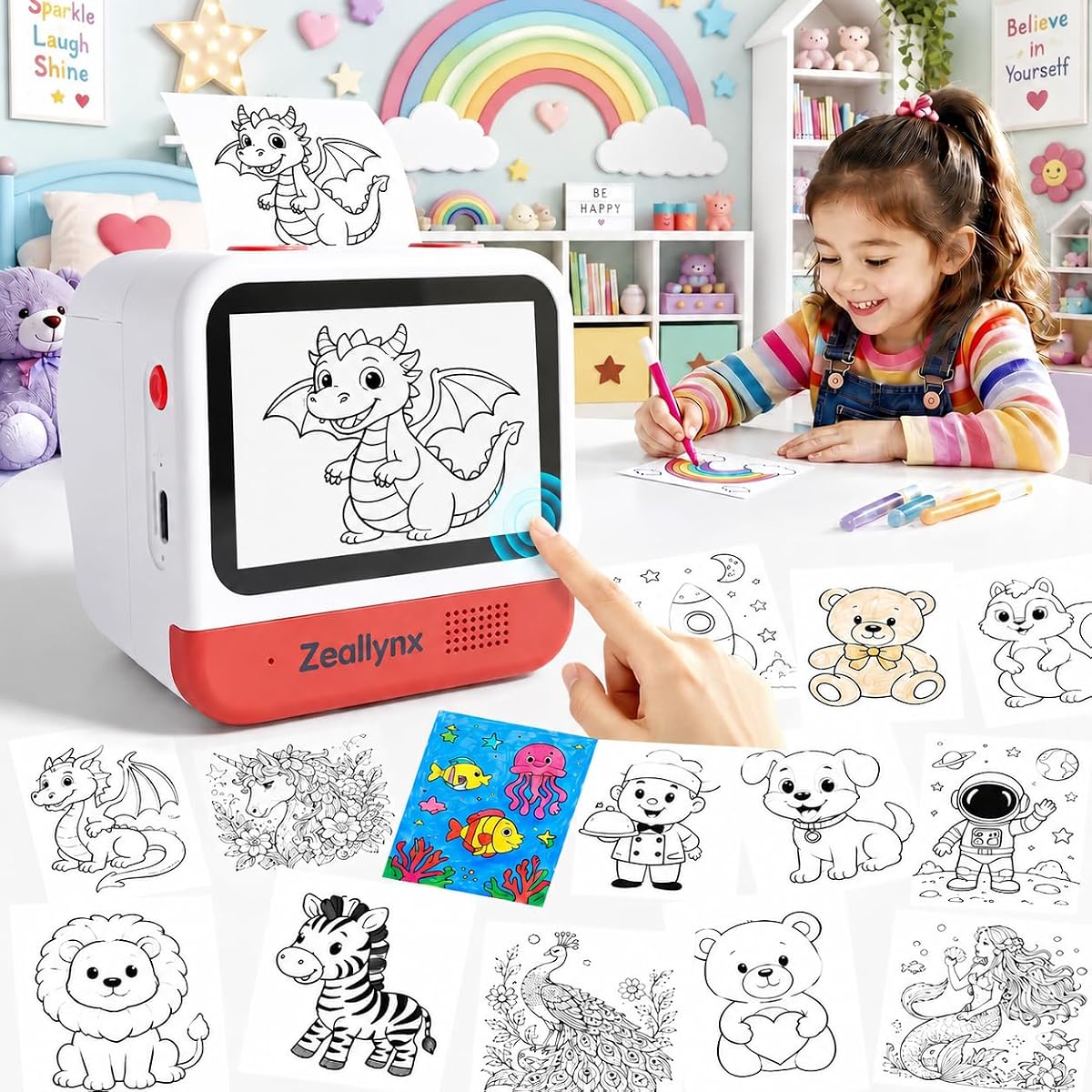

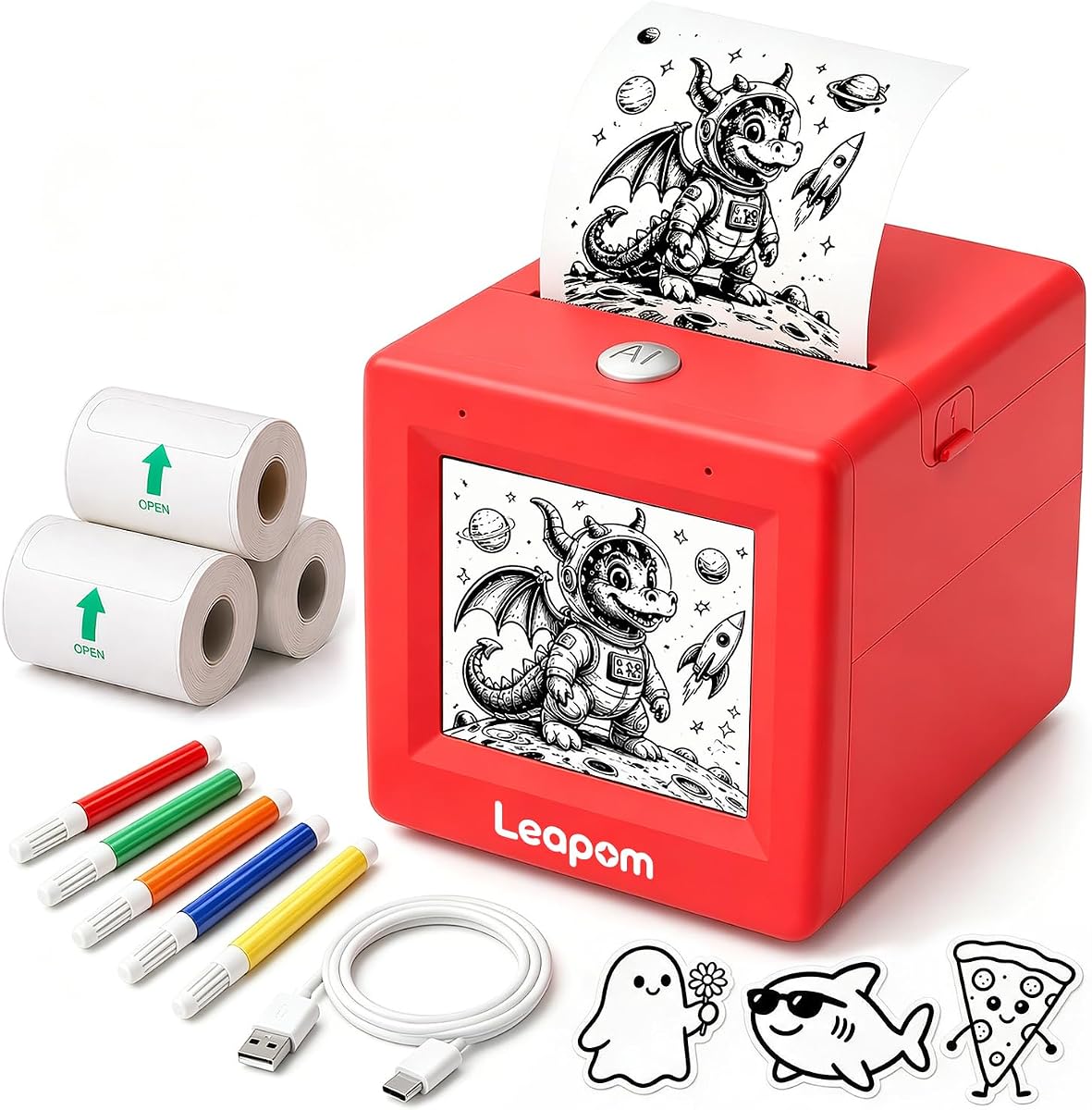


This device stands out as a top contender for families seeking a fun and safe way to create stickers. It combines voice recognition with thermal printing to turn ideas into tangible art without the need for complex software. The touchscreen interface makes it accessible for children who can navigate it independently.
We may earn a commission when you buy through this link, at no additional cost to you.
The voice-to-image feature is particularly impressive as it listens to prompts and generates stickers instantly. This encourages creativity and storytelling without requiring drawing skills. The inclusion of watercolor pens adds an extra layer of engagement allowing kids to color their creations.
Privacy is a major focus with this model as it does not store data or require an app. However, the lack of color output may be a limitation for some users. The need for a Wi-Fi connection also means it is less portable than battery-only devices.
Parents looking for a safe and engaging gift will find this model highly suitable. It balances technology with creative play effectively. For those prioritizing ease of use and privacy, this is a strong recommendation.
The voice recognition technology allows children to speak their ideas and see them come to life instantly. This feature transforms abstract thoughts into concrete images encouraging imagination.
Thermal technology ensures there are no ink cartridges or toners to replace. This keeps the printing area clean and simplifies maintenance for parents.
We may earn a commission when you buy through this link, at no additional cost to you.
For enthusiasts who want professional-grade results this machine offers a complete solution. It integrates printing and cutting into one device saving time and effort. The dye-sublimation technology ensures that colors remain vibrant and durable over time.
We may earn a commission when you buy through this link, at no additional cost to you.
The AI image extraction feature allows users to turn photos into stickers with precision. This is ideal for custom projects like labels or gifts. The app provides extensive templates and elements to enhance creativity without design experience.
While the quality is high the cost is a consideration compared to basic thermal printers. The reliance on an app for full functionality may not suit everyone. However the output quality justifies the investment for serious creators.
This device is best suited for those who value color and precision. It bridges the gap between hobbyist tools and professional equipment. If you need durable and colorful stickers this model delivers exceptional performance.
By combining printing and cutting this device eliminates the need for multiple machines. This streamlines the creation process and reduces clutter in your workspace.
The dye-sublimation process creates images with true-to-life colors. This ensures that your stickers look professional and stand out.
We may earn a commission when you buy through this link, at no additional cost to you.
This compact printer offers exceptional value for its price point. It brings AI creativity to users without a high financial commitment. The color preview screen ensures you only print what you love reducing waste significantly.
We may earn a commission when you buy through this link, at no additional cost to you.
The variety of art styles allows for diverse creative outputs from line art to anime. It is perfect for travel or on-the-go projects due to its small size. The app is free and requires no subscriptions making it accessible to all.
While it lacks color printing the ability to color manually adds a fun element. The battery life is impressive ensuring long hours of use without charging. Some may find the print area limiting for larger designs.
This model is an excellent entry point for families on a budget. It encourages creativity without hidden costs or complex setups. If you want a portable and affordable tool this is a top choice.
The color LED display lets you see your design before printing. This prevents waste and allows you to regenerate until satisfied.
With seven unique art styles you can explore different artistic expressions. This variety keeps the experience fresh and engaging.
We may earn a commission when you buy through this link, at no additional cost to you.
This printer emphasizes ease of use with a responsive touchscreen and voice controls. It is designed for independent use by children who can navigate menus easily. The inclusion of ten creative modes ensures there is always something new to explore.
We may earn a commission when you buy through this link, at no additional cost to you.
The no app requirement simplifies setup and privacy. Users can connect directly via Wi-Fi to start creating immediately. The ability to save images to a TF card is a unique feature for preserving favorites.
While it requires a power source for continuous use the flexibility is great for home use. The variety of modes from comics to story collections adds educational value. It may not be as portable as battery models.
For classroom or home use this device offers robust functionality. It balances tech features with simplicity effectively. Parents seeking a reliable and versatile option will appreciate its design.
The intuitive screen allows kids to control the printer without help. This builds confidence and independence in their creative process.
With ten modes you can create comics stories or labels easily. This versatility makes it suitable for many different activities.
We may earn a commission when you buy through this link, at no additional cost to you.
This model is designed with a focus on safety and screen-free play. It allows children to create without being tied to a tablet or phone. The safety certifications ensure that content is filtered appropriately for young users.
We may earn a commission when you buy through this link, at no additional cost to you.
The voice recognition is accurate enough to capture ideas quickly. It encourages storytelling and imagination by focusing on the creation process. The thermal printing ensures a clean environment free from ink stains.
The lack of a screen means you cannot preview designs before printing. This might lead to some unexpected results that need to be colored or redone. However this keeps the experience purely about creativity and play.
Parents concerned about screen time will find this device appealing. It promotes independent play and creative expression. If safety and simplicity are priorities this is a strong contender.
By removing the screen kids focus on the physical creation and coloring. This enhances tactile play and reduces digital fatigue.
Built-in content filters ensure all outputs are age-appropriate. This gives parents peace of mind regarding what is generated.
We may earn a commission when you buy through this link, at no additional cost to you.
This mini printer is a complete creative kit ready to use out of the box. It includes everything needed for a full sticker-making session. The voice-to-image feature makes it accessible for kids who cannot draw yet.
We may earn a commission when you buy through this link, at no additional cost to you.
The app allows for additional customization and photo printing if desired. It is secure with no subscription fees required for basic use. The lightweight design makes it easy to carry around for travel.
While it has some limitations in advanced features it is reliable for basic tasks. The free app adds value but requires initial setup. It is a great tool for developing communication and artistic skills.
Families looking for an all-in-one gift will appreciate the included materials. It simplifies the process of starting a new hobby. For casual users this device offers enough functionality to stay engaged.
Included markers and paper mean you can start immediately. This removes the need for extra purchases to get started.
The process helps develop communication and artistic abilities. It turns technology into a learning tool for children.
We may earn a commission when you buy through this link, at no additional cost to you.
This printer features an HD screen for better visibility of your designs. It simplifies the process of selecting options and confirming actions. The inclusion of adhesive paper allows for immediate sticker projects.
We may earn a commission when you buy through this link, at no additional cost to you.
The voice activation through the app provides a fun interactive experience. It is designed to be easy for kids to operate during family activities. The thermal printing ensures quick results without waiting for drying.
The screen may not be as advanced as larger tablets but serves the purpose well. It provides enough visual feedback to guide the creation process. Some users might prefer voice-only interaction for simplicity.
For those who want visual confirmation of their choices this is a good option. It balances technology with ease of use. Parents looking for a fun activity tool will find it reliable.
The HD screen lets you see what you are creating clearly. This helps in making adjustments before printing.
With five rolls of paper you have plenty of material to start. This ensures you can print more without extra costs immediately.
We may earn a commission when you buy through this link, at no additional cost to you.
This palm-sized printer is ideal for users who value portability. It connects easily to smartphones via Bluetooth for quick printing. The app includes various AI functions beyond just sticker creation.
We may earn a commission when you buy through this link, at no additional cost to you.
It can be used for study notes and labels which adds utility. The small size makes it easy to carry in a bag for daily use. However the lack of computer support limits it to mobile devices.
The print area is small so it is best for simple designs. Users need to cut outputs manually for stickers which adds a step. Despite this it remains a versatile tool for on-the-go creativity.
For students or travelers this device offers convenience. It fits into a busy lifestyle without needing a desktop setup. If you need a tiny portable printer this is a great fit.
Its small size makes it easy to carry anywhere. You can print notes or stickers while traveling or at school.
The app offers AI photo cutout and blending features. This adds creative options beyond simple sticker printing.
We may earn a commission when you buy through this link, at no additional cost to you.
This printer offers flexible connectivity with both WiFi and Bluetooth options. It allows for voice activation or app-based customization easily. The six art styles provide variety for different project needs.
We may earn a commission when you buy through this link, at no additional cost to you.
The app enables photo printing and custom stickers adding to its utility. It is designed to be safe with content filtering for kids. The portable design makes it suitable for home or school use.
While it requires initial setup the options available are robust. The color printing capability is a nice feature for creative work. Some users may prefer direct voice-only models for simplicity.
For those who want options in connectivity and style this is ideal. It balances ease of use with functional depth. Parents looking for a flexible tool will appreciate its capabilities.
Using both WiFi and Bluetooth gives you multiple connection ways. This ensures you can print in different environments easily.
Six styles mean you can create different looks from sketches to cartoons. This variety keeps the project interesting.
We may earn a commission when you buy through this link, at no additional cost to you.
This model features a 3.5-inch touchscreen for direct control without apps. It simplifies the setup process by connecting directly via Wi-Fi. The AI chat companion provides ideas and answers questions during use.
We may earn a commission when you buy through this link, at no additional cost to you.
The no app requirement reduces privacy concerns and data storage issues. It is designed with content filtering to ensure safe outputs for kids. The portable design allows for use in various settings.
While it relies on Wi-Fi the interface is intuitive for children. The chat feature adds an educational layer to the creativity process. It is a solid choice for those who want direct interaction.
For parents seeking privacy and simplicity this is a strong option. It removes the need for external accounts or logins. This device is well-suited for independent kids who want to create.
The touchscreen allows you to create without using a phone. This keeps the process focused on the device itself.
The built-in chat suggests ideas and answers questions. This helps spark creativity when you are stuck.
We may earn a commission when you buy through this link, at no additional cost to you.
Selecting the right AI sticker printer maker involves considering several factors to ensure it meets your creative needs.
Connectivity options vary widely among AI sticker printer maker devices. Some models rely on direct Wi-Fi connections while others use Bluetooth with a companion app. Consider whether you prefer the simplicity of no app usage or the extra features an app might provide.
Check connectivity carefully to ensure it fits your daily workflow and device ecosystem.
Most consumer models use thermal printing which produces black and white results. This requires coloring manually but saves on ink costs. Higher-end devices may offer color printing with dye-sublimation technology for vibrant results.
Decide if color output is essential or if black and white with coloring is sufficient for your goals.
Portability is a key factor for kids who want to use the device on the go. Look for lightweight models with built-in batteries that offer hours of use. Some compact devices fit in pockets making them ideal for travel.
Choose a size and battery life that matches your usage environment.
Safety and privacy are crucial when choosing devices for children. Ensure the model has content filtering to block inappropriate outputs. Some devices are certified safe for kids and do not store personal data.
Prioritize models that prioritize child safety and data privacy standards.
Creative features like voice recognition and AI art styles enhance the experience. Some models offer unique modes such as story collections or cutting capabilities. Evaluate which features align with your specific crafting or educational goals.
Select a device with features that inspire continuous creativity and learning.
Ease of use determines how quickly you can start creating. Devices with touchscreens or simple voice buttons are often more intuitive. Look for minimal setup steps and clear interfaces to reduce frustration.
A user-friendly interface ensures more time spent creating and less time troubleshooting.
Start by connecting your device to a Wi-Fi network or pairing it with your smartphone via Bluetooth. Follow the setup instructions provided in the manual to ensure all functions are operational. If using voice mode test the microphone to ensure it responds to your commands.
To create a sticker describe your idea clearly into the voice button or input text in the app. Preview the design on the screen if available and press print to generate the image. For colored output use markers or pencils to decorate the thermal print.
To maintain the device keep the thermal paper rolls stored in a cool dry place. Avoid exposing the printer to direct sunlight or moisture which can damage the internal components. Regularly check for firmware updates to ensure optimal performance and security.
Most AI sticker printer makers use thermal printing technology which does not require ink cartridges or toner. Instead they use heat to create images on special thermal paper. This makes them low maintenance and mess-free compared to traditional printers.
Many models are designed with children in mind featuring intuitive touchscreens or voice controls. Parents should initially supervise the setup and connection process. Once configured kids can often operate the device safely with built-in content filters.
While most affordable models print in black and white there are higher-end options that offer color printing. Color printing usually involves more complex technology like dye-sublimation which adds to the cost. Check specifications if color is a priority.
Not all devices require an app. Some models allow direct connection via Wi-Fi with controls on the device itself. Others need an app for voice activation or customization. Consider your preference for app dependency when choosing.
Battery life varies by model with some offering several hours of continuous use on a single charge. Rechargeable USB-C batteries are common in modern devices. Always check battery specifications to ensure it fits your usage needs.
Most thermal stickers are not inherently waterproof unless laminated or printed with specific paper. Some premium models include waterproof adhesive paper. For outdoor use consider adding a protective layer or choosing a model with durable paper.
We have explored ten top AI sticker printer maker models that cater to different needs. From budget-friendly voice printers to premium all-in-one machines there is something for everyone. The variety ensures you can find a device that matches your creativity goals.
When selecting a model prioritize ease of use and safety features for children. Consider whether you need color output or advanced creative modes. A device that encourages frequent use will provide the most value over time.
Remember to check current availability and features before making a final decision. Technology evolves quickly so verifying the latest updates ensures you get the best experience. Enjoy creating unique stickers with your new AI tool.