
Caydo S1 Art Projector for Tracing
5.0Editor score
Pure optical tracing
Large projection up to 80 inches
Built-in handle portability
This guide compares the top art tracing projectors for artists and beginners, highlighting key features like resolution, connectivity, and ease of use for
Art tracing projectors have revolutionized how creators transfer images onto canvases and walls. These devices project digital or physical images with high precision, allowing artists to focus on details rather than manual measurements.
We evaluated ten top models based on resolution, connectivity options, ease of setup, and versatility. Our analysis considers both digital projectors for phone mirroring and optical models for physical tracing to ensure a comprehensive comparison.
Each product review highlights standout features, pros, cons, and ideal use cases. Note that pricing and availability fluctuate, so checking current listings is recommended before purchasing your next creative tool.
5.0Editor score

4.5Editor score

4.0Editor score
The following table provides a side-by-side comparison of all ten products reviewed. It outlines essential specifications such as resolution, projection methods, and connectivity to help you choose quickly.



This model stands out for its seamless real-time tracing capabilities. It offers a high-speed connection that mirrors your phone or tablet screens with impressive precision.
We may earn a commission when you buy through this link, at no additional cost to you.
The dual-band WiFi ensures minimal latency, which is crucial when tracing intricate lines. Its app-free web control simplifies the process, allowing users to adjust settings directly from their browser.
While it excels in connectivity, users might find the manual focus adjustment a bit fiddly at first. However, once set, the clarity is sharp and reliable for detailed work.
This projector is ideal for artists who need flexibility and speed. Whether you are teaching or creating professional sketches, this tool accelerates your workflow significantly.
Dual-band WiFi technology ensures your images mirror instantly without lag.
Manage projections directly via web browser without extra downloads.
We may earn a commission when you buy through this link, at no additional cost to you.
The Caydo P3 is designed for artists who demand vivid colors and brightness. It delivers crisp images even during the day, eliminating the need for darkened rooms.
We may earn a commission when you buy through this link, at no additional cost to you.
With native 1080P resolution, every line of your reference photo is projected with zero distortion. The auto focus adjusts clarity in seconds, keeping your workflow uninterrupted.
While it is a premium investment, the features justify the cost for serious creators. The built-in 360-degree swivel base offers unmatched flexibility for vertical or angled surfaces.
Choose this model if you need professional-grade performance. It combines powerful brightness with artistic features to make your creative process smooth and efficient.
High brightness ensures clear outlines without needing a dark room.
Gridify and Sketchify modes adapt the projector to your specific needs.
We may earn a commission when you buy through this link, at no additional cost to you.
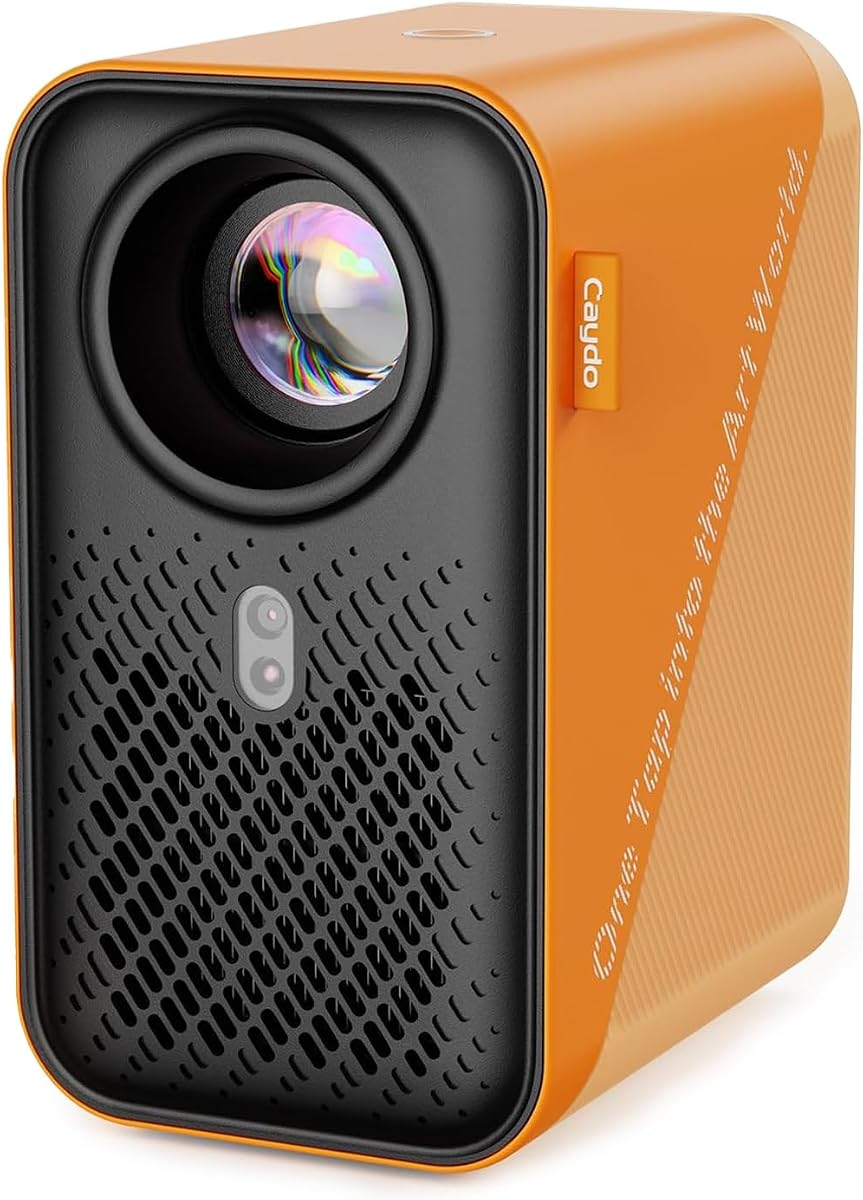
The Caydo S1 returns to the basics of optical tracing. It is perfect for artists who want to trace physical sketches without the complexity of digital interfaces.
We may earn a commission when you buy through this link, at no additional cost to you.
Its LED lasts up to 20,000 hours, ensuring years of reliable use. The manual focus knob allows for quick adjustments, making it easy to get a razor-sharp outline.
It does require a darkened room for best results, which is a trade-off for its simplicity. However, this simplicity often means fewer technical glitches during your creative sessions.
Ideal for students or hobbyists, this projector is budget-friendly and effective. Its handle and compact design make it easy to carry between classrooms or studios.
Plug in and trace physical images immediately without digital setup.
Built-in LED provides thousands of hours of consistent performance.
We may earn a commission when you buy through this link, at no additional cost to you.
The Caydo P1 distinguishes itself with an exclusive built-in drawing app. This feature provides tools like grids and artistic modes directly within the projector interface.
We may earn a commission when you buy through this link, at no additional cost to you.
It supports 4K video playback, making it a dual-purpose device for entertainment. The sealed optical core prevents dust, ensuring long-term clarity without frequent maintenance.
Users may need time to familiarize themselves with the app features. Additionally, while it has a good lamp life, it is slightly lower than the P3 model.
This model is great for users who want an all-in-one solution. It blends traditional tracing with modern digital convenience for a rich creative experience.
The built-in app offers grids and modes without external devices.
Prevents dust entry to keep the projection clear for years.
We may earn a commission when you buy through this link, at no additional cost to you.
This projector leverages upgraded 5G WiFi for fast and consistent connections. It is ideal for users who prioritize seamless wireless mirroring from mobile devices.
We may earn a commission when you buy through this link, at no additional cost to you.
The web control feature means you can manage settings without downloading apps. This simplicity is paired with the flexibility to work offline when internet access is unavailable.
While it performs well, the brightness might not be sufficient for very bright rooms. Users may need to find a dimmer spot for the best outline visibility.
For tech-savvy artists, this unit offers a modern workflow. It bridges the gap between digital convenience and creative precision effectively.
5G WiFi minimizes lag for real-time image tracing.
Functions well in both online and offline environments.
We may earn a commission when you buy through this link, at no additional cost to you.
The HI-REEKE model comes with a sturdy, tall metal stand that offers significant flexibility. This is perfect for projecting onto large canvases or walls from a distance.
We may earn a commission when you buy through this link, at no additional cost to you.
It supports up to 150 inches of projection, making it suitable for murals and large-scale projects. The 720P resolution ensures clear lines for tracing tasks.
However, the resolution is not as high as some premium models. Users should expect standard definition clarity rather than full HD sharpness for detailed work.
This projector is a practical choice for large projects. Its included stand eliminates the need for additional equipment, saving both money and space.
Projects up to 150 inches for murals and big designs.
A three-section metal stand rotates for flexible angles.
We may earn a commission when you buy through this link, at no additional cost to you.
The Caydo P2 offers a solid balance of brightness and digital features. It includes a drawing app that works without an internet connection, which is unique in this category.
We may earn a commission when you buy through this link, at no additional cost to you.
You can transfer images via QR code or USB, ensuring you can start immediately. The auto focus ensures the image remains sharp and proportioned at all times.
Its projection distance is somewhat limited compared to larger projectors. This might restrict use in very large rooms, but it is perfect for standard studios.
Ideal for digital artists who need offline reliability. The P2 ensures your tools are always ready, regardless of your connectivity status.
Drawing tools function perfectly even without an internet connection.
250 ANSI lumens provide clear visibility for tracing.
We may earn a commission when you buy through this link, at no additional cost to you.
This projector is versatile enough for a wide range of crafts. It includes smart image processing tools that help refine lines before you start tracing.
We may earn a commission when you buy through this link, at no additional cost to you.
It supports HDMI, USB, and wireless mirroring, making it compatible with almost any device. The 1280x720p resolution ensures that your details are crisp.
The stand is tall but has a clamp limit for table thickness. Ensure your workspace meets these requirements before purchase to avoid installation issues.
A great choice for diverse creative projects. Whether you are sewing patterns or painting, this unit adapts to your needs effectively.
Built-in tools extract line art and adjust right angles easily.
Supports phone, computer, and drive inputs seamlessly.
We may earn a commission when you buy through this link, at no additional cost to you.
The KODAK Luma 150 is a compact solution for on-the-go creators. Its battery-powered design allows you to work outside or in locations without power.
We may earn a commission when you buy through this link, at no additional cost to you.
It includes a precision mounting tool and tripod, ensuring stability. AirPlay and Miracast support make streaming images from your devices incredibly simple.
While bright for its size, it is best suited for dim environments. The battery life is decent for short sessions but requires recharging for longer use.
Perfect for travelers or small workshops. Its portability ensures you can bring your art tools wherever inspiration strikes.
Battery power allows you to create anywhere without outlets.
Includes all mounting tools needed for immediate setup.
We may earn a commission when you buy through this link, at no additional cost to you.
This unit is optimized for iPhone and iPad users. AirPlay integration makes it incredibly easy to mirror your screen without complex settings.
We may earn a commission when you buy through this link, at no additional cost to you.
It offers basic USB and HDMI inputs as well. The resolution is lower, which is acceptable for casual tracing but not for high-definition work.
Apple users will find the simplicity appealing. However, Android users might find the lack of universal mirroring a significant drawback.
Best for beginners with Apple devices. It provides an easy entry point into digital tracing without a steep learning curve.
AirPlay support makes connecting to Apple devices seamless.
Simple setup helps new artists start creating quickly.
We may earn a commission when you buy through this link, at no additional cost to you.
Selecting the right projector involves considering resolution, connectivity, and specific tracing needs. This guide breaks down the key factors to help you make an informed choice.
Resolution determines how sharp your traced lines will appear. Higher resolution like 1080P ensures fine details are visible. Brightness is crucial for visibility; models with higher ANSI lumens perform better in lit rooms.
Look for at least 720P resolution and 250+ ANSI lumens for reliable performance.
Modern projectors offer WiFi, Bluetooth, USB, and HDMI. Wireless options allow you to mirror images directly from your phone. Wired options provide stability if your internet is slow.
Choose a model that supports your preferred devices to ensure easy image transfer.
Optical projectors work with physical images placed under the lens. Digital projectors require an image file to be mirrored. Decide if you prefer tracing sketches or digital files.
Optical models are simpler but limited to physical copies; digital ones offer more versatility.
A good stand allows you to project onto vertical or horizontal surfaces easily. Some units include tripods or telescopic stands. Adjustable stands are essential for large canvases.
Ensure the stand is sturdy and flexible enough for your specific workspace needs.
Some models include apps with artistic tools like grids and zoom. Web-based controls offer simplicity. Consider if you need extra features or just basic projection.
Software can enhance your workflow, but keep it intuitive to avoid frustration.
If you plan to move the projector frequently, weight matters. Lightweight models with built-in handles are easier to transport. Check if the unit is battery-powered for outdoor use.
Portability is key for artists working in multiple locations or classrooms.
Auto focus adjusts the image clarity instantly when moved. Keystone correction fixes image distortion on angled walls. These features save time and improve accuracy.
Prioritize models with automatic adjustments to minimize setup time.
LED life is measured in hours. Models with 20,000+ hours last longer without bulb replacements. A good warranty ensures support in case of defects.
Check the lamp life and warranty terms to ensure long-term reliability.
To start using your projector, place it on a stable surface or mount it securely. Connect it to your device via WiFi, USB, or HDMI. Select the image you want to trace on your source device and ensure it appears on the projected surface.
Adjust the focus and keystone settings to get a sharp, undistorted image. Use the zoom feature to scale the image to your desired size. If you have manual controls, take time to calibrate the brightness and contrast for your lighting conditions.
Care for your device by keeping the lens clean and free of dust. Use a soft cloth to wipe the lens gently. Store the projector in a cool, dry place when not in use to extend its lifespan.
Yes, but you may need a brighter projector. Look for models with high ANSI lumens like the P3. Darkening the room or using high-contrast images helps improve visibility.
Not always. Some offer web-based control via browsers. Others require an app for advanced features. Check if the projector supports wireless mirroring without software.
Optical projectors project physical images placed under the lens. Digital ones project images from a phone or computer. Optical is simpler but digital offers more options.
Adjust the focus knob or use the auto-focus feature. Ensure the projector is at the correct distance. Clean the lens to remove any dust causing blur.
Yes, if the projector has an adjustable stand or tripod. Look for models that support overhead projection or include a swivel base for vertical use.
Most support iOS, Android, and Windows. Some are Apple-specific. Check for AirPlay, Miracast, or USB support to ensure your device connects easily.
We reviewed ten top models, highlighting their unique features and use cases. Whether you need high brightness or simple optical tracing, there is an option for every artist.
Prioritize connectivity and resolution to ensure your workflow is smooth. A good projector enhances precision without slowing down your creative process.
Prices and availability change frequently. Always check the latest listings and reviews to confirm the current price before making your purchase.