
KoKonna AI E Ink Digital Picture Frame
5.0Editor score
6-color e-ink display
Unlimited cloud storage free
Up to 3-year battery life
Modern digital frames now blend art generation with memory sharing. These smart displays let you create unique AI artwork and share family photos wirelessly. Choosing the right one depends on screen type, storage, and AI capabilities.
We evaluated ten leading models based on display quality, connectivity, and AI features. Our analysis covers e-ink options for eye comfort and IPS screens for vivid color. Each product offers distinct strengths for different home environments.
Each pick highlights key strengths and ideal use cases for every buyer. Ratings reflect user feedback on performance and ease of use. Keep in mind that prices and stock levels change frequently so verify details before purchasing today.
5.0Editor score

4.4Editor score

4.7Editor score
As an Amazon Associate we earn from qualifying purchases.
This side-by-side comparison highlights key specifications across all ten reviewed models. Look for screen technology, storage capacity, and unique AI features to find the best match for your specific home decor and sharing requirements.


The Magic Frame stands out as a top choice for those wanting dynamic memories. Its 10.1 inch IPS screen delivers clear images while AI tools turn static photos into moving clips. Users appreciate the ease of sharing with family via the dedicated app.
We may earn a commission when you buy through this link, at no additional cost to you.
This model excels at revitalizing old photos. The colorization and motion features bring people to life on screen. With 2000 initial credits, you can create about twenty videos right away. Unlimited cloud storage ensures you never run out of space for daily uploads.
Some trade-offs exist regarding long-term AI usage. Once credits are used, a plan is needed for more video creation. The app is intuitive but requires account setup. Despite this, the visual impact makes it a strong contender for modern homes.
Ideal for families wanting interactive displays. Parents and grandparents will enjoy seeing photos move. Gift-ready packaging simplifies sending one as a present. It bridges the gap between traditional frames and modern digital tech effectively.
Turn static portraits into lively videos with templates for pets and people.
Share unlimited photos remotely to keep everyone connected across distances.
We may earn a commission when you buy through this link, at no additional cost to you.
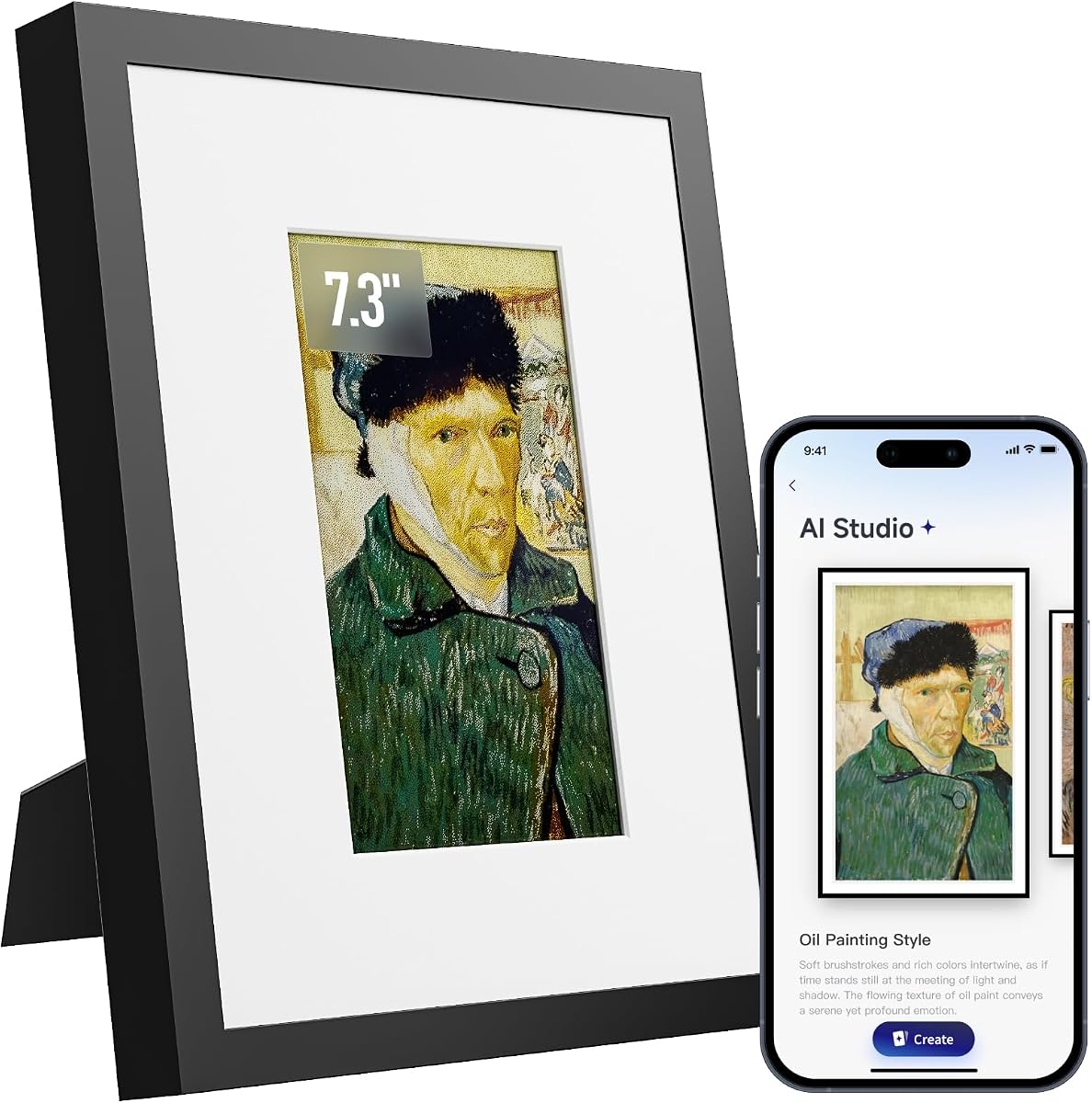
KoKonna offers a premium experience focused on comfort and sustainability. The color e-ink display mimics paper perfectly without glare. Its massive battery supports months of use between charges. This makes it ideal for bedside tables or desks where power is scarce.
We may earn a commission when you buy through this link, at no additional cost to you.
Users love the unlimited cloud storage feature. It removes the worry of managing file sizes or deleting old photos. The AI tools in the app allow creating custom art directly. The wooden frame adds a touch of elegance to any room decor.
The screen size is compact compared to others. This suits smaller spaces well but limits large group photos. The refresh rate is slower due to e-ink tech. However, the visual comfort often outweighs this limitation for daily viewing.
Best for those prioritizing eye health and aesthetics. It works great as a subtle decor piece. Parents will appreciate the simple sharing options. It combines art generation with practical memory keeping in one stylish package.
No blue light means comfortable viewing even in dark rooms.
Transform doodles into artwork directly from your mobile app.
We may earn a commission when you buy through this link, at no additional cost to you.
This Frameo model provides excellent value for basic sharing needs. The 10.1 inch screen offers sharp colors and clear text. Setup is straightforward for all ages. It supports 32GB of internal storage plus SD expansion for vast photo libraries.
We may earn a commission when you buy through this link, at no additional cost to you.
The app allows secure sharing from anywhere. Videos are limited but photos display beautifully. Users find the interface friendly and responsive. It includes a wall mount for flexible placement. The brightness and volume controls are easy to adjust.
Lack of AI tools may limit creative users. Video length on the app is shorter than SD. However, for pure photo sharing it performs well. The price point makes it accessible for many budgets without sacrificing core quality.
Perfect for grandparents or simple home use. It ensures family moments stay visible daily. The touch screen responds well to input. A solid choice for those wanting reliable memory sharing without complex features.
Send photos privately to specific family members without public access.
Auto-rotate ensures photos look right in portrait or landscape mode.
We may earn a commission when you buy through this link, at no additional cost to you.
SwitchBot focuses on wireless convenience and e-ink clarity. It supports Alexa for voice commands. The battery lasts years with minimal refresh rates. It is great for desks where plugging into power is inconvenient. The app allows scheduling updates for fresh looks.
We may earn a commission when you buy through this link, at no additional cost to you.
Viewing from a distance is recommended due to pixel size. The screen shows six colors which is good for basic art. Users report mixed feedback on stability. Despite this, the unique features offer a distinct alternative to standard screens.
The subscription for AI art adds ongoing costs. Screen contrast is muted compared to IPS. But the design fits minimalist decor well. It appeals to those who prioritize battery life over high resolution displays.
Suitable for tech enthusiasts wanting flexibility. It allows placement anywhere without cords. The voice control is a nice bonus. Consider it if you value long-term battery over image crispness.
Control settings and updates with simple voice commands.
Place the frame anywhere in your home with ease.
We may earn a commission when you buy through this link, at no additional cost to you.
This Frameo offers a substantial screen for family viewing. The 15.6 inch display is vivid and sharp. It holds over 100,000 photos easily. The built-in speaker allows playing videos with sound. Great for living rooms or offices.
We may earn a commission when you buy through this link, at no additional cost to you.
The USB port simplifies importing media directly. SD cards expand storage further if needed. The touchscreen is responsive and easy to navigate. It handles both landscape and portrait modes well. Brightness adjusts based on ambient light.
Video uploads via app are short. Longer ones need SD insertion. It needs a power outlet so it is not portable. Still, the size makes it a focal point in any space.
Ideal for large group viewing or office use. It keeps memories visible for all to see. The sound feature adds depth to videos. Choose this if size and capacity are top priorities.
Colors and details stand out clearly on the large screen.
Transfer photos quickly via USB or SD card slots.
We may earn a commission when you buy through this link, at no additional cost to you.
This Frameo variant supports transfer without internet. Use USB drives or SD cards easily. The 15.6 inch screen is bright and clear. It works well for those uncomfortable with apps. The gift packaging is elegant and ready to open.
We may earn a commission when you buy through this link, at no additional cost to you.
Sending emojis back adds a fun touch. Brightness and volume are adjustable. The sleep mode saves energy. It is straightforward for seniors. Many find the setup intuitive without technical help.
Storage is ample but less than competitors. The app features are standard. However, the offline transfer is a strong plus. It bridges the digital divide for some family members effectively.
Best for simple memory sharing needs. It avoids complex apps for non-tech users. The visual quality remains high. A reliable option for those who prefer physical media for storage.
Share photos even if WiFi is not available at home.
Navigate menus easily without needing technical skills.
We may earn a commission when you buy through this link, at no additional cost to you.
This compact frame uses e-paper for clarity. It optimizes colors automatically for better contrast. Battery life is excellent due to low power. The wooden frame adds warmth to its look. It fits nicely on nightstands.
We may earn a commission when you buy through this link, at no additional cost to you.
Sharing happens via app with simple sync. AI tuning helps vintage photos look fresh. It avoids glare even in sunlight. The adhesive mount allows secure placement on walls. Ideal for personal spaces.
Screen size limits detailed images. The app is less feature-rich than others. But the energy efficiency is impressive. It suits those wanting a quiet presence in a room.
Best for personal use or bedside tables. It keeps photos visible without bright light. The design blends well with decor. Choose for simplicity and efficiency.
AI adjusts contrast to enhance photo details automatically.
Easy to mount on walls without heavy hardware.
We may earn a commission when you buy through this link, at no additional cost to you.
Magic AI Frame excels in visual clarity. The Full HD screen makes every detail pop. It includes unique motion templates like Spellcasting and Living Oil Painting. Users enjoy the free unlimited cloud storage. Sharing is fast and seamless.
We may earn a commission when you buy through this link, at no additional cost to you.
The 64GB local storage holds many files. AI effects bring photos to life easily. If results are poor credits can be returned. This flexibility encourages creativity without risk. The app is user-friendly for all ages.
AI features require credits after initial limit. Setup needs an account for access. However, the display quality is top-tier. It serves well for gift-giving occasions.
Perfect for families wanting dynamic visual content. It balances art with practical sharing. The templates add a magical touch. A strong contender for modern digital art lovers.
Apply cinematic effects to make portraits move uniquely.
Keep memories private with secure invitation codes.
We may earn a commission when you buy through this link, at no additional cost to you.
This Frame offers high usability for seniors. The interface is clean with large fonts. Auto-rotate adapts to how you place it. The app allows quick sharing via email. It keeps family connected without fuss.
We may earn a commission when you buy through this link, at no additional cost to you.
Display quality is clear for daily viewing. Storage supports many photos. Touch sensitivity is adjusted for ease. Safety features keep sharing private. It is a reliable gift for older relatives.
Resolution is lower than premium models. Video uploads are short. Still, it delivers core functions well. The price makes it accessible for everyone.
Best for elderly parents needing simplicity. It avoids complex menus or settings. Focuses on keeping photos visible and accessible. A thoughtful choice for family connection.
Adjustable fonts make reading captions easy for all ages.
Frame adjusts display direction automatically to match photo shape.
We may earn a commission when you buy through this link, at no additional cost to you.
This frame wakes up when you approach. The motion sensor saves power. Full HD ensures sharp images. 64GB local storage keeps everything handy. Cloud sharing remains unlimited without fees. It is a smart choice for modern homes.
We may earn a commission when you buy through this link, at no additional cost to you.
Privacy settings are robust and compliant. Gift mode allows surprise messages. The touch screen is responsive. Setup takes minutes. It integrates well into smart home routines.
Motion range varies by lighting. It relies on WiFi for full features. But the convenience is significant. It reduces manual input for viewing.
Ideal for tech-savvy families. It adds a smart layer to memory keeping. The sensor feature makes interaction natural. A solid option for automated photo displays.
Screen activates automatically when someone walks nearby.
GDPR compliant storage ensures your photos stay private.
We may earn a commission when you buy through this link, at no additional cost to you.
Selecting the right digital frame involves understanding screen types, storage needs, and connectivity options.
IPS screens offer vibrant colors and quick refresh rates ideal for photo albums. E-ink displays are easier on the eyes and save battery but have slower refresh and muted colors.
Choose IPS for dynamic content and e-ink for quiet reading spaces.
Advanced frames allow generating art from text or animating photos. Look for credits included in the box to try these features without immediate cost.
Check subscription costs if you want unlimited AI generation over time.
Internal storage holds thousands of photos but cloud options allow seamless sharing without local space limits. Some models offer unlimited cloud for free.
Ensure the device supports SD cards if you expect to store many files locally.
Wi-Fi enables remote sharing from anywhere. Bluetooth helps with initial setup. Verify 2.4GHz compatibility as most frames do not support 5GHz networks.
Strong WiFi ensures smooth photo transfers without lag.
Frames with large batteries work wirelessly for weeks. Others plug into walls and stay always on. Consider placement location before deciding on battery.
Battery power is best for portable or clutter-free setups.
Touchscreens make navigation intuitive. Senior-friendly models have larger buttons and simpler menus. Voice control adds convenience for hands-free use.
Pick a design that fits all family members tech skills.
Look for models with invite-only sharing. Encryption ensures photos do not leak to unauthorized users.
Review data policies to understand how your photos are stored.
Start by downloading the companion app on your smartphone. Create an account and follow the in-app instructions to connect the frame to your Wi-Fi network. Ensure your phone and frame are on the same network during setup.
Add photos and videos by selecting them in the app or using the SD card slot. You can organize these into folders or let them play in a random slideshow. Adjust display settings like brightness to match room lighting.
Keep the screen clean with a soft dry cloth. Avoid using harsh chemicals that might damage the coating. Update the firmware periodically through the app to get new features and security patches.
Most frames require an initial setup via Wi-Fi. However, many allow offline viewing of stored photos. Some support direct SD card transfers without needing to stay online.
Yes, you can save photos from social media or email to your phone. Then use the frame app to upload them. Most apps support standard image formats like JPG or PNG.
Many top models offer unlimited cloud storage for free. Some require subscriptions for advanced features like unlimited AI generation. Always check the product details for specific terms.
Download the app and invite contacts by email. Each person gets access to upload. You can control who sees what through privacy settings within the app interface.
E-ink models can last months on a charge if not refreshed often. IPS models usually plug in or last days. Usage frequency greatly impacts actual battery life.
Most models support standard SD cards. Check the manual for maximum capacity. Formatting the card correctly ensures compatibility. Transfer files directly without using the phone app if preferred.
Our top picks highlight the best options for creativity and sharing. The Magic Frame leads for video features while KoKonna excels in battery life.
Prioritize screen type based on where you place it. IPS offers color but e-ink saves power and eyes.
Check current stock and verify app compatibility before finalizing your order.