10 Best 90 Degree Displayport Adapter And Cable in 2026
This guide compares the top 90 Degree Displayport Adapter and Cable options for 2026. We evaluate build quality, video performance, and compatibility to help
As an Amazon Associate we earn from qualifying purchases. We may earn a commission when you buy through links on this page, at no additional cost to you. Read our affiliate disclosure.As an Amazon Associate we earn from qualifying purchases.Purchases through our links may earn us a commission, at no extra cost to you. Read our affiliate disclosure.
Finding the right connection for your high resolution monitor can be challenging when space is limited. A 90 Degree Displayport Adapter and Cable solves this by redirecting the port direction. This design reduces strain on the graphics card and keeps cables organized in tight setups behind desks or wall mounts.
We analyzed ten leading products based on build quality, video bandwidth support, and user feedback. Each option was reviewed for its ability to handle modern standards like DisplayPort 1.4 and 2.1. Our list covers various lengths and connector styles to ensure you find a fit for your specific hardware needs.
Every pick includes key specs, pros, and cons to help you make an informed decision quickly. You will see how each model handles resolution limits and physical durability in real world scenarios. Keep in mind that stock levels and prices may change frequently on retail platforms so check availability before ordering.
Top 3 Picks for Best 90 Degree Displayport Adapter and Cable
Best Budget
8K 90 Degree DisplayPort 1.4 Adapter 2-Pack, (Up and Down) Right Angle DP Male to Female Display Port L-Shaped Connector Extender Support 8K@60Hz,4K@144Hz for Wall TV, Monitor, Laptop and PC
Top 10 Best 90 Degree Displayport Adapter and Cable in 2026 Compared
This side-by-side comparison highlights the key differences between the top ten options available today. We look at resolution support, physical design, and connector types to help you distinguish which model fits your specific setup requirements best.
ProductsSpecificationsEditor scorePrice
1
Editor's Choice
Cable Matters 4K@240Hz Right Angle DisplayPort 1.4 Adapter
Cable Matters 4K@240Hz Right Angle DisplayPort 1.4 Adapter
8K at 60Hz support
DP 1.4 standard
Auto Low Latency Mode
Compact right angle design
This adapter stands out as the top choice for users needing a reliable right angle connection. It supports 8K resolution at 60Hz and 4K at 240Hz making it ideal for modern gaming setups. The adapter redirects the port direction to prevent strain on the graphics card output.
Pros
Optimized space management
Advanced DP 1.4 support
Enhanced connectivity options
Superior audiovisual experience
Efficient setup design
Cons
Adapter only no cable length
Directional plug orientation
We may earn a commission when you buy through this link, at no additional cost to you.
It features Auto Low Latency Mode and Variable Refresh Rate which are crucial for smooth gameplay without tearing. The audio support includes Dolby TrueHD and Atmos ensuring you get high quality sound through your display. The design allows upward or downward redirection to fit various mounting scenarios.
The main trade-off is that this is an adapter rather than a full cable so you may still need a standard DP cable. Users should also verify the plug direction matches their device before ordering since orientation varies by port. Despite this it delivers excellent signal integrity and durability.
If you need to save space in a tight entertainment center or behind a wall mount this adapter is the best pick. It works well with most modern GPUs and monitors supporting high bandwidth features seamlessly. We recommend it for anyone prioritizing performance and organization.
Space Saving Design
The 90 degree bend allows cables to run parallel to the wall reducing clutter.
High Bandwidth Support
Full compatibility with DP 1.4 ensures you get the full refresh rate of your monitor.
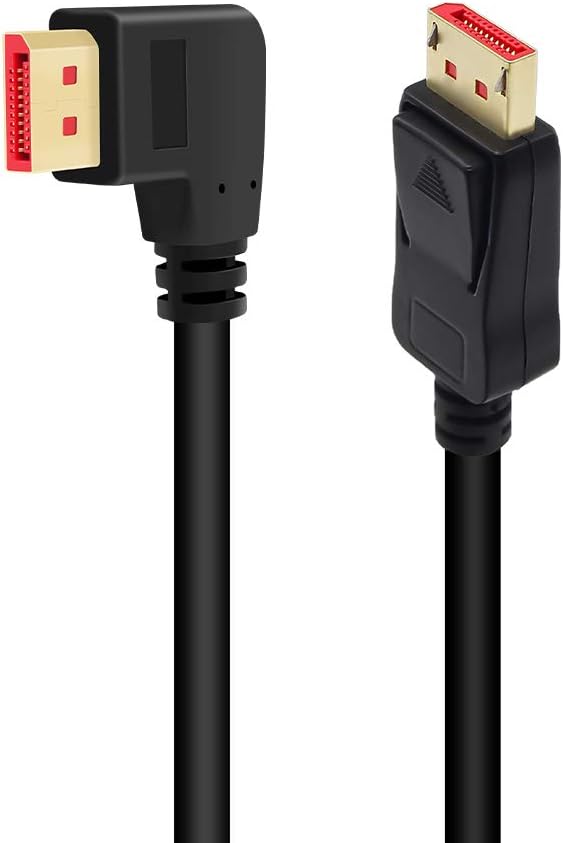
This cable offers a convenient six foot length with a right angle connector on one end to help with tight spaces. It is designed to provide easier access to ports that are otherwise hard to reach behind desks. The cable is built to handle high resolutions up to 4K at 144Hz effectively.
Pros
6ft length for flexibility
Right angle design
Compliant with DP 1.4
Premium construction materials
Easy port access
Cons
Orientation note for users
144Hz at 4K limit
We may earn a commission when you buy through this link, at no additional cost to you.
It uses gold plated connectors with latches to ensure a secure and stable connection over time. The bare copper conductors along with foil and braid shielding help maintain signal integrity and reduce interference. This construction is ideal for setups where the cable might get bumped or moved often.
Users should note that the angle direction depends on the device so checking orientation before ordering is essential. While it supports 144Hz at 4K some newer high refresh monitors might prefer 240Hz support which this does not offer. For most users however it is a solid mid range option.
This model is a great choice if you need extra length to route the cable to a PC or power strip. It balances cost and performance well for gaming and general use. We suggest it for those who need a reliable extension without spending too much.
Durable Construction
Gold plating and shielding protect against corrosion and signal loss.
Length Flexibility
Six feet provides enough slack to manage cables without tension.
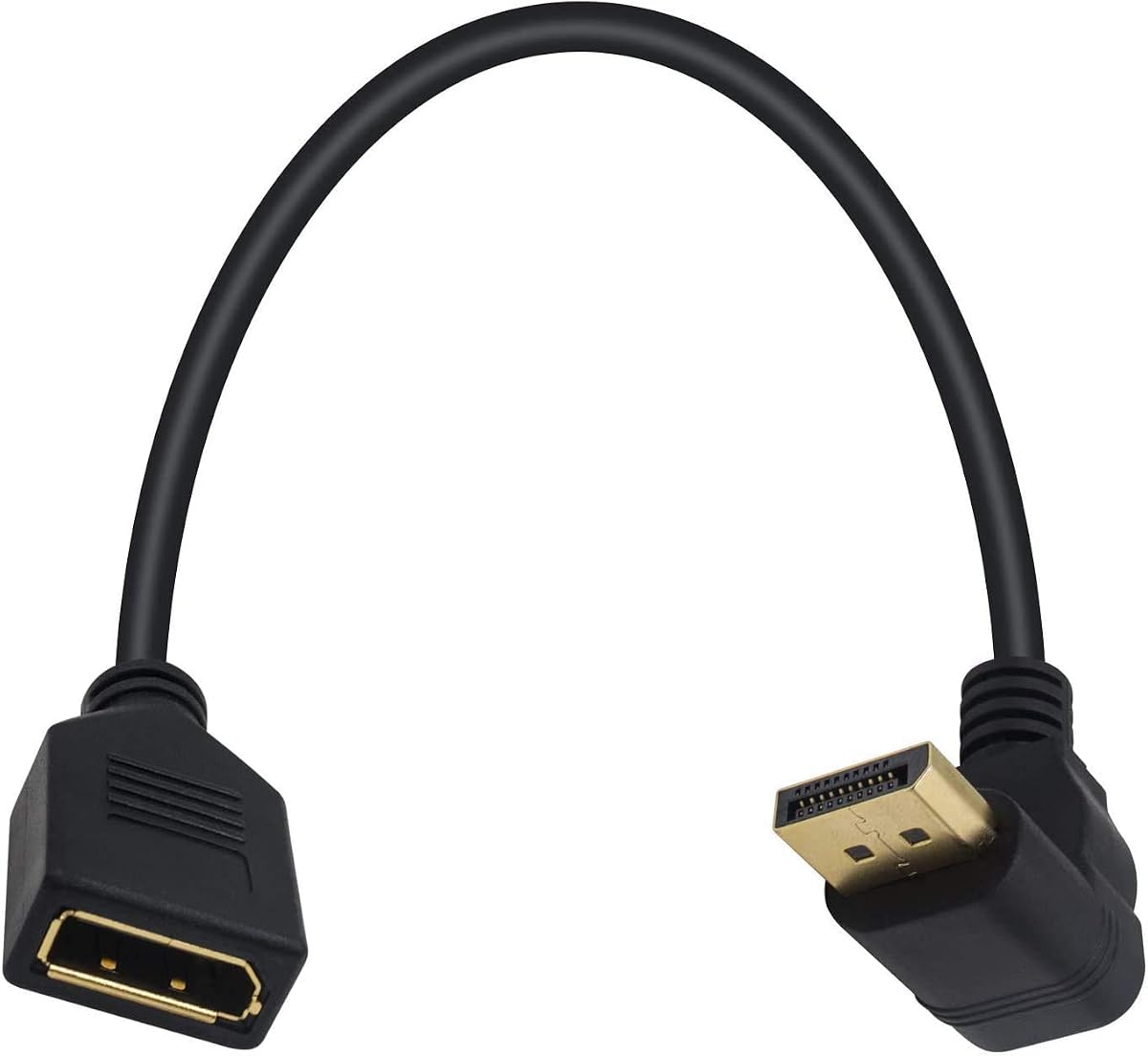
This short extension cable is perfect for bridging small gaps where a direct connection is difficult. It supports 8K resolution at 60Hz and 32.4Gbps bandwidth making it future proof for high res displays. The 90 degree angle helps avoid twisting the cable which can damage the port over time.
Pros
Supports 8K at 60Hz
Short and flexible design
Triple layer shielding
Compatible with G-SYNC
Easy to carry
Cons
Very short length
Limited to 15cm reach
We may earn a commission when you buy through this link, at no additional cost to you.
It features 28AWG tinned copper conductors that provide stable transmission for both video and audio. The cable is short enough to stay out of the way but long enough to relieve strain on the connector. This makes it ideal for wall mounted setups or devices with limited rear clearance.
The main limitation is the short length so it will not reach if your PC is far from the monitor. Users should measure the distance carefully before ordering to ensure it meets their needs. Despite this it is a high quality option for specific tight space scenarios.
If you need a simple reliable way to redirect your port without buying a new graphics card this is the pick. It works well with laptops and compact PCs where ports are often hard to access. We recommend it for its high resolution support and compact form.
High Bandwidth
32.4Gbps ensures you get full refresh rates for 4K and 8K displays.
Compact Design
At 15cm it adds minimal bulk to your setup while solving port issues.
This extension cable is designed with an up angle connector to help route cables neatly above devices. It measures 30cm or 12 inches which provides a bit more reach than the shorter models. The build includes gold plated connectors to resist corrosion and ensure a stable signal path.
Pros
12inch extension length
Up angle design
Gold plated connectors
Low-profile design
Ergonomic treads
Cons
Limited to 4K 60Hz
No high refresh support
We may earn a commission when you buy through this link, at no additional cost to you.
It supports 4K resolution at 60Hz which is sufficient for most productivity and media tasks. The low profile design ensures it does not block adjacent ports on your computer or console. Strain relief molding helps extend the life of the cable when plugging and unplugging.
While it lacks the higher refresh rates of other options it is a reliable choice for standard displays. The up angle orientation is specific so check if your port needs this direction before purchasing. It is a solid budget friendly option for basic extension needs.
If you need to reach an accessible port without straining the graphics card this cable works well. It is compatible with most standard DP interfaces and requires no drivers. We suggest it for users with standard monitors needing a simple reliable extension.
Low Profile
Does not block adjacent ports making it great for crowded panels.
Build Quality
Gold plating and reinforced joints ensure long term durability.
This two-pack offers incredible value by providing both up and down angled adapters for different setups. It supports 8K at 60Hz and 4K at 144Hz ensuring compatibility with high end displays. The aluminum alloy shell helps with heat dissipation and protects the internal components.
Pros
Includes two adapters
Supports 8K at 60Hz
Aluminum alloy shell
Compatible with 3D
Warranty included
Cons
Adapter only no cable
Requires separate DP cable
We may earn a commission when you buy through this link, at no additional cost to you.
Gold plated connectors ensure a secure connection while the latches hold the adapter in place firmly. It is compatible with most DP interface devices and supports features like ARC for audio return. The adapters are built to withstand thousands of plug cycles for long term use.
Since these are adapters you will need a separate male to male DP cable to complete the connection. This might be a downside if you expected a full cable solution. However the versatility of having both angles is a strong selling point.
If you are setting up multiple screens or want to save on buying adapters later this pack is perfect. It provides flexibility for wall mounts and desk setups. We recommend it as the best budget friendly option for most users.
Versatile Pack
Having both up and down angles covers most common port orientation needs.
Thermal Protection
Aluminum housing helps keep the connection cool under load.
Cable Matters Combo-Pack 4K@240Hz Flat Right Angle DP 1.4 Adapter
Includes 90 and 270
Flat right angle design
Supports 8K at 60Hz
Maximizes space in tight setups
This combo pack includes both 90 and 270 degree adapters to offer maximum flexibility in tight spaces. It is a flat design that sits closer to the wall which is perfect for wall mounted TVs. The adapters support ultra high resolutions up to 8K at 60Hz and 4K at 240Hz.
Pros
Includes 90 and 270 degree
Flat design for tight spaces
Supports 4K at 240Hz
Enhanced connectivity
Cleaner installation
Cons
Adapter only
Needs separate DP cable
We may earn a commission when you buy through this link, at no additional cost to you.
Like other adapters it requires a separate DP cable but the versatility is high for organizing your setup. You can redirect the cable to the left or right depending on the clearance available behind the device. This reduces strain and helps keep cables out of the way.
The lack of a bundled cable is the main trade-off but it keeps the cost lower than a full cable. If you already own a good DP cable this is an efficient way to add right angle support. The build quality is typical of Cable Matters with solid connectors.
This is a great pick for professional installations where neatness and reliability are key. It works well in home theaters or office desks where every inch counts. We suggest it for users who need multiple angle options in one package.
Flat Profile
Sits flatter against the device for better clearance.
Combo Value
Two adapters in one package give you options for different ports.
This cable features a unique upward angled joint that solves space constraints behind compact cases. It measures 3.3 feet which offers a good balance between reach and compactness. The design reduces cable bending and compression which helps maintain connection stability and durability.
Pros
3.3FT length
Supports up to 8K
Upward angled design
Reduces cable bending
Broad compatibility
Cons
Upward specific
Limited to 4K 60Hz
We may earn a commission when you buy through this link, at no additional cost to you.
It supports resolutions up to 8K at 60Hz and 4K at 60Hz making it suitable for modern gaming. The high speed data transfer ensures lag free transmission for video and audio. It is fully compatible with most graphics cards and monitors requiring no extra software.
The upward angle is specific so verify your port orientation before ordering. While it supports 8K at 60Hz some users might find 4K at 60Hz sufficient for their needs. The quality assurance warranty adds peace of mind for any potential issues.
If you need an angled cable with decent length this is a strong contender. It is ideal for workstations where cables need to run upwards towards a desk. We recommend it for users needing a blend of length and angle support.
Space Saving
The upward angle helps cables clear obstacles behind the monitor.
DisplayPort Extension Cable90 Degree DP Male to Female Extender Ultra HD
15cm short length
DP 2.1 support
Up to 16K resolution
52Gbps bandwidth
This extension cable supports the latest DP 2.1 standards allowing for resolutions up to 16K at 30Hz. It offers a massive 52Gbps bandwidth which is three times that of DP 1.4. This makes it an excellent choice for future proofing your setup against high end displays.
Pros
DP 2.1 standard
Up to 16K at 30Hz
52Gbps bandwidth
Short 15cm
Triple shielding
Cons
Short 15cm length
DP 2.1 compatibility
We may earn a commission when you buy through this link, at no additional cost to you.
It uses triple shielding and gold plated connectors to ensure stable signal transmission. The short 15cm length is perfect for tight spaces behind monitors or wall mounts. It works with many popular GPUs including RTX series cards for gaming and professional use.
The main trade-off is the short length which limits use cases to small extensions. Also you must ensure your ports support DP 2.1 to get the full bandwidth benefit. For most users DP 1.4 is sufficient but this offers more headroom for advanced setups.
If you have a next gen GPU and want a high quality extension this is the pick. It is a solid choice for those prioritizing bandwidth and resolution over length. We suggest it for users building a high end gaming station.
Future Proof
DP 2.1 support ensures compatibility with upcoming high res standards.
Bandwidth
52Gbps allows for multi stream high refresh displays.
This cable is a premium option that supports the latest DP 2.1 standards with 54Gbps bandwidth. It can handle 16K at 30Hz or 4K at 240Hz making it perfect for next gen gaming. The 1.5ft length is short but ideal for tight setups behind monitors.
Pros
Supports 16K at 30Hz
54Gbps bandwidth
1.5ft length
Dynamic HDR support
Wide compatibility
Cons
Short 1.5ft
High price point
We may earn a commission when you buy through this link, at no additional cost to you.
It features triple shielding and 24K gold plated connectors to prevent signal loss. Dynamic HDR support helps enhance dark scenes in games and movies. The cable works with a wide range of GPUs including AMD and NVIDIA series cards.
The short length limits flexibility but it is excellent for specific wall mounted or desk setups. The price is higher than 1.4 options but the performance is worth it for high end users. This is a top tier choice for those who need maximum speed.
If you need a reliable cable for high refresh rate gaming or professional work this is the pick. It balances performance and length well for compact setups. We recommend it for enthusiasts seeking the best available speed and resolution support.
Next Gen Ready
Supports high refresh rates and resolutions for the latest hardware.
Signal Integrity
Triple shielding ensures clean transmission for high bandwidth data.
chenyang DisplayPort 1.4 Cable 90 Degree Down Angled
4.0mm diameter
0.98FT length
32.4Gbps bandwidth
Panel mount type
This cable is ultrafine with a 4.0mm diameter that fits perfectly in tight spaces or rigs. It supports 8K at 60Hz and 32.4Gbps bandwidth ensuring smooth high resolution performance. The down angled design is ideal for panel mounts or specific setups.
Pros
Ultrafine flexible design
Panel mount type
32.4Gbps bandwidth
Down angled
Heavy duty ends
Cons
Short 0.98ft length
Down angle specific
We may earn a commission when you buy through this link, at no additional cost to you.
It features heavy cable ends and welded design for longevity. The gold plated connectors ensure solid connections across all devices. This makes it a reliable choice for professional use where cables get moved often.
The short length is a trade-off but it is designed for compact applications like camera stabilizers. The down angle is specific so confirm your port needs this direction before buying. It is a niche product that excels in flexibility and durability.
If you need a flexible cable for rigs or tight spaces this is the top pick. It works well with standard GPUs and monitors for high quality visuals. We suggest it for users needing an ultrafine option for specific setups.
Ultrafine Design
Small diameter allows routing in extremely tight or dynamic spaces.
Durability
Heavy duty ends prevent breakage from accidental tugs or pulls.
We may earn a commission when you buy through this link, at no additional cost to you.
Buying Guide – How to Choose the Best 90 Degree Displayport Adapter and Cable
Choosing the right adapter or cable depends on your monitor specs and physical setup needs. This guide breaks down the key factors to ensure you select a product that matches your hardware and space requirements.
Resolution and Refresh Rate Support
Check the maximum resolution and refresh rate your monitor requires and ensure the adapter supports it. For example if you have a 4K 240Hz monitor you need an adapter with DP 1.4 and 32.4Gbps bandwidth to avoid limiting your display's potential. This factor determines if you will get smooth motion or capped performance.
Cable Length vs Adapter Only
Decide if you need a full cable with built-in length or an adapter to use with a existing cable. Adapters are compact but require a separate DP cable which can add cost and complexity. Cables offer convenience but check the length to ensure it reaches your PC or power strip.
Orientation (Up Down Left Right)
Confirm the direction the port must bend to fit your desk or wall setup. Some cables only bend upward while others bend downward or offer both. Ordering the wrong orientation can block adjacent ports or make cable routing impossible so measure the clearance before purchasing.
Material and Build Quality
Look for gold plated connectors and shielding to protect against corrosion and signal interference. Aluminum shells help with heat dissipation and durability compared to plastic. Strong strain relief at the connector end prevents wear when plugging and unplugging over time.
Port Compatibility
Ensure the cable matches your GPU and monitor ports. Most modern cards use standard DP but some older devices may require different standards. Also verify if your device supports DP 1.4 or 2.1 to utilize the full bandwidth of the cable.
Price and Value
Compare the cost against the features offered such as length and resolution support. Sometimes buying a two-pack offers better value if you need multiple adapters. Balance budget with performance to avoid overspending or compromising on signal quality.
Warranty and Support
Check if the product comes with a warranty for peace of mind. Good customer service helps resolve connection issues or replacement needs. A warranty indicates the manufacturer stands behind the quality and durability of their product.
Future Proofing
Consider buying a cable that supports newer standards like DP 2.1 if possible. This ensures your setup can handle upcoming high resolution displays without replacing hardware. It is a small investment to secure long term compatibility.
How to Use and Care for Your 90 Degree Displayport Adapter and Cable
Connect the male end to your graphics card and the female end to your monitor. Ensure the angled side points towards the available space to avoid bending the cable too sharply. This simple step helps prevent signal issues and extends the life of your port.
Avoid pushing the cable against hard edges that could damage the internal conductors. If you need to route behind a wall use cable ties to secure the length without pinching. Proper routing keeps the signal clear and prevents accidental unplugging.
Regularly inspect the connectors for dust or corrosion and clean them gently if needed. Keep the area around the port clear of liquids and debris to maintain a stable connection. These basic habits ensure your display continues to work flawlessly over time.
Frequently Asked Questions
Will a 90 Degree adapter reduce my graphics card performance?
No, a high quality adapter or cable will not reduce performance as long as it supports the required bandwidth. Look for DP 1.4 or higher to ensure full refresh rates. Poor quality cables may cause signal loss but certified adapters maintain stability.
Do I need a specific cable length with an adapter?
If using an adapter you need a standard DP cable to bridge the gap. The length depends on your PC to monitor distance. If using an integrated cable the length is fixed so measure your space first.
Can I use this with a laptop or mini PC?
Yes these adapters work with any device that has a standard DisplayPort output. They are often useful for laptops where ports are on the back. Verify the port size matches before purchasing.
Does the 90 degree angle work with wall mounts?
Absolutely many users use these to fit cables flush against the wall. The angled connector reduces bulk and allows for a cleaner installation. Check the orientation to ensure it bends in the right direction for your mount.
What is the difference between DP 1.4 and 2.1?
DP 2.1 offers higher bandwidth for more resolution and refresh rates. DP 1.4 is common and supports 4K at high refresh rates. 2.1 is better for future proofing but 1.4 is sufficient for most users.
Are these adapters compatible with G-SYNC or FreeSync?
Yes most modern adapters support these technologies as they pass the signal unchanged. Ensure the cable meets the bandwidth requirements of your monitor. Check the product specs for specific feature support.
Final Thoughts on Choosing the Best 90 Degree Displayport Adapter and Cable
We hope this guide helped you find the best 90 Degree Displayport Adapter and Cable for your setup. The Cable Matters adapter offers the best overall performance for gamers while the BolAAzuL cable provides a great budget option. For premium needs the Poyiccot 16K cable delivers top tier bandwidth.
When choosing prioritize resolution support and length to match your specific hardware needs. Measure your available space to ensure the angle fits without blocking ports. Quality construction ensures the adapter or cable lasts long enough to be worth the investment.
Remember to check current prices and availability on the links above as stock changes frequently. Selecting the right connector will keep your display running smoothly and your setup organized. With the right choice you can enjoy high quality visuals without cable strain.
Compare top-rated cold calling headsets for clarity and comfort. This guide reviews ten models with noise cancellation and battery life for professionals.