
RackChoice 4U Rackmount
4.0Editor score
8 Bay hot-swap SATA SAS
EATX ATX motherboard support
Includes MiniSAS to SATA cables
Choosing the right 4U rackmount GPU server chassis is critical for deploying high-performance computing clusters. These enclosures must support massive GPUs, advanced cooling solutions, and reliable storage to ensure stability under heavy workloads.
We evaluated ten leading chassis options based on thermal management, expansion slots, and build quality. Our comparison includes models from SilverStone, Supermicro, Asrock Rack, and others to help you find the perfect fit for your infrastructure.
Each pick highlights unique strengths like liquid cooling support or hot-swap bays. Prices and availability fluctuate frequently so always verify current details before purchase to ensure you get the best value for your specific server configuration.
4.0Editor score
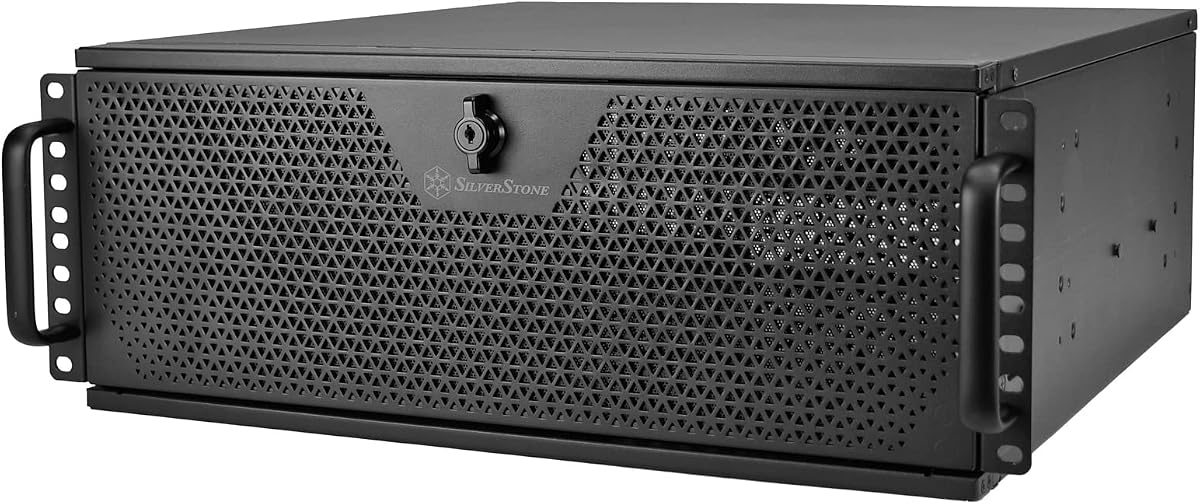
4.3Editor score

5.0Editor score
As an Amazon Associate we earn from qualifying purchases.
This table provides a side-by-side comparison of all ten chassis models to help you quickly identify the best fit for your specific GPU and storage requirements.


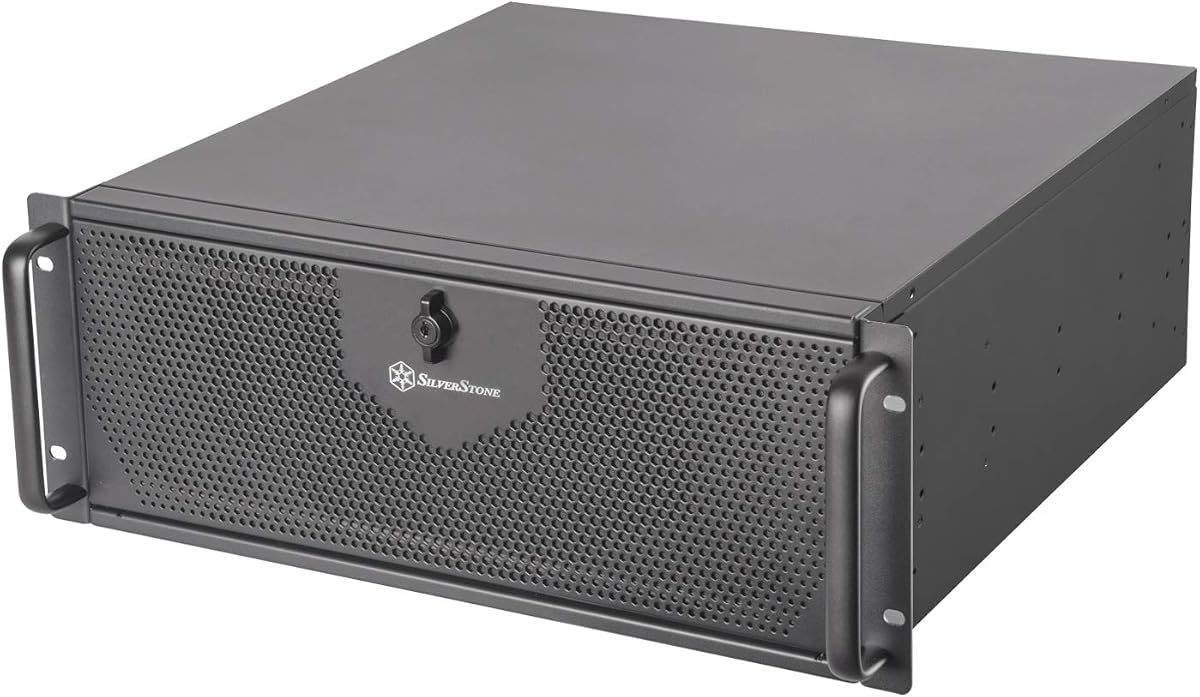
The SilverStone Technology RM44 stands out as a top choice for liquid-cooled GPU servers with its support for 360mm radiators. It offers robust expansion and modern connectivity features suitable for high-density computing.
We may earn a commission when you buy through this link, at no additional cost to you.
This chassis supports SSI-EEB and Extended ATX motherboards providing flexibility for complex setups. The inclusion of 8 PCIe slots allows for extensive GPU and network card configurations.
While it lacks traditional drive bays it focuses heavily on expansion and cooling. The front panel features a USB Type-C interface which is a modern touch for system management.
Ideal for AI workloads where liquid cooling is necessary the RM44 delivers reliability. Its design simplifies rail installation making it a strong pick for professional environments.
The RM44 can house up to a 360mm radiator allowing for efficient heat dissipation from high-performance GPUs.
A front USB Type-C port facilitates quick data transfers and system updates without opening the case.
We may earn a commission when you buy through this link, at no additional cost to you.
The RM4A offers similar liquid cooling capabilities to the RM44 at a lower price point making it attractive for budget-conscious builds. It supports 360mm radiators and EEB motherboards for versatile setups.
We may earn a commission when you buy through this link, at no additional cost to you.
This chassis features 8 PCI expansion slots and includes USB Type-C connectivity. It is designed to accommodate standard server motherboards without sacrificing essential expansion needs.
While it lacks some premium features found in higher-end models it performs well for entry-level GPU servers. The cooling support is a standout feature given the cost.
Consider this model if you need liquid cooling but have a tighter budget. It provides a solid foundation for GPU deployments requiring effective thermal management.
You get support for large 360mm radiators without the premium cost associated with other enterprise chassis models.
The support for SSI-EEB motherboards ensures compatibility with many workstation and server class components.
We may earn a commission when you buy through this link, at no additional cost to you.
The ZhenLoong X412 is a powerhouse for storage and power needs with 12 bays and dual 2000W modules. It supports up to 4 GPUs and offers extensive expansion for heavy computing tasks.
We may earn a commission when you buy through this link, at no additional cost to you.
With 11 PCI expansion slots and support for U.2 NVMe drives this chassis is built for scalability. The inclusion of power modules and rails makes it a complete package upon arrival.
Shipping times can be long which might delay deployment but the value is substantial. The build quality is sturdy and supports various drive types effectively.
This model is ideal for data centers needing high storage density and redundant power. It balances cost and features well for demanding server environments.
Included 2000W power modules ensure you have enough wattage to run multiple high-end GPUs simultaneously.
The 12 bay design supports various drive types including NVMe SATA and SAS for flexible storage configurations.
We may earn a commission when you buy through this link, at no additional cost to you.
The RackChoice 4U offers excellent value with its 8-bay hot-swap capability and broad motherboard support. It is designed for SMBs needing reliable storage without breaking the bank.
We may earn a commission when you buy through this link, at no additional cost to you.
Features include 3x 120mm PWM fans and MiniSAS to SATA cables which simplify installation. The chassis supports standard ATX power supplies or redundant CRPS options.
It is a solid choice for general-purpose servers where cost is a primary concern. The hot-swap design allows for easy maintenance and upgrades without downtime.
Consider this if you need a straightforward storage server chassis. It performs well for entry-level deployments and small business needs.
Hot-swappable bays allow you to replace drives without shutting down the server ensuring continuous operation.
The chassis supports both standard ATX and redundant CRPS power supplies for varying levels of reliability.
We may earn a commission when you buy through this link, at no additional cost to you.
The Rosewill RSV-AI01 is optimized for AI tasks supporting up to 4 GPUs with robust cooling. It features 8 hot-swap bays and modern USB connectivity for efficient data management.
We may earn a commission when you buy through this link, at no additional cost to you.
It includes a pre-installed rail kit which simplifies rack installation significantly. The thermal management system uses 3x 12038 PWM fans to handle heavy loads.
While user ratings are mixed the design intent is clear for GPU-heavy workloads. The inclusion of USB 3.2 Type-C adds modern utility for system access.
This chassis is a good fit for small AI clusters needing straightforward setup. It balances GPU support with storage capabilities effectively.
The chassis is built to handle intensive machine learning tasks by supporting up to four graphics cards.
A pre-installed rail kit means you can mount the server quickly without needing extra tools or parts.
We may earn a commission when you buy through this link, at no additional cost to you.
The Supermicro CSE-747BTQ delivers premium build quality and extensive expansion for enterprise use. It supports up to 4 double-width GPUs and includes robust security features.
We may earn a commission when you buy through this link, at no additional cost to you.
With 11 full-height slots and an 8-bay backplane it provides maximum flexibility for networking and storage cards. The intrusion switch and door lock enhance physical security.
Its perfect rating reflects strong performance and reliability in demanding environments. The design ensures adequate cooling for multiple GPUs without overheating.
Ideal for large data centers requiring stability and expansion this model is a top-tier choice. It justifies the cost with superior engineering and features.
The chassis is optimized to hold four double-width GPUs ensuring powerful computation capabilities.
A front door lock and side panel intrusion switch help protect your server from unauthorized access.
We may earn a commission when you buy through this link, at no additional cost to you.
This Asrock Rack barebone supports up to 8 FHFL PCIe 5.0 GPUs with dual socket Intel Xeon processors. It is designed for high-performance AI and rendering tasks requiring maximum memory bandwidth.
We may earn a commission when you buy through this link, at no additional cost to you.
The chassis includes enhanced airflow to cool high TDP GPUs and has 2700W redundant power. It offers extensive DDR5 DIMM slots for large datasets and virtualization.
As a barebone system it requires additional components for storage but provides a robust foundation. The power and cooling systems are sized for enterprise-grade reliability.
Choose this if you need maximum GPU density and Intel compatibility. It is a solid option for scaling compute clusters efficiently.
Support for 8 full-height full-length GPUs allows you to scale your compute power significantly.
2700W redundant power ensures your system stays online even if a power supply fails.
We may earn a commission when you buy through this link, at no additional cost to you.
The AMD version of this barebone supports 8 FHFL PCIe 5.0 GPUs and dual socket EPYC processors. It offers higher power capacity with 3200W redundant power compared to Intel versions.
We may earn a commission when you buy through this link, at no additional cost to you.
It includes support for 24 hot-swap NVMe bays providing excellent storage density. The system is designed for maximum performance in AI and HPC environments.
With enhanced airflow and redundancy it handles high loads reliably. This setup is ideal for users needing the latest AMD EPYC capabilities.
This model is best for enterprises needing top-tier compute and storage. It combines power and flexibility for demanding server workloads.
With 3200W redundant power this chassis can support the most power-hungry GPU configurations.
Up to 16 NVMe bays allow for extremely fast storage speeds to match GPU performance.
We may earn a commission when you buy through this link, at no additional cost to you.
This model supports up to 600W TDP GPUs making it suitable for the most powerful accelerators. It includes dual socket EPYC processors and 2700W redundant power for stability.
We may earn a commission when you buy through this link, at no additional cost to you.
Enhanced airflow is critical to dissipate heat from high-TDP cards efficiently. It offers 24 DIMM slots for massive memory capacity needed in virtualization.
While NVMe bays are fewer than other models the focus is on GPU throughput. The chassis handles dense compute clusters effectively.
Ideal for HPC and AI workloads needing maximum card power. It balances thermal efficiency with high-end compute hardware.
This chassis can cool GPUs with up to 600W TDP ensuring stable performance under load.
24 DIMM slots provide extensive memory options for large datasets and complex computations.
We may earn a commission when you buy through this link, at no additional cost to you.
The RM42-502 offers entry-level liquid cooling support with a 240mm radiator capacity. It includes modern USB Type-C connectivity and a unique anti-theft lock design for security.
We may earn a commission when you buy through this link, at no additional cost to you.
This chassis supports SSI-EEB boards and includes sliding rail mounting holes for quick installation. It can be placed upright or horizontally providing setup flexibility.
While smaller than some models it is excellent for compact setups needing some cooling capability. The anti-theft feature adds value for public spaces.
Consider this for smaller offices or edge computing. It provides necessary cooling features without the bulk of larger chassis.
Support for 240mm radiators allows for efficient cooling in a more compact chassis footprint.
The anti-theft lock design on the front panel helps protect against unauthorized access.
We may earn a commission when you buy through this link, at no additional cost to you.
Selecting the right chassis involves considering cooling expansion and build quality to match your specific workload needs.
Ensure the chassis supports your GPU heat output through adequate fan slots or liquid cooling compatibility. High-end GPUs require robust airflow to maintain performance.
Look for chassis with multiple fan positions and support for radiators if using liquid cooling systems.
Verify the number of PCIe slots available to accommodate your GPU count and network cards. Some workloads need 8 or more slots for maximum flexibility.
Choose a chassis with full-height slots if you plan to use dual-slot GPUs regularly.
Determine how many drive bays you need for data storage. Hot-swap bays allow easy maintenance and upgrades without downtime.
Ensure compatibility with your required drive types such as NVMe SATA or SAS.
Check that the chassis supports your motherboard form factor such as EATX or SSI-EEB. Larger boards need more internal space and mounting options.
A chassis with flexible mounting supports future upgrades and different system configurations.
Confirm support for CRPS or ATX power supplies with enough wattage for your GPUs. Redundant power ensures reliability for critical server workloads.
Choose a model that allows for multiple power modules to avoid single points of failure.
Look for sturdy materials like alloy steel and security features such as front panel locks. Security is important for shared or public environments.
Durable chassis last longer and protect your expensive server components from damage.
Ensure the chassis includes or supports rails for standard 19-inch server racks. Easy installation saves time during deployment.
Pre-installed rail kits simplify setup and reduce the need for extra tools.
Modern connectivity such as USB Type-C on the front panel helps with quick data transfers and management. Consider what peripherals you need to access regularly.
Good front panel connectivity improves ease of use for system maintenance tasks.
Install your motherboard and GPUs carefully following manufacturer guidelines for mounting and cabling. Ensure all connections are secure before powering on.
Regularly check and clean filters and fans to maintain optimal airflow. Dust buildup can lead to overheating and reduced performance.
Monitor system temperatures regularly to catch any cooling issues early. Use software tools to track GPU and CPU temperatures during operation.
A standard 4U chassis is roughly 7 inches tall (7 inches or 17.8 cm) and fits a standard 19-inch server rack. It is large enough for multiple GPUs and drive bays.
Many of the reviewed chassis support 240mm or 360mm liquid cooling radiators. Check the specs for radiator compatibility before purchasing if you plan to use liquid cooling.
Yes most 4U chassis support ATX EATX or even SSI-EEB motherboards. Verify the maximum motherboard size in the product specs before buying.
Hot-swap bays allow you to remove or insert hard drives while the server is running. This minimizes downtime and simplifies maintenance tasks.
Some models include rails or guide rails while others may require separate purchase. Always check the package contents before ordering to avoid delays.
Most support standard ATX power supplies or CRPS units. Some models include redundant power modules supporting up to 3000W or more for heavy GPU loads.
Many chassis feature front panel locks or intrusion switches. These protect against unauthorized physical access to your server components.
You need a standard 19-inch server rack for proper mounting. Ensure your rack has enough depth to accommodate the chassis length.
The SilverStone RM44 Supermicro CSE-747BTQ and RackChoice 4U offer distinct advantages for different budgets and needs.
Prioritize cooling capacity and expansion slots if you plan to run multiple GPUs. Security and redundancy matter more for enterprise deployments.
Verify current prices and availability before purchasing as these details may change frequently on retail sites.