
GDSTIME 40mm 24V
4.7Editor score
Cost effective value
24V compatibility
Hydraulic bearing
This guide compares the top 40mm cooling fans for servers 3D printers, and electronics based on noise, airflow, reliability, and price.
Choosing the right 40mm cooling fan is critical for maintaining optimal temperatures in compact electronic devices. Whether you are cooling a server, a 3D printer, or a network router, the wrong fan can lead to overheating and system failure. This guide explores the best options available today.
We have evaluated ten top-rated models based on real-world performance metrics including noise levels, airflow capacity, and bearing longevity. Our selection process prioritizes reliability and quiet operation while ensuring compatibility with common voltage standards and connector types used in modern electronics.
Each product entry below details specific specifications and use cases to help you match a fan to your unique project needs. Please note that pricing and availability can change frequently, so verify current details before making your final purchase decision for your specific application.
4.7Editor score
4.8Editor score

4.8Editor score
The following table provides a side-by-side comparison of all ten selected fans to help you quickly identify the model that best fits your voltage, size, and performance requirements.


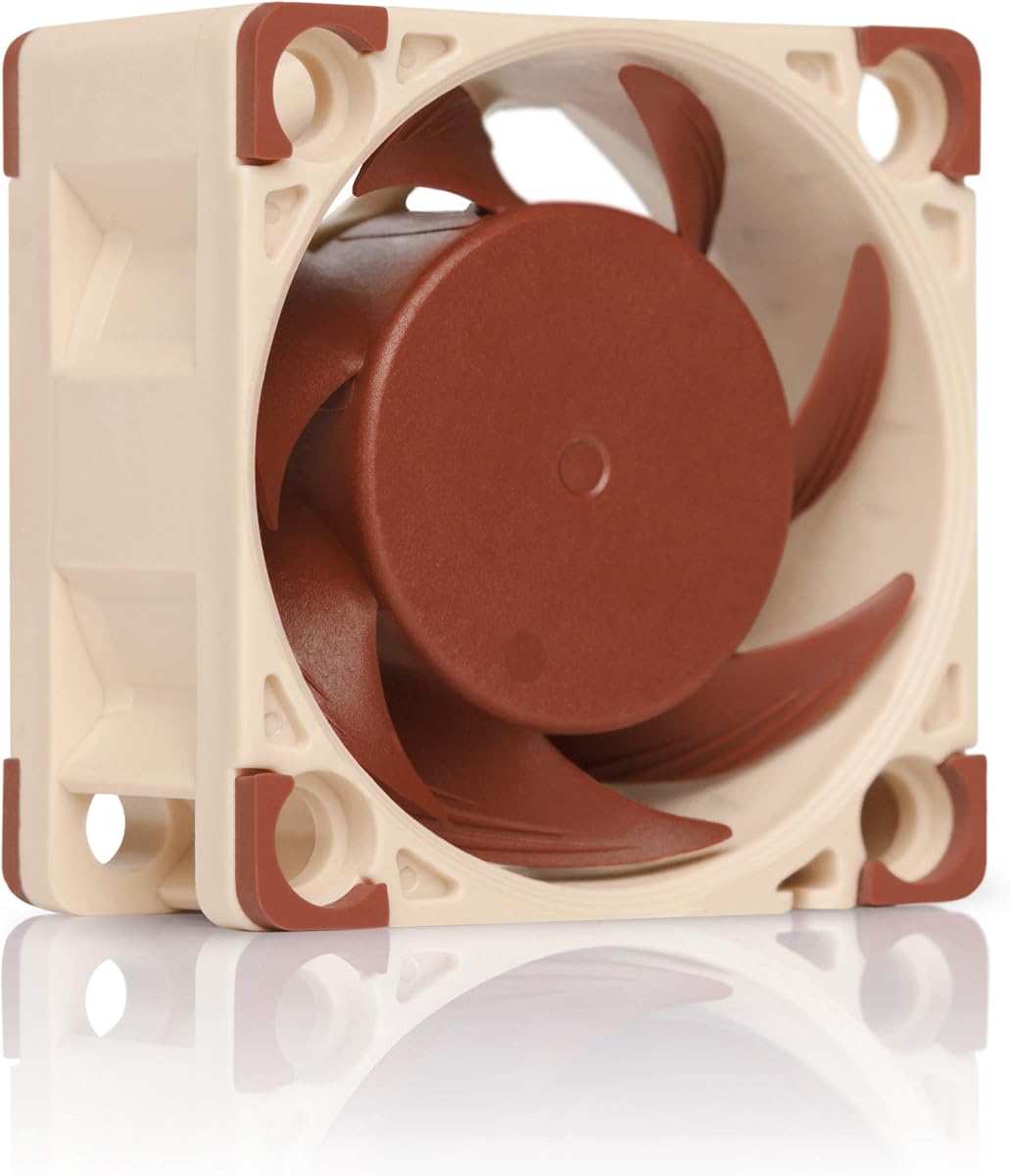
The Noctua NF-A4x20 PWM stands out as the top choice for users seeking reliable cooling without compromising on silence. It offers a robust 5000 RPM speed range and features Noctua's proprietary A-series design which maximizes airflow efficiency.
We may earn a commission when you buy through this link, at no additional cost to you.
This model includes Flow Acceleration Channels that smooth out turbulent airflows to reduce noise. The SSO2 bearing technology ensures a lifespan exceeding 150,000 hours. It also comes with anti-vibration mounts and an OmniJoin adaptor set for flexible integration.
While the price is higher than generic options the quality and longevity justify the investment. The Low-Noise Adaptor allows you to throttle speed further for near-silent operation. It is perfect for sensitive audio or server environments.
If you need a 40mm fan that delivers consistent performance over many years this is the ideal pick. The 4-pin PWM control allows for dynamic speed adjustments based on system load ensuring optimal thermal management.
The advanced frame design reduces air turbulence significantly which results in lower noise levels compared to standard fans.
The included OmniJoin adaptor set makes it easy to connect to various proprietary headers found in industrial equipment.
We may earn a commission when you buy through this link, at no additional cost to you.
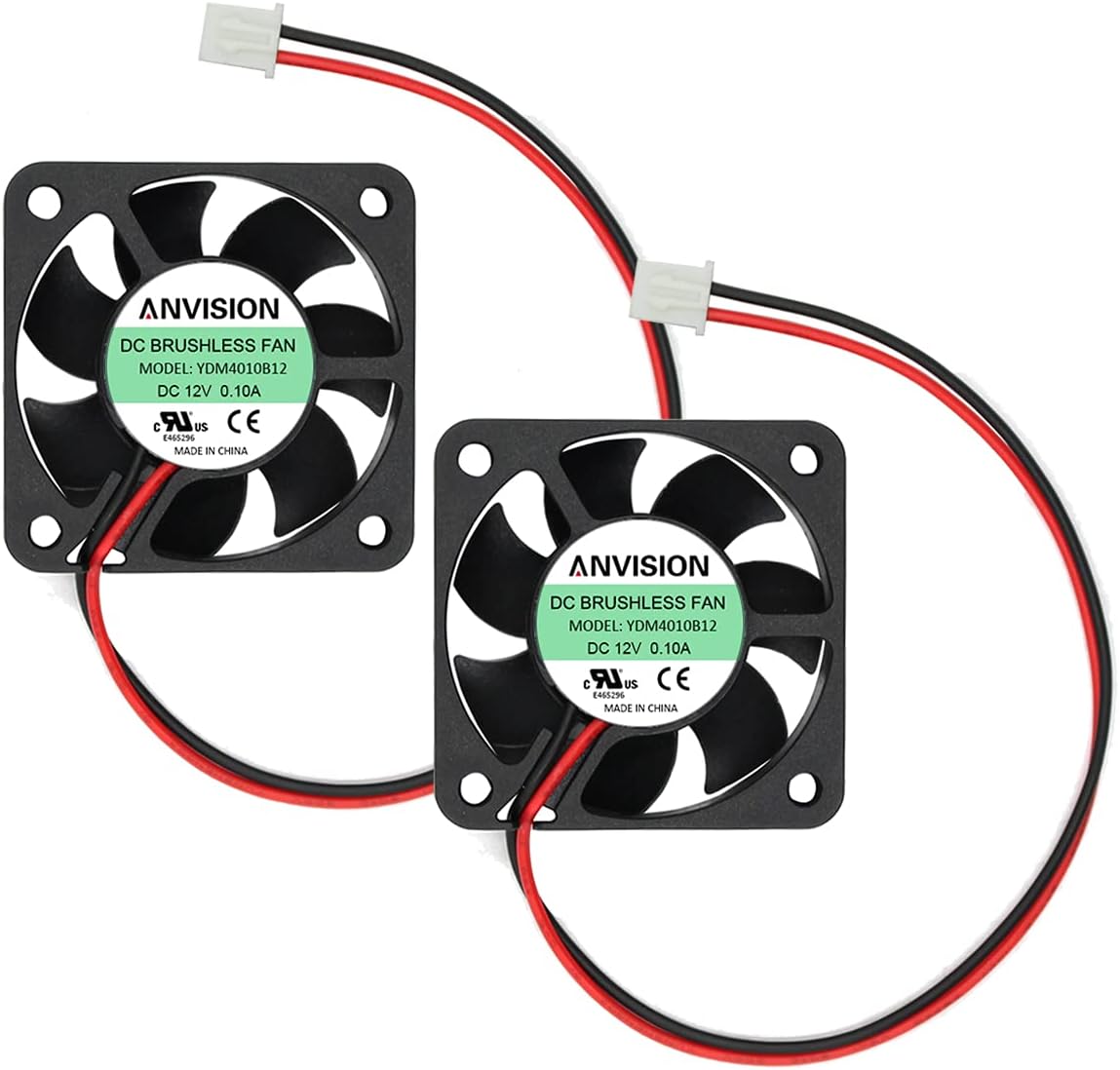
The ANVISION 2-Pack offers excellent value for projects requiring multiple fans or replacements. Its slim 10mm profile makes it suitable for tight spaces where standard 20mm fans will not fit. The dual ball bearing design adds durability over fluid dynamic bearings.
We may earn a commission when you buy through this link, at no additional cost to you.
These fans operate at 6200 RPM delivering a strong 7.56 CFM airflow. While they produce slightly more noise than top-tier options they remain within acceptable limits for most industrial or hobbyist applications. The two-pin connector is easy to wire.
The main trade-off is noise level compared to premium branded fans. However the dual bearing system ensures longevity which compensates for the slight acoustic difference. It is a practical choice for budget-conscious builds needing reliable cooling.
Buy this if you need multiple slim fans for a project like a router mod or a server rack. The two-pack format ensures you have a spare ready. It provides solid performance at a very competitive price point.
The 10mm thickness allows installation in enclosures where height clearance is extremely limited.
Dual ball bearings are generally more resistant to dust and heat than sleeve bearings.
We may earn a commission when you buy through this link, at no additional cost to you.
The Noctua NF-A4x10 FLX is designed for users who need the thinnest possible fan without sacrificing airflow performance. It delivers 4500 RPM with a maximum noise level of only 17.9 dB. This makes it perfect for noise-sensitive environments.
We may earn a commission when you buy through this link, at no additional cost to you.
Its FLX version includes a Low-Noise Adaptor that reduces speed to 3700 RPM for even quieter operation. The A-series frame design optimizes airflow to reduce turbulence. It is ideal for 3D printers and network equipment requiring minimal disturbance.
While it lacks PWM control this model relies on voltage adjustment or the included adaptor for speed control. This simplicity is a plus for users who prefer a straightforward setup without complex wiring. The build quality remains premium throughout.
Choose this fan if you are upgrading a router or NAS that has a tight enclosure. The slim profile fits where others do not. It ensures your components stay cool without adding unwanted noise to your workspace.
Flow Acceleration Channels guide air smoothly through the blades to maximize cooling efficiency.
The included OmniJoin adaptor set allows connection to various proprietary headers easily.
We may earn a commission when you buy through this link, at no additional cost to you.
This unique fan is specifically engineered for cooling RC car motors rather than standard electronics. It can reach speeds up to 16000 RPM which is far higher than typical PC fans. The metal construction ensures durability against impacts and heat.
We may earn a commission when you buy through this link, at no additional cost to you.
It fits 1/8 and 1/10 scale RC motors perfectly preventing overheating during high-speed runs. The reverse polarity protection safeguards your battery and fan from damage if wired incorrectly. It is a specialized tool for hobbyists.
The trade-off is that it is not suitable for standard server or printer use due to its specialized mounting and power needs. It is designed purely for mobility and high-speed rotation. The carbon fan cover adds extra protection.
If you are building a high-performance RC car this fan is essential for motor longevity. It keeps the motor temperature down during intense use. Its specialized design ensures it fits the motor housing securely without wobble.
The 16000 RPM capability ensures rapid heat dissipation for powerful motors.
Reverse polarity protection prevents accidental damage during installation.
We may earn a commission when you buy through this link, at no additional cost to you.
The GDSTIME 24V fans are perfect for 3D printers and other electronics running on 24V power systems. They replace broken hotend fans easily and come in a convenient two-pack. The hydraulic bearing ensures quiet operation and long life.
We may earn a commission when you buy through this link, at no additional cost to you.
These fans provide 6000 RPM speed and 6.78 CFM airflow which is sufficient for most printing applications. The hydraulic bearing design offers a good balance of noise reduction and longevity. It is ideal for tight spaces.
The main limitation is voltage compatibility. Ensure your device supports 24V before purchase. The plastic housing is standard for this price range but may not be as robust as metal fans. It serves well for non-critical cooling tasks.
Choose this option for Ender 3 printers or similar devices needing a cheap reliable replacement. The 24V match is critical. It keeps the build cool without costing much. The two-pack ensures you always have a spare on hand.
Hydraulic bearing technology minimizes noise during extended periods of use.
Includes mounting screws and extension cables for flexible setup options.
We may earn a commission when you buy through this link, at no additional cost to you.
The WINSINN five-pack is an excellent choice for projects needing multiple fans like cooling a multi-unit server or DIY PC case. The slim 10mm size fits easily into tight spaces. It offers solid airflow at 5000 RPM.
We may earn a commission when you buy through this link, at no additional cost to you.
Hydraulic bearing technology ensures quiet and maintenance-free operation for up to 35,000 hours. The 30cm cable provides flexibility for wiring. It is CE FCC and ROHS certified meeting international safety standards for electronics cooling.
While it lacks PWM control and advanced features it delivers reliable cooling for the price. The five-pack format offers great value for bulk needs. It is best used in environments where noise is not the primary concern.
Buy this if you need to cool several small components or want extra spares. The hydraulic bearing ensures long life without oiling. It fits standard 12V systems and works well for Raspberry Pi and similar boards.
The 30cm cable allows for easier routing in cramped or complex assemblies.
International safety certifications ensure the fan meets environmental and electrical standards.
We may earn a commission when you buy through this link, at no additional cost to you.
This model combines the slim 10mm profile with 24V PWM control making it ideal for modern 3D printers like Creality Ender 3. It offers automatic speed control and superior quiet performance. The Noctua quality ensures reliability.
We may earn a commission when you buy through this link, at no additional cost to you.
It runs at up to 5000 RPM and includes a NA-AC9 adaptor for common printer headers. The SSO2 bearing provides over 150,000 hours of life. It is protected against reverse polarity and overvoltage for safety.
The price is higher but the features justify it for critical cooling needs. The slim size fits hot ends perfectly without obstruction. PWM control allows dynamic cooling adjustments which helps print quality.
If you run a 24V printer this is the top pick for precision and quietness. It improves printing performance significantly. The included adaptors make setup easy. It is a premium investment for serious hobbyists.
Designed specifically for 24V systems common in modern 3D printers and industrial gear.
4-pin PWM allows precise speed regulation via compatible control headers.
We may earn a commission when you buy through this link, at no additional cost to you.
The NF-A4x20 FLX offers a standard 20mm depth in a slim frame which provides more airflow than thinner models. It is ideal for 1U servers and storage equipment. The FLX version includes adaptors for speed tuning.
We may earn a commission when you buy through this link, at no additional cost to you.
It reaches 5000 RPM and runs very quietly. The 3-pin Molex connector works with most systems. Anti-vibration mounts and a robust frame ensure stable operation. The MTTF rating is over 150,000 hours.
The lack of PWM control means speed is managed via voltage or adaptors. This simplifies wiring but limits dynamic control. It is perfect for fixed-speed cooling needs. The quality remains top-tier throughout.
Choose this for general server or NAS cooling where standard size fits. It balances performance and silence well. The adaptors allow fine-tuning. It is a reliable replacement for noisy original equipment fans.
The 20mm depth offers more airflow capacity than 10mm slim fans.
Included Low-Noise Adaptor reduces speed for near-silent operation.
We may earn a commission when you buy through this link, at no additional cost to you.
The ARCTIC S4028-15K is a powerhouse designed for high resistance airflow situations. With a 28mm depth and up to 15000 RPM speed it pushes more air through restricted areas. It is great for radiators and dense server cases.
We may earn a commission when you buy through this link, at no additional cost to you.
It uses dual ball bearings for durability and offers a wide speed range. PWM control allows you to adjust speed from 1400 to 15000 RPM. The 4-pin connector works with standard headers easily. It handles dust well.
The main trade-off is noise and size. At max speed it is loud. The 28mm depth may not fit tight slots. However for performance where resistance is high it outperforms thinner models significantly.
Use this for high-performance cooling where airflow resistance is an issue. It is suitable for 1U server cases and radiators. The PWM control helps balance performance and noise. It is a strong all-rounder for tough tasks.
The design creates strong pressure to push air through filters and dense components.
Dual ball bearings ensure long life under high speed and heat conditions.
We may earn a commission when you buy through this link, at no additional cost to you.
The NF-A4x10 PWM combines the slim 10mm profile with advanced PWM control for dynamic speed adjustment. It offers 5000 RPM speed and remains quiet. It is ideal for servers and printers needing precise thermal management.
We may earn a commission when you buy through this link, at no additional cost to you.
It includes a Low-Noise Adaptor for 3700 RPM operation. The 4-pin connector supports 1000 to 5000 RPM range. Anti-vibration mounts and a premium frame ensure stability. It runs on 12V power standard in most PC systems.
The price is premium but the PWM control provides real advantages over fixed speed fans. You can lower noise when load is low. The build quality is consistent with other Noctua models ensuring reliability.
Select this if you need a thin fan with full PWM support. It fits tight spaces and delivers smart cooling. The included adaptors help reduce noise further. It is a top tier choice for enthusiasts.
4-pin PWM allows automatic speed adjustment based on temperature needs.
Reduces speed to 3700 RPM for near-silent operation when needed.
We may earn a commission when you buy through this link, at no additional cost to you.
Selecting the right 40mm fan requires matching specific technical parameters to your application. This guide outlines the critical factors to consider before making a purchase.
Ensure the fan voltage matches your device power supply. Most electronics use 12V or 24V. Using the wrong voltage can damage the fan or the device. Always check your board or PSU specs.
Verify voltage before buying to ensure safe operation.
Check your board header type. Common types include 2-pin 3-pin and 4-pin PWM. A 4-pin connector allows PWM speed control. A 2-pin is simpler but lacks speed variation. The adapter may be needed for proprietary headers.
Match the connector to your header or buy an adapter.
40mm fans come in different depths like 10mm 20mm or 28mm. Ensure your enclosure has enough space for the depth. A standard 20mm provides more airflow but a 10mm is better for tight spaces.
Measure your enclosure to find the correct depth.
Noise is measured in decibels dB. Lower dB means quieter operation. For home or office use look for under 20 dB. For industrial environments higher noise is acceptable. PWM fans often reduce noise by running slower.
Prioritize low dB ratings for silent environments.
Ball bearings last longer and handle dust better than sleeve bearings. Hydraulic bearings offer a middle ground. For long-term use invest in ball bearings. Sleeve bearings are cheaper but may wear out sooner in high heat.
Choose ball bearings for durability and long life.
Airflow (CFM) measures volume while static pressure measures force. For open spaces airflow is key. For restricted areas filters or heatsinks static pressure is vital. High pressure fans push air through resistance better.
Match airflow to your cooling path requirements.
Anti-vibration mounts reduce noise and protect the fan frame. Screws and gaskets should be included. For RC cars specific brackets may be required. For PCs standard screw patterns apply.
Confirm mounting hardware is included in the package.
A longer warranty indicates confidence in quality. Noctua offers 6 years on many models. Generic brands may offer 1 year. Check return policies and support availability for long-term peace of mind.
Look for extended warranties for critical cooling tasks.
Install the fan ensuring airflow direction matches your needs. Arrows on the frame show flow direction. Secure the fan with screws and vibration mounts to reduce noise and vibration transfer.
Clean the blades periodically to remove dust. Use compressed air to blow out debris from the blades and bearings. Dust buildup increases noise and reduces cooling efficiency over time.
Monitor the fan speed and noise levels. If noise increases drastically it may indicate bearing wear. Replace the fan if it stops spinning or vibrates excessively to prevent overheating.
Choose a voltage that matches your power supply. Most electronics use 12V while modern 3D printers often use 24V. Check your device specs. Using the wrong voltage can cause damage.
Only fans with a 4-pin connector support PWM speed control. Check the product description. If your header is 3-pin or 2-pin PWM speed control is not available unless you use an adapter.
Use the included screws and anti-vibration mounts. Ensure airflow direction aligns with your cooling needs. Tighten screws evenly to prevent frame stress. Use brackets for specialized setups like RC cars.
The 20mm fan provides more airflow due to larger blade sweep. The 10mm fan fits tighter spaces. Choose 20mm for general cooling and 10mm for restricted enclosures like routers.
Quality fans like Noctua last over 150,000 hours. Generic fans last around 30,000 to 40,000 hours. Bearing type and operating temperature affect lifespan. Ball bearings generally last longer than sleeve bearings.
Yes but ensure voltage and connector match. Printers often need 24V for hotend cooling. Noctua offers specific 24V versions. Check if your printer uses a JST or Molex connector for compatibility.
Noise can come from bearing wear or unbalanced blades. Dust buildup also causes noise. Use anti-vibration mounts to reduce transfer. If noise persists replace the fan to avoid overheating.
Yes 40mm fans are common in 1U servers. Ensure high static pressure models are used for restricted airflow. Look for redundant fan support if your server supports dual fans.
We explored ten top fans ranging from Noctua premium quiet options to budget-friendly alternatives for 3D printers and RC cars. The Noctua NF-A4x20 PWM leads for overall reliability and silence.
For specific applications choose the GDSTIME 24V pack for printers or the Surpass Hobby fan for RC motors. Ensure voltage and connector match before buying to avoid compatibility issues and potential damage.
Prices and stock change frequently so verify current availability on the manufacturer site or trusted retailers. Choose a model that fits your space and power supply for long-lasting performance.