
CRUA 34 Inch 165Hz UWQHD IPS Ultrawide Gaming Monitor
4.2Editor score
165Hz refresh rate
IPS panel technology
Built-in speakers
PIP PBP modes
Finding a cheap ultrawide monitor that delivers excellent performance without breaking the bank can be challenging. Today's market offers many budget-friendly options with high refresh rates and sharp resolutions ideal for work and entertainment.
We have analyzed ten top-rated ultrawide monitors to help you find the perfect fit. Our comparison covers refresh rates, panel types, connectivity, and ergonomic features to ensure you get the most value for your investment.
Each pick in this guide highlights unique strengths for different needs and budgets. Prices fluctuate frequently so always check the latest offers before purchasing to secure the best deal available today.
4.2Editor score

4.4Editor score

4.6Editor score
As an Amazon Associate we earn from qualifying purchases.
The following table provides a side-by-side overview of all ten selected ultrawide monitors. Compare key specifications like resolution, refresh rate, panel type, and connectivity options to determine which model aligns best with your specific requirements and budget constraints.


The SANSUI 34-Inch Curved Gaming Monitor stands out as a top choice for budget-conscious gamers seeking high performance. With a 200Hz refresh rate and 1ms response time it delivers fluid visuals that outperform many competitors in this price range.
We may earn a commission when you buy through this link, at no additional cost to you.
Its Fast VA panel technology provides deep blacks and high contrast ratios making it ideal for immersive gaming experiences. The AI built-in features such as AI Crosshair and Sniper Scope add unique advantages for competitive gaming without extra cost.
While it lacks built-in speakers the ergonomic stand and VESA compatibility allow for flexible desk setups. The absence of audio output is a minor trade-off given the exceptional performance metrics and price point offered by this monitor.
Gamers looking for a fast responsive display without spending premium prices will find this model highly satisfying. It balances performance and value effectively making it our top recommendation for affordable ultrawide gaming solutions.
The 200Hz refresh rate ensures ultra-smooth motion reducing blur and ghosting during fast-paced gaming sessions significantly.
Integrated AI features provide practical tools like crosshairs and scope adjustments enhancing gameplay utility directly.
We may earn a commission when you buy through this link, at no additional cost to you.
The CRUA 34 Inch 165Hz UWQHD IPS monitor offers incredible value with its IPS panel and high refresh rate. It delivers vibrant colors and wide viewing angles making it suitable for both creative work and casual gaming on a budget.
We may earn a commission when you buy through this link, at no additional cost to you.
Its 165Hz refresh rate paired with AMD FreeSync ensures smooth visuals without screen tearing. The inclusion of built-in speakers and multiple ports simplifies setup reducing the need for additional peripherals in your workspace.
While the contrast ratio is lower than VA panels the color accuracy remains strong for general tasks. The basic stand lacks height adjustment but supports VESA mounting for more versatile positioning options if needed.
For users prioritizing color quality and connectivity over premium features this monitor is an excellent entry-level choice. It proves that affordable ultrawide monitors can still offer robust performance for everyday use and gaming.
The IPS panel ensures consistent color reproduction across wide angles ideal for design and media consumption tasks.
PIP and PBP modes allow simultaneous display of multiple inputs enhancing productivity without extra monitors.
We may earn a commission when you buy through this link, at no additional cost to you.
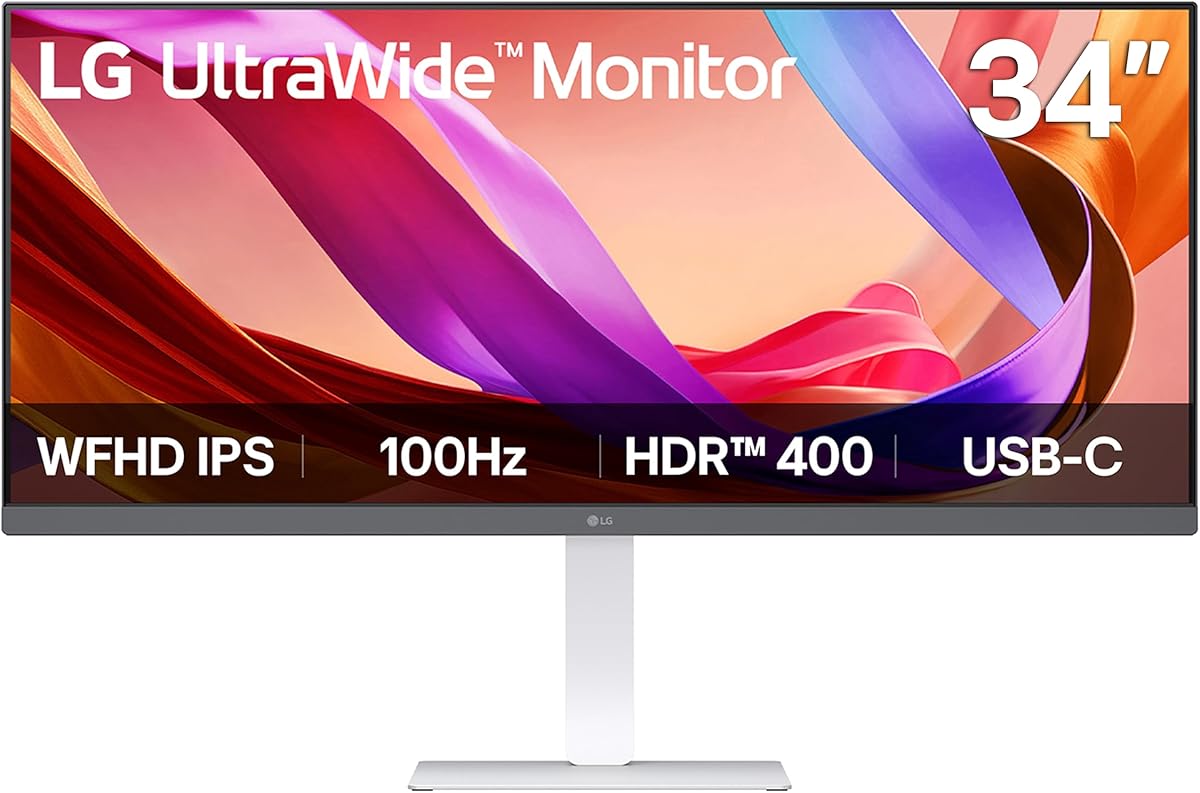
The LG 34WR55QK-B combines premium features with competitive pricing to stand out in this roundup. Its USB Type-C connectivity with 65W power delivery simplifies laptop connections making it ideal for modern mobile work setups.
We may earn a commission when you buy through this link, at no additional cost to you.
HDR10 support enhances visual depth and brightness for compatible content. The ergonomic stand allows height and tilt adjustments ensuring comfort during extended use. The three-side borderless design adds a sleek aesthetic to any desk environment.
While the refresh rate is capped at 100Hz which may not suit hardcore gamers the overall build quality and features justify the price. It is a well-rounded option for professionals seeking reliability and connectivity.
Users valuing design and connectivity over raw speed will appreciate this monitor's balanced approach. It represents a premium experience accessible at a reasonable price point for versatile work and entertainment use.
Single cable connectivity for video data and power reduces desk clutter significantly for laptop users.
Adjustable stand allows users to find the optimal viewing angle reducing neck strain during long sessions.
We may earn a commission when you buy through this link, at no additional cost to you.
The MSI PRO MP341CQ E12 focuses on eye health and smooth motion at an affordable price. Certified by TUV Rheinland it minimizes flicker and blue light making it suitable for long work sessions without fatigue.
We may earn a commission when you buy through this link, at no additional cost to you.
Its 120Hz refresh rate ensures fluid motion for casual gaming and video consumption. Adaptive Sync technology keeps frame rates synchronized with the GPU reducing tearing. Built-in speakers provide audio without external devices simplifying your setup further.
The stand offers limited tilt adjustments which may require an arm for ergonomic positioning. However the reliable performance and eye care certifications make it a strong contender for office environments prioritizing health.
Professionals seeking a comfortable and reliable display will find this monitor a solid choice. It balances practical features with affordability ensuring a pleasant viewing experience for daily productivity tasks.
Low Blue Light and Flicker Free certifications protect eyes during extended use sessions effectively.
120Hz refresh rate and Adaptive Sync ensure fluid visuals for casual gaming and media viewing.
We may earn a commission when you buy through this link, at no additional cost to you.
The LG 34U650A-B features an IPS panel with accurate colors and high USB-C power delivery. Its 96W charging capability allows it to power many laptops directly streamlining your workspace connectivity and reducing adapters.
We may earn a commission when you buy through this link, at no additional cost to you.
HDR10 support and 99% sRGB coverage deliver vibrant visuals for content creation and media consumption. The curved design wraps around your view enhancing immersion. DepthSound speakers provide full audio reducing external device needs.
The premium price reflects these high-end features though it may exceed strict budget constraints for some users. The ergonomic stand and reliable connectivity make it a worthwhile investment for professionals needing color accuracy.
Designers and professionals valuing color fidelity and seamless connectivity will appreciate this monitor. It offers a premium IPS experience with practical features that enhance daily workflow and multimedia enjoyment.
99% sRGB coverage ensures accurate color reproduction essential for creative work and media editing.
USB-C with 96W power allows single-cable connection for both video and laptop charging needs.
We may earn a commission when you buy through this link, at no additional cost to you.
Samsung's ViewFinity S50GC is designed for office productivity with smart eye care features. Its ambient light sensor adjusts brightness based on room conditions reducing eye strain. The Eye Saver Mode minimizes blue light for extended comfort.
We may earn a commission when you buy through this link, at no additional cost to you.
AMD FreeSync ensures smooth motion for casual gaming. Picture-by-Picture and Picture-in-Picture modes allow multitasking across inputs. The virtually borderless design enhances immersion and looks sleek in multi-monitor setups.
While the static contrast is decent it may lack the deep blacks of VA panels. However the reliability and productivity features make it a strong choice for business environments prioritizing visual health.
Office workers and students needing a reliable display will find this monitor practical. It balances comfort features with performance ensuring a productive work environment without unnecessary distractions.
Ambient light sensor and Eye Saver Mode dynamically adjust display settings to reduce eye strain effectively.
PBP and PIP allow simultaneous input viewing enhancing workflow efficiency without extra screens.
We may earn a commission when you buy through this link, at no additional cost to you.
This variant of Samsung's ViewFinity series offers consistent quality and comfort for work. Handpicked by Amazon it ensures reliable performance. HDR10 support enhances visuals while Eye Care features protect your vision over long periods.
We may earn a commission when you buy through this link, at no additional cost to you.
AMD FreeSync provides smooth motion. The borderless design creates an immersive viewing experience. PBP PIP modes support multitasking effectively allowing multiple workflows on one screen without clutter.
While connectivity is standard the display quality and features are robust for daily tasks. The high contrast ratio provides deep blacks enhancing media consumption. It remains a solid pick for office environments.
Users prioritizing visual comfort and multitasking will appreciate this model. It delivers consistent performance and ergonomic benefits making it a reliable choice for productivity-focused setups.
Amazon Handpicked certification ensures product reliability and quality control for a secure purchase experience.
High contrast ratio ensures deep blacks and vibrant colors enhancing overall image quality significantly.
We may earn a commission when you buy through this link, at no additional cost to you.
The Acer Nitro ED300C X1 offers a compact ultrawide experience with high speed. At 29.5 inches it fits small desks well. The 200Hz refresh rate and 1ms response make it a strong budget gaming option.
We may earn a commission when you buy through this link, at no additional cost to you.
AMD FreeSync Premium ensures smooth visuals during intense gameplay. The curved design enhances immersion. While resolution is lower than UWQHD the price and performance balance make it attractive for entry-level setups.
This model suits gamers wanting high refresh rates without large screen real estate. The low price and solid performance justify the resolution compromise for those prioritizing speed over pixel count.
Budget gamers and those with space constraints will find this monitor ideal. It delivers fast smooth performance in a compact form factor perfect for smaller workspaces.
200Hz refresh rate and 1ms response ensure fluid motion critical for competitive gaming experiences.
29.5 inch size fits tight desks making it accessible for users with limited space.
We may earn a commission when you buy through this link, at no additional cost to you.
KTC's 34 Inch Ultrawide Curved monitor delivers high performance at a competitive price. Its HVA panel offers deep contrast. The 180Hz refresh rate and adaptive sync ensure smooth gaming. The ergonomic stand provides full adjustability.
We may earn a commission when you buy through this link, at no additional cost to you.
Pivot and swivel functions allow flexible positioning. HDR support enhances visuals. The build quality is robust for the price. Connectivity options are standard but sufficient for most needs.
This model appeals to those seeking premium features without the brand premium. The 180Hz refresh rate and HVA contrast make it versatile for both gaming and media consumption effectively.
Value seekers prioritizing performance and adjustability will find this monitor excellent. It balances specs and ergonomics well offering a strong alternative to larger brands.
HVA technology delivers high contrast and vivid colors enhancing visual depth for media and games.
Full height pivot and swivel adjustments allow custom viewing angles for optimal comfort.
We may earn a commission when you buy through this link, at no additional cost to you.
The LG 34U530A-W is an entry-level pick with solid features. Its IPS panel ensures vibrant colors. USB Type-C simplifies connections. Built-in speakers add convenience. The stand allows height adjustments for ergonomic comfort.
We may earn a commission when you buy through this link, at no additional cost to you.
At 2560 x 1080 resolution the pixel density is lower than QHD but suitable for general tasks. The 100Hz refresh rate ensures smooth visuals. It serves as an accessible introduction to ultrawide computing.
While resolution is a trade-off the price and usability are strong. The height adjustable stand sets it apart from budget options lacking ergonomics. It is a practical start for casual users.
Users needing an affordable reliable ultrawide display will find this suitable. It balances essential features and comfort making it a practical choice for home offices and general use.
Height adjustable stand ensures users can find comfortable viewing positions easily reducing strain.
USB Type-C and integrated speakers simplify connection and audio needs for a tidy desk.
We may earn a commission when you buy through this link, at no additional cost to you.
Selecting the right ultrawide monitor requires balancing resolution, panel type, and features. This guide breaks down key factors to consider ensuring you find a model that fits your needs and budget effectively.
Ultrawide monitors typically feature a 21:9 aspect ratio. Common resolutions include WFHD (2560 x 1080) and UWQHD (3440 x 1440). Higher resolutions offer sharper details but may require more powerful hardware for gaming.
Choose UWQHD for clarity and detail. WFHD is adequate for general tasks and saves budget.
Refresh rate measured in Hz determines how smoothly motion appears. Higher rates like 144Hz or 165Hz reduce blur and tearing. Response time in milliseconds affects how quickly pixels change colors.
Look for at least 144Hz and under 5ms response for smooth gaming. Lower rates are acceptable for office work.
IPS panels offer better color accuracy and viewing angles. VA panels provide deeper blacks and higher contrast. For vibrant colors choose IPS. For contrast and movie viewing consider VA.
Select IPS for creative work. VA for media consumption and darker rooms.
Ensure the monitor supports your devices. HDMI and DisplayPort are standard. USB Type-C with power delivery is useful for laptops. Check port counts to connect multiple peripherals.
USB Type-C simplifies setups. Multiple ports support multitasking with various devices.
Adjustability matters for comfort. Look for tilt, height, and swivel options. VESA mounting compatibility allows use with monitor arms for better positioning and desk space saving.
Height adjustable stands reduce strain. VESA mounts offer maximum flexibility for custom setups.
Some monitors include speakers or headphone jacks. PIP and PBP modes help multitasking. HDR support enhances visuals for compatible content. AI features may offer gaming enhancements.
Built-in speakers reduce external needs. PIP PBP modes improve workflow efficiency.
Flicker Free and Low Blue Light technologies reduce eye strain. Ambient light sensors auto-adjust brightness. These features are crucial for long work hours and sensitive eyes.
Prioritize eye care tech for daily use. It protects vision during extended sessions.
Check the warranty duration and customer support quality. Some brands offer replacement options. Reliable support ensures peace of mind if defects arise after purchase.
Look for at least one year warranty. Responsive support teams are valuable for troubleshooting.
Proper calibration ensures accurate colors and comfortable viewing. Use built-in settings to adjust brightness, contrast, and color temperature based on your lighting conditions.
Clean the screen with a soft microfiber cloth. Avoid harsh chemicals that may damage the panel. Dust accumulation can be reduced with regular gentle wiping.
Position the monitor at eye level to reduce neck strain. Use VESA mounts or adjustable stands for ideal height. Take regular breaks to maintain eye health during long sessions.
Yes, ultrawide monitors offer immersive experiences by expanding peripheral vision. They enhance gameplay immersion in racing and flight sims. However ensure your GPU can handle the extra resolution for smooth performance.
3440 x 1440 (UWQHD) provides sharp text and vibrant visuals on 34-inch screens. Lower resolutions like 2560 x 1080 may appear less sharp. UWQHD is recommended for clear detail and multitasking.
Many models offer high color accuracy and sRGB coverage suitable for design. IPS panels are ideal for accurate colors. Always check color gamut specs before purchasing for professional needs.
Yes, most models include AMD FreeSync support for smooth motion. This reduces screen tearing during gaming. Always enable it in settings or GPU control panel for best results.
Use HDMI, DisplayPort, or USB Type-C if available. USB-C simplifies setup with single-cable video and data. Ensure your laptop supports the required resolution and refresh rate output.
Some models include built-in speakers but sound quality varies. If audio is critical consider external speakers. Built-in options work well for calls or casual media consumption without clutter.
Curved screens provide better immersion and uniform viewing angles. Flat screens are better for precise alignment. Consider your primary use case when deciding between curved or flat ultrawides.
60Hz is standard for office tasks but 100Hz or higher reduces flicker. Higher rates offer smoother scrolling and motion. For comfort consider refresh rates above 75Hz if available.
This guide highlights ten top options balancing performance, features, and affordability. Whether you prioritize high refresh rates or color accuracy there is a model for every need.
Focus on resolution, panel type, and connectivity when comparing models. Choose ergonomic features that match your workspace setup for maximum comfort.
Prices fluctuate frequently so check current offers before buying. Prioritize deals with good warranties to ensure long-term value and satisfaction.