
120mm AC Computer Cooling Fan
4.7Editor score
Direct wall outlet plug
Built-in speed controller
Whisper-quiet operation
AV receivers generate significant heat during operation which can lead to performance issues and shortened lifespans. A dedicated cooling fan helps maintain optimal temperatures ensuring your audio and video gear runs smoothly.
We evaluated ten leading cooling solutions focusing on noise levels airflow capacity and installation flexibility. Each product was assessed for its ability to integrate seamlessly into home theater setups without disrupting your viewing experience.
Each pick highlights key specifications and ideal use cases for different cabinet types. Please note that product availability and pricing can change so verify current details before making your final purchase decision.
4.7Editor score

4.8Editor score

4.4Editor score
As an Amazon Associate we earn from qualifying purchases.
The following table provides a side-by-side comparison of all ten products evaluated in this guide to help you quickly identify the best fit for your specific AV receiver setup.
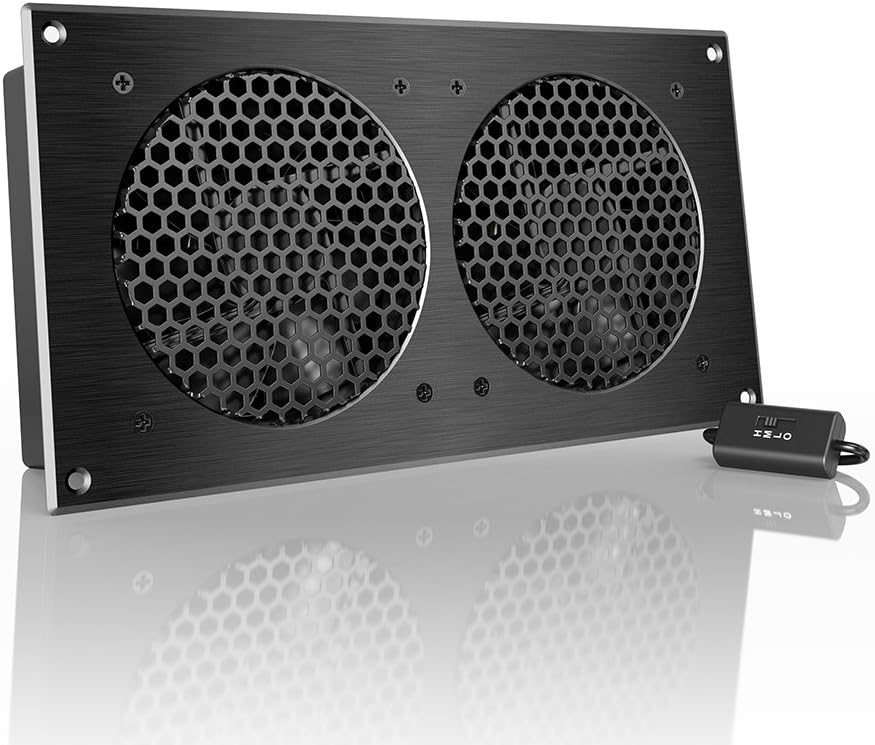


The AC Infinity AIRCOM S7 stands out as the top choice for AV receiver cooling with a 4.8 rating. It delivers powerful airflow while maintaining a whisper-quiet profile ideal for living rooms.
We may earn a commission when you buy through this link, at no additional cost to you.
Its dual dual-ball bearing fans with PWM-controlled motors ensure long life and low noise. The thermal trigger modes allow automatic speed adjustments based on temperature which protects your gear efficiently.
While it costs more than basic fans the performance and reliability justify the investment. The top-exhaust design means you need clearance above your receiver but the cooling efficiency is unmatched.
If you prioritize silence and effective heat removal this system is the best overall option. It is perfect for high-end AV receivers that run hot during extended use.
The 19 dBA noise level ensures the fan does not interfere with dialogue or sound effects during movies.
Programmable thermal triggers let the fan spin up only when needed saving energy and reducing noise.
We may earn a commission when you buy through this link, at no additional cost to you.
This compact fan offers exceptional value for AV receivers needing basic cooling without breaking the bank. Its plug-and-play design makes setup effortless for anyone.
We may earn a commission when you buy through this link, at no additional cost to you.
The direct wall outlet connection removes the need for extra adapters. The speed controller gives you control over noise and airflow ensuring it fits your environment.
While it lacks premium features the performance is solid for the price. It is slightly less powerful than top-tier units but sufficient for moderate heat loads.
For budget-conscious users this fan delivers reliable cooling. It is a practical choice for secondary receivers or less demanding setups.
Direct wall outlet compatibility means you can place it anywhere without relying on nearby USB ports.
The inline dial lets you reduce noise at night or maximize cooling during intense use.
We may earn a commission when you buy through this link, at no additional cost to you.
Noctua is known for premium cooling solutions and this kit lives up to its reputation. It is ideal for audiophiles seeking the quietest possible operation.
We may earn a commission when you buy through this link, at no additional cost to you.
The soft silicone gaskets and offset design minimize vibrations which is critical for high-fidelity audio systems. The included controller allows precise speed adjustments.
The high price might be hard to justify for casual users but the quality is evident. It is a long-term investment for protecting expensive equipment.
Choose this if you demand top-tier performance and silence. It excels in environments where any noise is unacceptable.
Extra-soft silicone pads isolate the fan motor to prevent vibrations from affecting sensitive audio components.
The set works with receivers routers and consoles making it a versatile solution for mixed equipment racks.
We may earn a commission when you buy through this link, at no additional cost to you.
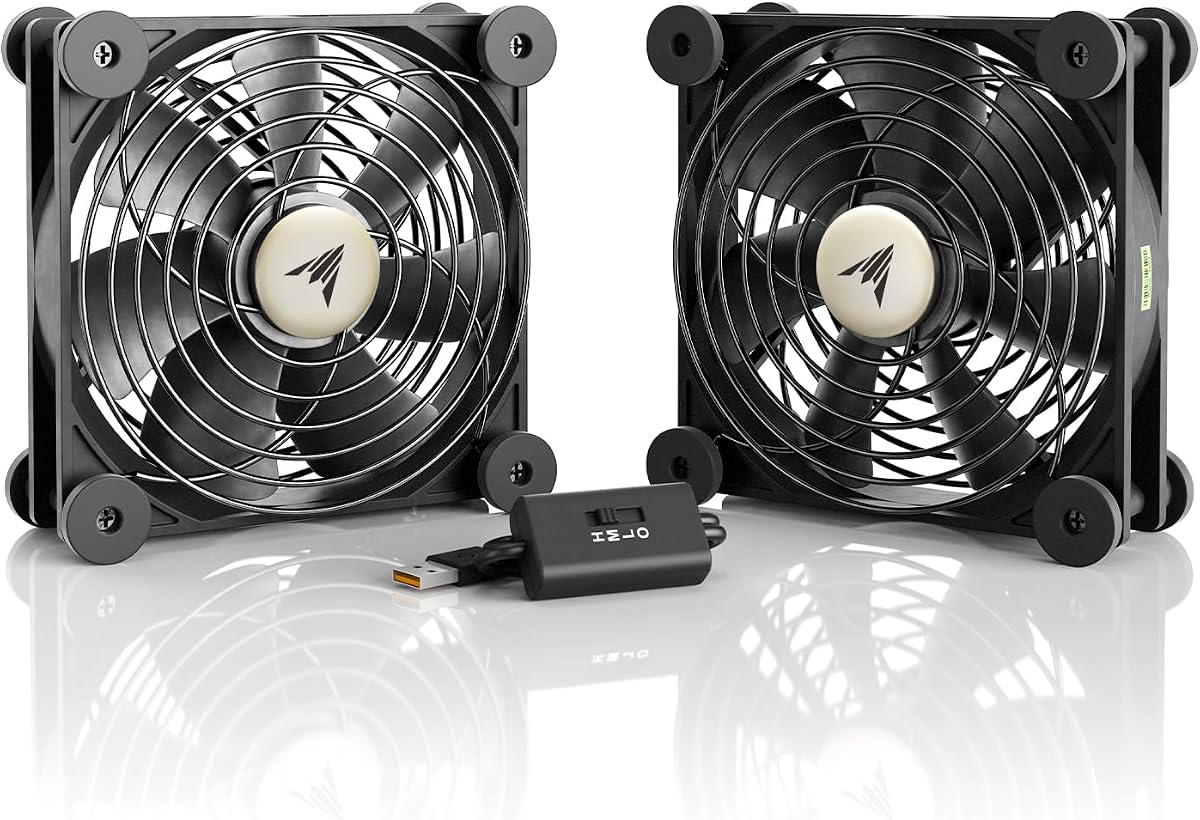
This dual fan setup provides strong cooling using USB power which is convenient for modern AV gear. It is designed to be laid flat or stand upright.
We may earn a commission when you buy through this link, at no additional cost to you.
The dual-ball bearings offer an impressive 67000 hour lifespan ensuring long-term reliability. The speed controller helps balance noise and airflow.
It moves less air than larger AC systems but is perfect for tight spaces. The USB power means one less cable to manage.
Ideal for users with available USB ports on their receiver. It offers a balance of performance and convenience.
Powering from a USB port simplifies cabling and reduces clutter around your entertainment center.
High-quality bearings ensure the fans run reliably for years without needing replacement.
We may earn a commission when you buy through this link, at no additional cost to you.
The AIRPLATE S7 is built specifically for cabinets with its sleek CNC machined aluminum frame. It blends into home theater setups without drawing attention.
We may earn a commission when you buy through this link, at no additional cost to you.
Powering via wall outlet or USB gives flexibility. The Turbo adapter boosts airflow by 25% when needed for extra heat dissipation.
It fits well in enclosed spaces where airflow is limited. The design prioritizes aesthetics alongside cooling performance.
Select this for enclosed AV cabinets where looks matter. It is a stylish and effective cooling solution.
The frame and ventilation are engineered to fit seamlessly behind cabinet doors or screens.
Choose between USB convenience or direct wall power depending on your cabinet layout.
We may earn a commission when you buy through this link, at no additional cost to you.
This fan is designed to fit existing cabinet gaps without drilling holes. It is perfect for renters or those wary of damaging furniture.
We may earn a commission when you buy through this link, at no additional cost to you.
The door gap design exhausts hot air efficiently. USB power makes it easy to connect to nearby electronics.
It has a lower rating than premium options but offers good value for specific setups. Check door gap measurements before buying.
Choose this if you need a non-invasive solution. It keeps cabinets cool while preserving their appearance.
Mounting brackets allow secure installation without screws or permanent modifications to your cabinet.
The design channels heat out through door gaps keeping internal temps lower.
We may earn a commission when you buy through this link, at no additional cost to you.
Another no-drill option this fan focuses on slim profiles for tight spaces. It fits narrow cabinets where other fans might not.
We may earn a commission when you buy through this link, at no additional cost to you.
USB power ensures simple connectivity. The low noise makes it suitable for quiet environments.
It is a solid mid-range choice for standard cabinets. Verify dimensions match your door gaps.
Opt for this if you need a slim fan. It balances cost and cooling effectively.
The ultra-slim design allows installation in media consoles with very limited clearance.
Just plug into a USB port to get started without extra adapters.
We may earn a commission when you buy through this link, at no additional cost to you.
This fan uses a specialized Gap-Flow design to pull heat out through door edges. It is ideal for server racks or media cabinets.
We may earn a commission when you buy through this link, at no additional cost to you.
Installation takes under sixty seconds with non-destructive brackets. The quiet operation is key for living rooms.
Performance is good for the price. Ensure your cabinet has the necessary clearance for the gap flow.
Best for tight cabinets needing quick fixes. It is a practical solution for electronics enclosures.
Non-destructive brackets allow you to mount the fan without tools or screws.
The design directs airflow through existing slots maximizing cooling efficiency.
We may earn a commission when you buy through this link, at no additional cost to you.
This fan offers two 140mm fans in one unit. It is a good option for multiple devices needing cooling.
We may earn a commission when you buy through this link, at no additional cost to you.
The 3-speed control allows customization. USB daisy chaining means you can power multiple fans easily.
It has less airflow than premium units but covers a wider area. Sleeve bearings are less durable but acceptable for light use.
Pick this for multi-device setups on a budget. It provides decent coverage and control.
Connect multiple USB fans to a single port to extend cooling across larger setups.
Switch between low medium and high settings to match your cooling needs.
We may earn a commission when you buy through this link, at no additional cost to you.
This fan features two 120mm fans for ample airflow. It is compact enough for crowded shelves.
We may earn a commission when you buy through this link, at no additional cost to you.
Hydraulic bearings ensure longevity. The USB power allows easy connection without extra cables.
On high speed it may produce noise but low is nearly silent. It offers good value for large fans.
Choose this for multi-device or large AV setups. It balances size and cooling.
Two 120mm fans move more air than single fans covering larger areas.
These bearings provide longer life and quieter operation than standard bushings.
We may earn a commission when you buy through this link, at no additional cost to you.
Selecting the right cooling fan requires understanding airflow noise and compatibility.
Airflow measured in CFM determines how much air moves per minute. Higher CFM values better heat removal. Look for at least 100 CFM for powerful units.
Choose high CFM for heat-generating AV receivers to ensure effective cooling.
Noise measured in dBA affects your home theater experience. Lower values are quieter. Aim for 20 dBA or less for silent operation during movies.
Prioritize low dBA ratings to avoid distracting noise from your audio system.
Fans may use USB AC wall outlets or battery power. USB is convenient but limited by port availability. AC offers consistent power but needs an outlet.
Select a power source that matches your setup accessibility and power availability.
Dimensions must match your cabinet or space. Slim profiles fit tight spots. Measure your cabinet openings before buying.
Ensure the fan fits without obstructing vents or other equipment.
Mounting options include screw-on clips or gap designs. No-drill options preserve furniture but may be less stable.
Choose mounting that balances security with ease of installation.
Bearing type affects lifespan. Ball bearings last longer than sleeve bearings. Check for high hour ratings.
Opt for models with high-quality bearings for long-term reliability.
Adjustable speed lets you balance noise and cooling. Controllers help optimize performance. Ensure your fan has this feature.
Select fans with adjustable speed to adapt to different conditions.
Prices range from budget to premium. Set a budget but consider long-term value. Higher cost often brings better performance.
Balance cost with needed features to avoid overspending.
Place the fan where airflow is best often behind or below your receiver. Ensure it faces outward to exhaust heat.
Connect the fan to a stable power source. Turn it on and adjust speed based on noise or temperature.
Clean the fan regularly with a soft cloth to prevent dust buildup. Check connections periodically to avoid issues.
Yes a cooling fan helps circulate air to dissipate heat preventing overheating. It extends component life and avoids performance issues.
Good fans run below 20 dBA which is nearly silent. Check noise ratings to ensure it fits your quiet environment.
No many fans use gap or no-drill designs. These fit existing vents without damaging furniture.
Yes many fans use USB power from your receiver or charger. This simplifies installation.
Measure your cabinet first. Common sizes are 120mm to 240mm. Slim profiles fit narrow spaces.
Fans with ball bearings last 60000 hours or more. Regular cleaning extends life.
Speed controllers help adjust noise and cooling. They are useful for varying conditions.
AC fans offer consistent power but USB is convenient. Choose based on your outlet access.
The top picks like the AC Infinity AIRCOM S7 offer best-in-class performance. They balance noise and airflow effectively.
Prioritize airflow capacity and noise levels for your space. Consider mounting styles to fit your furniture.
Always verify current prices and availability before buying. These guides help you choose the best cooling fan for your AV receiver.