
Dell Tower Desktop
4.4Editor score
Intel Core Ultra 7 processor
32GB RAM included
Tool-less upgrade access
Discover the best desktop computers for home use in October 2026. This guide compares top models from Dell, HP, and Lenovo for performance, storage, and value.
Finding the right desktop computer for home use can be challenging with so many options available. You need a machine that balances performance, reliability, and value for your specific needs. Whether you work from home or entertain the family, the right desktop makes all the difference.
We have carefully evaluated the top models on the market based on processor power, memory capacity, storage speed, and connectivity options. Our analysis focuses on systems that deliver smooth performance for everyday tasks without unnecessary bloat or complexity for the average user.
Each pick in this guide highlights key strengths and ideal use cases to help you decide quickly. Remember that availability and pricing can change frequently, so check current listings before making your final purchase decision for your home office setup.
4.4Editor score

4.5Editor score

4.6Editor score
This side-by-side comparison highlights the core specifications of each selected desktop computer to help you quickly identify the best fit for your home computing requirements and budget constraints.



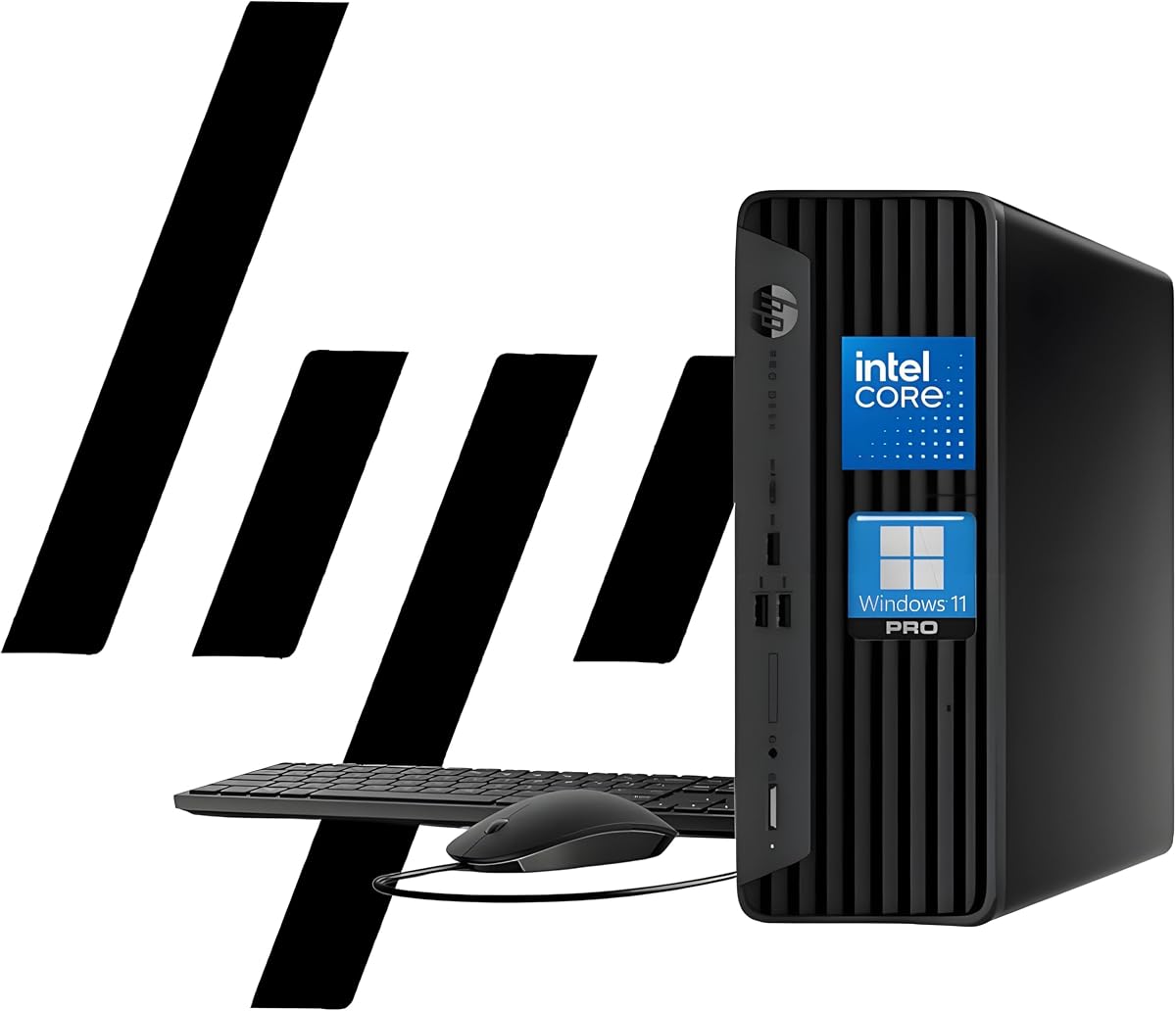


The Dell Slim Desktop stands out as the best overall desktop for home use with its Intel Core Ultra 5 processor. It combines modern AI capabilities with a compact design that fits well in any living space or home office environment.
We may earn a commission when you buy through this link, at no additional cost to you.
This system supports up to four FHD monitors or two 4K displays for immersive multitasking. The tool-less entry design makes hardware upgrades convenient without needing special tools. It also includes 1 Year Onsite Service for quick professional support when needed.
While the 512GB SSD provides solid speed, users needing massive local storage should consider external drives. The fixed RAM configuration may limit future upgrades compared to traditional tower designs with full access panels.
Home office professionals and students who value a clean setup will appreciate this desktop. Its balance of AI-enhanced performance, multiple display support, and professional service makes it the top pick for versatile home computing needs.
Built-in AI accelerates tasks and creativity for smarter everyday computing experiences.
Connect up to four displays for seamless multitasking across windows and applications.
We may earn a commission when you buy through this link, at no additional cost to you.
The Dell Tower Desktop delivers premium performance with its Intel Core Ultra 7 processor and generous 32GB RAM. This configuration handles demanding workloads smoothly while maintaining a modern aesthetic suitable for contemporary home offices.
We may earn a commission when you buy through this link, at no additional cost to you.
Users benefit from support for up to four FHD monitors or dual 4K displays. The tool-less entry and removable side panel simplify component access for future upgrades. It also features hardware TPM security and padlock loop for physical data protection.
The higher price reflects the top-tier specifications and build quality. The tower design requires more desk space than slim alternatives. These trade-offs are acceptable for users prioritizing raw performance and expandability.
Power users and professionals managing complex projects will find this tower ideal. Its combination of high-speed processing, ample memory, and multi-display support makes it the best premium option for demanding home computing scenarios.
32GB RAM ensures smooth operation across multiple heavy applications simultaneously.
Connect multiple monitors using DisplayPort or HDMI for expansive virtual workspace.
We may earn a commission when you buy through this link, at no additional cost to you.
The Lenovo IdeaCentre Tower offers outstanding value with its 10-core Intel Ultra 5 processor and 16GB DDR5 RAM. It delivers modern performance at a budget-friendly price point while including essential peripherals for immediate setup.
We may earn a commission when you buy through this link, at no additional cost to you.
This system supports up to 64GB DDR5 RAM and 4TB PCIe SSD for future growth. It includes a wired keyboard and mouse for plug-and-play convenience. Wi-Fi 6E and Bluetooth 5.1 provide fast wireless connectivity options.
The fixed 512GB SSD may require external storage for large media libraries. Integrated graphics limit gaming performance but suit daily computing tasks well. These limitations are reasonable given the competitive pricing.
Students and families seeking reliable computing without overspending should consider this tower. Its strong processor, expandable memory, and included accessories make it the top budget choice for versatile home use.
DDR5 RAM provides faster speeds and efficiency for modern software demands.
Includes keyboard and mouse for immediate use without additional purchases.
We may earn a commission when you buy through this link, at no additional cost to you.
The HP 2026 Desktop Tower provides robust performance with its 8-Core Intel i7-11700F processor and 16GB DDR4 RAM. It handles multitasking and productivity software smoothly without slowdowns for professional home use.
We may earn a commission when you buy through this link, at no additional cost to you.
A spacious 1TB PCIe SSD offers fast boot times and ample room for files. The package includes keyboard and mouse for ready-to-use convenience. It supports casual entertainment with GeForce GT 610 graphics and multiple ports.
This model uses a previous generation processor compared to newer Ultra series. Graphics are basic for light gaming or media only. These trade-offs keep the price affordable for budget-conscious professionals.
Remote workers and students needing a complete solution will find this tower ideal. Its balance of processing power, storage capacity, and included accessories makes it a solid choice for family home office setups.
8-Core processor handles multiple applications smoothly without performance drops.
1TB PCIe SSD provides fast access and room for growing file collections.
We may earn a commission when you buy through this link, at no additional cost to you.
The HP Desktop Computer Tower PC fits well in tight spaces with its compact microtower design. It offers solid performance with Intel Core i5 and 16GB RAM for general family computing needs.
We may earn a commission when you buy through this link, at no additional cost to you.
Fast 256GB PCIe SSD ensures quick boot and app launches. It includes USB Type-C and multiple USB ports for versatile connectivity. Dedicated graphics support light gaming and multiple monitors via HDMI.
Storage capacity is limited for large media collections. Users may need external drives for full media libraries. This is acceptable for document-focused households prioritizing speed and space efficiency.
Small families and students needing a space-saving solution will appreciate this tower. Its quiet operation, instant loading, and compact size make it ideal for shared home workspaces.
Compact tower fits on desks or entertainment centers without taking much space.
SSD storage delivers instant boot-up and fast application launches.
We may earn a commission when you buy through this link, at no additional cost to you.
The Dell Optiplex 3060 offers exceptional value as a renewed system with 32GB RAM and 1TB SSD. It runs Windows 11 Professional for enhanced security and remote desktop capabilities for home offices.
We may earn a commission when you buy through this link, at no additional cost to you.
Built-in WiFi and Bluetooth enable seamless wireless connections. USB 3.0 ports and display outputs support versatile peripheral use. Quality guarantee and free tech support provide confidence in the purchase.
The 8th Gen processor may lag behind newer models in speed. Refurbished units show signs of previous use though tested thoroughly. These factors keep pricing low for budget buyers.
Cost-conscious buyers needing professional features will find this system suitable. Its high memory, large storage, and Windows 11 Pro make it a smart choice for value-oriented home office use.
Windows 11 Pro includes tools for remote access and enhanced security.
Renewed certification ensures reliable performance at a reduced price point.
We may earn a commission when you buy through this link, at no additional cost to you.
The HP ProDesk 400 G9 combines compact SFF design with enterprise-grade reliability. It features 32GB RAM and 1TB PCIe SSD for smooth business operations and data handling.
We may earn a commission when you buy through this link, at no additional cost to you.
Dual 4K display support enhances productivity for financial or data tasks. USB-C and multiple ports offer flexible connectivity. TPM 2.0 and HP Wolf Security provide advanced data protection.
The Celeron processor suits daily computing but not heavy processing. Configurations are fixed without user upgrade options. These limits ensure stability for business-focused home users.
Professionals needing secure, compact computing will value this desktop. Its high memory, dual display support, and business features make it ideal for home offices prioritizing reliability.
TPM 2.0 and Wolf Security deliver robust protection for sensitive data.
Dual 4K monitor support expands workspace for complex workflows.
We may earn a commission when you buy through this link, at no additional cost to you.
The Dell 2026 Edition Tower brings DDR5 RAM and 14th Gen Intel to home users. This configuration ensures ultra-responsive speed for business workloads and continuous daily operations.
We may earn a commission when you buy through this link, at no additional cost to you.
Massive 1TB NVMe SSD stores large files easily. It supports up to dual 4K monitors for financial trading or content preview. MediaTek Wi-Fi 6 and Bluetooth provide seamless wireless performance.
i3 processor limits multi-threaded heavy tasks. Integrated graphics suit basic displays not gaming. These trade-offs keep the price balanced with memory speed.
Professionals needing fast RAM and display output will appreciate this system. Its optimized design and modern specs make it suitable for data analysis home office work.
DDR5 RAM eliminates lag during heavy multi-application processing.
Optimized airflow layout ensures system longevity during daily use.
We may earn a commission when you buy through this link, at no additional cost to you.
The HP 2026 Desktop delivers 12th Gen performance with Intel i5-12500 and 16GB RAM. It suits home office workers juggling multiple applications and small business owners managing inventory.
We may earn a commission when you buy through this link, at no additional cost to you.
512GB PCIe SSD offers fast boot and file access. Includes keyboard and mouse for out-of-box readiness. Lifetime Office 365 web access provides essential tools without subscription.
Integrated graphics limit heavy media processing. Storage may fill quickly for large video projects. These limits are acceptable for standard productivity needs.
Students and professionals needing reliable daily tools will find this desktop ideal. Its strong processor, included accessories, and Office 365 make it a practical home work choice.
Lifetime Office 365 on the web enables document creation without cost.
Eight USB ports ensure compatibility with all peripherals and devices.
We may earn a commission when you buy through this link, at no additional cost to you.
The Dell Pro Tower Desktop combines DDR5 memory with Windows 11 Pro for secure home computing. It delivers smooth multitasking for business applications and everyday productivity tasks.
We may earn a commission when you buy through this link, at no additional cost to you.
16GB DDR5 RAM ensures seamless multitasking. It includes Kensington lock slot and padlock loop for physical security. Multiple USB-C and USB 3.2 ports offer flexible peripheral connections.
Processor choice favors stability over heavy multi-threaded work. Integrated graphics suit general display needs not gaming. These trade-offs support consistent professional performance.
Small businesses and professionals needing secure setups will appreciate this tower. Its DDR5 speed, Pro features, and compact design make it reliable for consistent daily work.
Windows 11 Pro and lock slots protect data and hardware physically.
USB-C and USB 3.2 support fast data transfer with peripherals.
We may earn a commission when you buy through this link, at no additional cost to you.
Selecting the right desktop for home use involves evaluating several key factors that impact performance and longevity. This guide walks you through the essential considerations to ensure you choose a system that meets your needs.
The processor determines how fast and smoothly your computer handles tasks. Look for models with modern Intel Core i5 or higher for general home use. Advanced features like built-in AI can enhance productivity and creativity.
Prioritize newer generation processors for better efficiency and future compatibility with software updates.
RAM affects your ability to multitask without slowdowns. 16GB is a solid baseline for most households today. More memory like 32GB helps if you run several apps simultaneously.
Choose DDR5 RAM if available for faster speeds and improved energy efficiency.
Solid State Drives provide faster boot times and application loading than traditional hard drives. At least 512GB is recommended for adequate file space. Larger 1TB options suit families with extensive media collections.
Ensure the drive type is PCIe SSD for optimal performance in daily operations.
Windows 11 Home offers a familiar interface for most users. Pro editions add remote desktop and enhanced security features for business needs. Consider which version aligns with your workflow requirements.
Look for included licenses that match your intended usage scenarios.
Modern ports like USB-C, HDMI, and DisplayPort allow versatile device connections. Built-in Wi-Fi 6 ensures fast wireless internet. Multiple USB ports support peripherals like printers and drives.
Check that the system includes necessary adapters or ports for your existing setup.
Compact SFF or Slim models save desk space in small home offices. Tower designs may offer easier internal access for upgrades. Consider your available surface area before purchasing.
Choose a form factor that fits your workspace without causing clutter.
Hardware TPM chips and physical lock slots protect against unauthorized access. Windows 11 Pro includes BitLocker encryption for sensitive data. Business models often emphasize these security elements more than consumer ones.
Evaluate security needs based on the type of work you do at home.
Onsite service options reduce downtime if hardware issues arise. Standard warranties typically cover parts for one year. Extended plans may offer peace of mind for long-term home use.
Check manufacturer support policies and availability in your region before buying.
Start by placing your desktop on a stable surface with adequate ventilation. Avoid blocking air vents to prevent overheating during extended use. Use a surge protector to shield components from power spikes.
Keep the system clean by dusting exterior surfaces weekly with a soft cloth. Avoid using liquids directly on ports or cases. Check internal fans periodically if you upgrade hardware.
Update drivers and system software regularly for security and performance. Install antivirus software and enable built-in Windows security features. Back up important data to external drives or cloud storage routinely.
Desktops offer more power, better cooling, and easier upgrades compared to laptops. They are ideal for fixed workspaces where portability is not needed. You can connect multiple monitors and peripherals for enhanced productivity.
16GB of RAM is sufficient for most everyday tasks like browsing, streaming, and office work. If you multitask heavily or use photo editing software, 32GB provides extra headroom for smooth performance.
Many models allow adding extra drives through internal slots or USB ports. Check specific specs to confirm expansion capabilities. Slim models may have limited internal space but support external SSDs easily.
Integrated graphics are adequate for video streaming, browsing, and light gaming. Dedicated cards are only necessary for intensive gaming or video editing workloads. Most systems here rely on integrated solutions.
Windows 11 Pro adds features like remote desktop, BitLocker encryption, and better business management tools. Home is simpler and cheaper for personal tasks. Choose Pro if you need those advanced security or connectivity options.
Yes, all listed systems include built-in Wi-Fi and ports for webcams. Their processors and RAM handle multi-party calls smoothly. Ensure you have external microphone or headset quality for best audio.
Quality desktops last 5 to 7 years with proper care and maintenance. Upgrading RAM or storage can extend usability. Regular software updates and dust cleaning help maintain performance.
Many models come with wired keyboard and mouse sets. Some premium or business options may not include them. Check product details carefully to confirm included accessories before purchasing.
We highlighted the Dell Slim Desktop as the best overall choice for its AI capabilities and multi-monitor support. The Dell Tower Desktop leads in premium performance while the Lenovo IdeaCentre offers top budget value.
Prioritize processor generation, RAM capacity, and SSD speed based on your workload needs. Consider your available space and required ports before making a decision to ensure fit.
Prices and availability change frequently so verify current listings before ordering. Take time to match your specific home usage patterns with the right model for lasting satisfaction.