
SANSUI 24 Inch Curved 160Hz Gaming Monitor
4.4Editor score
160Hz Refresh Rate
1500R Curvature
1ms MPRT Response
Freesync Compatible
Finding the right display for competitive gaming requires balancing speed, immersion, and visual fidelity. A curved 160Hz gaming monitor offers the smooth motion needed for fast-paced titles while wrapping around your vision for deeper engagement. These displays eliminate motion blur and reduce eye strain during marathon sessions.
We evaluated ten top models based on refresh rate consistency, response time accuracy, color coverage, and ergonomic design. Our analysis covers budget-friendly 24-inch options, premium 34-inch ultrawides, and everything in between. Each product was assessed for real-world performance in FPS, racing, and strategy games.
Every pick highlights key strengths like adaptive sync support, HDR capabilities, and connectivity options. Prices fluctuate frequently so check current listings before purchasing. Use this guide to find the perfect match for your setup and budget without compromising on critical gaming features.
4.4Editor score
4.5Editor score

4.6Editor score
As an Amazon Associate we earn from qualifying purchases.
This side-by-side comparison highlights key specifications across all ten models. Review panel sizes, resolution options, refresh rates, and special features to identify which monitor aligns best with your specific gaming needs and desk space constraints.






This 24-inch monitor delivers exceptional value for budget-conscious gamers seeking high refresh rates. With a 160Hz panel and 1ms MPRT response time it ensures smooth gameplay without breaking the bank. The 1500R curvature wraps content comfortably around your field of view.
We may earn a commission when you buy through this link, at no additional cost to you.
Key strengths include 110% sRGB coverage which provides vibrant colors despite the lower price point. The included game modes optimize settings for FPS and RTS titles automatically. VESA mounting compatibility lets you integrate it into dual monitor setups easily.
Trade-offs include the absence of built-in speakers and a basic stand with limited height adjustment. You may need external audio and a separate arm for full ergonomic customization. These compromises keep costs low while preserving core gaming performance.
Ideal for entry-level setups or secondary screens where immersion matters more than premium features. If you prioritize speed and curvature over extra bells and whistles this model offers a solid foundation for competitive gaming.
The 160Hz refresh rate paired with AMD FreeSync reduces tearing and stuttering effectively. This combination ensures fluid motion during rapid action sequences.
The 1500R curve matches human vision geometry better than flat panels. This design reduces peripheral distortion and keeps focus centered on gameplay.
We may earn a commission when you buy through this link, at no additional cost to you.
Scaling up to 27 inches this model maintains the 160Hz refresh rate for smooth visuals. The 1500R curvature enhances immersion making it suitable for both gaming and multimedia consumption. It bridges the gap between compact 24-inch and ultrawide displays effectively.
We may earn a commission when you buy through this link, at no additional cost to you.
Performance highlights include a 4000:1 contrast ratio which delivers deep blacks and bright highlights. The Game Assistant offers shadow boosting and crosshair overlays for tactical advantages. Connectivity supports HDMI 2.0 and DP 1.4 for flexible PC connections.
Users should note HDR mode functions only through HDMI ports limiting flexibility for DP users. Stand ergonomics are basic with tilt only and no height adjustment. These factors may require additional peripherals for optimal comfort.
Recommended for gamers needing extra screen real estate without jumping to ultrawide resolutions. It balances size performance and price well for those upgrading from smaller displays.
The high contrast ratio improves visibility in dark game scenes. Shadows reveal more detail compared to standard VA panels.
Built-in crosshair and timer tools assist in competitive scenarios. These features help track spawns and improve aim precision.
We may earn a commission when you buy through this link, at no additional cost to you.
This variant refines the 24-inch experience with improved color accuracy at 97% DCI-P3. The 160Hz rate ensures responsive gameplay while flicker-free technology reduces eye strain during long sessions. It is ideal for mixed use involving design work and gaming.
We may earn a commission when you buy through this link, at no additional cost to you.
Standout features include a Kensington lock slot for physical security and anti-glare coating for bright rooms. The wide 178-degree viewing angle maintains color consistency from different positions. HDMI and DP inputs support up to 160Hz reliably.
The stand lacks height or swivel adjustments which may limit ergonomic positioning. Additional cables are not bundled beyond the HDMI and adapter. Users valuing flexibility might need to budget for a VESA arm.
Perfect for professionals or gamers needing color fidelity alongside refresh speed. Its compact footprint suits smaller desks while delivering premium color performance.
97% DCI-P3 coverage delivers rich vibrant colors for media and gaming. This exceeds typical sRGB standards for better visual accuracy.
Flicker-free and blue light reduction minimize fatigue. These features support extended usage without physical discomfort.
We may earn a commission when you buy through this link, at no additional cost to you.
Delivering 4K UHD on a 32-inch curved panel this monitor offers stunning detail density. The 160Hz refresh rate makes high-resolution gaming feasible for compatible systems. It targets enthusiasts who prioritize visual fidelity alongside smooth motion.
We may earn a commission when you buy through this link, at no additional cost to you.
Features like built-in speakers reduce cable clutter while HDMI 2.1 supports next-gen console capabilities. The 1500R curve enhances realism in expansive game worlds. Color accuracy reaches 120% sRGB for vibrant content creation.
Driving 4K at 160Hz demands powerful graphics hardware which may increase total system costs. The monitor requires robust cooling for sustained performance under load. Gamers with lower-end rigs might find 1440p a better balance.
Best for high-end PC builds or console users seeking ultimate resolution. It delivers a cinematic experience without sacrificing refresh rate speed.
HDMI 2.1 prepares for future consoles and high bandwidth needs. This ensures longevity for new gaming hardware releases.
4K resolution provides 1.7x the pixel density of Full HD. Textures and environments appear significantly sharper.
We may earn a commission when you buy through this link, at no additional cost to you.
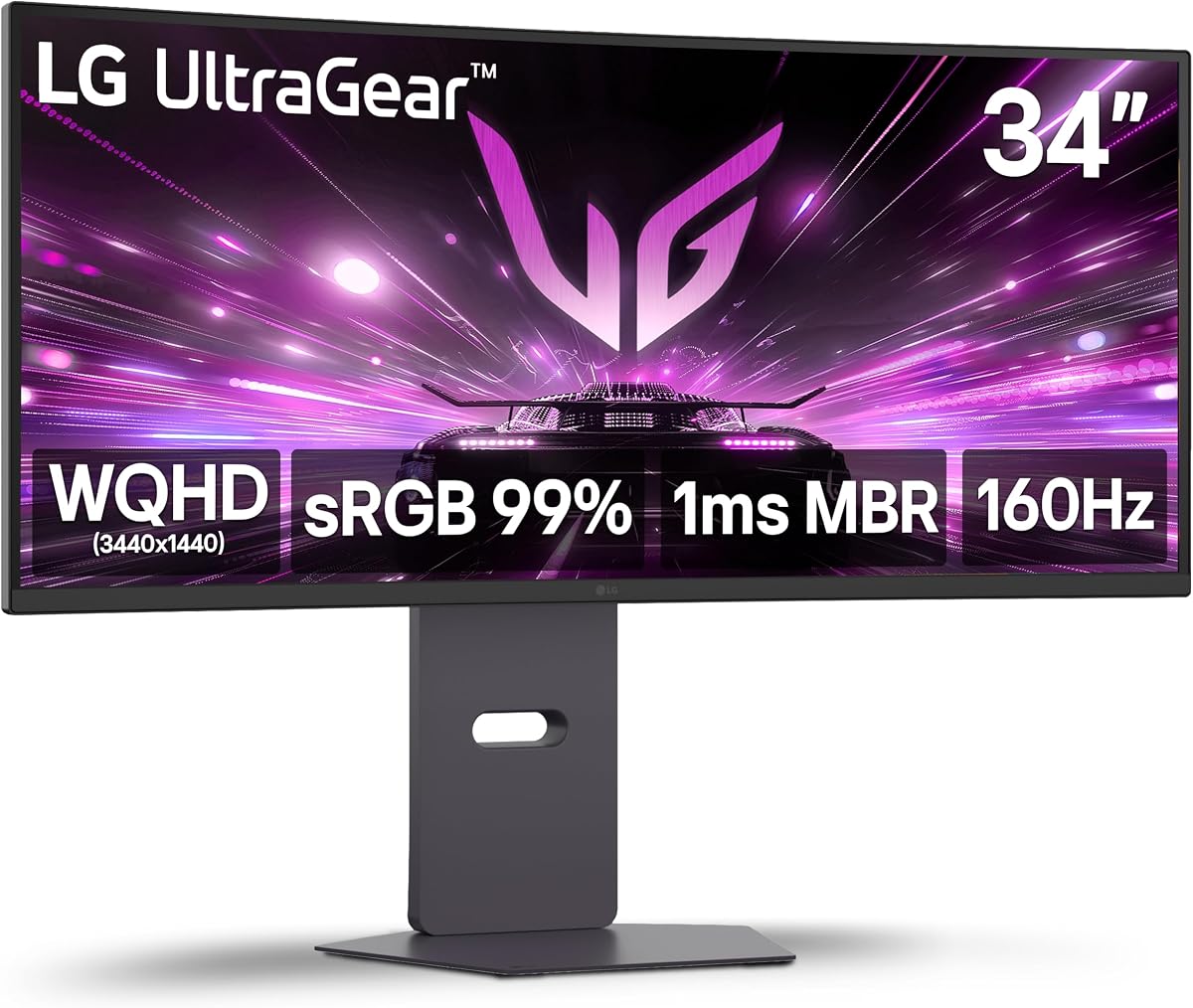
This ultrawide monitor sets a benchmark for premium curved gaming performance. The 34-inch WQHD panel balances resolution and pixel density perfectly. Its 1800R curvature provides seamless immersion without excessive distortion.
We may earn a commission when you buy through this link, at no additional cost to you.
Key advantages include a fully adjustable stand for height tilt and swivel which supports long gaming sessions comfortably. AMD FreeSync Premium eliminates tearing even in HDR scenes. The built-in speakers deliver decent audio quality with Waves MaxxAudio tuning.
The wide aspect ratio requires substantial desk space which may not suit compact setups. Higher cost reflects the superior build quality and feature set. Budget users might prefer simpler alternatives if ultrawide isn't essential.
Ideal for streamers and competitive players needing maximum field of view. Its ergonomic and visual features justify the investment for serious users.
Tilt height and swivel adjustments allow perfect viewing angles. This reduces neck and back strain during extended use.
Dynamic Action Sync minimizes input lag for immediate reactions. This ensures controls respond instantly during critical moments.
We may earn a commission when you buy through this link, at no additional cost to you.
This renewed version offers the same premium performance at a reduced cost. Certified refurbishment ensures functional integrity with full warranty coverage. It allows access to high-end features without paying new retail prices.
We may earn a commission when you buy through this link, at no additional cost to you.
The display retains full 160Hz refresh rates and ergonomic adjustability. Buyers report high satisfaction due to strict quality checks before sale. This makes it a smart choice for budget-conscious premium seekers.
Stock levels fluctuate so immediate purchase isn't always guaranteed. Some units may show minor cosmetic signs of previous use. However, performance remains identical to brand-new units.
Best for buyers wanting top-tier specs with better value. If you prioritize performance over perfect exterior condition this is highly recommended.
Substantial savings allow reallocating budget to other hardware. This optimizes total system value significantly.
Refurbished items undergo rigorous testing and inspection. This ensures reliability comparable to new products.
We may earn a commission when you buy through this link, at no additional cost to you.
The 1000R curve wraps around your peripheral vision more aggressively than standard models. This creates an unmatched sense of immersion for open-world titles and simulators. QHD resolution provides sharp detail across the 32-inch panel.
We may earn a commission when you buy through this link, at no additional cost to you.
Features include Eye Saver Mode to minimize blue light and flicker-free technology for comfort. AMD FreeSync ensures smooth visuals without screen tearing. Dark scenes benefit from high contrast ratios revealing hidden details.
The stand lacks height or pivot adjustments requiring potential VESA arm upgrades. Color volume is solid but slightly below premium options. For pure immersion though few competitors match its curvature depth.
Recommended for sim racers and RPG players prioritizing physical envelopment. Its deep curve sets a new standard for immersion at this price.
1000R curvature aligns with natural eye focus geometry. This reduces edge distortion significantly.
QHD resolution offers 1.7x pixel density over 1080p. Images appear crisp and well-defined.
We may earn a commission when you buy through this link, at no additional cost to you.
Offering 30% more screen space than standard monitors this ultrawide model enhances multitasking and gaming immersion. The 180Hz refresh rate ensures rapid frame updates for competitive play. Its 21:9 aspect ratio provides a cinematic edge for racing games.
We may earn a commission when you buy through this link, at no additional cost to you.
Aesthetic features include rear LED lighting that creates a modern setup vibe. Built-in speakers add convenience without external clutter. Dual DisplayPort inputs allow flexible connectivity for multi-device setups.
Ergonomic adjustments are minimal with no height or swivel control. Color accuracy is decent but lacks fine-tuning tools. These factors may affect long-term comfort for precise users.
Suitable for productivity gamers who need wider desktop space without premium pricing. Its unique lighting adds style without high cost.
The 21:9 ratio allows multiple windows side by side. This improves workflow efficiency significantly.
Backcover LED lights match room ambiance. This adds personality without extra peripheral cost.
We may earn a commission when you buy through this link, at no additional cost to you.
Alienware delivers top-tier performance with a 180Hz refresh rate and superior build quality. The WQHD panel offers rich visuals with 95% DCI-P3 coverage ensuring accurate colors for content creation. VESA HDR 400 certification adds dynamic contrast depth.
We may earn a commission when you buy through this link, at no additional cost to you.
Key features include console mode for optimized performance on gaming consoles and low blue light hardware solutions. FreeSync Premium ensures smooth gameplay without tearing. The brand's reputation supports reliable long-term performance.
The price point is higher than many competitors but justified by premium materials and support. Setting up custom profiles may require time but offers great customization once complete. This model targets serious gamers wanting best-in-class quality.
Recommended for users who value brand reliability and ultimate image fidelity. It stands as a long-term investment for serious gaming setups.
Dedicated console mode reduces input lag for home gaming. This enhances responsiveness on external systems.
95% DCI-P3 ensures accurate color reproduction. This benefits creators and visual professionals alike.
We may earn a commission when you buy through this link, at no additional cost to you.
Pushing boundaries with 200Hz refresh rate this model leads in raw speed performance. The 0.3ms response time drastically minimizes motion blur in fast-paced titles. UWQHD resolution keeps visuals sharp even at high frame rates.
We may earn a commission when you buy through this link, at no additional cost to you.
Ergonomics are supported by an adjustable stand with height tilt and swivel options. Adaptive-Sync technology reduces screen tearing effectively. Multiple HDMI ports allow connecting various devices without switching cables constantly.
VA panels sometimes show slower black transitions than IPS but the speed compensates well. HDR support exists but is basic compared to premium certifications. For competitive gamers though speed is the ultimate priority.
Best suited for esports players prioritizing speed above all. Its performance metrics set a high bar for gaming responsiveness.
200Hz refresh rate provides smoother motion than standard options. This gives a noticeable edge in competitive play.
0.3ms response time reduces ghosting effectively. This keeps moving objects sharp and clear.
We may earn a commission when you buy through this link, at no additional cost to you.
Selecting the right curved 160Hz monitor involves balancing speed, size, and ergonomics for your specific needs.
A 160Hz refresh rate ensures smooth motion by displaying more frames per second. Look for response times under 1ms (MPRT) to minimize ghosting during fast action.
Prioritize low response times alongside high refresh rates to avoid input lag during competitive sessions.
Curvature like 1000R or 1500R determines how wrapped the screen feels. Smaller 24-inch monitors pair well with gentle curves while ultrawides need deeper immersion.
Match curvature to screen size; tighter bends suit larger displays to maintain edge clarity.
FHD works well on 24-inch screens while 1440p suits 27-34-inch displays. Higher resolutions demand stronger GPUs to drive high frame rates.
Balance resolution with your GPU capability to maintain 160Hz performance consistently.
AMD FreeSync and NVIDIA G-Sync eliminate screen tearing by syncing monitor refresh with GPU output. Premium versions like FreeSync Premium offer HDR support.
Ensure the monitor supports the sync technology compatible with your graphics card.
HDMI 2.0 or DP 1.4 is required to drive 160Hz at high resolutions. USB hubs or audio jacks add convenience for peripherals.
Verify ports support your target resolution and refresh rate before purchasing.
Adjustable stands with height tilt and swivel prevent neck strain. VESA compatibility allows mounting on monitor arms for flexible setups.
Prioritize stands with full adjustability for comfortable long-term use.
Look for high sRGB or DCI-P3 coverage if color accuracy matters for work. Basic HDR can enhance contrast though true HDR requires higher brightness.
Check color gamut coverage if you also edit media or design graphics.
Sturdy panels with protective coatings resist scratches and glare. Longer warranties indicate manufacturer confidence in durability.
Choose reputable brands offering at least one-year coverage for peace of mind.
Proper calibration ensures accurate colors and smooth performance. Use display settings to enable FreeSync or G-Sync and set refresh rate to 160Hz in your graphics panel.
Clean the screen with a soft microfiber cloth and distilled water to avoid scratches. Never spray liquid directly on the panel; apply it to the cloth first.
Avoid leaving static images on screen for hours to prevent burn-in. Adjust brightness to match room lighting and take breaks to reduce eye strain during sessions.
Not necessarily; 160Hz can be achieved at lower resolutions or with mid-range GPUs. You just need to balance game settings to maintain high frame rates.
Yes, curvature reduces eye strain by keeping text and content at uniform distances. It helps maintain focus across multiple windows simultaneously.
Most gaming curved monitors include AMD FreeSync but check the specific model. NVIDIA G-Sync compatibility may require additional certification.
If it has VESA 75x75mm or 100x100mm holes, yes. Use a wall mount rated for curved panels to avoid bending the screen.
Basic HDR adds some contrast but true HDR needs high brightness. Look for HDR400 or higher if you want noticeable visual improvements.
Use DisplayPort 1.4 or HDMI 2.0 depending on the resolution. Older cables may limit you to 60Hz or 120Hz maximum.
Ensure drivers are updated and refresh rates match the panel. Use high-quality cables and enable G-Sync or FreeSync properly.
They offer more immersion especially in wide or large sizes. Flat monitors suit multitasking better if desk space is limited.
Whether you pick the budget-friendly SANSUI 24-inch or premium LG 34-inch ultrawide all options deliver smooth 160Hz performance. Choose based on your preferred size and budget constraints.
Prioritize refresh rate consistency and color accuracy if you also work or create content. For pure gaming, response time and adaptive sync matter most.
Prices change frequently so verify listings before buying. These models represent top choices across categories for immersive 160Hz experiences.