
Lenovo Chromebook S330 Laptop
4.2Editor score
Long battery life
Lightweight design
Cloud storage included
Finding a reliable cheap laptop for everyday use can be challenging when budget constraints meet performance needs. You want something that handles browsing, streaming, and office tasks without breaking the bank.
We have analyzed ten top-rated models available this month to help you make an informed decision. Our list covers various operating systems and screen sizes to suit different preferences.
Each pick highlights key strengths and trade-offs so you know exactly what to expect. Keep in mind that prices fluctuate frequently, so check current deals before purchasing your new device.
4.2Editor score

4.3Editor score

4.5Editor score
As an Amazon Associate we earn from qualifying purchases.
This side-by-side comparison highlights the key specifications of all ten affordable laptops featured in this guide to help you choose the right fit.




The HP Chromebook 14 stands out as a top choice for budget shoppers needing reliable daily performance. With a strong rating and solid build quality, it delivers consistent results for students and casual users.
We may earn a commission when you buy through this link, at no additional cost to you.
Its quad-core processor handles multitasking smoothly while the long battery life ensures you stay productive throughout the day. The anti-glare display makes viewing comfortable even in bright environments.
You might find the 64 GB storage limiting for large files, but cloud integration compensates for this trade-off effectively. The Chrome OS ensures security and automatic updates without extra effort from your end.
This laptop is ideal for anyone seeking a no-fuss device for web browsing and streaming. We recommend it as the best all-around option for everyday tasks.
The Intel Celeron N4120 provides efficient power for common applications without draining battery quickly.
Chrome OS offers built-in virus protection and seamless access to Android apps from the Google Play Store.
We may earn a commission when you buy through this link, at no additional cost to you.
This Amzboy model impresses with an unusually high user rating for its price point. It offers a larger screen and modern Windows 11 experience that appeals to many buyers on a tight budget.
We may earn a commission when you buy through this link, at no additional cost to you.
The FHD display provides sharper visuals than many competitors in this range. Storage expansion via TF card means you can add capacity later without technical expertise.
Performance is adequate for basic tasks but may struggle with heavy multitasking. The fanless design keeps noise down during quiet study sessions or meetings.
It represents excellent value for students needing a Windows laptop without spending much. Consider this if screen clarity and portability are your main priorities.
The 1920×1080 resolution ensures text and images appear crisp on the 15.6 inch display.
Type-C PD fast charging reduces downtime and allows using a single cable for phone and laptop.
We may earn a commission when you buy through this link, at no additional cost to you.
HPs 2026 edition brings updated specs to the budget class with a focus on productivity tools. The inclusion of Microsoft 365 adds immediate value for word processing and cloud storage needs.
We may earn a commission when you buy through this link, at no additional cost to you.
Wi-Fi 6 ensures faster wireless connections compared to older standards. The Copilot AI feature helps with summaries and research tasks directly within the system.
Without a user rating available yet, you rely on brand reputation and specs. The SSD offers faster boot times than eMMC storage found in cheaper alternatives.
This is a smart pick for professionals needing a polished machine for daily work. The battery life supports long days away from power outlets.
Microsoft 365 subscription gives access to Office apps and OneDrive cloud storage included.
Copilot AI assists with everyday tasks like summarizing documents and answering queries quickly.
We may earn a commission when you buy through this link, at no additional cost to you.
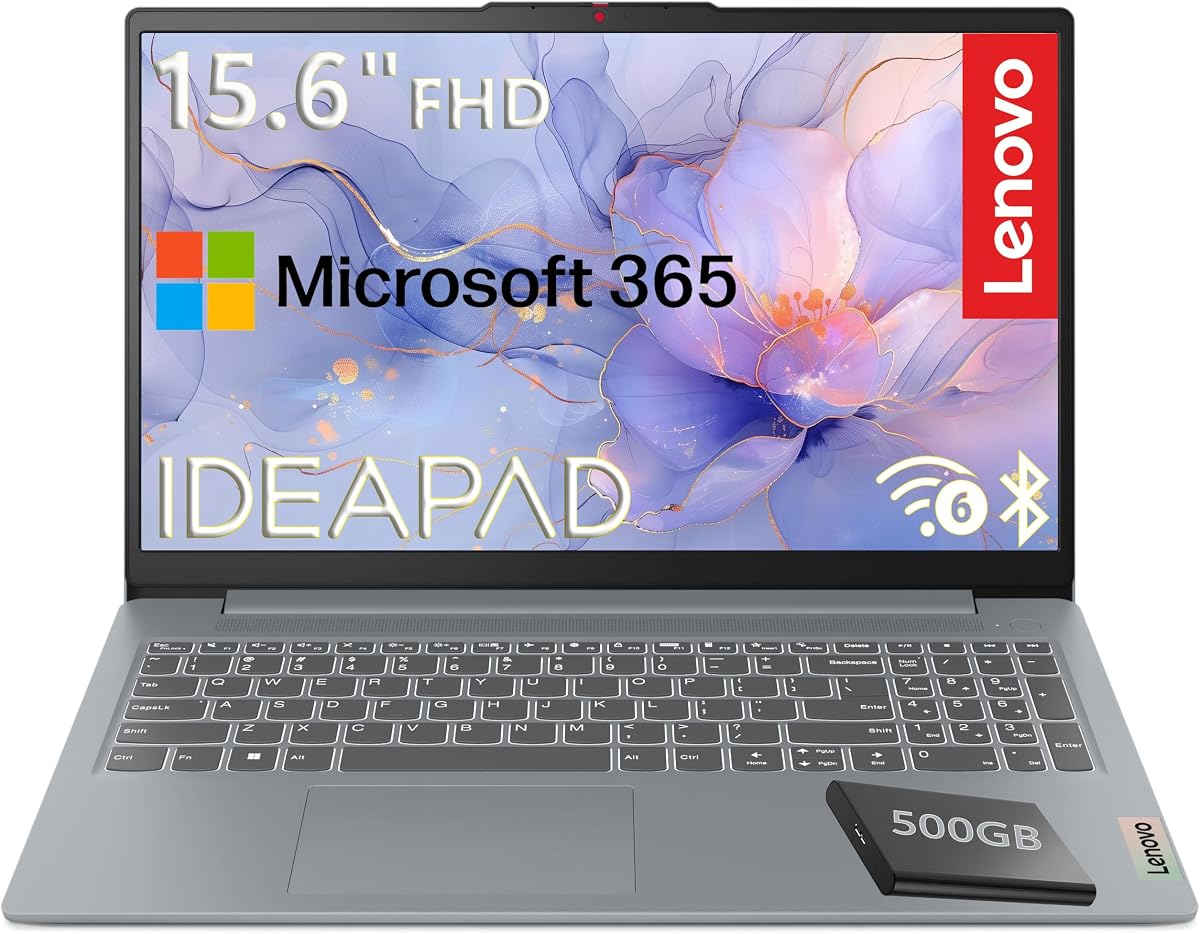
Lenovo offers a robust option with military-grade durability testing for peace of mind. The external hard drive provides massive storage capacity for media files and documents.
We may earn a commission when you buy through this link, at no additional cost to you.
The N100 processor delivers smooth performance for web browsing and streaming. Privacy features like the camera shutter enhance security during online calls.
Portability is compromised slightly by the external drive requirement. However, the sturdy build justifies this trade-off for users who need longevity.
This model suits families or students who need reliable hardware and ample space. The FHD display improves visual clarity over standard HD panels.
MIL-STD-810H certification ensures the device withstands rigorous conditions and daily wear.
500GB external drive allows storing large files without filling the internal SSD quickly.
We may earn a commission when you buy through this link, at no additional cost to you.
This Chromebook features 8 GB RAM which is generous for this price tier. It ensures smoother multitasking when switching between multiple browser tabs and apps.
We may earn a commission when you buy through this link, at no additional cost to you.
The UFS storage technology provides faster read speeds than traditional eMMC. This leads to quicker boot times and snappier overall system response.
While the display is HD, the performance compensates for everyday use. Chrome OS remains free of viruses and updates automatically without user intervention.
Perfect for users who live in the browser and value speed. The extra RAM makes it a strong contender among entry-level Chromebooks.
8 GB of LPDDR5 RAM allows running several apps simultaneously without slowdowns.
128 GB UFS storage offers better performance for file access compared to standard options.
We may earn a commission when you buy through this link, at no additional cost to you.
The S330 remains a top pick for those strictly watching their budget. It is extremely lightweight and easy to carry around campus or home.
We may earn a commission when you buy through this link, at no additional cost to you.
Google provides 100 GB of cloud storage for two years which offsets the small internal drive. This makes it practical for document-heavy users.
Performance is basic so avoid heavy media editing or gaming. It excels at simple tasks like email and web searches.
Ideal for children or first-time laptop buyers. The low price point reduces financial risk if the device gets damaged.
Free 100 GB Google Drive storage helps manage files without buying hardware upgrades.
Under 3.3 lbs weight makes it easy to slip into bags for travel.
We may earn a commission when you buy through this link, at no additional cost to you.
This HP model stands out with a high rating and practical AI features for calls. The included Office 365 subscription saves money on software annually.
We may earn a commission when you buy through this link, at no additional cost to you.
Noise reduction technology improves voice clarity during remote meetings. This is a significant upgrade for professionals working from home environments.
Battery life supports full workdays without needing a charger. The build quality feels solid for a device in this price range.
A solid recommendation for students or workers needing Microsoft tools. Prioritize this if software compatibility matters most to your daily tasks.
One-year Office 365 Personal subscription covers Word, Excel, and PowerPoint access.
AI noise reduction filters out background sounds for clearer virtual communication.
We may earn a commission when you buy through this link, at no additional cost to you.
Touchscreen functionality adds versatility for navigating apps and media content easily. The MediaTek Kompanio 520 is efficient for battery life while supporting graphics well.
We may earn a commission when you buy through this link, at no additional cost to you.
FHD resolution ensures content looks sharp on the smaller 14 inch screen. It fits well in backpacks due to its slim dimensions.
Battery consumption might rise slightly when using touch features frequently. Still, the convenience outweighs the minor trade-off for many users.
Best for creative or visual learners who benefit from direct screen interaction. It bridges the gap between tablets and traditional laptops.
FHD Touchscreen allows direct input for navigation and drawing apps.
MediaTek processor is designed specifically for long-lasting battery on Chrome OS.
We may earn a commission when you buy through this link, at no additional cost to you.
The use of DDR5 memory indicates modern hardware capable of handling current software demands. This improves system responsiveness compared to older RAM types.
We may earn a commission when you buy through this link, at no additional cost to you.
The SSD ensures fast boot times and quick app loading for daily tasks. Weighing only 3.24 lbs it is easy to transport between locations.
Without user feedback yet performance relies on component specifications. The Wi-Fi 6 support future proofs the device for better network speeds.
Consider this model for reliable modern hardware at an entry price. The battery life supports travel needs effectively without constant charging.
DDR5 RAM provides higher bandwidth for smoother multitasking performance.
Wi-Fi 6 allows faster wireless speeds than older standards on supported networks.
We may earn a commission when you buy through this link, at no additional cost to you.
This laptop offers 12GB RAM which is rare at this price level and improves multitasking. The IPS screen ensures wide viewing angles and better color accuracy than TN panels.
We may earn a commission when you buy through this link, at no additional cost to you.
Port selection is robust allowing direct connection to peripherals without hubs. The privacy slider adds peace of mind for webcam security during calls.
Performance is limited by the older Pentium architecture despite high RAM. Best for web-based work rather than heavy local applications.
A solid choice for students needing screen quality and multitasking. The generous RAM helps when running many tabs simultaneously.
12GB of RAM allows heavy browser tab usage without system slowdowns.
Multiple USB ports and HDMI allow connecting displays and peripherals directly.
We may earn a commission when you buy through this link, at no additional cost to you.
Selecting the right budget laptop requires balancing performance, screen size, and battery life to match your specific needs.
Look for modern processors like Intel N100 or MediaTek Kompanio which offer efficient performance for web tasks. Avoid older chips that may lag during multitasking.
Prioritize multi-core CPUs for smoother daily operation.
Aim for at least 4GB of RAM to keep multiple apps open without freezing. Storage options vary between eMMC and SSD with SSD being faster.
Check if expandable storage is available via SD or USB slots.
Full HD displays provide sharper images than HD screens which reduces eye strain. IPS panels offer better viewing angles than TN screens.
Choose a size that fits your transport habits.
Target laptops with rated battery life of at least ten hours to last through school or work days. Fast charging helps when you forget to charge overnight.
Real-world usage usually drops rating numbers slightly.
Chrome OS is simple and secure for web work but lacks offline apps. Windows 11 offers full software compatibility but requires more resources.
Choose based on your software needs.
Ensure the device has enough USB ports for your mouse and drives. USB-C support is increasingly important for modern charging and display needs.
Wi-Fi 6 provides better network stability.
Lightweight designs make commuting easier but verify durability standards. Look for hinges that feel sturdy to avoid breakage over time.
Materials like plastic can be durable if designed well.
Privacy shutters on webcams add security for video calls. Built-in software subscriptions like Office 365 can add significant value to the purchase price.
Consider what extras you really need.
Keep your laptop in a padded bag to protect the screen and chassis during transport to avoid cracks or scratches.
Avoid using the device on soft surfaces like beds which can block vents and cause overheating leading to system slowdowns.
Regularly clear browser cache and update your OS to maintain performance and security over time.
Many budget laptops are designed with sturdy materials that survive daily commuting. However avoid dropping them to prevent screen damage.
Yes as long as it meets video conferencing and document editing requirements. Ensure battery life supports your meeting hours.
Chrome OS is easier and safer for basic schoolwork while Windows handles complex software better. Choose based on course requirements.
64GB to 128GB is often enough if you use cloud storage for photos and documents. Always check expandability options.
Some models include a one-year subscription but others do not. Always verify product details before purchasing to avoid extra costs.
Most models offer between ten to fourteen hours of video playback. Mixed usage like browsing will reduce this time slightly.
They can handle casual browser games but not heavy 3D titles. Check graphics specs if gaming is a priority.
HD resolution is fine for text and general browsing. FHD is better for photo editing and sharper media viewing.
We highlighted ten affordable models ranging from Chromebooks to Windows laptops suitable for students and casual users.
Prioritize battery life and processor speed to ensure your device lasts through demanding days without frustration.
Always verify current pricing and warranty terms before buying to get the best deal available today.